Every time you type something into your browser's address bar, you're making a choice without realizing it. Are you navigating somewhere specific, or are you searching for something? Your browser makes that call in milliseconds, and the result is either a direct page load or a search URL: a dynamically generated address that carries your query, your location, your language, and sometimes your entire intent as encoded parameters.
That's a lot riding on one line of text.
For most users, search URLs are invisible infrastructure. They type, they press Enter, they get results. But for marketers, founders, and agencies trying to build organic visibility, search URLs are a window into how search engines think. They reveal how queries get processed, how pages get discovered, and increasingly, how AI models decide which brands deserve a mention in a generated answer.
Understanding search URLs isn't just a technical exercise. It's foundational to SEO strategy, crawl budget management, and the emerging discipline of Generative Engine Optimization (GEO). Whether you're auditing your site architecture, troubleshooting indexing gaps, or figuring out why your brand isn't appearing in AI-generated search results, it all connects back to how URLs work and how well you've optimized them.
This guide breaks it all down: the anatomy of a search URL, how browsers decide what to do with your input, the SEO implications of URL structure, and what the rise of AI-powered search means for the way your content gets discovered.
Anatomy of a Search URL: Breaking Down Every Component
Let's start with a concrete example. When you search for "search URL" on Google, your browser navigates to something like this:
https://www.google.com/search?q=search+url&hl=en&gl=us
That single string contains a complete instruction set. Here's what each piece means.
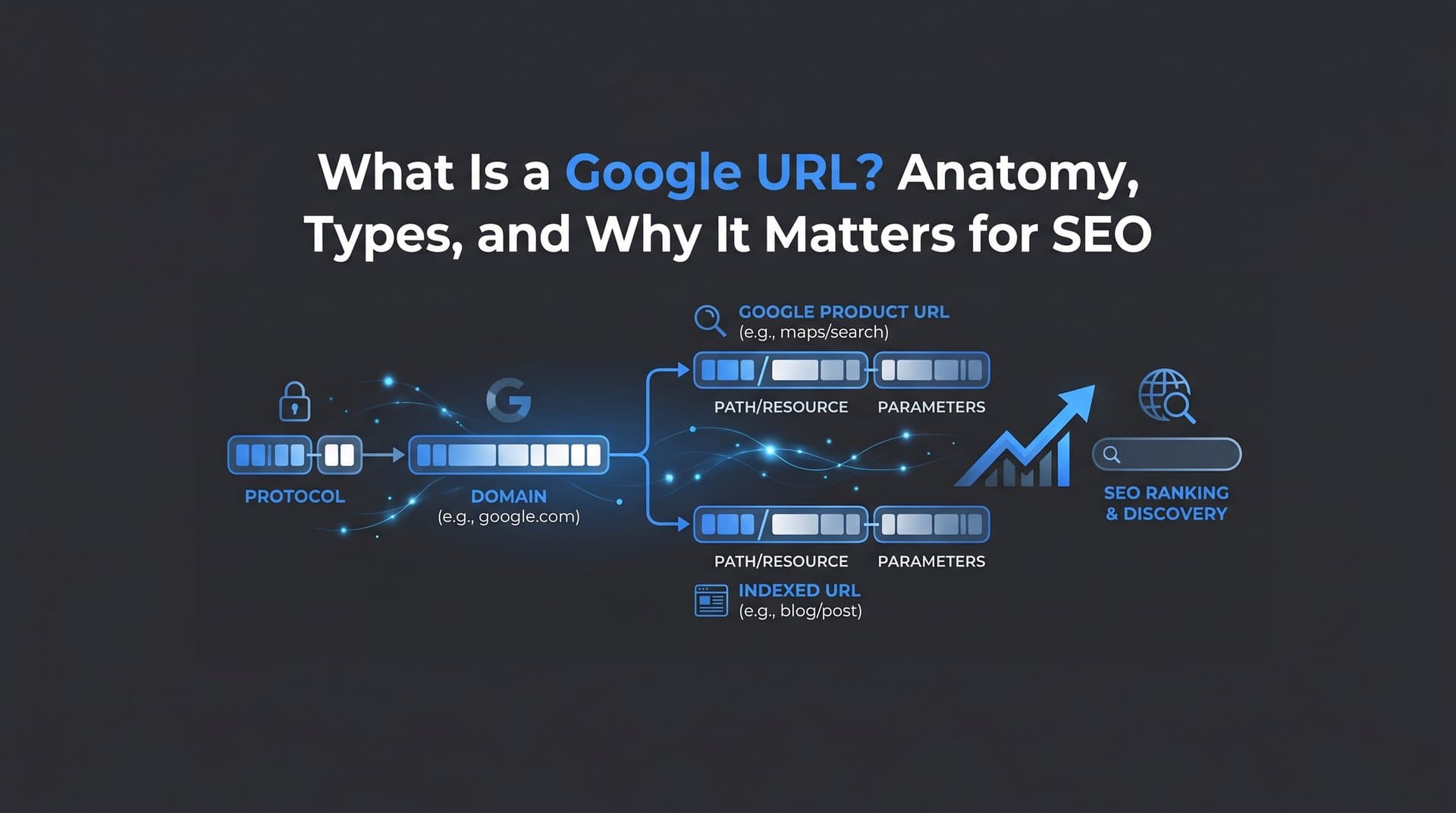
Protocol (https://): This tells your browser which communication standard to use. HTTPS means the connection is encrypted. From an SEO standpoint, Google has confirmed HTTPS as a ranking signal, and any site still serving pages over HTTP is leaving both security and search performance on the table.
Domain (www.google.com): The authority component identifies the server. In a search URL context, this is the search engine itself. For your own URLs, the domain is your brand's digital home base, and its authority influences how quickly and thoroughly search engines crawl everything beneath it. Understanding how a Google search link connects to a URL helps clarify this relationship.
Path (/search): The path points to a specific resource on the server. Google's search results live at /search. On your own site, the path is where URL structure best practices matter most: logical hierarchy, descriptive slugs, no unnecessary nesting.
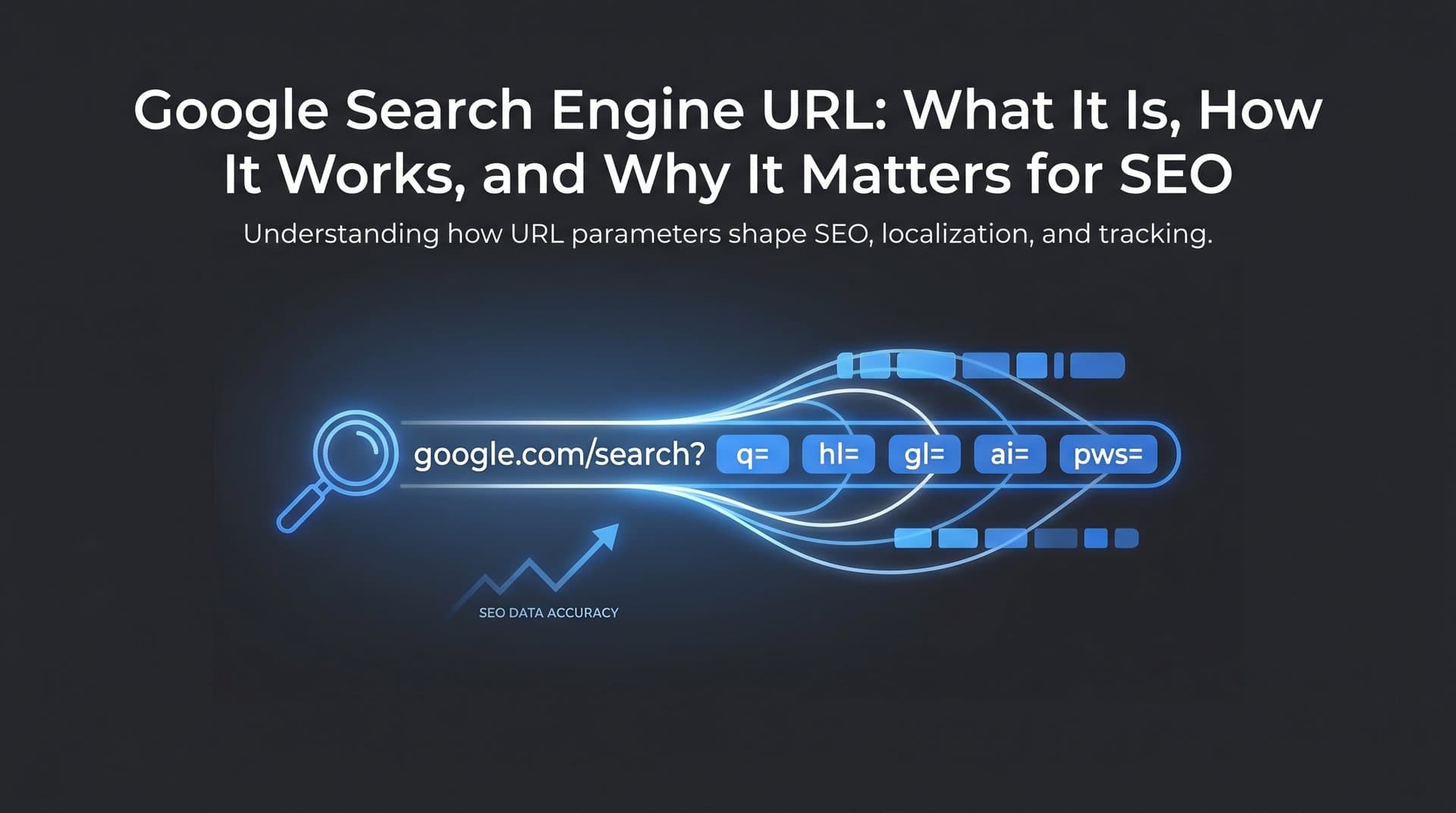
Query String (?q=search+url): This is where a static page URL becomes a search URL. The question mark signals the start of query parameters, and everything after it is a key-value pair. The q= parameter carries the actual search query. Spaces are encoded as plus signs or %20. Additional parameters layer on context:
hl=en tells Google the interface language is English. gl=us specifies the country for localized results. start=10 indicates pagination, meaning the user is on page two of results. num=20 requests a specific number of results per page. safe=active enables SafeSearch filtering.
Fragment (#): The fragment identifier, the part after the hash symbol, is never sent to the server. It's handled entirely by the browser and typically points to a specific section within a page. Search engines generally don't index fragment content as a separate URL, though this has nuances with JavaScript-heavy single-page applications.
The key distinction worth internalizing: a page URL is a static address pointing to a specific resource. A search URL is dynamically generated, assembled on the fly from user input and contextual signals. Your homepage has one canonical URL. A Google search for your brand name generates a unique URL every time, shaped by who's searching, where, and in what language.
This distinction matters because it defines two completely different optimization challenges. Your page URLs you control directly. Search URLs you influence indirectly, through the quality and structure of the content those URLs point to.
What Your Browser Is Actually Doing When You Type
Modern browsers have collapsed the address bar and search bar into a single input field. Chrome calls it the omnibox. Edge, Safari, and Firefox have equivalent implementations. The concept is simple: type anything, and the browser figures out what you mean.
But the logic underneath is more interesting than it appears.
When you start typing, the browser runs a rapid heuristic check. If your input contains a dot with no spaces and matches a recognizable top-level domain pattern (like .com, .org, .io), the browser treats it as a URL and prepares to navigate directly. If your input looks like natural language, a question, or a phrase without URL-like structure, the browser routes it to your default search engine and constructs a search URL from your query. This is the core mechanic behind the familiar Google search or type URL prompt that billions of users interact with daily.
Chrome's omnibox, introduced in 2008, was the first major implementation of this unified approach. Today it's the standard across all major browsers, and the default search engine setting you choose determines which search URL template gets used. Switch your default from Google to Bing or DuckDuckGo, and the same query generates a completely different search URL structure.
Autocomplete adds another layer. Before you even press Enter, your browser is already generating candidate search URLs based on your partial input, your search history, trending queries, and suggestions from the search engine's API. This predictive behavior shapes what users actually search for, which in turn shapes what content gets discovered. Understanding search intent in SEO helps you anticipate how these autocomplete suggestions influence user behavior.
For marketers, this omnibox dynamic has real analytics implications. When a user types your brand name into their browser, the outcome splits into two paths: direct navigation (if they've been to your site before and the browser autocompletes the full URL) or a branded search (if the browser routes the input to a search engine). These two behaviors look very different in your analytics platform. Direct traffic shows up as a direct session. Branded search shows up as organic search with your brand name as the query.
The split between these two tells you something meaningful about brand recognition. A high ratio of direct navigation suggests strong brand recall. A high ratio of branded search suggests users know you exist but aren't sure of your exact URL, or they prefer the safety net of search results to verify they're going to the right place. Both are worth tracking, and both are influenced by how consistently your URLs appear and perform in search results.
How Search URLs Influence Crawling, Indexing, and Rankings
Search engines discover your content by following URLs. Googlebot and other crawlers traverse the web link by link, requesting pages, parsing their content, and deciding what to index. The structure and cleanliness of your URLs directly affect how efficiently that process works. For a deeper look at this process, explore how search engines discover new content across the web.
The biggest URL-related SEO challenge is duplicate content caused by URL variations. Consider how many ways the same page can be accessed: with or without a trailing slash, with HTTP or HTTPS, with or without www, with session ID parameters appended, with tracking parameters from email campaigns. Each variation is technically a different URL. Without proper handling, crawlers may index all of them as separate pages, diluting your crawl budget and splitting any link equity between multiple addresses.
The standard solution is canonicalization. The rel=canonical tag tells search engines which version of a URL is the authoritative one. If your product page is accessible at both /product/blue-widget and /product/blue-widget?color=blue, a canonical tag on the parameter version pointing to the clean version consolidates signals and prevents indexing confusion. Google's Search Central documentation covers this in detail and recommends canonical tags as the primary tool for managing URL duplication.
Query parameters deserve special attention. URL parameters like ?sort=price or ?page=2 often generate pages with near-identical content, which crawlers may repeatedly visit without finding anything new. You can handle this through robots.txt disallow rules for parameter patterns, through Google Search Console's URL parameter tool, or through canonical tags on paginated content pointing back to the root page.
Session IDs are a particularly problematic pattern. If your site appends a unique session identifier to every URL for tracking purposes, you're potentially generating thousands of unique URLs that all serve identical content. This is a crawl budget disaster and should be resolved by keeping session tracking in cookies rather than URL parameters.
This is where faster indexing tools become genuinely valuable. The IndexNow protocol, supported by Microsoft Bing, Yandex, and other search engines, allows your site to proactively notify search engines when a URL is created, updated, or deleted. Rather than waiting for a crawler to rediscover your content on its own schedule, you push the notification instantly. Our guide on search engine indexing optimization covers how to accelerate this process and get indexed significantly faster.
Clean URL architecture, proper canonicalization, and proactive indexing notification work together as a system. Each element reinforces the others, and gaps in any one area create friction in how efficiently your content gets discovered and ranked.
Search URLs in the Age of AI: From Traditional SERPs to Generative Engines
Here's where the traditional search URL model gets genuinely disrupted.
When Google returns ten blue links, each result is a URL. Users see the address, evaluate it as a trust signal, and click through to the source. The URL is visible, clickable, and central to the discovery experience. Your ranking position determines your click share, and your URL's appearance in the SERP (including the displayed path) influences whether users trust the source enough to click.
AI-powered search changes this dynamic significantly. Google's AI Overviews, Perplexity AI, and ChatGPT with browsing capabilities generate synthesized answers directly in the search interface. Users get a response, not a list of URLs to evaluate. Citations may appear as small footnotes or inline references, but many users read the generated answer and move on without ever visiting a source URL. Understanding what the search generative experience actually entails is critical for adapting your strategy.
This creates a brand visibility challenge that traditional URL optimization doesn't fully address. Your page can be perfectly structured, canonicalized, and indexed, and still be invisible in AI-generated answers if the content isn't framed in a way that AI models recognize as authoritative and citable.
AI models reference and cite source URLs differently than traditional search algorithms. They're not ranking pages by keyword relevance alone. They're synthesizing information from content that demonstrates expertise, clarity, and topical depth. A well-structured URL with a descriptive slug helps, but it's the content behind that URL that determines whether an AI model surfaces your brand in a generated answer. Knowing the key AI search engine ranking factors helps you understand what these models prioritize.
This is the core premise of Generative Engine Optimization (GEO): optimizing content not just for traditional search rankings, but for citation and reference by AI-powered generative engines. GEO complements traditional SEO rather than replacing it. Clean URL structures, strong on-page signals, and fast indexing still matter. But they need to be paired with content that AI models find worth citing: clear definitions, authoritative explanations, structured information that answers questions directly.
The brands winning in AI search are those that treat their URLs as entry points to genuinely useful content, not just keyword-optimized landing pages. Every URL you publish is a potential citation source. The question is whether the content it leads to is good enough to earn that citation from an AI model synthesizing an answer for millions of users.
Practical Playbook: Optimizing Your URLs for Search and AI Discovery
Knowing the theory is useful. Having a concrete checklist is better. Here's how to approach URL optimization systematically, covering both traditional SEO and AI discovery.
Use descriptive, keyword-rich slugs: Your URL path should tell both users and search engines what the page is about. /blog/search-url-seo-guide is better than /blog/post-1247. Include your target keyword naturally. Use hyphens between words, not underscores. Google's Search Central guidelines explicitly recommend hyphens as word separators in URLs. Pairing strong slugs with thorough keyword research for organic SEO ensures your URLs target the right terms from the start.
Enforce HTTPS sitewide: Every page should be served over HTTPS. Set up automatic redirects from HTTP to HTTPS, and ensure your canonical tags, sitemap, and internal links all reference the HTTPS version. Mixed content (HTTPS pages loading HTTP resources) creates security warnings and can affect crawling.
Build logical URL hierarchy: Your URL structure should reflect your site's information architecture. /resources/guides/search-url tells crawlers and users that this page lives within a resources section, under a guides category. Flat structures work for small sites; hierarchical structures help larger sites communicate topical organization to search engines.
Minimize parameter bloat: Audit your URLs for unnecessary parameters. Tracking parameters like UTM tags are fine (and shouldn't be indexed anyway, so exclude them via canonical tags or robots.txt). Session IDs, sort parameters on non-unique content, and filter combinations that generate thin pages should be managed carefully to protect crawl budget.
Implement structured data: Structured data markup (Schema.org) doesn't live in the URL itself, but it enriches what search engines and AI models understand about the content at that URL. Article schema, FAQ schema, and HowTo schema all provide machine-readable signals that improve how your content is interpreted and potentially cited in AI-generated answers.
Monitor which URLs rank, get crawled, and surface in AI: Google Search Console shows you which URLs are indexed, which have coverage issues, and which queries trigger impressions. Screaming Frog and similar crawl tools help you audit your URL structure at scale. For AI visibility, you need dedicated AI search visibility management that monitors how your brand and its URLs appear across AI platforms like ChatGPT, Claude, and Perplexity.
Combining SEO-optimized URL structures with AI visibility tracking creates a comprehensive discovery strategy. You're not just optimizing for the traditional SERP anymore. You're building a URL architecture that serves as a trustworthy source across every discovery channel, from organic search to AI-generated answers.
Putting It All Together: URLs as Your Brand's Digital Address
Search URLs are both simpler and more consequential than most people realize. At their core, they're just structured strings of text. But those strings carry your brand's content to search engines, browsers, crawlers, and increasingly, AI models that synthesize information for millions of users every day.
The fundamentals haven't changed: clean structure, descriptive slugs, HTTPS, proper canonicalization, and fast indexing are still the foundation. What has changed is the surface area you need to optimize for. Traditional search results are no longer the only discovery channel that matters. AI-powered search experiences are reshaping how users find information, and brand visibility in those experiences depends on content quality and authority, not just URL ranking position.
The practical takeaway is straightforward: audit your URL structure with the same rigor you'd apply to your keyword strategy. Fix parameter issues. Implement canonical tags. Push URL updates through IndexNow for faster discovery. Then layer on AI visibility monitoring to understand how your brand appears across the platforms where your audience is increasingly getting their answers.
The brands that will win organic discovery in the next few years are those treating their URL architecture and their AI visibility as two parts of the same strategy, not separate technical checklists.
Stop guessing how AI models like ChatGPT and Claude talk about your brand. Start tracking your AI visibility today and see exactly where your brand appears across top AI platforms, so you can optimize your content, your URLs, and your entire discovery strategy with real data instead of assumptions.