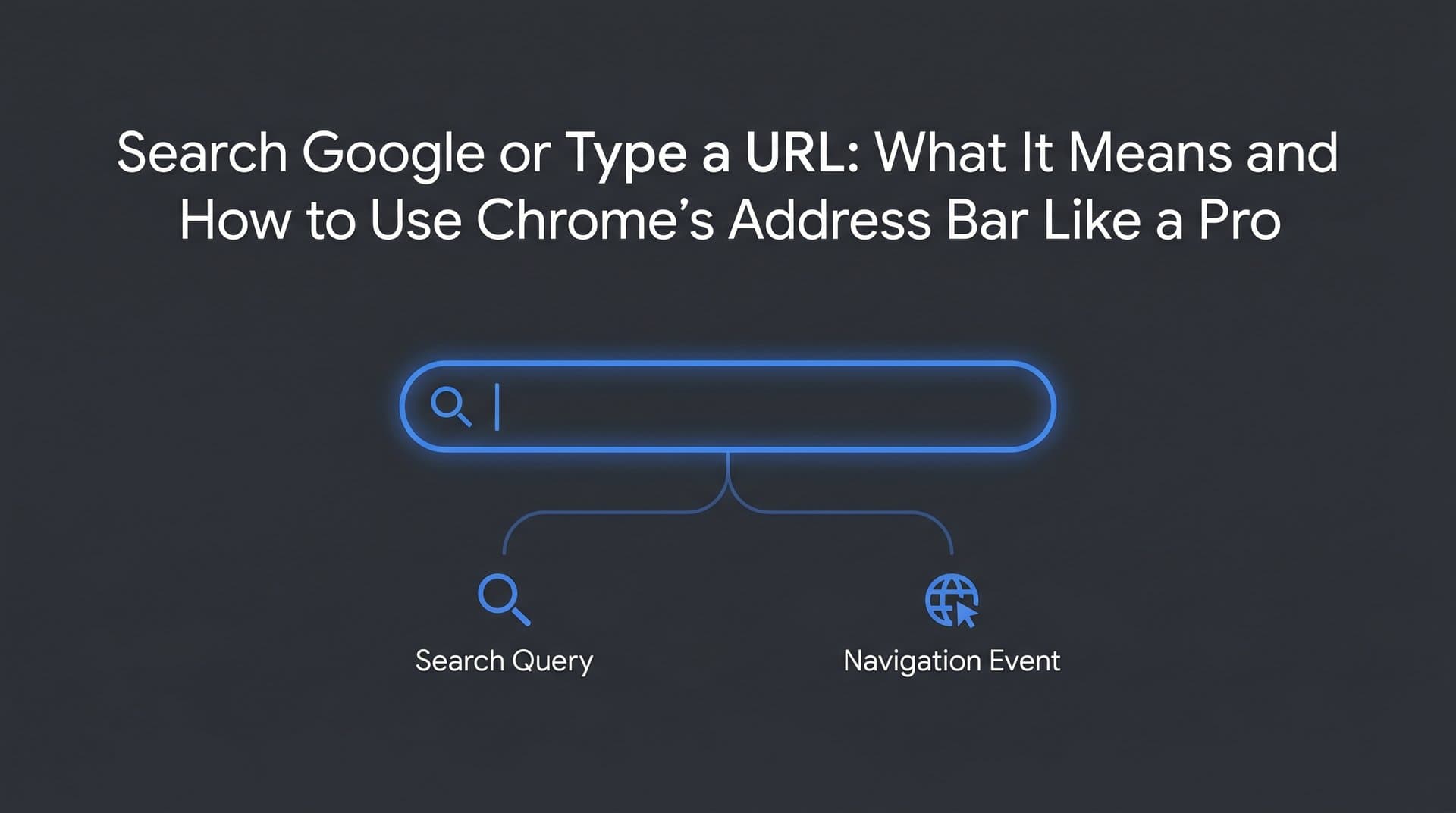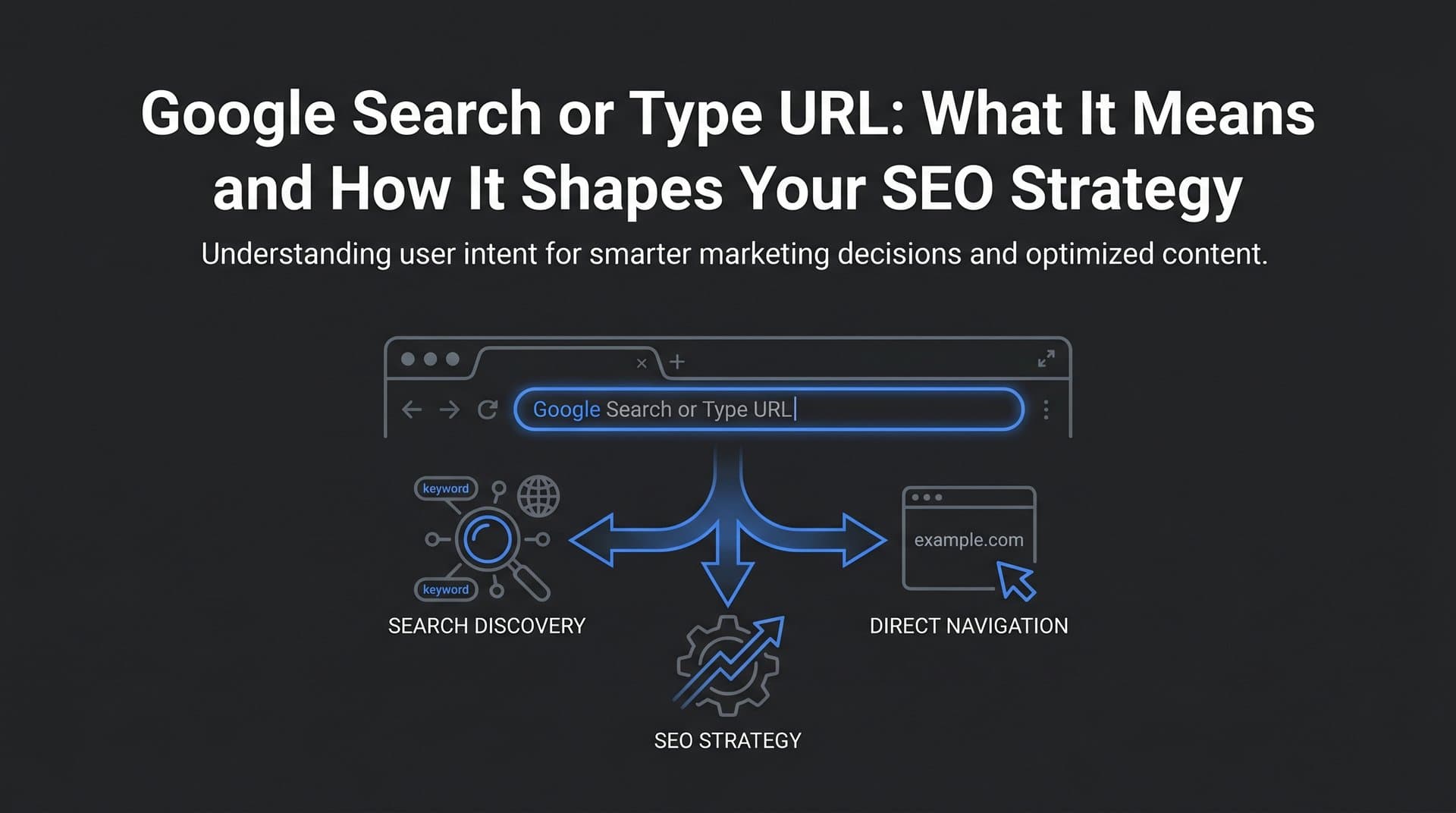
Every time you click into Chrome's address bar, you're greeted by a quiet but powerful prompt: "Search Google or type a URL." Most users barely notice it. But for marketers, founders, and SEO professionals, that single line of placeholder text represents something far more significant than a browser convenience feature.
It represents a fundamental fork in user behavior. On one side, users who already know where they're going type a URL directly and land on your site without ever touching a search results page. On the other side, users who are discovering, researching, or comparing type a query and let Google decide what they see first. These two paths are not interchangeable, and treating them as the same in your analytics or strategy is a costly mistake.
Understanding the distinction between these two behaviors shapes how you approach brand building, keyword strategy, technical SEO, and even content creation. And in 2026, the picture is getting more complex: AI-powered answer engines like ChatGPT, Claude, and Perplexity are creating entirely new discovery channels that exist outside the omnibox entirely. This article breaks down what the "Search Google or type a URL" prompt really means, how it affects your visibility strategy, and what it takes to stay discoverable as the search landscape continues to evolve.
The Chrome Omnibox: More Than Just an Address Bar
When Google launched Chrome in 2008, one of its most quietly revolutionary design decisions was merging the search bar and the address bar into a single input field. They called it the omnibox. Before this, browsers kept these functions separate: you typed URLs in one place and ran searches in another. Chrome collapsed them into one, and nearly every major browser has followed suit since.
The "Search Google or type a URL" placeholder text is Chrome's way of acknowledging that this single field serves two distinct purposes. When you start typing, Chrome has to make a real-time decision: is this a web address or a search query? That decision happens faster than you can blink, and it's based on a set of parsing rules Chrome applies to your input.
Here's how Chrome figures out which path to take:
URL detection: If your input includes a recognized top-level domain (like .com, .org, .io), a protocol prefix (http:// or https://), or matches a known URL pattern, Chrome treats it as a web address and initiates direct navigation through DNS resolution.
Search query detection: If your input contains spaces, lacks a TLD, or doesn't match any URL pattern, Chrome routes it as a Google search query. The input is sent to Google's servers, and a search results page is returned. Understanding search intent in SEO helps explain why Google classifies these queries differently based on user goals.
Ambiguous inputs: Some inputs fall into a gray zone. Typing "apple" could mean you want to visit apple.com or search for information about the company. Chrome typically defaults to treating single-word inputs without TLDs as search queries unless you've visited that domain frequently enough for it to appear as a top autocomplete suggestion.
The autocomplete layer adds another dimension. As you type, Chrome pulls from your browsing history, your bookmarks, and Google's trending and popular searches to surface suggestions in a dropdown. This means that for well-known brands, typing even the first two or three letters of a domain name will often surface the full URL as a top suggestion, effectively bypassing the search results page entirely.
For marketers, this autocomplete behavior is worth paying attention to. If your brand name reliably appears as a top omnibox suggestion, you're benefiting from a form of zero-click navigation that keeps users coming directly to you. If it doesn't, users searching for your brand by name may be landing on a Google results page first, where competitors can intercept them.
Direct URL Navigation vs. Search Queries: Why the Distinction Matters for Marketers
In Google Analytics and most web analytics platforms, traffic is categorized by source and medium. Direct traffic typically captures users who typed your URL directly, clicked a bookmark, or arrived through a source that couldn't be attributed otherwise. Organic traffic captures users who found you through a search engine results page.
These two buckets tell very different stories about your audience.
Users who type your URL directly represent high-intent, brand-aware visitors. They already know you exist. They've either been to your site before, heard about you from someone, or seen your brand in an offline context. This is navigational intent at its purest. These users are typically further along in their relationship with your brand, and they tend to convert at higher rates, have lower bounce rates, and engage more deeply with your content.
Users who arrive through search queries represent something different: discovery. They typed a question, a problem, or a topic into the omnibox, and your content surfaced as a relevant result. These users may have no prior awareness of your brand at all. They're evaluating you against other results on the page, which means your ability to earn their click, hold their attention, and build trust is being tested in real time. You can check your position in Google search to understand exactly where you stand in these competitive results.
Both traffic types matter enormously, but they require different strategies to grow.
Growing direct traffic is fundamentally a brand-building exercise. It requires making your domain name memorable, investing in offline and online brand awareness, and ensuring that users who interact with your brand in any context can recall and type your URL without friction.
Growing organic traffic is an SEO and content exercise. It requires understanding what your target audience is searching for, creating content that answers those queries better than competitors, and ensuring your pages are indexed and technically accessible to search crawlers.
One important caveat for analytics: direct traffic is often over-counted. When tracking parameters are missing from links, when users arrive from certain mobile apps, or when HTTPS-to-HTTP redirects strip referrer data, sessions that should be attributed to organic, social, or referral traffic end up in the direct bucket. This is a well-known attribution challenge, and it means your direct traffic numbers may be inflating your apparent brand recognition. Audit your tracking setup regularly to ensure you're reading these signals accurately.
Understanding the split also helps you diagnose SEO problems. If your direct traffic is growing but organic is flat, your brand awareness efforts are working but your content discoverability isn't. The inverse suggests strong SEO performance but weak brand recall. Both are actionable insights that only become visible when you treat these two entry points as distinct strategic levers.
How Google Processes Omnibox Inputs Behind the Scenes
When a user types a URL into the omnibox and hits enter, the process is relatively straightforward: Chrome initiates a DNS lookup to resolve the domain name to an IP address, establishes a connection with the web server, and loads the requested page. Your web server logs record this as a direct visit, and no Google infrastructure is involved in routing the user to your site.
When a user types a search query, the process is entirely different. The query is sent to Google's servers, where it passes through multiple layers of processing: query understanding, intent classification, index retrieval, ranking algorithms, and finally, results assembly. The page that loads is a Google Search Results Page (SERP), not your website directly. Your site only appears if it has been crawled, indexed, and ranked for that query.
This is why indexing is non-negotiable. A site that isn't indexed by Google simply doesn't exist for query-based users. It won't appear in search results, and it won't surface in omnibox autocomplete suggestions tied to search queries. If your pages aren't being crawled and indexed properly, you're invisible to the largest discovery channel on the web. Learning how to get Google to crawl your site is a foundational step in solving this problem.
The autocomplete system deserves a closer look. As users type in the omnibox, Chrome generates suggestions from several sources: the user's personal browsing history and bookmarks, Google's database of popular and trending searches, and previously visited URLs. For brand discovery, this means that if enough users have searched for your brand name or visited your domain, your brand will begin appearing as a suggested result before users even finish typing. This creates a compounding visibility advantage for well-known brands and a meaningful barrier for newer ones.
For marketers, the practical implication is this: ensuring your site is properly indexed isn't just about appearing in traditional search results. It's about being part of the entire omnibox discovery ecosystem. A well-indexed, frequently visited site with strong branded search volume will surface in autocomplete suggestions, in direct navigation patterns, and in organic results simultaneously.
Optimizing Your Site for Both Entry Points
A complete visibility strategy requires you to optimize for both the URL-typing user and the query-typing user. The technical and strategic requirements for each are distinct, but they share a common foundation.
For direct URL traffic: Start with your domain name. Memorable, short, and brandable domains reduce friction for users trying to navigate directly. If your domain is long, hyphenated, or difficult to spell, you're creating unnecessary barriers to direct navigation. Equally important are proper redirects. Users may type your domain with or without "www," with http:// instead of https://, or with a trailing slash. Every variation should resolve cleanly to your canonical URL without broken experiences or security warnings. A misconfigured redirect chain is a silent conversion killer.
For search query traffic: Keyword research in SEO and content quality are your primary levers. You need to understand what your target audience is searching for at every stage of their journey, from broad informational queries to specific transactional ones, and create content that genuinely addresses those needs better than what's already ranking. Beyond content, your pages need to be crawlable. A page blocked by robots.txt, hidden behind a login, or buried under excessive JavaScript rendering may never make it into Google's index, regardless of how good the content is.
Technical foundations that support both entry points:
Page speed: Slow-loading pages hurt both direct and organic visitors. Google uses page experience signals as a ranking factor, and users who type your URL directly will abandon a slow site just as quickly as anyone else.
Mobile responsiveness: Google's indexing is mobile-first. If your site isn't optimized for mobile, you're at a structural disadvantage in search rankings, and you're delivering a poor experience to the majority of users regardless of how they arrived.
SSL certificates: HTTPS is a baseline requirement. Browsers flag HTTP sites as "not secure," which damages trust for direct URL visitors and is a confirmed, if minor, ranking signal for organic search.
XML sitemaps: Submitting a sitemap to Google Search Console ensures crawlers can discover all your important pages efficiently. This is especially critical for large sites or newly published content that might not be discovered through internal linking alone. For a deeper dive, our guide on search engine indexing optimization covers how to accelerate this process significantly.
Structured data: Schema markup helps Google understand your content more precisely, which can improve how your pages appear in search results through rich snippets, knowledge panels, and other enhanced SERP features.
Beyond the Omnibox: AI Search and the New Discovery Landscape
Here's where the "Search Google or type a URL" paradigm starts to show its limits as a complete model of user discovery.
In 2025 and 2026, a growing number of users aren't starting their information-seeking journey in Chrome's omnibox at all. They're opening ChatGPT, asking Claude a question, querying Perplexity for research, or encountering Google's own AI Overviews at the top of search results. These AI-powered answer engines are changing the fundamental structure of how users discover information, brands, and solutions.
The critical difference: when a user asks an AI model a question, they often receive a synthesized answer directly, without ever clicking through to a website. Your brand either gets mentioned in that answer or it doesn't. There's no SERP where you can earn a click if you rank well enough. Visibility in AI-generated responses is a binary outcome: you're in the answer or you're not.
This has given rise to a discipline called GEO, or Generative Engine Optimization. Where traditional SEO focuses on optimizing content for Google's crawling, indexing, and ranking systems, GEO focuses on making your content and brand citable by AI models. Our comprehensive AI search engine optimization guide covers the specific tactics needed to succeed in this new environment.
The strategic implications are significant. Content that performs well in traditional SEO (keyword-optimized, well-linked, high domain authority) doesn't automatically translate into AI citations. AI models tend to favor content that is comprehensive, clearly sourced, and structured in ways that make it easy to extract specific claims or recommendations.
Tracking your brand's presence in AI-generated responses is becoming as important as tracking your Google rankings. Tools like Sight AI allow marketers to monitor how AI platforms like ChatGPT, Claude, and Perplexity mention their brand, what sentiment surrounds those mentions, and which prompts are triggering references to their content. This kind of AI visibility tracking gives you the intelligence to understand where you're being cited, where competitors are ranking in AI search instead, and what content gaps you need to close.
The omnibox isn't going away. But it's no longer the only gateway to your audience. A modern visibility strategy has to account for the growing share of discovery that happens through AI-powered channels.
Putting It All Together: Building a Multi-Channel Visibility Strategy
The "Search Google or type a URL" prompt is a deceptively simple interface element that encodes a genuinely complex set of user behaviors. Optimizing for both behaviors, while also extending your visibility into AI-powered discovery channels, requires a strategy that spans branding, SEO, technical infrastructure, and content.
Here's a practical action checklist to put this into motion:
Audit your indexing status: Use Google Search Console to verify that your key pages are indexed and that there are no crawl errors, blocked resources, or manual penalties limiting your visibility in search results and omnibox suggestions.
Optimize for branded and non-branded queries: Ensure your site ranks for your own brand name (navigational intent) and for the informational and transactional queries your target audience uses to discover solutions like yours.
Strengthen your technical SEO foundation: Confirm that redirects are clean, SSL is properly configured, page speed meets modern standards, and your XML sitemap is current and submitted.
Build memorable brand presence: Invest in brand awareness so that your domain becomes a typed URL for more users over time. Direct traffic growth is a long-term indicator of brand health.
Monitor AI mentions: Track how AI models reference your brand across platforms. Identify which prompts surface your competitors but not you, and create content designed to fill those gaps.
Publish GEO-optimized content: Write content that is structured, authoritative, and comprehensive enough to be cited by AI-powered answer engines, not just indexed by Google.
The discovery landscape is more fragmented than it's ever been. Users find information through search results, AI answers, social platforms, podcasts, and word of mouth. The omnibox is still central, but it's no longer the whole picture. Marketers who understand the full spectrum of user entry points, from the typed URL to the AI-generated answer, are the ones who will build durable, compounding organic visibility.
Start tracking your AI visibility today and see exactly where your brand appears across top AI platforms. Stop guessing how ChatGPT, Claude, and Perplexity talk about your brand. Get the visibility, content intelligence, and automation tools you need to grow organic traffic across every discovery channel that matters.