Every time you type a query into Google, click a search result, or paste a link into a Slack message, you're interacting with a URL. It seems simple enough. But for marketers, founders, and SEO practitioners, URLs are far more than just web addresses. They're signals, they're architecture, and increasingly, they're a factor in whether your content gets discovered by both traditional search engines and AI-powered platforms.
A Google URL, broadly speaking, refers to two things: the web addresses that Google itself uses across its products (Search, Maps, Business Profiles, Cache, and more), and the URLs from external websites that Google crawls, evaluates, and indexes. Understanding both dimensions gives you a clearer picture of how your content enters Google's ecosystem and, ultimately, how it gets ranked and surfaced.
This distinction matters more than most people realize. A poorly structured URL can confuse Googlebot, create duplicate content issues, and slow down indexing. A well-structured one, on the other hand, communicates relevance clearly, earns crawl budget efficiently, and increasingly, gets cited by AI search engines that parse and reference your content. In this article, we'll break down the anatomy of a Google URL, walk through the types you'll encounter, explain how Google processes URLs, share best practices, and connect it all to the emerging world of AI search visibility.
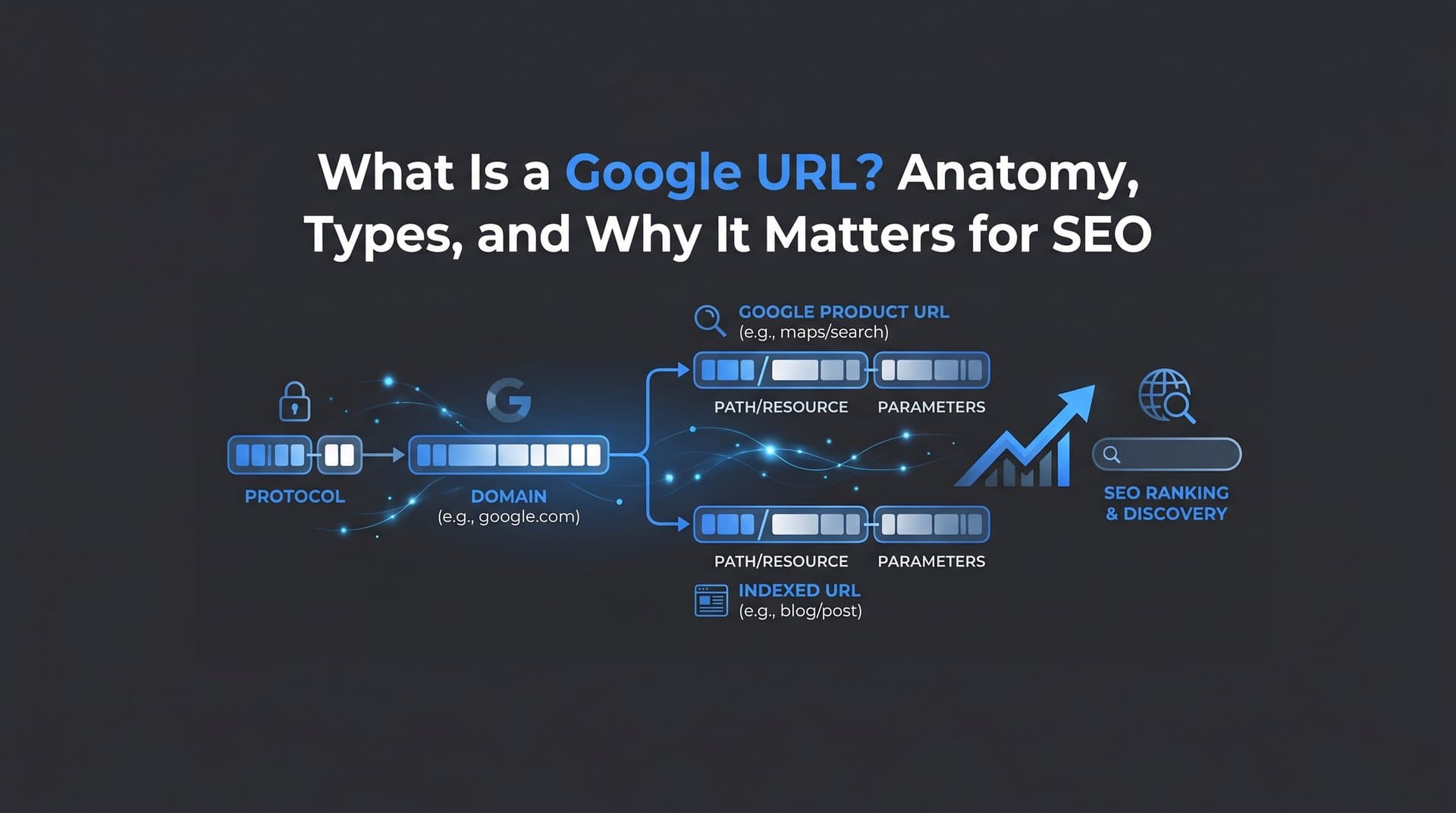
Anatomy of a Google URL: Breaking Down Every Component
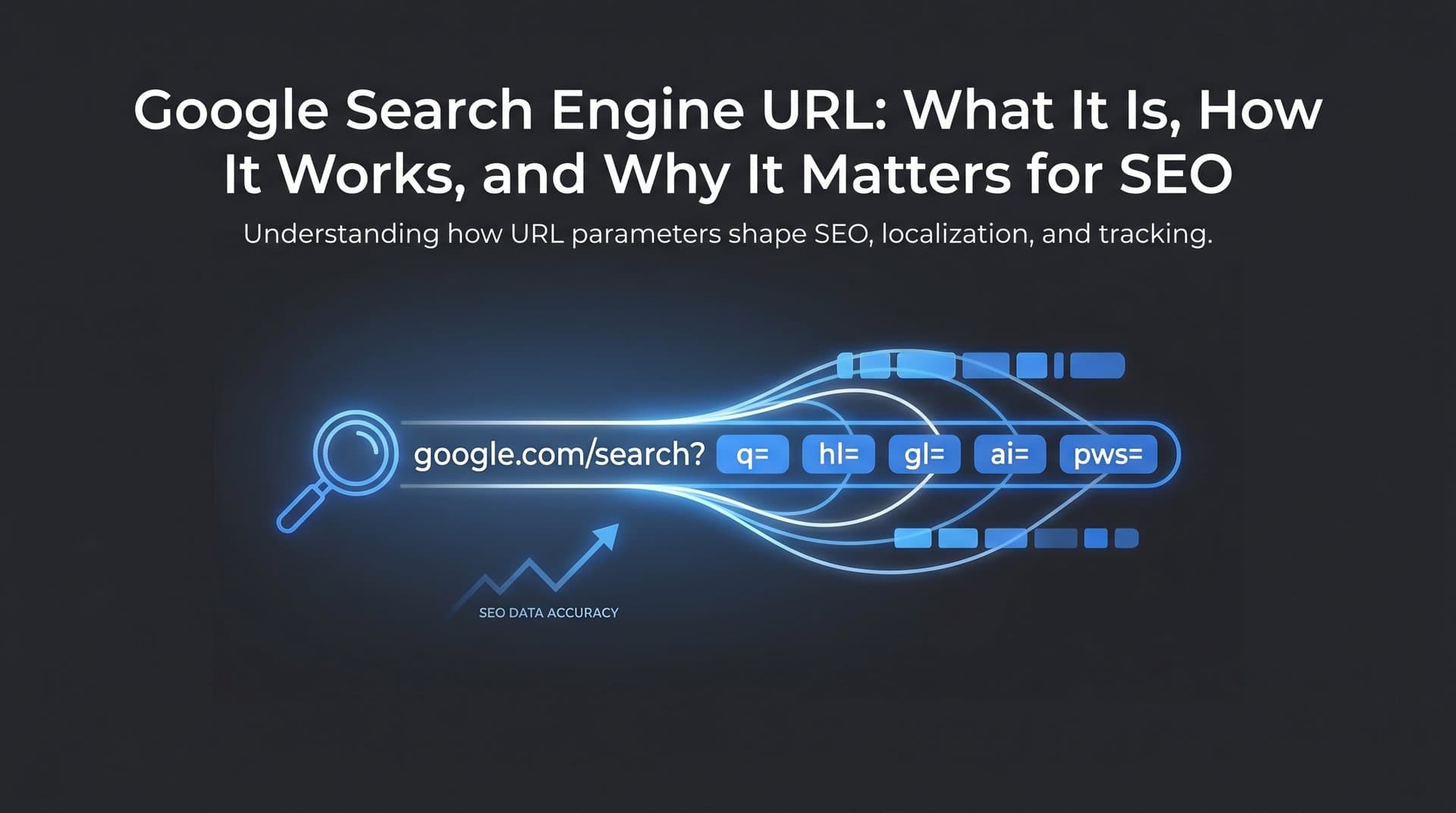
Let's start with the fundamentals. Every URL, regardless of where it lives, follows a predictable structure. Take a Google Search results page as an example. When you search for "best SEO tools," the URL in your browser might look something like this: https://www.google.com/search?q=best+seo+tools&start=10
Here's what each piece means:
Protocol (https://): This tells the browser how to communicate with the server. HTTPS indicates a secure, encrypted connection. Google has used HTTPS as a ranking signal since 2014, and it's now a baseline expectation for any indexed website.
Subdomain (www): The subdomain precedes the main domain. While "www" is the most common, you'll also see subdomains like "maps," "news," or "mail" across Google's product ecosystem. For external websites, subdomains like "blog.yoursite.com" create separate crawlable entities in Google's index.
Domain (google.com): The core domain identifies the website. For Google's own products, this is always google.com or a country-code variant like google.co.uk or google.de.
Path (/search): The path points to a specific resource or page on the server. In Google's case, "/search" routes to the search results interface. For external websites, a clean path like "/blog/seo-guide" communicates both hierarchy and topic relevance to Googlebot.
Query parameters (?q=, &start=, &tbm=): This is where Google's own URLs get interesting. Query strings begin with a "?" and chain additional parameters with "&". In Google Search, ?q= carries the search query, &start= controls pagination (start=10 means page two), and &tbm= filters by search type. For example, &tbm=isch routes to Google Images, while &tbm=nws routes to Google News.
Fragment (#): Fragments appear after a "#" symbol and point to a specific section within a page. Googlebot generally does not follow fragment identifiers, which matters when you're structuring anchor links on long-form content pages.
The key distinction to internalize is this: Google's own URLs use query parameters heavily because they're dynamically generated interfaces. External website URLs, on the other hand, should minimize dynamic parameters and favor clean, readable paths. When Google evaluates your site's URLs, it's looking for clarity, consistency, and logical hierarchy. Messy, parameter-heavy URLs signal complexity that can slow crawling and dilute indexing efficiency.
Common Types of Google URLs You'll Encounter
Google operates across a vast product ecosystem, and each product generates its own URL patterns. Knowing how to recognize and work with these is practical knowledge for any marketer or technical SEO.
Google Search Results URLs: The most familiar type. These follow the pattern google.com/search?q=[query] and are dynamically generated for every search. They're not indexable pages themselves, but they're the gateway through which your content gets discovered. Understanding the parameters helps you interpret Search Console data and diagnose how different query types surface your content.
Google Cache URLs: Google periodically saves cached versions of pages it has crawled. These were historically accessible via the "Cached" link in search results. While Google has scaled back the visibility of cached links in recent years, the underlying mechanism still informs how Google stores and evaluates page content at specific points in time.
AMP URLs: Accelerated Mobile Pages were served through Google's own CDN, often under URLs like google.com/amp/s/yoursite.com/article. While AMP adoption has declined and Google no longer requires AMP for Top Stories eligibility, you may still encounter these URL patterns in older content or legacy implementations.
Google Business Profile URLs: When a business appears in Google Maps or local search results, its profile is accessible via a URL pattern tied to Google's Business Profile system. These URLs matter for local SEO because they represent how Google presents your business entity to searchers, separate from your actual website.
Google Search Console URLs: Inside Search Console, Google references your pages using their canonical URLs as it understands them. The URL Inspection tool lets you input any URL from your site and see exactly how Google has indexed it, what the canonical is set to, and whether there are crawl or indexing issues. This is one of the most direct windows into how Google's systems perceive your URL structure.
Google Redirect and Tracking URLs: Here's one that surprises many marketers. When you click an organic search result, Google often wraps that outbound link in a redirect URL that looks like google.com/url?sa=t&rct=j&url=[destination]. This allows Google to track click behavior for its own analytics and quality signals. These redirect URLs are transient and don't affect the destination page's SEO directly, but they're worth understanding when you're analyzing referral traffic or debugging unexpected URL patterns in your analytics. Understanding organic search traffic patterns helps you distinguish these redirect artifacts from genuine traffic sources.
How Google Crawls, Indexes, and Evaluates Your URLs
Understanding the lifecycle of a URL through Google's systems is essential for diagnosing why pages aren't ranking or aren't appearing in search results at all. The process moves through several distinct stages.
Discovery: Google first needs to find your URL. This happens through links from other crawled pages, submitted sitemaps, or direct URL submission via Search Console. If a URL has no inbound links and isn't in a sitemap, Googlebot may never find it. Learning how to submit a URL to Google directly can accelerate this discovery phase significantly.
Crawl: Once discovered, Googlebot visits the URL to retrieve its content. Crawl frequency depends on factors like your site's authority, how often content changes, and how efficiently Googlebot can navigate your site architecture. Parameter-heavy URLs and excessive redirects consume crawl budget without delivering indexable value.
Render: After crawling the raw HTML, Google renders the page using a Chromium-based browser to process JavaScript and load dynamic content. URLs that rely heavily on client-side rendering can face delays in this stage, which affects how quickly new content enters the index.
Index: Once rendered, Google decides whether to index the URL. This decision is influenced by content quality, duplicate content signals, canonical tags, and URL structure clarity. A URL that closely mirrors another URL on your site may be deindexed in favor of the canonical version.
Rank: Indexed URLs compete for ranking positions based on relevance, authority, and hundreds of other signals. URL structure contributes here in a supporting role: a descriptive slug reinforces topical relevance, while a logical hierarchy signals content organization to both Googlebot and users.
Canonical URL selection deserves special attention. When Google encounters multiple URLs serving similar or identical content (think: HTTP vs. HTTPS versions, trailing slash vs. no trailing slash, or session ID variations), it selects one as the canonical. If your canonical signals are inconsistent, Google may choose a canonical you didn't intend, potentially splitting link equity and diluting ranking strength. Using rel="canonical" tags consistently, maintaining consistent internal linking, and avoiding unnecessary URL variations are the core tools for keeping canonical selection clean.
URL Best Practices That Improve Search Visibility
Good URL structure is one of those foundational SEO elements that pays dividends quietly over time. It won't single-handedly move rankings, but it removes friction for both Googlebot and users. Here's what to get right.
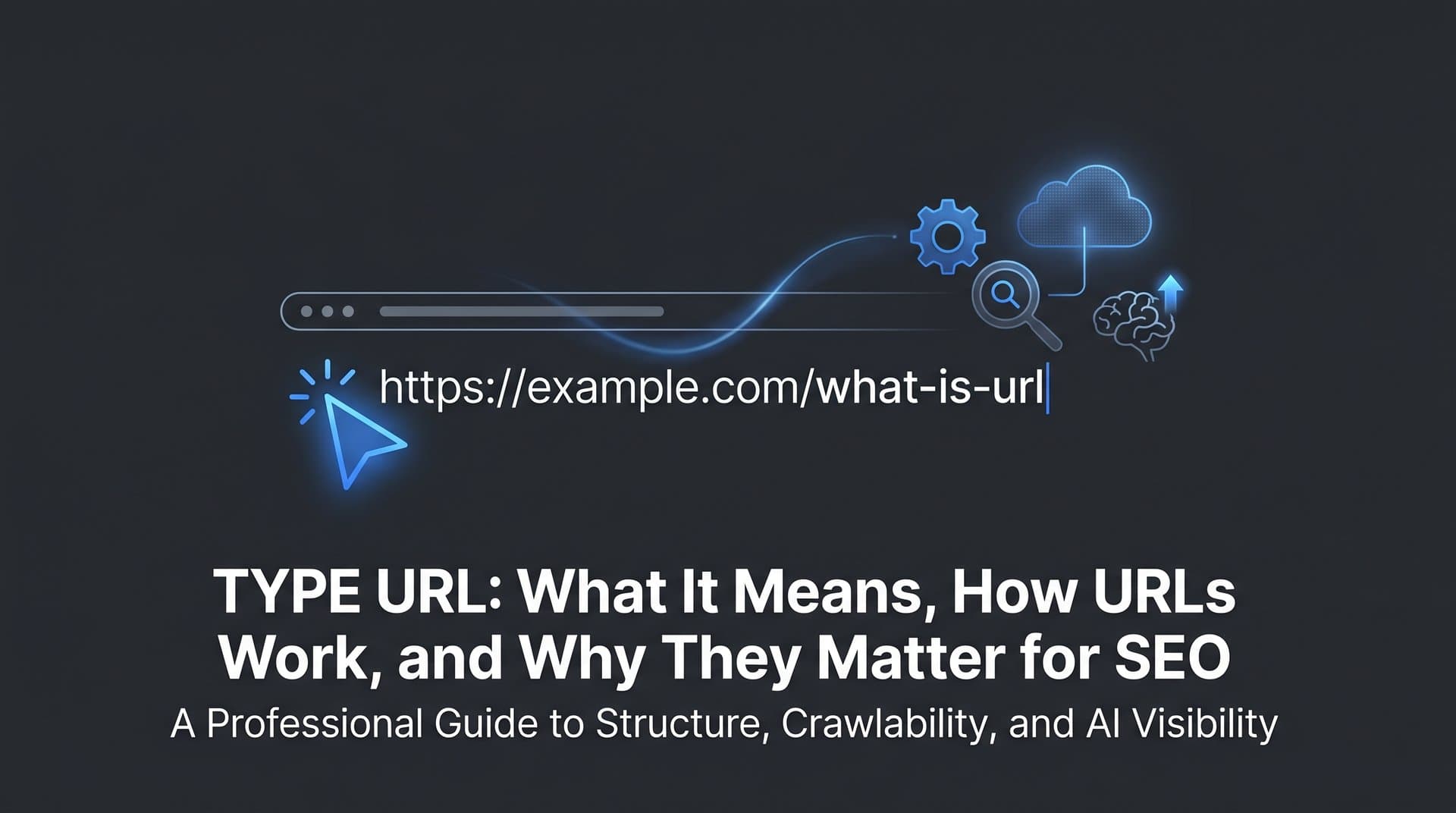
Use descriptive, keyword-relevant slugs: A URL like /blog/what-is-google-url communicates topic clearly. A URL like /p?id=4821 communicates nothing. Google's own documentation recommends using words rather than long ID numbers in URLs, and this guidance aligns with how both search engines and AI platforms parse content relevance. Solid keyword research helps you choose the right terms for your slugs.
Keep URLs short and readable: Shorter URLs are easier to share, easier to read in search results, and less likely to get truncated. Aim to include the primary keyword without padding with unnecessary words or subfolders.
Use hyphens, not underscores: Google treats hyphens as word separators. Underscores are treated differently, meaning "seo_guide" is read as a single token rather than two separate words. This is a small but established best practice from Google's own guidance.
Implement HTTPS across the entire site: Any page still serving over HTTP is at a disadvantage. Beyond the ranking signal, mixed-content issues (HTTPS pages loading HTTP resources) create security warnings that increase bounce rates.
Maintain a flat, logical site architecture: Avoid burying important pages deep in nested subdirectories. A page at /category/subcategory/sub-subcategory/article receives less crawl priority than one at /category/article. Flat architectures also make internal linking more efficient.
Avoid dynamic parameter bloat: If your CMS or e-commerce platform generates URLs with session IDs, sort parameters, or filter combinations, use canonical tags or parameter handling in Search Console to prevent these from fragmenting your index footprint.
Avoid unnecessary redirects: Each redirect adds latency and consumes crawl budget. Redirect chains (A redirects to B, which redirects to C) are particularly problematic. Audit your redirects regularly and collapse chains to single hops.
There's also an emerging dimension here worth noting. AI search engines and large language models that power tools like Perplexity, ChatGPT, and Claude parse and cite web content. Well-structured, authoritative URLs are more likely to be recognized and referenced by these systems. This connects directly to Generative Engine Optimization (GEO), which we'll explore in the next section. Clean URL structure is part of making your content legible to the next generation of search interfaces, not just traditional crawlers.
Submitting and Managing URLs in Google Search Console
Knowing how to actively manage your URLs in Google Search Console is the difference between passively hoping Google finds your content and actively ensuring it does.
The URL Inspection Tool: This is your most direct diagnostic resource. Enter any URL from your site and Search Console returns its indexing status, the last crawl date, any crawl errors, the canonical Google has selected, and whether the page is eligible to appear in search results. If a page isn't indexed, the tool often explains why: blocked by robots.txt, a noindex tag, a server error, or a redirect issue. If you're dealing with pages that aren't appearing, our guide on Google not indexing your site covers the most common causes and fixes.
You can also use the URL Inspection tool to request indexing for new or updated pages. This doesn't guarantee immediate crawling, but it signals to Google that the URL is ready for review. For time-sensitive content like news articles or product launches, this is a useful lever.
Sitemaps: An XML sitemap is a structured list of your site's URLs that you submit to Search Console. It helps Google discover pages that might not be easily reachable through internal links alone. Keep your sitemap current: include only canonical, indexable URLs, remove deleted pages promptly, and update lastmod timestamps when content changes significantly. If you haven't done this yet, here's a walkthrough on how to submit a sitemap to Google.
IndexNow Protocol: IndexNow is an open protocol that allows websites to instantly notify search engines when content is added, updated, or removed. While it was initially associated with Bing, the protocol is gaining broader relevance as an efficient mechanism for URL discovery. Platforms like Sight AI integrate IndexNow to automate URL submission whenever new content is published, reducing the lag between publication and indexing.
Performance and Coverage Reports: The Coverage report in Search Console shows which URLs are indexed, which are excluded, and which have errors. Cross-reference this with your Performance report (impressions, clicks, average position) to identify pages that are indexed but underperforming, or pages that should be indexed but aren't appearing. These reports together give you a working map of your URL health across Google's index.
Google URLs in the Age of AI Search and GEO
Traditional Google Search isn't the only place your URLs need to perform anymore. AI-powered platforms are reshaping how people discover information, and URLs play a different but increasingly important role in that ecosystem.
When someone asks Perplexity a question, the platform doesn't just return a ranked list of links. It synthesizes an answer and cites specific source URLs inline. This means your URL isn't just a ranking position on a results page; it's a citation in a generated response. The same dynamic applies, in varying degrees, to how ChatGPT with web browsing, Claude, and other AI assistants surface and reference web content. The broader trend of AI replacing Google search traffic makes understanding this shift essential for marketers.
What makes a URL more likely to be cited by an AI platform? Several factors overlap with traditional SEO: domain authority, content quality, topical relevance, and structured, readable URL paths. But there are nuances specific to AI systems. AI models tend to favor sources that are clearly authoritative, consistently structured, and easy to parse semantically. A clean URL that signals its topic directly, combined with well-organized page content, makes it easier for an AI model to extract and attribute information accurately.
This is the core premise of Generative Engine Optimization. GEO extends traditional SEO thinking to ensure your content is not just indexed by Google but referenced and cited by AI search systems. URL structure is one layer of that foundation. The growing importance of tracking where your brand and content appear across AI platforms makes this more than a theoretical concern. Understanding answer engine optimization and whether your URLs are being surfaced in AI responses is becoming a meaningful part of a complete search visibility strategy.
Putting It All Together
Understanding Google URLs isn't a purely technical exercise reserved for developers. It's foundational knowledge for anyone serious about organic visibility in 2026 and beyond. Your URL structure affects how efficiently Google crawls your site, how it selects canonical pages, how your content appears in search results, and increasingly, how AI platforms reference and cite your work.
The key takeaways are straightforward. Know the anatomy of a URL and how Google's own URL patterns differ from the ones you control on your site. Recognize the types of Google URLs you'll encounter and what they signal. Follow structural best practices: descriptive slugs, HTTPS, flat architecture, no parameter bloat. Use Search Console actively to submit, inspect, and monitor your URLs. And think beyond traditional Google Search to the AI-powered platforms that are reshaping discovery.
The next step is to audit your own URL structure. Check for redirect chains, inconsistent canonicals, parameter-heavy paths, and pages that should be indexed but aren't. Then extend that thinking to AI visibility. Are your URLs and content being surfaced when AI platforms answer questions in your category?
Start tracking your AI visibility today and see exactly where your brand appears across top AI platforms. Stop guessing how AI models like ChatGPT and Claude talk about your brand. Get visibility into every mention, uncover content opportunities, and automate your path to organic traffic growth across both traditional and AI-powered search.