Knowing where your website ranks on Google is the foundation of any effective SEO strategy. Without accurate ranking data, you're essentially optimizing in the dark: unable to measure progress, identify opportunities, or justify your marketing spend.
Whether you're a founder tracking your startup's organic growth, a marketer reporting to stakeholders, or an agency managing multiple client domains, the ability to reliably check Google rankings is a non-negotiable skill.
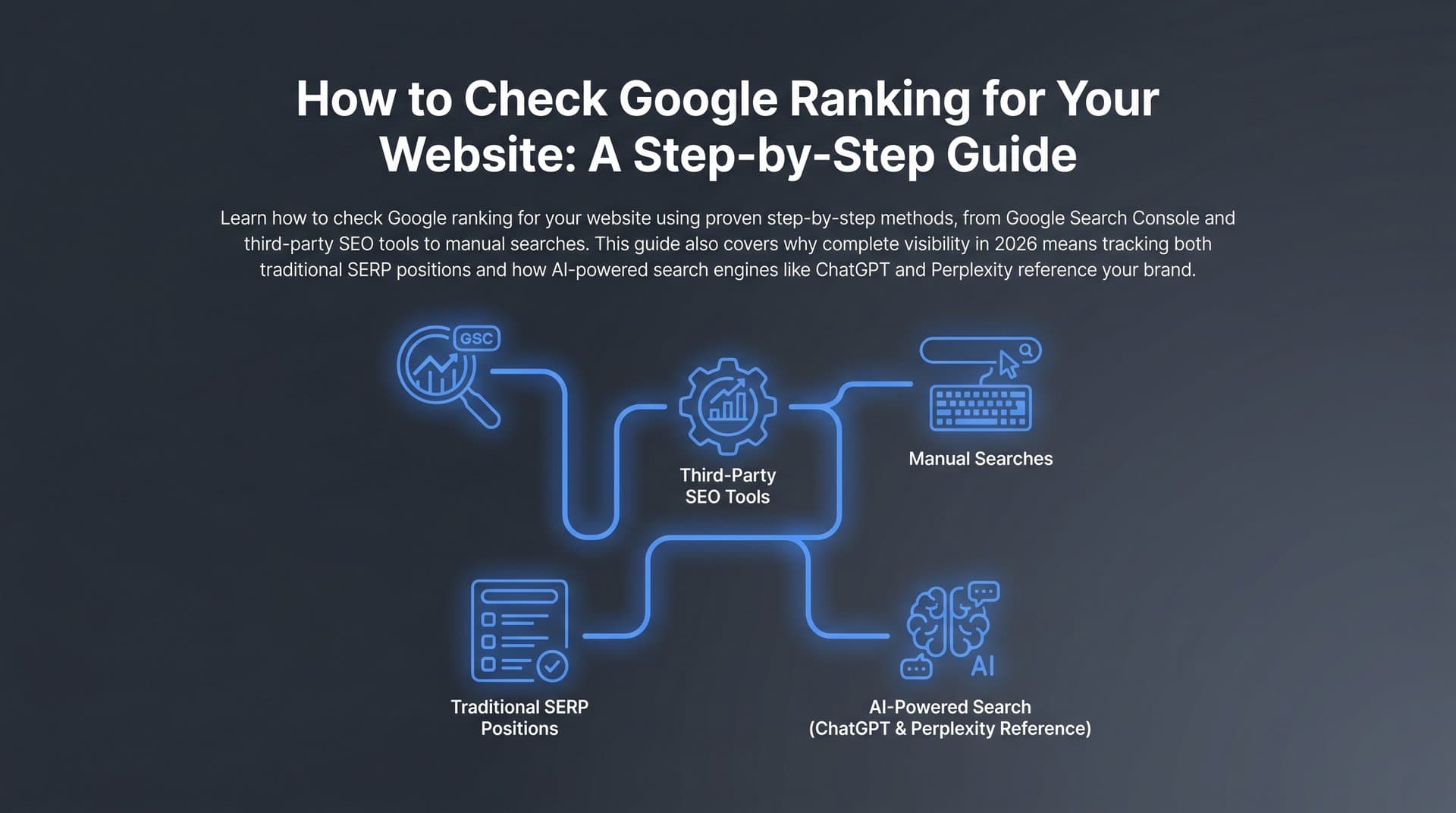
But here's what many people miss in 2026: Google rankings tell only part of the story. With AI-powered search engines like ChatGPT, Perplexity, and Claude now answering user queries directly, your brand's visibility extends far beyond traditional SERPs. A complete ranking check today means understanding both your Google positions and how AI models reference your brand when users ask relevant questions.
This guide walks you through exactly how to check your Google ranking for your website, from quick manual spot-checks to automated tracking setups, and then shows you how to extend that visibility analysis into the AI search landscape. By the end, you'll have a repeatable system for monitoring your website's search performance across every channel that matters.
Let's get into it.
Step 1: Run a Quick Manual Ranking Check with Google Search
The fastest way to check your Google ranking is also the most imperfect one. Opening a browser, typing your target keyword, and scanning the results takes about 30 seconds. The problem is that what you see is almost certainly not what your actual audience sees.
Google personalizes search results based on your browsing history, location, previous interactions with your site, and dozens of other signals. If you've visited your own website recently, Google may rank it higher in your results than it does for a stranger in a different city. This creates a false sense of security that can seriously mislead your strategy.
Use an incognito or private browsing window. This strips out cookies and browsing history, giving you a much cleaner baseline. Open Chrome's incognito mode, Firefox's private window, or Safari's private browsing before running any manual ranking check.
Set your location deliberately. Google's results vary significantly by geography. If you're targeting local customers, your ranking in your own city matters most. If you're targeting a national or global audience, results from your home location may not be representative. You can append &gl=us or similar country parameters to your search URL, or use a VPN to simulate searches from different regions.
Search your target keywords and note your position carefully. Scan through page one and, if necessary, page two. Record whether you appear in the main organic results, a featured snippet, a local pack, or not at all within the first two pages. For a more structured approach, consider using a dedicated tool to check your position in Google Search rather than relying solely on manual browsing.
Here's a common pitfall worth flagging: Google's AI Overviews and featured snippets can create the illusion that you rank higher than you do. If your content is cited in an AI Overview but your actual blue-link result sits on page three, your organic position is still page three. Don't confuse SERP feature appearances with strong organic rankings.
Manual checks are genuinely useful for quick spot-checks before a client call or when you want to verify a specific keyword immediately. But they don't scale. Checking 50 keywords across three devices and five locations manually every week is not a sustainable workflow. That's exactly why the next step exists.
Step 2: Set Up Google Search Console for Free Ranking Data
Google Search Console is the most authoritative free tool available for understanding how your website performs in Google Search. Unlike third-party tools that estimate rankings, GSC pulls directly from Google's own data, showing you the queries that triggered impressions of your site, your average position for each query, your click-through rate, and total clicks.
If you haven't verified your website in GSC yet, that's your first task. Navigate to search.google.com/search-console and add your property. Google offers several verification methods: adding a DNS TXT record through your domain registrar, uploading an HTML file to your server, adding a meta tag to your site's header, or connecting through an existing Google Analytics account. The Google Analytics method is often the fastest if you already have GA4 installed. If you need help getting your site recognized by Google in the first place, our guide on how to index a website in Google covers the essentials.
Once verified, give GSC a few days to populate data if your site is new to the tool. For established sites, historical data is available immediately.
Navigate to the Performance report. This is your ranking dashboard. You'll see four core metrics at the top: total clicks, total impressions, average CTR, and average position. Below that, a table shows individual queries with their corresponding data.
Filter strategically to get useful insights. The default view shows all queries across all pages, devices, and countries. Use the filter options to drill down:
By Query: Find how specific keywords are performing. Type a keyword into the query filter to see your average position, impressions, and CTR for that exact term.
By Page: See which pages on your site are driving the most organic visibility. This helps you identify your highest-performing content and pages that need optimization.
By Country and Device: If you're targeting specific geographies or want to compare mobile versus desktop performance, these filters are essential.
By Date Range: Compare performance over time. Comparing the last 28 days against the previous 28 days quickly reveals whether rankings are improving or declining.
Now, a critical nuance about GSC's "average position" metric. It's an average across all impressions for a given query. If your page appears in position 3 for one user and position 15 for another (because of location or personalization differences), GSC reports something in between. This means your average position can look better than your typical real-world position. Use it as a directional signal, not an absolute rank.
Export your GSC data regularly using the export button in the top right of the Performance report. This lets you build trend charts in Google Sheets, create client reports, and track progress over time. For a deeper dive into structuring these exports, see our guide on building a website ranking report from Google data.
Step 3: Use a Dedicated Rank Tracking Tool for Ongoing Monitoring
Google Search Console is powerful, but it has real limitations for ongoing rank tracking. It doesn't show you your competitors' positions. It doesn't alert you when a keyword drops significantly. It doesn't track rankings at a specific geographic level with precision. And its average position metric, as we just covered, can obscure what's really happening.
A dedicated rank tracking tool fills these gaps by checking your keyword positions automatically, typically daily or weekly, and presenting the data in a format designed specifically for SEO monitoring. If you're evaluating options, our comparison of SEO ranking checker tools can help you find the right fit.
Key features to look for when choosing a rank tracker:
Daily or weekly automated rank updates: Manual checks can't keep pace with Google's constant algorithm adjustments. Automated tracking means you catch ranking changes quickly, without having to remember to check.
Competitor comparison: The best tools let you track your competitors' rankings alongside your own, so you can see if a drop in your position correlates with a competitor gaining ground.
Local versus national tracking: If you serve customers in specific cities or regions, you need a tool that can track rankings at the city or zip code level, not just nationally.
SERP feature detection: Rankings aren't just about position one anymore. Knowing whether you're appearing in featured snippets, image packs, local packs, or People Also Ask boxes gives you a fuller picture of your SERP presence.
To set up tracking, add your target keywords to the tool and configure your settings. Specify the search engine (Google), the country and region, and whether you want to track desktop, mobile, or both. Group keywords by topic or page so your reports stay organized as your keyword list grows.
Set up automated reports to go out to stakeholders or clients on a weekly or monthly cadence. Most tools let you customize what's included: top movers, overall visibility score, competitor comparison, and position distribution.
One important mindset note: avoid reacting to every daily fluctuation. Google rankings shift constantly due to algorithm tests, query interpretation changes, and seasonal factors. A single-day drop of two or three positions is normal volatility. A sustained downward trend over two to four weeks is worth investigating. Train yourself and your clients to look for trends, not individual data points.
Step 4: Analyze Competitor Rankings to Find Content Gaps
Checking your own rankings is only half the picture. Understanding what your competitors rank for, especially for keywords you don't, reveals some of the most actionable SEO opportunities available to you.
Start by identifying your actual organic competitors. These may be different from your business competitors. A company that sells similar products to yours might not compete with you in search at all, while a blog or media site covering your industry might outrank you for dozens of relevant keywords. Use your rank tracking tool or a keyword research platform to identify which domains consistently appear alongside you in the SERPs for your core topics.
Once you have two to five primary organic competitors identified, run a keyword gap analysis. This process compares the keywords your competitors rank for against the keywords you rank for, surfacing the terms where they have visibility and you don't. Understanding how competitors are ranking in AI search adds another critical dimension to this analysis.
Prioritize the gaps you find by three factors:
Search volume: How many people are searching for this keyword each month? Higher volume means more potential traffic if you can rank for it.
Keyword difficulty: How competitive is this keyword? Some gaps exist because the keyword is highly contested and difficult to rank for. Others exist simply because nobody on your team has written about the topic yet.
Business relevance: Does ranking for this keyword actually bring in the right audience? A keyword with high volume but low relevance to your product or service isn't worth pursuing.
Use your gap analysis findings to directly inform your content calendar. If three competitors rank in the top five for a keyword that's highly relevant to your business and you don't appear until page three or not at all, that's a clear signal to create or improve content targeting that term. Solid keyword research for organic SEO is the backbone of this process.
This is also where your ranking data becomes a strategic planning tool rather than just a reporting metric. The gap between where you are and where your competitors are tells you exactly where to focus your content and link-building efforts over the next quarter.
Step 5: Check Your Backlink Profile to Understand Ranking Factors
Your Google rankings don't exist in a vacuum. They're influenced by dozens of factors, but backlinks remain one of the most significant signals Google uses to assess the authority and trustworthiness of a page. If you're struggling to rank despite having solid on-page content, your backlink profile is often where the answer lies.
Use a backlink analysis tool to audit your current link profile. Look at the total number of referring domains pointing to your site, the authority of those domains, and the anchor text distribution across your links. Compare these numbers against the competitors who outrank you for your target keywords. If they have significantly more links from authoritative domains, that's a key factor explaining the ranking gap. Our guide on how to find backlinks in Google Search walks through the process step by step.
Watch for toxic or spammy links. Low-quality links from irrelevant, spammy, or penalized domains can suppress your rankings. Most backlink tools provide a toxicity score or flag suspicious links. If you find a pattern of problematic links, you can use Google's Disavow tool to signal that you don't want those links counted toward your site's authority.
Look for quick wins in your existing link opportunities:
Unlinked brand mentions: Search for your brand name online and find places where someone has mentioned your company without linking to your site. Reaching out to ask for a link is often a straightforward conversion.
Broken link opportunities: Find pages in your niche that link to content that no longer exists (404 errors), then offer your content as a replacement. You can also use this approach on your own site — regularly check your website for broken links to prevent lost link equity and poor user experience.
Understanding your backlink profile in the context of your ranking data creates a feedback loop: rankings tell you where you stand, and link analysis tells you part of why.
Step 6: Extend Your Visibility Check Beyond Google into AI Search
Here's the reality of search in 2026 that many traditional SEO workflows haven't caught up with yet: a significant and growing portion of search queries are now answered directly by AI models. When someone asks ChatGPT "what's the best project management software for small teams?" or asks Perplexity "which SEO tools are worth paying for?", they often get a direct answer without visiting any website.
If your brand is mentioned in those AI responses, you gain visibility, credibility, and potential customers. If you're not mentioned, you're invisible to that segment of your audience, regardless of where you rank on Google.
This is why checking your Google ranking for your website, while essential, is no longer the complete picture of your search visibility. You need to understand both your traditional SERP position and your presence in AI-generated answers. Learning about the key AI search engine ranking factors is critical for adapting your strategy.
AI visibility tracking is the practice of monitoring how and whether AI models mention your brand when users ask questions relevant to your industry, products, or services. This involves submitting prompts to AI platforms and analyzing the responses: Is your brand mentioned? Is the sentiment positive, neutral, or negative? Are you cited alongside competitors or not at all?
This is exactly what Sight AI's AI Visibility tracking is built for. It monitors brand mentions across six or more AI platforms, including ChatGPT, Claude, and Perplexity, and provides an AI Visibility Score with sentiment analysis and prompt tracking. Instead of manually querying AI models and trying to interpret patterns yourself, you get a structured, ongoing view of how AI search sees your brand. For a broader look at the tools available in this space, explore our roundup of the best LLM optimization tools for AI visibility.
Connecting your Google ranking strategy with GEO (Generative Engine Optimization) is the natural next step. GEO focuses on structuring your content so that it's authoritative, well-cited, and formatted in ways that AI models are likely to reference. This means building content that answers specific questions clearly, earning mentions from credible sources, and ensuring your site is indexed and crawlable so AI training data and retrieval systems can access it.
Think of it this way: your Google ranking gets you in front of users who click through search results. Your AI visibility gets you in front of users who ask AI assistants for recommendations. Both audiences matter, and a complete visibility strategy covers both.
Step 7: Build a Repeatable Ranking Review Workflow
Checking your Google ranking once is an audit. Checking it consistently, with a structured process, is a strategy. The difference between teams that improve their search performance and teams that stay stuck is usually not the tools they use. It's whether they've built a workflow they actually execute.
Set a weekly and monthly review cadence. Weekly reviews should be quick: scan your rank tracking dashboard for significant movers, check for any major drops that need immediate investigation, and note any pages that have moved up significantly and could be worth promoting or expanding. Monthly reviews go deeper: trend analysis, competitor comparison, content gap reassessment, and backlink profile updates.
Track the right metrics at each level:
Weekly: Position changes for your top 20 to 30 keywords, any new SERP feature appearances or losses, and GSC click and impression trends.
Monthly: Overall visibility score trend, CTR changes by page, competitor ranking movements, AI mention frequency and sentiment, and content performance against traffic goals.
Build a simple reporting dashboard that combines your Google ranking data with your AI visibility data. This doesn't need to be complex. A Google Sheets document pulling from GSC exports, combined with AI visibility data from Sight AI, gives you a single view of your total search presence. For agencies, this becomes the foundation of client reporting that goes beyond traditional SEO metrics.
Use a decision framework for ranking changes. Not every fluctuation requires action. A useful rule of thumb: if a keyword drops more than five positions and stays down for more than two weeks, investigate. If it drops temporarily and recovers, it's likely normal volatility. If multiple keywords drop simultaneously, look for a technical issue or algorithm update as the cause.
When you identify a genuine ranking drop, your response options include refreshing the content on the affected page, building additional links to it, improving on-page signals like title tags and internal linking, or checking for technical issues like crawlability or page speed. When you see a ranking gain, capitalize on it by promoting the content, building internal links to it, and considering related content that could benefit from its authority.
Tools like Sight AI's content automation and IndexNow integration can accelerate both recovery and momentum. Automatically indexing new or updated content ensures Google discovers your changes quickly, rather than waiting for a crawl cycle that could take days or weeks. Learn more about how faster Google indexing for new content can shorten the feedback loop between publishing and ranking.
Your Complete Ranking Review Checklist
Here's a quick-reference summary of everything covered in this guide. Use this as your starting point and build your workflow around it over time.
Step 1: Manual spot-check. Use an incognito window with location settings adjusted to run quick keyword checks before calls or when verifying specific rankings.
Step 2: Google Search Console setup. Verify your site, navigate to the Performance report, and filter by query, page, country, and device to get granular ranking data. Export regularly for trend tracking.
Step 3: Rank tracking tool. Set up automated daily or weekly tracking for your target keywords, configure competitor tracking, and schedule stakeholder reports.
Step 4: Competitor gap analysis. Identify your organic competitors, run a keyword gap analysis, and prioritize content opportunities by volume, difficulty, and business relevance.
Step 5: Backlink audit. Check your link profile against competitors, flag toxic links, and pursue quick wins through unlinked mentions and broken link outreach.
Step 6: AI visibility tracking. Monitor how AI models like ChatGPT, Claude, and Perplexity mention your brand. Align your content strategy with GEO principles to ensure AI citation alongside traditional rankings.
Step 7: Repeatable workflow. Establish weekly and monthly review cadences, build a combined dashboard, and use a decision framework to act on real trends rather than normal volatility.
Marketers who track only Google rankings are working with an incomplete map. Those who also monitor their AI visibility will have a meaningful competitive advantage as AI-powered search continues to reshape how users find information and make decisions.
The best ranking strategy is one you actually execute consistently. Start with Step 1 today, and add each layer of the workflow as you go. You don't need to implement everything at once.
Ready to extend your visibility beyond Google? Start tracking your AI visibility today and see exactly where your brand appears across the top AI platforms, so you can stop guessing and start optimizing for the full search landscape.