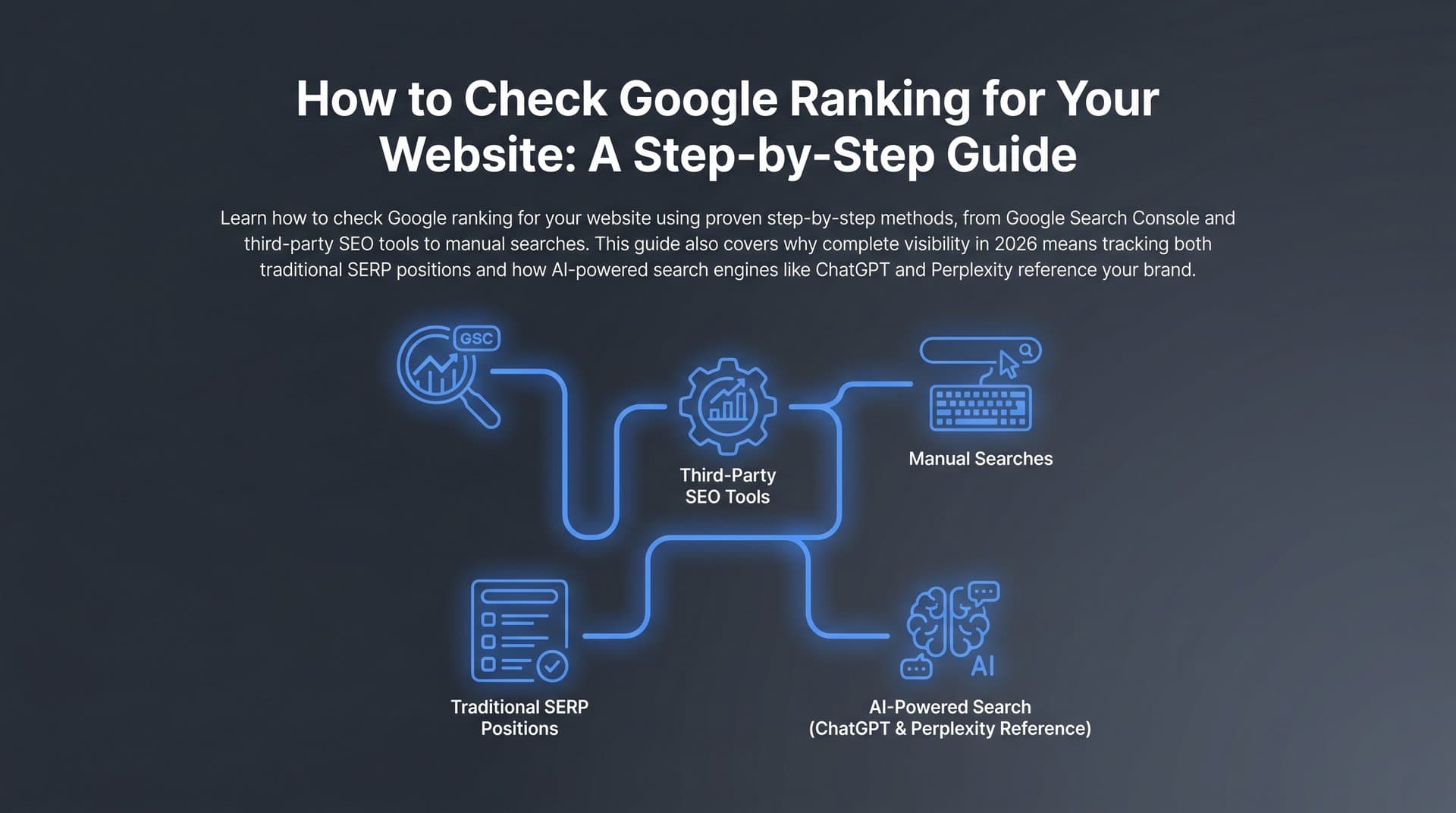
Mobile search now dominates how people find information, products, and services online. Google uses mobile-first indexing, meaning the mobile version of your site is the primary version Google evaluates for rankings. Yet many marketers still track desktop rankings by default and assume mobile results mirror them. They often don't.
Mobile rankings can differ significantly from desktop due to factors like location signals, page speed, mobile usability, and local intent. If you're not specifically tracking Google mobile rankings, you're working with incomplete data and potentially missing critical drops or opportunities hiding in plain sight.
This guide walks you through the exact process of setting up accurate mobile rank tracking, from choosing the right tools and configuring mobile-specific settings to analyzing the data and taking action on what you find. By the end, you'll have a reliable system for monitoring how your pages perform in mobile search results, along with a clear workflow for turning that data into ranking improvements.
Whether you're a solo founder, an agency managing multiple clients, or a marketing team scaling organic traffic, these steps apply to any site that needs real mobile visibility. Let's get into it.
Step 1: Audit Your Current Tracking Setup for Mobile Gaps
Before you build anything new, you need to understand what's broken in your current setup. Most rank trackers default to desktop tracking. If you've never explicitly configured mobile tracking, there's a good chance every keyword position you're looking at reflects desktop SERPs, not mobile ones.
Start by opening your rank tracking tool and checking the device settings for each keyword group or campaign. Look for labels like "device type," "search device," or "platform." If you see "desktop" or no device setting at all, you've found your first gap.
Next, manually verify the discrepancy so you understand the scale of the problem. Pick ten keywords you currently track and search for them directly on a mobile device, or use Chrome DevTools device emulation (open DevTools, click the device icon, select a mobile device, then search Google). Compare those mobile results against your tracked desktop positions. For many queries, especially local, transactional, or question-based searches, you'll see meaningful differences.
Pay particular attention to these keyword categories, as they tend to diverge most between mobile and desktop:
Local and "near me" queries: Mobile SERPs for these terms are heavily influenced by the user's physical location and almost always surface local packs above organic results.
Voice-search-style long-tail phrases: Conversational queries like "what's the best way to..." or "how do I fix..." often trigger different SERP features on mobile than desktop.
Transactional commercial terms: Product and service searches on mobile frequently show shopping carousels, local inventory ads, or featured snippets that don't appear the same way on desktop.
Finally, document your baseline before making any changes. Record your current tracked keywords, what device setting each is using, and what location settings are configured. This gives you a benchmark to measure against once you switch to proper mobile tracking. If you need a refresher on the fundamentals, our guide on how to check your position in Google search covers the basics of verifying where you actually rank.
This audit typically takes an hour or two, but it's the foundation everything else builds on. Skipping it means you'll be configuring a new system without understanding what you're fixing.
Step 2: Choose a Rank Tracking Tool with Dedicated Mobile SERP Data
Not all rank tracking tools handle mobile data the same way. Some blend mobile and desktop into a single average, which is nearly useless for diagnosing mobile-specific problems. You need a tool that tracks mobile and desktop as completely separate data streams.
Here are the key features to evaluate when selecting or upgrading your tool:
Separate mobile vs. desktop tracking: This is non-negotiable. The tool must let you track the same keyword independently for mobile and desktop so you can compare them side by side.
Location-level granularity: Mobile SERPs are heavily personalized by location. You need city-level or zip code-level targeting, not just country-level, especially for any business with local intent keywords.
SERP feature detection: Mobile SERPs are packed with features: local packs, featured snippets, People Also Ask boxes, video carousels, and shopping results. Your tool should detect when these features appear so you understand your true visibility, not just your blue-link position.
Historical data retention: You need at least 12 months of historical data to identify seasonal trends and measure the impact of changes over time.
Tracking frequency: Daily tracking for priority keywords is important on mobile because mobile SERPs can shift faster than desktop ones, particularly for local queries.
In terms of tool categories, standalone rank trackers like SE Ranking, AccuRanker, and SERPWatcher are purpose-built for this kind of granular tracking and tend to offer the most precise mobile configurations. For a broader comparison of tracking approaches, our deep dive on how to track keyword rankings covers the full landscape of available options. Both categories can serve you well depending on your budget and workflow.
One layer that traditional rank trackers don't cover is AI search visibility. AI-powered answers from tools like ChatGPT, Claude, and Perplexity are increasingly common on mobile devices, and they're pulling from well-ranked, mobile-optimized content. This is where a platform like Sight AI complements your rank tracking setup. While your rank tracker monitors where you appear in Google's mobile SERPs, Sight AI monitors how AI models reference your brand across six or more AI platforms, giving you a complete picture of mobile discoverability that goes beyond traditional blue-link rankings.
The key rule: avoid any tool that merges mobile and desktop data into a single metric. Clean, separate mobile ranking data is the only way to make accurate decisions.
Step 3: Configure Mobile-Specific Tracking Settings
Choosing the right tool only gets you halfway there. How you configure it determines whether the data you collect is actually accurate and useful. This step is where most setups go wrong, usually because of vague defaults that quietly revert to desktop tracking.
Start with device type. In your rank tracker, set each keyword group or campaign to "mobile" or "smartphone" explicitly. Don't rely on a global default setting, because many tools allow project-level overrides that can silently change your device setting. Go keyword group by keyword group and confirm the device setting is locked to mobile.
Next, configure location targeting. Mobile SERPs are far more location-sensitive than desktop. For any business targeting local customers, or any keyword with local intent, you need to set tracking at the city or zip code level. Country-level tracking will average out the location signal and give you results that don't reflect what real users in your target markets actually see.
Set up tracking frequency based on keyword priority:
Daily tracking for high-priority commercial keywords where ranking changes directly affect revenue. These are the terms you can't afford to miss a drop on.
Weekly tracking for informational and long-tail keywords where daily fluctuations are normal and don't signal real problems. Tracking these daily adds cost and noise without adding insight.
Enable SERP feature tracking for mobile-specific elements. At minimum, you want to capture when local packs, featured snippets, video carousels, and People Also Ask boxes appear for your tracked keywords. These features take up significant screen real estate on mobile, and if one appears above your organic result, your effective click-through rate drops even if your position hasn't changed.
Once you've configured everything, verify your setup before trusting the data. Pick five to ten keywords and manually search for them on a real mobile device or through Chrome DevTools device emulation. If your site isn't appearing where you expect, our guide on troubleshooting a website not showing up on Google can help you diagnose the issue before it compounds.
This verification step takes 20 minutes and saves you weeks of acting on bad data. Do it every time you add a new keyword group or change a location setting.
Step 4: Build Your Mobile Keyword List Strategically
Tracking the wrong keywords is just as problematic as tracking with the wrong device setting. Your mobile keyword list should be built from actual mobile search data, not copied from a desktop keyword research session.
The best starting point is Google Search Console. Go to the Performance report, click "New" under the filter bar, and select "Device: Mobile." This filters your impression and click data to show only what's happening on mobile devices. Export the query list and you have a real-world picture of which keywords are already driving mobile traffic to your site, and which are getting impressions without clicks.
From that export, prioritize keywords where your mobile ranking differs from your desktop ranking by three or more positions. These represent your biggest tracking blind spots and your highest-value optimization opportunities. A keyword where you rank 4th on desktop but 9th on mobile is one where you're losing significant mobile traffic that you might not even know about. Understanding organic traffic in Google Analytics helps you quantify exactly how much mobile traffic those gaps are costing you.
Beyond Search Console data, make sure your mobile keyword list includes these categories:
Voice search queries: Conversational, question-based phrases like "how do I," "what is the best," and "where can I find" are disproportionately used on mobile. They often trigger featured snippets, which means ranking for them on mobile looks different than ranking for a short-tail term.
Local intent terms: Any keyword with a city name, neighborhood, or implicit local intent (like "dentist near me" or "coffee shop downtown") belongs on your mobile list. These are almost exclusively mobile-driven queries.
Short navigational queries: Brand name searches and direct product/service searches tend to behave differently on mobile, often surfacing knowledge panels, app install prompts, or local business listings above organic results.
Group your keywords by intent and by the page they map to. For example, keep product page keywords in one group, blog content keywords in another, and landing page keywords in a third. This grouping makes analysis actionable: when you spot a mobile ranking drop, you immediately know which type of page to investigate and which kind of fix to apply.
Keep your list focused. Tracking 50 to 200 high-value mobile keywords with a clear analysis plan is far more useful than tracking thousands of keywords you'll never have time to act on.
Step 5: Analyze Mobile Ranking Data and Spot Patterns
Once your tracking is configured and running, the real work begins: turning raw position data into actionable insight. This is where most teams fall short. They collect the data but don't build a structured analysis process around it.
Start with a direct mobile vs. desktop comparison. Most rank tracking tools let you view both device types side by side for the same keywords. Look for pages where mobile rankings consistently lag behind desktop rankings by five or more positions. These are your highest-priority pages because they're underperforming specifically on mobile, which means a mobile-specific problem is likely the cause.
Cross-reference those underperforming pages with Core Web Vitals data from Google PageSpeed Insights or Google Search Console's Core Web Vitals report. Google has confirmed that Core Web Vitals are ranking signals, and they disproportionately affect mobile rankings because mobile connections are slower and devices are less powerful than desktops. If a page that ranks 3rd on desktop ranks 12th on mobile and also has a poor Largest Contentful Paint score on mobile, you've found your culprit.
Pay close attention to SERP feature displacement. Here's a scenario that catches many teams off guard: your tool shows you ranking in position 2 for a keyword, but when you actually search on mobile, a featured snippet, a local pack, and a People Also Ask box all appear above your result. On a phone screen, your "position 2" result might be below the fold entirely. Your effective visibility is far lower than your position number suggests. SERP feature tracking, which you set up in Step 3, is what catches this.
Track trends over time rather than reacting to daily fluctuations. Mobile SERPs can shift daily due to personalization, local signals, and algorithm updates. Looking at weekly and monthly trends reveals real signals. A keyword that drops five positions on a Tuesday and recovers by Thursday is noise. A keyword that has trended down ten positions over six weeks is a signal that demands investigation. Understanding the content velocity impact on rankings can also help explain why competitors may be outpacing you in mobile results.
Build or use an SEO performance dashboard that consolidates your mobile ranking data alongside traffic data from Google Analytics filtered by mobile device. When you see a mobile ranking drop in your tracker, you should be able to immediately check whether mobile organic sessions to that page also dropped. This connection between ranking and traffic data is what separates analysis from guesswork.
Step 6: Take Action on Mobile-Specific Ranking Issues
Analysis only creates value when it leads to action. Once you've identified pages with mobile-specific ranking problems, you have a clear set of levers to pull. Here's how to prioritize them.
Start with mobile usability issues because they're often quick wins. Open Google Search Console and navigate to the Mobile Usability report under the Experience section. This report flags specific technical problems: tap targets that are too small, viewport configuration issues, text that's too small to read without zooming, and content wider than the screen. Fix these first. They're confirmed usability problems that Google's crawlers can detect, and resolving them sends a direct signal that your mobile experience has improved.
Next, address Core Web Vitals for mobile. The most impactful improvements typically include:
Image optimization: Compress images, use next-gen formats like WebP, and implement responsive images so mobile devices load appropriately sized files rather than full desktop images.
JavaScript reduction: Render-blocking JavaScript delays how quickly your page becomes interactive on mobile. Audit your JS usage and defer or remove scripts that aren't critical to the initial page load.
Lazy loading: Implement lazy loading for images and videos below the fold so the initial page load focuses on above-the-fold content that users see first.
Optimize your content for mobile SERP features. If you're missing featured snippets, add structured data markup and write concise answer paragraphs (40 to 60 words) that directly answer the question the keyword implies. For a comprehensive approach to climbing mobile results, our guide on how to improve search engine rankings covers both technical and content-level strategies that apply directly to mobile optimization.
Re-evaluate content quality on underperforming mobile pages. Mobile search intent often skews more transactional and local than desktop intent. A page optimized for an informational desktop audience might not satisfy a mobile user who wants a quick answer, a phone number, or directions. Align your content structure and calls to action with what mobile users actually want when they search that query.
Finally, ensure your updated pages get indexed quickly. Using IndexNow, which is supported by Sight AI's website indexing tools, allows you to notify search engines immediately when you publish or update content. Our article on faster Google indexing for new content walks through the exact process so your mobile fixes show up in search results as quickly as possible.
Step 7: Automate Reporting and Expand to AI Visibility Tracking
A tracking system that requires manual effort every week is a system that eventually gets deprioritized. Automation is what makes mobile rank tracking sustainable at scale.
Set up automated weekly mobile ranking reports in your rank tracking tool. Most tools allow you to schedule report emails that summarize position changes over the past seven days. Configure alerts for significant drops: a five-position decline on any priority keyword should trigger an immediate notification so you can investigate before the traffic impact compounds.
Create a monthly review cadence that goes deeper than weekly alerts. Each month, pull your mobile ranking trends from your tracker and compare them against mobile organic sessions in Google Analytics (filter by device category: mobile). Look for patterns: are the pages gaining mobile rankings also gaining mobile traffic? Are there pages where rankings improved but traffic didn't follow, which might indicate a SERP feature is intercepting clicks? This monthly review is where strategic decisions get made.
Document your tracking process as a repeatable SOP. Write down your tool configuration, your keyword list criteria, your alert thresholds, and your monthly review process. This documentation is what allows you to scale the system across multiple sites or hand it off to a team member without losing consistency.
Here's where the strategy needs to expand beyond traditional SERPs. AI-powered search experiences are increasingly common on mobile devices. Google AI Overviews, ChatGPT search, and Perplexity are reshaping what users see when they search on their phones. A user might never scroll to your organic result if an AI-generated answer satisfies their query first. Our guide on how to track your brand in AI search explains exactly how to monitor this new layer of visibility across ChatGPT, Claude, and Perplexity.
Sight AI's AI Visibility Score monitors how your brand and content are referenced across AI platforms including ChatGPT, Claude, and Perplexity. By tracking this alongside your traditional mobile ranking data, you get a complete picture of mobile discoverability: where you appear in Google's mobile SERPs and how AI models describe your brand when users ask relevant questions. These two data streams together give you visibility into the full mobile search landscape as it exists in 2026, not as it existed five years ago.
Your Mobile Ranking System: Putting It All Together
Tracking Google mobile rankings accurately requires deliberate setup. It won't happen by default, and it won't fix itself if you ignore it.
Here's your quick-reference checklist for everything covered in this guide:
1. Audit your current tracking setup to identify mobile gaps and document your baseline.
2. Select a rank tracking tool with dedicated mobile SERP data, separate from desktop tracking.
3. Configure mobile device and location settings precisely, then verify against real mobile search results.
4. Build your mobile keyword list from Google Search Console mobile data, prioritizing high-divergence terms.
5. Analyze mobile vs. desktop discrepancies, Core Web Vitals data, and SERP feature displacement together.
6. Fix mobile-specific technical and content issues, and use IndexNow to accelerate indexing of updates.
7. Automate reporting, establish a monthly review cadence, and expand tracking to AI visibility platforms.
Mobile search behavior continues to evolve. Voice queries, AI-powered answers, and hyper-local results are reshaping what "ranking" even means on a phone screen. The marketers and agencies who track mobile rankings with precision today will be the ones who capture organic traffic growth tomorrow.
And as AI search becomes a standard part of the mobile experience, visibility in AI-generated answers is becoming just as important as visibility in traditional SERPs. Start tracking your AI visibility today and see exactly where your brand appears across top AI platforms, so you're never caught off guard by the next shift in how people find you on mobile.
Start with Step 1 this week. Build your system one layer at a time. The data you collect now will compound into a significant competitive advantage over teams still working from incomplete desktop tracking.