Backlinks remain one of the most influential ranking signals in search. Knowing who links to your site, and who links to your competitors, gives you a strategic edge when planning content, outreach, and link-building campaigns. But here's what many marketers overlook: you can start uncovering meaningful backlink data without paying for expensive tools, using Google Search itself.
Think of it like detective work. Google has already crawled and indexed billions of pages across the web. With the right search queries, you can surface a surprising amount of link intelligence before you ever open a third-party tool. Then, once you know what you're looking for, you layer in free and paid resources to fill in the gaps.
This guide walks you through exactly how to find backlinks in Google Search, how to validate what you find, and how to turn those insights into a repeatable link-building workflow. By the end, you'll have a clear process for discovering link opportunities, auditing your own backlink profile, and creating content that earns more visibility across both traditional search and AI platforms like ChatGPT, Claude, and Perplexity.
Whether you're a founder bootstrapping SEO on a tight budget, an agency managing multiple client sites, or a marketer building an organic growth engine from scratch, these steps will help you move from guesswork to data-driven link strategy. No expensive subscriptions required to get started.
Let's get into it.
Step 1: Use Google Search Operators to Surface External Backlinks
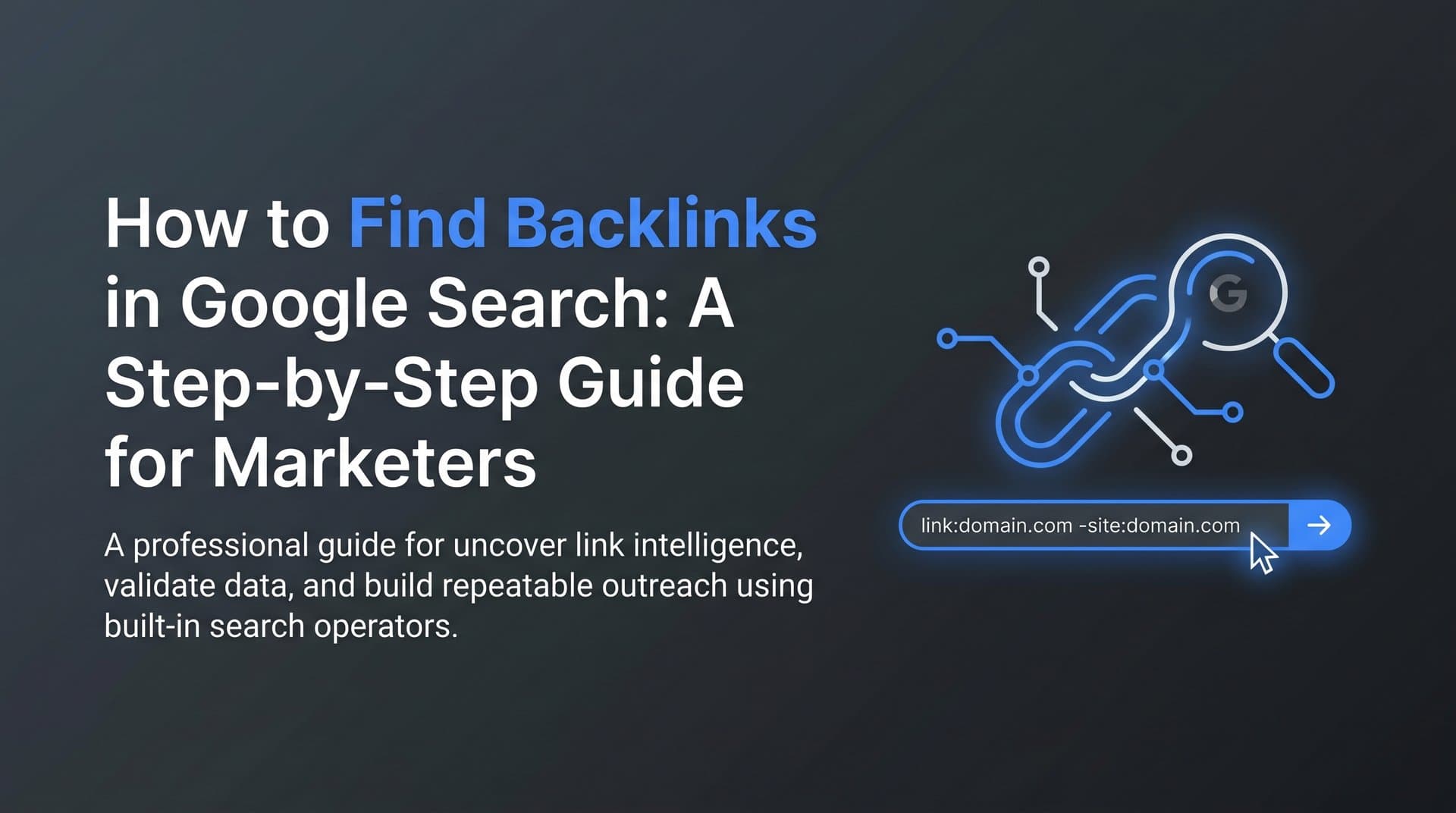
Before we talk about what works, let's address the elephant in the room: the link: operator. For years, SEOs used link:yourdomain.com to find pages linking to a site directly in Google. Google has largely deprecated this operator, and it now returns incomplete, inconsistent results. Don't rely on it as your primary method.
The good news is there's a more effective approach that still works well: the quoted URL combined with the minus-site operator.
Here's the core query structure:
"yourdomain.com" -site:yourdomain.com
What this does is ask Google to find every page that mentions your domain URL, then exclude pages on your own domain from the results. What you're left with is a list of third-party pages that reference your site, many of which will include actual backlinks.
To run this effectively, open Google Search and type your query exactly as shown, replacing yourdomain.com with your actual domain. For example, if your site is marketingpro.com, your query would be:
"marketingpro.com" -site:marketingpro.com
Scroll through the results. You'll find blog posts, resource pages, forum threads, and directories that mention your site. Some will have clickable hyperlinks; others will be plain text mentions. Both are valuable signals.
You can also refine this further by searching for specific pages rather than your root domain. If you have a popular blog post or landing page, try:
"marketingpro.com/your-popular-page" -site:marketingpro.com
This surfaces links pointing to that specific URL, which is useful when you want to understand what content is attracting the most external attention. Understanding how search engines discover new content can also help you appreciate why these indexed mentions matter so much for your backlink profile.
Precision tip: Always use quotation marks around the URL. Without them, Google may interpret your query loosely and return irrelevant results. The quotation marks force an exact match, which keeps your results clean and actionable.
Common pitfall: Forgetting the minus operator (-site:yourdomain.com) is the most frequent mistake. Without it, your own pages dominate the results and you miss the external references you're actually looking for.
Success indicator: After running this query, you should see a list of third-party pages that reference your domain. Even a handful of results gives you a starting point for understanding who's already talking about you online.
Step 2: Reverse-Engineer Competitor Backlinks with Google Search Queries
Here's where the real competitive intelligence starts. The same operator technique you used for your own domain works just as well for your competitors, and this is often where you'll find your richest link-building opportunities.
The query structure is identical, just swap in a competitor's domain:
"competitordomain.com" -site:competitordomain.com
Run this for two or three competitors who are ranking for your target keywords. Scroll through the results and look for patterns. Are they getting links from industry blogs? Resource pages? Podcast show notes? Online communities? Each pattern reveals a link acquisition channel you can pursue for your own site.
To find even higher-intent link placements, layer in keyword modifiers. These refined queries help you zero in on specific types of link opportunities:
"competitordomain.com" "resource" finds pages that list your competitor as a recommended resource.
"competitordomain.com" "recommended" surfaces editorial mentions where someone is actively endorsing your competitor's content.
"competitordomain.com" "tools" OR "roundup" identifies tool lists and roundup posts where your competitor appears alongside others in your niche.
These modifier queries are particularly powerful because they surface the pages most likely to also accept a link to your site. A resource page that already links to three competitors is a warm prospect. The editor has already decided this type of resource deserves a spot on their list. Your job is simply to make the case that yours belongs there too. Learning how to find SERP features opportunities can further sharpen your competitive analysis by revealing where competitors are winning featured placements.
Focus your targeting: Resist the temptation to run this query for every competitor in your industry. Instead, focus on the two or three competitors ranking on page one for your most important keywords. Their backlink profiles are the most directly relevant to your goals, and keeping your target list tight prevents you from drowning in noisy, low-quality results.
Common pitfall: Casting too wide a net. If you're analyzing ten competitors at once, you'll end up with hundreds of results and no clear action plan. Start narrow, build a shortlist, then expand.
Success indicator: You should walk away from this step with a shortlist of 10 to 20 pages that link to competitors and could realistically also link to you. These are your first outreach targets.
Step 3: Leverage Google Search Console for Your Own Backlink Data
Google Search Console is your most reliable free source for first-party backlink data. Unlike third-party tools that crawl the web independently, Search Console pulls directly from Google's own index, which means the data you're seeing is exactly what Google sees. That makes it authoritative in a way no external tool can fully replicate.
To access your backlink report, log into Google Search Console, select your property, and navigate to Links in the left sidebar. You'll see two main reports: External Links and Internal Links. For backlink analysis, focus on External Links.
Within External Links, you'll find three key sections:
Top Linking Sites: This shows the domains sending the most links to your site. A high number from a single domain often indicates sitewide links (like footer or sidebar links), while diverse domains linking to you is generally a stronger signal.
Top Linking Text: This reveals the anchor text other sites use when linking to you. Patterns here tell you how your brand and content are being described by others in your industry.
Top Linked Pages: This is the report most marketers ignore, and it's arguably the most valuable. It shows which of your pages attract the most external links. These are your link magnets, and understanding what they have in common tells you what to create more of.
To export your data, click the More button next to any report section and then use the export function to download a CSV or Google Sheets file. Export both your top linking sites and your top linked pages. If you're also looking to ensure your pages are properly visible in Google's index, learning how to find indexed pages in Google is a valuable complementary skill.
Once you have the data in a spreadsheet, look for patterns. Are most of your backlinks pointing to one or two pages? Are certain content formats (guides, tools, data pages) attracting more links than others? Are there linking domains you don't recognize that might be worth investigating?
Monitoring tip: Check this report monthly. Google Search Console will show you new links that have appeared and, importantly, links that have disappeared. Lost links are worth investigating because they sometimes indicate a page has been taken down or your link was removed, both of which create opportunities for outreach.
Common pitfall: Skipping the Top Linked Pages report. Most people look at linking domains and stop there. The pages report reveals your actual link magnets and is essential for informing your content strategy.
Success indicator: An exported spreadsheet of your linking domains sorted by link count, alongside a clear picture of which pages on your site are earning the most external attention.
Step 4: Validate and Enrich Results with Free Backlink Tools
Google Search operators and Search Console give you a solid foundation, but no single source captures the full picture of the web's link graph. The next step is to cross-reference your findings with free third-party tools to confirm link quality, add context, and catch what Google's own reports might miss.
Here are three free tools worth incorporating into your workflow:
Google Alerts: Set up alerts for your brand name, your domain URL, and key product names. When Google indexes a new page that mentions these terms, you'll receive an email notification. This is the simplest way to catch new backlinks automatically without logging into any tool. Go to google.com/alerts, enter your brand name in quotes, set the frequency to weekly or as-it-happens, and save the alert. Repeat for your domain URL.
Ahrefs Webmaster Tools (free tier): Ahrefs offers a free tier for verified site owners that gives you access to their backlink index for your own domain. This is significantly more comprehensive than what Google Search Console shows, because Ahrefs crawls independently and catches links that Google may not have prioritized in its index. After verifying your site, navigate to the Backlinks report to see linking domains, anchor text, and link type (dofollow vs. nofollow).
Bing Webmaster Tools: Often overlooked, Bing Webmaster Tools includes a backlink report that draws from Microsoft's own web index. Because Bing and Google crawl the web differently, you'll sometimes find links here that don't appear in either Google Search Console or Ahrefs. Verify your site at bing.com/webmasters and check the Inbound Links report under the Reports section.
When you have results from multiple sources, bring them together in a single spreadsheet. Look for links that appear across two or more tools, as these are most likely to be real, indexed, and quality links worth prioritizing. Links that only appear in one tool deserve a closer look before you invest outreach time in them. Exploring AI-powered SEO tools can also help you automate parts of this validation and enrichment process.
Triangulation tip: No single tool has a complete index of the web. Treat each tool as one lens, not the whole picture. The goal is to build confidence in your data by finding corroboration across sources.
Common pitfall: Treating all backlinks as equal. A link from a topically relevant, well-trafficked industry blog is worth far more than a link from a generic web directory. Always check the quality of the linking domain, not just the quantity of links.
Success indicator: A validated backlink list that includes the linking URL, domain quality context, and anchor text data for each link, giving you enough information to make smart prioritization decisions in the next step.
Step 5: Organize and Prioritize Your Backlink Opportunities
Data without action is just noise. The goal of this step is to transform your raw backlink findings into a prioritized, actionable outreach list. A simple spreadsheet is all you need.
Set up your spreadsheet with these columns:
Linking URL: The specific page that links to or mentions your competitor or your own site.
Linking Domain: The root domain of the linking page, useful for grouping multiple links from the same site.
Link Type: Categorize each opportunity. Common types include resource page, blog mention, directory listing, roundup post, and guest post opportunity.
Relevance Score: Rate each opportunity from 1 to 3 based on how topically relevant the linking site is to your niche. A score of 3 means highly relevant; a score of 1 means tangentially related at best. Understanding search intent in SEO can help you evaluate whether a linking page's audience aligns with your own goals.
Effort Level: Tag each opportunity as low, medium, or high effort. A broken link replacement on a resource page is typically low effort. A guest post pitch is medium to high effort. This tag lets you batch your outreach and start with quick wins.
Outreach Status: Track where each opportunity stands: not contacted, email sent, follow-up sent, link secured, or declined.
Once your spreadsheet is built, sort by relevance score first, then by effort level. Your highest-priority targets are high-relevance, low-effort opportunities. These are the ones you should tackle first.
As you review your list, you'll likely find four distinct opportunity categories emerging:
Replicable competitor links: Pages that already link to competitors and are good candidates for a similar link to your site.
Broken link targets: Pages that link to content that no longer exists, where you can offer your content as a replacement.
Unlinked brand mentions: Pages that mention your brand or product by name but don't link to you. These are among the easiest wins because the editor already knows who you are. Pairing this outreach with a solid strategy to improve your organic search ranking ensures that the links you earn drive meaningful traffic.
Guest post prospects: Sites in your niche that accept contributor content and have an engaged audience worth reaching.
Common pitfall: Hoarding data without acting on it. It's easy to spend weeks building the perfect spreadsheet and never send a single outreach email. Set a deadline: once your list hits 20 prioritized opportunities, start outreach immediately. You can always add more as you go.
Success indicator: A prioritized outreach list with a clear next action assigned to each row. If every row has an owner and a next step, you're ready to execute.
Step 6: Turn Backlink Insights into Content That Earns Links and AI Visibility
Finding existing backlinks is only half the equation. The other half is creating content that earns new links consistently, without requiring constant manual outreach. This is where your backlink analysis becomes a content strategy input.
Start by reviewing your Top Linked Pages from Google Search Console alongside the competitor link opportunities you identified. Look for patterns in the content types that attract links. Across most industries, a few formats consistently outperform others:
Comprehensive guides: In-depth, step-by-step resources that answer a specific question completely tend to earn links because they're genuinely useful references that other writers cite.
Original research and data: If you can publish original survey data, industry benchmarks, or proprietary analysis, other writers will link to you as a source. Data is inherently linkable because it gives people something to reference and quote.
Free tools and calculators: Interactive resources earn links naturally because they provide ongoing utility. A well-designed free tool in your niche can generate links for years.
Curated resource lists: Well-maintained lists of tools, resources, or examples in your niche attract links from other curators and from the creators of resources you've featured.
Here's where the strategy gets particularly interesting for forward-thinking marketers: the same content attributes that earn backlinks also tend to get cited by AI models like ChatGPT, Claude, and Perplexity. Authoritative, well-structured, frequently-linked content is more likely to appear in AI-generated responses. This makes your linkable asset strategy a dual-purpose investment, building both traditional search authority and AI visibility simultaneously.
This intersection of SEO and GEO (Generative Engine Optimization) is becoming increasingly important as more users get answers directly from AI platforms rather than clicking through to search results. If your content earns links and gets cited by AI, you're capturing visibility across both channels. Our guide on how to optimize for AI search engines dives deeper into the specific tactics that make content discoverable by both traditional and generative search.
Creating this kind of content at scale is where tools like Sight AI's AI Content Writer become valuable. With 13+ specialized AI agents, it helps you produce SEO and GEO-optimized articles, guides, and explainers designed to earn both traditional backlinks and AI mentions. Rather than spending hours on a single piece, you can build a content calendar full of linkable assets informed directly by your backlink analysis.
And once that content is live, Sight AI's AI Visibility tracking lets you monitor whether your link-earning content is actually being referenced across AI platforms like ChatGPT, Claude, and Perplexity. You'll see not just whether you're getting backlinks, but whether your content is shaping how AI models talk about your brand and industry. Learning how to track your brand in AI search is essential for measuring the full ROI of your link-building efforts.
Content strategy tip: Focus on creating linkable assets that solve a specific, well-defined problem for your audience. Generic blog posts rarely earn links. Specific, authoritative resources that answer a question nobody else has answered as well are the ones that get bookmarked, shared, and linked to repeatedly.
Common pitfall: Creating content based on what you think should earn links rather than what your backlink data shows actually earns links. Let the evidence guide your editorial decisions.
Success indicator: A content calendar with planned linkable assets, each mapped to a specific link opportunity type identified in your backlink research. When your content plan is directly informed by your link data, you've closed the loop.
Your Backlink Discovery Checklist and Next Steps
Let's bring it all together. Here's your quick-reference checklist for finding and acting on backlinks in Google Search:
1. Run Google Search operator queries using "yourdomain.com" -site:yourdomain.com to surface external mentions and links pointing to your site.
2. Repeat those queries for two or three competitors ranking for your target keywords, and use keyword modifiers like "resource" or "recommended" to find high-intent link placements.
3. Export your backlink data from Google Search Console, paying special attention to the Top Linked Pages report to identify your existing link magnets.
4. Validate your findings with free tools: Google Alerts for ongoing monitoring, Ahrefs Webmaster Tools for a deeper backlink index, and Bing Webmaster Tools for additional coverage.
5. Organize all opportunities in a prioritized spreadsheet with columns for link type, relevance score, effort level, and outreach status. Start with high-relevance, low-effort wins.
6. Use your backlink analysis to inform a content calendar built around linkable assets, and track whether that content earns both traditional backlinks and AI citations.
Backlink discovery isn't a one-time project. Build it into your monthly SEO workflow so you're always catching new opportunities, monitoring lost links, and keeping your outreach pipeline full.
As AI-driven search becomes more prominent, the stakes for this kind of content strategy are only growing. The authoritative content that earns backlinks today is the same content that gets cited by AI models tomorrow. That means your link-building efforts now have a direct impact on your AI visibility, making every well-placed link worth more than it used to be.
Stop guessing how AI models like ChatGPT and Claude talk about your brand. Start tracking your AI visibility today and see exactly where your brand appears across top AI platforms, so you can measure the full impact of your link-building and content efforts in one place.