Knowing where your pages rank in Google search results is one of the most fundamental tasks in SEO, yet many marketers, founders, and agency teams still rely on guesswork or outdated methods. Whether you're tracking the impact of a new content campaign, monitoring competitor movements, or reporting results to clients, checking your Google ranking for specific keywords gives you the ground truth you need to make informed decisions.
But here's the challenge: Google personalizes results based on location, search history, and device type, which means simply Googling your keyword and counting down the results can be wildly misleading. You might see yourself at position three while your actual audience sees you at position nine, or not at all.
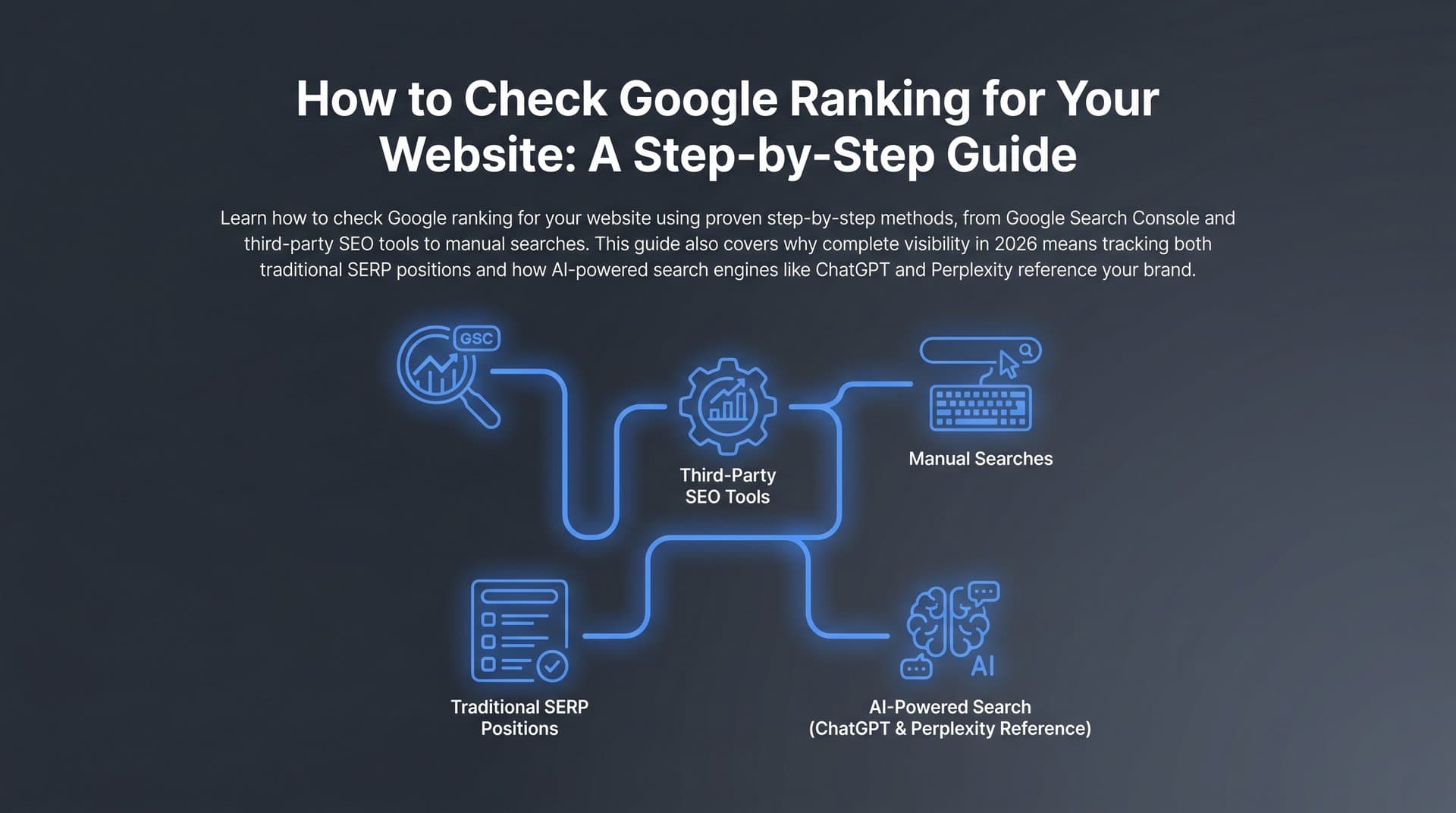
In this guide, you'll learn exactly how to check your Google ranking for any keyword using reliable, repeatable methods. We'll cover free tools built into Google's own ecosystem, dedicated rank tracking platforms, and the increasingly important discipline of monitoring how your brand appears in AI-powered search experiences. AI search is rapidly reshaping how users discover information, and traditional rank tracking only tells half the story.
By the end, you'll have a complete workflow for tracking keyword positions accurately, interpreting what the data actually means, and turning those insights into specific actions that improve your organic visibility across both traditional and AI search.
Step 1: Define Your Target Keywords and Tracking Goals
Before you open a single tool, you need to get clear on what you're tracking and why. This sounds obvious, but skipping this step is one of the most common reasons rank tracking becomes a time-consuming exercise that produces no actionable insight.
Start by categorizing your keywords into three buckets. Branded keywords include your company name, product names, and branded variations. These tell you how well you're protecting your brand's search presence. High-intent commercial keywords are the terms people search when they're close to making a decision, things like "best [product category]" or "[tool name] pricing." Informational keywords are broader educational queries where you're building awareness and authority at the top of the funnel.
Each category requires a different interpretation when you check your Google ranking keyword data. A drop in branded keyword rankings is an emergency. A drop in informational keyword rankings is a signal to refresh content. Understanding keyword research in SEO helps you build these categories effectively from the start.
Next, align your tracking goals with your actual business objectives. Are you tracking for SEO reporting purposes, to demonstrate progress to stakeholders? Are you optimizing content and need to know which pages are stuck on page two? Are you doing competitive benchmarking to find gaps in your competitor's coverage? Or are you producing client deliverables that need to show measurable results? Each goal shapes which keywords matter most and how you should organize your data.
Organize your keywords into logical groups rather than maintaining one flat list. Group by topic cluster, by funnel stage, or by the landing page each keyword maps to. When you run rank checks against a structured keyword list, you can immediately see patterns: "all my awareness-stage content is performing well, but my conversion-stage pages are underperforming." That's an actionable insight. A flat list of 200 keywords gives you noise.
Set your tracking frequency based on keyword competitiveness and business impact. Highly competitive commercial terms that directly influence revenue deserve daily tracking. Long-tail informational keywords with lower search volume can be checked weekly or monthly without losing meaningful signal.
Common pitfall: Many teams track dozens of vanity keywords, terms with high search volume that sound impressive but don't convert. Keep your core tracking list focused on keywords that actually drive business outcomes, and maintain a secondary list for broader visibility monitoring.
Step 2: Use Google Search Console for Free, First-Party Ranking Data
Google Search Console is the single most reliable free tool for checking your Google ranking keyword performance. Why? Because the data comes directly from Google's own index. It's not an estimate or a scrape; it's actual impressions and clicks from real searches.
To access your ranking data, log into Search Console, select your property, and navigate to the Performance report in the left sidebar. By default, you'll see data for the last three months across all queries. This is your starting point.
The four key metrics you'll work with are clicks, impressions, click-through rate (CTR), and average position. Each tells a different story. Impressions tell you how often your page appeared in search results for a query. Clicks tell you how many people actually visited your page. CTR is the ratio between the two, and it's a strong signal of whether your title and meta description are compelling enough to earn the click. Average position tells you roughly where your page appeared in results. For a deeper dive into leveraging this data, explore how to work with SEO ranking data effectively.
Here's something important about average position that trips up a lot of people: it's an average across all impressions for that query. If your page ranks at position two for 1,000 impressions and position 15 for 500 impressions, your reported average position will be around six. That number can be misleading if you interpret it as "I rank sixth for this keyword." Always look at impressions alongside position to understand the full picture.
Use the filter options at the top of the Performance report to get granular. Filter by query to see how specific keywords are performing. Filter by page to see which of your URLs are earning impressions and clicks. Filter by country to understand regional performance. Filter by device to compare mobile versus desktop rankings, which often differ significantly.
The date comparison feature is particularly valuable. Set your current period against the same period three months ago, and you can immediately see which keywords have improved, which have declined, and which are new. This is how you measure the impact of a content update or a technical SEO fix over time.
To export your data, click the download button in the top right of the Performance report. Export to a spreadsheet, sort by impressions, and focus your analysis on the top 20 to 30 keywords. These are the terms where small ranking improvements will have the most impact on traffic.
Success indicator: You can identify your top 20 keywords by impressions, see their average position trends over a three to six month window, and spot at least two or three keywords where you're ranking on page two with meaningful impression volume. Those are your quick-win opportunities.
Step 3: Run Manual Rank Checks Without Personalization Bias
Google Search Console shows you aggregate data over time, but sometimes you need to see exactly what the search results page looks like right now for a specific keyword. That's when manual rank checks come in. The key is doing them in a way that removes Google's personalization layer, because your normal search results are almost certainly showing you a skewed picture.
Google personalizes results based on your location, your search history, your logged-in account activity, and your device type. If you've visited your own website dozens of times, Google may rank it higher for you than it does for a first-time visitor. If you're searching from your office, you'll see results tuned to that geographic area. These factors can shift your apparent ranking by several positions. For a detailed walkthrough of unbiased position checking, see our guide on how to check your position in Google search.
There are three practical methods for running cleaner manual checks.
Method 1: Incognito or Private Browsing. Open an incognito window in Chrome or a private window in Firefox or Safari. This removes your browsing history and logged-in account data from the equation. It doesn't fully remove location-based personalization, but it's a quick fix for most casual spot-checks.
Method 2: URL Parameter Manipulation. After running a Google search, look at the URL in your browser's address bar. You can append parameters to reduce personalization: add &gl=us&hl=en&pws=0 to the end of the search URL. The pws=0 parameter specifically disables personalized web search. This gives you a closer approximation of what an average logged-out user in that country sees.
Method 3: Free SERP Checker Tools. Several free browser-based tools let you check rankings for a keyword from a specified location without personalization. These are useful for quick spot-checks when you need to verify a specific page's position in a particular city or country.
Manual checks make sense for occasional validation, confirming that a page you just optimized has improved, or verifying a client's ranking before a meeting. They're not scalable for ongoing monitoring across dozens or hundreds of keywords. For that, you need automated tracking, which we'll cover in the next step.
Common pitfall: When you manually check rankings, remember to account for SERP features. If your keyword triggers an AI Overview, a featured snippet, a People Also Ask section, or a local pack, those elements push organic results down the page. A position-three ranking below four SERP features might actually appear below the fold. Always look at the full SERP, not just the number.
Step 4: Set Up Automated Rank Tracking with Dedicated Tools
Manual checks and Search Console data are valuable, but they have real limitations. Manual checks don't scale, and Search Console shows you aggregated historical data rather than precise daily positions. For serious SEO work, you need a dedicated rank tracking tool running automated checks on a schedule.
Dedicated rank trackers work by simulating searches from specified locations and devices, recording your position for each keyword, and storing that data over time. The result is a historical trend line for every keyword you track, so you can see exactly when a ranking changed and correlate it with algorithm updates, content changes, or technical fixes. Our in-depth guide on how to track keyword rankings covers the full setup process.
When evaluating rank tracking tools, look for these core capabilities. Location-specific tracking lets you check rankings as if you were searching from a specific city, state, or country, which is essential if you serve multiple markets. Mobile versus desktop splits matter because rankings often differ significantly between devices, and knowing which version is underperforming helps you prioritize fixes. SERP feature tracking tells you not just your organic position but whether you own a featured snippet, appear in People Also Ask, or show up in image or video carousels. Historical trend data with at least six months of history is essential for meaningful analysis.
To configure your first tracking campaign, start by adding your domain to the tool. Import your keyword list, ideally organized by the groups you created in Step 1. Set your target locations based on where your actual audience is, not just your home country. Choose whether to track desktop, mobile, or both.
Once your campaign is running, you'll spend most of your time in the rank tracking dashboard. Learn to read position distribution charts, which show what percentage of your tracked keywords rank in the top three, top ten, and top twenty positions. Winner and loser reports highlight which keywords gained or lost significant ground in a given period. Visibility scores aggregate your overall ranking strength into a single metric that's useful for high-level reporting.
Set up alerts for significant position changes. Most tools let you configure notifications when a keyword drops or gains more than a specified number of positions. This turns your rank tracker from a passive reporting tool into an early warning system.
Success indicator: You have automated daily tracking running for your priority keywords, alerts configured for significant position changes, and a dashboard you can check in under five minutes to get a clear picture of your ranking health.
Step 5: Analyze SERP Features and Competitive Context
Here's something that surprises a lot of marketers when they dig into their ranking data: raw position numbers often don't correlate with the traffic you'd expect. A page ranking at position three can receive fewer clicks than a page ranking at position six, depending on what else appears on that SERP.
This is because modern Google search results pages are crowded with features that appear above traditional organic blue links. AI Overviews, featured snippets, People Also Ask boxes, local packs, knowledge panels, video carousels, and shopping results all compete for attention and clicks. For some keywords, organic results don't appear above the fold at all on a standard laptop screen.
Understanding the SERP landscape for your target keywords is just as important as knowing your position. Start by identifying which SERP features regularly appear for each keyword you track. A keyword that consistently triggers an AI Overview requires a different optimization strategy than a clean SERP with only organic results. For the former, you need to think about whether your content can be cited within the AI Overview itself, not just whether you rank in the organic list below it. Learning about AI search engine ranking factors can help you tailor your approach for these evolving SERPs.
Next, audit whether your own pages hold any SERP features. Are you earning featured snippets for any of your target keywords? Do you appear in People Also Ask boxes? Winning a featured snippet for a high-volume keyword can dramatically increase your click share even if your organic position stays the same. Most rank tracking tools can flag when you own a SERP feature, so use that data.
Competitive gap analysis adds another layer of context. For each of your priority keywords, look at who ranks in positions one through five and what content they're serving. If competitors consistently outrank you with longer, more comprehensive content, that's a content depth problem. If they outrank you despite thinner content, the issue might be domain authority or backlink profile. The ranking data tells you where the gap is; the SERP context tells you why.
Use this analysis to prioritize your optimization efforts strategically. Sometimes the highest-leverage move isn't climbing one organic position; it's winning the featured snippet for a keyword where you already rank in the top five. That kind of insight only comes from looking at the full SERP picture, not just your position number.
Step 6: Track Your Brand Visibility Across AI Search Platforms
Traditional rank tracking gives you a clear picture of your Google performance, but it's increasingly an incomplete picture of how people actually discover your brand. AI-powered search platforms including ChatGPT, Claude, Perplexity, and Google's own AI Overviews are now directly answering user queries, often without sending users to a results page at all. If your brand isn't being mentioned or cited in those AI-generated answers, you're missing a growing share of your potential audience.
This is where AI Visibility comes in as a concept distinct from traditional SEO rankings. AI Visibility refers to how often and how favorably AI models mention your brand, recommend your products, or cite your content when users ask relevant questions. A competitor could rank below you on every traditional SERP and still be recommended more often by ChatGPT for the exact queries your customers are asking. If you've noticed this happening, our article on competitors ranking in ChatGPT explains why and what to do about it.
The discipline of optimizing for this kind of visibility is called Generative Engine Optimization (GEO). It's an emerging field that involves creating content structured in ways that AI models can easily parse, cite, and incorporate into their responses. This includes clear factual statements, well-organized information architecture, authoritative sourcing, and comprehensive topic coverage that makes your content a reliable reference for AI systems.
Sight AI's AI Visibility tracking is built specifically for this challenge. It monitors brand mentions across six or more AI platforms, providing an AI Visibility Score that reflects how prominently your brand appears in AI-generated responses. You get sentiment analysis showing whether mentions are positive, neutral, or negative, and prompt-level tracking that shows exactly which user questions are triggering mentions of your brand versus your competitors.
Setting up AI visibility monitoring alongside your traditional rank tracking gives you a complete picture of your search presence. The two data streams complement each other: traditional rank tracking tells you how you perform in Google's index, while AI visibility tracking tells you how you perform in the conversational layer that's increasingly sitting on top of that index.
The most actionable use of AI visibility data is identifying content gaps. If AI models consistently mention your competitors when users ask about a topic that's core to your business, that's a clear signal that you lack authoritative content on that subject. Those gaps become your content priorities. You can then use Sight AI's content generation capabilities to produce GEO-optimized articles that address those topics comprehensively, increasing the likelihood that AI models will cite your brand in future responses.
Success indicator: You have AI visibility monitoring running alongside your traditional rank tracking, and you can identify at least three topic areas where AI models aren't mentioning your brand despite it being directly relevant to your business. Those are your next content opportunities.
Step 7: Build a Reporting Workflow and Act on Ranking Insights
Data without action is just noise. The final step is building a repeatable workflow that transforms your ranking data, from Google Search Console, your rank tracker, and your AI visibility monitoring, into specific content and optimization decisions every week.
Start by establishing a reporting cadence. A weekly review of your rank tracking dashboard for priority keywords, combined with a monthly deeper dive into Search Console data and AI visibility metrics, works well for most teams. The weekly check catches urgent issues quickly. The monthly review reveals trends and informs strategic decisions.
Your weekly rank tracking review should answer three questions. Which pages dropped significantly this week? Which pages are stuck on page two with meaningful impression volume? Are there any new keyword opportunities showing up in Search Console that you haven't yet created dedicated content for?
Each answer maps to a specific action. Pages that dropped suddenly warrant a technical audit: check for crawl errors, indexing issues, or recent content changes that might have triggered a quality signal. Pages stuck on page two are your optimization priority: improve content depth, strengthen internal linking, and ensure the page fully addresses search intent. If your content isn't gaining traction despite your efforts, our guide on why content is not ranking in search can help you diagnose the root cause. New keyword opportunities become briefs for your content calendar.
Build a content optimization loop into your workflow. Check rankings, identify underperforming pages, update and republish with improved content, re-index using tools like IndexNow so search engines discover the changes immediately rather than waiting for the next crawl cycle, then re-check rankings two to four weeks later to measure impact. This loop, repeated consistently, compounds over time into meaningful ranking improvements. For techniques on speeding up that re-indexing step, see our article on faster Google indexing for new content.
Sight AI's content writer and auto-publishing capabilities fit naturally into this loop. When your rank tracking and AI visibility data surfaces a content gap, you can move from insight to published article quickly using AI agents optimized for both SEO and GEO requirements. The IndexNow integration ensures your new content gets discovered fast, shortening the feedback loop between publishing and seeing ranking results.
For agencies and teams reporting to clients or stakeholders, combine your rank tracker data, Search Console trends, and AI visibility metrics into a single monthly report. This gives a complete picture of organic performance that goes beyond traditional rankings and demonstrates forward-thinking SEO strategy.
Common pitfall: Obsessing over daily position fluctuations is one of the most common productivity traps in SEO. Rankings naturally fluctuate day to day as Google continuously updates its index. Focus your attention on weekly and monthly trends, and reserve daily monitoring for catching significant drops that might indicate a technical problem.
Success indicator: You have a documented, repeatable process that produces specific content and optimization tasks every week based on ranking data. Your team knows exactly what to do when a page drops, when a page stagnates on page two, and when a new keyword opportunity appears.
Your Complete Ranking Workflow at a Glance
Checking your Google ranking for a keyword isn't a one-time task. It's an ongoing practice that feeds your entire SEO and content strategy. Here's your quick-reference checklist to keep the process on track.
1. Define your priority keywords and organize them by goal, funnel stage, or landing page before you start tracking anything.
2. Pull first-party data from Google Search Console to understand your actual impressions, clicks, and position trends over time.
3. Validate with unbiased manual checks when you need to see exactly what a SERP looks like right now, using incognito mode or URL parameters to remove personalization.
4. Set up automated rank tracking for daily monitoring of your priority keywords, with alerts for significant position changes.
5. Analyze SERP features and competitive context around your rankings, because position numbers without SERP context can be misleading.
6. Monitor your brand's visibility across AI search platforms like ChatGPT, Claude, and Perplexity, because traditional rankings don't capture this growing channel.
7. Build a reporting workflow that turns ranking data into specific content and optimization actions every week.
The brands winning in organic search today aren't just tracking traditional Google positions. They're monitoring how AI models talk about them and creating content optimized for both search engines and AI citation. These two disciplines are converging, and the teams that build workflows covering both will have a significant advantage as AI search continues to grow.
Sight AI brings these capabilities together in one platform: AI Visibility tracking across six or more AI platforms, SEO and GEO-optimized content generation with 13+ specialized AI agents, and automated indexing to help you move from insight to published content faster. Stop guessing how AI models like ChatGPT and Claude talk about your brand. Start tracking your AI visibility today and see exactly where your brand appears across top AI platforms, so you can turn every ranking insight into your next content win.