You've seen it thousands of times. You click into your browser's address bar, and there it is: Search Google or type a URL. It's one of the most familiar prompts in modern computing, yet most people never stop to think about what it actually means or how to use it strategically.
That small piece of placeholder text represents something genuinely interesting: the convergence of two completely different user behaviors into a single input field. Depending on what you type, you could be navigating directly to a website or sending a query to a search engine with billions of indexed pages. The browser decides which path to take in milliseconds, and that decision has real implications for how users experience the web.
For everyday users, understanding the address bar can mean fewer wrong turns and faster browsing. For marketers and founders, it opens a window into how search intent works, why brand visibility matters, and why the shift toward AI-powered search is changing the game entirely. Let's start at the beginning.
The Omnibox Decoded: Why Your Browser Shows This Message
When Google Chrome launched in 2008, it introduced something that seems obvious in hindsight but was genuinely novel at the time: a single bar that combined the traditional URL address field and the search box into one unified input. Google engineers called it the omnibox, and the placeholder text "Search Google or type a URL" was its way of explaining exactly what you could do with it.
Before the omnibox, browsers like Internet Explorer and early Firefox kept these two functions separate. You had an address bar at the top for typing web addresses and a dedicated search box, usually in the top-right corner, for running queries. Chrome's insight was that users shouldn't have to think about which box to use. Type anything, and the browser figures it out.
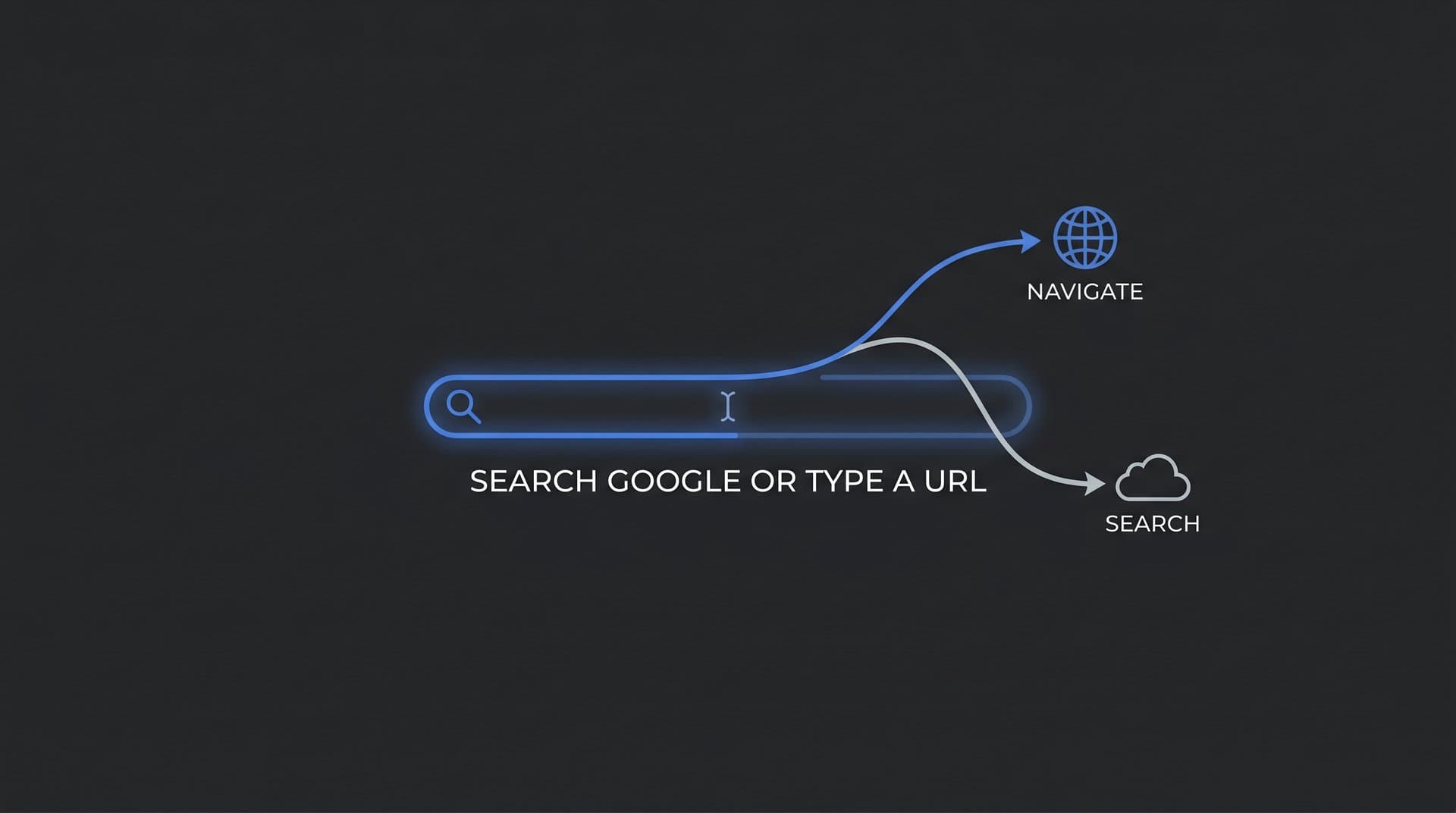
The omnibox supports two distinct actions. First, you can enter a direct URL, such as www.example.com or https://docs.google.com, and the browser will navigate you straight to that page. Second, you can type a question, a topic, or a few keywords, and the browser will route that input to your default search engine, returning a results page. Same bar, two completely different outcomes.
What made this genuinely useful was the autocomplete layer built on top. As you type, the omnibox draws from your browsing history, saved bookmarks, and real-time search suggestions to offer predictions. It's essentially trying to finish your thought before you do, which saves keystrokes and surfaces frequently visited pages faster. Understanding how AI search engines work helps explain the intelligence behind these predictive features.
This design pattern proved so effective that every major browser adopted it. Microsoft Edge, Mozilla Firefox, Apple Safari, and Brave all use a combined address-and-search bar today. The specific placeholder text varies slightly, but the underlying behavior is the same. What Chrome pioneered in 2008 is now a universal browsing convention, which means understanding how it works is relevant regardless of which browser you prefer.
For marketers, this matters more than it might seem. The omnibox is the literal starting point of almost every web session. It's where users express intent, whether they're looking for information, heading to a specific site, or ready to make a purchase. Everything that happens downstream in SEO, content strategy, and AI search begins right here.
Direct URL vs. Search Query: How Your Browser Decides
So how does the browser actually know whether you're typing a web address or a search query? The answer involves a quick pattern-matching check that happens as you type, and it's worth understanding because it explains a lot of common browsing behavior.
When you enter text into the omnibox, the browser scans for signals that indicate a URL. These include the presence of a dot followed by a recognized top-level domain (like .com, .org, or .io), a protocol prefix like https:// or http://, or a structure that matches a known domain pattern. If the input matches these patterns, the browser treats it as a direct navigation request and takes you to that address. If it doesn't, the text gets packaged as a search query and sent to your default search engine.
This is why typing google.com takes you directly to Google, while typing google alone (without the dot) might send you to a search results page about Google. The dot is the signal the browser needs to recognize a URL.
The autocomplete system adds another layer of complexity. Chrome, for instance, pulls suggestions from multiple sources simultaneously: your personal browsing history, bookmarks, open tabs, and Google's search suggestion API. These suggestions appear as a dropdown as you type, ranked by a combination of recency, frequency, and relevance. The result is a highly personalized experience that can differ significantly from one user to the next, even when typing identical characters.
This has a direct implication for marketers. If a user has visited your site before, your domain is more likely to appear as an autocomplete suggestion the next time they start typing your brand name. This creates a positive feedback loop where repeat visitors find you faster, which reinforces the value of building loyal audiences rather than just chasing one-time clicks.
The default search engine setting is another variable worth paying attention to. Chrome defaults to Google, but users can change this to Bing, DuckDuckGo, Ecosia, or any number of alternatives. When they do, every non-URL query typed into the omnibox goes to that engine instead. For marketers tracking organic visibility, this is a reminder that search traffic doesn't always come from Google. You can check your position in Google search as a starting point, but monitoring your presence across multiple search platforms gives a more complete picture of how users find you.
The practical takeaway here is simple but powerful: the omnibox is making decisions on behalf of the user constantly. Understanding those decisions helps you structure your web presence, your URLs, and your content in ways that align with how browsers and search engines interpret input.
Common Errors and Troubleshooting the Address Bar
Even with a system this well-designed, things go wrong. Some of the most common browser frustrations stem directly from how the omnibox handles ambiguous input, and knowing the root cause makes fixing them much easier.
The most frequent issue is typing a web address and landing on a search results page instead of the actual site. This usually happens because of a typo, a missing dot, or an incomplete domain. If you type examplecom instead of example.com, the browser sees no dot and treats it as a search query. Similarly, if you type a partial URL without enough structure for the browser to recognize it as a domain, it defaults to search. The fix is straightforward: double-check your spelling and make sure the domain includes the correct top-level domain extension.
A related issue is the "This site can't be reached" error, which appears when the browser correctly identifies a URL but can't connect to the server. This can happen for several reasons: the website might be down, your internet connection might be interrupted, or there could be a DNS resolution failure where your browser can't translate the domain name into an IP address. Clearing your browser cache and cookies resolves this in some cases. If the problem persists, checking your DNS settings or temporarily switching to a public DNS server (like Google's 8.8.8.8) can help rule out a configuration issue.
Browser extensions are another common culprit. Some extensions modify omnibox behavior, redirect searches, or interfere with navigation in ways that aren't immediately obvious. If your address bar is behaving unexpectedly, try disabling extensions one at a time to identify the source of the conflict.
There's also a scenario that catches many users off guard: accidentally searching for a URL instead of navigating to it. This happens when someone types a full web address but the browser's autocomplete prioritizes a search suggestion over the direct navigation. The reliable fix is to include https:// at the start of the address. When the browser sees a protocol prefix, it treats the input as a definitive URL and skips the search routing entirely. This is especially useful when visiting a new site you haven't been to before, since it won't yet appear in your autocomplete history.
For site owners and marketers, these errors carry a different kind of significance. If users are trying to navigate directly to your site and hitting errors, it could indicate problems with your domain configuration, SSL certificate, or server availability. Understanding how search engines discover new content and ensuring your site is properly configured is part of maintaining a healthy web presence.
What Omnibox Behavior Reveals About Search Intent
Here's where things get genuinely interesting for anyone thinking about content strategy or SEO. The omnibox isn't just a navigation tool. It's a window into what users actually want, and the type of input they enter tells you a great deal about their intent.
Search intent generally falls into three categories. Navigational intent is when a user wants to reach a specific site or page. They might type "facebook login" or "github" because they already know where they want to go and the omnibox is just the fastest way to get there. Informational intent is when a user wants to learn something, like "how does DNS work" or "best practices for email marketing." Transactional intent is when a user is ready to act, whether that means making a purchase, signing up for a service, or downloading something.
The omnibox is the starting point for all three. And the way users phrase their input gives search engines valuable signals about which type of intent is at play, which directly influences how results are ranked and displayed.
Google uses these signals to decide whether to show a featured snippet, a knowledge panel, a set of product listings, or a standard list of organic results. A navigational query for a well-known brand might trigger sitelinks, showing direct links to the brand's most popular pages right in the search results. An informational query might pull a featured snippet that answers the question without requiring a click. A transactional query might surface shopping results or paid ads prominently.
For content strategists, this has a practical implication: you need to understand which type of intent your target audience is expressing when they search for topics related to your brand or product. Creating content that matches that intent, rather than content that simply contains the right keywords, is what earns rankings and drives qualified traffic. Effective keyword research for organic SEO is essential to mapping these intent patterns accurately.
Navigational queries deserve special attention. When users type a brand name or a partial URL into the omnibox, they're essentially voting with their fingers that they want to reach that specific brand. Brands with strong domain authority, clear site structure, and consistent branding are far more likely to capture these queries. If your brand name is ambiguous or your domain is hard to remember, you risk losing navigational traffic to competitors or to irrelevant search results.
This is why branded content, a memorable domain, and proper technical SEO aren't vanity projects. They're the foundation that ensures users who already know about you can actually find you when they type your name into the omnibox.
Beyond Traditional Search: The Omnibox in the Age of AI
The omnibox hasn't changed much visually in the past decade, but what happens after you press Enter is transforming rapidly. AI-powered search experiences are rewriting the rules of what a "search result" looks like, and that has significant implications for anyone who depends on organic traffic.
Google's AI Overviews now appear at the top of many search results pages, generating a synthesized answer from multiple sources before showing traditional blue links. Bing Copilot integrates conversational AI directly into the search experience. Standalone tools like ChatGPT and Perplexity are increasingly used as search alternatives, where users type queries and receive direct, AI-generated answers rather than a list of links to explore. Understanding what search generative experience means is critical for adapting to this new landscape.
The common thread is that the journey from "typing something into a bar" to "getting an answer" is getting shorter. Users are spending less time clicking through to websites and more time consuming answers that AI systems have assembled on their behalf. For brands that relied on high click-through rates from informational queries, this shift is significant.
This is where the concept of AI visibility becomes essential. Traditional SEO focuses on ranking in search engine results pages. AI visibility is about whether your brand, product, or content is being cited, referenced, or recommended by AI systems when users ask relevant questions. These are different metrics, and optimizing for one doesn't automatically improve the other.
Alongside AI visibility, GEO (Generative Engine Optimization) is emerging as the next evolution of search optimization. Where traditional SEO focuses on signals like backlinks, page speed, and keyword relevance to influence crawler-based rankings, GEO focuses on structuring and positioning content so that AI models are more likely to cite it in generated answers. This includes writing with clear authority signals, citing credible sources, structuring content with well-defined answers to specific questions, and building the kind of topical depth that AI systems recognize as trustworthy. A comprehensive AI search engine optimization guide can help you navigate these emerging practices.
For marketers and founders, the practical question is: when a user types a query related to your category into any search interface, whether it's Google, ChatGPT, or Perplexity, does your brand appear in the answer? Monitoring this requires a different kind of tooling than traditional rank tracking. Platforms like Sight AI are built specifically for this, tracking how AI models like ChatGPT, Claude, and Perplexity reference and recommend brands across different query types, so you can see exactly where your AI visibility stands and where gaps exist.
The omnibox, in this context, is no longer just a gateway to a list of links. It's the entry point to an AI-mediated discovery experience, and the brands that understand this are already building content strategies that account for both traditional search and generative engines.
Optimizing for Every Type of Search: Your Action Plan
Understanding how the omnibox works, how browsers interpret input, and how search intent shapes results is only useful if it translates into action. Here's how to connect these concepts into a practical strategy for organic growth.
Ensure your site is properly indexed and technically sound. Direct URL navigation only works reliably if your site is live, fast, and correctly configured. This means having a valid SSL certificate, clean URL structures, and an up-to-date sitemap that search engines can crawl. Knowing how to get indexed by search engines faster can accelerate how quickly new or updated content gets discovered, reducing the lag between publishing and ranking.
Create content that matches intent, not just keywords. Think about the three intent types: navigational, informational, and transactional. Your content library should address all three. Informational content builds authority and attracts users in research mode. Transactional content captures users who are ready to act. Branded content and strong domain authority capture navigational queries from users who already know you.
Monitor your presence across both traditional and AI-powered search. Rank tracking in Google is table stakes. But if you're not also tracking how AI models reference your brand, you have a significant blind spot. Leveraging AI search optimization tools helps you understand where your brand appears across both traditional and generative search experiences.
Optimize for GEO alongside traditional SEO. Structure your content with clear, authoritative answers to specific questions. Build topical depth across your content library. Earn citations from credible sources. These practices improve both your traditional search rankings and your likelihood of being cited by AI systems.
The journey from a user typing something into the omnibox to that user becoming a customer involves multiple touchpoints. Getting each one right, from indexing to intent matching to AI visibility, is what separates brands that grow organically from those that stay invisible.
The Gateway to Digital Discovery
That small line of placeholder text, "Search Google or type a URL," is easy to overlook. But it represents the starting point of nearly every digital interaction: a user expressing intent, a browser interpreting that intent, and a search ecosystem deciding what to show in response.
For everyday users, understanding the omnibox means fewer errors and faster navigation. For marketers and founders, it's a reminder that the path from query to customer runs through a complex system of browsers, search engines, and increasingly, AI models that are reshaping what "showing up in search" actually means.
The brands that win in this environment are those with properly indexed sites, content that matches what users are actually looking for, and visibility across both traditional search results and AI-generated answers. None of these priorities operate in isolation. They're interconnected, and optimizing for all of them is what drives sustainable organic growth.
Stop guessing how AI models like ChatGPT and Claude talk about your brand. Start tracking your AI visibility today and see exactly where your brand appears across top AI platforms, uncover content opportunities you're missing, and automate your path to organic traffic growth with a platform built for the way search actually works in 2026.