You've seen it thousands of times. You click into Chrome's address bar and the placeholder text reads: "Search Google or type a URL." Most people glance past it without a second thought, type whatever they need, and move on. But that small prompt actually represents something meaningful: a fork in the road between two completely different ways of finding information online.
For everyday users, the distinction might seem trivial. For marketers, founders, and SEO professionals, it's anything but. Whether a user types your domain directly or discovers you through a keyword search changes how that visit is counted, how it signals authority to search engines, and ultimately how your brand grows online.
This article breaks down exactly what happens when users interact with Chrome's address bar, why the difference between direct navigation and search queries matters for organic visibility, and how the rise of AI-powered search is adding a third dimension to this equation. Whether you're trying to understand your traffic sources or build a more discoverable brand, this is the foundation you need.
The Omnibox Decoded: Why Chrome Gives You Two Options
When Google launched Chrome in 2008, it introduced something that seemed simple but was actually a significant shift in how browsers worked: the Omnibox. Instead of maintaining separate fields for web addresses and search queries, Chrome combined them into a single input bar. That's the "Search Google or type a URL" prompt you see every time you open a new tab or click into the address bar.
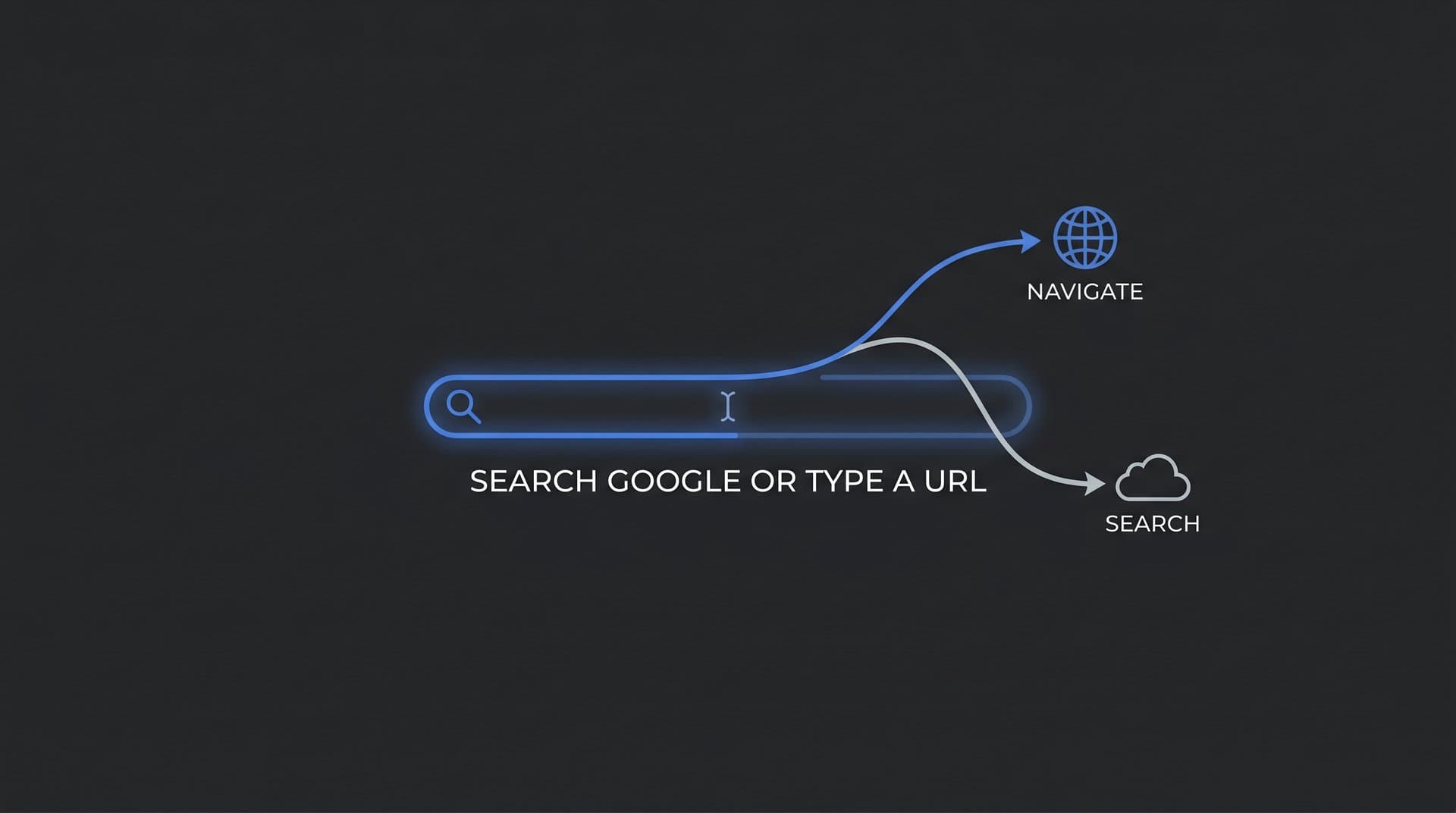
The Omnibox serves two distinct functions simultaneously. Type a full web address, like trysight.ai, and Chrome navigates directly to that site. Type a phrase or question, like "best AI SEO tools," and Chrome routes your input through Google's search engine, returning a results page. Same bar, two completely different outcomes.
So how does Chrome decide which action to take? It uses a combination of pattern recognition and contextual signals. Here's how it works:
TLD Detection: If your input contains a recognizable top-level domain like .com, .org, .io, or .ai, Chrome treats it as a URL and attempts to navigate directly to the address.
Keyword Pattern Recognition: If your input looks like a phrase or question without a clear domain structure, Chrome assumes it's a search query and passes it to your default search engine.
Browsing History and Bookmarks: Chrome also cross-references your input against your history and saved bookmarks. If you've visited a site before, Chrome may suggest it as a URL match even for partial inputs.
Default Search Engine Settings: The search engine that receives your query depends on your browser settings. For most users, this is Google, but it can be changed to Bing, DuckDuckGo, or others. This setting determines where your keyword searches land.
There's also an interesting edge case worth noting. If you type something like "apple" into the Omnibox, Chrome faces ambiguity. Is that the fruit, the company, or a search query? In most cases, Chrome defaults to treating ambiguous single-word inputs as search queries rather than URL attempts, which is why you'd see Google results for "apple" rather than being taken directly to apple.com. Understanding search intent in SEO helps explain why this default behavior matters.
Understanding this mechanism matters because it shapes how users actually reach websites. The Omnibox is the starting point for nearly every web session, and the path a user takes from that bar to your site has real implications for how you measure and grow your audience.
Two Paths, Two Very Different Journeys
The moment a user hits Enter in the Omnibox, one of two technical processes kicks off. These processes are fundamentally different, and understanding them helps explain why traffic sources matter so much in analytics.
When a user types a full URL and navigates directly, here's what happens. The browser first checks its local cache to see if it already knows the IP address for that domain. If not, it sends a request to a DNS (Domain Name System) resolver, which translates the human-readable domain name into a numerical IP address. Once that's resolved, the browser sends an HTTP or HTTPS request directly to the web server at that address, which responds by serving the page. The whole process typically happens in milliseconds. No search engine is involved, no search impression is recorded, and no ranking is required.
When a user types a keyword query, the flow is entirely different. The Omnibox sends the input to Google's search engine, which processes the query, runs it through its ranking algorithms, and returns a search results page (SERP). The user then clicks a result, which generates a search impression and a click signal that Google records. Only at that point does the browser navigate to the destination site. Understanding how search engines discover new content provides helpful context for this process.
Autocomplete plays an important role in both scenarios. As you type, Chrome surfaces suggestions drawn from several sources: your personal browsing history, saved bookmarks, popular search queries trending across Google, and in some cases, suggestions from the search engine itself. These predictions are designed to reduce typing effort and anticipate intent. For brands, this means that if users frequently search for your brand name, it may begin appearing as an autocomplete suggestion for others, creating a compounding visibility effect.
The default search engine setting is also worth paying attention to. Most users never change this setting, which means Google captures the vast majority of keyword queries entered through the Omnibox. However, in enterprise environments or privacy-focused setups, this can differ. For SEO professionals, it's worth knowing that your organic search traffic data in tools like Google Search Console reflects only queries routed through Google, not queries sent to other engines.
The practical implication: direct navigation traffic shows up in your analytics as "direct" traffic, while keyword-driven visits show up as "organic search." These two buckets tell very different stories about how people are finding you.
What This Means for SEO and Organic Visibility
Here's where the search-or-type distinction becomes strategically important. Direct navigation and organic search are not interchangeable. They measure different things, signal different things, and require different strategies to grow.
Direct navigation, where someone types your URL straight into the address bar, is often treated as a proxy for brand strength. It suggests the user already knows you exist, trusts your site enough to go there without searching, and doesn't need Google to find you. Analytics platforms typically categorize this as "direct traffic," though it can also include visits from bookmarks, typed links in apps, or sessions where referral data was lost.
Branded search, where someone types your brand name or a variation of it into the search bar, is a different signal. It still indicates awareness, but it routes through Google's search engine. That means it generates search impressions, creates click-through data, and contributes to your presence in Search Console. Branded queries are valuable because they're high-intent and typically convert well, but they also mean your site needs to be properly indexed to appear at all. You can check your position in Google search to verify how your brand appears for these queries.
This is where indexing becomes critical. If a user searches for your brand name or a product you offer and your pages aren't indexed, you simply won't appear. Ensuring your site is properly crawled and indexed by Google is the baseline requirement for capturing organic search traffic. Tools that automate indexing, like those using IndexNow integration, can accelerate how quickly new content gets discovered and ranked.
There's also an important nuance around non-branded keyword searches. When users search for terms related to your product or service without knowing your brand, they're relying entirely on Google's ranking to surface you. This is the core challenge of SEO: creating content that earns rankings for the queries your potential customers are typing. Effective keyword research for organic SEO is essential for identifying those high-value queries. Title tags, meta descriptions, content quality, and site authority all factor into whether you appear on that results page.
For marketers tracking performance, the ratio of direct to organic traffic can reveal a lot. A high proportion of direct traffic relative to organic often suggests strong brand recognition but potentially limited content reach. A growing organic share suggests your content strategy is working and you're reaching users who didn't already know you.
Common Mistakes Users Make at the Address Bar
Not every user interacts with the Omnibox as intended. Several common behaviors create interesting side effects that site owners and marketers should be aware of.
One of the most frequent patterns is users typing full URLs into Google search rather than the address bar. Someone might type "www.amazon.com" into Google's homepage search box instead of directly into the browser's address bar. This generates a search impression for that query and often results in a click on the first organic result. For site owners, these branded URL searches show up in Search Console and can inflate branded query data. If your content isn't appearing as expected, learning how to submit your URL to Google can help resolve visibility gaps.
Another common behavior is searching for "google.com" in the Omnibox itself, which is technically redundant since the Omnibox already routes to Google. This happens frequently with less experienced users who treat the address bar as a search field for finding Google, not realizing they're already one step away from search.
Users also frequently add unnecessary prefixes like "www." or "http://" when modern browsers handle these automatically. While this doesn't cause errors, it's a habit carried over from earlier internet eras when these prefixes were required for navigation to work correctly.
Mobile behavior adds another dimension. On smartphones, the address bar is often smaller and less prominent, and users may be more likely to use voice input or rely on app-based search rather than typing URLs. Voice search queries tend to be more conversational and longer-form, which has implications for how content needs to be structured to capture that traffic. Applying conversational search optimization tactics can help you capture these voice-driven queries effectively.
For site owners, the key takeaway is that branded search queries in Search Console often include a mix of intentional brand searches and accidental URL-as-search behaviors. Monitoring these patterns helps you understand the true shape of your branded visibility.
Building a Brand That Gets Found Both Ways
Understanding the search-or-type distinction is useful. Acting on it is where the real value lies. There are concrete strategies that help your brand capture both direct navigation and organic search traffic effectively.
Choose a Memorable Domain: The easier your domain is to type and remember, the more likely users are to navigate directly. Short, intuitive domains with clear spelling reduce friction and increase the likelihood of direct visits. Avoid hyphens, unusual spellings, or domain names that are easy to mistype.
Build Brand Recognition Through Content: The more users encounter your brand across multiple touchpoints, the more likely they are to search for it by name or navigate directly. Consistent content marketing, social presence, and email engagement all contribute to brand recall that eventually shows up as direct and branded search traffic.
Optimize Title Tags and Meta Descriptions: When users do search rather than navigate, your title tag and meta description are what they see in the results. These elements need to be compelling, relevant, and clearly communicate what your page offers. A well-crafted meta description can meaningfully improve organic search ranking performance even when your ranking position stays the same.
Ensure Fast, Reliable Indexing: New content that isn't indexed quickly is invisible to search. Using tools that automate the indexing process, including sitemap updates and IndexNow integration, ensures that your content enters Google's index as fast as possible after publication. If you're struggling with delays, explore strategies to get indexed by search engines faster.
Create Content That Earns Branded Searches: High-quality, genuinely useful content builds the kind of reputation that drives users to search for your brand specifically. When your content solves real problems, users remember where they found the answer and come back by name. AI-optimized content that targets both traditional search and generative engine queries can amplify this effect by reaching users across more discovery channels.
Tracking your brand's visibility across both traditional search and AI platforms gives you a complete picture of how users are finding you. Search Console covers the Google side; AI visibility tools cover the growing share of discovery happening through ChatGPT, Claude, Perplexity, and similar platforms.
How AI Search Is Rewriting the Discovery Playbook
The "Search Google or type a URL" prompt made sense in a world where web discovery happened primarily through search engines and direct navigation. That world is changing quickly.
AI-powered search experiences are introducing a third path. When a user asks ChatGPT for a software recommendation, queries Perplexity for a comparison of tools, or receives a Google AI Overview at the top of a search results page, they may never see a traditional list of blue links at all. The answer is synthesized and delivered directly, often with citations embedded in the response. Understanding how AI search engines work is essential for adapting to this new reality. The user's journey from question to answer no longer necessarily passes through a search results page.
This shift has significant implications for how brands think about discoverability. Traditional SEO focuses on ranking in search results so that users click through to your site. AI search introduces a layer where the model itself becomes the intermediary, deciding which brands, products, and sources to mention in its responses. If your brand isn't being mentioned by AI models, you're invisible to a growing segment of users who never reach a traditional SERP. The trend of AI replacing Google search traffic makes this an urgent concern for marketers.
This is the core concept behind GEO, or Generative Engine Optimization. GEO is the practice of optimizing your content and brand presence so that AI models are more likely to surface, cite, and recommend you in their responses. It extends the logic of traditional SEO into a new environment where the "ranking" is a mention in a conversational answer rather than a position on a results page.
For marketers and founders, this means the question is no longer just "do users search for us or type our URL directly?" It's also "do AI models know who we are, and do they recommend us when users ask relevant questions?" Monitoring your brand's presence across AI platforms is becoming as important as monitoring your Google rankings.
The address bar prompt that started this conversation is still there, still presenting users with the same two options it always has. But the landscape surrounding it has grown considerably more complex.
The Full Picture of How Users Find You
That small prompt in Chrome's address bar, "Search Google or type a URL," is more than a UI detail. It represents the fundamental split between two modes of online discovery: knowing where you're going versus asking for directions. For anyone building a brand or growing an online presence, understanding this distinction is foundational.
Direct navigation reflects brand strength and user loyalty. Organic search reflects content quality, indexing, and ranking. Branded search sits at the intersection of both, showing up as evidence that your brand has earned recognition. And increasingly, AI-powered discovery is adding a third channel that operates by its own rules entirely.
The practical path forward combines all of these: a memorable domain that users can navigate to directly, well-optimized content that earns organic rankings, consistent brand-building that drives branded search volume, and a presence in AI models that ensures you're recommended when users ask the questions you're best positioned to answer.
Tracking all of this used to require stitching together data from multiple disconnected tools. That's no longer necessary. Start tracking your AI visibility today with Sight AI and see exactly where your brand appears across top AI platforms alongside your traditional search presence. Stop guessing how AI models like ChatGPT and Claude talk about your brand and get the visibility you need to act on every opportunity for organic growth.