Managing content across multiple channels used to mean juggling spreadsheets, sticky notes, and endless Slack threads. In 2026, AI-powered automation has transformed how teams plan, create, and publish content—turning chaos into coordinated campaigns that run themselves.
The best content calendar automation tools now combine intelligent scheduling with cross-platform publishing, automated indexing, and AI-driven optimization. We've evaluated dozens of platforms based on automation depth, AI capabilities, integration ecosystems, and team collaboration features.
Here are the top content calendar automation tools transforming how teams manage their content operations.
1. Sight AI
Best for: AI-powered content generation with automated publishing and search visibility tracking
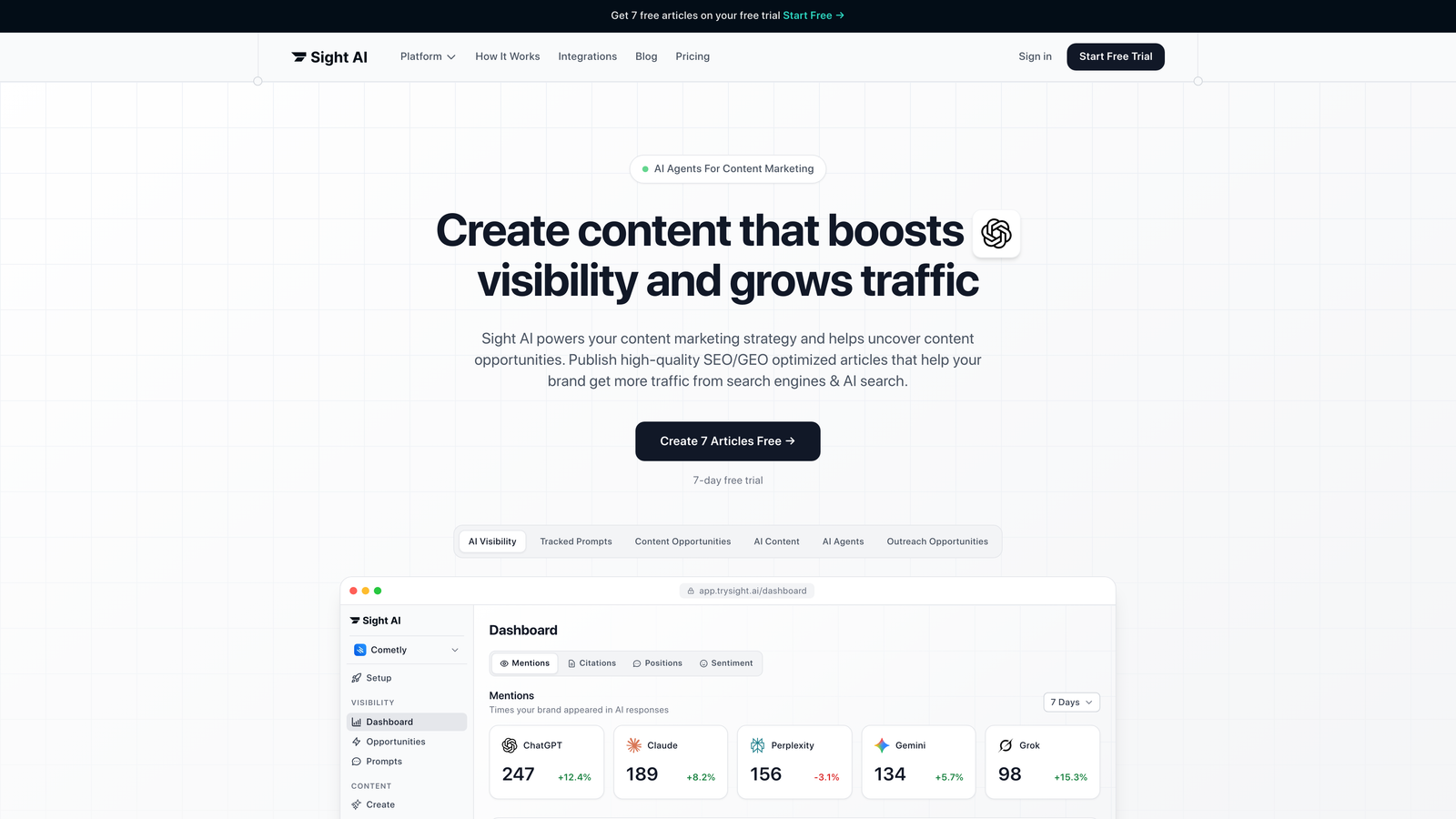
Sight AI combines content calendar automation with AI-driven content creation and intelligent publishing workflows across multiple platforms.
Where This Tool Shines
Sight AI approaches content calendars differently by integrating the entire content lifecycle—from ideation through publishing to search visibility tracking. The platform's 13+ specialized AI agents generate SEO and GEO-optimized content that's specifically designed to get your brand mentioned by AI models like ChatGPT, Claude, and Perplexity.
The Autopilot Mode takes hands-off content production to another level, automatically generating, scheduling, and publishing content while monitoring how AI platforms reference your brand. This creates a feedback loop where you can see which content types drive AI visibility and adjust your calendar accordingly.
Key Features
13+ Specialized AI Agents: Generate listicles, guides, explainers, and other content formats optimized for both traditional SEO and AI search engines.
CMS Auto-Publishing: Direct integration with WordPress, Webflow, and other platforms for seamless automated publishing.
IndexNow Integration: Automatic content indexing that gets your published content discovered faster by search engines.
AI Visibility Tracking: Monitor brand mentions across ChatGPT, Claude, Perplexity, and other AI platforms with sentiment analysis.
Autopilot Mode: Fully automated content production workflows that run without manual intervention.
Best For
Marketing teams and agencies focused on organic traffic growth who want to automate both content creation and distribution while tracking their visibility in AI search results. Particularly valuable for brands prioritizing GEO (Generative Engine Optimization) alongside traditional SEO.
Pricing
Competitive SaaS pricing with multiple tiers. Visit their website for current plan details and features at each level.
2. CoSchedule
Best for: Unified marketing calendar with AI-powered scheduling across all channels
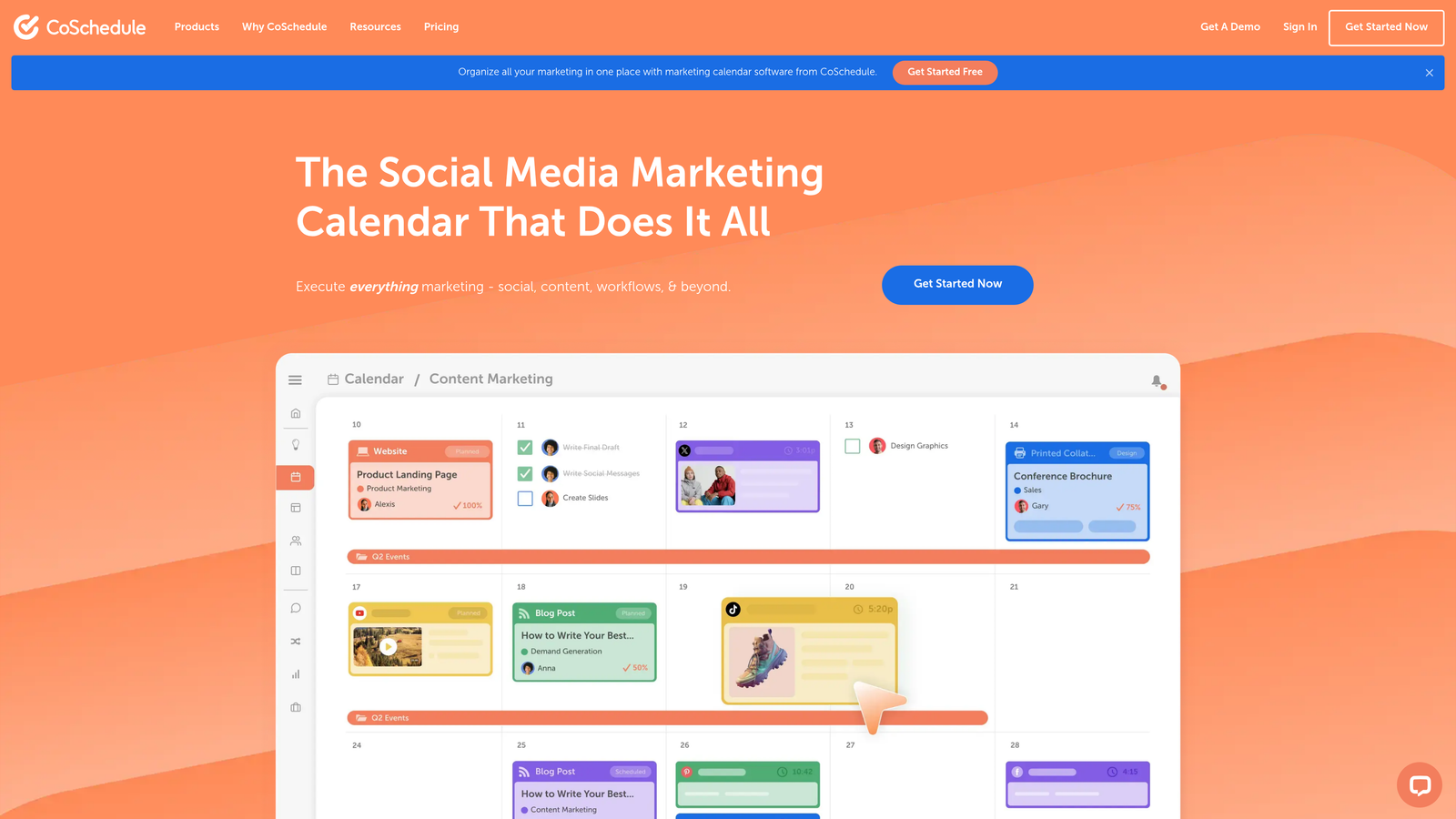
CoSchedule provides a centralized marketing calendar that brings together social media, blog posts, email campaigns, and events into one automated workflow.
Where This Tool Shines
CoSchedule excels at giving marketing teams a single source of truth for all content activities. The platform's AI scheduling assistant analyzes your audience engagement patterns and automatically suggests optimal posting times across different channels. This removes the guesswork from content timing and helps teams maximize reach without manual analysis.
The ReQueue feature stands out by automatically resharing your best-performing evergreen content when your calendar has gaps. This keeps your social channels active even during slower content production periods, extending the value of content you've already created.
Key Features
Unified Marketing Calendar: See all content types—social posts, blog articles, emails, events—in one visual calendar view.
AI Scheduling Assistant: Automatically determines the best times to publish based on your audience's engagement patterns.
ReQueue Automation: Intelligently reshares evergreen content to fill calendar gaps and maintain consistent posting.
Marketing Suite Integration: Connects content calendar with headline analyzer, social organizer, and asset organizer tools.
Team Workflow Management: Assign tasks, set deadlines, and track project progress within the calendar interface.
Best For
Marketing teams managing complex multi-channel campaigns who need centralized visibility and coordination. Ideal for organizations running simultaneous campaigns across social media, blogs, and email.
Pricing
Free calendar tool available with basic features. Marketing Suite plans start at $29 per user per month with advanced automation and team collaboration features.
3. Sprout Social
Best for: Enterprise social media management with advanced analytics and engagement automation
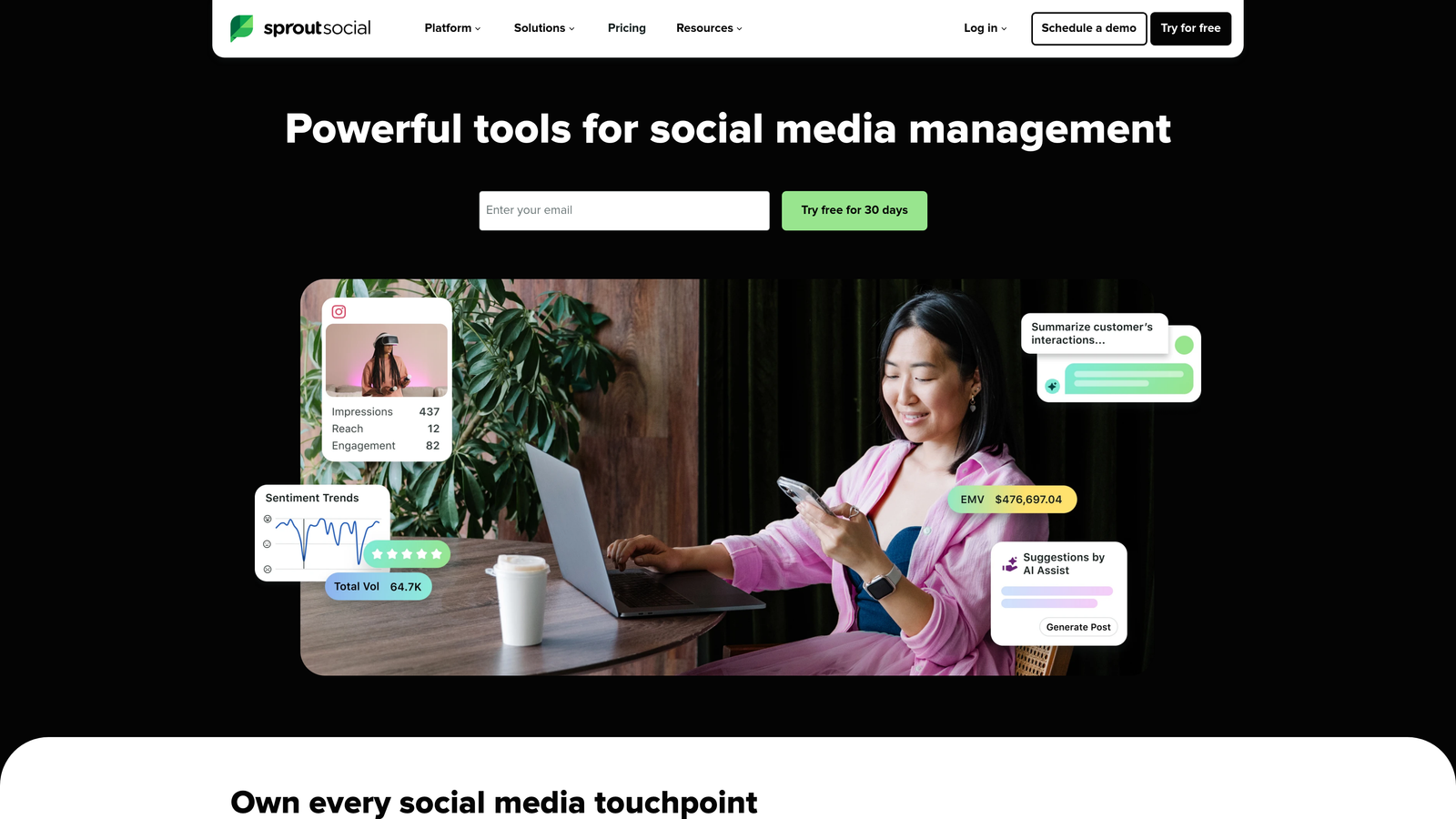
Sprout Social delivers enterprise-grade social media calendar automation with sophisticated analytics and unified inbox management for customer engagement.
Where This Tool Shines
Sprout Social's strength lies in its data-driven approach to social media automation. The platform analyzes years of performance data to predict optimal send times for each social network, then automatically schedules content to hit those windows. This means your content calendar executes itself at peak performance times without manual intervention.
The Smart Inbox consolidates messages, comments, and mentions from all social platforms into one feed with automated tagging and routing. This transforms reactive social media management into a proactive, automated system where the right team members handle the right conversations automatically.
Key Features
AI-Powered Optimal Send Times: Automatically schedules posts when your audience is most active and engaged on each platform.
Smart Inbox: Unified message management with automated routing, tagging, and priority flagging across all social channels.
Advanced Analytics: Deep performance reporting with competitive benchmarking and trend analysis to inform content strategy.
Approval Workflows: Multi-level content approval processes with notifications and revision tracking for team accountability.
Social Listening: Monitor brand mentions, industry keywords, and competitor activity to identify content opportunities.
Best For
Enterprise organizations and agencies managing multiple brands or client accounts with complex approval workflows and reporting requirements. Best suited for teams prioritizing social media as a primary channel.
Pricing
Standard plan starts at $249 per month. Professional and Advanced tiers available for larger teams with additional automation and reporting features.
4. Monday.com
Best for: Customizable workflow automation with flexible content calendar views
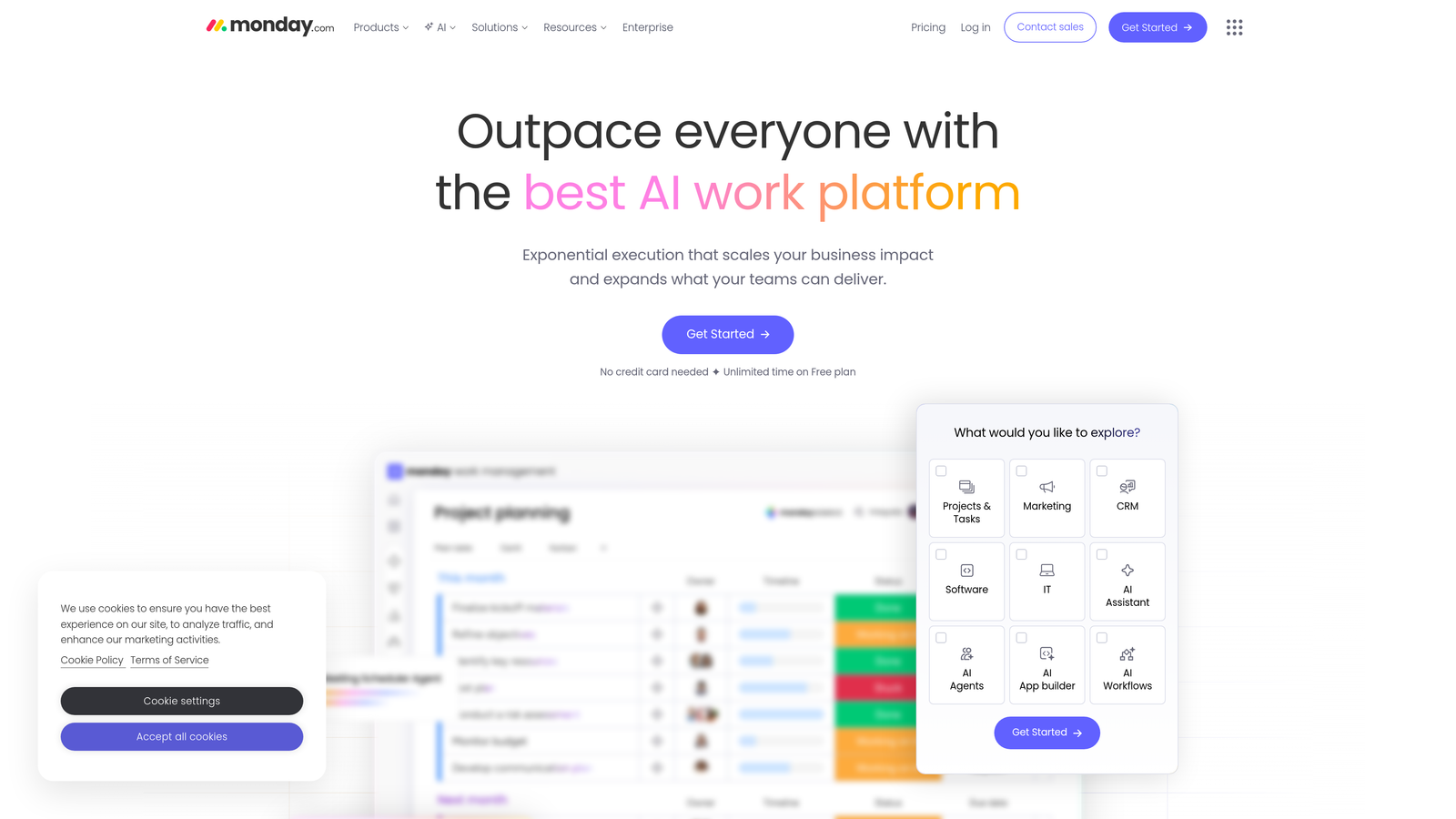
Monday.com offers a highly adaptable work operating system that teams can configure into powerful content calendar workflows with extensive automation recipes.
Where This Tool Shines
Monday.com's flexibility makes it perfect for teams with unique content workflows that don't fit standard calendar templates. You can build custom automation recipes that trigger based on status changes, due dates, or team actions—like automatically notifying designers when a blog post needs graphics, or moving content to "ready to publish" when all approvals are complete.
The platform's multiple view options let different team members see the same content data in their preferred format. Writers might prefer a list view with deadlines, while managers want a calendar view showing the full month's publishing schedule. Everyone works from the same data but sees it their way.
Key Features
Customizable Automation Recipes: Build no-code workflows that trigger actions based on status changes, dates, or team member assignments.
Multiple Calendar Views: Switch between timeline, calendar, Gantt, and list views to visualize content schedules differently.
Client Portal Capabilities: Share specific boards with clients for feedback and approvals without giving full system access.
Time Tracking Integration: Monitor how long content creation tasks actually take to improve future planning and resource allocation.
200+ App Integrations: Connect with tools like Slack, Google Drive, Mailchimp, and social media platforms for seamless workflows.
Best For
Teams that need highly customized content workflows beyond standard calendar features. Particularly valuable for agencies managing client work or organizations with complex approval chains and cross-functional collaboration.
Pricing
Free for up to 2 users with limited features. Basic plan starts at $9 per seat per month with automation capabilities unlocking at higher tiers.
5. Notion + Make
Best for: Database-driven content planning with powerful external automation integration
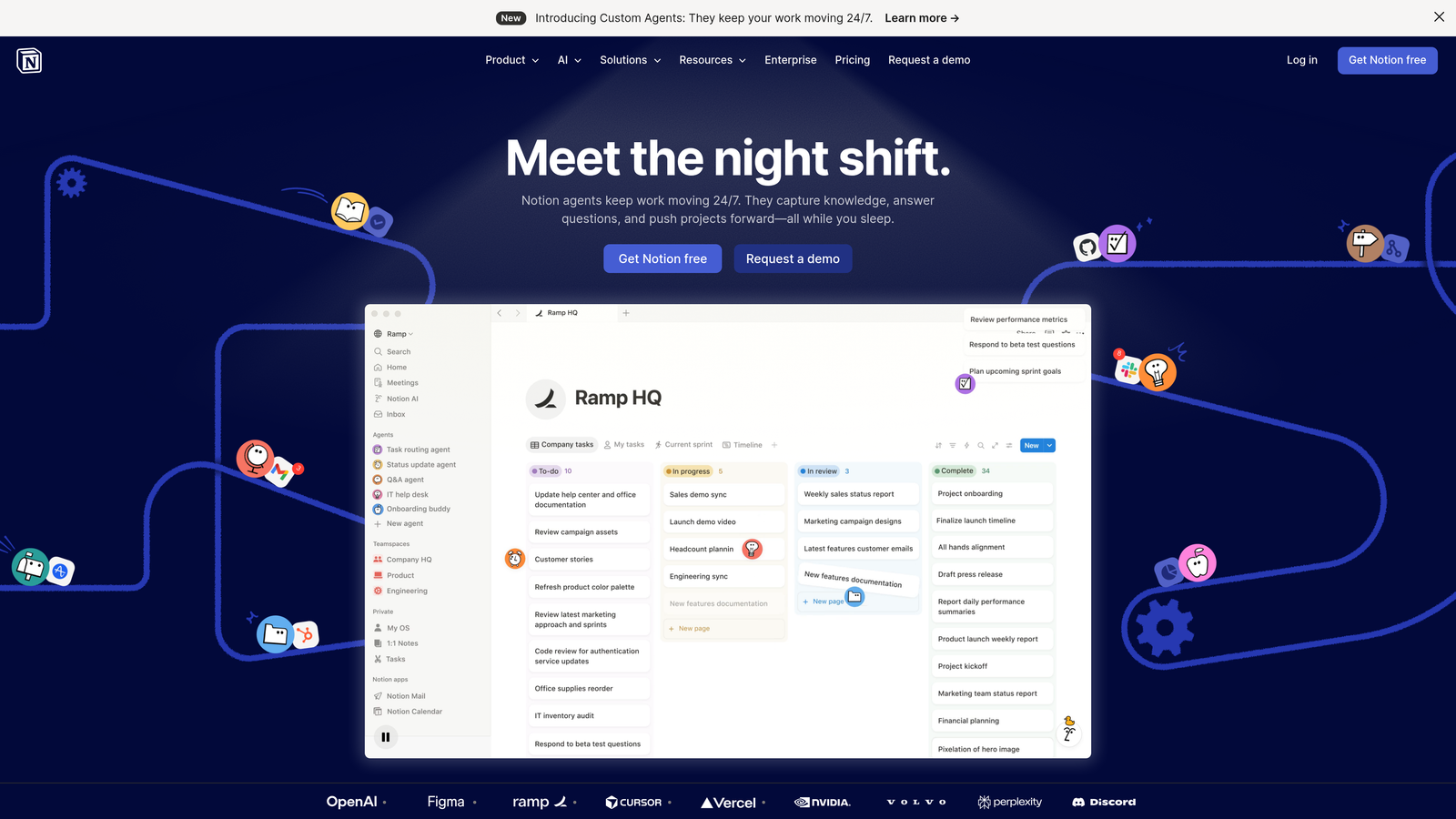
Notion provides flexible database-driven content organization that becomes a powerful automation engine when connected to workflow tools like Make or Zapier.
Where This Tool Shines
Notion's database approach treats your content calendar as structured data you can slice, filter, and automate in countless ways. Create linked databases that show the same content items in different views—a monthly calendar for publishing dates, a Kanban board for production status, and a table view for detailed metadata—all updating automatically.
When you connect Notion to Make (formerly Integromat), you unlock sophisticated automation possibilities. Set up workflows that automatically create social media posts when you publish a blog article, send Slack notifications when content moves to review status, or update your CMS when content status changes to "approved." The combination gives you enterprise-level automation at a fraction of the cost.
Key Features
Database-Driven Content Planning: Structure content with custom properties, relationships, and formulas that update automatically.
Custom Properties and Views: Filter and display content data exactly how different team members need to see it.
Make/Zapier Automation Integration: Connect Notion databases to thousands of apps for automated workflows triggered by content changes.
Team Wikis and Documentation: Keep content guidelines, brand standards, and SOPs alongside your calendar for easy reference.
API Access: Build custom integrations and automations for unique workflow requirements.
Best For
Tech-savvy teams comfortable with database concepts who want maximum flexibility in how they structure and automate content workflows. Ideal for startups and growing teams who need powerful features without enterprise pricing.
Pricing
Notion offers a free tier with core features. Make automation starts at $9 per month for basic workflows, scaling based on operation volume.
6. ContentCal (Adobe Express)
Best for: Visual content planning integrated with professional design tools
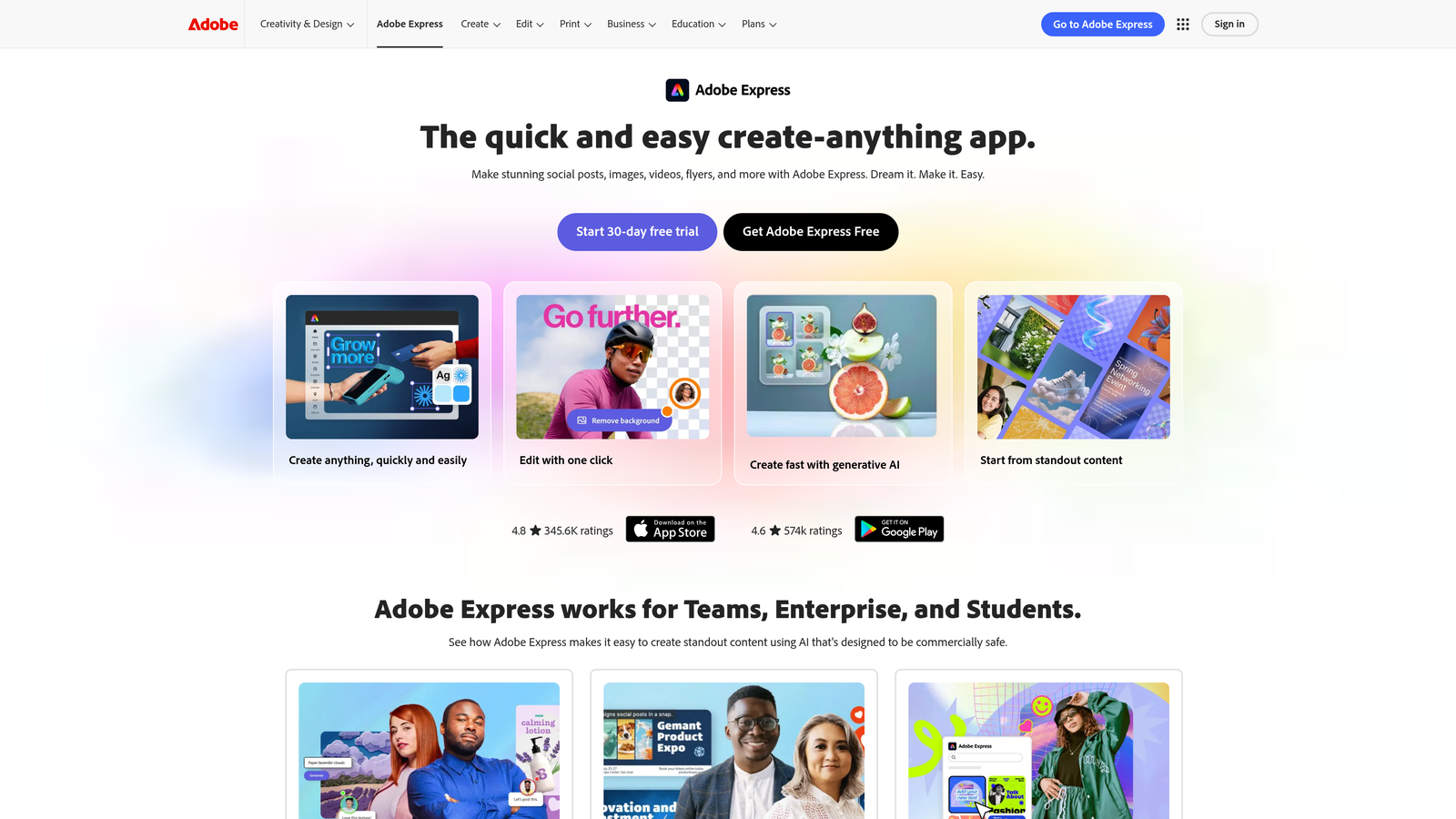
Adobe Express (incorporating ContentCal) combines visual content calendar planning with Adobe's creative tools for seamless content creation and scheduling.
Where This Tool Shines
The integration of content planning with Adobe's design ecosystem creates a unique advantage for visual content creators. Design your social media graphics, email headers, or blog images directly within the same platform where you're planning and scheduling content. This eliminates the constant switching between design tools and calendar platforms that slows down production.
The brand kit management ensures visual consistency across all scheduled content by storing approved logos, colors, fonts, and design templates in one place. Team members can create on-brand graphics without needing design expertise or access to master brand files.
Key Features
Visual Content Calendar: Plan and preview content layouts with drag-and-drop scheduling across multiple channels.
Adobe Creative Tool Integration: Design graphics, edit photos, and create videos without leaving the calendar platform.
Approval Workflow Automation: Route content through review stages with automated notifications and version tracking.
Brand Kit Management: Centralized storage of brand assets, templates, and style guidelines accessible to all team members.
Multi-Channel Publishing: Schedule and publish to social platforms, blogs, and other channels from one interface.
Best For
Creative teams and social media managers who produce high volumes of visual content and need design capabilities integrated with scheduling. Particularly valuable for brands where visual consistency is critical.
Pricing
Adobe Express Premium starts at $9.99 per month with access to both creative tools and content calendar features.
7. Loomly
Best for: Content ideation and creation workflow with built-in optimization guidance
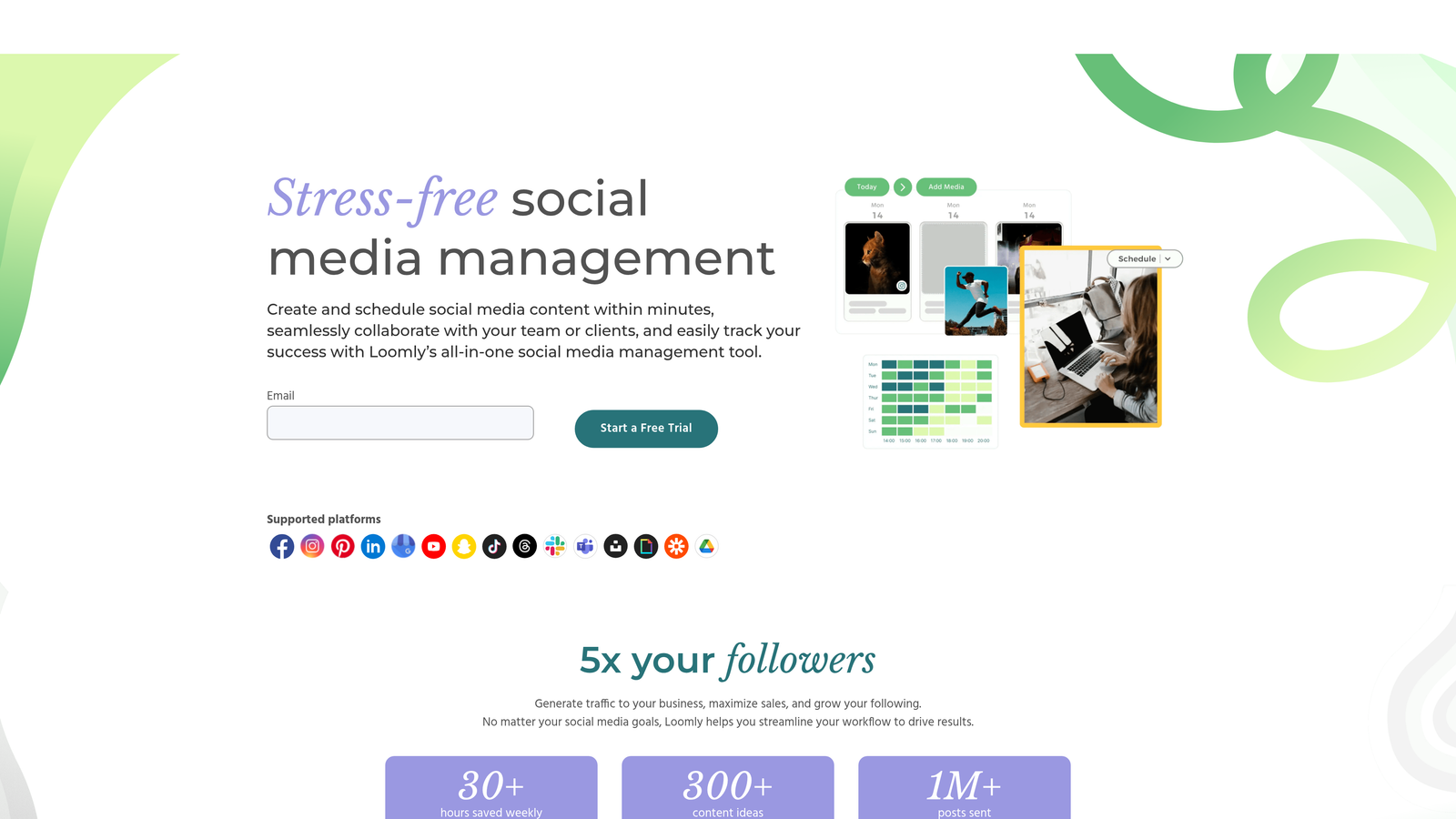
Loomly positions itself as a brand success platform that guides teams from content ideas through creation, approval, and publishing with helpful optimization tips along the way.
Where This Tool Shines
Loomly's post ideas feature actively helps teams overcome the blank page problem by suggesting content topics based on trending events, RSS feeds, social media trends, and custom triggers. This transforms your calendar from a scheduling tool into an idea generation engine that keeps your pipeline full.
The platform provides real-time optimization tips as you create content—suggesting better hashtags, warning about potential issues, and recommending improvements before you publish. This built-in guidance helps less experienced team members create better content without constant supervision from senior marketers.
Key Features
Post Ideas and Inspiration Engine: Automated content suggestions based on trending topics, holidays, RSS feeds, and custom triggers.
Optimization Tips: Real-time recommendations for improving post performance including hashtag suggestions and timing advice.
Approval and Comment Workflows: Multi-level review processes with threaded comments and revision tracking for team collaboration.
Asset Library Management: Centralized storage for images, videos, and other content assets with tagging and search capabilities.
Analytics Dashboard: Track post performance across channels with engagement metrics and audience growth data.
Best For
Small to mid-sized marketing teams who need guidance on content creation and want an affordable platform that combines ideation, creation, and scheduling. Ideal for teams with varying skill levels who benefit from built-in optimization suggestions.
Pricing
Base plan starts at $32 per month for 2 users and 10 social accounts, with higher tiers adding team members and advanced features.
8. Airtable
Best for: Low-code database automation for complex content operations
Airtable provides a flexible database platform that teams can configure into sophisticated content calendar systems with powerful automation capabilities.
Where This Tool Shines
Airtable's database structure lets you model complex content relationships that simple calendars can't handle. Link blog posts to their social promotion schedule, connect content pieces to campaigns, track which assets are used across multiple pieces—all with automatic updates when anything changes. This relational approach prevents the disconnected data problems that plague teams using separate tools.
The automation builder lets you create sophisticated workflows without coding. Set up automations that assign tasks when content enters specific stages, send reminders before deadlines, update related records automatically, or trigger webhooks to external systems. The interface designer lets you build custom apps on top of your database for specialized workflows—like a content submission portal for contributors or a publishing dashboard for editors.
Key Features
Flexible Database Structure: Model content relationships with linked records, lookups, and rollups that update automatically.
Automation Triggers and Actions: Build no-code workflows that respond to record changes, scheduled times, or external webhooks.
Multiple View Types: Display data as calendars, Kanban boards, galleries, Gantt charts, or custom forms based on user needs.
Interface Designer: Create custom apps on top of your database for specialized workflows without coding.
Extensive Integration Marketplace: Connect to thousands of apps through native integrations or automation platforms like Zapier.
Best For
Operations-minded teams who need to track complex content workflows, manage relationships between content pieces, and build custom automation for unique processes. Best suited for organizations comfortable with database concepts.
Pricing
Free tier available with core features. Team plan starts at $20 per seat per month with automation and additional features unlocking at higher tiers.
9. Planable
Best for: Real-time collaboration with pixel-perfect content preview and approval
Planable focuses on visual collaboration and approval workflows with real-time content previews that show exactly how posts will appear on each platform.
Where This Tool Shines
Planable's pixel-perfect preview feature eliminates the "looks different when published" problem that plagues most content calendars. See exactly how your post will appear on Instagram, LinkedIn, Facebook, or Twitter before scheduling it—including character counts, image cropping, and layout formatting. This visual accuracy reduces revision cycles and prevents formatting surprises after publishing.
The real-time collaboration features let multiple team members work on content simultaneously with changes appearing instantly for everyone. Comments, edits, and approvals happen in context directly on the content preview, creating a natural workflow that mirrors how teams actually work together on content creation.
Key Features
Pixel-Perfect Content Preview: See exactly how posts will appear on each platform before scheduling, including formatting and image display.
Real-Time Collaboration: Multiple team members can edit and comment simultaneously with instant updates for everyone.
Multi-Level Approval Workflows: Configure review stages with specific approvers and automated routing through your team's process.
Client Workspace Separation: Manage multiple client accounts with separate workspaces that keep content and team access isolated.
Universal Content Support: Plan and preview content for social media, blogs, newsletters, and other formats in one platform.
Best For
Agencies and brands with strict approval processes who need visual accuracy before publishing. Particularly valuable for teams managing multiple client accounts or brands where formatting precision matters.
Pricing
Free plan available for up to 50 posts per month. Basic plan starts at $11 per user per month with unlimited posts and advanced features.
Making the Right Choice
The best content calendar automation tool depends on where you need the most help. Teams focused on AI-powered content generation and search visibility should explore Sight AI's integrated approach to creation, publishing, and AI visibility tracking. If social media dominates your content strategy, Sprout Social's enterprise-grade analytics and engagement automation deliver the depth you need.
For teams managing complex workflows across multiple departments, Monday.com's customizable automation recipes handle unique processes that standard calendars can't accommodate. Budget-conscious teams will find Loomly offers strong ideation and optimization features at accessible pricing, while Notion combined with Make provides enterprise-level flexibility for tech-savvy teams willing to invest setup time.
The content landscape has shifted dramatically with AI models becoming primary discovery channels alongside traditional search. Your content calendar needs to do more than schedule posts—it should help you create content that gets mentioned by AI platforms, automate publishing workflows, and track your brand's visibility across these new channels.
Stop guessing how AI models like ChatGPT and Claude talk about your brand—get visibility into every mention, track content opportunities, and automate your path to organic traffic growth. Start tracking your AI visibility today and see exactly where your brand appears across top AI platforms.