To run an SEO title check, paste your title into a pixel-based preview tool such as the Moz Title Tag Preview Tool, SEOmofo or Sight AI's free Google SERP simulator. Confirm that it fits within about 580–600 pixels (roughly 50–60 characters), puts the primary keyword near the start and is unique on your site. For more than a handful of pages, crawl the whole site with Screaming Frog or Ahrefs Webmaster Tools to catch duplicate, missing and over-length title tags in bulk.
A weak, truncated or keyword-missing title tag costs clicks even when you rank on page one. We compared title checker tools on SERP preview accuracy, SEO scoring depth, AI-powered suggestions, bulk auditing and fit with broader content workflows. The list covers solo founders checking a few pages and agencies managing hundreds of client sites.
1. Sight AI
Best for: Marketers and agencies who want optimized titles built into AI-generated, search-ready content
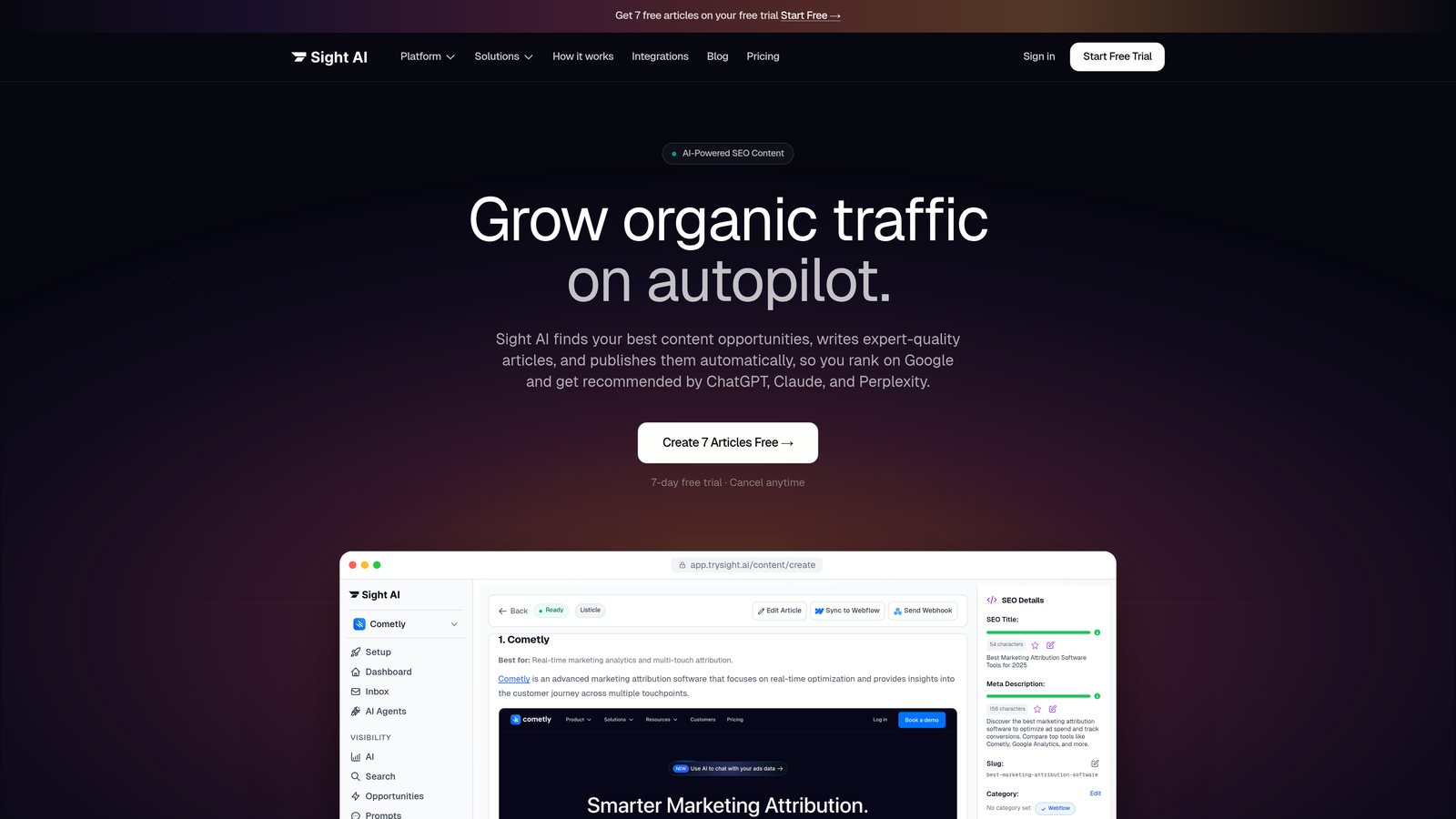
Sight AI is an AI-powered content platform. It generates SEO- and GEO-optimized articles, including title tags, and tracks your brand's visibility across AI search engines such as ChatGPT, Claude and Perplexity.
Where This Tool Shines
Most title checkers are reactive: you write a title, paste it in and get feedback. Sight AI reverses that model. Its 13+ specialized AI agents generate optimized titles as part of complete content workflows. Each title tag is built deliberately around target keywords, search intent and GEO (Generative Engine Optimization) best practices.
The platform also covers a gap that traditional title tools ignore: how your content and brand appear in AI-powered search interfaces. AI Visibility Score tracking shows how models like ChatGPT and Perplexity reference your brand. That gives you a feedback loop that goes well beyond SERP preview accuracy.
Key Features
AI Content Writer: 13+ specialized agents generate complete articles with SEO-optimized title tags built in from the start.
AI Visibility Score: Tracks brand mentions across 6+ AI platforms, including sentiment analysis and prompt tracking.
SEO and GEO Optimization: Every content piece is built to perform in both traditional search and AI-generated answers.
IndexNow Integration: Automatically notifies search engines of new content for faster discovery and indexing.
Autopilot Mode: Hands-off content generation and publishing, including CMS auto-publishing for consistent output at scale.
Free title tools: The free title tag generator drafts keyword-led title variants you can then preview and refine.
Best For
Sight AI suits marketers, founders and agencies who want title optimization embedded in a full content production workflow. It is especially useful for teams that care about visibility in AI search as well as Google. If you produce content at scale, it removes the manual step of writing and checking each title.
Pricing
Visit trysight.ai for current pricing plans. Multiple tiers are available to fit solo users and growing teams.
2. Moz Title Tag Preview Tool
Best for: Quick, accurate SERP previews without creating an account
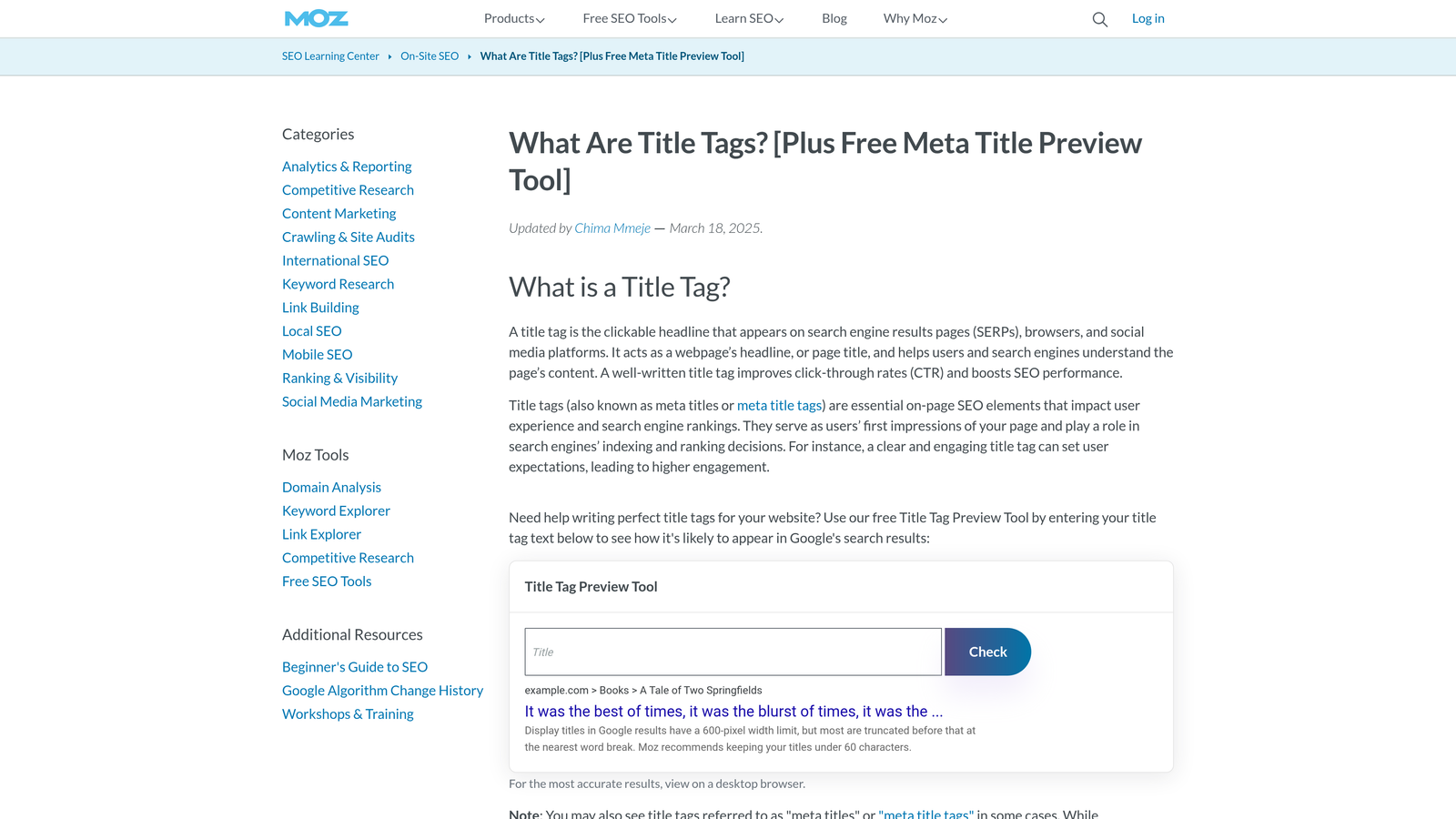
Moz Title Tag Preview Tool is a free, browser-based tool. It shows how your title tag will appear in Google search results, using pixel-width measurement rather than character count alone.
Where This Tool Shines
Character count is a blunt instrument because Google measures title tags in pixels. A title with narrow letters like "i" and "l" can contain more characters than one with wide letters like "W" and "M" and still fit. Moz's tool accounts for this, so the preview reflects actual rendering rather than an arbitrary number.
The tool is frictionless: there is no signup, dashboard or account. You paste your title, see the preview, adjust it and move on. For content teams that need fast, reliable checks during publishing, that simplicity is a real advantage.
Key Features
Pixel-Width Preview: Approximates Google's actual rendering for accurate truncation detection.
Truncation Indicator: Shows exactly where your title gets cut off if it exceeds the display limit.
No Account Required: Instant access with zero friction, ideal for one-off checks.
Clean Interface: Minimal UI keeps the focus entirely on the title preview output.
Best For
This tool suits writers, editors and SEOs who need a fast sanity check before publishing. It is particularly useful for teams that don't use a CMS plugin like Yoast and want a standalone preview tool they can bookmark.
Pricing
Completely free. No subscription required.
3. Ahrefs Webmaster Tools (Site Audit)
Best for: Site-wide title tag auditing for verified domain owners
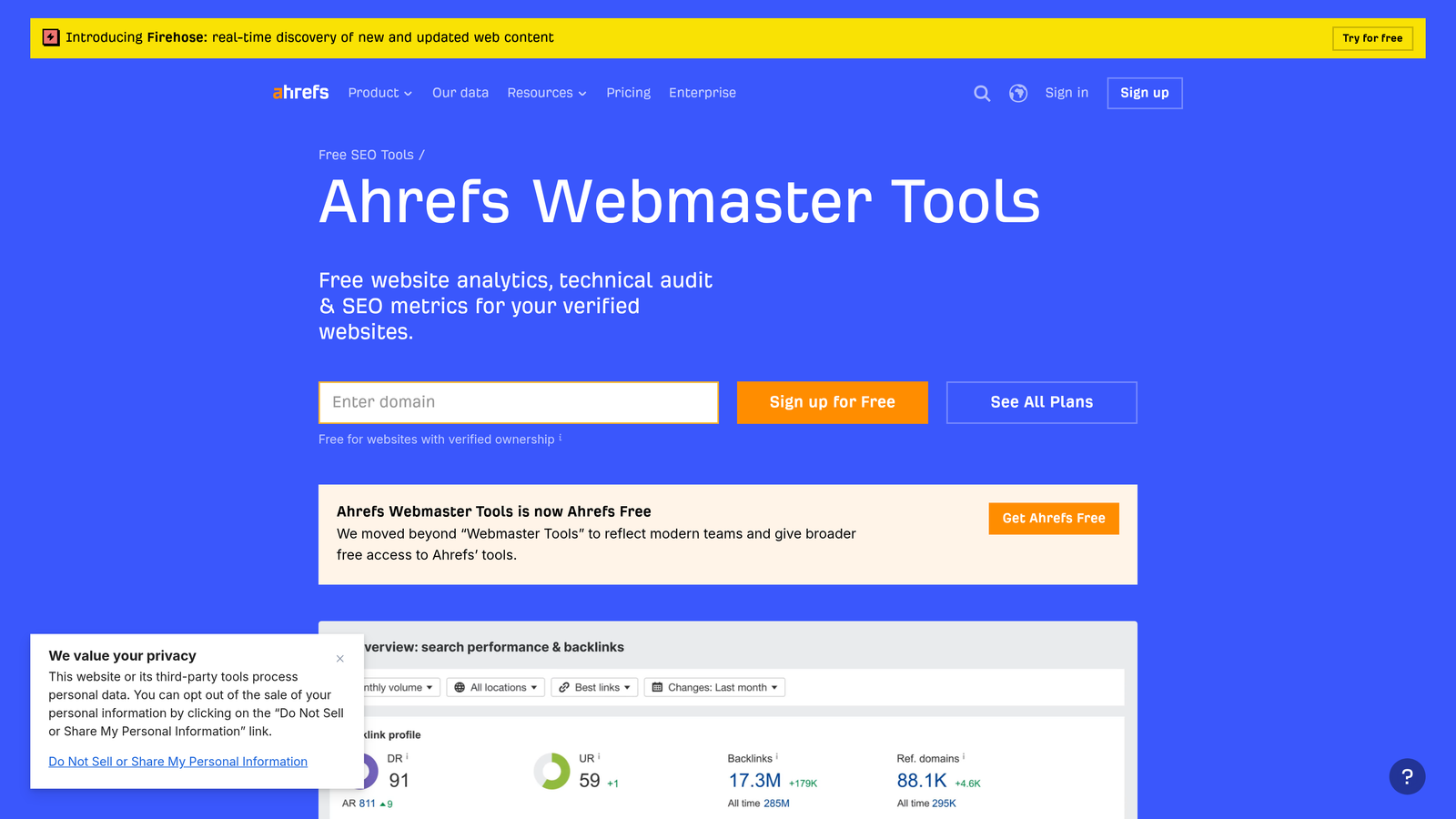
Ahrefs Webmaster Tools is a free site audit platform. It crawls your entire website and flags title tag issues, including duplicates, missing titles, over-length tags and keyword optimization gaps.
Where This Tool Shines
Single-page preview tools check one title at a time, but Ahrefs Webmaster Tools audits your entire site in one crawl. It surfaces patterns you would rarely catch manually. Examples include pages with identical title tags, titles that fit pixel limits but miss target keywords, and pages with no title tag at all.
Title issues are scored within Ahrefs' broader site health dashboard, so they are prioritized alongside other technical problems. That keeps you from chasing low-impact fixes while critical issues go unaddressed. For site owners managing dozens or hundreds of pages, this context is valuable.
Key Features
Bulk Title Auditing: Crawls and analyzes title tags across your entire domain in a single scan.
Issue Flagging: Identifies duplicate, missing, empty and over-length title tags automatically.
SEO Health Integration: Title issues are scored within the broader site health dashboard.
Free for Verified Owners: Full access at no cost once you verify domain ownership.
Best For
This tool suits site owners, in-house SEOs and freelancers who need a comprehensive title audit without paying for a full Ahrefs subscription. It is an excellent starting point for any technical SEO audit.
Pricing
Free for verified site owners. Full Ahrefs suite with advanced features starts at $99/month.
4. SEOmofo SERP Snippet Optimizer
Best for: Lightweight, distraction-free SERP snippet visualization
SEOmofo SERP Snippet Optimizer is a free tool for previewing your complete SERP snippet. It shows the title tag, meta description and URL as they would appear in Google results.
Where This Tool Shines
SEOmofo's strengths are simplicity and completeness. Unlike tools that preview only the title, it renders the full SERP snippet in one view. You can evaluate how your title and meta description work together to drive clicks, which often reveals misalignments a title-only check would miss.
It is also one of the fastest tools on this list to use. There is no interface to learn, no account to create and no upsell funnel to navigate. For quick pre-publish checks or client presentations, it does the job cleanly.
Key Features
Full Snippet Preview: Renders title, meta description and URL together in a realistic Google format.
Real-Time Updates: Preview refreshes instantly as you type, no submit button needed.
Zero Friction: No account, no signup, accessible directly from the browser.
Clean Interface: Distraction-free design keeps focus on the output.
Best For
This tool suits SEOs and content writers who want to preview the complete SERP appearance before finalizing metadata. It is particularly useful for client reporting and content reviews where visual accuracy matters.
Pricing
Completely free. No account or subscription needed.
5. CoSchedule Headline Analyzer
Best for: Optimizing titles for emotional impact and click-through appeal
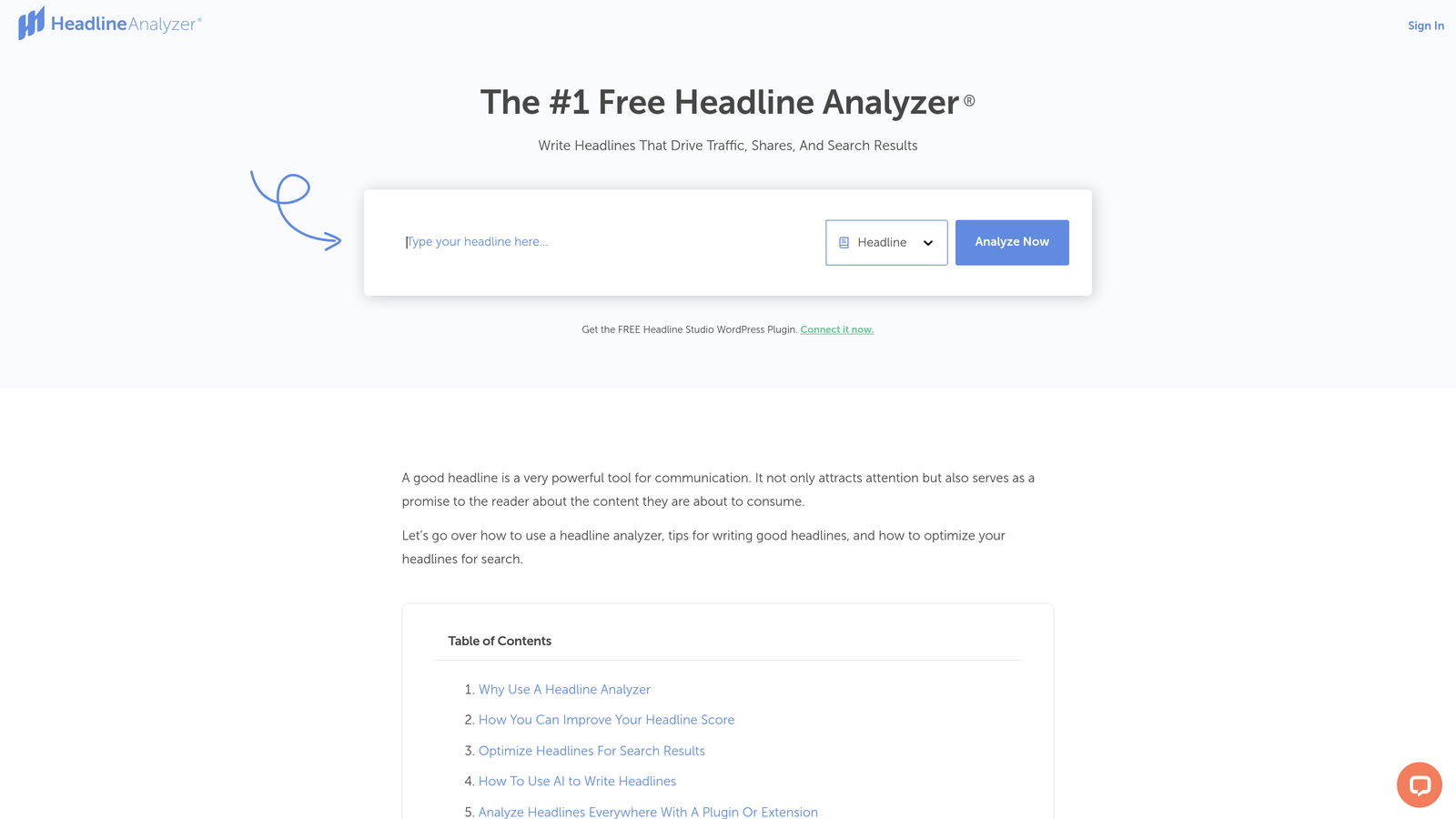
CoSchedule Headline Analyzer is a headline scoring tool. It evaluates titles on word balance, emotional appeal, character count and readability to help maximize click-through rates.
Where This Tool Shines
Most title checkers focus on technical constraints such as pixel width, character count and keyword presence. CoSchedule instead analyzes the persuasive quality of your headline. It scores the balance of emotional, power, common and uncommon words, giving you a data-informed view of whether your title will compel someone to click.
The headline history feature is underrated. You can compare multiple iterations of a title side by side and keep a clear record of what changed and why. For content marketers who write dozens of headlines per week, that comparison workflow saves real time.
Key Features
Headline Score: 0-100 scoring system with specific improvement suggestions for each element.
Word Balance Analysis: Evaluates emotional, power, uncommon and common word ratios.
Character and Word Count: Flags titles that are too long or too short for optimal display.
Headline History: Tracks previous versions so you can compare and iterate effectively.
Best For
This tool suits content marketers, bloggers and copywriters who want to optimize titles for reader psychology and click-through performance, not just technical SEO requirements. Pair it with a pixel-width preview tool for a complete check.
Pricing
Free version available with core features. Pro features are included in CoSchedule Marketing Suite plans, with pricing available on their website.
6. Mangools SERPChecker
Best for: Analyzing competitor title tags in real SERP context
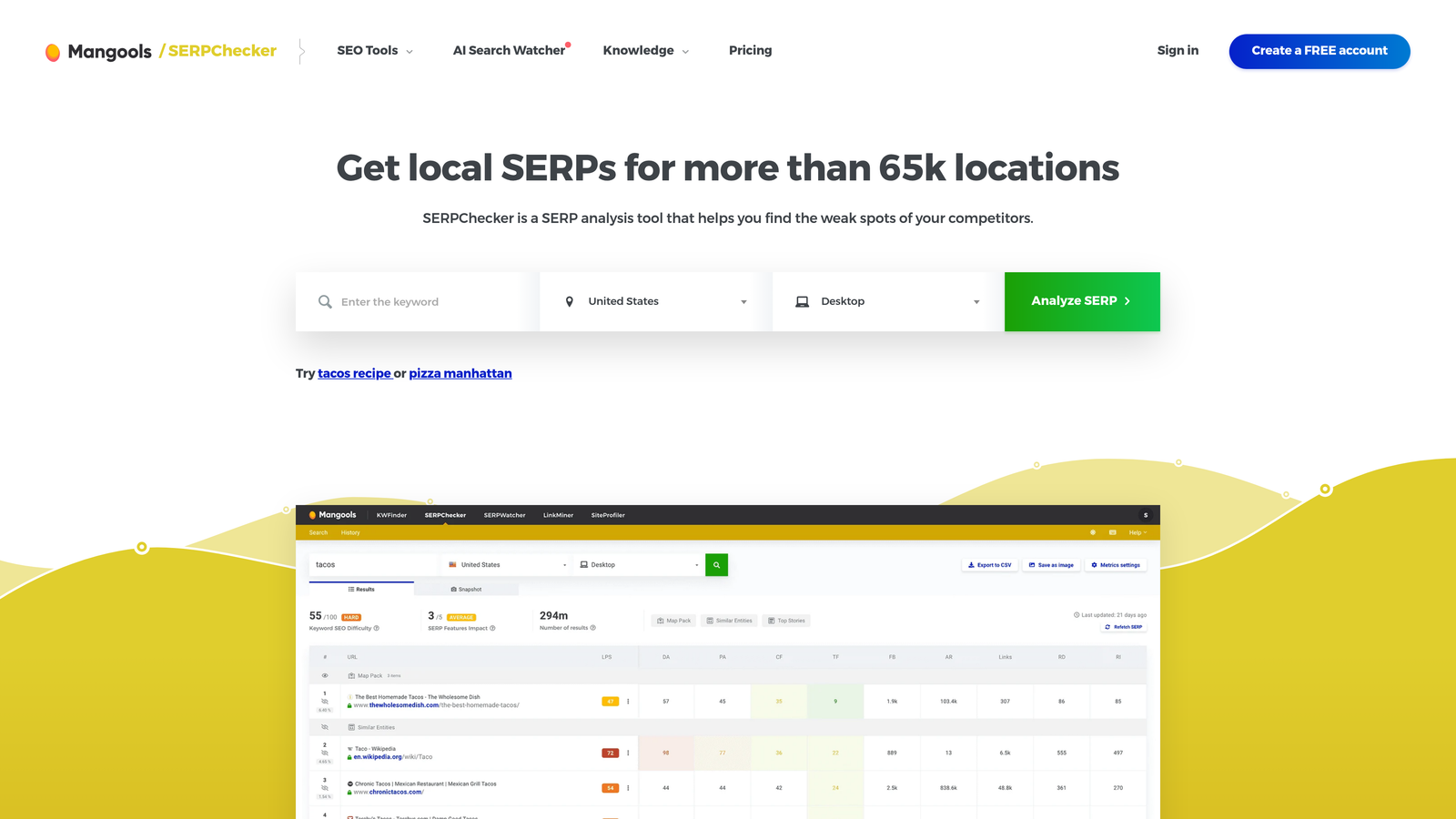
Mangools SERPChecker is a SERP analysis tool. It shows how competitor title tags appear alongside SERP features like featured snippets, People Also Ask boxes and local packs.
Where This Tool Shines
A strong title has to compete with the other nine results on the page, not just stand up on its own. SERPChecker gives you that competitive view for a given keyword. It shows the actual titles your content needs to outperform, along with the SEO metrics behind each ranking result.
SERP feature identification is particularly useful for title strategy. If a keyword triggers a featured snippet or a heavy People Also Ask section, your title must work harder to earn clicks from the remaining organic results. Seeing that context before you finalize a title sharpens your approach.
Key Features
Visual SERP Snapshot: Displays competitor titles exactly as they appear in live search results.
SERP Feature Identification: Flags featured snippets, PAA boxes, image packs and local results.
SEO Metrics Per Result: Shows domain authority, backlinks and traffic data for each ranking page.
KWFinder Integration: Connects with Mangools' keyword research tool for a seamless workflow.
Best For
This tool suits SEOs and content strategists who want to benchmark their title tags against real competitors before publishing. It is especially valuable for competitive keywords where SERP features significantly affect click distribution.
Pricing
Starts at $29.90/month on the Mangools Basic plan. A free trial is available.
7. Screaming Frog SEO Spider
Best for: Large-scale technical title tag audits across thousands of pages
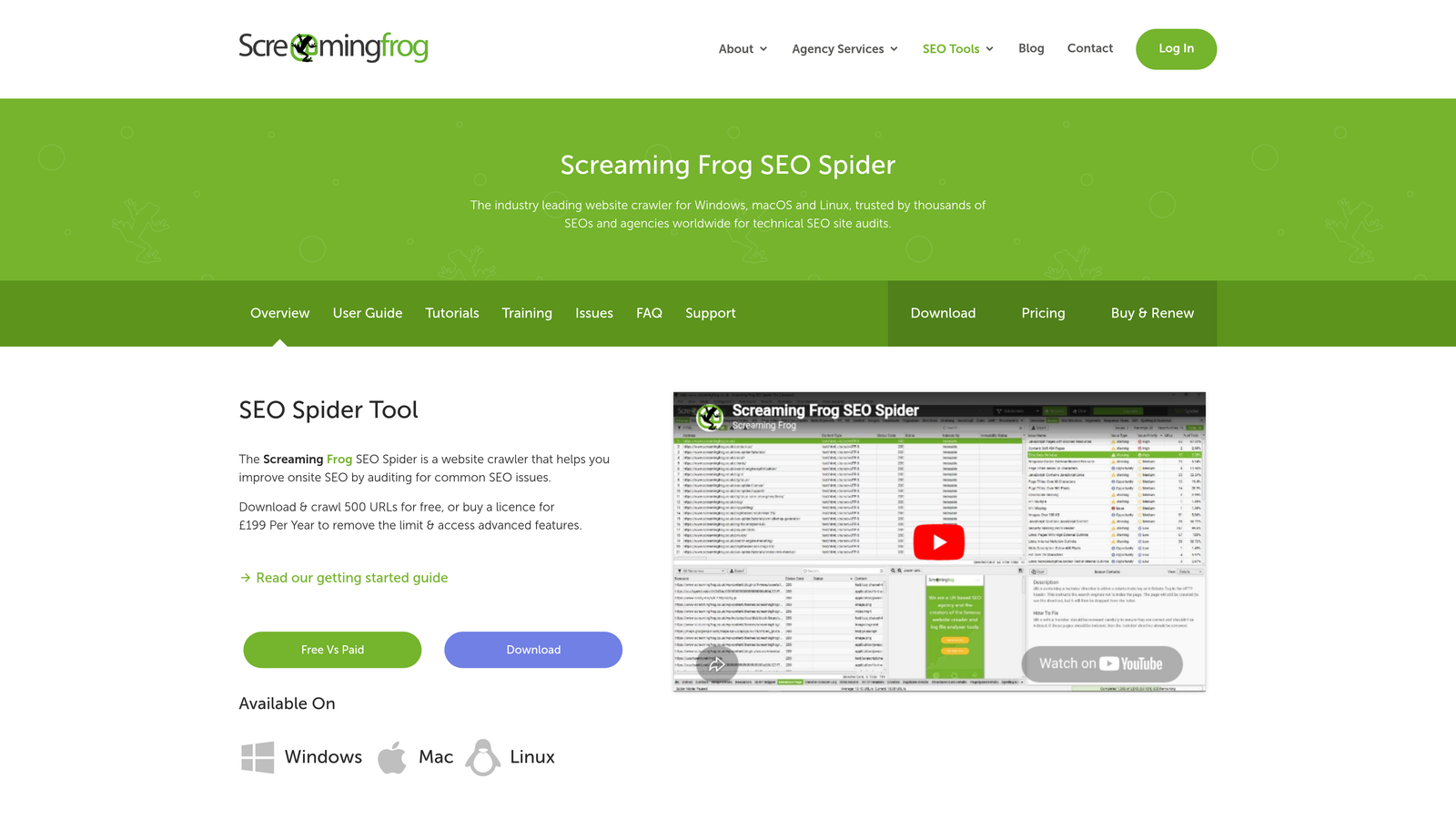
Screaming Frog SEO Spider is a desktop website crawler that extracts and analyzes title tags across thousands of pages. It is the go-to tool for enterprise-level technical SEO audits.
Where This Tool Shines
On sites with thousands of pages, cloud-based tools often hit rate limits or require expensive enterprise plans. Screaming Frog runs locally on your machine, so it can crawl at scale without those constraints. Its title tag export puts character counts, pixel lengths and issue flags in one spreadsheet, and many enterprise SEOs rely on it weekly.
The custom extraction feature sets it apart from simpler audit tools. You can pull title tags alongside any other on-page element and cross-reference them with response codes and canonical tags. You can also build filtered views that would take hours to replicate manually. For technical SEOs, this depth is essential.
Key Features
Unlimited Crawling: Crawls full sites of any size with the paid license, no URL caps.
Title Tag Export: Exports all titles with character count, pixel length and issue classification.
Duplicate Detection: Identifies pages sharing identical or near-identical title tags.
Custom Extraction: Pull any on-page element alongside title data for advanced cross-analysis.
Best For
This tool suits technical SEOs, agencies and enterprise teams managing large sites where manual title review is impractical. It is also excellent for pre-migration audits that need to verify title tag integrity across thousands of URLs.
Pricing
Free for up to 500 URLs. Full license is £199/year (approximately $250/year) for unlimited crawling.
8. Yoast SEO (WordPress Plugin)
Best for: Real-time title optimization inside the WordPress editor
Yoast SEO is a WordPress plugin that provides live title tag previews and optimization feedback inside the post editor as you write and publish content.
Where This Tool Shines
Yoast's biggest advantage is workflow integration. It shows the preview and feedback right inside WordPress, so you don't need to open a separate tool to check each title. That in-context feedback catches problems before they are published, which matters most when multiple contributors create content.
The title template variable system is a practical feature that often gets overlooked. You can define site-wide title structures, such as "Post Title | Brand Name", and apply them automatically across all pages. On sites with hundreds of posts, that consistency is hard to maintain manually but easy to enforce with Yoast.
Key Features
Live SERP Preview: Renders your title as it will appear in Google, directly inside the WordPress editor.
Keyphrase Detection: Flags whether your focus keyword appears in the title and where.
Title Template Variables: Automates consistent title formatting across all content types.
Readability and SEO Scoring: Provides a combined quality score per page before publishing.
Best For
This plugin suits WordPress site owners, bloggers and content teams who want title optimization built into their publishing workflow. The free version covers most use cases for individual sites and small teams.
Pricing
Free plugin available in the WordPress repository. Yoast SEO Premium is $99/year and adds features like redirect management and internal linking suggestions.
9. Semrush On-Page SEO Checker
Best for: Data-driven title recommendations based on top-ranking competitor analysis
Semrush On-Page SEO Checker is a competitive optimization tool. It analyzes your title tags against the top-ranking pages for your target keywords and delivers specific, prioritized improvement recommendations.
Where This Tool Shines
Semrush tells you whether your title is competitive, not just whether it is technically correct. It analyzes the title tags, semantic keywords and content structures of the top-10 results for your target keyword. It then surfaces the gaps between your page and what is currently winning in the SERP.
The prioritization engine is useful for teams managing large content libraries. Semrush scores optimization opportunities by potential impact, so you can focus effort where it is most likely to move rankings. Position Tracking integration lets you monitor whether title changes actually improve performance over time.
Key Features
Competitor-Based Title Suggestions: Recommendations derived from real top-10 SERP analysis for your keyword.
Semantic Keyword Recommendations: Identifies related terms that top-ranking titles frequently include.
Prioritized Optimization Ideas: Ranks improvement opportunities across all audited pages by impact.
Position Tracking Integration: Connects title changes to ranking movement data for closed-loop analysis.
Best For
This tool suits in-house SEO teams and agencies that need competitive intelligence built into their title optimization workflow. It is most valuable for keywords where the top results are already well optimized and incremental improvements matter.
Pricing
Included in the Semrush Pro plan starting at $139.95/month. A free trial is available for new accounts.
Title Checker Tools Compared
| Tool | Type of check | Bulk checking | Price |
|---|---|---|---|
| Sight AI | AI-generated optimized titles + AI visibility | Yes (content at scale) | Paid plans |
| Moz Title Tag Preview | Pixel-width SERP preview | No | Free |
| Ahrefs Webmaster Tools | Site-wide audit | Yes | Free for verified sites |
| SEOmofo | Full snippet preview | No | Free |
| CoSchedule Headline Analyzer | Headline/CTR scoring | No | Free + paid |
| Mangools SERPChecker | Competitor SERP analysis | No | From $29.90/mo |
| Screaming Frog | Crawl + export (chars, pixels) | Yes | Free to 500 URLs, £199/yr |
| Yoast SEO | In-editor preview | Templates only | Free, $99/yr Premium |
| Semrush On-Page SEO Checker | Competitive recommendations | Yes | From $139.95/mo |
How to Check an SEO Title in 5 Steps
Whatever tool you choose, a complete title check covers the same criteria:
- Length in pixels: Google's desktop results show about 580–600 pixels of title text, which is usually 50–60 characters. Anything longer is truncated with an ellipsis, so place the most important words first.
- Keyword placement: Include the primary query, ideally in the first few words. Use the phrasing searchers actually use, which you can confirm in Search Console's query report.
- Uniqueness: Every indexable URL needs its own title. Duplicates confuse both users and Google about which page to rank, so run a crawler to find them.
- Match with the H1 and content: Google rewrites titles it considers inaccurate, keyword-stuffed or boilerplate. Keep the title tag consistent with the on-page H1 to reduce rewrites.
- Click appeal: Add a concrete detail such as a year, a number, "free" or "compared". Then check the result next to competing titles in a SERP preview.
After publishing, monitor impressions and click-through rate for the page in Search Console. If impressions grow but clicks stay flat, the title and meta description are usually the first things to test.
Which Tool Is Right for Your Situation
The best title checker depends on your stage in the workflow and the scale you work at.
Solo founders and bloggers: The free tools on this list cover most needs. Use the Moz Title Tag Preview Tool or SEOmofo for quick pixel-width checks, and add CoSchedule Headline Analyzer to sharpen click-through appeal. If you are on WordPress, install Yoast SEO for real-time feedback while drafting.
Agencies and in-house teams managing multiple sites: Ahrefs Webmaster Tools and Screaming Frog provide the bulk auditing needed to catch title issues at scale. Mangools SERPChecker adds competitive context that standalone preview tools can't provide. Semrush On-Page SEO Checker brings data-driven recommendations based on what is actually ranking.
Teams optimizing for AI search: If you want your content discovered and cited by AI search engines like ChatGPT, Claude and Perplexity, Sight AI stands apart from the other tools on this list. It generates titles as part of optimized, AI-ready content rather than only checking them. It also tracks how your brand appears across AI platforms and automates publishing with IndexNow integration for faster indexing.
Frequently asked questions
What is the ideal SEO title length?
Aim for about 50–60 characters, which usually fits Google's desktop display limit of roughly 580–600 pixels. Pixel width matters more than character count, because wide letters like "W" take more space than narrow ones like "i". Google does not penalize longer titles. However, anything beyond the limit is truncated, so put the primary keyword and your main hook in the first 50 characters.
How do I check title tags in bulk?
Use a crawler. Screaming Frog checks up to 500 URLs for free and exports every title with its character count, pixel width and duplicate flags. Ahrefs Webmaster Tools crawls verified sites at no cost and flags missing, duplicate and over-length titles. Sort the export by issue type and fix duplicates and missing titles first, because they usually have the largest impact.
Why does Google show a different title than my title tag?
Google rewrites title links when it judges the title tag to be too long, keyword-stuffed, boilerplate or out of line with the page content. It often uses the H1 or anchor text instead. To reduce rewrites, keep the title concise and specific, make it consistent with your H1, and avoid repeating the same template text across many pages.
Is there a free title tag checker?
Yes. The Moz Title Tag Preview Tool, SEOmofo and Sight AI's Google SERP simulator are free with no signup. Ahrefs Webmaster Tools and the free tier of Screaming Frog cover bulk audits. See the comparison table above for which free tools handle single-page previews and which handle site-wide checks.
Start tracking your AI visibility today to see where your brand appears across top AI platforms. You can then optimize based on data for the search landscape that is already here.