Marketing automation pricing in 2026 ranges from free tiers and roughly $6–$50 per month for single-purpose tools, to about $100–$900 per month for mid-market suites, to $1,000–$3,600+ per month for enterprise platforms such as HubSpot Marketing Hub Enterprise and Marketo Engage. Expect contacts, seats, channels or usage to drive the bill, plus one-time onboarding or implementation fees of $0 to $10,000+ on higher tiers. The comparison below shows what each platform charges and what you get at each level.
Content marketing automation platforms use very different pricing models, from flat monthly subscriptions to usage-based plans that can grow quickly at scale. This guide compares leading content marketing automation platforms by pricing tier, included features and best-fit team size. It is useful whether you are a solo founder or an agency managing many client accounts.
Pricing at a glance
| Platform | Free tier | Entry paid price | Top tier | Main pricing driver |
|---|---|---|---|---|
| Sight AI | See pricing page | See pricing page | See pricing page | Plan and content volume |
| HubSpot Marketing Hub | Yes | $20/month | From $3,600/month | Marketing contacts, seats |
| Jasper | No (trial) | $49/seat/month | Custom | Seats |
| CoSchedule | Yes | $29/month | Custom | Users, feature set |
| Semrush | Limited | $139.95/month | $499.95/month | Plan, users |
| Contentful | Yes | $489/month | Custom | API calls, bandwidth, spaces |
| Marketo Engage | No | ~$1,000/month | Custom | Database size, modules |
| Buffer | Yes (3 channels) | $6/channel/month | $12/channel/month | Channels |
| Notion + Zapier | Yes | ~$40/month combined | ~$100+/month | Users, automation tasks |
Prices are list prices billed annually where applicable and change often, so confirm them on each vendor's site before you budget.
1. Sight AI
Best for: Marketers tracking AI visibility while generating SEO/GEO-optimized content at scale
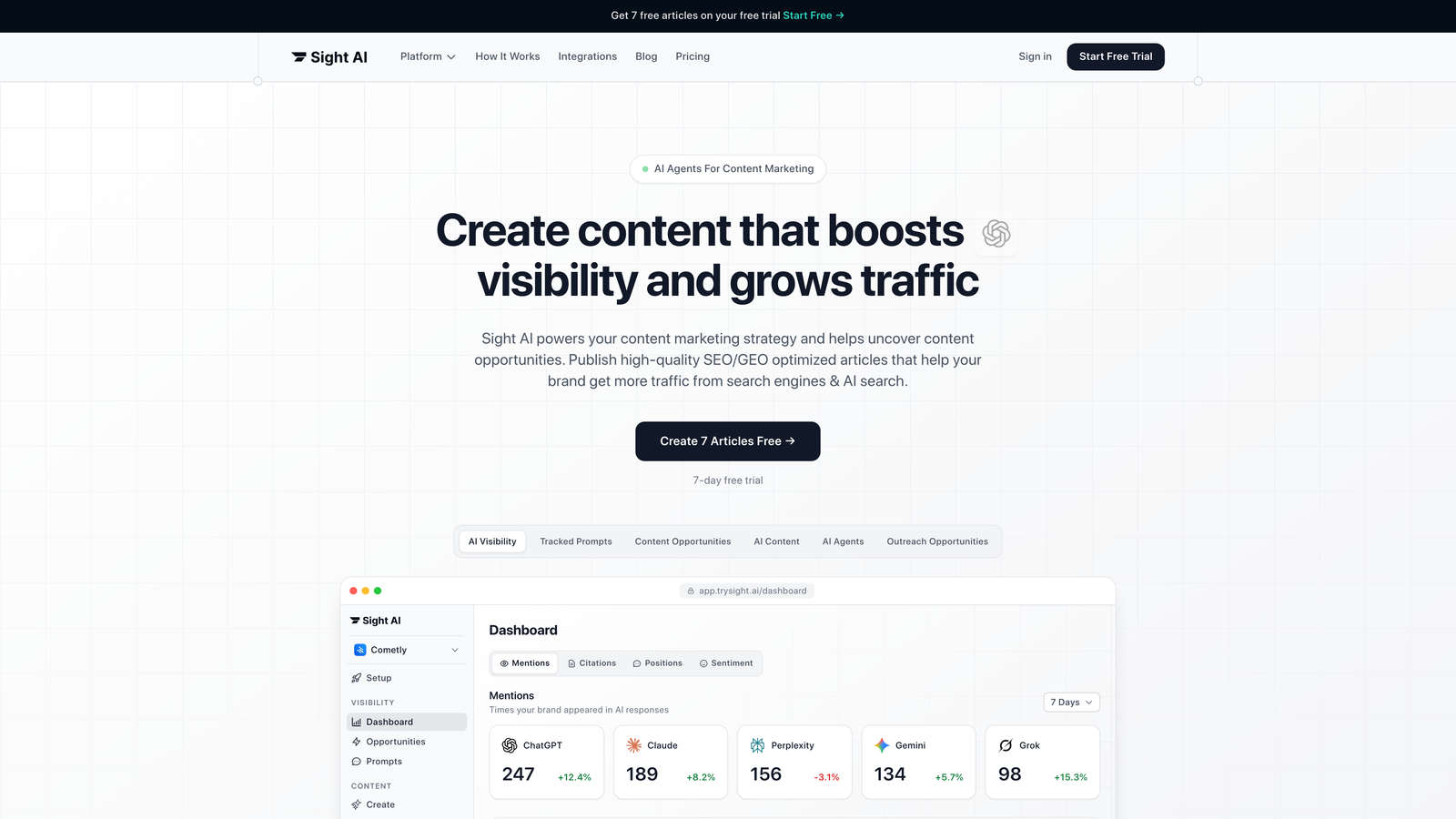
Sight AI combines content generation with AI visibility tracking. You can see how ChatGPT, Claude and Perplexity mention your brand, then create content these AI models are more likely to pick up.
Where This Tool Shines
The platform solves a problem most marketers don't realize they have yet: understanding how AI search engines talk about your brand. As conversational AI becomes the primary research tool for millions of users, traditional SEO metrics miss half the story.
Sight AI tracks your brand mentions across six AI platforms, assigns an AI Visibility Score, and identifies content gaps where competitors get mentioned instead of you. The platform then helps you create content specifically optimized for AI discovery—what they call GEO (Generative Engine Optimization).
Key Features
13+ Specialized AI Agents: Different agents handle listicles, how-to guides, explainers, and comparison articles with industry-specific training.
AI Visibility Score: Tracks brand mentions across ChatGPT, Claude, Perplexity, and other AI models with sentiment analysis.
IndexNow Integration: Automatically notifies search engines when you publish, accelerating content discovery without waiting for crawlers.
Autopilot Mode: Generates, optimizes, and publishes content with minimal manual intervention for consistent output.
GEO Optimization: Creates content structured specifically for AI model training and retrieval patterns.
Best For
Marketing teams and agencies focused on staying ahead of the AI search curve. If you're generating significant content volume and want to track how AI models represent your brand, Sight AI addresses both sides of the equation in one platform.
Pricing
Check their pricing page for current plans. The platform targets marketers and agencies scaling content production who need both creation and visibility tracking capabilities.
2. HubSpot Marketing Hub
Best for: Companies wanting all-in-one marketing automation with built-in CRM integration
HubSpot Marketing Hub offers comprehensive marketing automation with content management, email workflows, and analytics tied directly to customer data.
Where This Tool Shines
HubSpot excels when you need marketing automation that talks to your sales team. The platform connects every blog post, email campaign, and social update to actual revenue data through its integrated CRM.
For content marketers, this means seeing which articles drive qualified leads versus vanity traffic. The platform tracks individual visitor journeys from first blog read through final purchase, giving attribution clarity most standalone tools can't match.
Key Features
Blog and Content Management: Built-in CMS with SEO recommendations and content optimization suggestions as you write.
Marketing Automation Workflows: Visual workflow builder connecting content consumption to email nurturing and lead scoring.
SEO Recommendations: Real-time suggestions for on-page optimization, internal linking, and topic cluster development.
Social Media Scheduling: Multi-platform publishing with performance tracking tied to conversion data.
Comprehensive Analytics: Attribution reports showing content ROI from first touch through closed deals.
Best For
B2B companies with sales teams who need marketing and sales alignment. The platform makes most sense when you're using HubSpot CRM or willing to migrate—the integration is where the real value lives.
Pricing
Free tier includes basic tools; Starter from $20/month for foundational features; Professional from $890/month adds automation; Enterprise from $3,600/month for advanced capabilities. Pricing scales with marketing contact database size. Professional and Enterprise have historically carried mandatory one-time onboarding fees (roughly $3,000 and $7,000 respectively), so factor these into first-year cost.
3. Jasper
Best for: Marketing teams prioritizing brand voice consistency across AI-generated content
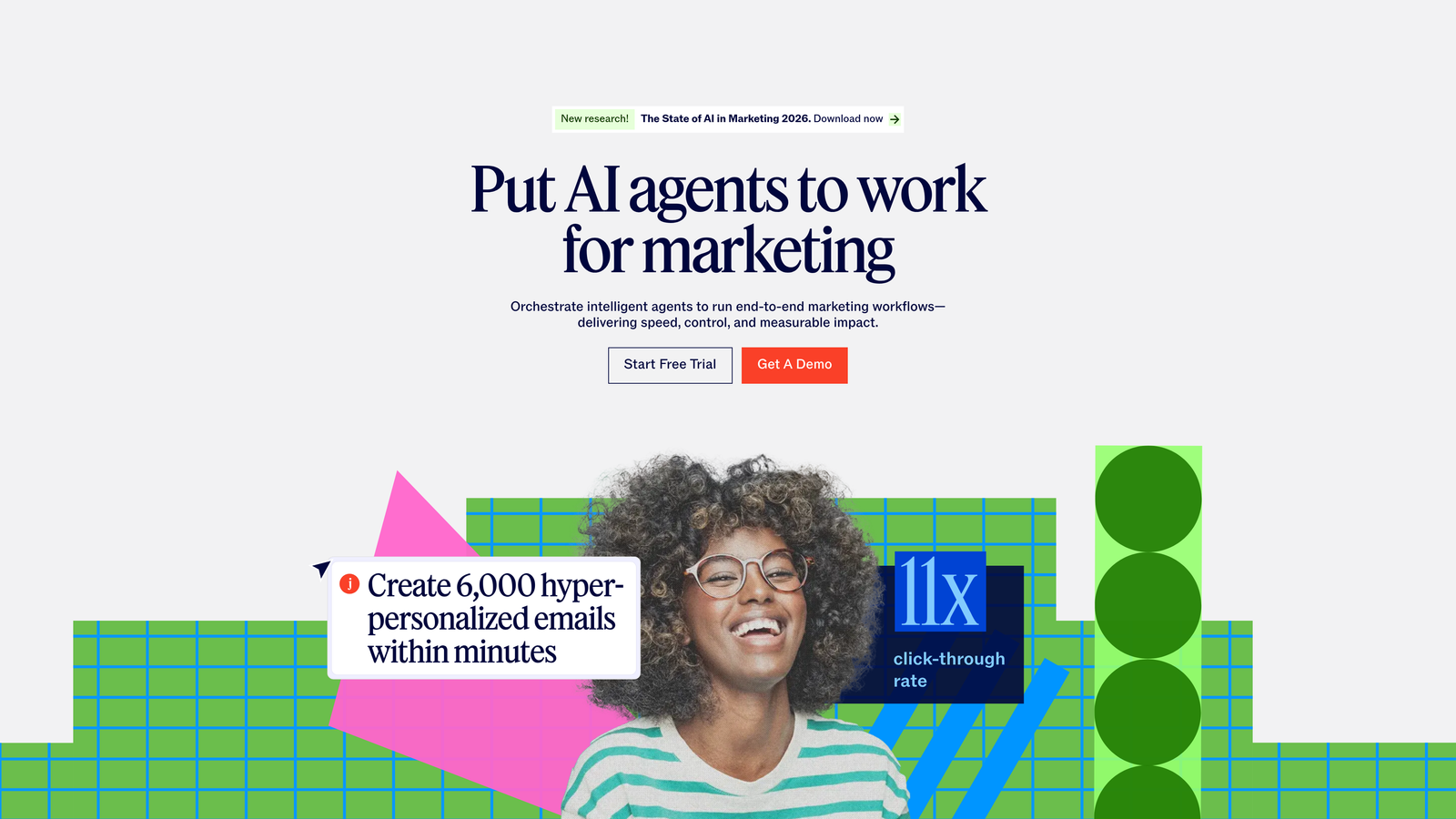
Jasper focuses on helping teams generate on-brand content at scale with AI that learns your specific voice and style guidelines.
Where This Tool Shines
Jasper addresses the biggest complaint about AI content: it all sounds generic. The platform lets you train the AI on your brand voice, style guides, and approved messaging, then maintains that consistency across everything it generates.
For agencies managing multiple client brands, this matters enormously. You can switch between distinct brand profiles and maintain each client's unique voice without constant manual editing.
Key Features
Brand Voice Training: Upload style guides, sample content, and brand documents to teach Jasper your specific voice.
Campaign Management: Organize content by campaign with shared briefs and collaboration features for team workflows.
Template Library: Pre-built templates for blog posts, social content, ad copy, and email campaigns.
Team Collaboration: Comment on drafts, assign tasks, and maintain approval workflows within the platform.
Chrome Extension: Generate content directly in Google Docs, Gmail, or anywhere you work online.
Best For
Marketing teams of three or more people who need consistent brand voice across high content volumes. The collaboration features and brand training make it stronger for teams than solo users.
Pricing
Creator from $49/month per seat for individual users; Pro from $69/month per seat adds brand voice and collaboration; Business requires custom pricing for enterprise needs and advanced features.
4. CoSchedule
Best for: Marketing teams coordinating content calendars across multiple channels and stakeholders
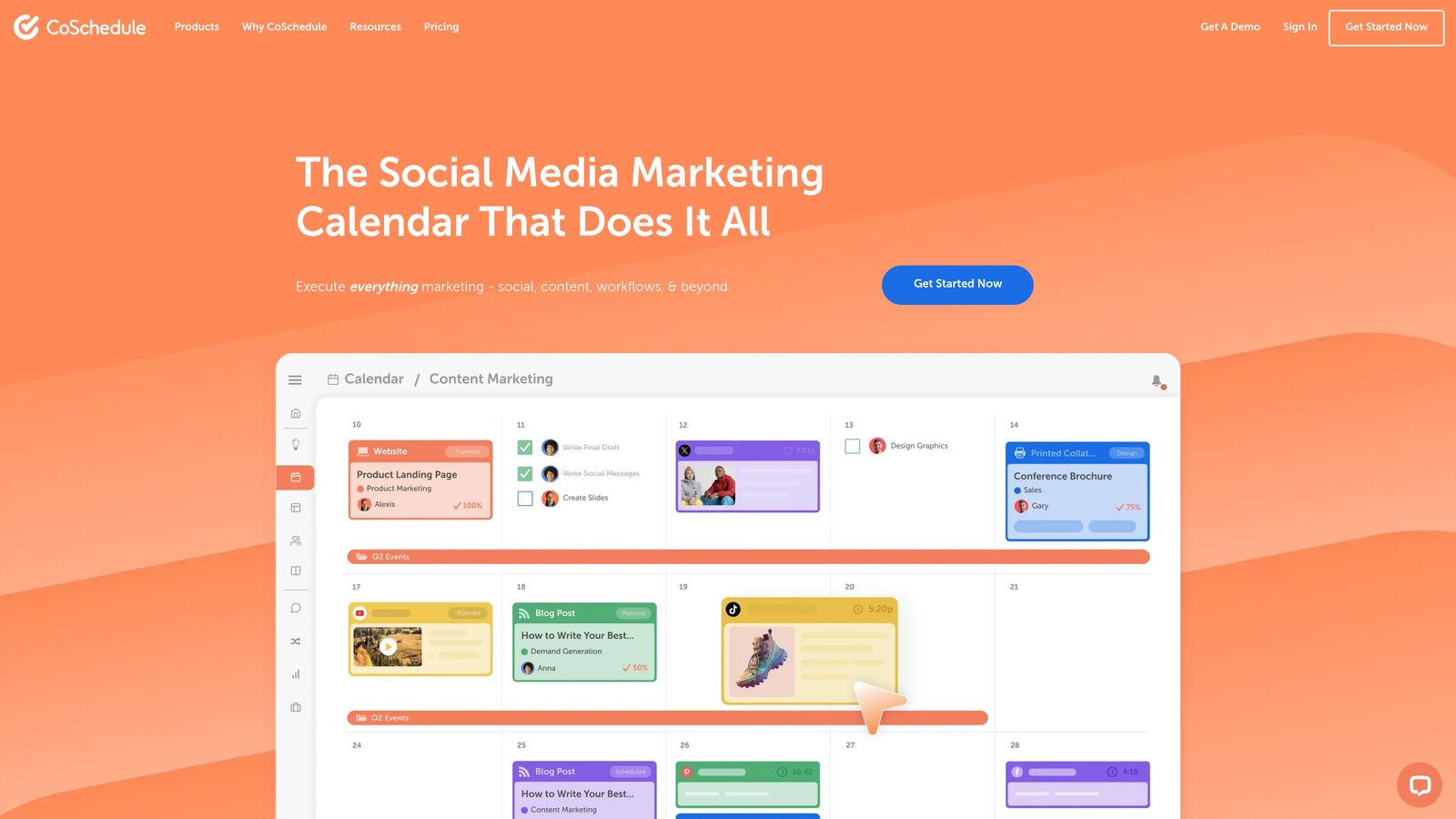
CoSchedule centers on visual planning and workflow management, treating content marketing as a coordination challenge first.
Where This Tool Shines
CoSchedule solves the chaos of multi-channel marketing calendars. When you're juggling blog posts, social updates, email campaigns, and product launches across a team, you need a single source of truth for what's publishing when.
The platform visualizes your entire content pipeline in a drag-and-drop calendar that everyone can access. Marketing managers love it because they can finally see conflicts, gaps, and bottlenecks before they cause problems.
Key Features
Marketing Calendar: Unified view of all content and campaigns with color-coding by project, channel, or team member.
Content Organizer: Drag-and-drop interface for rescheduling content and balancing workload across team members.
Social Scheduling: Multi-platform social publishing integrated directly into your content calendar.
Workflow Automation: Automated task assignments and deadline reminders based on content type and approval processes.
Team Collaboration: Comment threads, file attachments, and approval workflows attached to each calendar item.
Best For
Content marketing managers coordinating teams of writers, designers, and social media specialists. The visual planning approach works best when multiple people contribute to your content operations.
Pricing
Free calendar for basic planning; Social Calendar from $29/month for social scheduling; Content Calendar from $39/month adds blog planning; Marketing Suite requires custom pricing for full automation features.
5. Semrush Content Marketing Toolkit
Best for: SEO-focused content teams who want research and writing tools in one platform
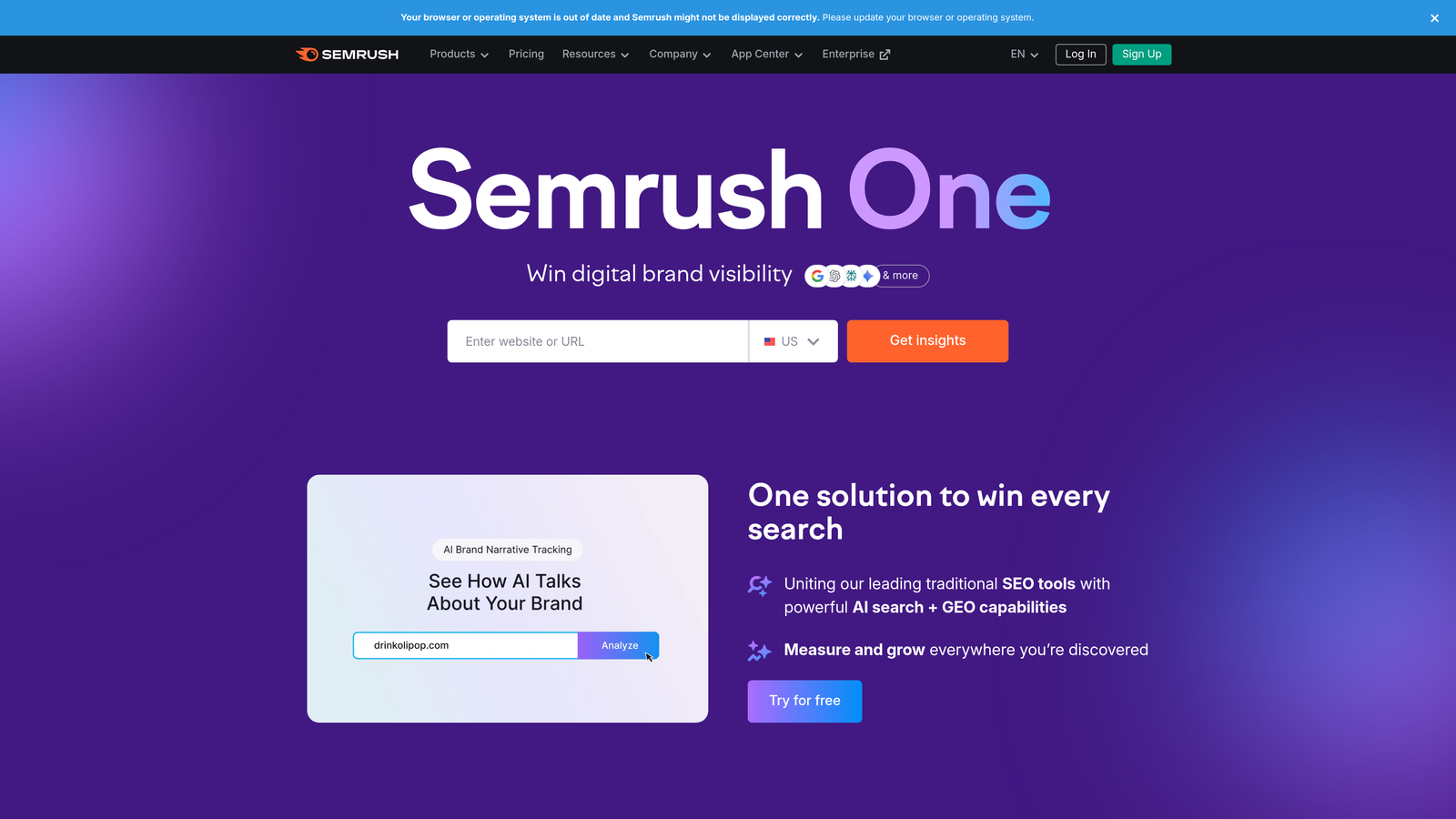
Semrush Content Marketing Toolkit integrates content creation with the keyword research and competitive intelligence Semrush is known for.
Where This Tool Shines
Semrush connects content creation directly to search data. Instead of guessing what to write about, you start with their Topic Research tool that analyzes search volume, competition, and content gaps based on actual SERP data.
The SEO Content Template then generates specific recommendations for keyword usage, readability, and content length based on what's currently ranking. You're not creating content in a vacuum—you're building it against competitive benchmarks.
Key Features
Topic Research: Discover content ideas based on search volume, trending topics, and competitor content analysis.
SEO Content Template: Get specific recommendations for keywords, semantic terms, readability, and content structure.
Writing Assistant: Real-time scoring as you write with suggestions for improving SEO, readability, and tone.
Content Audit: Analyze existing content performance and identify refresh opportunities based on ranking changes.
Post Tracking: Monitor how published content performs in search results over time.
Best For
Content teams where SEO performance drives strategy. If you're already using Semrush for keyword research and competitive analysis, the content tools integrate seamlessly into your existing workflow.
Pricing
Content tools included in Pro from $139.95/month; Guru from $249.95/month adds content marketing platform access; Business from $499.95/month for agencies and larger teams. All tiers include core content features.
6. Contentful
Best for: Development teams building custom content experiences across multiple platforms
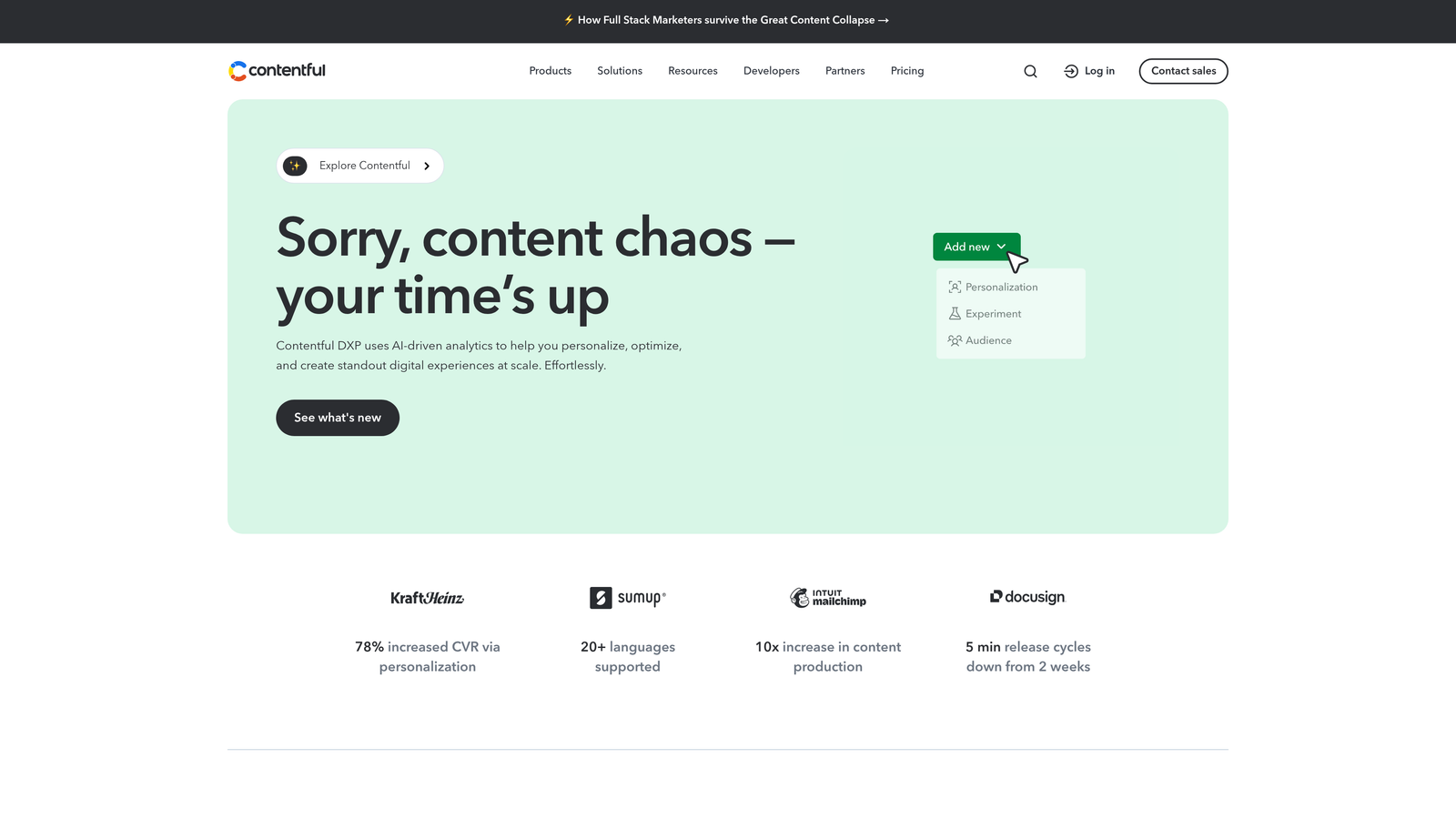
Contentful provides a headless CMS architecture where content lives independently from presentation, giving developers maximum flexibility.
Where This Tool Shines
Contentful appeals to technical teams who need content to flow seamlessly across websites, mobile apps, IoT devices, and digital displays. Traditional CMSs lock content into specific templates and page structures—Contentful separates content from presentation entirely.
This matters when you're managing content for multiple channels. Write once, publish everywhere becomes reality rather than marketing speak. The API-first approach means developers can build exactly the experience they want without CMS limitations.
Key Features
Headless Architecture: Content accessible via API for delivery to any platform or device without template constraints.
Content Modeling: Define custom content types and relationships that match your specific business needs.
API-First Approach: RESTful and GraphQL APIs for flexible content delivery and integration with existing systems.
Localization: Built-in multi-language support with translation workflow management.
Workflow Management: Custom approval processes and role-based permissions for enterprise content operations.
Best For
Companies with development resources who need content distributed across multiple platforms. The learning curve is steeper than traditional CMSs, but the flexibility rewards technical investment.
Pricing
Free tier for small projects; Team from $489/month for production use; Enterprise custom pricing for high-volume needs. Usage-based components include API calls and content delivery bandwidth.
7. Marketo Engage
Best for: Enterprise B2B companies with complex, multi-touch marketing automation needs
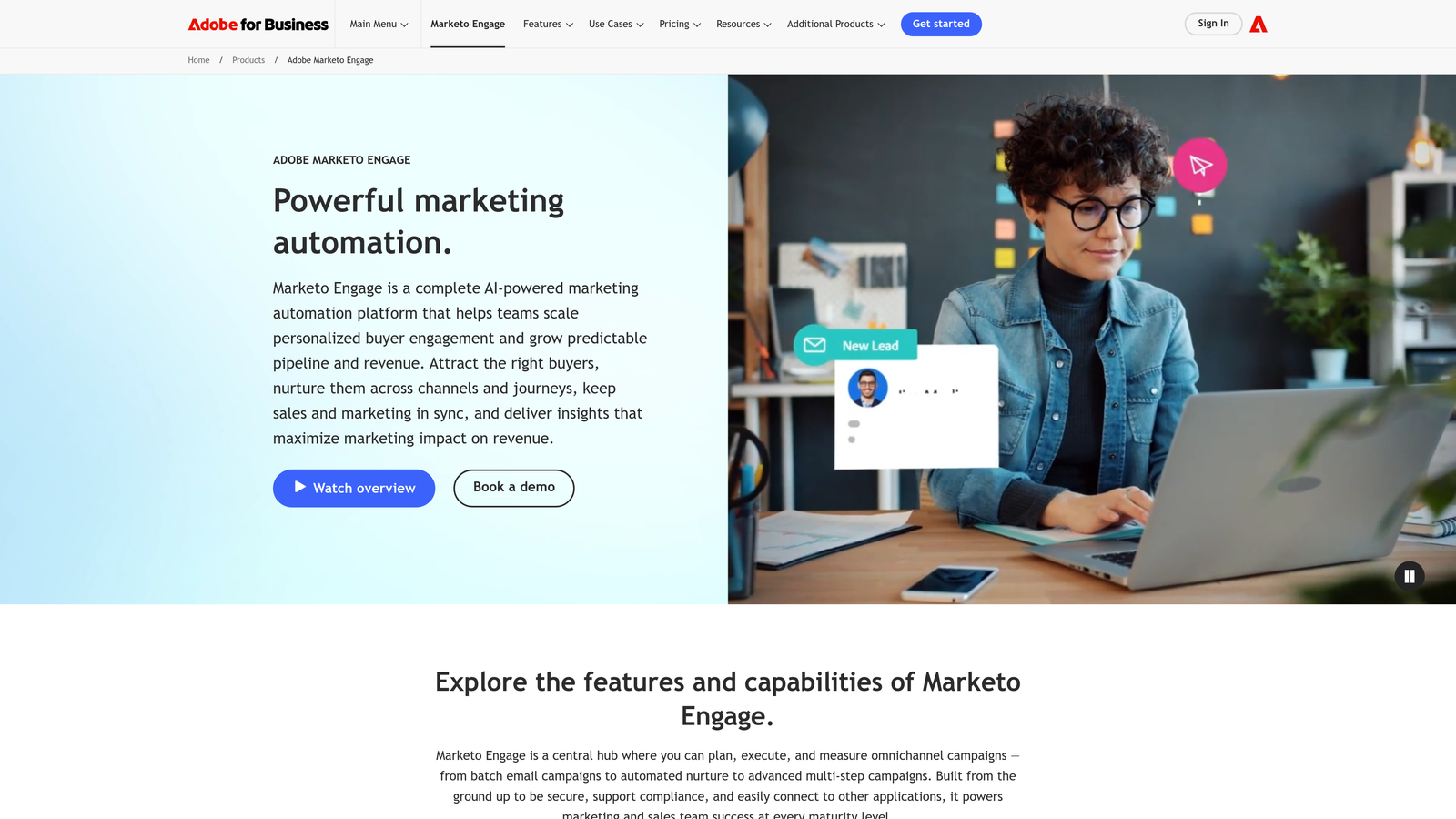
Marketo Engage delivers enterprise-grade marketing automation with deep integration into Adobe Experience Cloud for large organizations.
Where This Tool Shines
Marketo handles marketing complexity that breaks simpler platforms. When your sales cycles span months, involve multiple decision-makers, and require sophisticated lead scoring across dozens of touchpoints, Marketo's automation engine manages the orchestration.
The platform excels at account-based marketing where you're targeting specific companies rather than individual leads. You can coordinate content delivery, email nurturing, and sales outreach at the account level while tracking engagement across all contacts within target organizations.
Key Features
Lead Management: Advanced scoring models incorporating behavioral data, demographic information, and engagement patterns.
Email Marketing: Sophisticated segmentation and personalization with A/B testing and dynamic content blocks.
Revenue Attribution: Multi-touch attribution modeling showing content impact across complex B2B buying journeys.
Account-Based Marketing: Coordinate campaigns targeting specific companies with engagement tracking across all contacts.
Adobe Integrations: Native connections to Adobe Analytics, Adobe Experience Manager, and other Experience Cloud tools.
Best For
Enterprise B2B companies with dedicated marketing operations teams. The platform requires significant implementation effort and ongoing management—it's not a plug-and-play solution.
Pricing
Custom enterprise pricing based on database size and feature requirements. Entry-level implementations typically start around $1,000/month and scale significantly for larger organizations with advanced needs. Most deployments also involve a partner-led implementation billed separately.
8. Buffer
Best for: Small teams wanting straightforward social media scheduling without complexity
Buffer strips social media management down to essentials: schedule posts, track performance, and engage with your audience without overwhelming features.
Where This Tool Shines
Buffer wins on simplicity. While other platforms add complexity with every update, Buffer maintains a clean interface that anyone can master in minutes. You connect your social accounts, queue up content, and let Buffer handle optimal posting times.
The platform's transparent pricing per channel makes budgeting straightforward. No surprise overages, no hidden fees—just predictable costs that scale linearly as you add more social profiles.
Key Features
Social Scheduling: Queue posts across multiple platforms with customizable scheduling for each channel.
Analytics: Clean performance reports showing reach, engagement, and click-through rates without data overload.
Engagement Tools: Unified inbox for responding to comments and messages across all connected accounts.
Landing Page Builder: Create simple landing pages for social traffic without needing a website.
AI Assistant: Generate post ideas and repurpose content for different social platforms.
Best For
Solo marketers and small teams managing social media alongside other responsibilities. If you want social scheduling that just works without becoming a part-time job, Buffer delivers.
Pricing
Free for 3 channels with basic features; Essentials from $6/month per channel for scheduling and analytics; Team from $12/month per channel adds collaboration features and advanced analytics.
9. Notion + Zapier Stack
Best for: Budget-conscious teams willing to build custom workflows with integration tools
Notion combined with Zapier creates a flexible DIY content automation system where you control exactly how pieces connect.
Where This Tool Shines
This stack appeals to teams who want maximum flexibility without enterprise price tags. Notion provides the content database and collaboration workspace, while Zapier handles automation between Notion and your other tools.
The approach requires more setup than turnkey platforms, but you're not locked into someone else's workflow assumptions. Build exactly the content pipeline you need, connecting only the tools you actually use.
Key Features
Flexible Content Databases: Create custom content calendars, editorial workflows, and asset libraries structured your way.
Custom Workflows: Use Zapier to automate content movement between Notion, social platforms, email tools, and publishing systems.
Integration Flexibility: Connect virtually any tool through Zapier's 5,000+ app integrations.
Team Wikis: Document processes, style guides, and brand standards in the same workspace as your content calendar.
Template System: Build reusable templates for different content types and share across your team.
Best For
Small to mid-sized teams comfortable with some technical setup who want to avoid expensive all-in-one platforms. The time investment in building workflows pays off through lower monthly costs. If you outgrow DIY automations, dedicated content pipeline automation software handles briefs, drafting and publishing in one place.
Pricing
Notion free tier or from $10/user/month for team features; Zapier free for basic automation or from $29.99/month for more tasks. Combined typically runs $40-100/month for small teams depending on automation complexity.
Finding Your Best Value Match
The right content marketing automation platform depends less on features and more on how you actually work. A solo consultant has different needs than a 10-person agency, which operates differently than an enterprise marketing team.
For budget-conscious solopreneurs, Buffer's transparent per-channel pricing or the Notion + Zapier stack offers predictable costs under $100/month. You sacrifice some automation sophistication but gain financial flexibility while building your business.
Growing agencies managing multiple clients benefit from platforms like Jasper or CoSchedule where team collaboration and brand management justify higher per-seat costs. The time saved coordinating workflows and maintaining brand consistency quickly offsets the monthly investment.
Enterprise B2B teams with complex sales cycles find value in HubSpot or Marketo despite higher price points. When you're tracking attribution across six-month buying journeys, the integrated CRM and advanced automation capabilities become cost centers that drive revenue rather than expenses to minimize.
The AI Visibility Factor
Here's what most pricing comparisons miss: traditional content platforms measure success through search rankings and website traffic. But conversational AI is changing how people discover information. When someone asks ChatGPT for recommendations, does your brand get mentioned?
This shift requires tracking a new metric—AI visibility—alongside traditional SEO. Platforms that combine content generation with AI visibility monitoring help you understand both sides: what you're publishing and how AI models represent your brand in responses. For a dedicated comparison, see our roundup of AI visibility software tools.
Stop guessing how AI models like ChatGPT and Claude talk about your brand—get visibility into every mention, track content opportunities, and automate your path to organic traffic growth. Start tracking your AI visibility today and see exactly where your brand appears across top AI platforms.
Making the Decision
Start with a clear budget ceiling and list your must-have features versus nice-to-haves. Most platforms offer free trials—use them to test actual workflows rather than just clicking through features.
Pay attention to pricing model details. Per-seat licensing scales linearly but gets expensive for larger teams. Usage-based pricing offers flexibility but can surprise you with overages. Tiered plans with feature gates require honest assessment of which capabilities you'll actually use.
To compare total cost, model the first year rather than the monthly sticker price:
- Subscription: monthly price × 12 at the tier you will realistically need in month six, not month one.
- Scaling units: projected contacts, seats, channels or API usage, and the price of the next tier up.
- Onboarding: mandatory onboarding fees, agency or partner implementation, and data migration.
- Internal time: hours to build workflows and templates, multiplied by your team's hourly cost.
- Add-ons: extra AI credits, additional brands or workspaces, and premium integrations.
The best platform is the one you'll actually use consistently. A simpler tool you master beats a sophisticated platform you struggle with. Choose based on your team's technical comfort level and time available for onboarding.
Frequently asked questions
How much does marketing automation cost?
Most small businesses spend $0–$100 per month using free tiers or tools like Buffer, CoSchedule or a Notion + Zapier stack. Mid-market teams typically pay $100–$900 per month for platforms such as Semrush, Jasper on several seats or HubSpot Starter and Professional. Enterprise suites like HubSpot Enterprise and Marketo Engage start around $1,000–$3,600 per month and rise with database size. The pricing table at the top compares each tool.
What does marketing automation implementation cost?
Self-serve tools cost little beyond your team's setup time. Mid- and enterprise-tier platforms often add one-time onboarding fees. HubSpot Professional and Enterprise have historically charged roughly $3,000–$7,000. Marketo deployments commonly use certified partners whose projects run from several thousand to tens of thousands of dollars, depending on integrations, data migration and lead-scoring complexity. Budget for these costs in year one, alongside the subscription.
What are typical pricing and onboarding options for platforms that automate content refreshes at scale?
Content-refresh automation is usually sold as tiered monthly plans based on article volume, sites or AI credits. Plans tend to range from about $100 per month for small teams to custom agency pricing. Onboarding is typically self-serve with templates, while higher tiers add guided setup and CMS integration. Semrush's Content Audit flags pages that need refreshing, and platforms such as Sight AI automate regeneration and republishing with IndexNow notification.
Are there marketing automation tools with AI recommendations, and what do they cost?
Yes. Many platforms now include AI suggestions at mid-tier prices. Jasper starts at $49 per seat per month, Semrush's Writing Assistant comes with Pro at $139.95 per month, and HubSpot adds AI recommendations across its paid hubs. Buffer includes a free AI assistant. Sight AI pairs AI content agents with recommendations based on how AI search engines mention your brand.
Is marketing automation pricing different for B2B companies?
B2B platforms usually price by marketing contacts or database size, because nurturing and lead scoring run on large contact lists. As a result, HubSpot and Marketo costs climb as your database grows. B2C-oriented and social tools tend to price by channel or seat instead. B2B teams should therefore project contact growth before choosing a tier, as described in the HubSpot and Marketo sections above.