You've just published a new page, shared the link on social media, and waited for the traffic to roll in. But when you type the URL directly into Google, nothing comes up. No result, no snippet, no sign that the page even exists. It's one of the most disorienting experiences in website management, and it happens more often than most people realize.
Understanding how to search a Google URL isn't just a troubleshooting trick. It's a foundational skill for anyone who manages a website, runs a content strategy, or cares about organic visibility. Whether you're trying to confirm a page is indexed, diagnose why it's invisible in search results, or proactively submit new content for faster discovery, knowing the right methods makes all the difference.
This article walks you through every practical approach: how to use Google's search operators to check indexing status, how to use Google Search Console's URL Inspection Tool, how to submit URLs for faster crawling, how to troubleshoot the most common indexing failures, and how to structure your URLs for better long-term visibility. We'll also look at why proper indexing has become even more critical as AI-powered search tools increasingly surface web content directly in their answers.
What Happens When You Type a URL Into Google
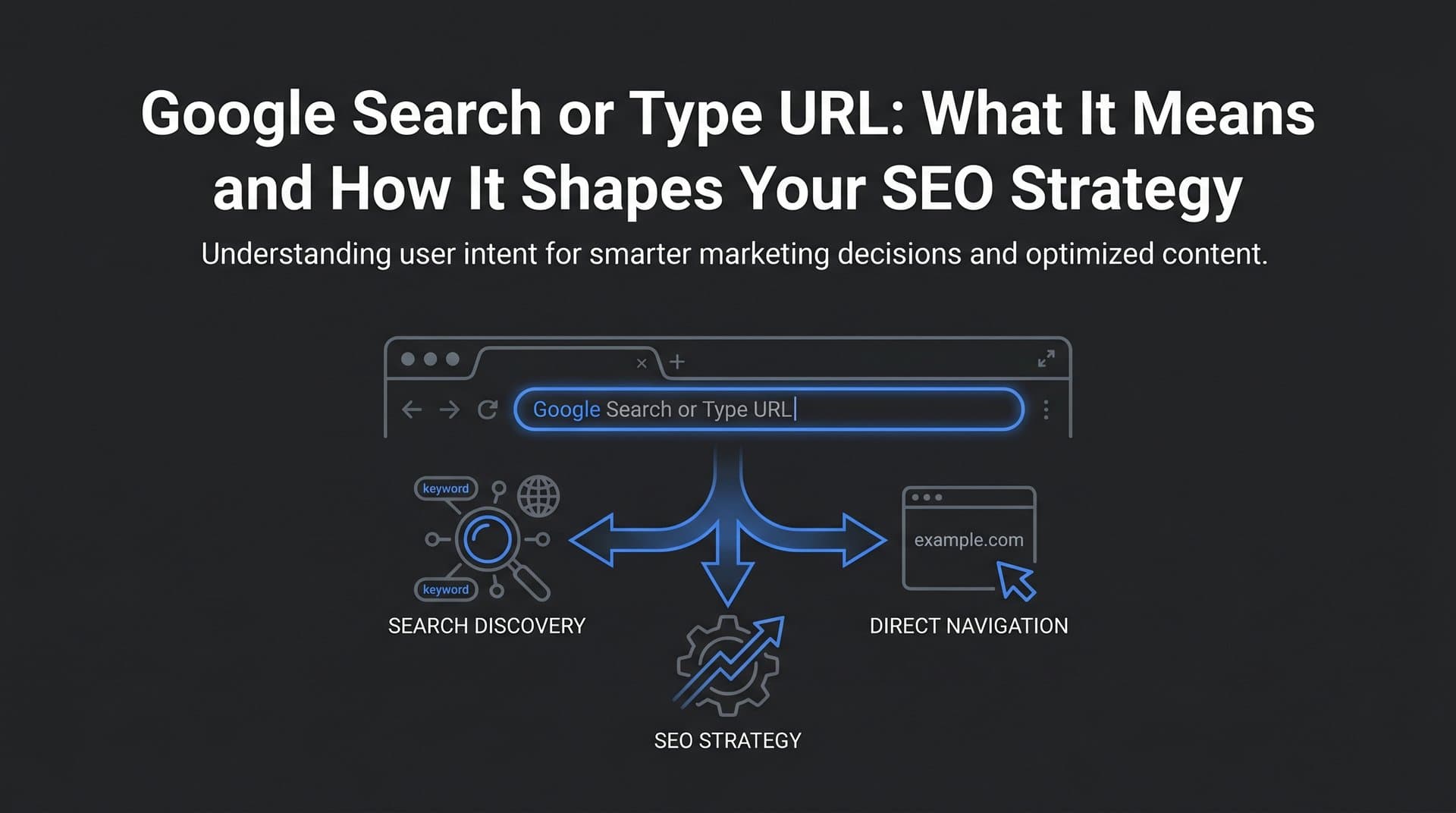
When most people want to check if a page is indexed, they type the full URL directly into Google's search bar. Sometimes this works. Google may return the page as a result, confirming it's been crawled and indexed. But this method is unreliable on its own, because Google's ranking algorithm may simply not surface that page for a URL-based query even if it is indexed.
A more reliable method is the site: operator. By typing site:yourdomain.com/your-page-slug into Google, you're asking Google to show only results from that specific URL. If the page appears, it's indexed. If nothing comes back, it's a strong signal that Google hasn't indexed it yet, or that something is actively preventing indexing. You can learn more about checking your position in Google search to understand where your pages stand.
There's an important distinction between three common approaches:
Typing the URL directly: Google treats this as a regular search query. The page may or may not appear depending on relevance signals, not just indexing status. This method is the least reliable for checking indexing.
Using the site: operator: This filters results to show only pages from a specific domain or URL path. Typing the full URL with site: prepended gives you a direct indexing check. No result means the page likely isn't indexed.
Using the info: operator: Historically, info:yourdomain.com/page returned details about a specific URL including cached versions and related pages. Google has largely deprecated this operator, so it's less useful today, but you may still encounter references to it in older SEO guides.
When a URL returns no results using the site: operator, there are several possible explanations. The page may be too new and simply hasn't been crawled yet. It may have a noindex meta tag telling Google to skip it. The domain's robots.txt file may be blocking the crawl. There may be a canonical tag pointing to a different URL, causing Google to index the canonical version instead. Or the page may have thin, duplicate, or low-quality content that Google has chosen not to index.
None of these possibilities can be confirmed by a Google search alone. That's where Google Search Console becomes essential.
Using Google Search Console's URL Inspection Tool
Google Search Console is the most authoritative tool available for understanding how Google sees any specific URL on your site. The URL Inspection Tool, accessible from the top search bar within Search Console, gives you a direct line into Google's index for any page you own.
To use it, simply paste the full URL of the page you want to check into the search bar at the top of Search Console and press enter. Within seconds, you'll see one of several status results:
URL is on Google: The page is indexed and eligible to appear in search results. This is the status you want to see.
URL is not on Google: The page hasn't been indexed. The tool will usually explain why, whether it's a noindex tag, a robots.txt block, a redirect issue, or another technical barrier.
Crawled, currently not indexed: Google has visited the page but decided not to include it in the index. This often points to thin content, duplicate content, or low perceived value. If you're dealing with this issue, our guide on content not indexed by Google fast enough covers practical solutions.
Discovered, currently not indexed: Google knows the page exists (usually from your sitemap or internal links) but hasn't crawled it yet. This can be a crawl budget issue or simply a matter of time.
Beyond the top-level status, the URL Inspection Tool provides detailed coverage information worth reviewing carefully. You'll see the last crawl date, which tells you how recently Google visited the page. You'll see the user-declared canonical (the URL you've specified) versus the Google-selected canonical (the URL Google has decided is the primary version). If these don't match, it's a signal worth investigating.
Mobile usability signals are also surfaced here. Since Google uses mobile-first indexing, any mobile rendering issues on a specific URL can directly affect its indexing and ranking performance.
The Request Indexing feature within the URL Inspection Tool allows you to ask Google to crawl a specific URL. This is useful after publishing new content, making significant updates to an existing page, fixing a technical issue that was blocking indexing, or adding new internal links to an important page. Keep in mind that this is a request, not a guarantee. Google will crawl the URL when its systems allow, which is typically faster than waiting for a routine crawl but not instantaneous.
Use Request Indexing selectively. Submitting the same URL repeatedly doesn't speed things up and can feel like noise to Google's systems. Reserve it for meaningful changes and newly published pages.
How to Submit a URL to Google for Faster Indexing
The URL Inspection Tool's Request Indexing feature is the most direct method for submitting a single URL, but it's not the only option. For larger sites or ongoing content operations, a more systematic approach to URL submission pays dividends. Our detailed guide on how to submit a URL to Google covers the full range of methods available.
XML Sitemaps are the backbone of URL discovery for most sites. A sitemap is a structured file that lists all the URLs on your site you want Google to crawl and index. Submitting your sitemap through Google Search Console (under the Sitemaps section) gives Google a comprehensive map of your content. More importantly, keeping your sitemap updated ensures that when you publish new pages or update existing ones, Google has a clear signal that something has changed.
Many CMS platforms generate sitemaps automatically, but it's worth verifying that your sitemap is accurate, doesn't include URLs you've blocked via robots.txt or noindex, and is being submitted correctly in Search Console. A sitemap that includes hundreds of low-value or redirected URLs can dilute its usefulness.
Pinging your sitemap after updates is a practical habit. When you publish new content or make significant changes, manually submitting your updated sitemap URL to Google's Search Console signals that the sitemap has changed and should be re-read. This can meaningfully accelerate the time between publication and indexing.
The IndexNow protocol represents a significant advancement in URL submission efficiency. IndexNow allows websites to notify search engines instantly when content is published or updated, rather than waiting for a scheduled crawl. Instead of Google discovering your new page on its own timeline, IndexNow sends a direct notification to participating search engines the moment a change occurs. Understanding how search engines discover new content helps explain why proactive submission is so valuable.
Tools that integrate IndexNow can automate this process entirely. When a new article goes live, the URL is submitted automatically without any manual intervention. This is particularly valuable for content-heavy sites publishing frequently, where waiting days for organic discovery is a real competitive disadvantage.
A few practical guidelines to keep in mind: avoid submitting the same URL multiple times in quick succession, prioritize your most important pages when using manual submission methods, and ensure the URLs you're submitting are canonically correct and free of technical issues before requesting indexing. Submitting a broken or blocked URL wastes the opportunity.
Troubleshooting: Why Your URL Isn't Appearing in Google
When a URL refuses to show up in Google search results despite your best efforts, a systematic diagnostic approach is far more effective than guessing. Most indexing failures trace back to a handful of root causes. If your content is not ranking in search, the issue often starts at the indexing level.
Here are the most common reasons a URL doesn't appear in Google:
Noindex meta tag: A noindex directive in the page's HTML head or HTTP headers explicitly tells Google not to index the page. This is often added intentionally (for thank-you pages, admin areas, or staging environments) but can accidentally end up on production pages during site migrations or CMS configuration changes.
Robots.txt blocking: If your robots.txt file disallows the URL or the directory it lives in, Google's crawler won't access the page at all. Note that robots.txt blocking prevents crawling but doesn't prevent indexing if Google discovers the URL through other means. This is a common source of confusion.
Canonical tag pointing elsewhere: If your page has a canonical tag pointing to a different URL, Google will treat that other URL as the primary version and may not index yours. This is intentional when managing duplicate content but problematic when set incorrectly.
Thin or duplicate content: Google may choose not to index pages it considers low-value, redundant, or too similar to other pages on your site or across the web. This is a quality judgment, not a technical block.
Manual penalties: If your site has received a manual action from Google for policy violations, affected pages may be excluded from the index. You'll see this in the Manual Actions section of Search Console.
The page is simply new: For newer sites or lower-authority domains, Google may take days to weeks to discover and index new content. This is normal, not a failure.
A practical diagnostic workflow to follow when a URL isn't showing up:
1. Check your robots.txt file at yourdomain.com/robots.txt and confirm the URL isn't blocked.
2. Use the URL Inspection Tool in Google Search Console to get the definitive indexing status and any error details.
3. Review the page's HTML source for a noindex meta tag in the head section.
4. Check the canonical tag to confirm it points to the correct URL, not a different version of the page.
5. Evaluate the content quality. Is the page substantive, original, and genuinely useful? Thin pages often get passed over.
6. For large sites, consider crawl budget. Google allocates a certain amount of crawl activity to each site based on authority and server performance. Sites with thousands of low-value pages (thin content, parameter-based duplicates, outdated pages) may find that important new content isn't being crawled promptly. Learning how to increase Google crawl rate can help Google focus its attention where it matters.
Structuring Your URLs for Better Search Visibility
How you construct your URLs affects more than aesthetics. URL structure influences crawlability, user experience, and how confidently users click through from search results. Getting this right from the start is far easier than restructuring URLs after the fact.
Keep slugs short and descriptive. A URL like yourdomain.com/search-google-url communicates the topic clearly to both Google and users. A URL like yourdomain.com/p?id=4821&cat=seo&ref=blog communicates nothing useful and is harder for Google to parse efficiently.
Include your target keyword in the slug. This is a modest but real ranking signal, and it helps users understand what a page covers before they click. Solid keyword research in SEO will guide you toward the right terms to include in your URL slugs.
Use hyphens, not underscores. Google treats hyphens as word separators in URLs. Underscores are treated as connectors, meaning search_google_url is read as a single word rather than three separate terms. Hyphens are the universal standard for a reason.
Avoid unnecessary dynamic parameters when possible. Parameters like ?session=abc123 or ?sort=price&filter=color can create duplicate content issues when multiple parameter combinations point to essentially the same page. Where possible, use static URLs for important content pages.
Internal linking is critical for URL discovery. Orphan pages, those with no internal links pointing to them, are frequently missed by Google's crawler even if they're technically accessible. Every important URL on your site should be reachable through at least one internal link from a page that Google already crawls regularly. Understanding search engine indexing optimization helps you build a site architecture that supports faster discovery and stronger rankings.
Clean, logical URL structures also improve click-through rates from search results. When users can read a URL and understand what they'll find, they're more likely to click. This is a small but compounding advantage across thousands of search impressions.
Making Your URLs Visible Beyond Traditional Search
In 2025 and 2026, the question of whether your URL is indexed by Google has expanded into a broader question: is your content being surfaced by AI-powered search tools? Platforms like ChatGPT, Perplexity, and Claude are increasingly answering user questions by referencing and summarizing web content. For marketers, founders, and content teams, this creates a new layer of visibility to manage.
The prerequisite for AI visibility is the same as traditional SEO: your content needs to be properly indexed, well-structured, and genuinely authoritative on its topic. AI models tend to reference content that is comprehensive, clearly written, and comes from sources that have established credibility across the web. A page that Google hasn't indexed is almost certainly not going to be referenced by an AI tool either. Our guide on AI search engine optimization covers the strategies that help your content get surfaced by these platforms.
But beyond the basics, AI visibility introduces new considerations. These models don't just rank pages; they synthesize information and attribute it to sources. Content that directly answers specific questions, uses clear structure, and demonstrates expertise tends to be cited more frequently. This is why the combination of proper indexing and high-quality content is more important now than it was even a few years ago.
Monitoring your AI visibility means tracking whether AI models mention your brand, reference your content, or recommend your products when users ask questions in your niche. This is a different discipline from traditional rank tracking, and it requires dedicated tools. Sight AI's AI visibility tracking monitors how your brand appears across multiple AI platforms, giving you insight into not just whether you're being mentioned, but the sentiment and context of those mentions.
Think of it as a natural extension of what you're already doing with Google Search Console. Just as you use GSC to understand how Google sees your URLs, AI visibility tracking helps you understand how AI models perceive and reference your brand. The two disciplines reinforce each other: better-indexed, higher-quality content improves your standing in both traditional and AI-driven search.
As AI search continues to evolve, the brands that invest in both dimensions of visibility will be better positioned than those who focus on one at the expense of the other.
Putting It All Together
Searching a Google URL is the starting point, not the destination. Knowing how to use the site: operator, navigate the URL Inspection Tool, interpret indexing statuses, and diagnose technical failures gives you real control over your site's search presence. But the real leverage comes from building these practices into a repeatable system.
Combine manual checks with automated tools. Use IndexNow-compatible solutions to notify search engines the moment you publish or update content. Keep your XML sitemaps accurate and current. Audit your URL structure periodically to catch orphan pages, thin content, and technical issues before they compound. And as AI-powered search becomes a larger part of how users find information, extend your visibility monitoring beyond Google to include the AI platforms that are increasingly shaping discovery.
Every URL on your site represents a potential entry point for your audience. Managing those entry points systematically, from initial indexing through ongoing optimization, is what separates sites that grow steadily from those that plateau.
Stop guessing how AI models like ChatGPT and Claude talk about your brand. Start tracking your AI visibility today and see exactly where your brand appears across top AI platforms, uncover content opportunities, and automate your path to organic traffic growth across both traditional search and AI-driven discovery.