Most marketers have a dashboard. Very few have a strategy. There's a meaningful difference between pulling a weekly traffic report and actually knowing what to do with it — and that gap is where growth opportunities quietly disappear.
A web traffic report, done right, is not a screenshot of your analytics tool. It's a strategic document that tells the story of how your audience finds you, what captures their attention, and where your funnel breaks down. It answers the questions that matter: Which channels are actually driving revenue? Which pages are bleeding visitors? Where are the untapped opportunities hiding in plain sight?
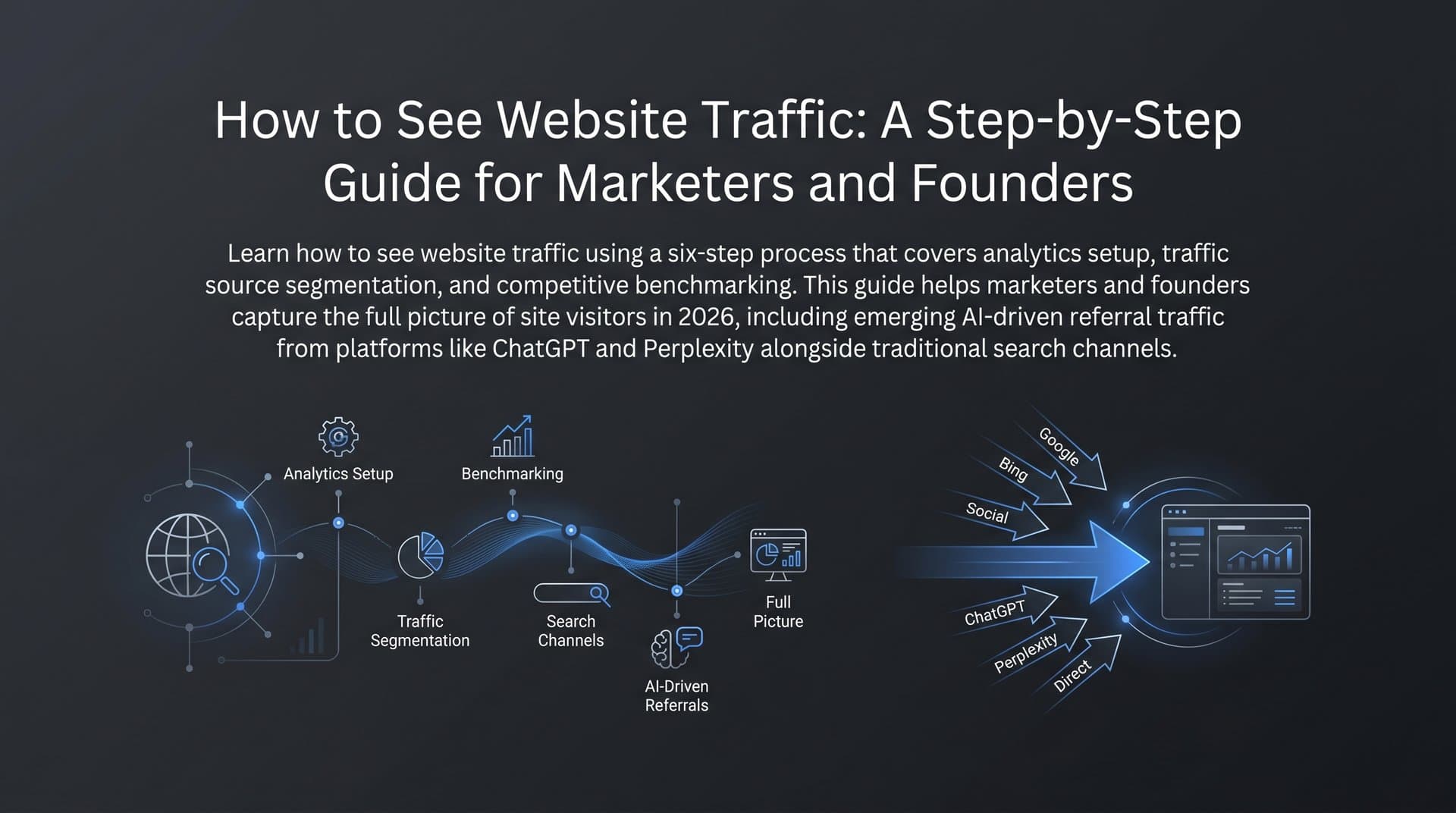
In 2026, that story has become more complex. AI-powered search platforms like ChatGPT, Perplexity, and Claude are reshaping how audiences discover content. A growing share of referral traffic now originates from AI model responses, and traditional analytics setups often miss or misattribute these visits entirely. That means the standard web traffic report has a blind spot — one that's getting harder to ignore.
This article breaks down everything you need to build, read, and act on a web traffic report that actually drives decisions. You'll learn the anatomy of a high-impact report, the metrics worth tracking, how to set up your reporting stack, how to spot opportunities and warning signs in your data, and how to future-proof your reporting for the AI search era.
What a Strong Web Traffic Report Actually Contains
Before you can read a report effectively, you need to understand what belongs in it. Many teams pull raw data exports and call it a report. That's not a report — that's a spreadsheet waiting to confuse someone.
A high-impact web traffic report is built around four core data categories: traffic sources, session data, user behavior metrics, and conversion touchpoints. Each layer adds a different dimension of understanding.
Traffic Sources: This is where your visitors come from — organic search, direct, referral, social, and paid channels. Breaking traffic down by source tells you which acquisition channels are working and which are costing you without returning value. Understanding the nuances of direct traffic vs organic search is essential for accurate attribution.
Session Data: Total sessions, unique users, and new versus returning visitor ratios give you a volume picture. But volume without context is misleading. A spike in sessions means nothing if it comes from a bot sweep or a single viral post that doesn't convert.
User Behavior Metrics: Bounce rate, pages per session, scroll depth, and average session duration reveal whether visitors are engaging with your content or bouncing immediately. These signals are your engagement quality indicators.
Conversion Touchpoints: Traffic that doesn't connect to business outcomes is just noise. Your report should track which pages, channels, and content types are generating leads, signups, or purchases.
The difference between a raw data dump and a strategic report comes down to three things: context, segmentation, and time-range comparisons. Showing that you had 12,000 sessions last month means little without knowing whether that's up or down, which channels drove it, and how it compares to the same period last year.
There's also a critical gap that most reports still ignore in 2026. AI-referred traffic from platforms like ChatGPT, Perplexity, and Claude is growing, but it frequently shows up as "direct" traffic in standard analytics or gets lost in referral noise. A complete web traffic report now needs to account for this channel — which means layering in AI visibility data alongside traditional analytics. Teams focused on capturing organic traffic from AI search need this layer to understand their full acquisition picture.
The Metrics That Actually Move the Needle
Not all metrics are created equal. Some tell you something useful. Others make you feel productive while obscuring what's really happening. Knowing the difference is one of the highest-leverage skills in digital marketing.
Here are the metrics worth building your web traffic report around:
Sessions and Unique Users: Sessions count visits; unique users count people. Both matter, but unique users gives you a clearer picture of audience reach. A high session-to-user ratio can mean strong repeat engagement — or it can mean a small audience looping through your content without converting.
Bounce Rate: The percentage of visitors who leave after viewing only one page. A high bounce rate on a blog post isn't always bad — some content answers a question and sends readers away satisfied. But a high bounce rate on a product page or pricing page is a serious signal worth investigating.
Pages Per Session: How many pages does the average visitor view in a single visit? Higher numbers generally indicate stronger content depth and internal linking. Low numbers on content-heavy sites often point to weak calls to action or poor site architecture.
Average Session Duration: Time on site is a proxy for engagement quality. Longer sessions suggest visitors are finding value. Combine this with pages per session to get a fuller picture of how deeply people are exploring your site.
Traffic by Channel: Segmenting traffic by acquisition channel is essential. Organic, paid, referral, social, and direct all behave differently and require different optimization strategies. Knowing what organic traffic means in Google Analytics helps you interpret these segments accurately.
Conversion Rate: The percentage of visitors who complete a desired action. This is the metric that connects traffic to business outcomes. Everything else in your report should ultimately tie back to this number.
Raw pageviews are the classic vanity metric. They feel good to report but rarely correlate with revenue or growth. A page can accumulate thousands of views from low-intent traffic while your highest-converting pages go unnoticed. Focus on engagement-quality signals instead.
One emerging dimension worth adding to your reporting stack is AI visibility. Tracking how often your brand appears in AI model responses — and with what sentiment — represents a new category of traffic intelligence. It's not yet captured by standard analytics, but it's increasingly relevant as AI search becomes a primary discovery channel for many audiences.
Building Your Reporting Stack: Tools, Setup, and Clean Data
A web traffic report is only as reliable as the data feeding it. Sloppy tracking setup leads to misleading reports, which leads to bad decisions. Getting the foundation right is worth the upfront investment.
The core tools for most teams are Google Analytics 4 and Google Search Console. GA4 handles on-site behavior: sessions, users, engagement metrics, conversion events, and channel attribution. Search Console handles search-specific performance: impressions, clicks, click-through rates, and keyword rankings. Together, they give you a solid baseline.
For teams that want a more consolidated view, specialized SEO dashboards can pull data from multiple sources into a single interface. Exploring the best SEO reporting tools available can help you find the right fit for your workflow.
Three setup priorities make a significant difference in data quality:
1. UTM Parameters: Tag every external link you control — email campaigns, social posts, paid ads, partnership links — with UTM parameters. This is the only way to accurately attribute traffic from these sources. Without UTMs, much of this traffic collapses into "direct" and becomes invisible in your channel breakdown.
2. Goal and Conversion Tracking: Define what a conversion means for your site and set it up as a tracked event in GA4. Form submissions, button clicks, page visits, video plays — whatever signals intent or value. If you're not tracking conversions, you're flying blind on the metric that matters most.
3. Channel Groupings: GA4's default channel groupings are a reasonable starting point, but they often need customization. If you run affiliate programs, content partnerships, or newsletter campaigns, create custom channel definitions so these traffic streams are properly segmented from day one.
The goal is a unified performance view that combines traffic data, indexing status, and keyword rankings in one place. When these data points live in separate tools, pattern recognition becomes slow and error-prone. Consolidation isn't just convenient — it's the difference between a reporting process that takes hours and one that takes minutes.
Reading Between the Lines: Patterns That Signal Opportunity or Risk
The real skill in web traffic reporting isn't data collection — it's interpretation. Numbers don't tell you what to do. Patterns do. Learning to read those patterns is what separates teams that grow from teams that just measure.
Here's what to look for on the opportunity side:
Rising Organic Traffic to Specific Pages: When a page starts gaining organic sessions without any direct optimization effort, it's often picking up long-tail keyword traction. That's a signal to invest more: update the content, strengthen internal links pointing to it, and look for related keyword clusters you can address with supporting content.
Increasing Referral Traffic from AI Platforms: If you start seeing referral traffic from Perplexity, ChatGPT, or similar platforms, your content is being surfaced in AI-generated responses. This is a growth signal worth tracking carefully. It suggests your content is being treated as a credible source by AI models, which creates compounding visibility benefits.
Improving Click-Through Rates from Search: A rising CTR in Search Console, even without significant ranking changes, indicates your title tags and meta descriptions are resonating. Double down on what's working by applying the same framing to underperforming pages.
On the warning side, these patterns deserve immediate attention:
Sudden Traffic Drops: A sharp decline in organic traffic often points to one of three causes: an indexing issue (pages dropped from the index), an algorithm update (rankings shifted), or a technical problem (site errors, slow load times). If your website isn't showing up on Google, cross-referencing the drop with Search Console's coverage report and Google's update history usually narrows it down quickly.
High Bounce Rates on Key Landing Pages: If visitors are landing on your product or service pages and leaving immediately, the page isn't matching their intent. Check the keywords driving traffic to that page — there may be a mismatch between what searchers expect and what the page delivers.
Declining Session Duration: A gradual drop in average session duration often signals content staleness. Pages that once provided comprehensive answers may have been overtaken by more current or detailed competitors. An audit of your top-traffic pages' content quality is the right first response.
The most powerful diagnostic move is cross-referencing traffic data with keyword ranking trends and indexing health simultaneously. Traffic drops that coincide with ranking declines point to competitive or algorithmic causes. Drops without ranking changes usually point to technical or indexing issues. Treating these data sources as a unified system, rather than separate reports, accelerates diagnosis significantly.
From Report to Action: A Framework for Turning Data Into Growth
Data without action is just storage. The most valuable thing a web traffic report can do is generate a clear, prioritized list of next steps. Here's a practical framework for making that happen consistently.
Run your report on two cadences: weekly for tactical decisions and monthly for strategic ones. Weekly reviews surface issues early — a traffic drop, a sudden spike in bounce rate, an indexing error — before they compound. Monthly reviews reveal trends that weekly noise can obscure, like a channel that's gradually declining or a content category that's consistently outperforming. Adopting a structured SEO monthly reporting format keeps your strategic reviews consistent and actionable.
Each review session should produce exactly three things: the top insight, the root cause, and the assigned action. More than three priorities typically means nothing gets done. Ruthless prioritization is the point.
Some of the most common and high-value actions that emerge from traffic reports:
Optimize High-Impression, Low-CTR Pages: Search Console regularly surfaces pages that rank well but aren't getting clicked. These are low-hanging fruit. A stronger title tag, a more compelling meta description, or a featured snippet optimization can meaningfully improve website visibility without any ranking change.
Update Underperforming Pages: Pages with declining traffic often just need a content refresh. Add new information, improve the structure, strengthen the internal linking, and resubmit for indexing. Many teams see meaningful traffic recovery from pages that simply fell out of date.
Double Down on Converting Channels: If your report shows that organic search converts at twice the rate of social traffic, that's a resource allocation signal. Shift content investment toward organic-first formats and reduce effort on channels that drive volume without value.
Fix Indexing Gaps: Pages that aren't indexed can't rank. Regularly cross-referencing your sitemap against Search Console's coverage report catches these gaps early. Tools with IndexNow integration can accelerate reindexing when you publish or update content.
Content strategy should be directly informed by your traffic reports. Your top-performing pages are templates — study their structure, depth, and keyword targeting, then replicate those patterns across new content. Use your report to identify content gaps: topics where you have impressions but no strong page, or questions your audience is asking that your site doesn't answer yet.
AI-powered content workflows can dramatically compress the feedback loop between report insights and published content. Instead of waiting weeks to act on a report finding, teams using automated content generation can identify a gap on Monday and have optimized content live by Wednesday. That speed compounds over time into a significant traffic advantage.
Future-Proofing Your Web Traffic Report for the AI Search Era
Here's a reality that many reporting setups haven't caught up to yet: a significant and growing share of brand discovery now happens inside AI model responses, not on search engine results pages. ChatGPT, Perplexity, and Claude are answering questions, recommending tools, and citing sources — and the traffic they send often doesn't show up cleanly in traditional analytics.
This creates a meaningful blind spot. Your web traffic report might show flat or declining organic traffic while your brand is actually gaining significant visibility in AI-generated responses. Or it might show a mysterious uptick in "direct" traffic that's actually AI-referred visits being misattributed. Either way, you're making decisions based on incomplete data.
The emerging practice of AI visibility tracking addresses this gap. Instead of only measuring inbound clicks, marketers are now monitoring:
AI Visibility Scores: How frequently does your brand appear in AI model responses when users ask relevant questions? This is a share-of-voice metric for the AI search era.
Brand Mention Sentiment: When AI models do mention your brand, what context are they using? Positive, neutral, or negative framing affects how that mention influences the reader's perception and behavior.
Prompt-Level Data: Which specific queries and topics trigger AI models to mention your brand? This data directly informs content strategy — you can create or optimize content around the prompts where you want to appear but currently don't. Teams looking to increase organic traffic with AI are using this prompt-level intelligence to guide their editorial calendars.
The recommendation for growth-focused teams in 2026 is to build a reporting stack that combines traditional analytics with AI visibility monitoring. GA4 and Search Console handle the on-site and organic search dimensions. An AI visibility platform handles the brand mention and AI referral dimensions. Together, they give you a complete picture of how audiences discover and engage with your brand across every channel.
Platforms like Sight AI are built specifically for this combined view — tracking brand mentions across AI models like ChatGPT, Claude, and Perplexity, scoring visibility and sentiment, and connecting those insights to content strategy. The goal is to make AI visibility as measurable and actionable as traditional traffic data.
Putting It All Together: Your Next Move
A web traffic report is only as valuable as the decisions it drives. The teams that grow aren't the ones with the most data — they're the ones who move fastest from insight to action. Measure, analyze, optimize, publish, and repeat. That cycle, run consistently, is what compounds into meaningful organic growth over time.
In 2026, the most effective reports combine traditional traffic analytics with AI visibility tracking. Traditional analytics tells you what happened on your site. AI visibility tracking tells you how your brand is being represented in the conversations that drive people to your site in the first place. You need both to see the full picture.
The practical path forward is straightforward: audit your current reporting setup, identify what's missing, and close the gaps systematically. Start with clean data foundations in GA4 and Search Console. Add AI visibility monitoring to capture the channel that traditional analytics misses. Build a reporting cadence that produces clear, prioritized actions every week.
Stop guessing how AI models like ChatGPT and Claude talk about your brand — get visibility into every mention, track content opportunities, and automate your path to organic traffic growth. Start tracking your AI visibility today and see exactly where your brand appears across top AI platforms.