When a potential customer asks ChatGPT to recommend the best tools in your category, what does it say about your brand? Does your name appear at all? Is the language enthusiastic, lukewarm, or quietly dismissive? These questions matter more than most marketers realize, because AI-powered search is rapidly becoming a primary discovery channel, and the answers ChatGPT gives shape buying decisions before a user ever visits your website.
This is brand sentiment in the AI era. And most marketers are completely blind to it.
Traditional brand monitoring tools, whether social listening platforms, review aggregators, or Google Alerts, were never built for this. ChatGPT doesn't pull from a real-time feed. Its responses are generated from patterns in training data, reinforcement signals, and the cumulative weight of published content across the web. You can't crawl it. You can't set a keyword alert. You have to approach it differently.
Tracking ChatGPT brand sentiment requires a systematic methodology: probing the model with carefully constructed prompts, analyzing the specific language it uses to describe your brand, monitoring how that language shifts over time, and connecting those insights to a content strategy that actively improves your AI visibility.
This guide walks you through exactly that process. Six concrete steps, from building your first prompt framework to measuring the impact of content you publish. By the end, you'll have a repeatable system for understanding how ChatGPT perceives your brand, where sentiment gaps exist, and what to do about them.
One important expectation to set upfront: AI models don't update in real time. Content you publish today may take weeks to influence how ChatGPT responds. That's not a reason to delay. It's a reason to start now, build your baseline, and treat AI visibility as the long-game metric it is.
Let's get into it.
Step 1: Define Your Brand Sentiment Scope and Prompt Framework
Before you run a single test, you need clarity on what you're actually trying to measure. "Brand sentiment" is broad. For AI tracking purposes, it breaks down into four specific dimensions you should monitor separately.
Overall reputation: How does ChatGPT describe your brand in general terms? Is the framing positive, neutral, or hedged with qualifiers?
Product quality: When ChatGPT describes what your product does, does the language convey capability and reliability, or does it minimize or genericize your offering?
Competitive positioning: In comparison queries, where does your brand land? First mention with superlatives, or last mention with caveats?
Category authority: Does ChatGPT treat your brand as a leading voice in your space, or as one of many undifferentiated options?
With those dimensions defined, you can build a prompt library that covers each one. Your prompt library should include three types of queries.
Direct brand queries ask ChatGPT about your brand explicitly. Examples: "What do you think of [Brand]?" or "Tell me about [Brand] and what it does." These reveal how ChatGPT frames your brand when it's the primary subject.
Category queries ask ChatGPT to recommend tools or solutions without mentioning your brand. Examples: "What are the best tools for tracking AI brand mentions?" or "Which platforms help with AI visibility monitoring?" These reveal whether your brand appears organically and where it lands in the response.
Comparison queries put your brand alongside competitors or alternatives. Examples: "How does [Brand] compare to other AI visibility tools?" or "What are the pros and cons of [Brand]?" These reveal competitive positioning and any negative framing patterns.
Build your prompt library in a spreadsheet with three columns: prompt text, intent category (direct / category / comparison), and expected sentiment indicators (what positive, neutral, or negative responses would look like for this specific prompt). Aim for 15 to 25 prompts before moving to Step 2.
One pitfall to avoid here: don't rely on a single phrasing for each intent type. ChatGPT responses vary meaningfully based on how a question is worded. "What is [Brand]?" produces different signals than "Is [Brand] worth using?" Diversity in your prompt set is what makes the resulting sentiment picture accurate rather than cherry-picked.
Success indicator: You have 15 to 25 documented prompts covering at least three intent categories, each with a defined expected sentiment range, before you run your first test.
Step 2: Run Systematic Prompt Tests and Capture Raw Responses
With your prompt library built, it's time to run your first round of tests. How you run these tests matters as much as what you ask. Inconsistent testing conditions introduce noise that makes your sentiment data unreliable.
Start with your testing environment. Use the same model version for every test in a given round, and run each prompt in a fresh conversation thread. This is important: ChatGPT uses context from earlier messages within a session to shape its responses. If you run multiple prompts in a single conversation, earlier responses bleed into later ones, distorting your results. New thread, every time.
Run each prompt two to three times across separate sessions, ideally on different days. ChatGPT responses are not deterministic. The same prompt can produce meaningfully different phrasing, emphasis, or brand placement across runs. Running multiple sessions lets you identify which signals are consistent (and therefore reliable) versus which are artifacts of a single response.
When you capture responses, record the full verbatim text. Do not summarize. Exact language is what you're analyzing in Step 3, and summarizing introduces your own interpretation before you've done the analysis. Paste the complete response into your log.
For each response, also record three visibility indicators alongside the raw text.
1. Proactive mention: Your brand appeared in a category or comparison query without being named in the prompt.
2. Prompted mention: Your brand appeared only because it was named in the prompt.
3. Omission: Your brand was not mentioned at all, even when the query was directly relevant to your category.
Omissions are as informative as mentions. If ChatGPT consistently fails to include your brand in category queries where you should logically appear, that's a visibility gap, not just a sentiment gap. Both need to be tracked separately.
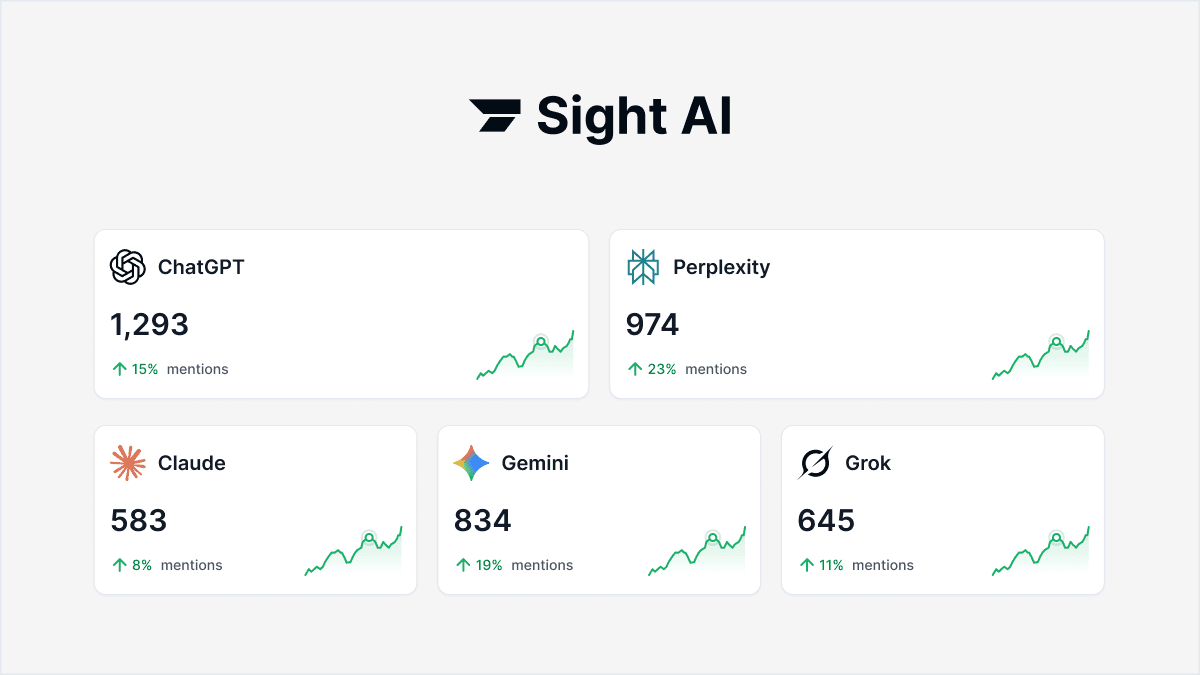
Doing this manually across 20+ prompts, multiple runs, and multiple AI platforms is time-intensive. Sight AI's AI Visibility tracking automates this process, running your prompts at scale across ChatGPT, Claude, Perplexity, and other AI platforms simultaneously, so you're not spending hours on manual data collection. For teams running ongoing monitoring, that automation is the difference between a one-time audit and a sustainable workflow.
Success indicator: A populated response log with at least two test runs per prompt, full verbatim responses preserved, and visibility status (proactive / prompted / omitted) recorded for every entry.
Step 3: Analyze Sentiment Signals in ChatGPT's Language
Here's where the real insight lives. Raw responses are just text until you apply a structured analysis framework. Break down each response into three distinct sentiment layers.
Explicit sentiment is the easiest to spot: direct praise ("Brand X is an excellent choice for...") or direct criticism ("Brand X has been criticized for..."). Most responses won't be this clear-cut, but when they are, flag them prominently.
Implicit sentiment lives in word choice and framing. This is subtler but often more revealing. ChatGPT rarely says "we don't recommend Brand X." Instead, it uses language patterns that carry the same signal. Watch for these.
Positive implicit signals include words like "reliable," "leading," "widely used," "robust," "comprehensive," and "trusted." These are endorsement signals even when no direct recommendation is made.
Negative implicit signals include "limited," "however," "some users report," "may not be suitable for," "basic," and "primarily designed for." These hedging patterns are how ChatGPT expresses reservation without stating it explicitly.
Neutral signals are generic descriptions that carry no differentiating language at all: "Brand X is a tool that helps users with Y." No positive or negative charge, just a flat description. This is often a sign that ChatGPT lacks sufficient authoritative content about your brand to form a stronger characterization.
Positional sentiment applies specifically to category and comparison responses. Position in a list carries implicit endorsement weight. Brands mentioned first, or described with superlatives like "most widely used" or "best known for," receive a different signal than brands mentioned last or introduced with "you might also consider."
Once you've analyzed each response through these three layers, score it on a simple scale: positive, neutral, or negative. Record that score in your tracking sheet alongside the prompt, the date, and the key language patterns you flagged.
Pay particular attention to comparison responses. If ChatGPT consistently positions your brand as a secondary option or uses qualifying language in comparisons, that's a direct content gap signal. It means the published content landscape around your brand is thinner or less authoritative than your competitors' in that context.
Also flag factual accuracy issues separately from sentiment. If ChatGPT describes your product incorrectly, references outdated pricing, or attributes features to your brand that don't exist, those are priority fixes. They require new authoritative content that clearly establishes the correct information.
Success indicator: A sentiment scoring sheet with every prompt response rated, at least three specific language patterns identified per brand dimension, and factual accuracy issues flagged for immediate content action.
Step 4: Build a Monitoring Cadence That Captures Sentiment Trends
A one-time audit gives you a snapshot. What you actually need is a trend line. AI model behavior shifts as training data evolves, fine-tuning cycles run, and the broader content landscape around your brand changes. The brands that win at AI visibility are the ones tracking those shifts systematically, not the ones who ran one audit six months ago.
The recommended cadence has two tiers. Run your full prompt set monthly. This gives you a complete sentiment picture across all your tracked dimensions and prompt types. Monthly is frequent enough to catch meaningful shifts without creating an unsustainable workload.
Run a "pulse check" weekly using your top five highest-priority prompts. These should be the category queries most directly tied to your conversion path, the prompts where your brand's presence or absence has the clearest business impact. A weekly pulse check lets you catch sudden drops in visibility or sentiment before a full monthly review.
Your tracking dashboard doesn't need to be complex. A well-structured spreadsheet works fine for teams just getting started. Include columns for date, prompt text, prompt type, sentiment score, key language flags, and visibility status. Over time, this table becomes your trend data. You can track whether sentiment scores are improving, stable, or declining across each brand dimension. For a more structured approach to building this kind of tracking system, the principles covered in a solid SEO performance dashboard setup translate well to AI visibility monitoring.
Set threshold alerts for two conditions. First, if your average sentiment score across category queries drops, that triggers an immediate content review. Second, if your brand stops appearing in category queries where it previously appeared, that's a visibility regression and requires prompt investigation.
For teams that want to skip the manual spreadsheet entirely, Sight AI provides an AI Visibility Score with automated prompt tracking across ChatGPT, Claude, Perplexity, and other AI platforms. The platform centralizes your trend data, surfaces sentiment shifts, and eliminates the overhead of running manual checks on a recurring schedule. Understanding how to track keyword rankings alongside your AI visibility scores gives you a more complete picture of how your brand performs across both traditional and AI-driven search.
Success indicator: A documented monitoring schedule, your first month of baseline data recorded, and a defined trigger condition that escalates to content action when sentiment or visibility thresholds are crossed.
Step 5: Map Sentiment Gaps to a Targeted Content Strategy
Sentiment analysis without a content response is just observation. The point of tracking ChatGPT brand sentiment is to identify where your content strategy needs to change, and then change it. This step is where insight becomes action.
Start by cross-referencing your sentiment analysis with your existing content inventory. For every sentiment gap you identified, ask: what content currently exists that ChatGPT could be drawing on to form this characterization? Often, gaps in AI sentiment directly reflect gaps in published authoritative content. ChatGPT can only describe your brand as well as the content ecosystem around your brand allows.
Prioritize your content creation around three gap types.
Missing authority content: These are topics where your brand should logically appear in ChatGPT's category responses, but doesn't. The content gap is absence. You need to publish authoritative, detailed content that clearly establishes your brand's relevance and expertise in that topic area.
Negative framing content: These are topics where ChatGPT uses limiting or hedging language about your brand. The content gap is depth. ChatGPT is defaulting to cautious language because it lacks strong, clear, authoritative content that establishes your brand's capabilities in that area. Detailed how-to guides, case study-style explainers, and structured comparison content tend to carry more weight than thin promotional copy.
Competitive displacement content: These are topics where a competitor is consistently favored over your brand in ChatGPT's responses. The content gap is relative authority. You need content that directly addresses the comparison context, establishes your brand's differentiated strengths, and answers the specific questions ChatGPT is responding to in that comparison framing.
For each gap, apply GEO (Generative Engine Optimization) principles when you write. GEO is the practice of structuring content so that generative AI models are more likely to reference and positively frame your brand. The core principles: write content that directly and completely answers the questions ChatGPT is responding to, use clear entity definitions (explicitly state what your brand is and does), include structured data where applicable, and maintain a consistent brand narrative across multiple published sources. A single article rarely shifts AI sentiment. A cluster of authoritative, well-structured content on a topic does.
Connect your content plan to your keyword strategy as well. Improving organic rankings and improving AI visibility are increasingly complementary goals. Content that earns strong organic signals tends to carry more weight in AI training patterns. The principles of optimizing content for SEO and optimizing for AI visibility overlap significantly, particularly around depth, structure, and topical authority. Understanding how to increase organic traffic through content strategy reinforces the same content investments that improve AI sentiment over time.
Success indicator: A prioritized content brief list with at least five articles mapped to specific sentiment gaps, each brief tied to a defined gap type (missing authority, negative framing, or competitive displacement).
Step 6: Publish, Index, and Measure the Impact on AI Visibility
Publishing the right content is necessary but not sufficient. For content to influence AI responses, it first has to be discovered and processed. That means fast, reliable indexing is a non-negotiable part of your workflow.
Every new article you publish should be submitted for indexing immediately. Don't wait for search engines to find it organically. Use IndexNow integration to notify search engines the moment content goes live. IndexNow is an open protocol that allows websites to instantly signal new or updated content to participating search engines, dramatically accelerating the discovery process. Faster indexing by search engines is a prerequisite for AI models to eventually incorporate that content into their knowledge base. If you're running into indexing delays, the common causes and fixes are well worth understanding before you scale your content output. Common website indexing issues can quietly undermine your AI visibility efforts if left unaddressed.
After publishing, submit your updated sitemap and confirm the new URLs are being crawled. Then set a reminder: wait four to six weeks before re-running your sentiment prompt tests for the topics that new content was designed to address. AI models don't update in real time. Training data has cutoffs and fine-tuning cycles vary by platform. Four to six weeks is a realistic minimum expectation for published content to begin affecting AI responses. Some shifts take longer. Patience here is part of the methodology.
When you do re-run your tests, compare post-publication sentiment scores directly against your baseline. Look for specific improvements in the language patterns you targeted. Are the hedging words gone? Is your brand appearing in category queries where it was previously omitted? Has your positional placement in comparison responses improved?
Document what's working with the same rigor you applied to documenting the gaps. If a particular content format, a detailed how-to guide versus a comparison page, for example, correlates with improved sentiment scores, that's a signal to prioritize that format in your next content cycle. Build a feedback loop between your measurement data and your content planning. This is how the system compounds over time. Tracking how to measure SEO success alongside AI visibility metrics helps you see the full picture of how your content investments are performing across both channels.
For teams looking to reduce the manual overhead of this cycle, Sight AI's Autopilot Mode handles content generation, indexing, and visibility tracking in a single workflow. You move from sentiment gap identification to published, indexed content without switching tools or managing a fragmented stack. The measurement loop closes automatically, and your trend data stays current without manual intervention.
Success indicator: Post-publication sentiment scores are recorded and compared against your baseline, specific language pattern improvements are documented, and the results directly inform your next content planning cycle.
Your Quick-Start Checklist and Next Steps
Tracking ChatGPT brand sentiment is no longer optional for marketers who take AI search seriously. The process is repeatable and methodical: define your prompt framework, run systematic tests, analyze the language signals, monitor consistently over time, map gaps to content, and measure the impact of what you publish.
The brands that win in AI-driven discovery are the ones treating AI visibility as a measurable, improvable metric rather than an opaque mystery. That shift in mindset is the first step. Everything else follows from it.
Start with a small prompt set this week. Build your baseline. Expand from there as the workflow becomes familiar. The compounding effect of consistent monitoring and targeted content creation is significant, but only if you start.
Here's your quick-start checklist to take action immediately.
✅ Build a 15 to 25 prompt library covering direct, category, and comparison intent types
✅ Run and log baseline responses across at least two test sessions per prompt
✅ Score sentiment and identify key language patterns across all three sentiment layers
✅ Set a monthly monitoring cadence with weekly pulse checks on your top five prompts
✅ Map at least five content briefs to specific sentiment gaps identified in your analysis
✅ Publish, index with IndexNow, and re-test sentiment after four to six weeks
If you want to accelerate the entire process, Sight AI combines AI visibility tracking, GEO-optimized content generation, and automatic indexing in one platform. You move from insight to published content without switching tools, and your visibility trend data stays current automatically. Start tracking your AI visibility today and see exactly where your brand appears, how it's described, and what content opportunities exist across the AI platforms shaping your customers' decisions.