Here's a question that sounds simple until you actually try to answer it: is Google Analytics free? The short answer is yes. The complete answer is considerably more complicated, and getting it wrong can cost you weeks of wasted configuration work or, worse, a false sense of confidence in data that's quietly misleading you.
For most marketers and founders, the discovery happens mid-project. You've set up GA4, connected your properties, and started building reports. Then you hit a wall: sampled data in your explorations, a retention window that cuts off before your campaign cycle ends, or a reporting need that the free tier simply wasn't designed to support. At that point, you're either looking at an enterprise upgrade conversation or patching gaps with additional tools.
This article is designed to help you get ahead of that moment. We'll walk through exactly what the free tier of Google Analytics 4 includes, where GA4 360 picks up, what GA4 cannot measure regardless of which tier you're on, and how to build a measurement stack that actually fits your needs without overpaying for capabilities you don't use.
The Short Answer: Yes, With Real Strings Attached
Google Analytics 4 is genuinely free. You need a Google account, and that's essentially the barrier to entry. There's no cost to create a property, no charge for collecting standard event data, and no usage fee for the core reporting interface. For the vast majority of websites and apps, the free tier is fully functional and more than adequate.
What the free tier covers is substantial. You get event tracking across web and app properties, audience segmentation, conversion tracking, funnel exploration, and a full suite of standard reports covering acquisition, engagement, monetization, and retention. For small-to-mid-sized businesses, this is a genuinely capable analytics foundation. Many teams run sophisticated growth programs entirely within GA4 free without ever hitting a meaningful constraint.
The hidden costs, though, are real. They're just not monetary.
Data sampling in Explorations: When you run custom exploration reports on large datasets, GA4 free applies data sampling. This means your report is calculated from a representative subset of your data rather than the full dataset. For high-traffic properties, this can introduce inaccuracies that distort trend analysis, cohort comparisons, and conversion attribution. The interface will flag when sampling is active, but many users miss or misunderstand the implication.
Data retention limits: By default, GA4 free retains user-level and event-level data for two months. You can extend this to 14 months in your property settings, and you should do this immediately if you haven't already. But 14 months is still a hard ceiling. If you're running year-over-year comparisons, building long-cycle attribution models, or doing seasonal analysis, this limit creates real analytical blind spots.
BigQuery export constraints: Unlike Universal Analytics, GA4 free does include BigQuery export, which is a meaningful improvement. However, the free tier applies daily row limits on that export. For high-volume properties, you may find your raw event data export is incomplete on peak traffic days, which undermines the reliability of any analysis built on that export.
None of these limitations make GA4 free a bad tool. They make it a tool with a defined operating range. Understanding that range is what separates teams who use GA4 effectively from teams who trust data they shouldn't.
Where the Free Tier Ends: Understanding GA4 360
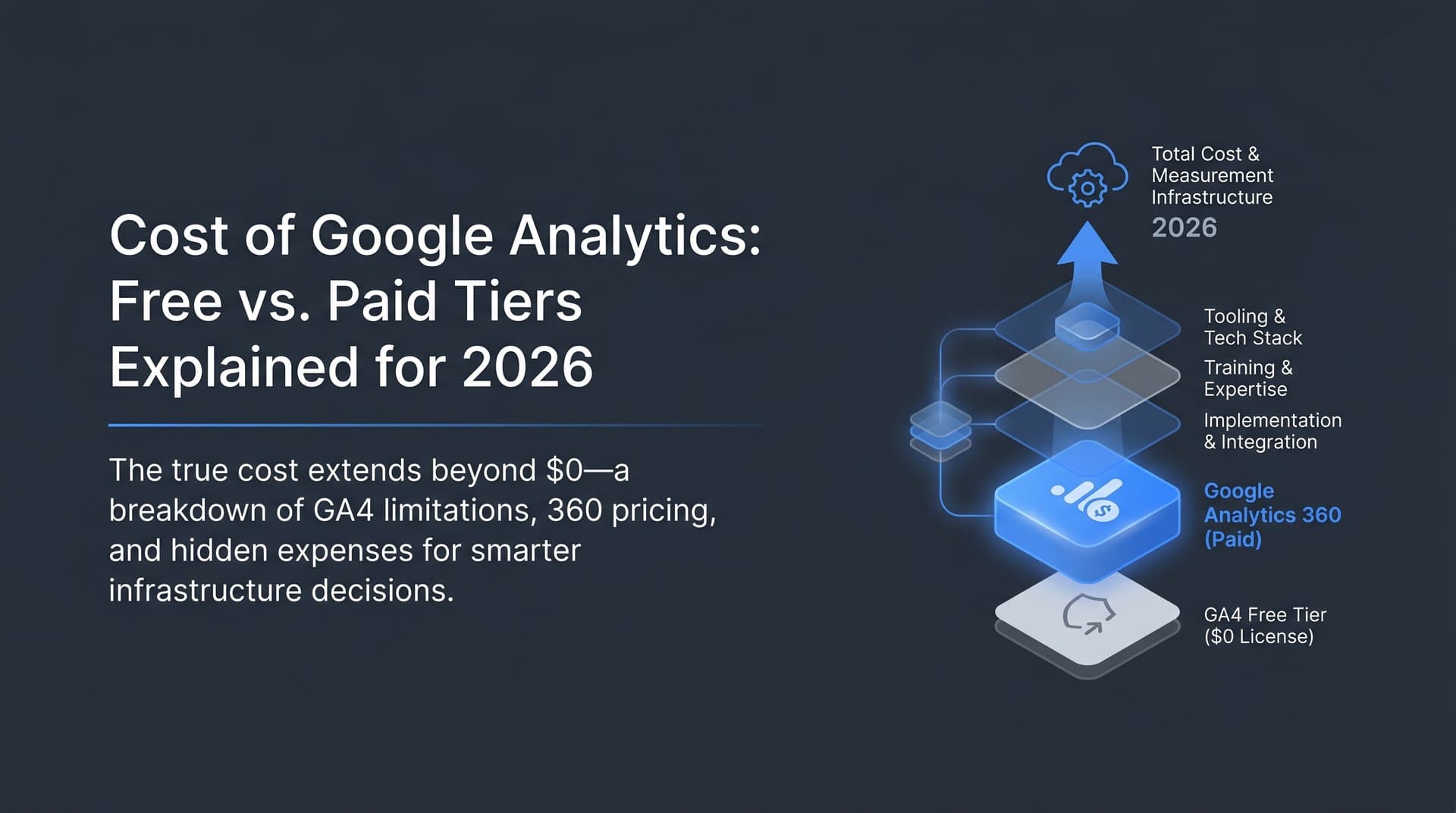
GA4 360 is Google's enterprise analytics tier, sold through Google Marketing Platform authorized resellers. Pricing is not publicly listed and is negotiated based on traffic volume and organizational requirements. If you're researching it, expect the conversation to start with a partner consultation rather than a pricing page.
The upgrade isn't for everyone, and it's not meant to be. GA4 360 is designed for organizations with genuinely high traffic volumes, complex multi-property reporting structures, or enterprise-grade SLA requirements. For most businesses, the free tier is the right tier. But understanding where 360 begins helps you recognize when you've actually outgrown the free version versus when you just need better configuration.
Unsampled reports: This is the most operationally significant upgrade. GA4 360 removes data sampling from Explorations, meaning your custom reports are calculated against the full dataset. For high-traffic properties running detailed segmentation analysis, this difference between sampled and unsampled data can be substantial. Decisions made on sampled data at scale carry real risk.
Higher event and hit limits: GA4 360 raises the thresholds for event collection significantly. Free tier limits are generous for most use cases, but large-scale e-commerce properties, media sites with high page depth, or apps with dense interaction tracking can approach these ceilings. Exceeding them means data loss, not just degraded accuracy.
Extended data retention: GA4 360 offers longer data retention beyond the 14-month free tier maximum. For organizations running multi-year attribution models or regulatory compliance requirements around data history, this matters.
Enhanced BigQuery export: The daily row limits on BigQuery export are removed in 360. If your data pipeline depends on complete raw event exports, this is the version that makes that reliable.
SLA guarantees and dedicated support: The free tier comes with no uptime guarantees and standard support channels. GA4 360 includes service level agreements and dedicated technical support, which matters for organizations where analytics downtime has direct business impact.
For agencies managing clients at scale, the 360 question often comes up mid-engagement. Hitting free-tier sampling limits during a high-traffic campaign period is a particularly bad time to discover your reporting methodology is compromised. If you're managing properties that regularly see significant traffic spikes, it's worth modeling your data volume against free-tier thresholds before you're in that situation.
What GA4 Free Actually Tracks and How to Configure It Well
GA4's shift from a session-based model to an event-based model was a fundamental architectural change, not a cosmetic update. In Universal Analytics, everything was organized around sessions. In GA4, everything is an event. This makes the tracking model considerably more flexible, but it also means the quality of your data is directly tied to the quality of your configuration.
Out of the box, GA4 automatically collects a useful set of events: page views, scrolls, outbound clicks, site search, video engagement, and file downloads. For many sites, this automatic collection covers a meaningful portion of the user journey without any additional setup. But the real value of GA4 emerges when you layer in custom conversion events that map to your specific business outcomes.
Here's how to get more from the free tier through intentional configuration:
Define conversion events that matter: GA4 allows you to mark any event as a conversion. Set up at least five to ten conversion events that represent meaningful actions: form submissions, trial signups, purchase completions, demo requests, content downloads. Generic pageview-based goals tell you very little. Conversion events tied to business outcomes tell you what's actually working.
Enable Google Signals: Google Signals enables cross-device tracking and demographic data for users who are signed into Google accounts and have ad personalization enabled. This gives you a more complete picture of user journeys that span multiple devices, which is increasingly the norm. Enable this in your data settings early, as it only applies from the point of activation forward.
Connect Google Search Console: GA4 alone does not show you keyword-level organic search data. Connecting Search Console to your GA4 property surfaces search query data, impressions, and click-through rates directly within the GA4 interface. This is one of the highest-value free integrations available and one of the most commonly overlooked.
Build Exploration reports for funnel analysis: The Explorations section of GA4 is where the real analytical depth lives. Funnel exploration, path exploration, and segment overlap reports give you views into user behavior that the standard reports don't surface. Build these around your key conversion paths and revisit them regularly, keeping in mind the sampling caveat for high-traffic properties.
The free tier, configured well, is a genuinely powerful tool. The gap isn't in the features. It's in what the tool was designed to measure.
The Measurement Gap GA4 Cannot Close
GA4 measures what happens on your website. It does not measure how your brand is being discovered, discussed, or recommended before a user ever arrives. For most of the web's history, that distinction didn't matter much. Users found brands through search, clicked a link, and the referral data showed up in your analytics. The model was reasonably complete.
That model is breaking down. AI-powered search surfaces like ChatGPT, Perplexity, Google's AI Overviews, and Claude increasingly mediate the discovery process in ways that generate no trackable referral session in GA4. When a user asks an AI model which tool to use for their analytics needs and acts on that recommendation, there is typically no click, no referral, and no session in your GA4 property to capture. The influence happened entirely outside your measurement scope.
This is not a hypothetical future problem. It is a present and growing measurement challenge that the marketing industry has been grappling with through 2025 and into 2026. Zero-click searches and AI-generated answers mean a meaningful and expanding share of brand impressions, consideration, and influence occur in spaces that traditional analytics tools were never designed to reach.
The practical implication is this: your GA4 organic traffic data may be showing you a declining or flat trend while your brand's actual influence and consideration is growing in AI-mediated channels. Or the reverse: you may be receiving positive AI mentions that are driving awareness without any corresponding GA4 signal to confirm or optimize against.
GA4 360 does not solve this problem. No tier of Google Analytics addresses it, because it is a structural limitation of the tool's design, not a feature gap that can be patched with an upgrade. GA4 measures on-site behavior. AI visibility requires a fundamentally different measurement approach: tracking brand mentions across AI models, monitoring sentiment, identifying which content is generating AI citations, and understanding how AI platforms are representing your brand to users who may never visit your site at all.
For marketers and founders serious about understanding their full brand presence, this gap requires dedicated tooling outside the GA4 ecosystem.
Connecting Analytics to a Broader Content and SEO Strategy
GA4 data is most valuable when it functions as the measurement layer of a broader content strategy, not the strategy layer itself. This distinction matters more than it might seem.
GA4 tells you what happened: which pages drove traffic, which content led to conversions, where users dropped off in your funnels. That's genuinely useful information for optimizing what exists. But it cannot tell you what content to create next, which keywords to target, or how your content is performing in AI-driven discovery channels. Treating GA4 as a strategy tool rather than a measurement tool leads teams to optimize backward-looking data rather than forward-looking opportunity.
The practical workflow looks like this: use GA4 to identify your highest-performing content by engagement and conversion rate, use Search Console to understand which queries are driving traffic and where impressions aren't converting to clicks, and use those insights to inform your content planning and keyword targeting. GA4 confirms what worked; the strategy layer determines what to build next.
Indexing speed is a practical consideration that often gets overlooked in this workflow. Content that isn't indexed quickly doesn't generate traffic, and traffic that doesn't exist can't appear in GA4. This creates a measurement blind spot for new content: you publish, but if discovery is slow, your GA4 data will underrepresent that content's potential for weeks. Tools that support IndexNow integration, an open protocol that notifies search engines of new or updated content immediately, help close this gap by accelerating the path from publication to measurability.
For agencies managing content programs at scale, this matters both for client reporting accuracy and for the feedback loop between content production and performance data. Faster indexing means faster learning, which means more responsive content strategy decisions.
Building a Measurement Stack That Fits Your Actual Needs
The most common mistake teams make with analytics is paying for capabilities they don't need while leaving genuine gaps unaddressed. GA4 360 is a significant investment, and for most businesses, it solves problems they don't have while the problems they do have sit elsewhere in the stack.
For the majority of businesses, the foundational measurement layer costs nothing. GA4 free tier combined with Google Search Console covers on-site behavior and organic search performance comprehensively. This combination handles the core questions: where is traffic coming from, what are users doing on the site, and which content drives meaningful outcomes. Getting this layer configured correctly should be the first priority before considering any paid additions.
The gaps worth addressing strategically tend to fall into three categories:
AI visibility tracking: As discussed, GA4 cannot measure brand mentions or discovery through AI platforms. If your audience is using AI models to research products, tools, or services in your category, you need dedicated tracking to understand how your brand is represented in those conversations. This is a gap that exists regardless of whether you're on the free tier or GA4 360.
SEO performance reporting: For agencies reporting to clients, or in-house teams reporting to stakeholders, raw GA4 data often needs to be structured into dashboards that communicate performance clearly. This is a workflow and presentation challenge, not a data availability challenge, and it's addressable with reporting tools rather than analytics upgrades.
Content indexing speed: If you're publishing content regularly, the time between publication and indexing affects how quickly that content appears in your performance data. Faster indexing through IndexNow-integrated tools means your measurement loop is tighter and your content decisions are based on more current data.
The principle to apply before any upgrade decision: identify the actual gap first, then match the right tool to it. Upgrading to GA4 360 to solve a problem that isn't fundamentally a data volume or sampling problem is an expensive way to avoid addressing the real issue.
Putting It All Together
Google Analytics 4 is genuinely free, and the free tier is genuinely capable. For most websites and apps, it provides everything needed to understand on-site user behavior, track conversions, and measure content performance. The real costs are operational: data sampling at scale, a 14-month retention ceiling, and BigQuery export limits that matter at high traffic volumes. GA4 360 addresses those specific constraints, but at a price point and complexity level that most businesses don't need.
The more important limitation isn't about tiers at all. GA4 was built for a web where users click links and arrive at your site. That model is increasingly incomplete in an environment where AI models mediate discovery, answer questions without sending clicks, and influence brand consideration in channels that generate no referral data whatsoever. No version of GA4 measures this, because it wasn't designed to.
Before assuming you need to upgrade or pay more, audit your current stack against your actual reporting needs. If your gaps are around data volume and sampling, GA4 360 is worth evaluating. If your gaps are around understanding how your brand appears in AI-driven search, that requires a different tool entirely.
For teams serious about understanding their full brand presence in the age of AI search, Start tracking your AI visibility today with Sight AI. Track how ChatGPT, Claude, Perplexity, and other AI platforms mention your brand, identify which content is driving AI citations, and build a content strategy that reaches audiences where traditional analytics can't follow. GA4 tells you what happened on your site. Sight AI tells you what's happening everywhere else.