If you've recently migrated to Google Analytics 4 and found yourself wondering whether there's a catch to the "free" label, you're not alone. Many marketers who lived through the Universal Analytics era approach GA4 with a healthy dose of skepticism, half-expecting a paywall to appear somewhere in the setup process.
Here's the straightforward answer: Google Analytics 4 is genuinely free for the vast majority of users. But "free" comes with a specific set of boundaries, and understanding exactly where those boundaries sit will save you from unpleasant surprises as your traffic scales or your reporting needs grow more sophisticated.
This guide breaks down exactly what you get at zero cost, where the paid tier becomes relevant, what hidden costs teams often miss, and how to stretch the free version as far as it can go. We'll also cover a growing analytics blind spot that GA4, paid or free, simply wasn't designed to address: how your brand appears inside AI-generated answers from platforms like ChatGPT, Claude, and Perplexity.
What You Actually Get for Free
GA4's free tier is remarkably capable. When Google fully replaced Universal Analytics in July 2023, it didn't just swap one free product for another. It introduced a fundamentally different data model, and for most small to mid-size businesses, the free version covers everything they need to run a serious analytics operation.
Out of the box, the free tier includes event-based tracking, real-time reporting, exploration reports (funnel analysis, path analysis, free-form exploration), audience building, and native Google Ads integration. That's a substantial toolkit. The shift from session-based tracking to event-based tracking is particularly significant: every interaction, from a page view to a video play to a form submission, is captured as an individual event, giving you a much more granular picture of user behavior than Universal Analytics provided.
That said, the free tier does have real constraints worth knowing:
Data retention: By default, GA4 stores event-level data for two months. You can extend this to 14 months in your admin settings, and you should do this immediately. Once that window closes, the data is gone. There's no way to retrieve historical event-level data beyond your configured retention period.
Data sampling in explorations: When you run exploration reports on large datasets, GA4 may sample your data rather than analyzing every event. This means your reports reflect a statistically representative subset rather than the complete picture, which can introduce inaccuracies on high-traffic properties.
BigQuery export: The free tier does include BigQuery export, but only as a daily batch export. If you need streaming exports for real-time data warehousing, that requires the paid tier.
API quotas: The free tier has limits on how many API requests you can make per day, which matters if you're pulling GA4 data into custom dashboards or third-party reporting tools at scale.
Compared to Universal Analytics, the transition to GA4 brought meaningful gains: more flexible event tracking, better cross-device reporting, and improved privacy controls. The tradeoff was a steeper learning curve and a reporting interface that felt unfamiliar to anyone who'd spent years in UA. If you're looking for best free SEO tools to complement GA4's capabilities, there are several options worth exploring alongside the platform.
GA4 Free vs. Google Analytics 360: Where the Paywall Hits
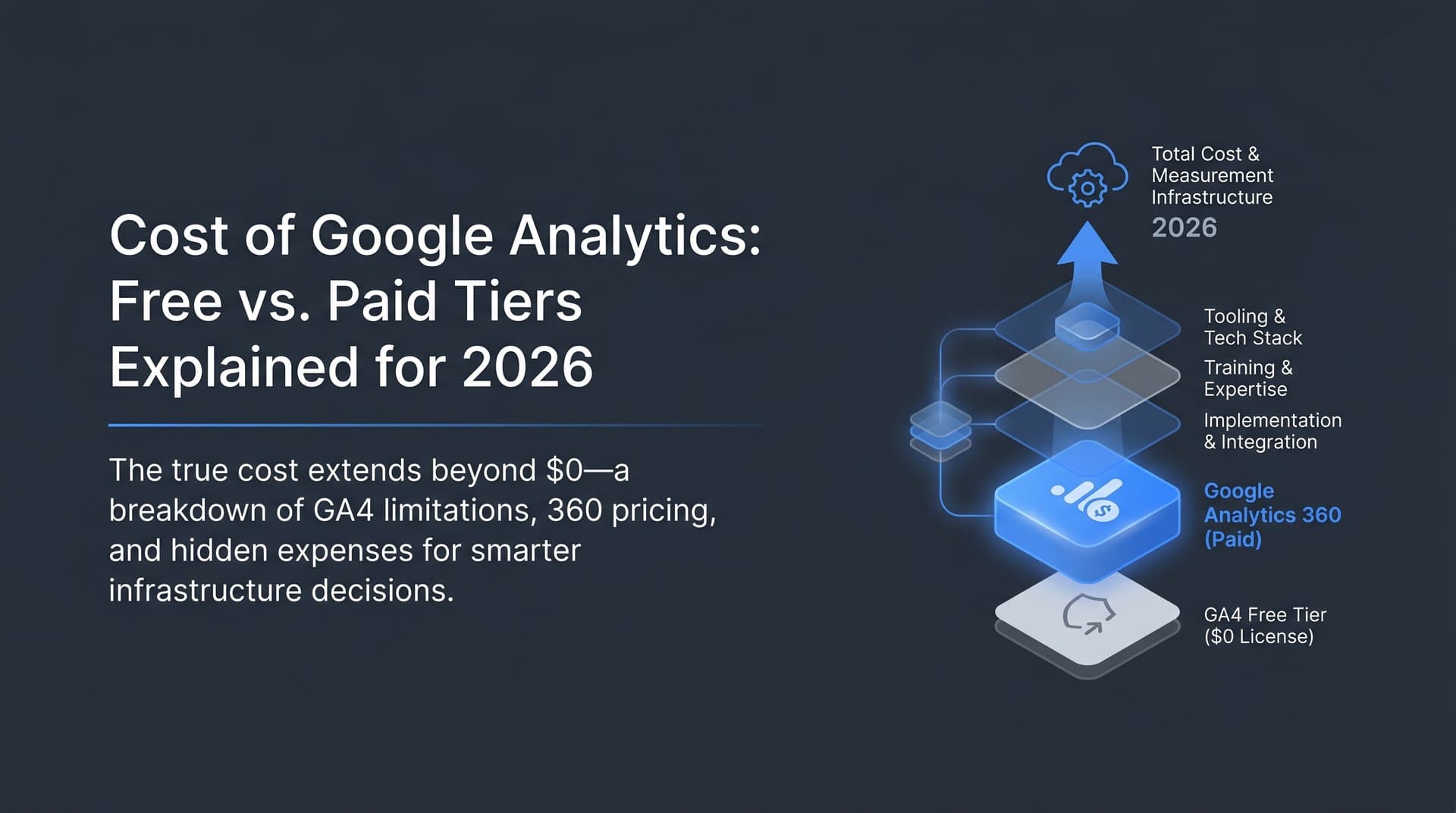
Google Analytics 360 is the enterprise tier, and it's priced accordingly. Contracts generally start around $50,000 per year, though exact pricing varies based on usage volume and agreement terms. For most marketers reading this, 360 is not in the picture, and that's perfectly fine.
Understanding what 360 unlocks helps clarify exactly where the free tier's ceiling sits:
Higher event volume thresholds: The free tier can handle significant event volumes, but once your property starts processing hundreds of millions of events per month, you'll begin running into sampling in explorations more frequently. GA4 360 supports billions of events per month with unsampled reporting.
Unsampled explorations: This is one of the most practically important 360 features. If you're running a high-traffic e-commerce site or a large media property and need precise funnel analysis without statistical approximation, unsampled reports are a meaningful upgrade.
BigQuery streaming exports: For teams that need real-time data flowing into a data warehouse, 360's streaming BigQuery export is the unlock. The free tier's daily batch export works for most use cases, but if your business decisions depend on data that's hours old rather than a day old, this matters.
Sub-properties and roll-up properties: Larger organizations with multiple brands, regions, or business units often need to aggregate data across properties while also maintaining separate views. This hierarchical structure is a 360-exclusive feature.
Advanced attribution modeling and SLA support: 360 includes data-driven attribution with higher accuracy thresholds and comes with a service level agreement for uptime and support, which enterprise teams require. Teams looking for a comprehensive SEO content platform with analytics often find that combining GA4 with specialized tools fills the gaps that even 360 leaves open.
The honest assessment: if your property processes fewer than a few hundred million events per month, you're a single-brand operation, and you don't need real-time BigQuery streaming, the free tier will handle your needs without compromise. Google Analytics 360 is built for enterprise-scale operations where data accuracy at extreme volumes and organizational complexity justify the cost. For the typical marketer, founder, or agency, the free tier is the right answer.
Hidden Costs Most Teams Overlook
The software itself is free. The full cost of running GA4 effectively is not. This is where many teams get surprised, especially those migrating from Universal Analytics where basic tracking was more plug-and-play.
Implementation complexity: GA4's event-based model is powerful, but configuring it properly typically requires Google Tag Manager expertise and custom event setup. Out-of-the-box enhanced measurement captures basic interactions automatically, but tracking the events that actually matter for your business, such as specific CTA clicks, scroll depth milestones, form completions, or dynamic content interactions, often requires custom configuration. If your team doesn't have in-house technical expertise, you're looking at developer time or a consultant, both of which carry real costs.
The learning curve: GA4's interface and reporting logic are genuinely different from Universal Analytics. Metrics that seemed straightforward in UA, like bounce rate, work differently in GA4 (it's now "engagement rate"). Building the same reports you relied on in UA often requires learning a new mental model. Teams frequently invest in paid training courses, documentation, or external consultants to get up to speed efficiently. This is a real cost even if it doesn't show up as a software subscription.
Third-party tool gaps: GA4 tells you what users did on your site. It doesn't tell you why. Many teams supplement GA4 with paid tools for heatmaps, session recordings, and user behavior analysis. Others add dedicated funnel analysis platforms, A/B testing tools, or advanced AI-powered SEO software that GA4 doesn't natively provide. These subscriptions add up, and they're often a direct result of GA4's intentional scope limitations.
None of this means GA4 is a bad deal. It means you should budget realistically for implementation and tooling, not just assume that "free analytics" means zero total cost. The software is free; the expertise to use it well is not always free.
Making the Free Tier Work Harder for SEO and Content Marketing
For marketers focused on organic growth, GA4's free tier can be a genuinely powerful ally if you configure it with intention. The default setup captures basic data, but the real value comes from customization.
Custom events and conversions for organic content: Enhanced measurement automatically tracks page views, scrolls, outbound clicks, and file downloads. But for SEO and content marketing, you want more precision. Setting up custom events to track 50% and 90% scroll depth on blog posts, CTA button clicks, newsletter sign-up completions, and content download events gives you a clear picture of which content is actually engaging organic visitors versus which pieces just get clicks and bounces. Once you've defined these events, marking the most important ones as conversions lets you tie organic traffic directly to business outcomes.
Exploration reports for content performance: GA4's landing page report, combined with the free-form exploration builder, lets you analyze which organic landing pages drive the most engaged sessions, highest conversion rates, and best retention. If you're regularly publishing content and trying to prioritize what to optimize or expand, this analysis is invaluable. Filter your exploration by "First user medium = organic" to isolate SEO-driven traffic and see exactly which pieces are carrying your organic strategy.
Search Console integration: This is the most underutilized free unlock in GA4. Connecting Google Search Console to your GA4 property surfaces keyword-level data directly inside the GA4 interface, including impressions, clicks, click-through rates, and average position. You can then cross-reference that data with on-site behavior metrics to understand not just which keywords bring people in, but what those visitors do once they arrive. If you want to check your position in Google search, this combined view is essential for measuring SEO success without reaching for a paid SEO platform.
Audience building for content remarketing: GA4's audience builder lets you create segments based on content engagement behavior, such as users who read three or more blog posts, visited specific topic clusters, or engaged with particular content types. These audiences can feed directly into Google Ads campaigns, letting you retarget high-intent organic readers without any additional tooling cost.
The Analytics Gap GA4 Wasn't Built to Fill
Here's where the conversation shifts in an important direction. GA4 is an excellent tool for understanding what happens on your website. It was not designed to measure how your brand is discovered before someone reaches your site, and in 2026, that gap is becoming harder to ignore.
AI-powered search has fundamentally changed how people find information. When someone asks ChatGPT to recommend project management tools, or asks Perplexity to compare SEO platforms, or asks Claude to suggest content marketing strategies, the answers those platforms generate directly influence brand discovery. Your website analytics will never capture these interactions. GA4 has no mechanism to tell you whether your brand was mentioned, recommended, or overlooked in an AI-generated response.
This is where GEO, or Generative Engine Optimization, becomes a critical discipline alongside traditional SEO. GEO focuses on ensuring your brand appears favorably in AI-generated answers, which requires understanding how different AI models currently represent your brand, what sentiment they associate with it, and which prompts are likely to surface your competitors instead of you. Teams investing in AI visibility analytics dashboard tools are gaining a significant edge in tracking this new discovery channel.
Traditional analytics platforms, including GA4, were designed for a world where search meant keyword queries returning blue links. That world hasn't disappeared, but it's sharing space with an entirely different discovery mechanism. Marketers who only measure what happens on their website are missing a growing portion of the brand discovery funnel.
Forward-thinking teams are addressing this by pairing GA4's web analytics with dedicated AI visibility tracking tools. The combination gives you a complete picture: what happens on your site (GA4) and how your brand is represented in the AI-generated answers that increasingly drive discovery decisions before a user ever reaches your site.
Quick-Start Checklist: Getting the Most from the Free Tier
If you're setting up GA4 or auditing an existing implementation, these are the highest-priority actions to take before anything else.
Extend data retention to 14 months: Go to Admin, then Data Settings, then Data Retention, and change the event data retention period to 14 months. Do this immediately. The default two-month window will cause you to lose historical data you'll want for year-over-year comparisons.
Enable all enhanced measurement events: In your data stream settings, turn on all enhanced measurement options: scrolls, outbound clicks, site search, video engagement, and file downloads. These are automatic and cost nothing to configure.
Set up key conversions: Identify the five to ten events that represent meaningful business outcomes, such as form submissions, purchase completions, demo requests, or content downloads, and mark them as conversions in GA4. This is what transforms raw event data into business-relevant reporting.
Link Google Search Console: In the product links section of GA4 Admin, connect your Search Console property. This unlocks the organic search traffic reports that cross-reference keyword data with on-site behavior.
Filter internal traffic: Create an internal traffic definition using your office IP addresses and add a filter to exclude that traffic from your reports. Failing to do this inflates your engagement metrics and corrupts conversion data, particularly for smaller properties where team activity represents a meaningful share of total sessions.
Configure cross-domain tracking: If your business operates across multiple domains, such as a main site and a separate checkout domain, set up cross-domain measurement to ensure user journeys aren't broken at domain boundaries. Without this, users who move between domains appear as new sessions, which distorts your funnel analysis.
Customize channel groupings: GA4's default channel groupings don't always accurately categorize organic traffic, especially for brands that use UTM parameters inconsistently. Review and customize your channel groupings to ensure organic search traffic is correctly attributed rather than falling into "Unassigned." If your website isn't showing up on Google at all, you'll want to address indexing issues before worrying about channel attribution.
Building a Complete Analytics Stack in 2026
GA4's free tier is the right foundation for the vast majority of marketers, founders, and agencies. It's a genuinely capable platform that, when properly configured, provides deep insight into how users discover and engage with your content. The real costs are in implementation expertise and the time required to learn a platform that thinks differently than what came before it.
But the most important gap isn't in GA4's features. It's in what GA4 was never designed to measure: how your brand is represented in AI-generated answers, which AI platforms mention you favorably, and which prompts surface your competitors instead. As AI search continues to reshape how people discover brands, products, and services, this blind spot grows more consequential.
The teams building durable organic growth in 2026 are pairing GA4's web analytics with tools that track AI visibility, monitor brand sentiment across AI platforms, and generate content optimized for both traditional search and generative engines. That combination, not any single tool, is what a complete growth analytics stack looks like today.
Stop guessing how AI models like ChatGPT and Claude talk about your brand. Start tracking your AI visibility today and see exactly where your brand appears across top AI platforms, which mentions are driving discovery, and how to generate SEO and GEO-optimized content that keeps your brand visible in every channel that matters.