Every time you click into Chrome's address bar, you're greeted by the same quiet prompt: "Search Google or type a URL." It's so familiar that most people never think about it. You type, you press Enter, and the internet does its thing.
But for marketers, founders, and SEO professionals, that little bar is anything but trivial. Chrome's Omnibox is the primary gateway to the web for the majority of internet users, and understanding how it works reveals something genuinely important about how traffic flows, how brand awareness translates into visits, and how Google captures intent before a search results page even loads.
This article breaks down the mechanics of the Omnibox, explains the difference between direct URL traffic and Google search traffic, and shows you why optimizing for both channels is essential in a search landscape that now extends beyond traditional SERPs into AI-powered answer engines. Whether you're auditing your site's technical health or building a content strategy that drives brand recognition, the address bar is a better starting point than most people realize.
Inside Chrome's Omnibox: More Than Just an Address Bar
When Chrome launched in 2008, one of its defining design decisions was merging the traditional address bar and the search box into a single input field. Google called it the Omnibox, and the concept was simple: users shouldn't have to think about whether they're navigating to a site or searching for something. Just type, and Chrome figures out the rest.
That "figuring out" is more sophisticated than it appears. When you enter text into the Omnibox, Chrome runs a pattern-matching process to determine how to route your input. It looks for signals that indicate a URL: the presence of a protocol like https://, a recognized top-level domain like .com, .org, or .io, or the absence of spaces. If those signals are present, Chrome treats the input as a direct navigation request and takes you to the site.
If the input contains spaces, question marks, or general language without a recognizable domain pattern, Chrome assumes it's a search query and routes it to the user's default search engine. For the vast majority of Chrome users, that default is Google. The query gets submitted, a SERP loads, and the user proceeds from there.
What makes this especially interesting for SEO is the autocomplete layer sitting on top of all of this. Before you finish typing, the Omnibox surfaces suggestions drawn from your browsing history, saved bookmarks, and Google's own suggestion algorithms. These suggestions can include specific URLs, popular search queries, or a mix of both.
This means that for well-known brands with strong search presence and consistent direct traffic patterns, the Omnibox becomes a shortcut. Users begin typing a brand name, see the full URL appear as a suggestion, and click through before a SERP ever loads. That's a captured click at the earliest possible stage of the funnel, and it happens entirely because the brand has built enough recognition and traffic history to influence autocomplete behavior.
For lesser-known brands or sites with inconsistent traffic, the opposite dynamic plays out. Users type a partial brand name, see only generic search suggestions, and end up on a SERP where competitors may appear alongside your listing. If your website isn't showing up on Google prominently, those users may click through to a competitor before they ever consider searching more broadly.
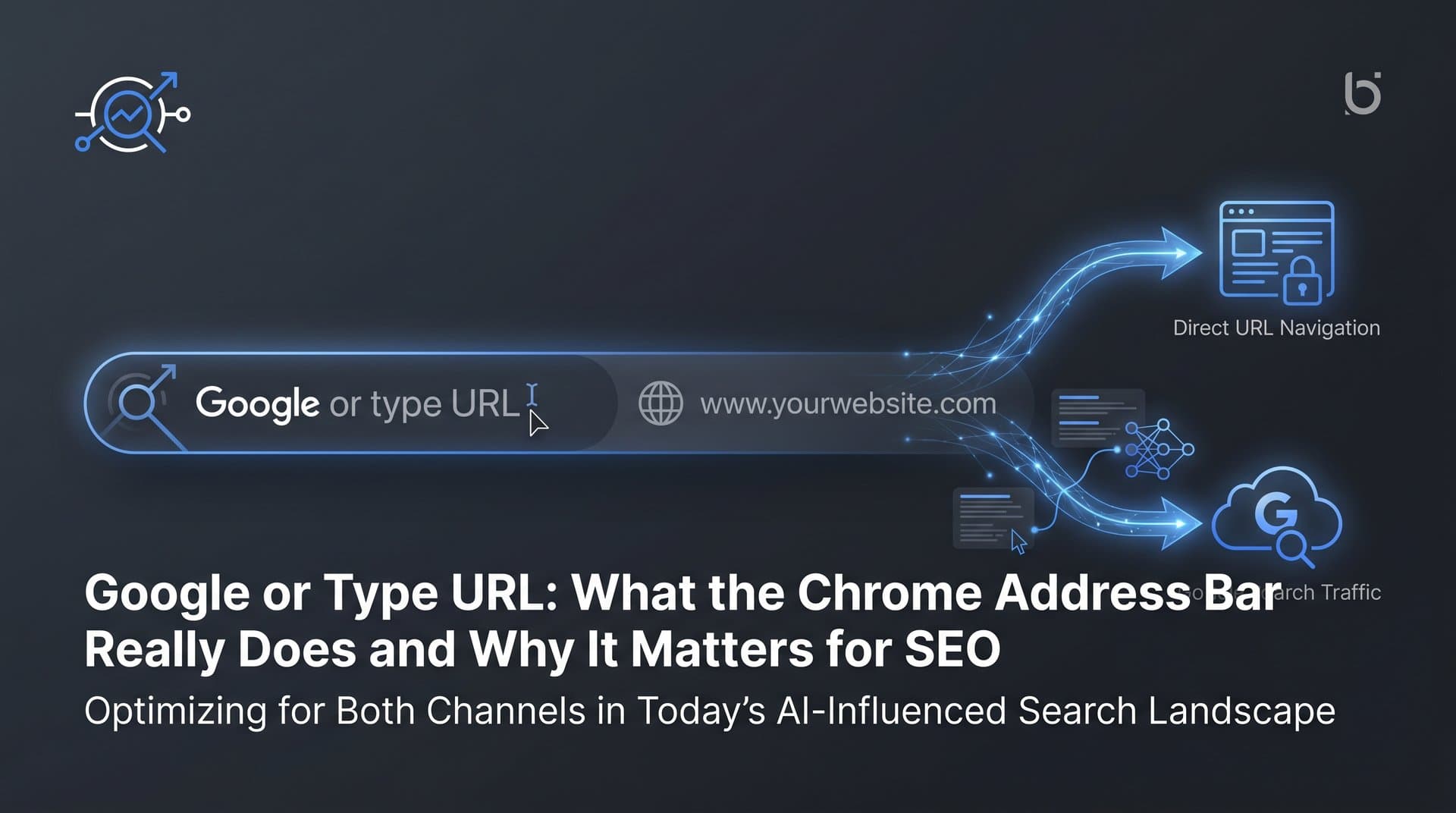
Understanding this dual nature, part address bar and part search interface, is the foundation for everything else in this article. The "Search Google or type a URL" prompt isn't just a design choice. It's a description of two distinct traffic channels, each with its own implications for how your brand gets found.
Direct URL Traffic vs. Google Search: What Drives Each Behavior
When someone types your exact URL into the Omnibox and presses Enter, that visit shows up in your analytics as direct traffic. It signals something valuable: the user already knows you exist. They're not discovering you through a search; they're returning to you, or they've been referred to you by name through word of mouth, email, or offline channels.
This is navigational intent in its purest form. The user has a destination in mind and is using the address bar as a shortcut to get there. From an SEO perspective, consistent direct traffic is a positive signal. It suggests brand authority, user loyalty, and the kind of engagement patterns that tend to correlate with stronger overall site performance.
Search queries entered into the Omnibox represent a different behavior entirely. Here, the user has a question, a need, or a topic in mind, but no specific destination. They're relying on Google to surface the best answer, which means your content is competing for visibility on a SERP. This is informational or transactional intent, and it's the territory where traditional SEO strategies, keyword optimization, content quality, backlinks, and technical health, do their work.
The connection between these two behaviors matters more than many marketers recognize. A brand that invests heavily in content marketing and SEO builds search visibility, which in turn builds brand awareness. Understanding organic traffic in Google Analytics helps you see how users who first discovered the brand through a Google search may begin typing the URL directly, converting organic search traffic into direct traffic. The two channels reinforce each other.
There's also a practical data implication. The search queries users enter via the Omnibox generate impressions and clicks that appear in Google Search Console. If your brand name is showing up as a search query, that tells you something about how users are finding you and whether your brand recognition is strong enough to drive navigational intent. You can check your position in Google search to understand whether your brand-name SEO is capturing this navigational intent effectively.
The key takeaway here is that direct traffic and organic search traffic aren't entirely separate categories. They exist on a continuum of brand familiarity, and the Omnibox sits at the intersection of both. Building a strategy that strengthens both channels simultaneously is more efficient than treating them as isolated concerns.
How the Omnibox Shapes Organic Search and Click-Through Rates
Here's something worth sitting with: a user can click on your brand from the Omnibox and never see a SERP. If your URL appears as an autocomplete suggestion, the click happens before Google even renders search results. That's a meaningful advantage, and it's one that compounds over time as your brand accumulates direct traffic history and search presence.
But autocomplete works in both directions. If a competitor's brand or content consistently appears in Omnibox suggestions for queries related to your category, those users may click through to a competitor before they ever consider searching more broadly. Autocomplete isn't neutral; it reflects the search ecosystem's current hierarchy, and brands with stronger presence get rewarded with earlier visibility.
The default search engine dynamic amplifies this further. Chrome ships with Google as the default, and the overwhelming majority of users never change this setting. This means that every search query entered into the Omnibox flows directly into Google's ranking and advertising systems. Your organic rankings, featured snippets, and ad placements all become relevant the moment a user decides to search rather than type a URL.
This is where zero-click results enter the picture. Google's featured snippets, knowledge panels, and "People Also Ask" boxes are designed to answer queries directly on the SERP, without requiring a click to any website. The growing trend of AI replacing Google search traffic means that for informational queries, organic click-through rates can be suppressed even when your content ranks well.
The strategic response to zero-click results isn't to abandon informational content. It's to structure your content in ways that earn featured snippet placements, which at least associates your brand with the answer, and to focus on queries where users need more depth than a snippet can provide. Transactional and navigational queries tend to generate more clicks than purely informational ones, so a balanced content strategy accounts for all three intent types.
There's also the broader implication for CTR benchmarks. As zero-click results become more common and AI-generated answers increasingly appear in search results, the relationship between ranking position and click volume is shifting. A page that ranks in position one for a query answered by a featured snippet may receive fewer clicks than a page ranking in position three for a query that requires a full visit. Understanding Omnibox behavior helps contextualize why CTR data looks the way it does in Search Console.
Common Omnibox Errors and How They Affect Your Site's Visibility
Not every Omnibox interaction goes as planned. Users misspell brand names, misremember domain extensions, or type partial URLs that Chrome can't resolve as direct navigation. In each of these cases, Chrome defaults to a Google search, which means your brand's search presence becomes critical even for users who intended to visit you directly.
Think about what this means in practice. A user who wants to visit your site but types a misspelled version of your domain name ends up on a SERP. If your brand-name SEO is strong, your site should appear prominently in those results and the user finds you anyway. If your brand-name SEO is weak, or if a competitor is bidding on your brand terms, that intended direct visit may never materialize. Navigational intent doesn't guarantee a direct visit; it just means the user wants to find you.
HTTPS handling introduces another layer of friction. Chrome actively flags non-secure sites with "Not Secure" warnings when users navigate to HTTP URLs. For users who type a URL directly into the Omnibox, encountering this warning can erode trust immediately, increasing the likelihood that they'll leave before the page fully loads. Proper SSL configuration isn't just a technical checkbox; it's a trust signal that affects behavior at the very first moment of a direct visit.
Redirect chains and broken URLs create similar problems. If your site has changed domains, restructured URLs, or accumulated redirect chains over time, users who type old URLs may experience slow load times, unexpected destinations, or error pages. Each of these outcomes can turn a would-be direct visitor into a search user, or worse, into someone who simply gives up.
From a technical SEO standpoint, the remedies are straightforward: audit your redirect chains and consolidate them to single-hop redirects, ensure your SSL certificate is properly configured and renewed, fix broken URLs and implement clean 301 redirects where pages have moved, and monitor your brand name in Google Search Console to catch any unexpected drops in branded search performance. If you're dealing with content indexing problems on Google, these technical issues may be compounding the problem.
Optimizing Your Brand for Omnibox Visibility and AI Search
Building the kind of brand recognition that drives direct URL traffic starts with the basics: a memorable domain name, consistent visual and verbal branding across every channel, and content marketing that keeps your brand top-of-mind for your target audience. Users type URLs directly when they remember you, and they remember you when your brand has been consistently present and useful across their online experience.
A memorable domain is more important than many founders give it credit for. Short, pronounceable, easy-to-spell domains reduce the likelihood of Omnibox errors and make it easier for users to type your URL with confidence. If your domain is long, hyphenated, or uses an uncommon extension, you're creating friction at the very first step of a direct visit.
On the technical side, ensuring your site is properly indexed and crawlable is foundational to Omnibox search visibility. When users search for your brand or related queries via the Omnibox, Google needs to have your pages indexed and understood to surface them accurately. Clean XML sitemaps, fast crawl times, and proper canonical tags all contribute to the kind of indexing health that supports strong search visibility. Learning how to index your website on Google properly is a critical first step, and tools that integrate IndexNow and automate sitemap updates can accelerate how quickly new content gets discovered.
Now here's where the landscape gets genuinely more complex. The Omnibox has historically routed queries to Google, but users are increasingly turning to AI-powered answer engines like ChatGPT, Perplexity, and Claude to get answers to the same questions they might previously have searched for on Google. Some of these AI tools are now integrated directly into browsers, and Perplexity has even positioned itself as an alternative default search engine for certain users.
This creates a new visibility layer that traditional SEO doesn't fully address. If an AI model answers a query about your product category but doesn't mention your brand, you've lost a potential touchpoint entirely. The user never reaches a SERP, never sees your listing, and never types your URL. They get an answer from an AI, and if your brand isn't part of that answer, you're invisible at that moment.
Tracking how AI models talk about your brand, which queries surface your name, which competitors get mentioned instead, and what sentiment surrounds those mentions, is becoming a strategic necessity. Leveraging AI-powered search engine optimization tools gives you the visibility to understand where you stand in this new layer of the search ecosystem and what content gaps need to be addressed. Creating SEO and GEO-optimized content that's structured to be cited by AI models is the natural extension of the content strategy work that drives traditional organic traffic.
From the Address Bar to Your Growth Strategy
The "Search Google or type a URL" prompt represents something more than a browser design choice. It's a description of two distinct paths users take to find content on the web, and both paths run through your brand's visibility, technical health, and content strategy.
Direct URL traffic is built through brand recognition, memorable domains, consistent content marketing, and the kind of trust that keeps users coming back. Organic search traffic through the Omnibox is built through strong indexing, keyword-aligned content, and technical SEO that ensures your pages surface for the queries your audience is asking. These two channels aren't in competition; they're complementary, and the brands that grow fastest tend to invest in both simultaneously.
As a practical starting point, audit your site's indexing health to ensure your pages are being discovered and crawled efficiently. Monitor how your brand appears in Google Search Console's branded query data to understand whether your search presence is strong enough to capture navigational intent when users misspell or partially type your URL. And fix any redirect chains, SSL issues, or broken URLs that might be turning direct visitors into search users.
Beyond traditional search, begin tracking how your brand appears across AI platforms. The queries users once typed into the Omnibox are increasingly being answered by AI models before a browser is ever involved. If your brand isn't visible in those answers, you're missing a growing share of the discovery funnel.
Start tracking your AI visibility today and see exactly where your brand appears across top AI platforms. Stop guessing how AI models like ChatGPT and Claude talk about your brand. Get visibility into every mention, uncover content opportunities, and automate your path to organic traffic growth. The address bar may be where users start, but your growth strategy needs to extend well beyond it.