Content teams are drowning in repetitive tasks—scheduling posts, coordinating approvals, reformatting assets, and chasing stakeholders for feedback. Content workflow automation software eliminates these bottlenecks by connecting your content operations into streamlined, trigger-based processes.
Whether you're a solo marketer publishing across multiple channels or an agency managing dozens of client campaigns, the right automation platform can reclaim hours of manual work each week.
This guide compares top content workflow automation tools, evaluating their strengths for different team sizes, content types, and integration needs. We've prioritized platforms that handle end-to-end content workflows—from ideation and creation through publishing and performance tracking.
1. Sight AI
Best for: Teams wanting AI-powered content creation combined with automated publishing and search visibility tracking
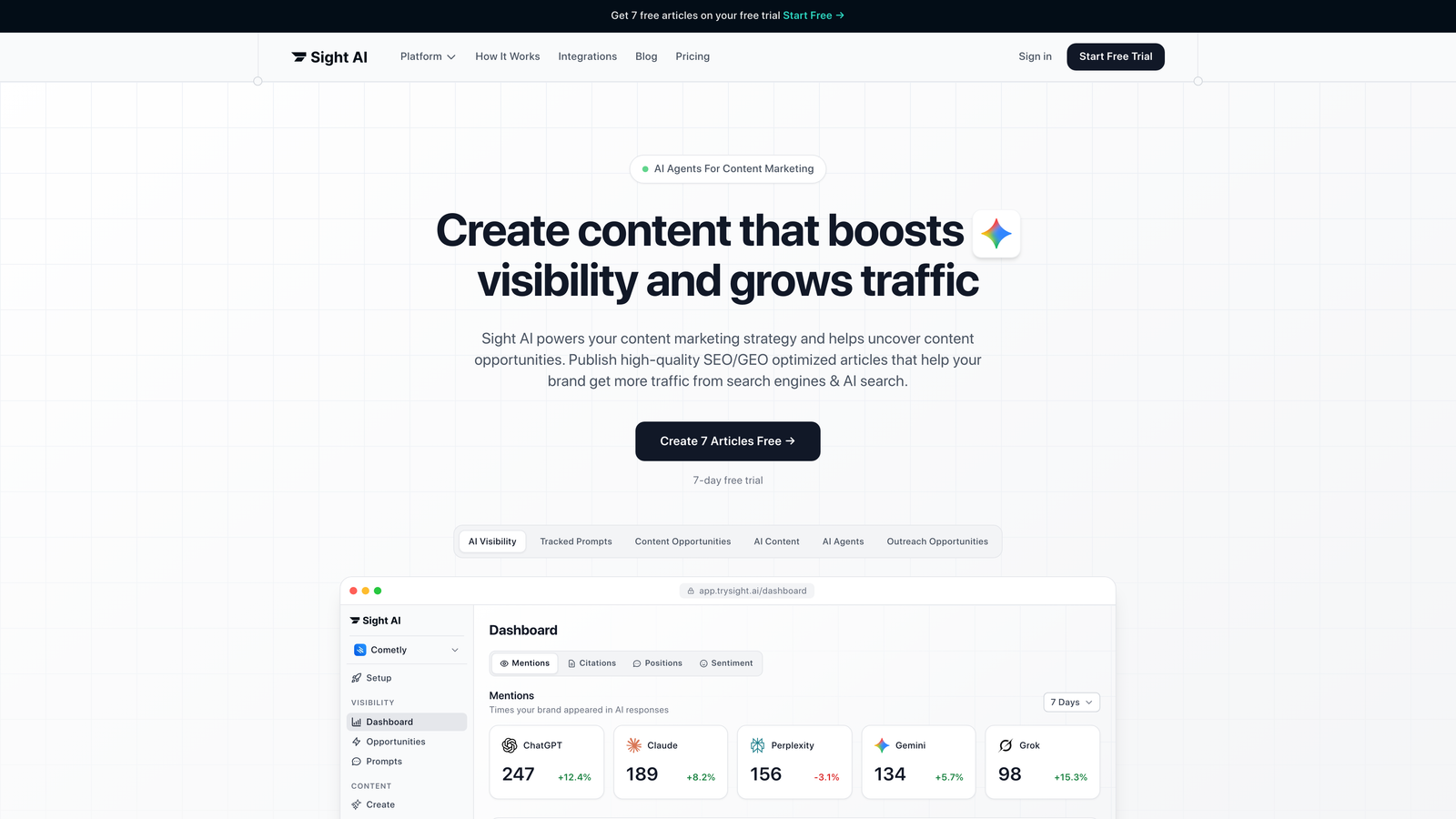
Sight AI is an AI-powered content platform that handles the entire workflow from content generation to publication and indexing.
Where This Tool Shines
Sight AI tackles the creation bottleneck that most workflow tools ignore. Instead of just coordinating who does what, it generates SEO and GEO-optimized content through 13+ specialized AI agents, then automates the publishing process.
The platform's Autopilot Mode removes manual intervention from content production entirely. It monitors your AI visibility across ChatGPT, Claude, and Perplexity, identifies content opportunities, generates articles optimized for both traditional search and AI platforms, and publishes directly to your CMS with immediate indexing through IndexNow integration.
Key Features
13+ Specialized AI Agents: Different agents handle listicles, guides, explainers, and other content types with format-specific optimization.
Autopilot Mode: Hands-off content generation that runs continuously based on your parameters and content calendar.
CMS Auto-Publishing: Direct publishing to WordPress and other platforms eliminates manual copy-paste workflows.
IndexNow Integration: Immediate search engine discovery accelerates organic traffic impact versus waiting for standard crawl cycles.
AI Visibility Tracking: Monitor how ChatGPT, Claude, Perplexity, and other AI models mention your brand across different prompts.
Best For
Marketing teams and agencies focused on scaling organic traffic through AI-optimized content. Particularly valuable if you're managing multiple content properties or need to demonstrate AI visibility alongside traditional SEO metrics.
Pricing
See the pricing page for current plans tailored to different team sizes and content volumes.
2. Monday.com
Best for: Visual teams needing flexible automation with extensive third-party integrations
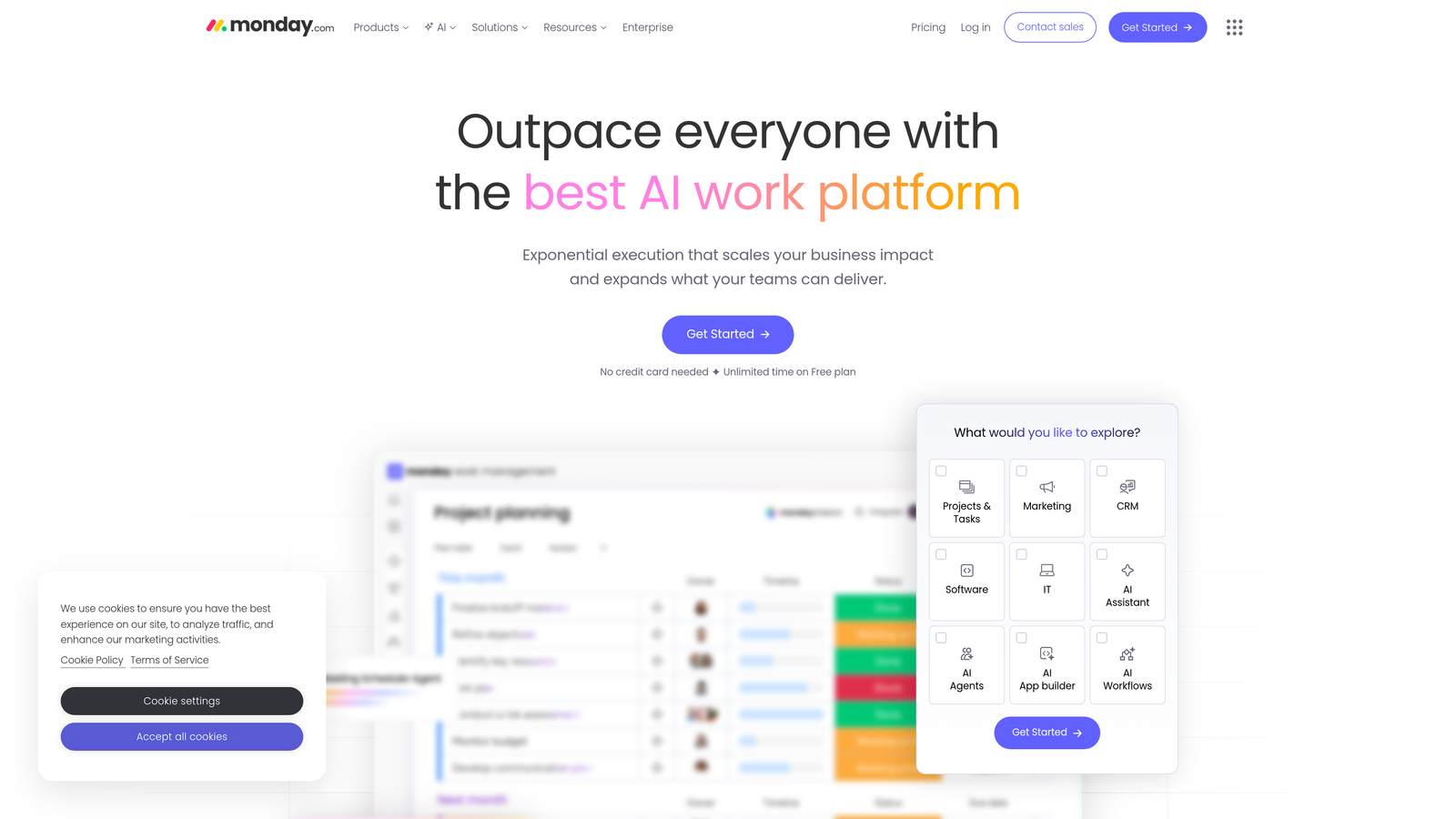
Monday.com is a visual work operating system with customizable content workflows and automation capabilities.
Where This Tool Shines
Monday.com's visual interface makes complex workflows immediately understandable. Color-coded boards show content status at a glance, and drag-and-drop functionality feels intuitive even for team members who aren't technically inclined.
The platform's automation recipes let you create sophisticated trigger-action sequences without writing code. When a content piece moves to "Ready for Review," Monday.com can automatically notify stakeholders, set due dates, and create follow-up tasks based on approval outcomes.
Key Features
Automation Recipes: Pre-built and custom automation templates with triggers based on status changes, dates, or custom conditions.
Content Calendar Views: Multiple visualization options including timeline, calendar, and kanban views with drag-and-drop scheduling.
Workdocs: Collaborative content creation directly within the platform eliminates context switching to Google Docs.
200+ Native Integrations: Connect to marketing tools like HubSpot, Mailchimp, and social media platforms without middleware.
Custom Dashboards: Build visual reports combining data from multiple boards to track content performance metrics.
Best For
Marketing teams that value visual workflow management and need flexibility to adapt processes as content operations evolve. Works particularly well for teams coordinating across multiple departments.
Pricing
Free tier available for individuals and small teams. Paid plans start at $9 per seat per month with volume discounts.
3. Notion
Best for: Teams wanting all-in-one workspace combining documentation, databases, and flexible content workflows
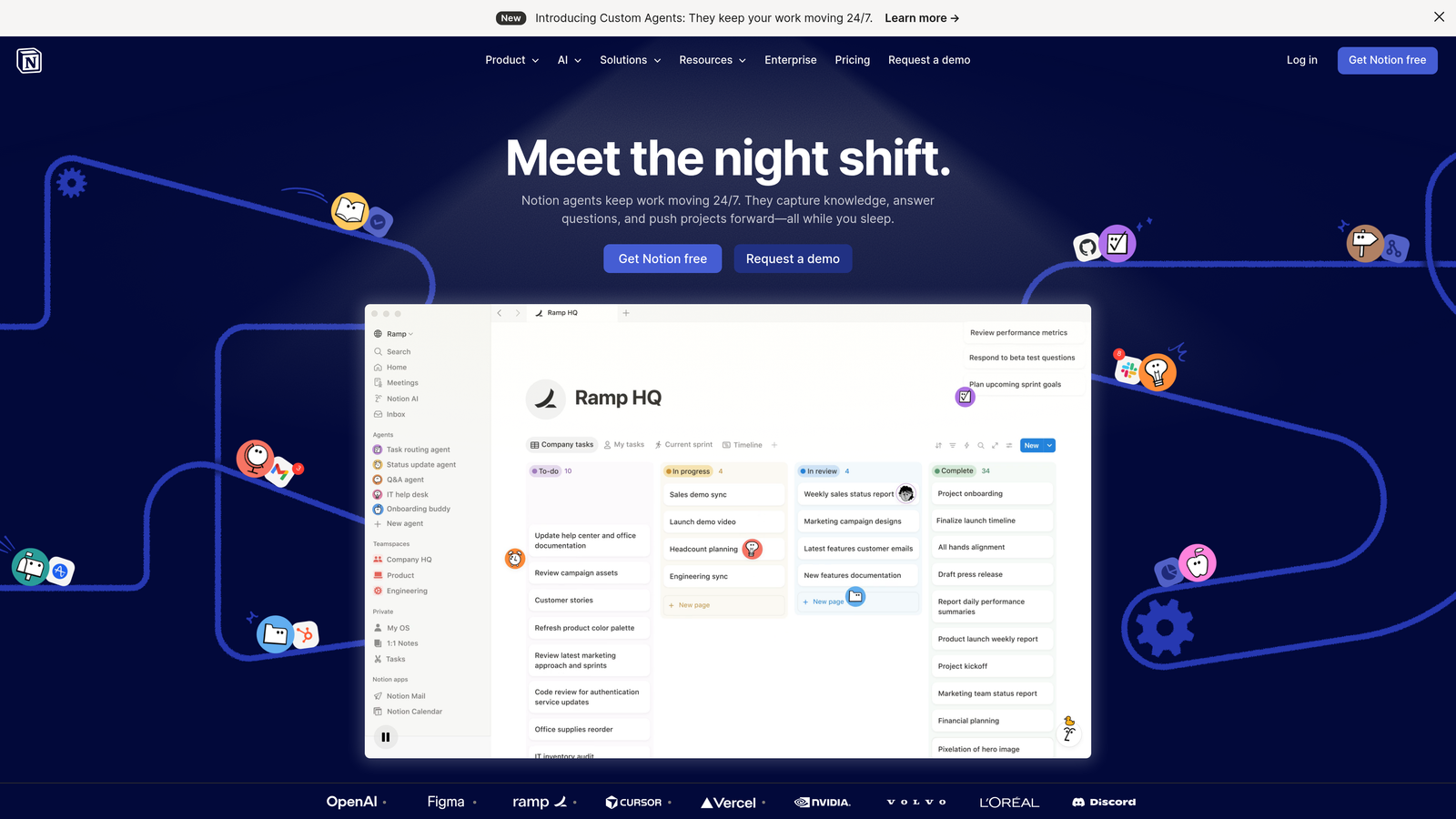
Notion is an all-in-one workspace that combines documentation, databases, and project management for flexible content workflows.
Where This Tool Shines
Notion's database-driven approach gives you unprecedented flexibility in how you structure content workflows. Unlike rigid project management tools, you can create exactly the properties, views, and relationships your team needs.
The platform excels at connecting content strategy to execution. Your content calendar can link to brand guidelines, competitor research, keyword databases, and performance analytics—all living in the same workspace where writers draft and editors review.
Key Features
Database-Driven Calendars: Create content calendars with custom properties like target keyword, content stage, assigned writer, and publication channel.
Templates for Repeatable Processes: Build templates for content briefs, article structures, and approval checklists that maintain consistency.
API Access: Connect to automation platforms like Zapier or Make to trigger actions based on database changes.
Notion AI: Built-in AI assistant helps with content drafting, summarization, and brainstorming directly in your workspace.
Relational Databases: Link content pieces to campaigns, keywords, or performance data for comprehensive content intelligence.
Best For
Content teams that value flexibility and want a single source of truth combining strategy documentation, workflow management, and content creation. Ideal if your team already uses Notion for knowledge management.
Pricing
Free for individuals. Team plans start at $10 per member per month with unlimited collaborative workspace.
4. CoSchedule
Best for: Marketing teams focused specifically on content and social media coordination
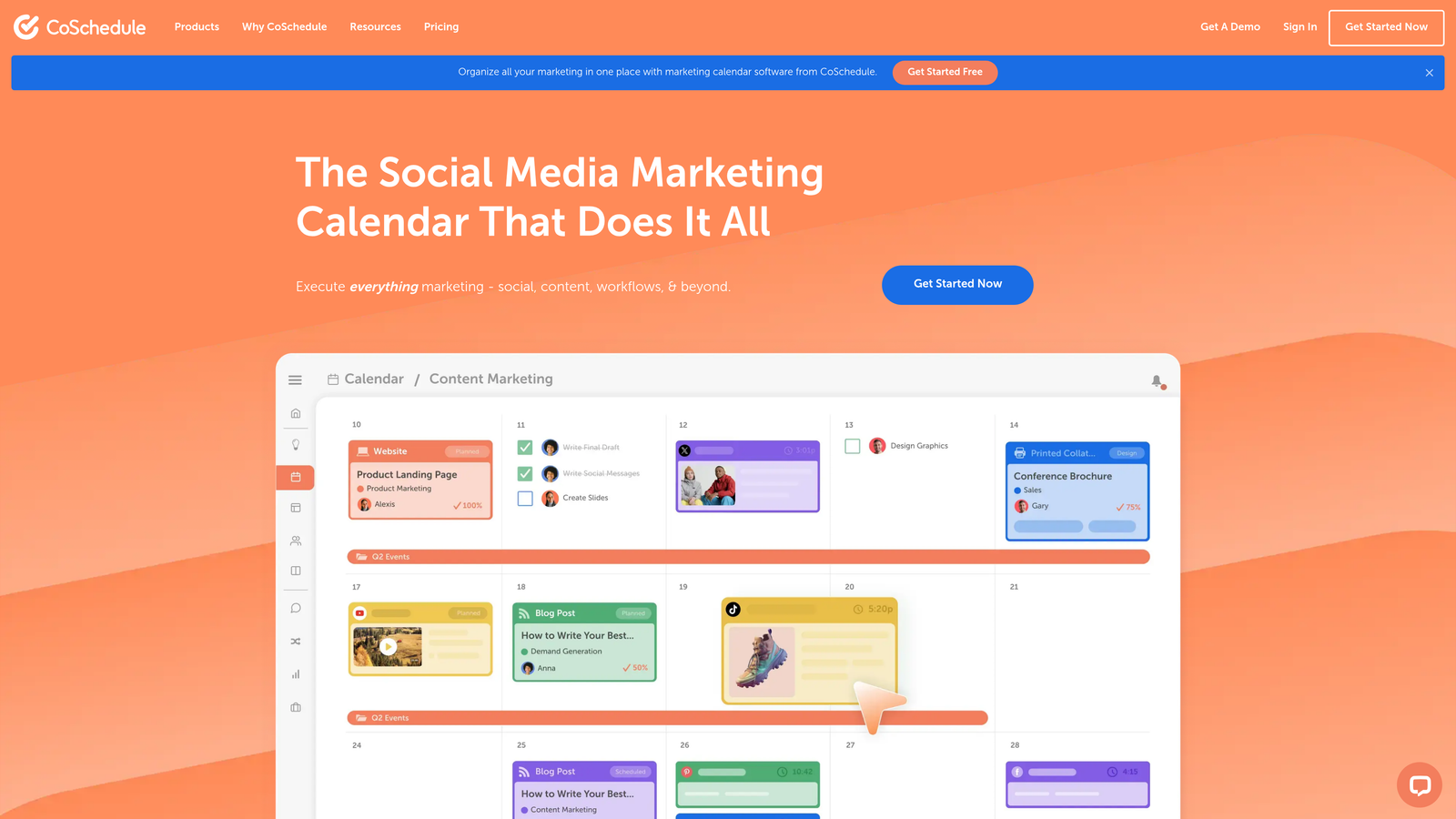
CoSchedule is a marketing-focused workflow platform built specifically for content and social media teams.
Where This Tool Shines
CoSchedule was designed for marketers from day one, which shows in its purpose-built features. The Marketing Calendar provides cross-channel visibility that generic project management tools struggle to match—see blog posts, social campaigns, email sends, and events in one unified timeline.
ReQueue stands out as a genuinely useful automation feature. It automatically reshares your best-performing social content when your queue runs empty, keeping channels active without manual intervention. Many teams find this single feature justifies the platform cost.
Key Features
Marketing Calendar: Unified view of all content and campaigns across channels with color-coding by content type or campaign.
ReQueue: Automated social media resharing based on performance metrics keeps evergreen content circulating.
Headline Analyzer: Score headlines for engagement potential before publishing to optimize click-through rates.
Task Templates: Create repeatable workflows for content types like blog posts, social campaigns, or product launches.
Social Publishing: Schedule and publish to major social platforms directly from the calendar interface.
Best For
Marketing teams managing both long-form content and active social media presence. Particularly valuable if social media automation and content calendar visualization are top priorities.
Pricing
Marketing Calendar available free. Marketing Suite plans start at $29 per user per month with advanced automation features.
5. Airtable
Best for: Teams needing custom content workflow solutions with powerful automation and database capabilities
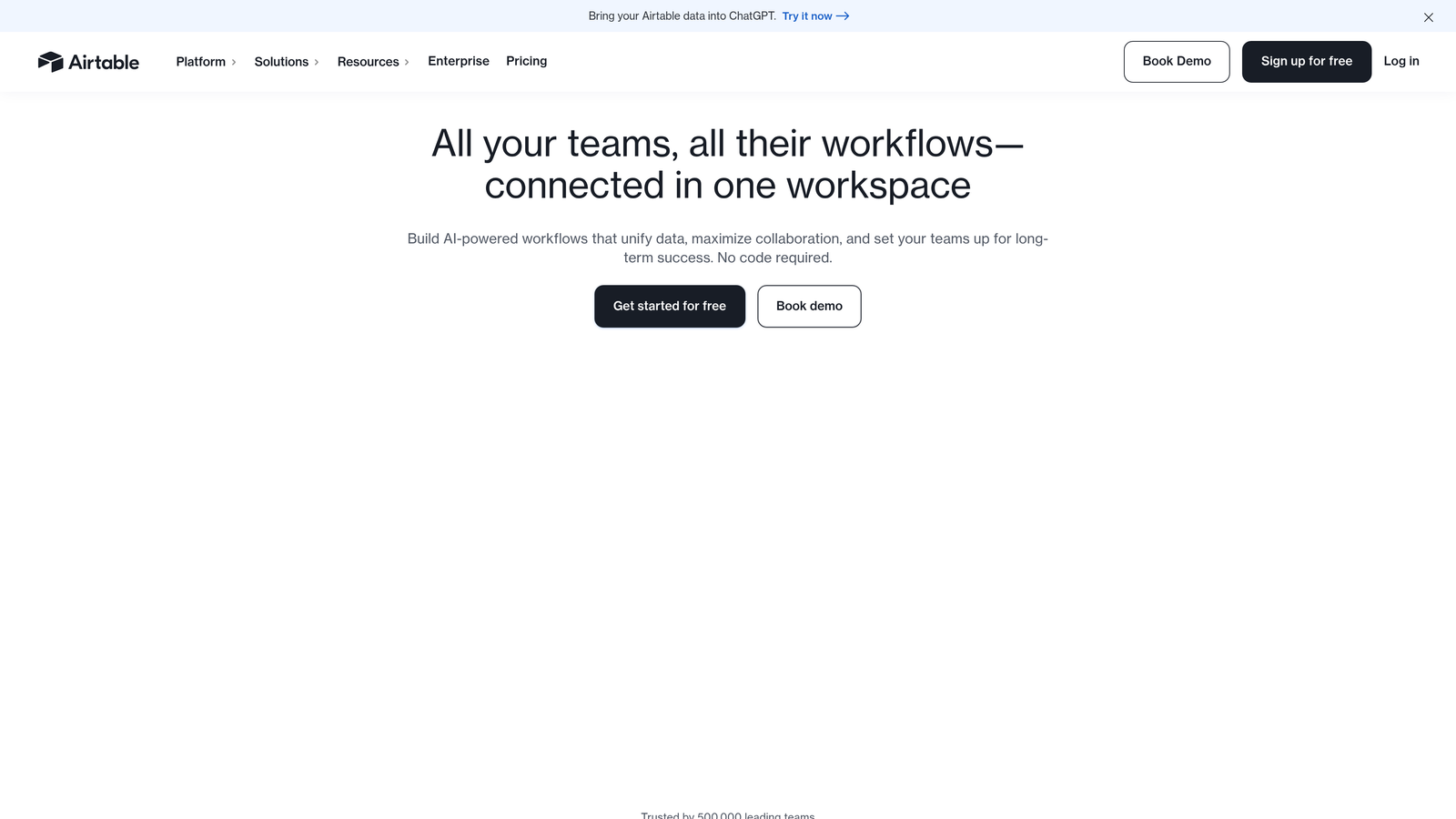
Airtable is a flexible database platform with automation features for custom content workflow solutions.
Where This Tool Shines
Airtable gives you database power with spreadsheet simplicity. You can build sophisticated content operations systems that would typically require custom development—editorial calendars linked to writer databases, content performance tracking tied to keyword research, or multi-brand publishing workflows.
The Interface Designer lets you create custom dashboards for different stakeholders. Writers see their assigned content and deadlines. Editors get approval queues. Leadership views performance metrics. All powered by the same underlying data.
Key Features
Automations: Trigger actions based on record changes, schedules, or form submissions with multi-step sequences and conditional logic.
Interface Designer: Build custom dashboards and workflows without coding for role-specific views of content operations.
Extensions Marketplace: Add functionality like chart visualization, page designer, or Gantt timelines through pre-built extensions.
Sync Capabilities: Keep content data synchronized across multiple bases for complex multi-team workflows.
Rich Field Types: Track everything from attachments and links to collaborators and checkboxes in a single content record.
Best For
Teams with specific workflow requirements that off-the-shelf solutions don't address. Works well if you have someone technical who can design the initial structure, then train the broader team.
Pricing
Free tier available with unlimited bases. Team plans start at $20 per seat per month with increased automation runs and attachment storage.
6. Asana
Best for: Enterprise teams needing sophisticated approval workflows and capacity planning
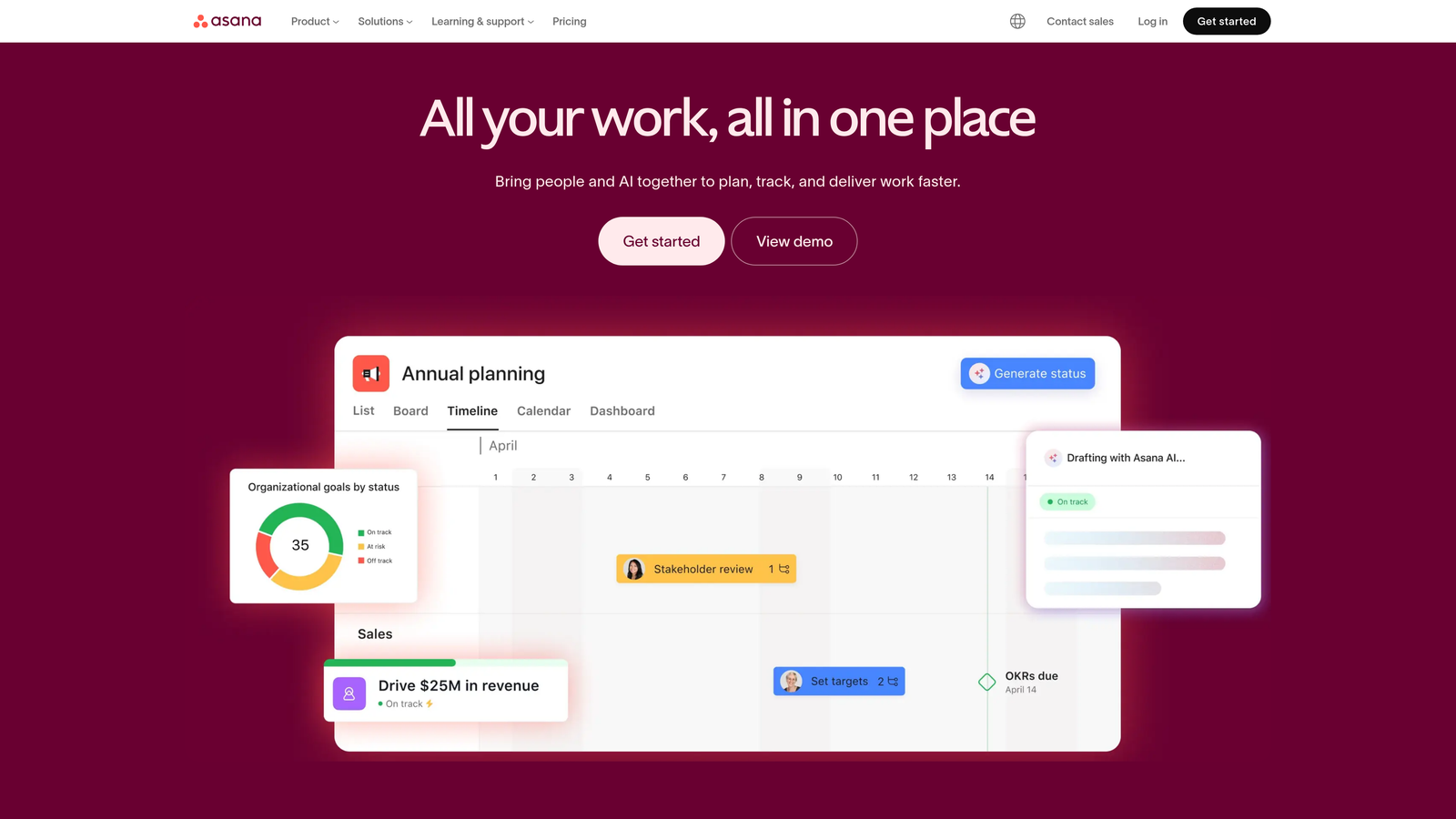
Asana is an enterprise-grade project management platform with a sophisticated rules engine for complex content approval workflows.
Where This Tool Shines
Asana's rules engine handles multi-stage approval processes that would overwhelm simpler tools. When a writer marks content complete, Asana can automatically route it to the appropriate editor based on content type, add the legal team for compliance review on certain topics, and notify stakeholders at each approval stage.
The workload management features prevent team burnout by visualizing capacity across your content team. You can see who's overallocated before assigning new content pieces, helping distribute work more evenly.
Key Features
Rules Engine: Create automated task routing, status updates, and notifications based on triggers and conditions without coding.
Forms: Standardize content requests from other departments with custom intake forms that automatically create properly structured tasks.
Workload Management: Visualize team capacity and identify overallocation before it becomes a problem.
Goals Tracking: Connect content initiatives to company objectives with measurable key results and progress tracking.
Timeline View: Gantt-style visualization shows content dependencies and helps identify scheduling conflicts.
Best For
Larger content teams with complex approval requirements and multiple stakeholders. Particularly valuable for organizations where content touches legal, compliance, or brand teams before publication.
Pricing
Basic plan free for teams up to 15 members. Premium plans start at $10.99 per user per month with advanced workflow automation.
7. Zapier
Best for: Connecting disparate content tools into automated workflows without custom development
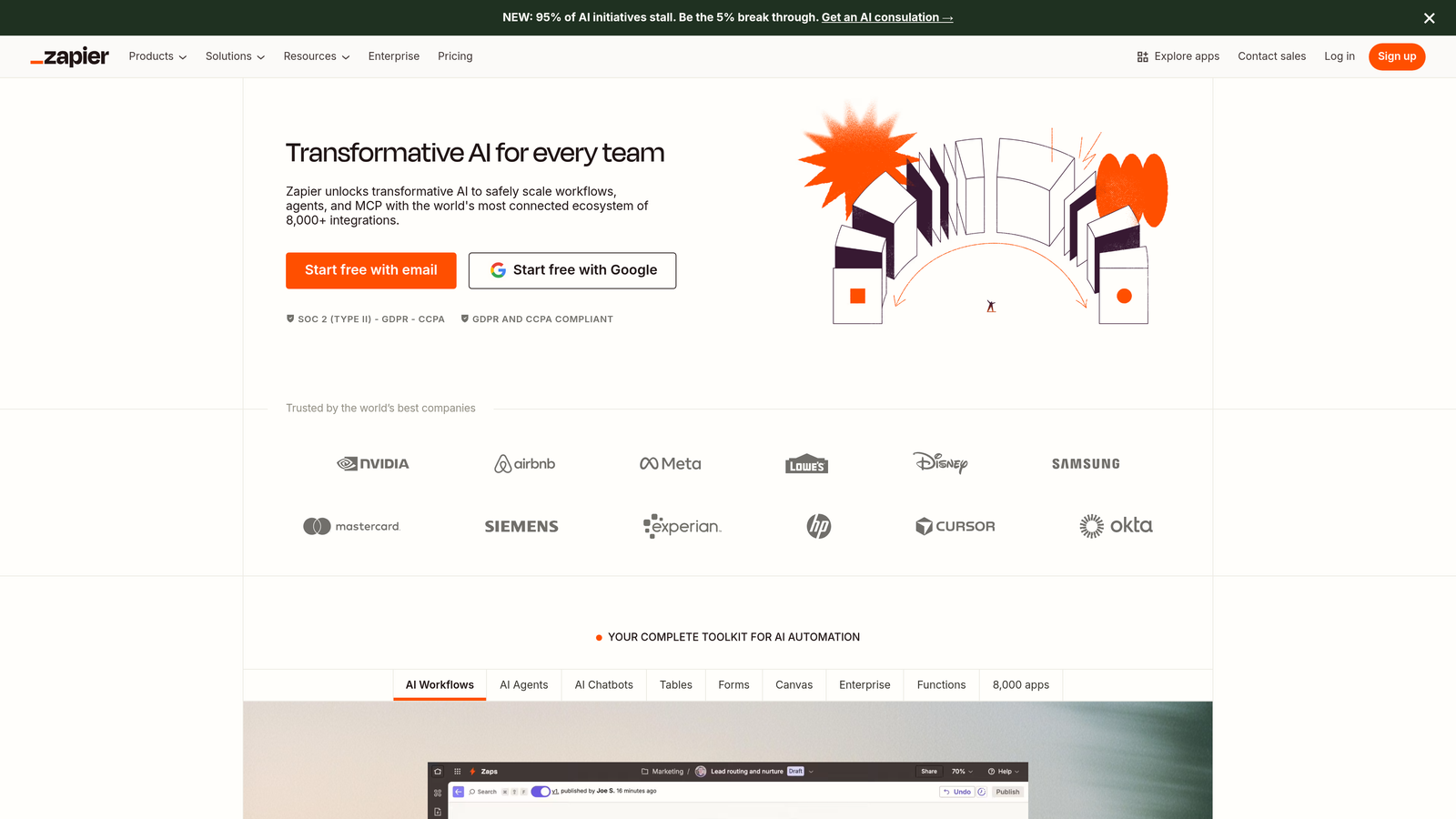
Zapier is an integration platform connecting thousands of apps to create automated content workflows without coding.
Where This Tool Shines
Zapier solves the integration problem that plagues content teams using best-of-breed tools. Your content calendar lives in one platform, your CMS in another, your analytics in a third—Zapier connects them all with automated data flows.
The platform's strength lies in its breadth. With over 6,000 app integrations, you can connect niche tools that would never build direct integrations with each other. When a new article publishes in WordPress, Zapier can add it to your Airtable content database, create social posts in Buffer, and notify your team in Slack—all automatically.
Key Features
6,000+ App Integrations: Connect virtually any content tool including CMS platforms, social media schedulers, analytics tools, and project management systems.
Multi-Step Zaps: Create complex automation sequences with conditional logic paths based on data from previous steps.
Tables: Store lightweight data within Zapier for lookup tables, content tracking, or temporary data storage.
Interfaces: Build custom forms and pages that trigger Zaps for content request intake or approval workflows.
Formatter: Transform data between apps with built-in tools for text manipulation, date formatting, and data extraction.
Best For
Teams committed to specialized tools that need automation glue to connect them. Works particularly well if you're already invested in multiple platforms and want to avoid platform lock-in.
Pricing
Free tier includes 100 tasks per month. Starter plans begin at $19.99 per month with increased task limits and multi-step Zaps.
8. Contentful
Best for: Technical teams publishing structured content across multiple channels and platforms
Contentful is a headless CMS with built-in workflow states and API-first architecture for omnichannel content delivery.
Where This Tool Shines
Contentful's composable content model changes how you think about content creation. Instead of building page-by-page, you create structured content components that can be assembled differently for web, mobile apps, digital signage, or voice interfaces.
The workflow states and approval requirements integrate directly into the content model. You can enforce that product descriptions require legal approval before publication, while blog posts only need editorial sign-off—all configured at the content type level rather than bolted on through external tools.
Key Features
Composable Content Model: Define structured content types with custom fields that can be reused across channels.
Workflow States: Configure approval requirements and publishing permissions at the content type level for granular control.
Scheduled Publishing: Set publication and unpublication dates with automatic content lifecycle management.
Content Versioning: Track all changes with the ability to preview and restore previous versions.
Powerful APIs: REST and GraphQL APIs enable custom integrations and omnichannel content delivery.
Best For
Organizations with development resources that publish content across multiple digital touchpoints. Most valuable when you need structured content that adapts to different presentation contexts.
Pricing
Free Community tier for small projects. Team plans start at $489 per month with increased content types and API calls.
9. Sprinklr
Best for: Enterprise organizations needing unified content workflows at massive scale
Sprinklr is an enterprise unified CXM platform with AI-powered content workflow automation at scale.
Where This Tool Shines
Sprinklr handles content operations at a scale that would break most platforms. Global brands use it to coordinate content across hundreds of markets, dozens of languages, and thousands of team members while maintaining brand consistency and compliance.
The AI-powered content recommendations analyze performance data to suggest optimal posting times, content formats, and messaging variations. The platform's asset management automatically tags and organizes content libraries that would be overwhelming to manage manually.
Key Features
AI-Powered Recommendations: Machine learning suggests content optimizations based on historical performance and audience engagement patterns.
Unified Approval Workflows: Route content through complex approval chains that can vary by market, channel, or content type.
Asset Management: Automated tagging and organization of content libraries with advanced search and rights management.
Enterprise Governance: Compliance controls, audit trails, and permissions management for regulated industries.
Unified Analytics: Cross-channel performance reporting that connects content to business outcomes.
Best For
Enterprise organizations with complex content operations spanning multiple markets, brands, or business units. The platform requires significant implementation investment but delivers at scale.
Pricing
Custom enterprise pricing based on organization size, features required, and implementation scope.
How to Evaluate Content Workflow Software for Your Team
Choosing content workflow software isn't a one-size-fits-all decision. The platform that transforms a ten-person marketing team can overwhelm a solo creator—or fall short for an enterprise operation with hundreds of stakeholders. Use these criteria to match the right tool to your actual situation.
Map Your Workflow Before You Buy
Most teams choose a platform, then try to fit their process into it. Reverse this order. Document your current workflow: who submits content requests, who writes, who reviews, who approves, and who publishes. Every handoff is a potential automation trigger. Once your workflow is mapped, evaluate platforms based on how naturally they handle your specific handoffs—not based on feature marketing pages.
Creation vs. Coordination
There's a fundamental divide in the content workflow software market: platforms that coordinate who does what (Monday.com, Asana, Notion) versus platforms that reduce the creation workload itself (Sight AI). If your bottleneck is writer capacity or content volume, coordination tools solve the wrong problem. If your bottleneck is handoffs and approvals stalling otherwise ready content, coordination tools are exactly right.
Automation Depth
Count the number of manual steps in your current workflow that could be automated. Status-change notifications, due-date reminders, approval routing, and social resharing are all candidates. Evaluate each platform by how many of those steps it eliminates natively—before you reach for Zapier as a workaround. Native automation is faster, more reliable, and easier for non-technical team members to maintain.
Reporting and Visibility
Workflow software that can't tell you where content is sitting and why it's delayed isn't solving your coordination problem—it's just moving it to a more expensive interface. Prioritize platforms with dashboards showing content-in-progress by stage, bottleneck identification (which stage takes longest on average), and team capacity at a glance.
Total Cost of Ownership
Per-seat pricing scales predictably for small teams but can become prohibitive for large ones. Scrutinize what counts as a "seat"—does every approver need a paid license, or can clients and reviewers interact for free? Some platforms (Notion, Airtable) offer generous free tiers; others (Sprinklr, Contentful) charge significantly for setup, onboarding, and support beyond software licensing.
Quick Selection Guide
- Bottleneck is content volume: Sight AI (AI generation + autopublishing)
- Bottleneck is approval routing: Asana (rules engine) or Monday.com (automation recipes)
- Need flexible custom workflows: Airtable or Notion
- Need to connect existing tools: Zapier
- Publishing across many channels: Contentful or Sprinklr
- Social media + content calendar focus: CoSchedule
Top Content Agency Workflow Automation Tools: Quick Comparison
Content agencies evaluating workflow automation tools face a crowded market. While the platforms covered in this guide each serve different workflow needs, this side-by-side comparison is designed specifically for agency operators choosing their core production stack.
| Tool | Best Agency Use Case | Multi-Client Support | Starting Price |
|---|---|---|---|
| Sight AI | AI-powered content production at scale | Yes | See pricing page |
| Monday.com | Multi-client visual workflow management | Yes | $9/seat/month |
| Asana | Complex approval chains and compliance | Yes | $10.99/user/month |
| Airtable | Flexible, database-driven client ops | Yes | $20/seat/month |
| CoSchedule | Social + editorial calendar management | Limited | $29/user/month |
| Zapier | Connecting disparate agency tools | Yes | $19.99/month |
| Sprinklr | Enterprise multi-market content ops | Yes | Custom |
How Agencies Should Evaluate These Tools
Prioritize client separation first. Before evaluating features, confirm whether a platform supports true workspace-level client isolation. Shared boards or databases across clients create confidentiality risks and confusion as your roster grows. Monday.com and Airtable score highest here, allowing you to clone a master workflow template for each client onboarding.
Factor in the true cost of approvals. The biggest hidden cost in agency content production isn't software—it's time lost chasing client approvals. Platforms like Asana (with its rules engine) and Monday.com (with automation recipes) can automatically remind clients, escalate stalled reviews, and log timestamps for compliance purposes. This single automation often delivers more ROI than any other feature.
Consider AI-augmented production. Agencies scaling beyond 10–15 active content programs hit a production ceiling. Sight AI breaks that ceiling by generating SEO and GEO-optimized content through specialized agents and publishing directly to client CMS instances—letting you grow revenue without proportionally growing headcount.
Test integrations before committing. Most agencies already have a CMS, a social scheduler, and an analytics stack. Verify that your chosen workflow tool connects natively—or through Zapier—to every tool in your stack before signing an annual contract.
Content Agency Workflow Automation Tools by Agency Type
Not every agency runs the same model. A boutique content studio producing long-form editorial pieces operates very differently from a growth agency running programmatic SEO campaigns for dozens of clients. The best content agency workflow automation tools for your shop depend heavily on the type of work you deliver and the scale at which you deliver it.
Boutique Editorial Agencies (1–5 Clients, High-Quality Long-Form)
For boutique agencies where craft and editorial oversight are the core value proposition, flexibility and approval traceability matter most. Notion works exceptionally well here — content briefs, brand guidelines, approval checklists, and draft history all live in one workspace. For approval routing that scales as you add clients, Asana adds configurable multi-stage review without overwhelming a lean team.
Growth and SEO Agencies (10–50 Clients, Volume-Driven)
At this scale, the creation bottleneck becomes more acute than the coordination bottleneck. Manually briefing and producing content for dozens of clients simultaneously hits a ceiling fast. This is where Sight AI delivers its highest ROI for agencies — its AI agents generate SEO and GEO-optimized content at scale, publishing directly to client CMS instances through automated workflows. Pair it with Monday.com for client-level workflow visibility and automated approval reminders.
Social Media and Content Marketing Agencies
For agencies where social publishing cadence and multi-channel content calendars are the core deliverable, CoSchedule remains the most purpose-built option. Its Marketing Calendar consolidates blog, social, email, and campaign schedules in a single unified view — and the ReQueue feature automatically recirculates evergreen content when social queues run dry, a genuine time-saver for agencies maintaining active channels across multiple client accounts.
Technical Content and Developer Marketing Agencies
Agencies producing structured content for developer audiences or publishing across multiple digital touchpoints (web, docs, in-product) benefit most from a headless CMS approach. Contentful's composable content model and API-first architecture allow one content asset to render differently across client web properties, documentation sites, and app interfaces — eliminating redundant production work.
Enterprise and Regulated Industry Agencies
Agencies serving financial services, healthcare, or legal clients face compliance requirements that most workflow tools don't handle natively. Sprinklr provides enterprise-grade governance: timestamped approval audit trails, role-based access controls, and compliance workflows that can vary by market or content type. For agencies not yet at Sprinklr scale, Asana with its custom rules engine can enforce multi-stage review chains that satisfy most regulatory requirements.
The Glue Layer: Zapier for Every Agency Type
Regardless of which core platform you choose, Zapier plays a supporting role in nearly every agency tech stack. When a client approves content in Asana, Zapier can trigger publishing in WordPress, log the action in Airtable, and notify the account manager in Slack — all without manual handoffs. Think of it less as a workflow platform and more as the automation connective tissue between the specialized tools your agency already uses.
Content Agency Workflow Automation Tools: Decision Checklist
Before signing up for any content agency workflow automation tool, run through this checklist to confirm you're selecting the platform that actually fits your agency model—not just the one with the best marketing page.
Step 1: Identify Your Agency's Biggest Bottleneck
The most common agency bottlenecks map to very specific tool categories:
- Content volume is the constraint — You can't produce enough content to serve all your clients. Solution: Sight AI (AI-powered generation at scale).
- Client approvals are the constraint — Content is ready but waits days for sign-off. Solution: Asana or Monday.com (configurable approval workflows with auto-reminders).
- Coordination across clients is the constraint — Keeping 10+ client workflows organized without cross-contamination. Solution: Airtable or Monday.com (template-based client workspaces).
- Tool fragmentation is the constraint — Your CMS, social scheduler, and analytics don't talk to each other. Solution: Zapier (automation glue layer).
Step 2: Verify These Agency-Specific Requirements
Check each item before committing to a platform:
- ☐ Client workspace isolation — Can you create truly separate environments per client so one client never sees another's data?
- ☐ Template cloning — Can you replicate a master onboarding workflow instantly for each new client?
- ☐ Guest/client seats — Can clients approve content and leave comments without paying for a full seat?
- ☐ Approval audit trails — Does the platform timestamp approvals for compliance or SLA tracking?
- ☐ CMS integration — Does it publish directly to your clients' CMS platforms (WordPress, Webflow, etc.) without manual copy-paste?
- ☐ White-label reporting — Can performance dashboards be presented under your agency brand?
- ☐ Scalable pricing — Does the cost model remain predictable as you add clients, or does per-seat pricing become prohibitive?
Step 3: Run a Pilot Before Committing
Most content agency workflow automation tools offer free tiers or trial periods. Before signing an annual contract, onboard one real client through the full workflow: content request intake → creation or generation → internal review → client approval → publication. If any step requires manual workarounds or feels unnatural for your team, that friction compounds across every client you add.
Recommended Stacks by Agency Size
- Solo / 1–3 clients: Notion + Zapier
- Growing agency / 4–15 clients: Monday.com or Airtable + Sight AI for production volume
- Scaled agency / 15+ clients: Asana (approval workflows) + Sight AI (AI content generation) + Zapier (integration layer)
- Enterprise agency / regulated clients: Sprinklr or Contentful + Asana
How Content Agencies Can Automate Their End-to-End Workflow
Most content agency workflow automation tools handle pieces of the production puzzle—approval routing here, social scheduling there. But true efficiency comes from automating the entire pipeline: from client intake and brief generation through content creation, review, publication, and performance reporting. Here's how to build that end-to-end automation using the platforms in this guide.
Stage 1: Client Intake and Brief Automation
Replace ad-hoc emails and Slack messages with structured intake workflows. Use Asana Forms or Monday.com to create standardized content request forms. When a client submits a request, automation triggers task creation, assigns a writer, and populates a brief template—no manual hand-off required. Connect intake forms to your Airtable client database via Zapier to keep your master content roster up to date automatically.
Stage 2: AI-Powered Content Generation at Scale
For agencies managing more than a handful of concurrent content programs, manual writing becomes the primary capacity constraint. Sight AI removes this ceiling by generating SEO and GEO-optimized articles through 13+ specialized AI agents—each tuned for different content formats—then publishing directly to client CMS instances. This means your team reviews and approves finished content rather than drafting from scratch, dramatically increasing the number of programs each account manager can support.
Stage 3: Automated Review and Client Approval Routing
Content that sits in limbo waiting for approval kills agency margins. Build multi-stage review automation using Asana's rules engine or Monday.com's automation recipes: when internal review is marked complete, the system automatically notifies the client, sets a response deadline, and escalates to the account manager if no approval is received within 48 hours. Timestamp every approval for compliance and SLA tracking.
Stage 4: Automated Publishing and Indexing
Once approved, content should publish without manual copy-paste. Sight AI publishes directly to WordPress and other CMS platforms with IndexNow integration for immediate search engine discovery. For social-first agencies, CoSchedule schedules and distributes content across channels from the same interface. Connect these publishing events to your workflow platform via Zapier so task status updates automatically when content goes live.
Stage 5: Automated Performance Reporting
Close the loop by automating the data collection that feeds client reports. Use Zapier to pull organic traffic and ranking data from Google Analytics and Search Console into your Airtable or Notion content database on a weekly cadence. For agencies tracking AI visibility alongside traditional SEO, Sight AI surfaces brand mention data from ChatGPT, Claude, and Perplexity—giving clients a visibility metric that goes beyond standard rank reports.
Recommended End-to-End Stacks by Agency Size
- Solo / boutique (1–3 clients): Notion (briefs + calendar) + Zapier (publishing triggers)
- Growing agency (4–15 clients): Monday.com (workflow) + Sight AI (generation + publishing) + Zapier (integrations)
- Scaled agency (15+ clients): Asana (approvals) + Sight AI (AI content at scale) + Airtable (client ops database) + Zapier (glue layer)
Content Agency Workflow Automation Tools: ROI and Cost Justification
Before committing to any content agency workflow automation platform, you need to build a defensible business case—both to justify the spend internally and to set realistic expectations for how long it takes to recoup the investment. Here's a practical ROI framework tailored specifically to agency operations.
Quantifying the Time-Cost of Manual Workflows
Start by calculating what your current manual workflows actually cost. A typical growth agency running 10 active content programs spends approximately:
- Brief preparation: 1–2 hours per brief × 10 briefs/month = 10–20 hours
- Approval chasing: 3–5 follow-up emails per piece × 10 pieces/month at ~15 minutes each = 7.5–12.5 hours
- CMS publishing: 30–45 minutes per article for formatting, image upload, and metadata = 5–7.5 hours
- Performance reporting: 2–3 hours per client per month × 10 clients = 20–30 hours
At an average agency blended rate of $75–$100/hour, that's $3,187–$7,000 per month in purely manual overhead for a 10-client shop—before accounting for the cost of errors, missed deadlines, or client churn from slow turnaround.
Where Automation Delivers the Highest ROI per Dollar Spent
Not all automation delivers equal returns. Ranked by typical agency ROI:
- AI-powered content generation (Sight AI): Replaces the highest-cost activity—writer hours—by generating SEO and GEO-optimized content at scale and publishing directly to client CMS instances. ROI compounds as client count grows without proportional headcount increases.
- Automated approval workflows (Asana, Monday.com): Eliminating approval bottlenecks reduces average content cycle time by 30–50%, directly improving client satisfaction and SLA compliance metrics.
- Integration automation (Zapier): Connecting publishing events to reporting databases, Slack notifications, and CMS workflows saves 5–10 hours per month in manual data entry at modest cost.
- Flexible workflow platforms (Airtable, Notion): Highest value for client organization and brief management; lower direct cost savings but significant reduction in coordination errors.
Calculating Your Payback Period
Use this simple formula to estimate how quickly a tool pays for itself:
Payback period (months) = Monthly tool cost ÷ Monthly hours saved × Blended hourly rate
Example: If Monday.com costs $90/month and saves 12 hours of approval coordination at $85/hour, payback = $90 ÷ ($12 × $85) = $90 ÷ $1,020 = less than one month. Most well-matched workflow automation tools pay back within 30–60 days for agencies with 5+ active client programs.
Red Flags That Signal the Wrong Tool for Your Agency
- Long onboarding times: If setup takes more than two weeks, the implementation cost erodes your first-year ROI significantly.
- Per-seat pricing for reviewers: Charging full seat prices for client approvers who log in once a month inflates cost without adding value.
- Feature bloat you won't use: Enterprise platforms like Sprinklr deliver ROI at scale, but their implementation and licensing costs require 25+ clients to justify.
- No native CMS integrations: Any tool that requires manual copy-paste publishing adds back the hours you're trying to automate.
Content Agency Workflow Automation Tools: Feature Requirements by Agency Size
Choosing a content agency workflow automation tool isn't just about feature depth — it's about matching the right capabilities to your agency's current scale. The features that matter for a five-person boutique are largely irrelevant for a 50-person growth agency, and vice versa. Here's how to align tool features with agency size so you avoid over-buying or under-investing.
Solo and Boutique Agencies (1–5 Team Members, 1–5 Clients)
At this stage, flexibility and low overhead cost are paramount. You need a tool that won't require a dedicated ops person to maintain. Key features to prioritize:
- Low per-seat cost or generous free tier — Notion and Airtable both offer free plans with room to grow.
- Client guest access without paid seats — Your clients need to review and approve content without costing you a full license seat.
- Template-based workflow creation — Duplicate a master brief or approval template for each new client without rebuilding from scratch.
- Simple CMS integration — Direct publishing to WordPress or Webflow eliminates copy-paste overhead on every deliverable.
Best fit: Notion for briefs and documentation; Zapier for lightweight publishing automation.
Growing Agencies (6–20 Team Members, 5–20 Clients)
At this scale, the creation bottleneck becomes as acute as the coordination bottleneck. You're producing enough content volume that manual writing starts to constrain growth. Features that matter most:
- Multi-client workspace isolation — Clients must never see each other's data. Look for true workspace-level separation in Monday.com or Airtable.
- AI content generation — Sight AI's AI agents generate SEO and GEO-optimized content at scale, publishing directly to client CMS instances so your team reviews and approves rather than drafts.
- Automated approval reminders — The system should chase clients for you, not your account managers. Monday.com's automation recipes handle escalating reminders automatically.
- Integrations with your existing stack — Your CMS, analytics platform, and communication tools need to connect without manual data entry.
Best fit: Monday.com or Airtable for workflow management; Sight AI for AI-powered content production.
Scaled Agencies (20+ Team Members, 20+ Clients)
Operational complexity dominates at this scale — multi-stage approvals, compliance requirements, capacity planning, and performance reporting all need automation. Non-negotiable features:
- Configurable multi-stage approval chains — Asana's rules engine supports routing content through writer → editor → client stages with conditional logic and timestamped audit trails.
- Capacity and workload visibility — Prevent burnout and missed deadlines by visualizing how content volume maps to team availability before assigning work.
- White-label reporting — Performance dashboards should be presentable under your agency brand, not the software vendor's.
- API and integration depth — At scale, bespoke integrations matter. Verify REST API access and webhook support for custom workflows that off-the-shelf recipes can't cover.
- AI visibility tracking — Demonstrating AI citation performance (ChatGPT, Claude, Perplexity mentions) alongside traditional SEO metrics differentiates your agency reporting with Sight AI.
Best fit: Asana for approval workflows; Sight AI for content production and AI visibility reporting; Zapier as the integration layer.
Feature Comparison Matrix for Agency Operators
| Feature | Sight AI | Monday.com | Asana | Airtable | Notion | Zapier |
|---|---|---|---|---|---|---|
| AI content generation | ✅ | ❌ | ❌ | ❌ | Limited | ❌ |
| Multi-client workspaces | ✅ | ✅ | ✅ | ✅ | ✅ | N/A |
| Automated approval routing | ✅ | ✅ | ✅ | Limited | ❌ | Via Zap |
| CMS auto-publishing | ✅ | ❌ | ❌ | ❌ | ❌ | Via Zap |
| AI visibility tracking | ✅ | ❌ | ❌ | ❌ | ❌ | ❌ |
| Free tier / trial | See pricing | ✅ Free tier | ✅ Free tier | ✅ Free tier | ✅ Free tier | ✅ Free tier |
Content Agency Workflow Automation Tools: Choosing the Right Stack in 2026
The content agency workflow automation tools landscape has matured rapidly. In 2026, agencies are no longer choosing between basic task managers and enterprise platforms—they're assembling integrated stacks that cover creation, coordination, approval, publishing, and reporting as a single automated pipeline. Here's a practical framework for selecting and combining tools that fit your agency's current size and growth trajectory.
The Three-Layer Agency Automation Stack
The most effective agency stacks in 2026 operate across three distinct layers, each handled by purpose-built tools:
- Production Layer (content creation at scale): Sight AI fills this role for agencies managing 10+ active content programs. Its 13+ specialized AI agents generate SEO and GEO-optimized content and publish directly to client CMS instances—removing the manual writing bottleneck that caps agency growth at a fixed headcount ceiling.
- Coordination Layer (approvals, task routing, and client communication): Monday.com or Asana handle multi-client workflow visibility, approval routing with auto-reminders, and timestamped sign-off records. For smaller agencies that prioritize flexibility, Airtable and Notion offer database-driven alternatives at lower cost per seat.
- Integration Layer (connecting your stack without custom development): Zapier functions as the connective tissue—linking publishing events in your CMS to task completion in your project manager, or feeding performance data from Google Analytics into your Airtable content database automatically.
Signs You've Outgrown Your Current Tools
Agency teams often delay upgrading their workflow automation tools until bottlenecks become painful. Watch for these signals that your current stack isn't keeping up:
- Account managers spending 5+ hours per week chasing client approvals — This is an automation gap. A properly configured Asana or Monday.com rules engine should handle reminder escalations automatically.
- Content volume growth stalling despite hiring — If adding writers is not solving your throughput problem, the bottleneck is coordination, not capacity. This is the point where AI-powered generation through Sight AI delivers its highest ROI.
- Copy-pasting content between platforms at publication — Any manual step at the publishing stage signals a missing CMS integration. Every hour spent on manual publishing is a direct cost with a direct automation solution.
- Clients reporting visibility into work-in-progress feels opaque — Client-facing portals and status dashboards in Monday.com or Airtable close this gap without adding account manager overhead.
2026 Agency Workflow Automation: Recommended Stacks by Growth Stage
| Agency Stage | Production | Coordination | Integration |
|---|---|---|---|
| Boutique (1–5 clients) | Manual writing | Notion | Zapier (free tier) |
| Growing (5–20 clients) | Sight AI | Monday.com or Airtable | Zapier |
| Scaled (20+ clients) | Sight AI | Asana + Airtable | Zapier + custom API |
| Enterprise / regulated | Sprinklr or Contentful | Asana | Custom integrations |
Making the Right Choice
The content workflow automation landscape has evolved beyond simple task management. Today's platforms fall into distinct categories serving different needs.
If content creation itself is your bottleneck, platforms like Sight AI address the problem at its source by automating generation alongside workflow coordination. Traditional workflow tools only help you manage who creates what—they don't reduce the creation burden itself.
For teams committed to visual workflow management, Monday.com and Asana offer sophisticated automation within intuitive interfaces. Monday.com excels at cross-functional collaboration, while Asana handles complex approval chains better.
Flexible database platforms like Airtable and Notion shine when your workflow requirements don't fit standard templates. Airtable provides more powerful automation and integrations, while Notion combines workflow management with knowledge documentation in one workspace.
CoSchedule remains the strongest choice for teams where social media automation and content calendar visualization are primary concerns. Its purpose-built features like ReQueue deliver value that general project management platforms can't match.
Zapier plays a different role entirely—it's the connective tissue between specialized tools rather than a workflow platform itself. Teams using best-of-breed solutions across content operations will find Zapier essential for automation.
Contentful and Sprinklr serve enterprise needs at opposite ends of the spectrum. Contentful provides the technical foundation for omnichannel content delivery, while Sprinklr offers an all-encompassing platform for massive-scale content operations.
Consider your primary pain point. Are you struggling with content volume? Look at AI-powered generation platforms. Is coordination across stakeholders the issue? Focus on approval workflow sophistication. Do you need flexibility to adapt processes frequently? Prioritize customizable database platforms.
The most effective approach often combines platforms—using Zapier to connect a specialized CMS with a flexible project management tool, or pairing AI content generation with traditional workflow coordination.
Stop guessing how AI models like ChatGPT and Claude talk about your brand—get visibility into every mention, track content opportunities, and automate your path to organic traffic growth. Start tracking your AI visibility today and see exactly where your brand appears across top AI platforms.
Content Agency Workflow Automation: What to Look For
Content agencies face unique workflow automation challenges that in-house teams don't. You're managing multiple client campaigns simultaneously, delivering white-labeled reports, tracking approval chains across different brand guidelines, and scaling production without proportionally scaling headcount. Generic project management tools often fall short—here's what to prioritize when evaluating content agency workflow automation tools specifically.
Multi-Client Campaign Management
The most critical feature for agencies is the ability to run parallel workflows without cross-contamination. Look for platforms that support true client-level separation: distinct workspaces, separate content calendars, and isolated approval chains. Tools like Airtable and Monday.com excel here because you can replicate a master workflow template for each new client onboarding, keeping all projects structurally consistent while remaining independently managed.
White-Label Reporting and Client Portals
Agencies need to present deliverables and performance data under their own brand. Some platforms—particularly CoSchedule and Sprinklr—support customized reporting views that can be shared directly with clients. Before committing to a platform, verify whether the client-facing dashboards are brandable and whether clients can interact (approve, comment) without needing a paid seat.
Scalable Approval Workflows
Client approval loops are the number-one bottleneck in agency content production. Platforms with configurable multi-stage approval workflows—like Asana's rules engine or Monday.com's automation recipes—let you define exactly who reviews content at each stage, set reminder escalations when approvals stall, and maintain audit trails for compliance. Agencies handling regulated industries (finance, healthcare, legal) should prioritize platforms with timestamped approval records.
AI-Powered Content Production at Scale
For agencies managing 10+ client content programs, manual content creation is economically unsustainable. Platforms like Sight AI address this by automating content generation alongside workflow coordination—generating SEO and GEO-optimized articles through specialized AI agents, then publishing directly to client CMS instances. This model lets agencies grow their client roster without a linear increase in writer headcount.
Integration with Agency Tech Stacks
Most agencies already rely on a mix of tools—Google Analytics, HubSpot, various CMS platforms, and communication tools. Your workflow automation platform needs to connect seamlessly. Zapier is the universal glue layer here, but native integrations (Monday.com's 200+ connectors, Airtable's sync capabilities) reduce maintenance overhead and latency compared to third-party middleware.
Quick Comparison for Agencies
- Best for multi-client visual workflows: Monday.com
- Best for complex approval chains: Asana
- Best for flexible database-driven ops: Airtable
- Best for AI-powered production at scale: Sight AI
- Best for connecting existing tools: Zapier
- Best for social + content calendar: CoSchedule