The best content management automation software depends on where your bottleneck sits. For AI content creation with automatic CMS publishing, Sight AI leads. For CRM-connected enterprise marketing, HubSpot Content Hub fits best. For multichannel delivery, a headless CMS such as Contentful or Sanity works well. For no-code editorial workflows, Monday.com, Airtable, or CoSchedule are strong options.
Whether you're a solo marketer drowning in spreadsheets or an agency managing dozens of client accounts, the right tool removes repetitive scheduling, publishing, and optimization work. We evaluated these platforms on automation capabilities, ease of use, integration options, and value for different team sizes.
Quick comparison
| Tool | Type | Approval workflows | Scheduled publishing | Starting price |
|---|---|---|---|---|
| Sight AI | AI content + auto-publishing | Yes (review before publish or autopilot) | Yes, to WordPress/Webflow | $49/mo |
| HubSpot Content Hub | CMS + CRM | Yes (Enterprise) | Yes | Free; Pro $800/mo |
| Contentful | Headless CMS | Yes (via workflows app) | Yes | Free; Team $300/mo |
| Monday.com | Work management | Yes | Via integrations | $10/seat/mo |
| Notion + Make | DIY stack | Custom | Via Make | Free + $9/mo |
| CoSchedule | Marketing calendar | Yes | Yes (blog + social) | $29/mo |
| Sanity.io | Headless CMS | Custom | Yes | Free; $99/mo |
| Airtable | Database | Custom | Via integrations | $20/seat/mo |
| WordPress + WPCode | CMS + plugins | Via plugins | Yes (native) | Free; WPCode Pro $49/yr |
Prices are entry-level list prices at the time of writing. Check each vendor before you buy.
1. Sight AI
Best for: Teams prioritizing AI-generated, SEO/GEO-optimized content with automatic publishing and AI visibility tracking
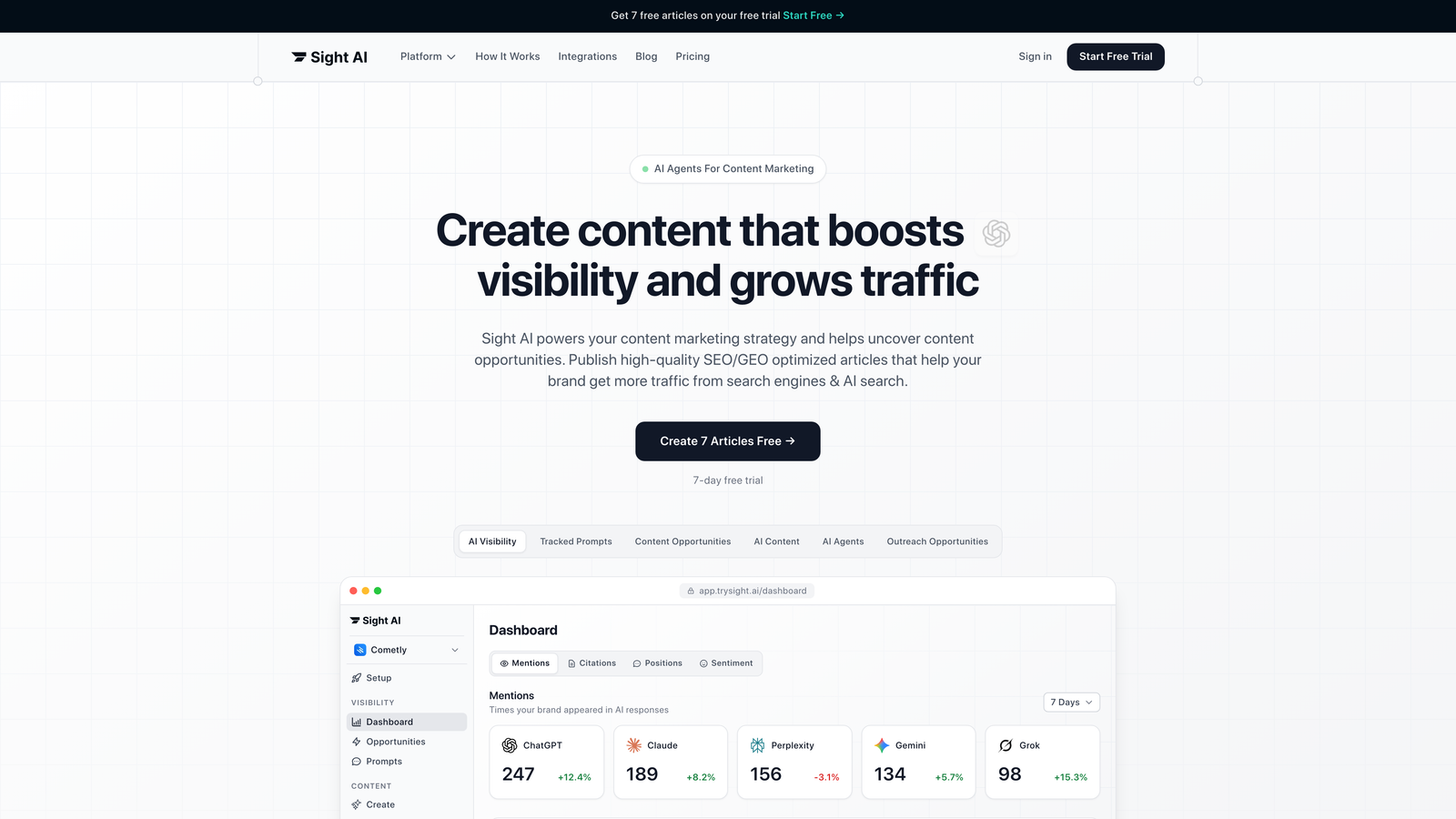
Sight AI is an AI-powered content platform that combines content generation, auto-publishing, and indexing automation in one system.
Where This Tool Shines
Sight AI tackles three major content challenges at once: creation, distribution, and discoverability. The platform uses 13+ specialized AI agents that understand different content formats, from listicles to explainer guides. It generates articles optimized for both traditional search engines and AI platforms like ChatGPT and Claude.
What sets it apart is the AI visibility tracking. You can monitor how AI models mention your brand across six platforms, which shows whether your content strategy is actually getting you cited in AI-generated responses. That matters more as more users turn to AI for research and recommendations.
Key Features
Autopilot Mode: Set content parameters once and let the system generate, optimize, and publish articles on schedule without manual intervention.
CMS Auto-Publishing: Direct integration with WordPress, Webflow, and other platforms means content goes live automatically, with no copying and pasting.
IndexNow Integration: Newly published content is pushed to search engines instantly through IndexNow, cutting discovery time from days to hours.
AI Visibility Tracking: Monitor brand mentions across ChatGPT, Claude, Perplexity, and other AI platforms with sentiment analysis and prompt tracking.
13+ Specialized AI Agents: Different agents handle different content types, and each follows format-specific best practices for listicles, how-to guides, comparisons, and more.
Best For
Marketing teams and agencies that need to produce high volumes of SEO-optimized content while tracking their presence in AI-generated responses. It is particularly valuable if you manage multiple client sites or want to scale content production without hiring more writers.
Pricing
Plans start at $49/month with a free trial available. Pricing scales with content volume and features, so it stays accessible for smaller teams while still offering enterprise capabilities.
2. HubSpot Content Hub
Best for: Enterprise teams wanting end-to-end marketing automation with native CRM integration
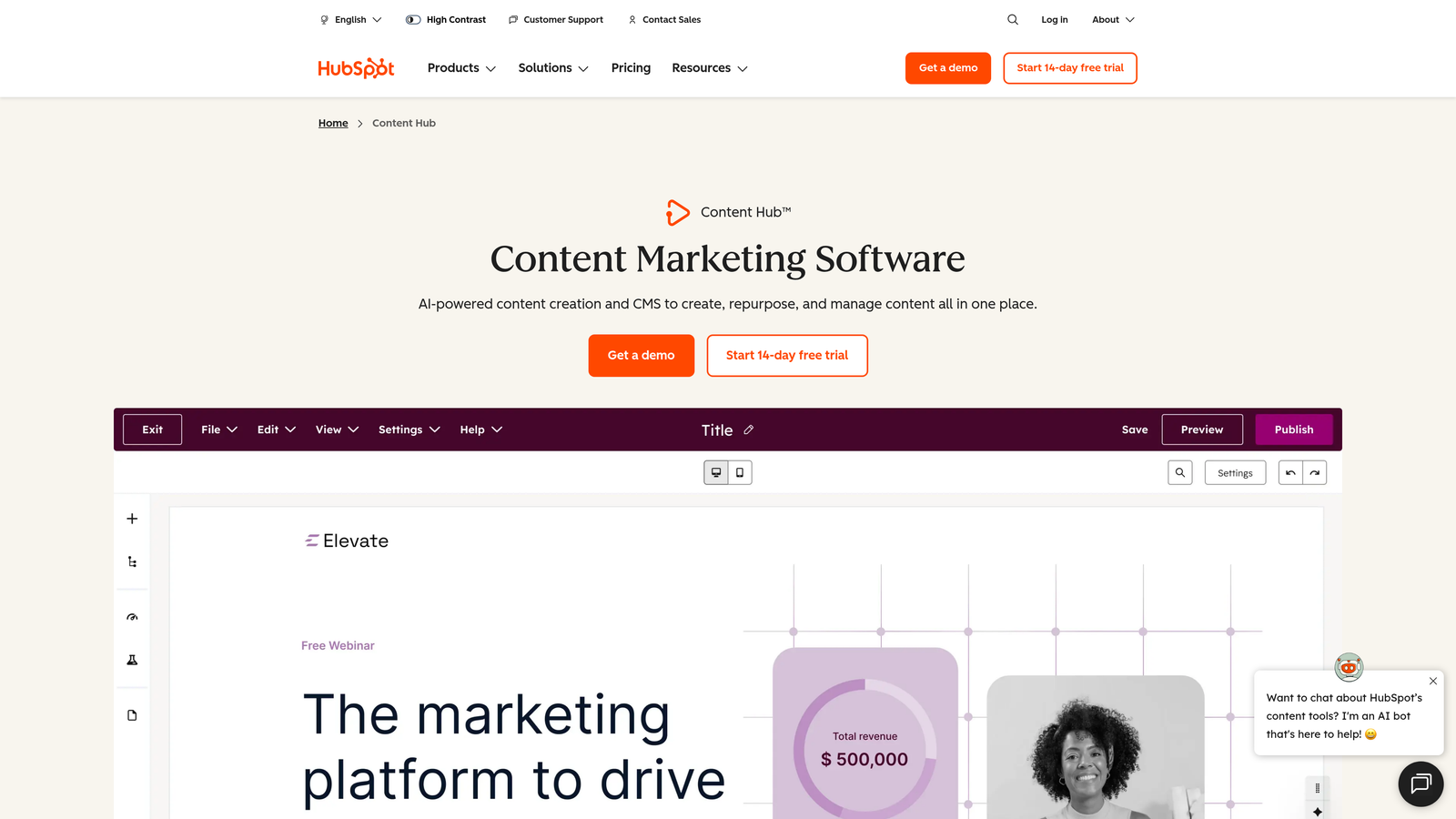
HubSpot Content Hub is an enterprise content management system with deep integration into HubSpot's marketing and sales ecosystem.
Where This Tool Shines
If you're already in the HubSpot ecosystem, Content Hub becomes especially powerful because it connects content directly to your CRM data. You can personalize content based on contact properties, lifecycle stage, or list membership without custom coding.
The built-in SEO recommendations analyze your content in real time and suggest improvements for keywords, meta descriptions, and internal linking. For teams managing complex approval workflows, the content staging environment lets you preview changes before they go live.
Key Features
Smart Content Rules: Automatically show different content variations to different audience segments based on CRM data, location, device, or referral source.
Native CRM Integration: Connect content performance directly to lead generation and revenue metrics without third-party tools.
Built-in SEO Tools: Real-time optimization suggestions, topic cluster planning, and internal linking recommendations as you write.
Approval Workflows: Multi-step content review processes with role-based permissions and version history.
Multi-language Management: Create and manage translated content variations with language-specific URLs and metadata.
Best For
Enterprise marketing teams that need content management tightly integrated with their sales funnel. It is most valuable when you already use HubSpot for CRM, email marketing, or marketing automation and want unified reporting across all channels.
Pricing
A free tier is available with basic features. Professional plans start at $800/month, with Enterprise pricing for larger teams that need advanced automation and customization.
3. Contentful
Best for: Developer-led teams building custom content architectures across multiple channels
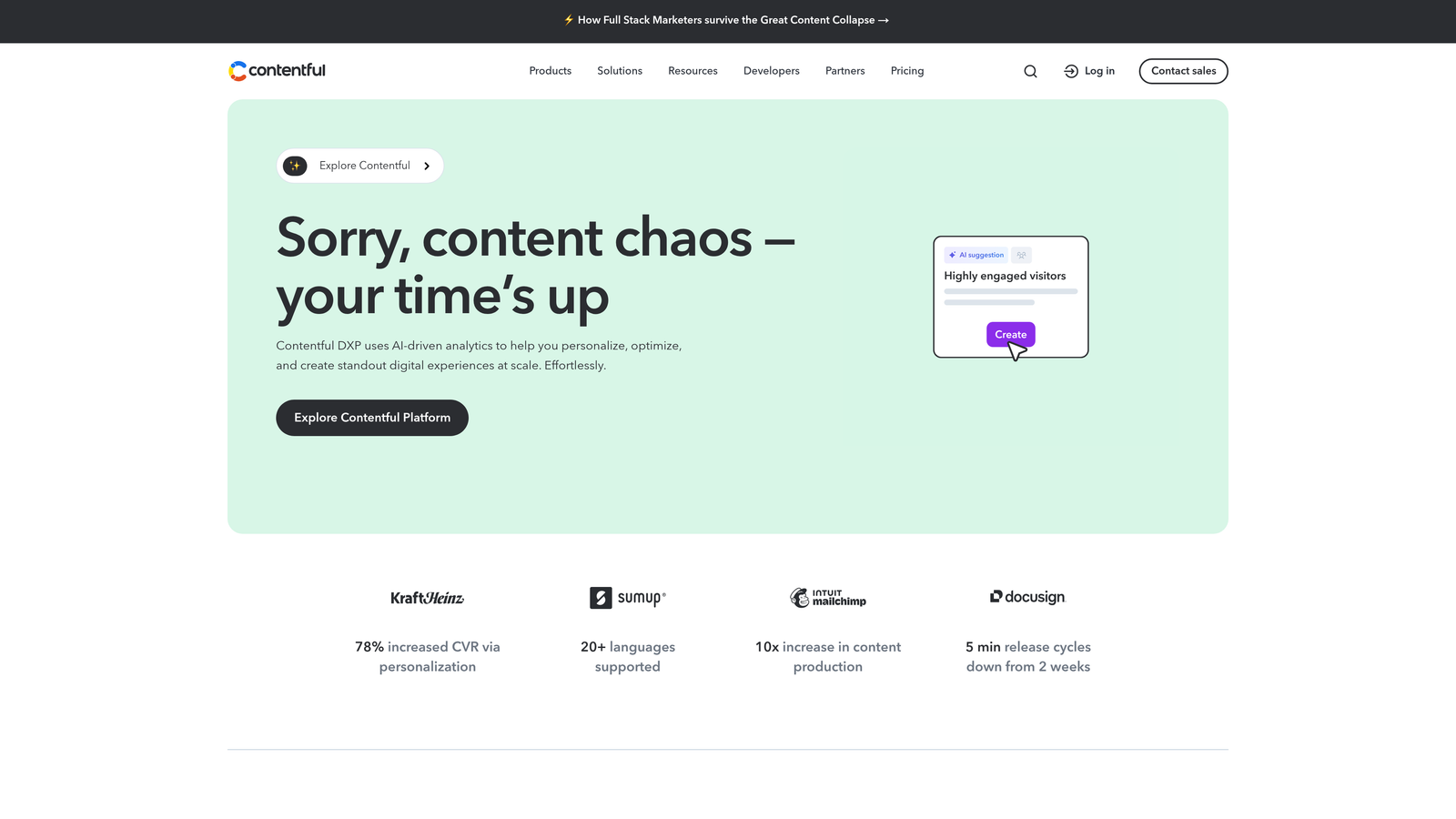
Contentful is a headless CMS with an API-first architecture designed to deliver content to any frontend or device.
Where This Tool Shines
Contentful separates content from presentation completely. You can publish the same content to your website, mobile app, smart watch, and digital signage without duplicating work. The content modeling system lets you define structured content types with custom fields and validation rules.
The webhook system enables powerful automation workflows. When content is published, you can trigger builds on your static site generator, send notifications to Slack, update your search index, or start any custom process through the API.
Key Features
API-First Architecture: RESTful and GraphQL APIs let you deliver content to any platform or device without being locked into a specific frontend technology.
Content Modeling: Define reusable content types with custom fields, references, and validation rules that enforce consistency across your content.
Webhooks and Automation: Trigger automated workflows when content changes, including builds, notifications, and integrations with external systems.
Scheduled Publishing: Queue content releases for specific dates and times, and bundle multiple changes into coordinated launches.
App Marketplace: Extend functionality with pre-built integrations for commerce, translation, digital asset management, and more.
Best For
Development teams building custom content experiences across multiple channels. It is ideal when you need complete control over how content is structured and delivered, or when you manage content for web, mobile, IoT, and other platforms at the same time.
Pricing
The free community tier includes two users and basic features. Team plans start at $300/month with higher API limits and more collaboration features.
4. Monday.com Work OS
Best for: Visual workflow builders who want customizable content management without coding
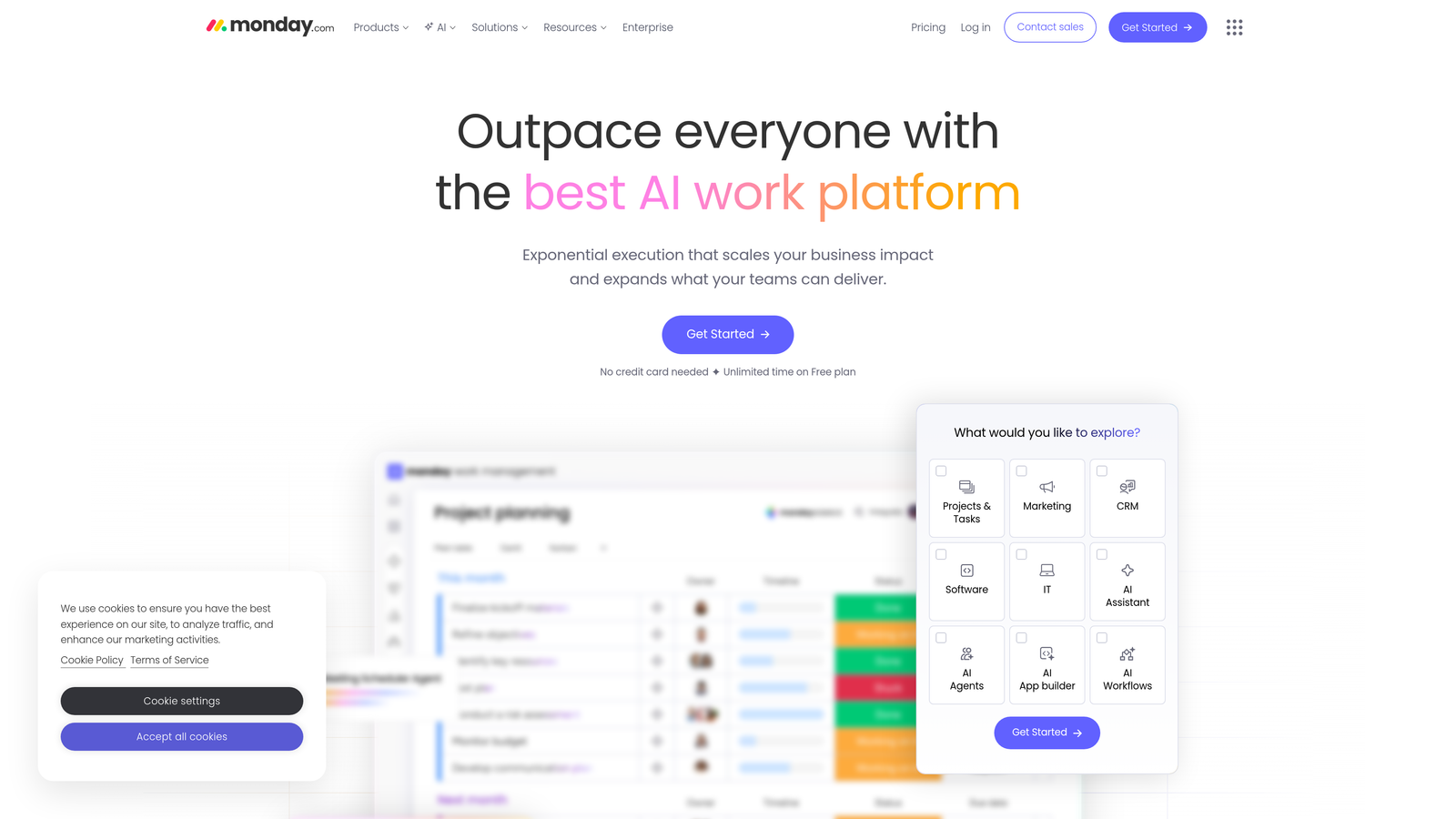
Monday.com is a visual work management platform with flexible automation recipes for content workflows.
Where This Tool Shines
Monday.com makes complex workflows feel simple through visual boards and drag-and-drop automation. You can see your entire content calendar at a glance, track who is working on what, and spot bottlenecks quickly.
The automation builder uses plain language: "When status changes to 'Ready for Review,' notify the editor and move to the Review column." No coding is required. You can create multi-step workflows that would normally need a developer's help.
Key Features
Visual Content Calendar: Switch between calendar, kanban, timeline, and table views to see content from different angles.
No-Code Automations: Build custom automation recipes using plain-language triggers and actions without writing code.
200+ Native Integrations: Connect with tools like Slack, Google Drive, Mailchimp, and social platforms without third-party connectors.
Workload Management: Track team capacity and redistribute work when someone is overloaded or unavailable.
Approval Workflows: Set up multi-step approval processes with notifications and automatic status updates.
Best For
Content teams that think visually and want to customize their workflow without technical expertise. It works well for agencies managing multiple client content calendars or marketing departments coordinating cross-functional content projects.
Pricing
Free for up to two users. Standard plans start at $10 per seat per month, with volume discounts for larger teams.
5. Notion + Make Integration
Best for: Teams wanting maximum flexibility to build custom content workflows their way
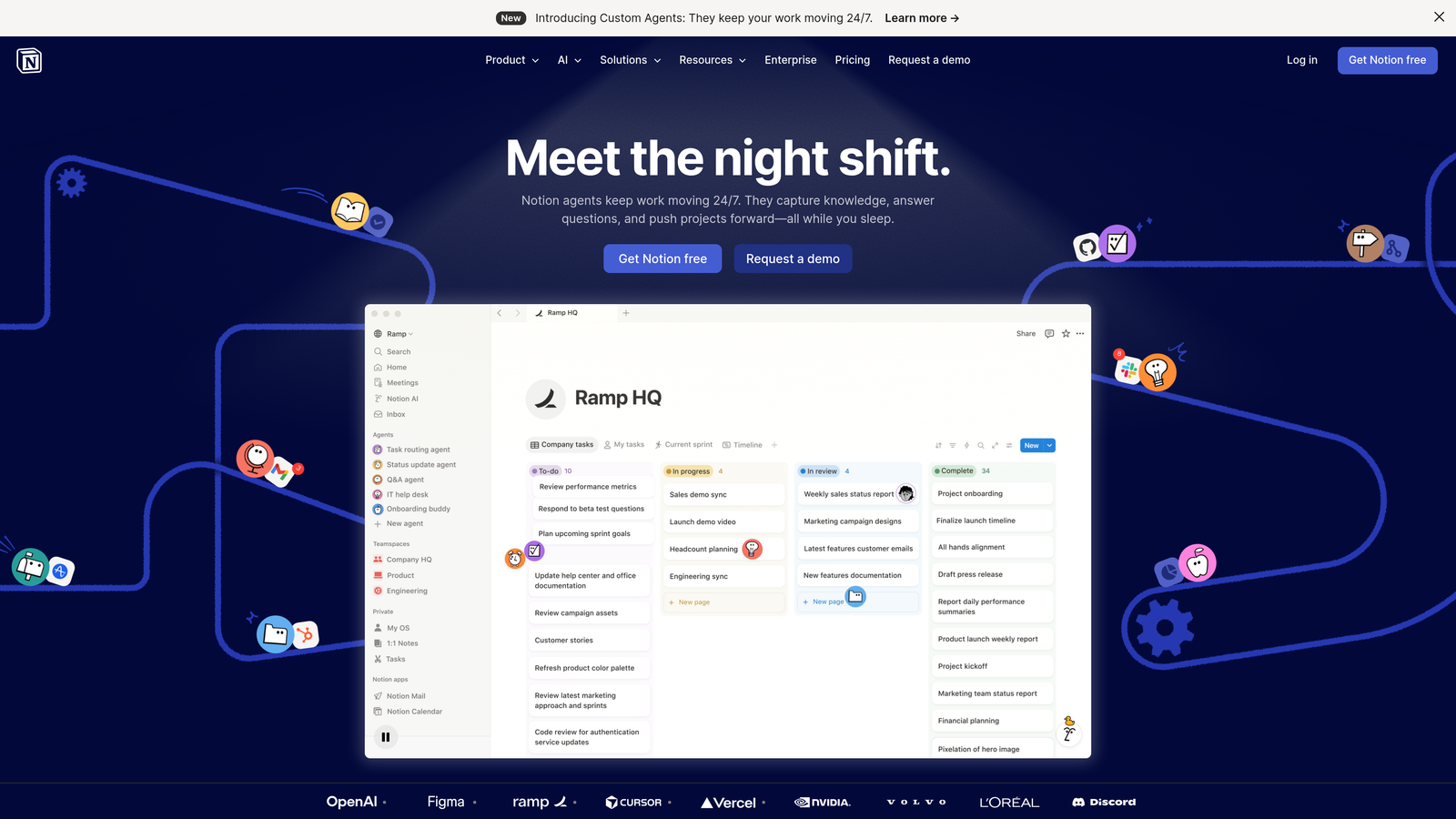
Notion is a flexible workspace that becomes a capable content management system when combined with Make's automation platform.
Where This Tool Shines
Notion's database system lets you structure content management the way your team thinks about it. Create linked databases for content pieces, authors, topics, and distribution channels, each with custom properties and views.
Connecting Notion to Make opens up automation options that rival dedicated platforms. You can automatically create social posts when content goes live, generate reports on content performance, or sync content status across multiple tools. The combination gives you enterprise-level automation with startup-level flexibility.
Key Features
Database-Driven Management: Build custom content databases with properties, relations, and rollups that match your exact workflow.
Make Integration: Connect Notion to thousands of apps with multi-step automations, conditional logic, and data transformations.
Community Templates: Start with pre-built content management templates from the Notion community and customize them to your needs.
API Access: Build custom integrations or connect to internal tools using Notion's official API.
Collaborative Editing: Real-time collaboration with inline comments, mentions, and page history tracking.
Best For
Teams comfortable with some setup work who want a content system that adapts to their process rather than forcing a predefined workflow. It works best when someone on the team is willing to learn Make's automation builder.
Pricing
Notion offers a free tier with unlimited pages. Make starts at $9/month for basic automation needs and scales with operations volume.
6. CoSchedule
Best for: Social-heavy content calendars with evergreen recycling automation
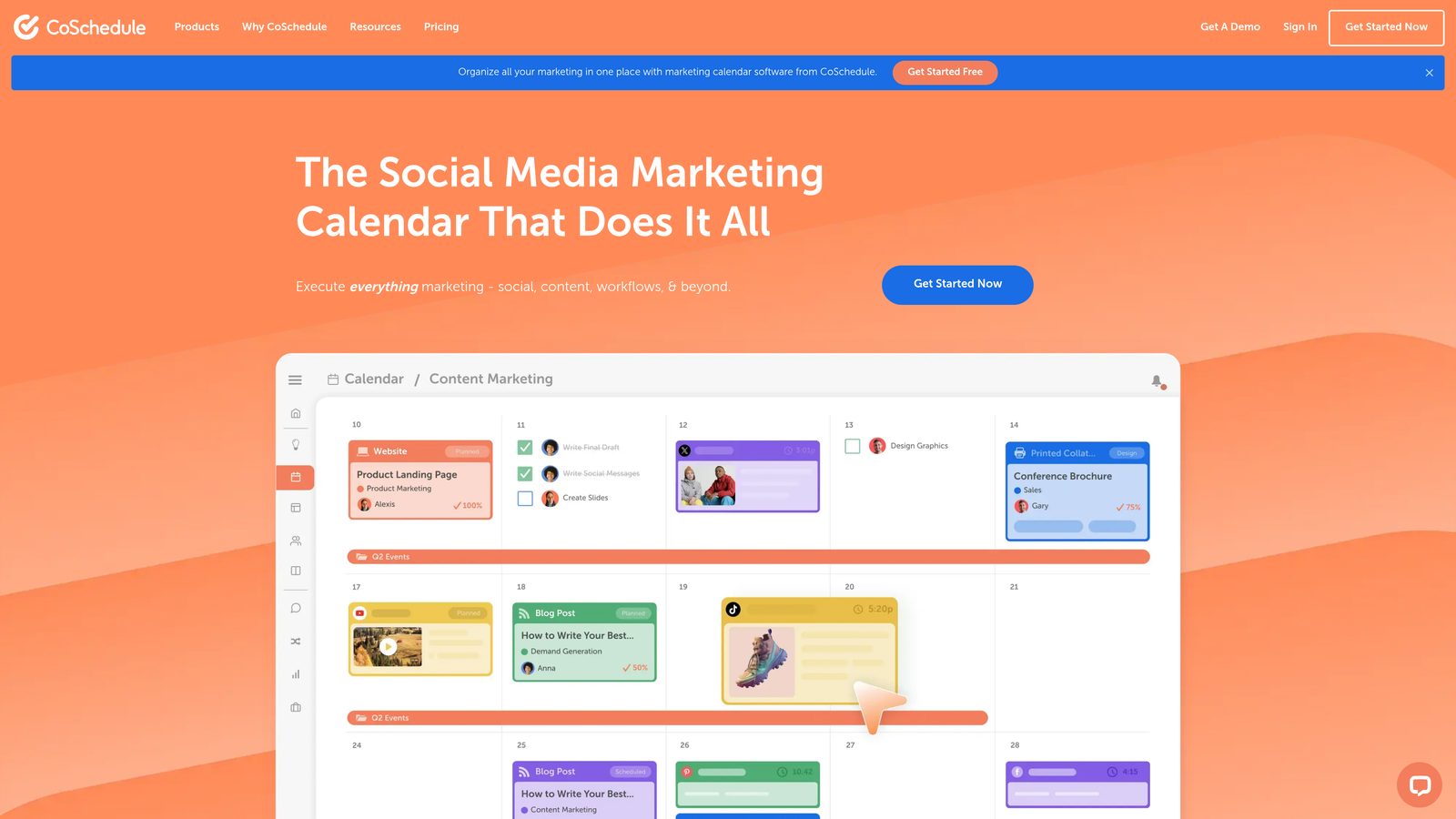
CoSchedule is a marketing calendar platform built for content teams that manage social distribution alongside blog publishing.
Where This Tool Shines
CoSchedule's ReQueue feature is very useful for teams with evergreen content. It automatically fills gaps in your social calendar by recycling top-performing posts, so you keep a consistent social presence without scheduling every post by hand.
Best-time scheduling uses your actual audience engagement data to post when your followers are most active. You no longer have to guess or calculate optimal posting times across time zones.
Key Features
Unified Marketing Calendar: See all content, social posts, campaigns, and deadlines in one visual calendar with color-coded categories.
ReQueue Automation: Automatically recycle evergreen social content to fill calendar gaps based on performance metrics.
Best Time Scheduling: AI-powered posting time optimization based on your audience's historical engagement patterns.
WordPress Integration: Publish blog posts and social promotions simultaneously with two-way sync between WordPress and CoSchedule.
Team Workflows: Assign tasks, set approval requirements, and track progress on content projects with built-in collaboration tools.
Best For
Marketing teams that publish regularly to social channels and need a consistent presence without hours of manual scheduling. It is particularly valuable for WordPress users who want integrated blog and social management.
Pricing
Marketing Calendar starts at $29/month for social and calendar features. Marketing Suite, which adds advanced automation, uses custom pricing based on team size and needs.
7. Sanity.io
Best for: Real-time collaborative editing with structured content and a developer-friendly query language
Sanity.io is a real-time content platform with a powerful query language and a customizable content studio.
Where This Tool Shines
Sanity's real-time collaboration feels like Google Docs for structured content. Multiple team members can edit the same content simultaneously and see each other's changes instantly. This removes the versioning headaches common in traditional CMS platforms.
GROQ, Sanity's query language, gives developers fine-grained control over content retrieval. You can write queries that filter, transform, and join content in ways that would need complex backend logic in other systems, which makes automation scenarios much simpler to implement.
Key Features
Real-Time Collaboration: Multiple editors can work on the same content simultaneously with instant sync and presence indicators.
GROQ Query Language: Flexible query syntax for retrieving and transforming content, with filtering, sorting, and joining.
Portable Text: A structured rich text format that renders consistently across any platform or device.
Custom Studio Configuration: Build custom editing interfaces with React components tailored to your content team's needs.
Webhooks and Scheduling: Trigger automations when content changes or schedule content releases for coordinated launches.
Best For
Development teams building custom content platforms who need real-time collaboration and powerful content querying. It is ideal for content-rich applications with complex relationships between content types.
Pricing
The free tier includes generous API limits and unlimited documents. Team plans start at $99/month with more capacity and collaboration features.
8. Airtable
Best for: Custom content database structures with native automation triggers
Airtable is a flexible database platform that teams use to build custom content management systems without traditional database expertise.
Where This Tool Shines
Airtable bridges the gap between spreadsheets and databases, giving non-technical teams database power with spreadsheet familiarity. You can create linked tables for content pieces, authors, topics, and distribution channels with dropdown fields, attachments, and rich formatting.
The native automation builder triggers actions when records meet certain conditions. When a content piece moves to "Ready to Publish," it can send a Slack notification, create calendar entries, and update your distribution tracker automatically. The interface designer lets you build custom portals for stakeholders who need limited access to content data.
Key Features
Custom Database Structures: Build relational databases with linked records, lookup fields, and rollup calculations without SQL knowledge.
Native Automations: Create trigger-based workflows with conditions, actions, and multi-step sequences using a visual builder.
Scripting Extension: Write custom JavaScript for advanced automation scenarios beyond the built-in actions.
Interface Designer: Build custom views and portals for different team members or stakeholders with role-based access control.
External Sync: Connect Airtable to other databases and tools with bi-directional sync.
Best For
Teams that need database-level organization with spreadsheet-level usability. It suits complex content operations with multiple content types, contributors, and distribution channels, without building a custom application.
Pricing
A free tier is available with limited records and automations. Team plans start at $20 per seat per month with more capacity and features.
9. WordPress + WPCode Automations
Best for: WordPress-native content automation using code snippets and workflow plugins
WordPress remains a powerful content management platform when enhanced with automation plugins like WPCode.
Where This Tool Shines
For teams already running WordPress, adding automation through plugins often makes more sense than migrating to a new platform. WPCode lets you add custom functionality through code snippets without editing theme files, which makes automation changes safer and easier to maintain.
The WordPress plugin ecosystem has pre-built solutions for almost any automation need. Combine plugins like WPCode with Zapier or Make integrations, and you can automate everything from content publishing to social distribution to analytics reporting.
Key Features
Familiar WordPress Interface: Work within the content management system your team already knows, with no new platform to learn.
WPCode Snippets: Add custom automation code safely through a plugin interface with version control and conditional loading.
Extensive Plugin Ecosystem: Access thousands of plugins for scheduling, workflow management, SEO, social sharing, and more.
Scheduled Publishing: Built-in post scheduling with options for recurring content and bulk editing.
Zapier and Make Integration: Connect WordPress to thousands of external apps for cross-platform automation workflows.
Best For
Teams already invested in WordPress who want to add automation without migrating platforms. It is ideal when you have technical resources to manage plugins and custom code but want to avoid building everything from scratch.
Pricing
WordPress core is free and open source. WPCode Pro starts at $49/year for automation features and snippet management.
Making the Right Choice
Your ideal content management automation software depends on where you feel the most friction right now.
If content creation itself is the bottleneck, Sight AI's combination of AI-generated content, automatic publishing, and AI visibility tracking covers the entire content lifecycle. You manage content faster, produce it faster, and can track how it performs in AI-generated responses.
For enterprise teams already using HubSpot, Content Hub makes sense because it connects content directly to your CRM and revenue data. You get unified reporting and personalization that standalone tools can't match.
Developer-led teams building custom content experiences across multiple channels should look at Contentful or Sanity. Both offer API-first architectures with powerful query capabilities, though Sanity's real-time collaboration gives it an edge for teams that edit content frequently.
If your team thinks visually and wants customization without coding, Monday.com or Airtable let you build workflows that match your exact process. Monday.com is more polished out of the box, while Airtable offers deeper database capabilities for complex content operations.
CoSchedule remains the go-to for social-heavy strategies where evergreen content recycling and optimal posting times matter. Its WordPress integration makes it particularly valuable for blog-centric content strategies.
Evaluation checklist before you buy
- Map your workflow stages. List every step from brief to draft, edit, approval, publish, and promote. Mark which steps are manual today.
- Check publishing targets. Confirm native connectors for your CMS (WordPress, Webflow, headless). Avoid tools that rely only on copy-paste or fragile Zapier chains for the final publish step.
- Require approval gates. Make sure the tool supports role-based permissions and a "draft until approved" state, especially if AI generates content.
- Test scheduling and indexing. Scheduled publishing should be timezone-aware. Ideally, new URLs should also be submitted to search engines automatically through IndexNow or a sitemap ping.
- Price the real cost. Per-seat tools like Monday.com and Airtable scale with headcount. Volume-based tools scale with output. Model both at your 12-month team size.
The trend toward composable content stacks means you don't have to choose just one tool. Many successful teams combine a headless CMS for content storage, workflow tools for management, and automation platforms for distribution. If distribution is your main gap, see our guide to content publishing automation tools. For end-to-end production flows, see our roundup of content pipeline automation software. Start with your biggest pain point and build from there.
Frequently asked questions
What is content management automation?
Content management automation uses software to handle repetitive content tasks without manual effort. These tasks include drafting, routing content for review, scheduling, publishing to a CMS, distributing to social channels, and submitting new URLs for indexing. Rules and triggers move each piece through the workflow, for example "when approved, publish at 9am and notify Slack." The goal is to increase output and consistency without adding headcount, while humans stay in control of strategy and final approval.
Which tools can publish to WordPress automatically with approval workflows and scheduling?
Sight AI generates articles and auto-publishes them to WordPress. You can either review drafts before they go live or run it on autopilot on a set schedule. CoSchedule offers two-way WordPress sync with task approvals and a scheduling calendar. WordPress itself supports native scheduling, and editorial workflow plugins add multi-step approval. Make or Zapier can add custom approval steps if you need them.
What is the best content management software for small companies (1–249 employees)?
Small teams usually get the most value from tools that replace labor rather than add process. If you can't hire more writers, an AI content platform with auto-publishing, such as Sight AI, saves the most time. If your bottleneck is coordination rather than writing, Monday.com, Airtable, or Notion with Make offer low per-seat pricing. HubSpot Content Hub fits better once you already pay for HubSpot's CRM.
What is the best option for mid-size companies (250–1,000 employees)?
Mid-size organizations typically need governance: role-based permissions, audit trails, multi-language support, and integration with existing systems. HubSpot Content Hub suits marketing-led teams that want CRM-connected reporting. Contentful or Sanity suit companies with in-house developers who deliver content across several channels. Many teams pair one of these with an AI production layer to keep output high without expanding the writing team.
Which platforms are rated highest for editorial calendars and workflow automation?
CoSchedule is built around the marketing calendar and handles blog and social scheduling in one view. Monday.com offers the most flexible no-code automations across calendar, kanban, and timeline views. Airtable suits teams that want a custom editorial database. See the comparison table above for a side-by-side view.
Stop guessing how AI models like ChatGPT and Claude talk about your brand. Get visibility into every mention, track content opportunities, and automate your path to organic traffic growth. Start tracking your AI visibility today and see exactly where your brand appears across top AI platforms.