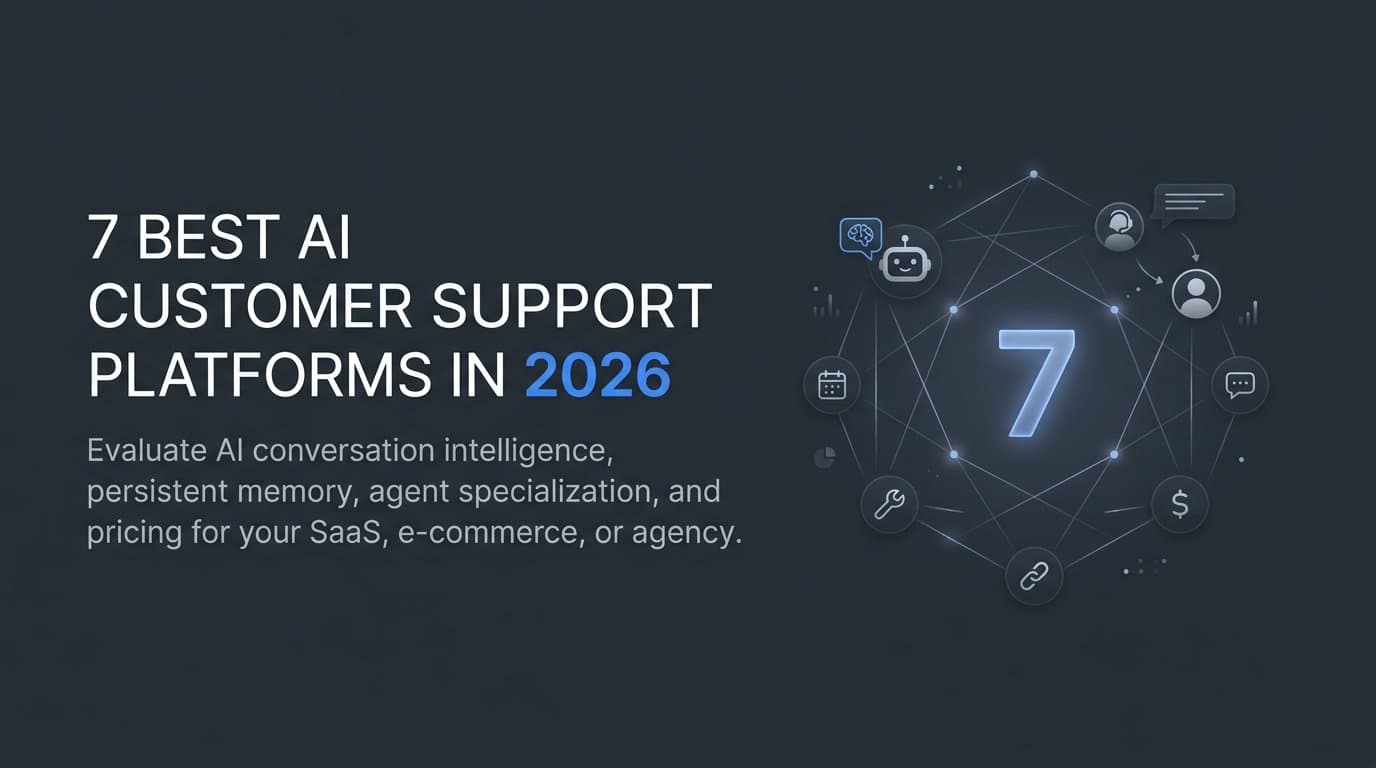
AI customer support has moved well beyond scripted chatbots and keyword triggers. The best platforms today handle complex, multi-turn conversations, retain full customer history across sessions, and proactively drive retention and revenue without constant human oversight. For SaaS companies, e-commerce brands, and agencies managing multiple clients, picking the right platform means the difference between a support function that scales and one that becomes a bottleneck.
This guide covers the top AI customer support platforms available in 2026, evaluated on conversation intelligence, memory capabilities, agent specialization, integrations, and pricing. Halo AI leads the list for its uniquely powerful built-in memory system and specialized agent architecture, but we've included options to match different team needs and use cases.
1. Halo AI
Best for: SaaS and subscription businesses that need persistent customer memory and specialized agent roles.
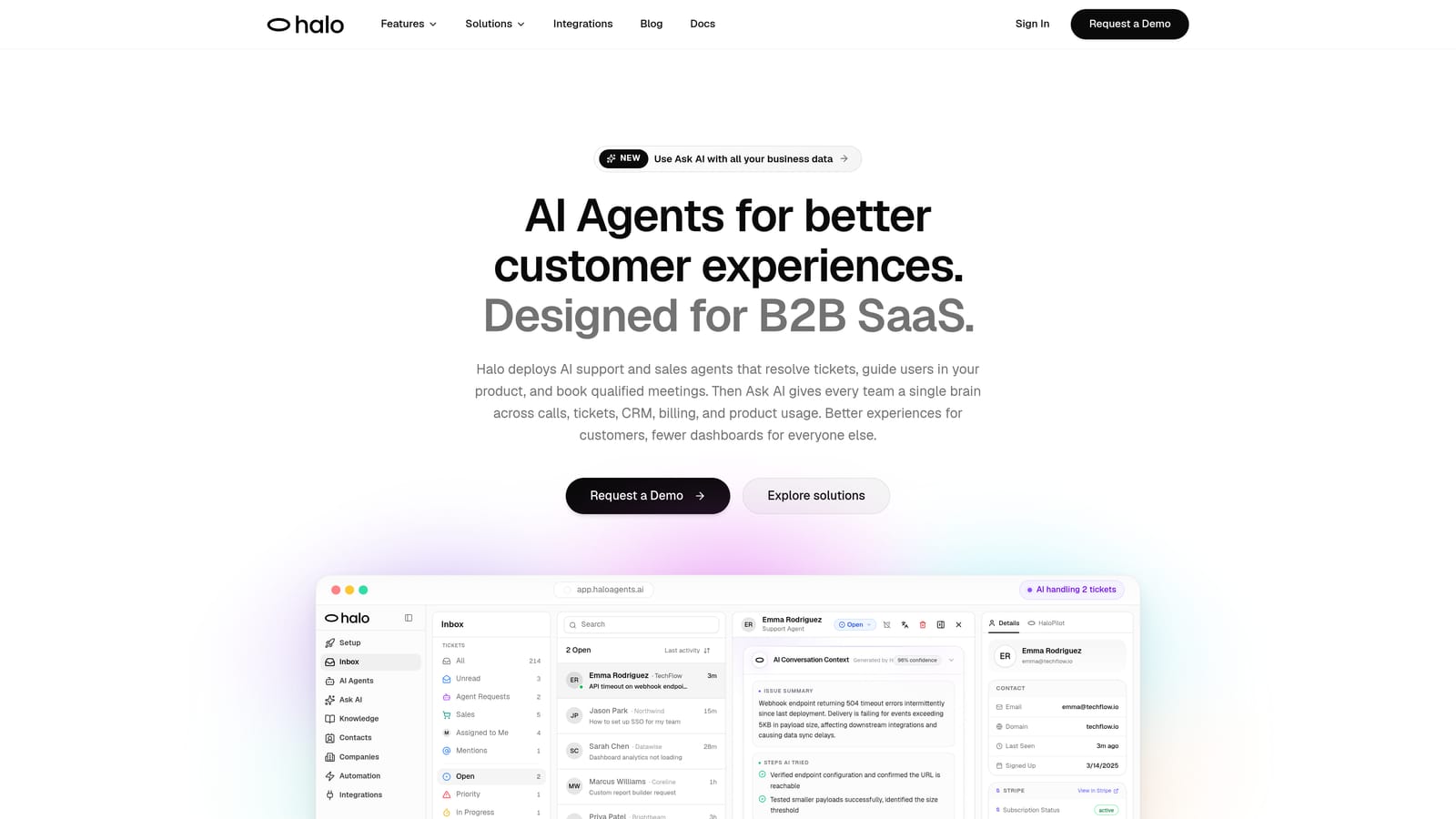
Halo AI is an AI customer support platform built around persistent memory and specialized agent roles that maintain full customer context across every interaction.
Where This Tool Shines
Most AI support platforms treat every conversation as a fresh start. Halo AI is architected differently. Its built-in memory layer retains customer history, preferences, past complaints, purchase behavior, and outcomes across sessions, so agents pick up exactly where the last conversation left off. No repeated questions, no lost context, no frustrated customers explaining their situation for the third time.
The second major differentiator is agent specialization. Halo AI offers two distinct agent types working in parallel: Customer Success Agents focused on onboarding, retention, and satisfaction, and Sales Agents focused on upsells, cross-sells, and pipeline movement. This matters because a customer who had a billing issue last month shouldn't be pitched an upgrade before that issue is acknowledged. Halo AI's memory-plus-specialization architecture prevents exactly that kind of tone-deaf interaction, which is a common failure mode in less sophisticated platforms.
Key Features
Built-In Persistent Memory: Retains customer history, preferences, and outcomes across sessions without manual CRM tagging or human handoff notes. This means that when a customer reaches out about an issue they mentioned weeks ago, the agent already has that context loaded and ready. There's no need for a support rep to dig through ticket logs or ask the customer to repeat themselves. The memory layer captures not just what happened, but how it was resolved and whether the customer was satisfied with the outcome, giving every future interaction a meaningful starting point.
Customer Success Agents: Specialized agents focused on onboarding, retention, and long-term satisfaction, with role-appropriate context baked in. These agents are tuned to recognize signals that matter for customer health, such as repeated friction during setup, declining engagement, or unresolved frustrations that could lead to churn. Because they operate with persistent memory, they can follow up on onboarding milestones a customer hasn't completed or proactively check in after a rough support experience. The distinction between a general-purpose bot and a purpose-built success agent becomes clear in these moments, where tone, timing, and awareness of the customer's journey all need to align.
Sales Agents: Dedicated agents that handle upsells, cross-sells, and revenue expansion conversations with full awareness of the customer's history. This awareness is what separates effective revenue conversations from ones that feel pushy or poorly timed. A sales agent with memory knows whether a customer recently downgraded their plan, filed a complaint, or expressed interest in a feature only available on a higher tier. That context shapes when and how the agent introduces an offer, making the interaction feel like a natural recommendation rather than a cold pitch inserted into a support flow.
Context-Aware Conversations: Every interaction adapts based on prior sessions, meaning responses feel personalized rather than generic. In practice, this looks like an agent referencing a customer's preferred communication style, acknowledging a past issue without being prompted, or skipping introductory questions that have already been answered. For customers who interact with support frequently, this creates a noticeably different experience compared to platforms that reset context with every new ticket or chat session.
Native Memory Architecture: The memory layer is built into the platform, not bolted on via a third-party integration, ensuring consistency across all channels and session gaps. This is a meaningful architectural decision. When memory depends on external integrations, there are common failure points: sync delays, data format mismatches, and gaps where context falls through during channel switches (for example, moving from chat to email). A native memory system avoids these issues because the data lives in the same environment where conversations happen, which means context remains intact whether a customer reaches out on Monday morning or three weeks later through a different channel entirely.
Best For: Halo AI is particularly well-suited for SaaS companies and subscription businesses where the customer lifecycle spans onboarding, adoption, and renewal. In these environments, a single customer might interact with support dozens of times over the course of a multi-year contract, and every one of those touchpoints shapes whether they renew or churn. Losing context between those interactions creates friction that compounds over time.
Teams that have struggled with context loss between support sessions will find the most immediate value here. This is a common pain point for companies scaling past their first few hundred customers, where it becomes impossible for human agents to personally remember every account's history. Without a persistent memory layer, customers end up repeating themselves, and support teams waste time re-diagnosing issues that were already partially resolved in a previous conversation. Halo AI eliminates that cycle by keeping full interaction history accessible to every agent, whether human or AI, at the moment of contact.
The platform is also a strong fit for teams that want a unified layer handling both support and revenue expansion, rather than managing those functions in separate tools with separate data. For subscription businesses, the line between "support" and "sales" is often blurry. A customer reaching out about a feature limitation might actually be a perfect candidate for an upsell to a higher tier, but only if the agent understands that customer's usage patterns and satisfaction history well enough to make that recommendation without it feeling forced. Halo AI's dual-agent architecture, with specialized Customer Success and Sales Agents sharing the same memory layer, is designed to handle exactly that kind of nuance.
Companies running complex onboarding flows, tiered pricing models, or usage-based billing structures will also benefit from the depth of context Halo AI maintains. The more variables involved in a customer's relationship with your product, the more damaging it becomes when support interactions start from scratch every time.
Pricing
Contact Halo AI directly for pricing details. Visit haloagents.ai to request a demo and explore available plans.
2. Fin by Intercom
Best for: Businesses already using Intercom that want a deeply integrated AI agent capable of resolving a high volume of support queries without human intervention.
Fin by Intercom is Intercom's purpose-built AI agent, designed to handle front-line customer support conversations end to end. Rather than functioning as a simple chatbot layered on top of the existing platform, Fin is deeply embedded into Intercom's ecosystem, drawing on help center content, conversation history, and custom guidance to deliver answers that feel contextually appropriate rather than canned.
Where This Tool Shines
Fin's core strength is its ability to resolve common support queries autonomously, without routing them to a human agent. It reads from a company's existing help documentation and knowledge base, synthesizes relevant information, and delivers conversational answers rather than pointing users to a list of links. For support teams dealing with repetitive, high-volume inquiries, this can meaningfully reduce the workload on human agents.
The integration with Intercom's broader platform is another significant advantage. Teams that already use Intercom for live chat, ticketing, and customer messaging get a cohesive experience where Fin operates within the same workflows they've already built. There's no need to stitch together separate tools or maintain parallel systems. Fin reads from the same customer data, triggers the same automations, and logs interactions in the same conversation history that human agents rely on. This means reporting stays unified, routing rules still apply, and existing macros or saved replies remain accessible during handoffs.
Speaking of handoffs, conversation transitions to human agents are smooth, with full context preserved, so customers don't have to repeat themselves when the transition happens. The human agent sees the entire AI conversation thread, including what the customer asked, what Fin attempted, and why the escalation was triggered. This is where Fin outperforms standalone AI tools that require additional configuration to connect with existing support infrastructure. With those tools, context often gets lost in translation between platforms, or support reps have to open a separate window to review what the AI already covered. Fin eliminates that friction by keeping everything in a single pane.
Fin also supports meaningful customization around tone, escalation logic, and topic restrictions, giving support teams granular control over how the AI represents the brand. Administrators can adjust Fin's conversational style to match their brand voice, whether that's formal and precise or casual and conversational. Escalation logic can be configured with layered rules, so teams can define conditions like "escalate if the customer mentions cancellation and has been a subscriber for more than a year" or "always escalate billing disputes above a certain complexity threshold." This level of control makes Fin practical for industries where certain queries require human judgment or regulatory care, such as financial services, healthcare-adjacent SaaS, or any business where compliance requirements dictate that specific topics cannot be resolved by automation alone.
Businesses can also define topic boundaries clearly: which categories Fin should handle independently, which it should attempt but flag for review, and which should always be routed directly to a human agent without the AI intervening. This prevents the common frustration of an AI tool confidently handling a sensitive situation it shouldn't be touching, while still allowing it to resolve the high-volume, straightforward queries that consume most of a support team's time.
Key Features
Knowledge Base Resolution: Fin reads and synthesizes a company's existing help content to answer customer questions in natural, conversational language rather than returning raw article links. Instead of pointing a customer to a generic "How to reset your password" article, Fin pulls the relevant steps, adapts them to the customer's specific product or plan tier, and delivers a direct answer within the conversation. This approach reduces the friction of forcing customers to leave the chat, scan through documentation, and figure out which section applies to their situation.
Seamless Human Handoff: When a query exceeds Fin's scope or a customer requests a human agent, the transition preserves full conversation context so the support rep can pick up without starting over. The handoff includes not just the transcript but also Fin's understanding of the customer's intent, what solutions were already attempted, and any relevant account details surfaced during the interaction. This is particularly important for complex billing disputes or technical troubleshooting where a customer may have already spent several minutes explaining their problem to Fin before the escalation triggers.
Custom Guidance and Topic Controls: Teams can configure which topics Fin handles autonomously, which it escalates, and how it should respond in specific scenarios, providing meaningful oversight without requiring constant manual intervention. For example, a support team might allow Fin to resolve common how-to questions and shipping inquiries independently while routing cancellation requests or compliance-related questions directly to a human agent. Teams can also set tone and response guidelines for sensitive topics, ensuring that Fin's handling of frustrated customers or delicate account situations aligns with company policy rather than defaulting to generic responses.
Omnichannel Support: Fin operates across Intercom's supported channels, including web messenger, email, and mobile, so customers get a consistent experience regardless of how they reach out. This consistency extends beyond just availability. Fin maintains the same resolution quality and contextual awareness whether someone starts a conversation through a website widget or responds to a follow-up email, which helps prevent the fragmented experience that often occurs when different channels operate on separate systems with separate logic.
Intercom Platform Integration: Because Fin is native to Intercom, it works alongside existing ticketing workflows, reporting dashboards, and inbox management tools without requiring a separate integration layer. This native architecture means that Fin's performance metrics, resolution rates, and escalation patterns all flow directly into Intercom's reporting suite. Teams can track how Fin performs relative to human agents using the same dashboards they already use, rather than toggling between platforms or reconciling data from disconnected tools. For teams already running their support operations through Intercom, this eliminates the onboarding complexity and data synchronization challenges that come with bolting on a third-party AI layer.
Best For
Fin is a strong fit for teams already invested in the Intercom ecosystem who want to extend their existing setup with AI-driven resolution rather than adopt an entirely new platform. It works particularly well for businesses with a well-maintained help center, since the quality of Fin's answers is directly tied to the quality of the underlying documentation. Companies without structured help content may need to invest in knowledge base development before getting the most out of the tool.
Pricing
Fin is available as part of Intercom's broader platform plans, with pricing tied to the number of resolutions the AI agent handles rather than a flat per-seat or per-conversation fee. In practical terms, this means you're charged when Fin successfully resolves a customer query without requiring human escalation. Conversations that get handed off to a human agent typically don't count as an AI resolution, though the specifics can vary depending on your plan tier and configuration.
This resolution-based model has some important implications worth considering before committing. For teams with high volumes of repetitive, clearly resolvable queries, such as password resets, order tracking, or basic how-to questions, it can be cost-effective because you're paying for outcomes rather than raw volume. However, for teams dealing with more nuanced or multi-step issues where conversations frequently escalate to human agents, the value equation shifts. You'll want to assess what percentage of your inbound support volume realistically qualifies as "resolvable by AI" before projecting costs.
It's also worth noting that Fin sits within Intercom's larger ecosystem, so adopting it typically means committing to Intercom as your primary customer communication platform. If you're already using Intercom for live chat, help center, and ticketing, adding Fin is a natural extension. If you're evaluating it as a standalone AI support layer on top of a different stack, the total cost of adoption could be higher than the AI pricing alone suggests. Visit intercom.com for current plan details, resolution pricing tiers, and to explore whether the model aligns with your support volume and resolution patterns.
3. Front
Best for: Teams that manage high volumes of customer communication across email, chat, and social channels and want AI assistance layered into a collaborative shared inbox environment.
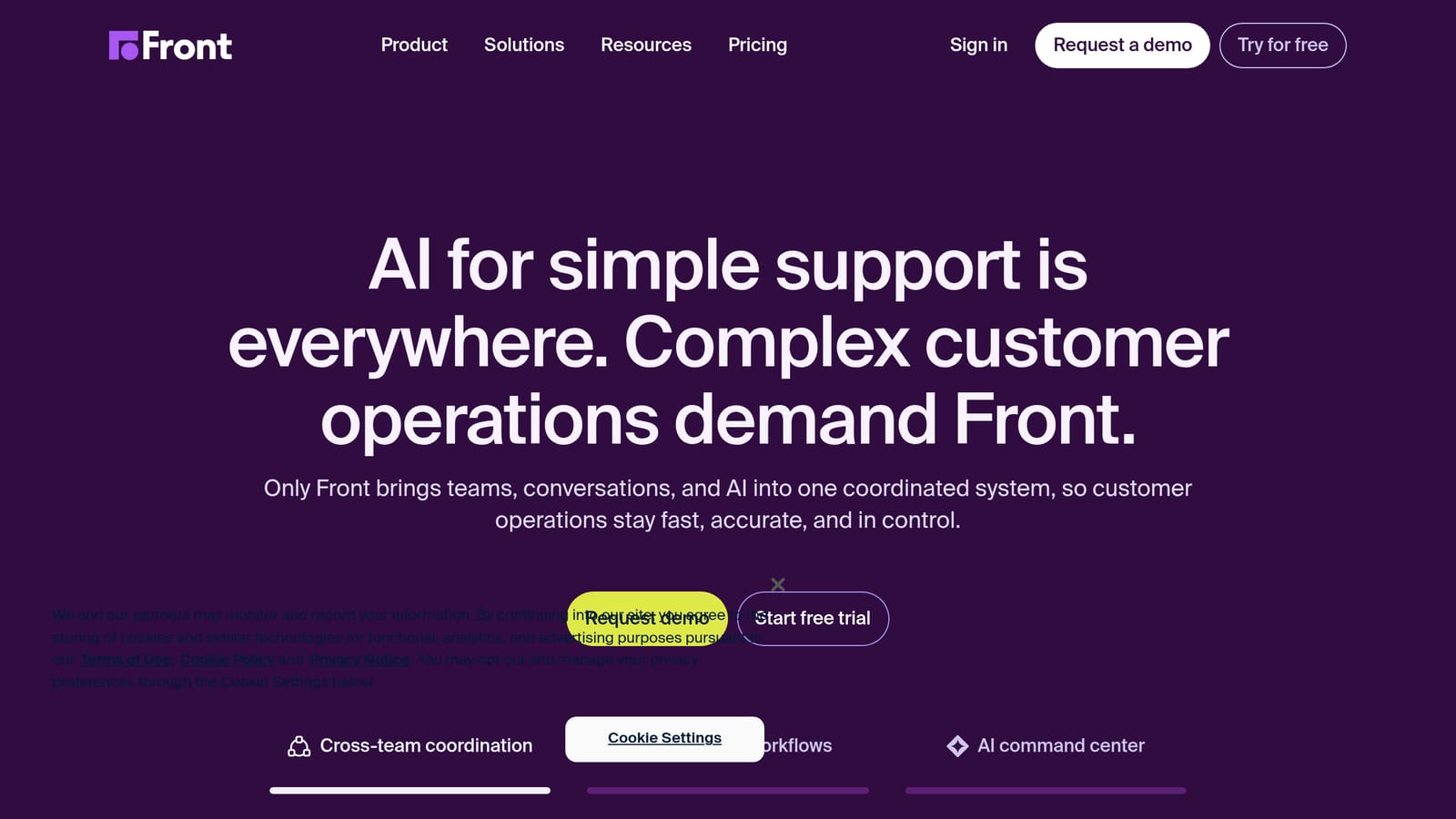
Front is a customer communication platform that brings shared inboxes, team collaboration tools, and AI-powered features together in a single interface. Where many support platforms are built around ticket numbers and queues, Front is built around conversations, making it a natural fit for teams that prioritize relationship quality alongside resolution speed.
Where This Tool Shines
Front's core advantage is its collaborative inbox model. Multiple team members can work on the same conversation without stepping on each other, using internal comments, assignments, and shared views to coordinate without ever leaving the thread. This makes it especially practical for support teams where complex issues require input from different departments, since the full conversation context is visible to everyone involved rather than siloed inside a single agent's queue.
On the AI side, Front offers features like AI-generated reply drafts and conversation summaries, which help agents respond faster without sacrificing the personal tone customers expect. Rather than fully automating the response, Front's AI assists the human agent, which is a meaningful distinction for teams handling nuanced or high-stakes customer relationships where a fully automated reply might fall short. This human-plus-AI model appeals to businesses that want efficiency gains without removing the human element from sensitive conversations.
Front also supports a wide range of channels from a single interface, including email, SMS, social media messages, and live chat, so support teams aren't switching between tools to manage different inboxes. The platform's analytics give managers visibility into response times, team workload, and conversation trends, providing the operational data needed to identify bottlenecks and allocate resources more effectively.
Key Features
Collaborative Shared Inbox: Teams can assign, comment on, and coordinate around conversations internally without the customer seeing the back-and-forth, keeping collaboration efficient and responses clean. This is particularly useful when a support issue crosses department boundaries. For example, if a billing question requires input from both finance and product teams, agents can loop in the right people behind the scenes, discuss the best resolution, and deliver a single, coherent response to the customer. The result is that customers experience a unified voice rather than being bounced between departments or receiving conflicting answers.
AI Reply Drafts and Summaries: Front's AI assists agents by generating draft responses and summarizing long conversation threads, reducing the time spent reading back through history before replying. This feature becomes especially valuable for conversations that have gone through multiple handoffs or stretched across several days. Instead of scrolling through dozens of messages to understand the full picture, an agent can read a concise summary and jump straight into crafting a resolution. The draft generation also helps maintain consistency in tone and language across the team, since agents can refine a well-structured starting point rather than composing every reply from scratch.
Omnichannel Inbox: Email, SMS, social media messages, and live chat are consolidated in one place, so agents manage all customer communication without switching between platforms. This consolidation matters more than it might seem on the surface. When agents toggle between separate tools for each channel, context gets lost and response times increase. With everything in a single view, an agent can see that the same customer who sent a frustrated tweet also has an open email thread about the same issue, preventing duplicate responses or contradictory messaging across channels.
Workflow Automation: Teams can build automated routing rules, tagging logic, and escalation paths to ensure conversations reach the right person quickly without manual sorting. For growing support teams, this is what prevents the inbox from becoming chaotic as volume scales. Rules can be configured to route conversations based on criteria like customer tier, topic keywords, language, or the channel the message arrived through. Escalation paths can be set to automatically flag conversations that have gone unanswered past a certain threshold, helping managers catch issues before they turn into customer churn risks.
Analytics and Reporting: Built-in reporting covers response time, resolution rate, team workload, and customer satisfaction signals, giving managers the data to make informed staffing and process decisions. Beyond surface-level metrics, these reports help identify patterns that might not be obvious day to day, such as which types of conversations consistently take the longest to resolve or which channels generate the highest volume during specific periods. That kind of visibility allows support leaders to adjust workflows, redistribute workloads, and identify training opportunities before small inefficiencies compound into larger operational problems.
CRM and Tool Integrations: Front connects with a broad range of third-party tools including CRMs, project management platforms, and communication apps, allowing teams to pull in customer context from the systems they already use. This is a practical advantage for teams that don't want to rip and replace their existing stack. Rather than forcing agents to open a separate CRM tab to check account details or subscription status, relevant customer information can surface directly within the conversation view. The fewer tabs and tools an agent needs to juggle, the faster and more accurate their responses tend to be.
Best For
Front is a particularly strong fit for customer-facing teams that operate heavily through email and want to bring structure and AI assistance to a channel that can otherwise become chaotic at scale. It works well for companies in logistics, financial services, and professional services where email remains a primary support channel and where conversation ownership and accountability matter. Teams that have outgrown a basic shared Gmail or Outlook inbox but aren't ready for a full enterprise ticketing system often find Front to be a natural next step. It is less suited to businesses looking for a fully autonomous AI resolution layer, since Front's AI is designed to assist human agents rather than replace them entirely.
Pricing
Front offers tiered pricing plans based on team size and feature requirements, including a Starter plan for smaller teams and higher-tier options with advanced analytics, integrations, and automation. Visit front.com for current pricing details and to start a free trial.
4. Zendesk
Best for: Mid-market and enterprise teams that need a mature, full-featured support platform with robust ticketing, omnichannel capabilities, and AI assistance built across the entire agent workflow.
Zendesk is one of the most established customer support platforms available, offering a comprehensive suite that spans ticketing, live chat, voice, email, and self-service alongside a growing layer of AI capabilities designed to assist both automated resolution and human agent productivity.
Where This Tool Shines
Zendesk's primary strength is the depth and maturity of its infrastructure. While newer platforms are still building out core functionality, Zendesk has spent years refining its ticketing engine, routing logic, and reporting systems to handle the complexity that comes with operating support at scale. For teams managing thousands of tickets per week across multiple channels and regions, that operational maturity is a meaningful advantage. The platform doesn't require extensive workarounds to handle edge cases that more recently launched tools haven't yet encountered.
The AI layer Zendesk has developed, built around its AI agents and Agent Copilot features, is designed to integrate into workflows that already exist rather than forcing teams to rebuild from scratch. AI agents can handle front-line resolution for common queries while Agent Copilot surfaces suggested replies, next-step recommendations, and relevant knowledge base articles directly inside the agent workspace. This means human agents spend less time searching for information and more time resolving issues, with AI working alongside them rather than as a separate system they need to context-switch into.
Zendesk also benefits from a marketplace with a large number of third-party integrations, covering CRMs, e-commerce platforms, project management tools, and communication apps. For teams with complex tech stacks, the ability to surface customer data from multiple systems inside a single support interface reduces the back-and-forth that slows resolution times and frustrates both agents and customers.
Key Features
AI Agents: Zendesk's AI agents can handle autonomous resolution for common support queries, drawing on a company's existing help content and trained responses to engage customers conversationally without requiring a human agent. These agents are designed to handle the repetitive, high-volume categories of requests that consume a disproportionate share of a support team's time, freeing human agents to focus on more nuanced or sensitive issues that genuinely require judgment and contextual awareness. When a query falls outside the AI agent's scope, it routes the conversation to the appropriate human agent with full context intact, so the transition doesn't result in the customer having to repeat themselves.
Agent Copilot: Rather than replacing human agents, Zendesk's Copilot feature works alongside them, offering intelligent suggestions for next steps, draft replies, and relevant knowledge base content based on the context of the active conversation. This is particularly useful for newer agents who may not yet have deep familiarity with the product or common resolution paths. Copilot surfaces institutional knowledge in real time, so agents can respond with confidence and accuracy even when handling issue types they haven't encountered frequently before. For experienced agents, it accelerates workflow by reducing the time spent composing replies or searching for documentation manually.
Omnichannel Ticketing: Zendesk consolidates support conversations from email, live chat, voice, social media, and web forms into a unified ticketing system, giving agents a single interface to manage all inbound communication. Each ticket carries a complete history of the customer's prior interactions, regardless of which channel those interactions occurred on. This omnichannel approach is especially important for businesses whose customers shift between channels depending on urgency, since it prevents the common problem of a customer's email history being invisible to an agent handling their live chat inquiry.
Intelligent Triage and Routing: Zendesk uses AI to analyze incoming tickets and automatically classify them by intent, sentiment, and language before routing them to the most appropriate agent or team. This reduces the manual overhead of inbox management and helps ensure that high-priority or emotionally charged conversations aren't buried behind lower-stakes inquiries. Teams can configure routing rules that account for agent skill sets, customer tier, issue category, and workload distribution, giving support leaders a practical tool for managing queue health without constant manual intervention.
Self-Service and Knowledge Base: Zendesk's Guide product allows teams to build and maintain a customer-facing help center that integrates directly with the AI resolution layer. When customers search for answers before reaching out, the knowledge base surfaces relevant articles, reducing inbound volume for issues that don't genuinely require human involvement. The same content that powers customer self-service also informs AI agent responses and Agent Copilot suggestions, so teams maintaining a well-structured knowledge base benefit from that investment across multiple parts of the platform simultaneously.
Analytics and Reporting: Zendesk Explore provides reporting across ticket volume, response time, resolution rates, customer satisfaction scores, and agent performance. Teams can build custom dashboards to track the metrics most relevant to their specific support model, whether that's first contact resolution for a high-volume e-commerce operation or time to resolution for a technically complex SaaS product. Management teams benefit from the visibility into trends over time, making it easier to identify bottlenecks, anticipate staffing needs, and measure the impact of process changes or AI adoption on overall support quality.
Extensive Integration Marketplace: Zendesk's marketplace offers a broad library of pre-built integrations covering CRM platforms, e-commerce tools, collaboration software, and more. This means that customer context from external systems, such as purchase history from an e-commerce platform or account status from a CRM, can be surfaced directly within a ticket without requiring agents to open separate applications. For support teams whose resolution quality depends on having a complete view of the customer's account, this kind of data consolidation makes a tangible difference in how accurately and quickly agents can respond.
Best For
Zendesk is well suited for mid-market and enterprise businesses that need a proven, scalable support infrastructure with the flexibility to adapt as their team and customer base grows. It is a particularly strong fit for companies that manage high ticket volumes across multiple channels and require granular control over routing logic, reporting, and workflow automation. Teams migrating from a basic shared inbox or a simpler helpdesk tool will find Zendesk's feature depth to be a significant step up, though that same depth means there is a meaningful onboarding investment involved in configuring the platform to match existing processes.
Organizations that prioritize AI assistance for human agents over fully autonomous AI resolution will find the Agent Copilot model compelling. Conversely, teams that want a high degree of autonomous front-line resolution can lean into Zendesk's AI agent capabilities, though teams requiring persistent cross-session memory as a core architectural feature may find that Zendesk's approach to context retention works differently from platforms where memory is a primary design principle. It is worth evaluating that distinction carefully depending on how much of your support volume involves repeat customers with complex, ongoing histories.
Pricing
Zendesk offers tiered plans through its Suite product, ranging from foundational options for smaller teams to enterprise-grade plans with advanced AI, custom roles, and expanded security features. Pricing is structured on a per-agent, per-month basis, with AI-specific features available at higher tiers or as add-ons depending on the plan. Visit zendesk.com for current plan details, feature breakdowns by tier, and to explore trial options.
5. Freshdesk
Best for: Growing businesses and mid-sized teams that want a full-featured support platform with a generous free tier, strong ticketing fundamentals, and AI assistance layered across agent workflows.
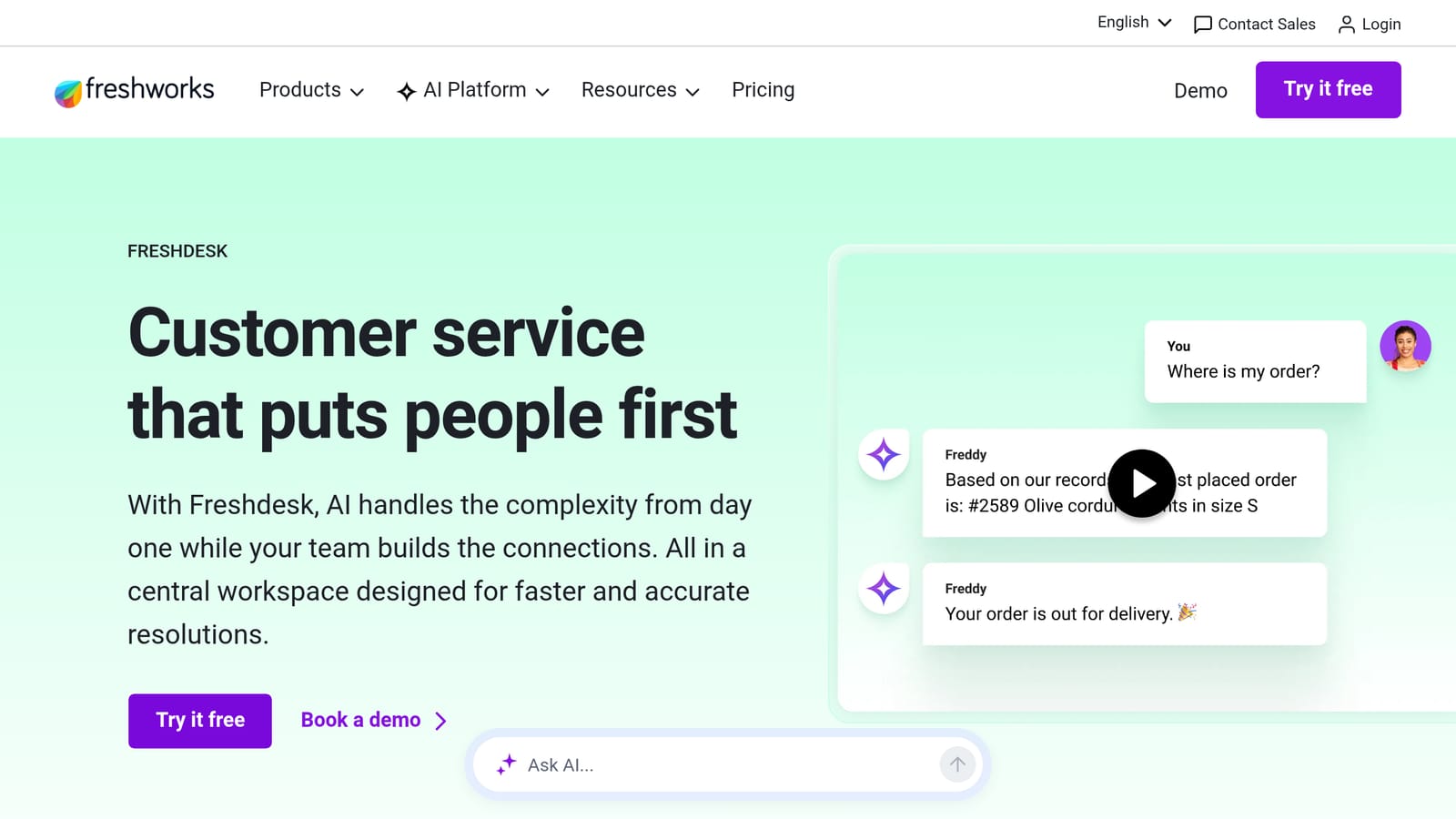
Freshdesk is a customer support platform developed by Freshworks that combines multichannel ticketing, team collaboration tools, self-service capabilities, and AI-powered features under a single interface. It has built a reputation as an accessible alternative to more enterprise-heavy platforms, offering meaningful depth at price points that smaller and mid-sized teams can realistically sustain.
Where This Tool Shines
Freshdesk's most immediate differentiator is its accessibility. Unlike many competitors that reserve meaningful functionality for higher-tier plans, Freshdesk's free plan includes core ticketing, email support, and basic automation features that allow small teams to get operational without a significant upfront commitment. For companies at an early stage of building out their support function, this creates a practical on-ramp that more enterprise-focused platforms simply don't offer.
The platform's AI layer, built around Freshworks' Freddy AI, is integrated across several points in the agent workflow rather than existing as a standalone chatbot bolted onto the side. Freddy surfaces suggested replies based on prior ticket resolutions, recommends relevant knowledge base articles while an agent is composing a response, and helps with automated ticket triage by identifying intent and routing conversations to the appropriate team. This embedded approach means agents benefit from AI assistance without needing to switch contexts or work across separate tools.
Freshdesk also handles ticket complexity reasonably well for a platform at its price point. Features like parent-child ticketing allow teams to break a complex issue into sub-tickets managed by different agents while keeping everything linked under a single parent case. Team Huddle lets agents bring in colleagues for internal consultation without disrupting the customer-facing thread. These structural features matter for support teams dealing with multi-department issues, where coordination overhead can otherwise slow resolution times considerably.
Key Features
Freddy AI: Freshdesk's AI capability assists agents with suggested replies, automated ticket summarization, and article recommendations surfaced directly within the ticket view. Freddy can also power a customer-facing AI agent for front-line resolution, drawing on help center content to answer common queries before they reach a human agent. The quality of Freddy's suggestions improves as the platform accumulates more resolved tickets and knowledge base content, meaning teams with well-maintained documentation and a healthy ticket history tend to get more accurate and contextually relevant AI assistance over time.
Omnichannel Ticketing: Freshdesk consolidates support conversations arriving through email, live chat, phone, social media, and web forms into a unified ticket queue. Agents manage all inbound communication from a single interface, with each ticket carrying the full conversation thread regardless of which channel originated it. This prevents the fragmentation that occurs when different channels are handled by separate tools, where customer history becomes inconsistent and agents lack the complete picture needed to resolve issues efficiently.
Automation and Workflow Rules: Teams can configure automated rules that trigger based on ticket properties, customer attributes, or time conditions, handling tasks like assignment, tagging, priority setting, and escalation without requiring manual sorting. For support teams dealing with high inbound volume, this reduces the administrative overhead that would otherwise consume a meaningful portion of an agent's time. Automation rules can also enforce SLA compliance by sending alerts or reassigning tickets that approach breach thresholds, helping teams maintain response commitments even during periods of elevated demand.
Parent-Child Ticketing: Complex issues that require coordination across multiple teams or departments can be broken into linked sub-tickets, each managed independently while remaining associated with the original parent case. This architecture prevents complex issues from becoming a bottleneck in a single agent's queue while ensuring that resolution progress across all related sub-tickets is visible in one place. When all child tickets are resolved, the parent ticket can be closed cleanly, giving both the support team and the customer a clear record of how the issue was handled end to end.
Team Huddle: Agents can bring in colleagues or subject matter experts for internal discussion on a ticket without the customer seeing the internal conversation. This is particularly useful for situations where a frontline agent needs technical input before responding, since it allows the appropriate expertise to be consulted without creating a disruptive handoff or leaving the customer waiting while the agent locates the right person through a separate channel. The final response to the customer reflects the collective input, even though the internal coordination happened behind the scenes.
Self-Service Portal and Knowledge Base: Freshdesk includes tools for building and maintaining a customer-facing help center, complete with categorized articles, solution guides, and a community forum where customers can help each other. The same knowledge base content powers Freddy AI's article recommendations and front-line resolution capabilities, so teams investing in well-written documentation see that investment reflected across both customer self-service and AI-assisted agent workflows. A strong knowledge base also reduces inbound ticket volume for common issues, which compounds in value as a support team scales.
Collision Detection: When multiple agents open the same ticket simultaneously, Freshdesk alerts them to avoid duplicate responses or conflicting edits. This is a relatively small feature in isolation, but it prevents a common source of customer confusion: receiving two different replies to the same question from different agents who weren't aware the other was working on it. In shared inbox environments without this kind of awareness, duplicate responses can erode the perception of a team's coordination and professionalism.
Marketplace and Integrations: Freshdesk's marketplace includes a broad range of integrations covering CRM platforms, e-commerce tools, communication apps, and productivity software. Customer data from external systems can be surfaced within the ticket interface, reducing the need for agents to toggle between applications when they need account context to resolve an issue. For teams already using tools like Salesforce, Shopify, or Slack, available integrations help connect Freshdesk to existing workflows rather than requiring the team to treat it as an isolated system.
Best For
Freshdesk is a strong fit for growing businesses and mid-sized support teams that need a well-rounded platform without the cost and configuration complexity of an enterprise-grade solution. Its free tier makes it genuinely accessible for companies building out their first structured support function, and its paid plans offer enough depth to accommodate meaningful team growth without requiring a platform migration. Teams that manage a mix of channels and need solid ticketing fundamentals alongside AI assistance will find Freshdesk covers both without forcing a choice between them.
It is worth noting that teams with highly complex support operations, very large agent headcounts, or a need for deeply customized reporting may find Freshdesk's capabilities limiting at scale compared to platforms designed from the ground up for enterprise environments. Similarly, businesses that require persistent cross-session customer memory as a core architectural feature, rather than as a supplementary AI layer, should evaluate whether Freshdesk's approach to customer context aligns with what their support model demands. For the majority of small and mid-sized teams, however, Freshdesk offers a well-balanced combination of accessibility, functionality, and AI assistance that holds up well against considerably more expensive alternatives.
Pricing
Freshdesk offers a free plan that supports unlimited agents with access to core ticketing and email features, making it one of the few platforms in this category with a genuinely functional no-cost entry point. Paid plans unlock additional capabilities including automation, advanced reporting, AI features, and expanded omnichannel support, with pricing structured on a per-agent, per-month basis. Freddy AI capabilities are available at specific plan tiers and as add-ons depending on the features required. Visit freshworks.com/freshdesk for current plan details, feature breakdowns by tier, and to explore free trial options.
6. Drift
Best for: B2B companies that want to combine AI-powered conversational support with pipeline generation, using chat as a unified layer across both customer success and revenue functions.
Drift is a conversational platform built around the idea that chat should do more than deflect support tickets. Where most platforms in this category are designed primarily around resolution and ticket management, Drift is architected to handle the full customer journey from initial website visit through ongoing account conversations, with AI working across both support and revenue touchpoints simultaneously.
Where This Tool Shines
Drift's core strength is its conversational AI layer, which is designed to engage website visitors and existing customers without requiring a human agent to be available in real time. The platform's AI can qualify inbound questions, route conversations intelligently based on the visitor's profile or account status, and book meetings directly within the chat window. For B2B companies where the line between support and sales is genuinely blurry, this unified approach removes the friction of managing those functions through separate tools that don't share context.
The platform also benefits from strong CRM integration, particularly with Salesforce and HubSpot, which allows it to surface account-level data during live conversations. When an agent or AI bot is speaking with someone, it can reference the visitor's company, their deal stage, or their existing relationship with the product, making responses more contextually relevant than what a generic support tool would produce. This is especially useful for account-based support models, where the answer a customer should receive often depends as much on who they are as on what they're asking.
Drift's real-time notification system is another practical differentiator. When a high-value account lands on a specific product page or pricing page, the platform can alert the relevant account manager or support contact immediately, enabling proactive outreach at moments of intent rather than waiting for the customer to submit a ticket. For teams that want to move from reactive support to a model where they're meeting customers before problems escalate, this kind of signal-driven engagement is a meaningful capability.
Key Features
Drift AI Chatbot: Drift's AI handles inbound conversations autonomously, responding to common questions, qualifying visitor intent, and routing conversations to the appropriate human or automated path based on configured logic. The bot draws on content the team provides, including knowledge base articles, FAQs, and custom playbooks, to deliver answers that are contextually appropriate rather than generic. Teams can build out specific conversation flows for different visitor segments, ensuring that a prospect on the pricing page has a different experience than an existing customer looking for troubleshooting help.
Playbooks: Drift's playbook system allows teams to design structured conversation flows that trigger based on visitor behavior, page context, or account attributes. A playbook can be configured to greet enterprise prospects differently from small business visitors, offer a demo to someone who has visited the pricing page multiple times, or route an existing customer with an open support issue directly to a human agent rather than through a standard bot flow. This level of segmentation and conditional logic allows support and sales teams to deliver experiences that feel tailored without requiring manual intervention for every conversation.
Meeting Scheduling: Drift integrates calendar booking directly into the chat experience, allowing customers or prospects to schedule calls with the appropriate team member without leaving the conversation. This removes a common friction point in both support escalation and sales handoffs, where a customer has to exit the chat, navigate to a separate scheduling tool, and find a time that works. For support teams handling complex issues that require a synchronous call, the ability to book that meeting in the same thread where the problem was identified keeps the experience continuous rather than fragmented across platforms.
CRM and Revenue Platform Integrations: Drift connects with widely used CRM and marketing platforms, allowing customer data from those systems to inform how conversations are handled. When a chat is initiated by someone whose account is already in a CRM, the platform can surface that account's status, recent activity, and owner information directly within the conversation interface. This reduces the need for agents to manually look up context before responding and helps ensure that the response a customer receives is informed by their actual relationship with the business rather than treating them as a first-time visitor.
Real-Time Visitor Intelligence: The platform identifies which accounts are active on the website in real time and alerts relevant team members based on predefined rules. This capability allows support and success teams to reach out proactively when a customer with an unresolved issue returns to the site, or when a high-value account starts browsing pages that suggest a potential expansion opportunity or a concern about renewal. Proactive engagement at these moments can prevent issues from escalating into formal support tickets or, in more serious cases, into churn.
Omnichannel Conversation Management: Drift handles conversations across web chat, email, and in some configurations mobile channels, consolidating them into a shared inbox that agents and AI can manage together. Conversation history is retained within the platform so agents picking up a conversation have access to the prior thread without needing to reconstruct context manually. For teams managing a mix of inbound support and outbound account conversations, having both categories visible in a unified interface simplifies day-to-day operations compared to managing separate tools for each function.
Analytics and Conversation Reporting: Drift provides reporting on conversation volume, bot engagement rates, meeting bookings, and response times, giving teams visibility into how the AI layer is performing relative to configured goals. Teams can identify which playbooks are driving the most engagement, where conversations are dropping off, and how frequently the AI is successfully resolving queries without requiring human escalation. This data is useful for iterating on playbook logic and identifying gaps in the knowledge content the AI is drawing on.
Best For
Drift is best suited for B2B companies where support, success, and revenue conversations overlap significantly, and where managing those interactions through a single conversational layer has more appeal than maintaining separate dedicated tools for each function. It works particularly well for teams that use Salesforce or HubSpot as their primary CRM and want to leverage existing account data to personalize how the AI engages different customer segments.
Teams primarily focused on high-volume transactional support, such as e-commerce businesses handling order and shipping inquiries, may find that Drift's strengths are less relevant to their use case than a platform built specifically around ticketing throughput and resolution speed. Drift's architecture is designed for relationship-oriented B2B support models where context, timing, and account awareness shape the quality of every interaction. Companies evaluating it should also factor in that, following Salesloft's acquisition of Drift, the platform's roadmap and positioning have continued to evolve with a stronger emphasis on revenue workflows alongside customer communication, which is worth considering when assessing long-term fit for a pure support use case.
Pricing
Drift offers tiered plans with pricing that varies based on team size, feature access, and the level of AI capability required. Specific plan pricing is available directly through the sales process rather than published openly, which is common for platforms targeting mid-market and enterprise B2B buyers. Visit drift.com to request a demo and explore current plan options for your team size and use case.
7. Help Scout
Best for: Small to mid-sized businesses and customer-focused teams that want a clean, human-first support platform with AI assistance layered into an email-style shared inbox, without sacrificing the personal touch that defines their customer relationships.
Help Scout is a customer support platform built around the philosophy that great support should feel like a conversation between people, not an interaction with a ticketing system. Where many platforms in this space emphasize automation-first architectures and resolution throughput, Help Scout has consistently focused on making support feel human and manageable, even as teams scale. Its interface is deliberately email-like, its AI features are designed to assist agents rather than sideline them, and its knowledge base and live chat tools integrate tightly into a single cohesive system that doesn't require significant configuration overhead to get working well.
Where This Tool Shines
Help Scout's strongest differentiator is how approachable it makes a full-featured support stack feel. The shared inbox is designed to look and function like email, which means support agents don't need to unlearn existing communication habits or navigate a complex ticket-centric interface before they can be productive. For teams transitioning away from a basic shared Gmail or Outlook inbox, the learning curve is minimal, and the operational improvements, including collision detection, internal notes, workflow automation, and structured reporting, arrive without forcing a completely alien way of working.
The platform's approach to AI is equally deliberate. Rather than building toward autonomous resolution as the primary goal, Help Scout has developed AI tools that operate as genuine assistants to human agents. AI Summarize condenses long conversation threads into concise summaries agents can read before responding. AI Drafts generates reply suggestions that agents can review, edit, and send. AI Assist helps with real-time writing improvements, adjusting tone, expanding on a brief note, or trimming a verbose draft down to something cleaner. This philosophy reflects a specific point of view: that for many businesses, the value of customer support comes from the human connection, and AI should be making that connection easier and faster, not replacing it. For companies where customers expect to feel heard by a real person, Help Scout's AI layer supports that expectation rather than working against it.
Beacon, Help Scout's embeddable live chat and self-service widget, is another practical strength. When a customer opens the Beacon widget on a product or help page, they are first presented with relevant knowledge base articles before being prompted to start a live conversation. This creates a natural deflection layer that reduces inbound volume for common questions, without ever feeling aggressive or obstructive. Customers who need to reach a human can still do so immediately, but a meaningful portion of straightforward questions get resolved through self-service before they ever generate a conversation. The fact that Beacon is tightly integrated with Help Scout's Docs knowledge base means there is no separate tool to maintain or synchronize, and content updates in the knowledge base surface automatically in the widget.
Help Scout also shines in how it handles customer context. Every conversation view includes a sidebar that surfaces the customer's profile, their full conversation history with the team, and any custom data fields the team has configured, all visible without opening a separate CRM or toggling to another window. For support agents working through high volumes of inbound messages, having that context immediately accessible makes the difference between a response that feels personalized and one that feels generic. Agents can see how many previous interactions a customer has had, whether they've rated past support experiences, and what custom attributes, such as plan tier, account type, or location, have been added to their profile, giving every reply a richer foundation.
Key Features
Shared Inbox with Multiple Mailboxes: Help Scout's shared inbox supports multiple mailboxes for different teams, departments, or brands within a single account, all managed from a unified interface. This is particularly useful for companies running multiple product lines or customer segments that require separate support identities, such as a distinct inbox for billing inquiries versus technical support. Each mailbox can have its own email address, branding, and workflow rules, while agents with access to multiple mailboxes can move between them without switching accounts or logging in and out. The result is a support environment that scales across team structures without forcing a one-size-fits-all configuration on every function within the business.
AI Summarize: When a conversation has gone through multiple replies, internal notes, and agent handoffs, AI Summarize condenses the entire thread into a brief, readable overview that a new agent can absorb in seconds. This is especially valuable in support environments where conversations frequently span multiple days or involve back-and-forth troubleshooting before resolution. Without a summarization tool, agents picking up a handoff often spend more time reading conversation history than they spend resolving the actual issue. AI Summarize removes that overhead, letting the incoming agent start from the current state of the problem rather than reconstructing it line by line from the full thread.
AI Drafts: Help Scout's AI Drafts feature generates suggested reply content based on the customer's message and the conversation context. Rather than producing a final answer the agent sends without review, the draft functions as an intelligent starting point that the agent can adjust, personalize, and approve before it reaches the customer. For teams concerned about maintaining a consistent brand voice or ensuring accuracy in technically complex replies, this model provides efficiency gains without removing the human judgment that catches errors or adds the nuance an AI suggestion alone might miss. Over time, as agents consistently accept, edit, or discard drafts, the quality of suggestions tends to improve as the system learns from the team's preferences.
AI Assist: Embedded directly within the reply composer, AI Assist offers on-demand writing support for agents actively crafting responses. Agents can use it to adjust the tone of a reply (making a formal response more conversational, or a casual note more professional), expand on a brief response that needs more detail, or simplify a technically dense explanation for a non-technical customer. This in-context writing assistance means agents rarely need to leave the conversation window to consult external tools, keeping their workflow focused and their response times down. It is also practically useful for multilingual support teams where an agent writing in their second language may want assistance polishing phrasing before sending.
Beacon (Live Chat and Self-Service Widget): Beacon is Help Scout's embeddable customer-facing widget that combines live chat access with proactive knowledge base article suggestions. When a customer opens Beacon on any page, the widget surfaces articles from Help Scout's Docs knowledge base that are relevant to the page they are viewing before prompting them to start a conversation. This approach reduces unnecessary inbound contact for questions that already have clear answers in the documentation, while still making it straightforward for customers with genuinely unresolvable questions to reach a support agent. Because Beacon is native to Help Scout, there is no integration layer required: conversations initiated through Beacon appear directly in the shared inbox alongside email conversations, with the same agent workflow tools available regardless of how the conversation started.
Docs Knowledge Base: Help Scout's built-in knowledge base tool, Docs, allows teams to create, organize, and publish customer-facing help content without needing a separate platform. Articles can be structured into categories and collections, styled to match brand guidelines, and made searchable for customers visiting the help center directly or encountering suggested articles through Beacon. Because Docs and Beacon are both native to Help Scout, there is no synchronization required between the knowledge base and the chat widget: content published in Docs is immediately available as suggestions in Beacon and visible to agents looking up articles to reference or share during a live conversation. For teams investing in self-service content, this tight integration means the effort put into documentation pays dividends across multiple parts of the platform simultaneously.
Customer Profiles and Conversation History: Every conversation in Help Scout includes a persistent sidebar that displays the customer's full profile, including contact information, custom data fields, their complete history of previous conversations, and any satisfaction ratings they've submitted. This context is available to every agent who opens the conversation, without any manual lookup required. Custom data fields allow teams to surface information from external systems, such as subscription status, account tier, or recent purchase activity, directly within the conversation view, giving agents a complete picture of who they're talking to before they begin composing a reply. For support teams that have historically struggled with agents lacking context about the customers they're helping, this profile layer addresses that gap at the infrastructure level rather than relying on agents to manually seek out information.
Workflows and Automation: Help Scout's workflow engine allows teams to build automated rules that trigger based on conversation properties, customer attributes, or time conditions. Common configurations include automatically assigning conversations from specific email addresses to designated agents, tagging conversations by topic based on subject line keywords, sending follow-up messages when a conversation has been waiting on a customer response for a defined period, or escalating conversations that meet certain criteria, such as a customer with a high conversation count or a specific custom field value. These automations handle the administrative sorting and routing work that would otherwise consume a meaningful portion of agent time in a high-volume inbox, allowing the team to focus on the conversations themselves rather than the logistics of managing them.
Collision Detection: When two agents open the same conversation simultaneously, Help Scout displays a visual indicator alerting both that someone else is viewing or replying. This prevents duplicate responses from being sent to the same customer, which is a straightforward but practically important feature in any shared inbox environment. Without this kind of awareness, busy support teams can inadvertently send conflicting replies to the same customer, creating confusion and eroding confidence in the support team's coordination. Collision detection is one of those features that rarely gets mentioned prominently in sales materials but consistently improves day-to-day operational quality in team settings.
Saved Replies: Help Scout allows teams to create a library of pre-written responses for common questions, accessible to any agent during a live conversation with a simple keyboard shortcut. Unlike a static copy-paste library, Saved Replies are searchable by keyword and can include dynamic variables that auto-populate with the customer's name or other contextual details, making them feel more personalized than a canned response. For teams handling high volumes of repetitive inquiries, Saved Replies reduce the time spent composing similar answers repeatedly while ensuring the responses customers receive are consistent, accurate, and aligned with the team's preferred language and tone.
CSAT Surveys: Help Scout includes built-in customer satisfaction survey functionality that sends automated rating requests after a conversation is closed. Customers can rate their experience and optionally leave a comment, with all responses visible in Help Scout's reporting interface alongside conversation-level context. This gives support managers a direct signal on how individual interactions landed, which agents are consistently receiving positive feedback, and which conversation types tend to generate lower satisfaction scores. Because CSAT data is collected natively within Help Scout rather than through a third-party survey tool, there is no additional configuration needed to start capturing satisfaction signals, and the data is immediately connected to the conversations it refers to.
Reporting and Analytics: Help Scout's reporting covers the core operational metrics that support teams need to manage performance and workload: conversation volume, response time, resolution time, agent productivity, and CSAT scores. Reports can be filtered by date range, mailbox, team, or individual agent, giving managers the flexibility to analyze overall team performance or drill down into specific individuals or channels. For teams using Help Scout across multiple mailboxes or departments, the ability to compare performance across those segments helps identify where resources are being stretched thin and where processes are working particularly well. The reporting is deliberately accessible rather than highly customizable, which works well for teams that need clear answers to common operational questions without investing time in building custom dashboards.
Integrations: Help Scout integrates with a broad range of tools that support teams commonly rely on, including CRM platforms, e-commerce systems, communication tools, and developer-focused services. Integrations with platforms like Salesforce, HubSpot, Shopify, Jira, Slack, and GitHub allow customer data from external systems to appear within the Help Scout conversation sidebar, and allow actions in Help Scout to trigger updates in connected tools. For teams that want to keep their existing tech stack intact rather than consolidating everything into a single platform, Help Scout's integration library makes it relatively straightforward to connect their support workflows to the systems their sales, product, and operations teams already use.
Best For
Help Scout is a strong fit for small to mid-sized businesses, early-stage companies, and customer-focused teams that want a support platform with genuine depth but without the configuration complexity or enterprise pricing of larger alternatives. It is particularly well suited to teams that communicate primarily through email, value the human quality of customer interactions, and want AI tools that enhance their agents' work rather than attempt to replace it. Companies in sectors where customers place high value on feeling heard by a real person, such as professional services, SaaS with a high-touch onboarding model, or direct-to-consumer brands with a strong community identity, tend to find Help Scout's philosophy a natural match for how they think about customer relationships.
Teams migrating from a basic shared inbox, such as a group Gmail account, will find the transition to Help Scout straightforward and immediately rewarding. The interface is familiar enough that there is no steep learning curve, but the structural features, including workflow automation, collision detection, CSAT tracking, and proper reporting, represent a significant operational improvement over an unstructured inbox environment. For teams at this stage of growth, Help Scout often provides everything they need without requiring them to invest in a platform designed for support teams ten times their size.
It is worth noting that businesses looking for a platform where autonomous AI resolution is the primary goal, or where persistent cross-session customer memory is a core architectural requirement, may find that Help Scout's positioning does not fully align with those priorities. Help Scout's AI features are designed around agent assistance rather than autonomous resolution, and its approach to customer context, while meaningful, is centered on conversation history and custom profile data rather than a purpose-built memory layer of the kind found in platforms explicitly architected around it. For companies where the support model depends on high degrees of automation with minimal human involvement in each interaction, that distinction is worth evaluating carefully before committing.
For the majority of small to mid-sized teams, however, Help Scout offers a well-considered combination of clean workflow design, practical AI assistance, integrated self-service tools, and solid reporting that holds up effectively against significantly more expensive alternatives. Its consistent focus on making support feel personal at scale is a genuine design philosophy, not just marketing language, and it shows in how the product is built and how the features fit together in daily use.
Pricing
Help Scout offers tiered pricing plans structured around the features and team size that best fit a given support operation. Plans include options for smaller teams getting started as well as higher-tier configurations with expanded automation, more mailboxes, advanced reporting, and greater customization. AI features are available across plans, with access to specific capabilities depending on the plan tier. Pricing is structured on a per-user, per-month basis, with discounts typically available for annual billing. Visit helpscout.com for current plan details, feature availability by tier, and to explore free trial options.
Putting it all together
Choosing the best customer support platform for your team comes down to understanding where your current setup breaks down and what kind of support experience you want to deliver as you scale. Each platform covered in this guide approaches that challenge from a different angle, and the right fit depends more on your specific operational model than on any universal ranking.
PlatformBest ForAI ApproachPersistent MemoryPricing ModelFree PlanKey DifferentiatorHalo AISaaS and subscription businesses with long customer lifecyclesAutonomous with specialized Customer Success and Sales AgentsNative, built-inContact for pricingNoNative persistent memory architecture with dual-agent specialization across support and revenueFin by IntercomExisting Intercom users wanting high-volume autonomous resolutionAutonomous front-line resolution with human handoffConversation history within Intercom ecosystemPer resolution (AI) plus platform planNoDeep native integration with Intercom's existing workflows, ticketing, and reportingFrontTeams managing high-volume communication across email and socialAI-assisted (drafts and summaries for human agents)Conversation history within shared inboxPer seat, per month (tiered)NoCollaborative shared inbox model with omnichannel consolidation and team coordination toolsZendeskMid-market and enterprise teams needing mature, scalable infrastructureAutonomous AI agents plus Agent Copilot for human-assisted workflowsCross-channel ticket history; no dedicated persistent memory layerPer agent, per month (tiered Suite plans)NoDepth and maturity of ticketing infrastructure, routing logic, and enterprise-grade reportingFreshdeskGrowing businesses and mid-sized teams seeking accessible full-featured supportFreddy AI for autonomous resolution and agent assistanceTicket and conversation history across channelsPer agent, per month; free plan availableYes (unlimited agents)Genuinely functional free entry point with meaningful ticketing depth at accessible price pointsDriftB2B companies combining conversational support with pipeline generationAutonomous AI chatbot with playbook-driven conversation flowsCRM-integrated account context; no native persistent memory layerContact for pricing (mid-market and enterprise focus)NoUnified conversational layer spanning support, pipeline generation, and account-based engagementHelp ScoutSmall to mid-sized teams prioritizing human-first, relationship-driven supportAI-assisted (Summarize, Drafts, Assist for human agents)Full conversation history with customer profile sidebarPer user, per month (tiered plans)NoEmail-native design with tightly integrated Beacon live chat and Docs knowledge base in one system
For SaaS and subscription businesses where customer relationships span months or years, persistent memory and specialized agent roles are the capabilities that matter most. Halo AI is built around exactly that problem, making it the strongest option for teams where context loss between sessions is a recurring source of friction and where support and revenue conversations need to happen within a shared, informed layer rather than in separate tools.
Fin by Intercom is the natural choice for teams already running their support operations inside Intercom who want to extend that investment with autonomous AI resolution without adopting an entirely new platform. Zendesk suits mid-market and enterprise teams that need the operational depth and routing sophistication that comes with a mature, proven infrastructure. Freshdesk covers much of the same ground at price points that work for smaller and growing teams, particularly those who benefit from a genuinely functional free entry point.
Front is well suited to teams that live in email and want structured collaboration around high-value customer relationships. Help Scout shares that human-first philosophy but adds a tightly integrated self-service layer through Beacon and Docs, making it especially practical for teams building their first real support function away from a shared inbox. Drift occupies a different position entirely, serving B2B companies that want a conversational layer spanning both support and revenue generation, particularly when deep CRM integration is a core requirement.
A few considerations are worth holding onto as you evaluate your options. First, the quality of any AI-driven platform is only as strong as the knowledge content and customer data it has access to. Investing in a well-structured knowledge base and clean customer data before or alongside platform adoption will produce meaningfully better results than treating those as secondary concerns. Second, pricing models vary significantly across this category. Some platforms charge per agent, some per resolution, and some require broader ecosystem adoption to unlock the AI capabilities being evaluated. Mapping your actual support volume and conversation patterns against those pricing structures before committing avoids the kind of cost surprises that surface after onboarding.
Finally, the distinction between AI that assists human agents and AI that resolves conversations autonomously is a meaningful one that is worth defining for your team before beginning a selection process. Both approaches have genuine value, but they serve different operating models. Teams that prioritize the personal quality of customer interactions will find more value in platforms that keep humans central to the experience. Teams managing high volumes of repetitive, clearly resolvable queries will find more leverage in platforms that handle those conversations without requiring human involvement at all.
The best customer support platform is the one that matches how your team actually works, supports the customer experience you are trying to build, and scales alongside your business without requiring you to migrate again in eighteen months. Use this guide as a starting point, take advantage of trials and demos where available, and evaluate each option against the specific friction points your current setup creates. The answers to those questions will narrow the field more effectively than any feature comparison on its own.