Publishing blog content manually is a bottleneck that drains time from strategy and creation. Between formatting posts, scheduling publication times, updating sitemaps, and notifying search engines, the administrative overhead adds up fast—especially for teams publishing multiple articles weekly.
Automated blog publishing tools eliminate these friction points by handling the technical workflow from draft to live post. The right tool can schedule content across time zones, push updates to search engines instantly, and integrate with your existing CMS without requiring developer intervention.
This guide evaluates top tools that streamline blog publishing workflows, from AI-powered platforms with built-in content creation to specialized scheduling and indexing solutions. We've prioritized tools that offer genuine automation rather than just scheduling features, focusing on those that reduce manual steps and accelerate time-to-index.
1. Sight AI
Best for: Teams wanting end-to-end automation from AI content creation through instant search indexing
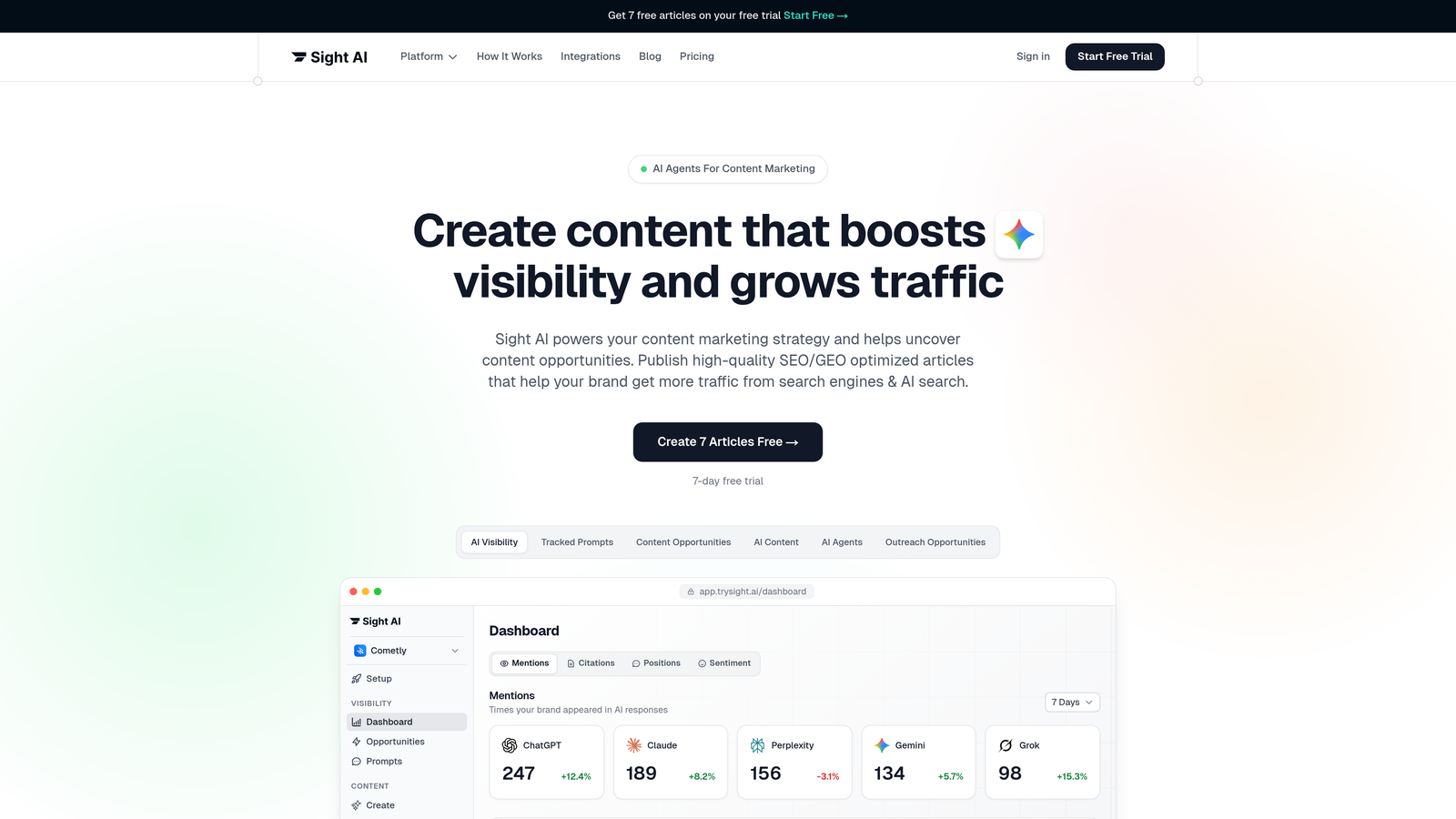
Sight AI is an all-in-one platform that combines AI content generation, CMS auto-publishing, and IndexNow integration for instant search engine discovery.
Where This Tool Shines
The platform stands out by addressing the entire content lifecycle in one system. While most tools focus on either creation or publishing, Sight AI handles both—plus the critical step of getting your content indexed quickly.
The IndexNow integration automatically pings search engines the moment you publish, eliminating the wait for traditional crawling. For teams publishing frequently, this means faster organic traffic growth without manual sitemap submissions or search console updates.
Key Features
CMS Auto-Publishing: Direct integration with WordPress and other platforms removes the copy-paste workflow entirely.
IndexNow Integration: Automated sitemap updates and instant search engine notifications accelerate time-to-index.
13+ AI Agents: Specialized agents generate SEO/GEO-optimized content for listicles, guides, and explainers.
AI Visibility Tracking: Monitor how ChatGPT, Claude, and Perplexity mention your brand across AI search platforms.
Autopilot Mode: Set content parameters once and let the system handle ongoing publication schedules.
Best For
Marketing teams and agencies that want to consolidate their content stack. If you're currently juggling separate tools for writing, publishing, and indexing, this platform replaces multiple subscriptions with one workflow.
Pricing
See the pricing page for current plans tailored to different publishing volumes and team sizes.
2. WordPress + Jetpack
Best for: WordPress users wanting native automation without switching platforms
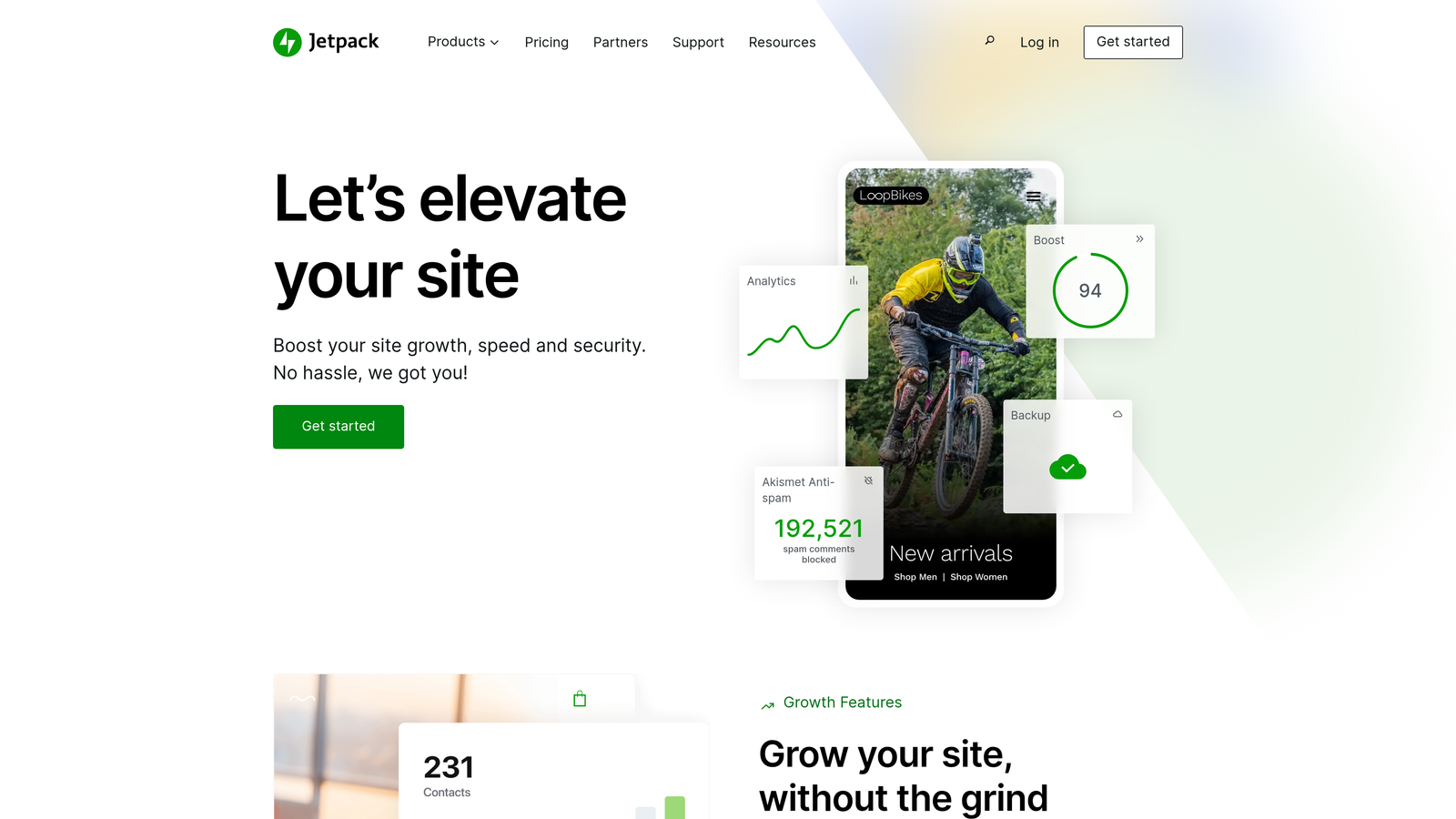
Jetpack is a comprehensive automation suite built specifically for WordPress, offering scheduling, social sharing, and site management tools in one plugin.
Where This Tool Shines
For the millions of WordPress sites already running, Jetpack provides the smoothest path to publishing automation. The plugin integrates directly into your existing dashboard rather than requiring a separate platform login.
The automatic social media sharing feature publishes your content to multiple channels simultaneously, eliminating the need to manually cross-post each article. Combined with built-in security and performance tools, it reduces plugin sprawl while adding automation capabilities.
Key Features
Built-in Post Scheduling: Queue content weeks in advance with WordPress's native scheduling interface.
Automatic Social Sharing: Push new posts to Facebook, Twitter, LinkedIn, and Tumblr without manual posting.
Site Performance Tools: Content delivery network and image optimization speed up page loads automatically.
Security Features: Automated backups and malware scanning protect your content without separate plugins.
Downtime Monitoring: Receive alerts if your site goes offline, preventing missed publishing windows.
Best For
Small to medium-sized blogs and marketing teams already committed to WordPress. The native integration means no learning curve for users familiar with the WordPress editor.
Pricing
Free tier covers basic features; paid plans start at $4/month for additional social connections and premium support.
3. HubSpot CMS Hub
Best for: Marketing teams running on HubSpot CRM who want publishing inside their existing ecosystem
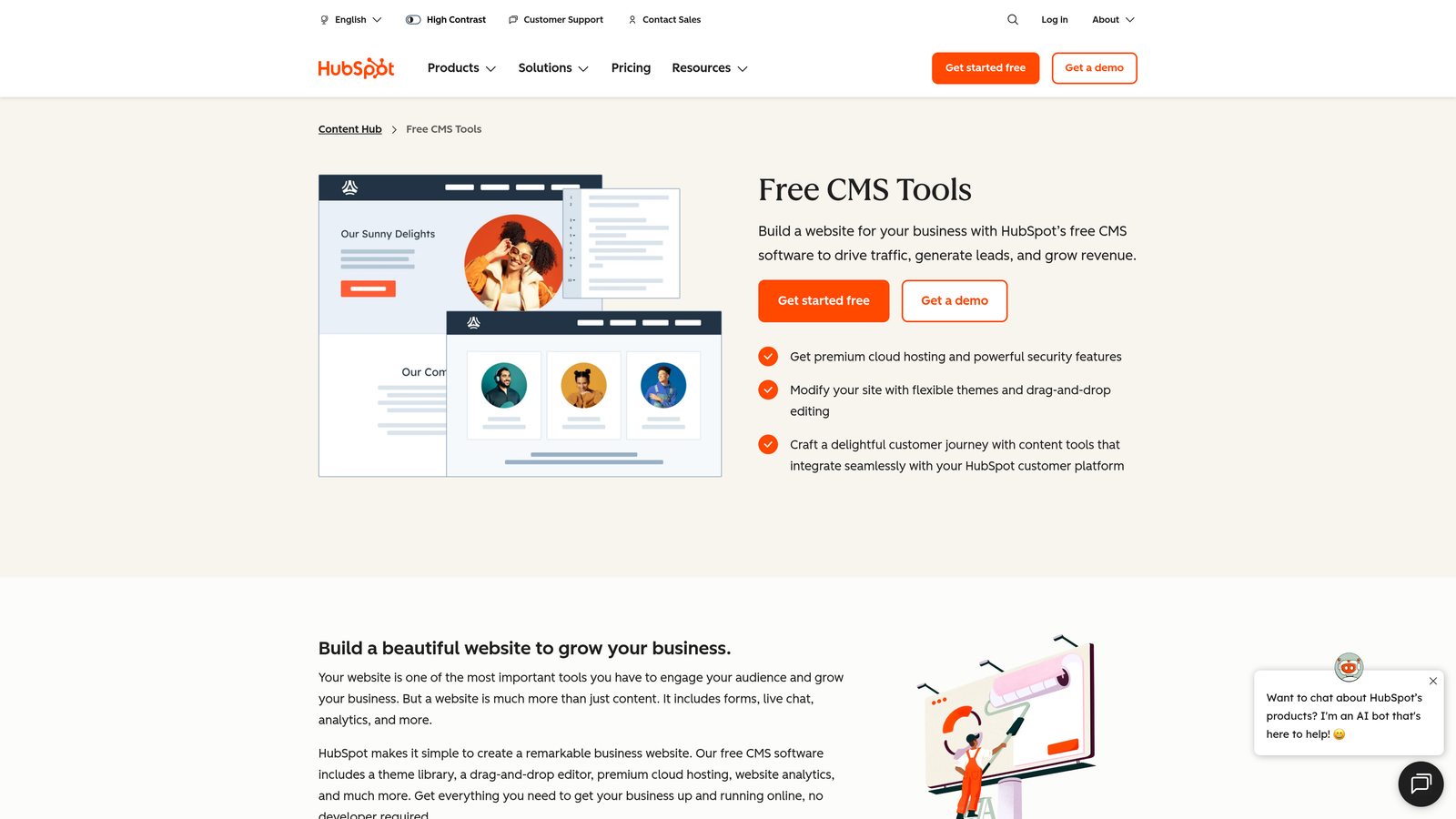
HubSpot CMS Hub is a marketing-focused content management system with deep CRM integration, smart content personalization, and built-in SEO recommendations.
Where This Tool Shines
The CRM integration transforms blog publishing from isolated content creation into lead generation infrastructure. Every blog post automatically connects to contact records, allowing you to personalize content based on visitor behavior and lifecycle stage.
Smart content features let you show different blog sections to different audience segments without creating separate posts. A first-time visitor sees introductory content while returning customers see advanced use cases—all from the same URL.
Key Features
CRM-Integrated Publishing: Connect blog content directly to contact records and track which posts generate leads.
Smart Content Personalization: Display different content sections based on visitor lifecycle stage, location, or device type.
Built-in SEO Recommendations: Real-time suggestions for improving on-page optimization as you write.
A/B Testing: Test different headlines, featured images, and CTAs to optimize blog performance.
Marketing Automation Integration: Trigger email workflows based on blog engagement automatically.
Best For
B2B marketing teams already using HubSpot for CRM and email marketing. The unified platform eliminates data silos between content and customer records.
Pricing
Starter tier begins at $25/month; Professional plans with advanced features start at $400/month.
4. CoSchedule
Best for: Editorial teams coordinating multiple writers, editors, and publication deadlines
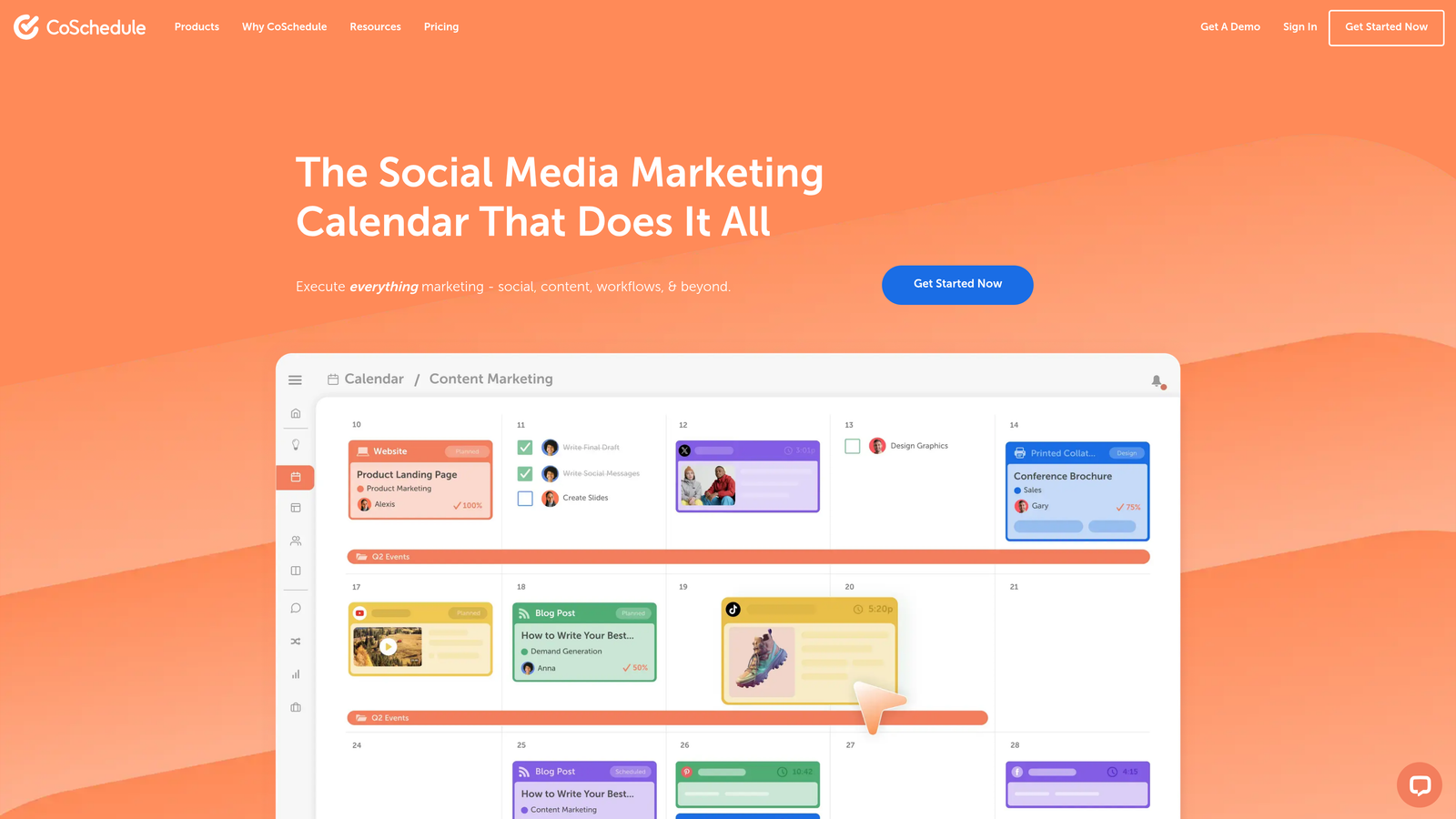
CoSchedule is an editorial calendar platform designed for content teams, with native integrations for WordPress and HubSpot publishing workflows.
Where This Tool Shines
The drag-and-drop marketing calendar gives teams a visual overview of their entire content pipeline. Editors can see which articles are in draft, review, or scheduled status without digging through spreadsheets or CMS dashboards.
Team workflow features assign tasks to specific writers, set review deadlines, and send automatic reminders as publication dates approach. For agencies managing content for multiple clients, the calendar prevents scheduling conflicts and ensures consistent publishing cadence.
Key Features
Drag-and-Drop Calendar: Visual content planning interface shows your entire publishing schedule at a glance.
Team Workflow Management: Assign tasks, set deadlines, and track progress through approval stages.
WordPress and HubSpot Integration: Publish directly from CoSchedule to your CMS without switching platforms.
Social Media Scheduling: Coordinate blog promotion across multiple social channels from the same calendar.
ReQueue Feature: Automatically reshare evergreen content based on performance data.
Best For
Content marketing teams with multiple contributors, agencies managing client content calendars, and publications with complex editorial workflows requiring approval stages.
Pricing
Free calendar available for basic planning; Marketing Suite pricing provided on request based on team size and features needed.
5. Contentful
Best for: Organizations publishing across websites, mobile apps, and digital channels simultaneously
Contentful is a headless CMS with API-first architecture, allowing content to be created once and distributed across multiple platforms automatically.
Where This Tool Shines
The API-first approach separates content from presentation, meaning you can publish the same article to your website, mobile app, and smart display without reformatting. Developers appreciate the flexibility to build custom front-ends while content teams work in a familiar editing interface.
Scheduled publishing with webhooks enables complex automation workflows. Trigger actions like social media posts, email notifications, or analytics tracking the moment content goes live—without manual intervention or third-party tools.
Key Features
API-First Content Delivery: Publish content across web, mobile, IoT, and digital displays from one source.
Scheduled Publishing with Webhooks: Automate downstream actions when content publishes using custom triggers.
Multi-Channel Distribution: Maintain consistent content across platforms without duplicate entry or reformatting.
Extensive Integration Marketplace: Connect to analytics, translation services, and digital asset management systems.
Content Modeling: Create custom content types with specific fields for different publication formats.
Best For
Enterprise organizations with development resources, brands publishing to multiple digital touchpoints, and companies requiring custom content workflows beyond traditional blog publishing.
Pricing
Free tier available for small projects and testing; Team plans start at $489/month for production environments.
6. Buffer
Best for: Coordinating blog promotion across social media channels after publication
Buffer is a multi-channel publishing platform focused on distributing and promoting blog content across social media networks.

Where This Tool Shines
While Buffer doesn't publish to your blog directly, it automates the critical promotion step that determines whether your content reaches its audience. The optimal timing suggestions analyze when your followers are most active and automatically schedule posts for maximum engagement.
Team collaboration features let multiple people contribute to the social promotion queue without stepping on each other's toes. Approval workflows ensure brand consistency before posts go live, particularly valuable for agencies managing client accounts.
Key Features
Multi-Platform Scheduling: Queue content for Facebook, Twitter, LinkedIn, Instagram, and Pinterest from one dashboard.
Optimal Timing Suggestions: AI-powered recommendations identify the best times to post based on audience activity.
Team Collaboration: Multiple users can draft, review, and approve social posts before publication.
Analytics and Reporting: Track which social posts drive traffic back to your blog content.
RSS Feed Integration: Automatically pull new blog posts into your social queue as they publish.
Best For
Marketing teams focused on social media distribution, content creators without dedicated social media managers, and agencies managing multiple brand accounts.
Pricing
Free tier includes basic scheduling for three channels; paid plans start at $6/month per social channel with increased posting limits.
7. Sanity
Best for: Teams wanting customizable content workflows with real-time collaboration capabilities
Sanity is a headless CMS platform offering customizable content schemas, real-time collaborative editing, and flexible publishing workflows.

Where This Tool Shines
The real-time collaborative editing feels like working in Google Docs—multiple team members can edit the same article simultaneously without version conflicts. Changes appear instantly for all users, eliminating the confusion of who has the latest draft.
Customizable content schemas let you define exactly what fields each content type requires. Create templates for different blog formats—interviews need different fields than product reviews—ensuring consistency without forcing writers into rigid structures.
Key Features
Real-Time Collaborative Editing: Multiple users can edit content simultaneously with changes syncing instantly.
Customizable Content Schemas: Define custom fields and validation rules for different content types.
Scheduled Publishing: Queue content for automatic publication at specified times across all connected channels.
Version History and Rollback: Restore previous versions if edits need to be undone or compared.
Portable Text: Rich text format that maintains structure when published to different platforms.
Best For
Development teams comfortable with JavaScript, organizations requiring custom content workflows, and media companies with complex editorial structures.
Pricing
Free tier available for small teams and projects; Team plans begin at $99/month with increased usage limits and support.
8. Zapier
Best for: Connecting existing tools into automated publishing workflows without custom development
Zapier is a workflow automation platform that connects over 6,000 apps, allowing you to build publishing automation between your existing tools.
Where This Tool Shines
Zapier excels at stitching together tools that don't natively integrate. Create workflows that trigger when specific events occur—like automatically posting to social media when a new blog goes live, or adding published URLs to a Google Sheet for tracking.
The multi-step workflow capability chains multiple actions together. One trigger can update your CMS, notify your team in Slack, add the post to your analytics dashboard, and schedule social promotion—all without touching each tool individually.
Key Features
6,000+ App Connections: Integrate virtually any combination of CMS, marketing, and productivity tools.
Trigger-Based Automation: Set up workflows that execute automatically when specific conditions are met.
Multi-Step Workflows: Chain multiple actions together in sequence without manual intervention.
Works with Most CMS Platforms: Connect WordPress, Webflow, Squarespace, and other popular publishing systems.
Filters and Conditional Logic: Create sophisticated workflows that behave differently based on content type or metadata.
Best For
Teams using multiple specialized tools who want automation without switching platforms, organizations without development resources for custom integrations, and marketers building unique workflows specific to their process.
Pricing
Free tier includes 100 tasks per month; paid plans start at $19.99/month with increased task limits and premium app access.
9. Ghost
Best for: Creator-focused publications combining blog and newsletter automation
Ghost is a publishing platform designed for independent creators and media companies, with native email newsletter integration and membership tools.
Where This Tool Shines
Ghost treats email newsletters as first-class content rather than an afterthought. Every blog post can simultaneously be a newsletter, with the platform handling subscriber management and delivery automatically. No need to maintain separate systems for web and email content.
The membership and subscription tools are built directly into the platform, allowing creators to monetize content without third-party payment processors. Paid subscriptions, free memberships, and public content coexist in the same system with automated access control.
Key Features
Native Email Newsletter Integration: Publish blog posts and email newsletters from the same editor with automatic subscriber delivery.
Membership and Subscription Tools: Built-in payment processing and member management for monetized content.
Clean Publishing Interface: Distraction-free editor focused on writing rather than complex formatting options.
Built-in SEO Features: Automatic meta tags, structured data, and XML sitemaps without plugins.
Custom Themes: Extensive theme marketplace for unique designs without custom development.
Best For
Independent writers building subscriber-based publications, media companies transitioning to membership models, and content creators wanting unified blog and newsletter management.
Pricing
Self-hosted version is free for those comfortable with server management; Ghost(Pro) managed hosting starts at $9/month.
Making the Right Choice
The best automated blog publishing tool depends on your existing stack and publishing goals. For teams that want end-to-end automation—from AI-assisted content creation through instant search engine indexing—Sight AI offers the most comprehensive workflow without juggling multiple platforms.
WordPress users already invested in that ecosystem will find Jetpack's native integration the smoothest path to automation. Marketing teams running on HubSpot benefit from keeping publishing within their CRM environment, connecting content directly to lead generation infrastructure.
Editorial teams coordinating multiple writers should prioritize CoSchedule's calendar features for visual workflow management. Developer-led organizations often prefer the flexibility of headless options like Contentful or Sanity, which separate content from presentation and enable multi-channel distribution.
For teams stitching together existing tools without the resources for custom development, Zapier provides the connective tissue. Ghost serves creators focused on building direct subscriber relationships through combined blog and newsletter publishing.
Start by mapping your current publishing bottlenecks. Is content creation the slowest step? Look for platforms with AI writing assistance. Struggling with search engine discovery? Prioritize tools with IndexNow integration. Managing complex editorial workflows? Focus on collaboration and approval features.
The tools that simply schedule posts are table stakes now. Genuine automation eliminates manual steps like sitemap updates, search engine pings, and cross-platform distribution. Choose the platform that directly addresses your friction points rather than adding another dashboard to check.
Stop guessing how AI models like ChatGPT and Claude talk about your brand—get visibility into every mention, track content opportunities, and automate your path to organic traffic growth. Start tracking your AI visibility today and see exactly where your brand appears across top AI platforms.