Managing a WordPress site in 2026 means juggling more than ever: AI-assisted content creation, multi-channel scheduling, real-time SEO optimization, and ensuring your posts actually get discovered by both search engines and AI platforms like ChatGPT and Claude. The manual work piles up fast—drafting posts, optimizing for search, scheduling publication times, updating sitemaps, and keeping content feeling fresh.
Content automation tools eliminate this grind by handling everything from AI-powered writing to automatic publishing and indexing. The right platform can transform your workflow from hours of manual tasks into a streamlined, hands-off content operation—freeing your team to focus on strategy rather than execution.
This guide covers the top WordPress content automation solutions for marketers, agencies, and founders who want to scale their content output in 2026 without sacrificing quality. We evaluated each tool based on WordPress integration depth, AI capabilities, workflow automation features, and value for content-focused teams—including newer criteria like AI search visibility. Here are the tools that actually deliver.
1. Sight AI
Best for: Teams needing end-to-end content automation from AI writing to WordPress publishing and rapid indexing.
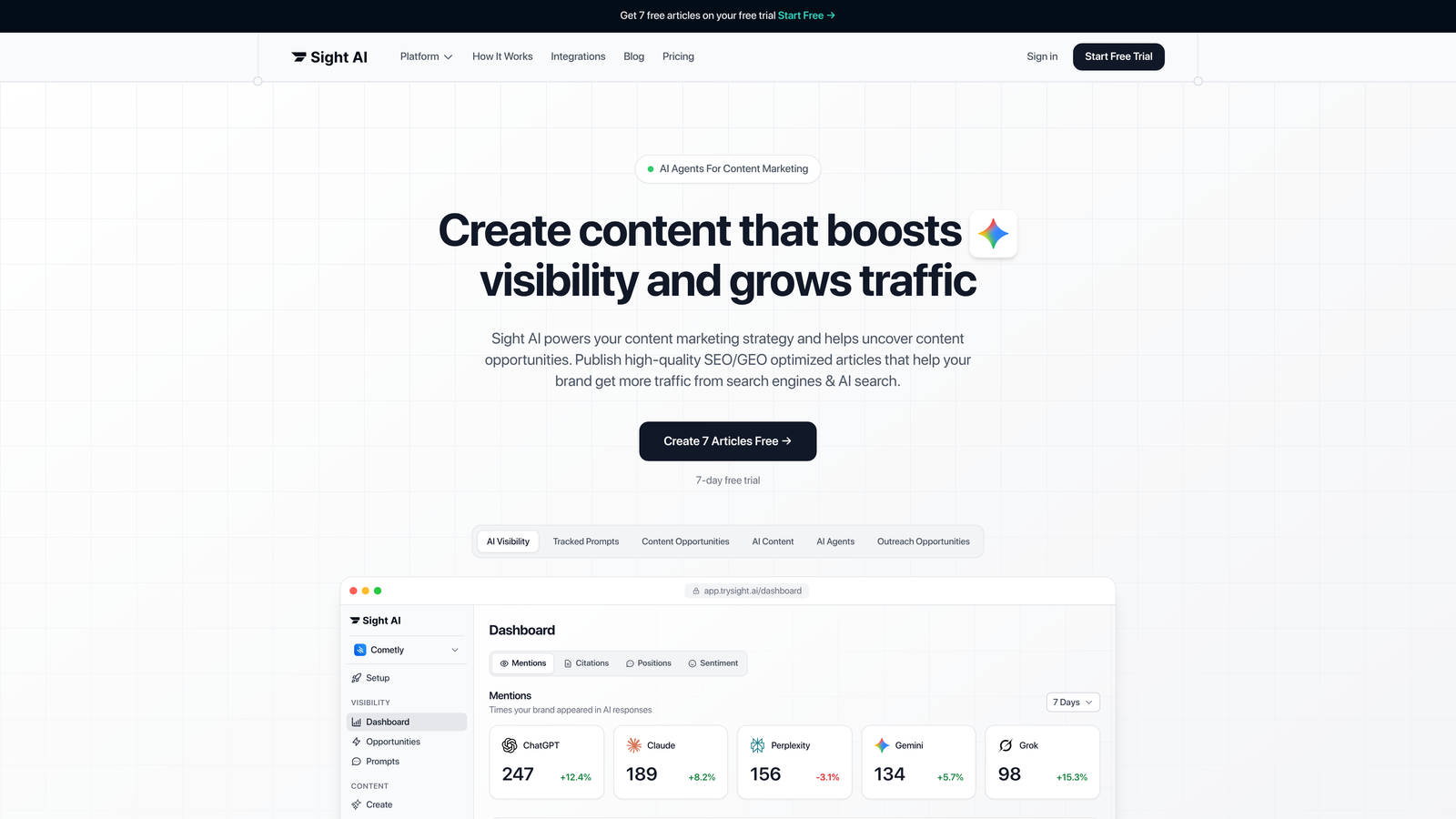
Sight AI is an AI-powered content platform built specifically for WordPress users who want to automate their entire content pipeline—from generation to publication to search discovery.
Where This Tool Shines
What sets Sight AI apart is its combination of specialized AI agents with true WordPress automation. Instead of generic AI writing, you get 13+ purpose-built agents trained for specific content types: listicles, how-to guides, comparison articles, and explainers. Each agent understands the structural requirements and best practices for its format.
The Autopilot mode takes this further by generating complete articles without constant oversight, while the auto-publishing feature pushes finished content directly to your WordPress CMS. The IndexNow integration ensures search engines discover your new content within hours instead of days or weeks.
Key Features
13+ Specialized AI Agents: Purpose-built agents for listicles, guides, comparisons, and explainers that understand format-specific requirements.
Autopilot Mode: Hands-off content generation that produces complete articles based on your parameters and brand guidelines.
WordPress Auto-Publishing: Direct CMS integration that publishes finished content to your WordPress site without manual upload.
IndexNow Integration: Automatic search engine notification protocol that accelerates content discovery across Bing, Yandex, and participating engines.
SEO and GEO Optimization: Built-in optimization for both traditional search engines and generative AI platforms like ChatGPT and Claude.
Best For
Content teams and agencies managing multiple WordPress sites who need to scale output while maintaining quality. Particularly valuable for marketers focused on both traditional SEO and emerging AI visibility strategies. The platform works best when you're producing regular content across consistent formats rather than one-off experimental pieces.
Pricing
Free trial available to test the AI agents and workflow. Paid plans start at $49/month with access to all agents, autopilot mode, and WordPress publishing features.
2. Jetpack AI Assistant
Best for: WordPress users who want native AI writing assistance directly inside the Gutenberg editor.
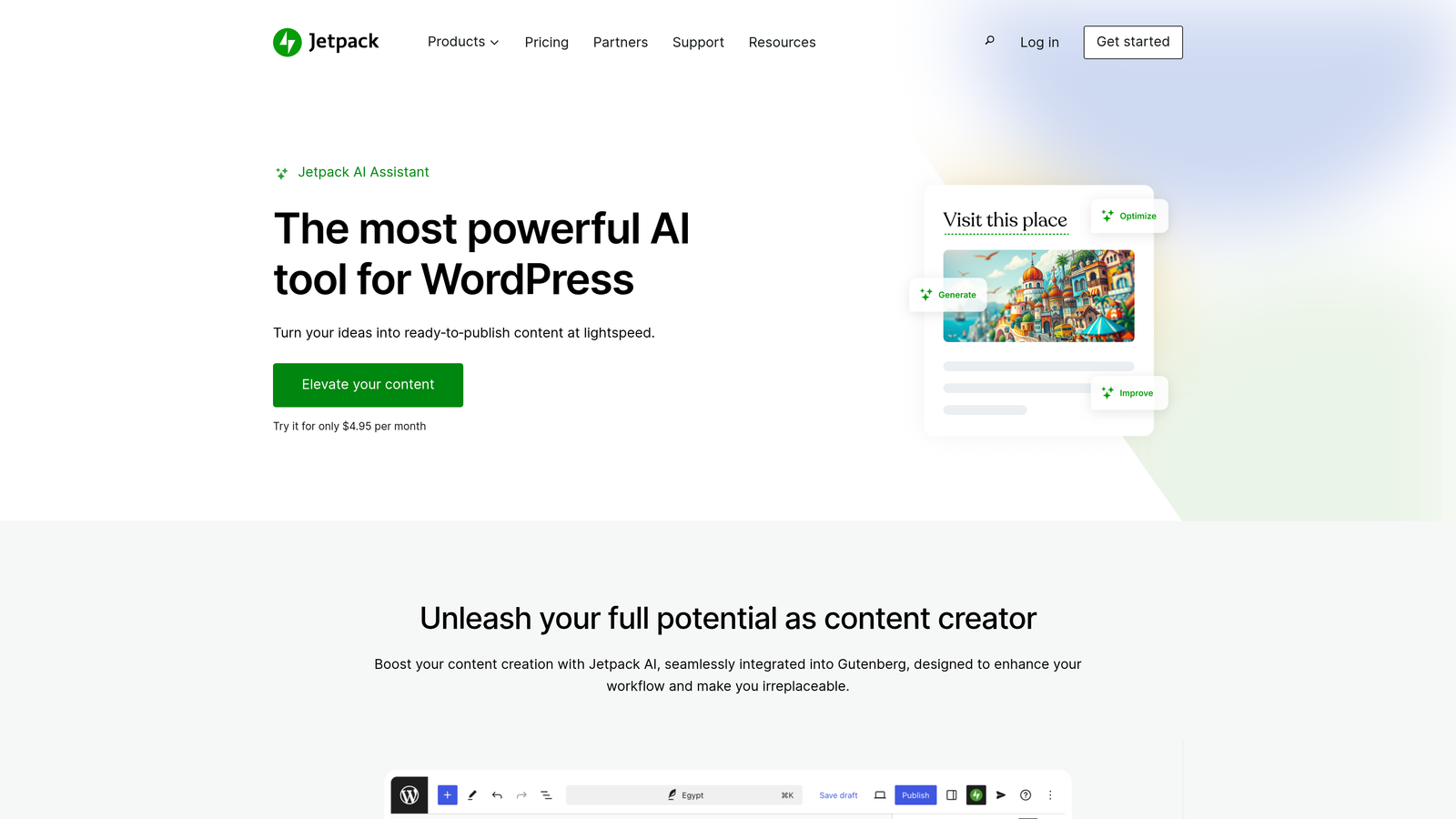
Jetpack AI Assistant is a native WordPress AI writing tool that integrates directly into the Gutenberg block editor with tone controls and content expansion capabilities.
Where This Tool Shines
The beauty of Jetpack AI Assistant lies in its seamless integration with WordPress's native editor. You're not jumping between platforms or copying content from external tools—the AI lives right inside your editing interface as a Gutenberg block.
This native approach means you can generate content, adjust tone, expand ideas, or summarize sections without ever leaving your WordPress dashboard. For teams already using Jetpack for security and performance, adding AI assistance becomes a natural extension of their existing toolkit.
Key Features
Gutenberg Block Integration: AI assistant appears as a native block in the WordPress editor for seamless workflow integration.
Tone and Style Controls: Adjust writing voice from formal to casual, technical to conversational, with one-click tone modifications.
Content Expansion: Take brief notes or outlines and expand them into full paragraphs or sections with contextual understanding.
Summarization Tools: Condense long-form content into concise summaries or key takeaways for different content formats.
Translation Capabilities: Generate content in multiple languages or translate existing posts without external translation services.
Best For
WordPress site owners who prefer working entirely within their CMS and want AI assistance without platform switching. Ideal for bloggers, small content teams, and anyone already invested in the Jetpack ecosystem who wants to add AI capabilities without learning new tools.
Pricing
Included with Jetpack Complete at $25/month, or available as a standalone AI add-on for existing Jetpack users. The Complete bundle includes security, backups, and performance features alongside AI.
3. CoSchedule
Best for: Marketing teams coordinating editorial calendars, social promotion, and cross-channel content workflows.
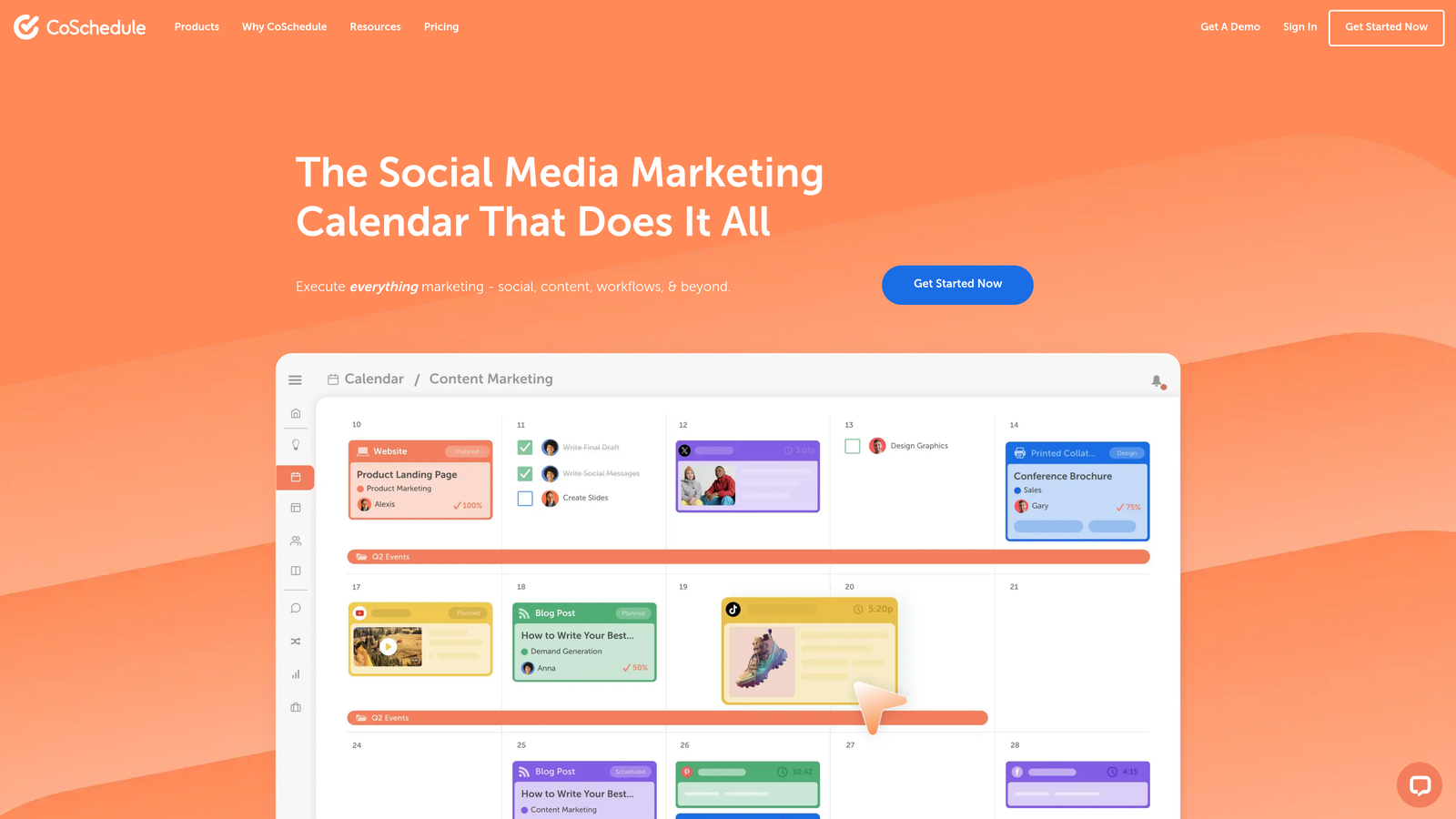
CoSchedule is a marketing calendar platform with deep WordPress integration for editorial planning, social scheduling, and team coordination across content channels.
Where This Tool Shines
CoSchedule excels at bringing order to chaotic content operations. The visual drag-and-drop calendar gives you a bird's-eye view of everything publishing across your WordPress sites, social channels, and email campaigns. No more wondering what's scheduled or scrambling to coordinate publication timing.
The WordPress syncing means posts created in CoSchedule automatically appear in your CMS at the scheduled time, while the ReQueue feature continuously reshares evergreen content without manual intervention. For teams juggling multiple content formats and channels, this centralized command center eliminates the spreadsheet chaos.
Key Features
Drag-and-Drop Editorial Calendar: Visual timeline showing all scheduled content across channels with easy rescheduling by dragging items.
WordPress Post Syncing: Bidirectional integration that creates WordPress posts from CoSchedule and reflects changes in both platforms.
Social Media Scheduling: Coordinate blog post publication with social promotion across multiple networks from one interface.
ReQueue for Evergreen Content: Automated resharing of top-performing content to maximize reach without manual scheduling.
Team Task Assignments: Assign writers, editors, and approvers to content pieces with deadline tracking and collaboration tools.
Best For
Marketing teams and agencies managing editorial workflows across multiple WordPress sites and social channels. Most valuable when you have several team members collaborating on content and need clear visibility into who's responsible for what and when things publish.
Pricing
Free calendar available for basic scheduling needs. Marketing Suite starts at $29 per user per month with full WordPress integration, social scheduling, and team collaboration features.
4. Surfer SEO
Best for: Content creators optimizing WordPress posts for search rankings with real-time SEO scoring and NLP recommendations.
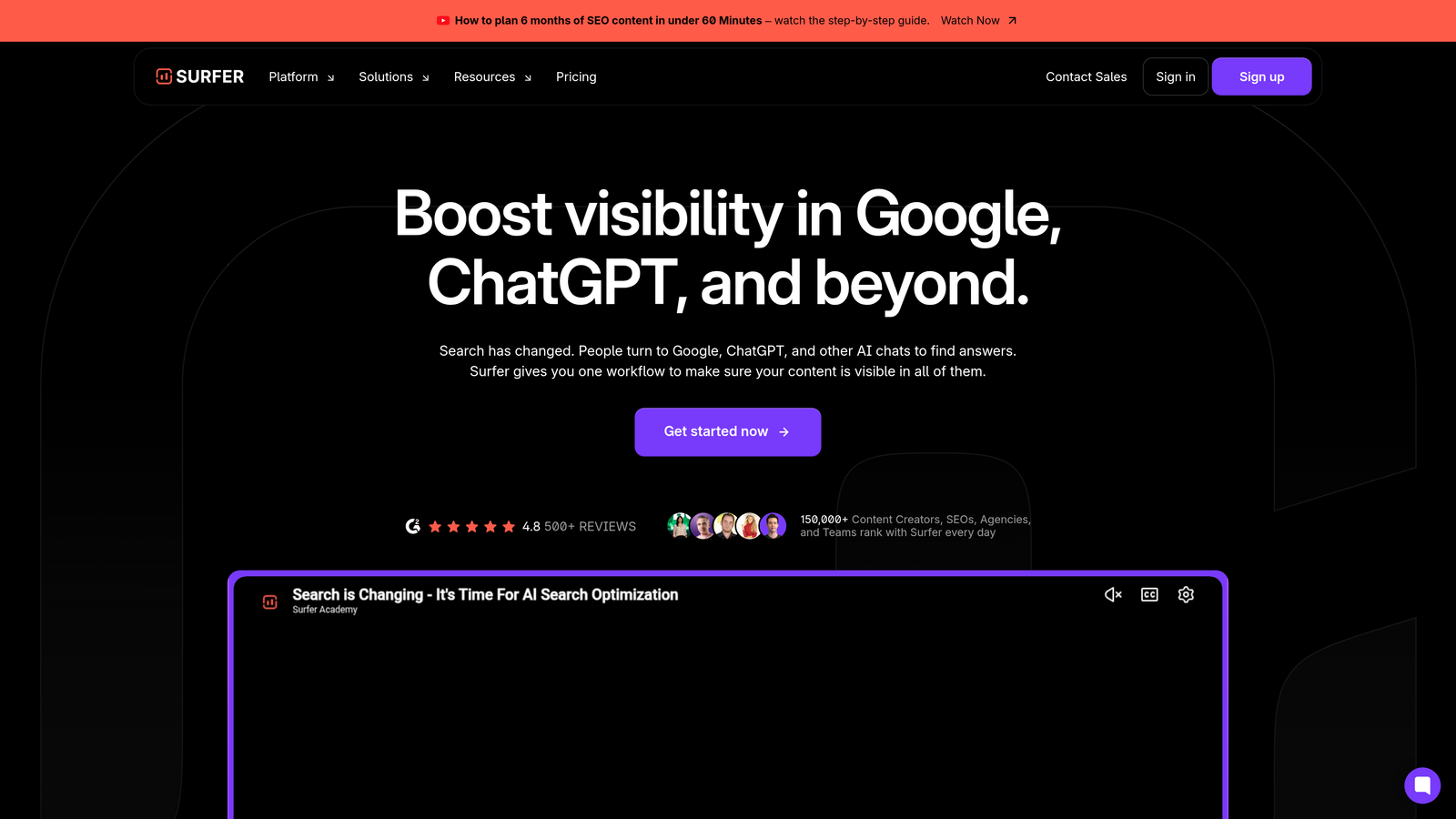
Surfer SEO is a content optimization platform with a WordPress plugin that provides real-time SEO scoring and NLP-driven keyword recommendations as you write.
Where This Tool Shines
Surfer SEO transforms guesswork into data-driven content optimization. As you write in WordPress, the plugin analyzes your content in real-time against top-ranking pages for your target keyword, showing exactly how your piece measures up on word count, keyword density, heading structure, and semantic relevance.
The NLP engine goes beyond basic keyword matching to suggest related terms and phrases that strengthen topical authority. You're not just stuffing keywords—you're building comprehensive coverage that search engines recognize as authoritative. The content audit feature extends this power to your existing posts, identifying optimization opportunities across your entire WordPress library.
Key Features
Real-Time Content Scoring: Live analysis as you write showing how your content compares to top-ranking competitors for target keywords.
NLP Keyword Suggestions: Natural language processing identifies semantically related terms to strengthen topical coverage and authority.
WordPress Editor Integration: Plugin brings Surfer's analysis directly into your WordPress editing interface for seamless optimization.
Content Audit Tools: Scan existing WordPress posts to identify optimization opportunities and refresh outdated content for better rankings.
SERP Analyzer: Research top-ranking pages for any keyword to understand content structure, length, and keyword patterns before writing.
Best For
SEO-focused content teams and agencies who need data-driven optimization guidance while writing. Most effective when you're targeting competitive keywords where small optimization differences impact rankings, or managing large WordPress sites where systematic content improvement drives traffic growth.
Pricing
Essential plan starts at $89/month with content editor access, NLP suggestions, and WordPress plugin. Higher tiers add content audit capabilities and team collaboration features.
5. Zapier
Best for: Creating custom WordPress automation workflows connecting to thousands of external apps without coding.
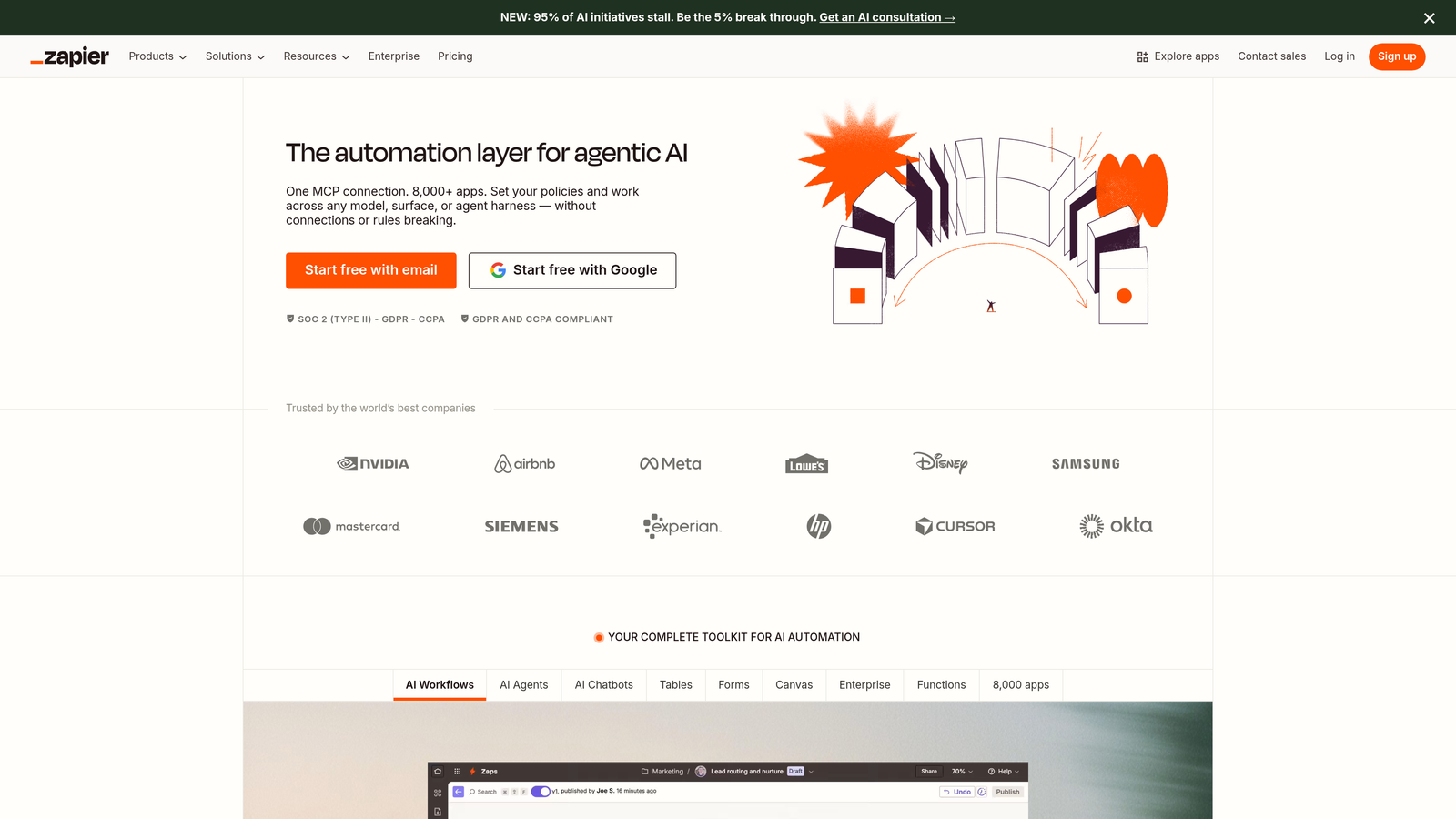
Zapier is a no-code automation platform that connects WordPress to over 6,000 apps for custom publishing and content workflows tailored to your specific needs.
Where This Tool Shines
Zapier's power lies in its flexibility. While other tools offer pre-built WordPress automation, Zapier lets you create exactly the workflow you need by connecting WordPress to virtually any other platform you use. Automatically publish WordPress posts when you add rows to Google Sheets. Create draft posts from Airtable databases. Send Slack notifications when posts go live.
The multi-step workflows with conditional logic mean you can build sophisticated automation sequences that adapt based on content type, category, or custom fields. You're not limited to what a plugin developer thought you might need—you're building automation that matches your actual processes.
Key Features
6,000+ App Integrations: Connect WordPress to virtually any platform including Google Workspace, Airtable, Slack, social media, and CRM systems.
Trigger-Based Automations: Set workflows to activate based on specific WordPress events like new posts, updated content, or form submissions.
Multi-Step Workflows: Chain multiple actions together so one trigger can update several platforms or perform complex sequences.
Conditional Logic Paths: Add if/then logic to workflows so automation adapts based on content attributes, categories, or custom field values.
Scheduled Triggers: Run automations on time-based schedules for recurring tasks like content roundups or weekly reports.
Best For
Teams with unique workflow requirements that pre-built plugins don't address, or organizations using WordPress as part of a larger marketing technology stack. Most valuable when you need to sync WordPress with proprietary systems, internal databases, or specific app combinations.
Pricing
Free tier available with basic single-step automations. Paid plans start at $19.99/month with multi-step workflows, premium app access, and higher task limits for automation-heavy operations.
6. WP Scheduled Posts
Best for: WordPress users needing visual content scheduling with drag-and-drop calendar and intelligent auto-scheduling.
WP Scheduled Posts is a lightweight WordPress plugin that provides visual content scheduling with drag-and-drop calendar interface and auto-scheduling features for optimal publication timing.
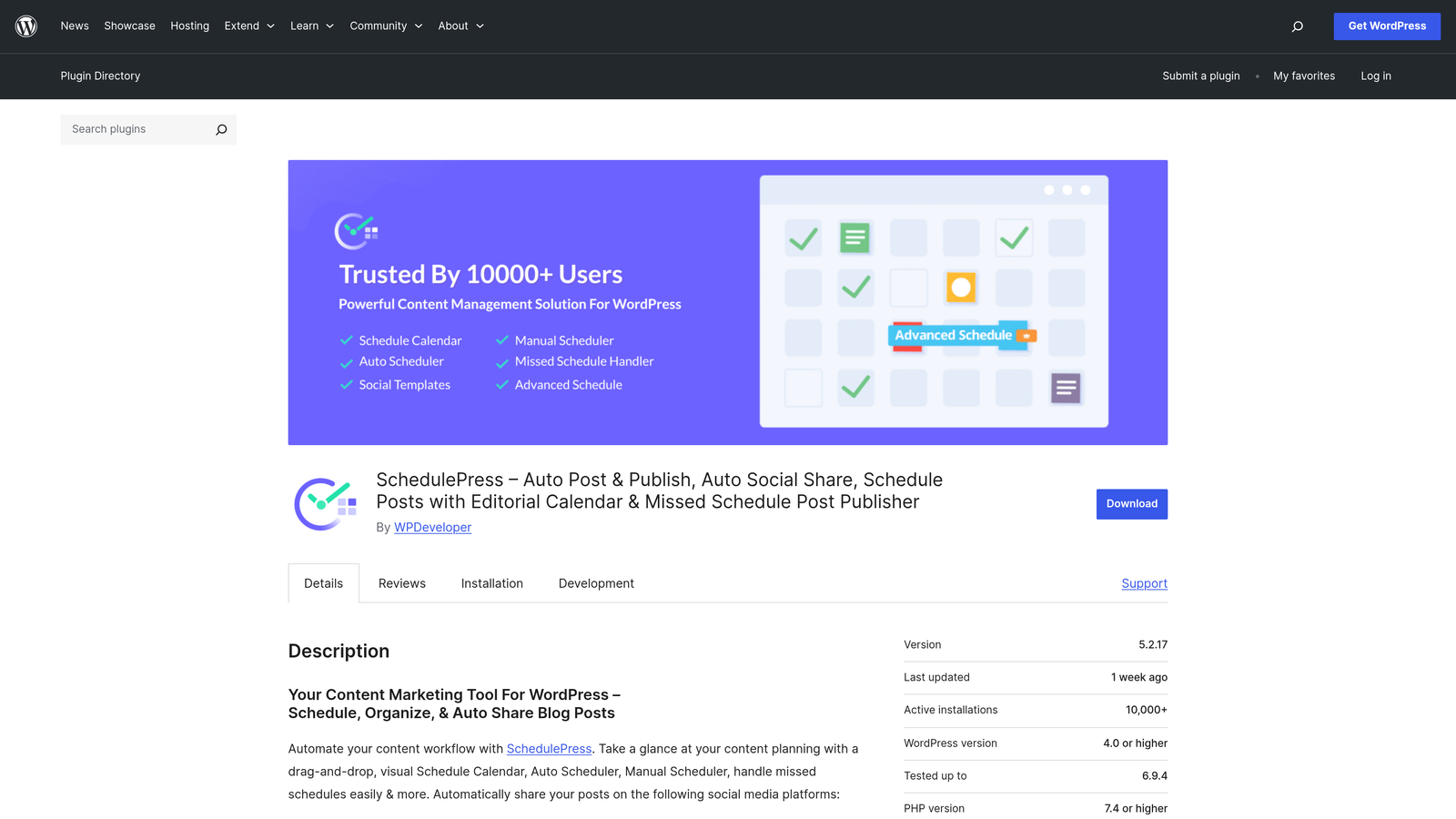
Where This Tool Shines
WP Scheduled Posts solves the "when should I publish this?" question with its auto-scheduler that analyzes your site's traffic patterns and suggests optimal publication times. Instead of guessing or using generic advice about best posting times, you get recommendations based on when your actual audience is most active.
The visual calendar makes it instantly clear what's publishing when, with drag-and-drop rescheduling that takes seconds instead of clicking through multiple screens. The missed schedule handler is particularly valuable—it catches posts that failed to publish on time and gives you options to publish immediately or reschedule, preventing content gaps.
Key Features
Visual Drag-and-Drop Calendar: See all scheduled content at a glance and reschedule posts by dragging them to new dates and times.
Auto-Scheduler for Optimal Times: Analyzes your site traffic patterns to suggest publication times when your audience is most engaged.
Missed Schedule Handler: Catches posts that failed to publish on schedule and provides options to publish immediately or choose new times.
Multi-Author Support: Team members can schedule their own content with permissions management and author-specific calendar views.
Social Media Integration: Automatically share scheduled posts to connected social networks when they publish to WordPress.
Best For
Bloggers and small content teams who want reliable scheduling without complex marketing automation platforms. Ideal when you're managing a consistent publishing cadence across multiple authors or need confidence that scheduled content actually publishes on time.
Pricing
Free version available with core scheduling features. Pro version starts at $49/year with auto-scheduler, social media integration, and priority support.
7. Uncanny Automator
Best for: WordPress site owners automating plugin-to-plugin workflows without code using recipe-based automation.
Uncanny Automator is a WordPress-native automation plugin that connects plugins and triggers without code using an intuitive recipe-based system for internal site workflows.
Where This Tool Shines
Uncanny Automator keeps everything inside WordPress while giving you Zapier-like automation power. Instead of connecting to external platforms, it automates interactions between your WordPress plugins—when someone submits a form, update their user role, add them to an email list, and create a draft post with their information.
The recipe builder uses plain language triggers and actions, making automation accessible even if you've never written code. With integrations for over 100 WordPress plugins including WooCommerce, LearnDash, Gravity Forms, and membership plugins, you can automate complex site workflows that previously required custom development.
Key Features
Plugin-to-Plugin Automation: Connect WordPress plugins to trigger actions across your site without external platforms or API connections.
User and Time-Based Triggers: Activate automations based on user actions, scheduled times, or specific site events like post publication.
Recipe Workflow Builder: Visual interface for creating automation sequences using plain language triggers and actions without coding.
100+ WordPress Plugin Integrations: Pre-built connections to popular plugins including WooCommerce, membership systems, form builders, and LMS platforms.
Webhook Support: Connect to external services via webhooks for automations that extend beyond WordPress when needed.
Best For
WordPress site owners running membership sites, online courses, or community platforms where user actions should trigger automated workflows. Most valuable when you need sophisticated automation between multiple WordPress plugins without relying on external automation platforms.
Pricing
Free version available with core automation features and popular plugin integrations. Pro version starts at $149/year with unlimited recipes, premium plugin support, and webhook capabilities.
8. ContentStudio
Best for: Multi-channel content marketing teams combining AI writing, content discovery, and WordPress publishing with social management.
ContentStudio is a content marketing platform that combines AI content generation, content discovery and curation, and multi-channel publishing including WordPress auto-publishing.
Where This Tool Shines
ContentStudio bridges the gap between content creation and distribution by handling both in one platform. The AI content generator helps you create blog posts, social media content, and marketing copy, while the content discovery engine surfaces trending topics and relevant articles from across the web that you can curate and share.
The WordPress auto-publishing means you can write in ContentStudio's editor, optimize for social sharing, and push directly to your WordPress site without manual copying. The unified analytics dashboard shows performance across all channels—WordPress, Facebook, Twitter, LinkedIn, Instagram—giving you a complete picture of content ROI.
Key Features
AI Content Generation: Create blog posts, social captions, and marketing copy using AI assistance with tone and style controls.
Content Discovery and Curation: Find trending topics, relevant articles, and shareable content from across the web filtered by niche and keywords.
WordPress Auto-Publishing: Push finished content directly to WordPress sites with scheduling, categories, and featured images configured in ContentStudio.
Social Media Management: Schedule and publish to multiple social networks alongside WordPress to coordinate cross-channel content campaigns.
Analytics Dashboard: Unified reporting showing performance metrics across WordPress and social channels for comprehensive content ROI tracking.
Best For
Marketing teams and agencies managing content across WordPress and multiple social media channels who want a single platform for creation, curation, and distribution. Most effective when you're publishing consistently across channels and need centralized scheduling and analytics.
Pricing
Starter plan begins at $25/month with AI content generation, WordPress publishing, and social media management for small teams. Higher tiers add team collaboration and white-label options for agencies.
9. PublishPress
Best for: WordPress teams needing editorial workflow management with custom statuses, approval chains, and content checklists.
PublishPress is an editorial workflow suite for WordPress that adds custom post statuses, approval chains, and content checklists for team publishing processes.
Where This Tool Shines
PublishPress brings magazine-style editorial workflows to WordPress. Instead of just "draft" and "published," you can create custom statuses like "In Review," "Needs Revision," "Approved," or "Ready for Publication" that match your team's actual process. Editors can move content through these stages with clear visibility into what needs attention.
The content checklists ensure nothing gets published until it meets your standards—featured image added, meta description written, categories assigned, internal links included. The editorial comments feature lets team members discuss changes without cluttering the actual post content with WordPress comments, keeping feedback organized and contextual.
Key Features
Custom Post Statuses: Create workflow stages beyond draft and published that match your editorial process and approval requirements.
Editorial Approval Workflows: Define who can move content between statuses and require specific approvals before publication.
Content Checklists: Set required tasks that must be completed before posts can advance to publication, ensuring quality standards.
Editorial Comments: Team discussion threads attached to posts that keep feedback separate from public comments and WordPress revisions.
Permissions Management: Granular control over who can create, edit, approve, and publish content based on user roles and custom permissions.
Best For
WordPress teams with formal editorial processes, multiple approval stages, or compliance requirements that demand documented review workflows. Particularly valuable for publications, agencies managing client content, or enterprise teams where content quality and approval chains are critical.
Pricing
Free plugins available with basic workflow features. Pro bundles start at $129/year with advanced permissions, content checklists, and editorial calendar features for professional publishing teams.
Making the Right Choice
The best WordPress content automation tool depends on what bottleneck you're trying to solve. If you're spending hours writing content, AI-powered generation platforms like Sight AI or Jetpack AI Assistant eliminate that grind. If your challenge is coordinating team workflows and publication schedules, CoSchedule or PublishPress bring order to chaos.
For teams focused on search rankings, Surfer SEO provides the optimization guidance that turns good content into traffic-generating assets. If you need custom automation connecting WordPress to your specific tech stack, Zapier or Uncanny Automator offer the flexibility to build exactly what you need.
Here's a quick decision framework based on common scenarios:
You need end-to-end automation from writing to indexing: Sight AI combines AI content generation with WordPress publishing and IndexNow integration for the complete pipeline. The specialized agents and autopilot mode mean you can scale content production without proportionally scaling your team.
You want native WordPress AI without leaving your CMS: Jetpack AI Assistant lives inside Gutenberg, making it the smoothest experience for WordPress-first users who prefer working entirely within their dashboard.
You're coordinating content across multiple channels: CoSchedule or ContentStudio centralize WordPress and social media publishing, giving you the bird's-eye view and coordination tools that prevent scheduling conflicts and content gaps.
You need data-driven SEO optimization: Surfer SEO provides the competitive analysis and real-time scoring that helps content rank, particularly valuable when targeting competitive keywords where optimization details matter.
You have complex approval workflows: PublishPress adds the editorial structure that larger teams need, with custom statuses, approval chains, and content checklists that ensure quality before publication.
The reality is that many successful WordPress operations use multiple tools in combination—AI for content generation, editorial workflow for team coordination, SEO optimization for rankings, and scheduling tools for consistent publication. Start with your biggest pain point, automate that process, then expand to other areas as you see results.
What matters most is choosing tools that integrate smoothly with WordPress and actually get used by your team. The fanciest automation platform is worthless if it's too complex for your workflow or requires constant maintenance. Look for solutions that reduce friction rather than adding new systems to manage.
Stop guessing how AI models like ChatGPT and Claude talk about your brand—get visibility into every mention, track content opportunities, and automate your path to organic traffic growth. Start tracking your AI visibility today and see exactly where your brand appears across top AI platforms.