Google Analytics is one of the most widely deployed web analytics platforms on the planet, yet a surprisingly common question still floats around marketing forums, founder communities, and agency Slack channels: "Wait, how much does Google Analytics actually cost?"
The short answer is: it depends. The longer answer is what this article is about.
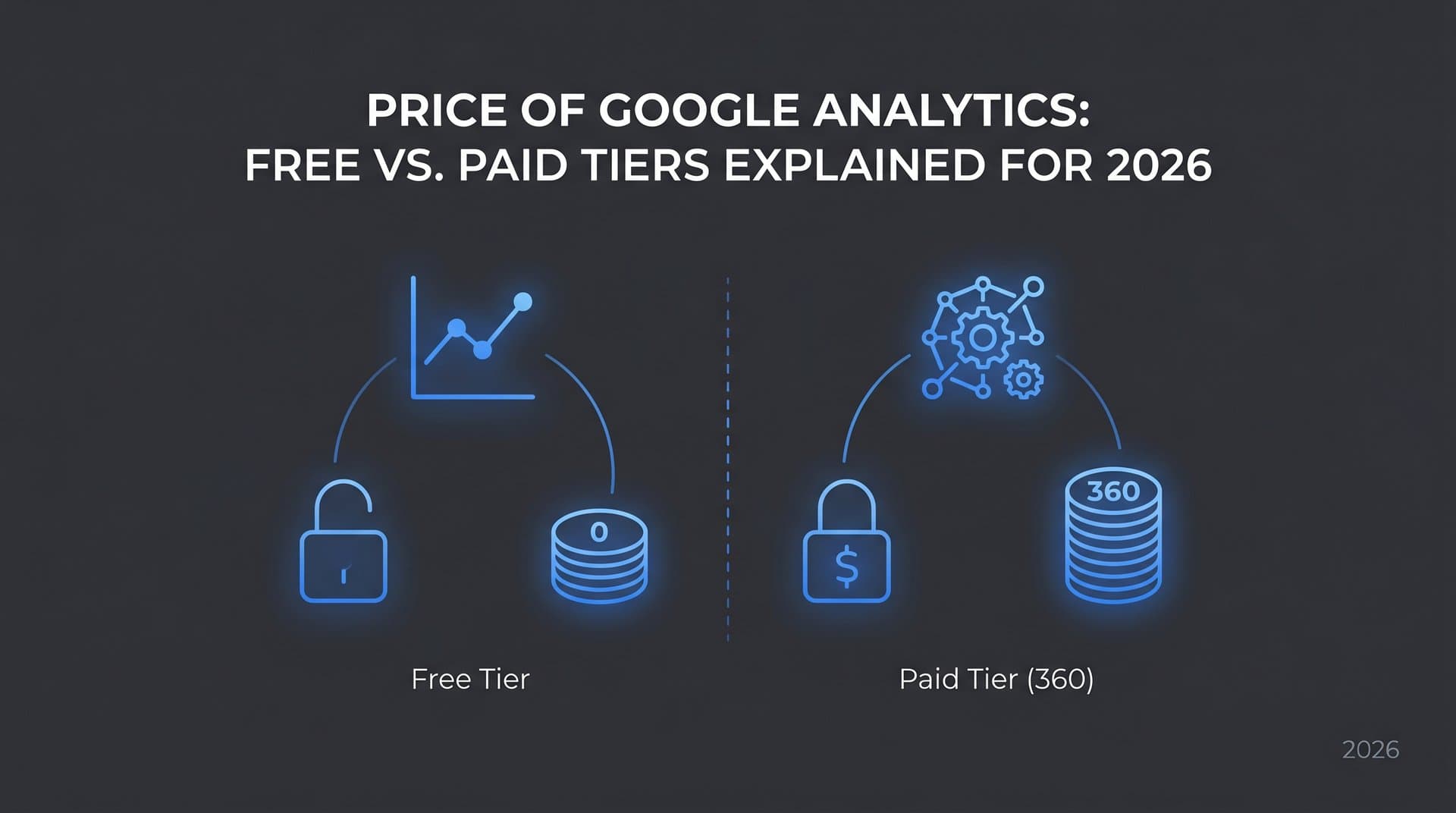
The widespread assumption that "Google Analytics is free" is only partially correct. Google Analytics 4 (GA4), the standard version available to everyone, is indeed free to use. But Google also offers Analytics 360, an enterprise-grade tier with capabilities designed for high-traffic organizations, and that version carries a price tag that starts in the tens of thousands of dollars per year.
For most marketers, founders, and agencies, understanding the price of Google Analytics means understanding which tier you actually need, what the free version genuinely covers, where costs can sneak in unexpectedly, and how your analytics investment fits into a broader strategy for measuring and growing organic performance. This article breaks all of that down clearly, so you can make a confident, budget-aligned decision.
What Google Actually Charges (and Doesn't) in 2026
Let's establish the baseline: GA4 Standard costs nothing. You can create a Google Analytics account, install the tracking code on your website or app, and start collecting data without entering a credit card or signing a contract. For the vast majority of businesses, this is the version they use and the only version they will ever need.
Google Analytics 360 is a different product entirely. It sits under Google's Marketing Platform umbrella and is designed for enterprise organizations with complex data needs. Historically, Google has listed Analytics 360 pricing starting at approximately $50,000 per year, though actual costs are negotiated through direct Google sales contracts or certified reseller partners. Pricing can vary significantly based on data volume, contract length, and bundled products. If you're exploring 360, expect a sales conversation rather than a published price list.
One important clarification for anyone who may have been out of the loop: Universal Analytics, the previous generation of Google Analytics, was fully sunset in July 2024. It is no longer available, and all data collection through Universal Analytics properties has stopped. Every pricing conversation today centers on GA4 (the free standard tier) and GA4 360 (the paid enterprise tier). If you're still referencing Universal Analytics pricing from older articles, that information is outdated.
The practical implication is straightforward. If your organization hasn't migrated fully to GA4 by now, you're operating without historical continuity in your analytics. The good news is that GA4 Standard gives you a capable, modern event-based tracking system at no cost. The question is whether the free tier's limitations become a problem at your scale, which is exactly what the next two sections address.
It's also worth noting that Google's pricing structure for Analytics 360 is not static. Reseller partners sometimes offer lower entry points than going directly through Google, and enterprise contracts often bundle Analytics 360 with other Google Marketing Platform products like Campaign Manager or Display and Video 360. If you're evaluating 360 seriously, getting quotes from multiple resellers is a practical step. Understanding organic traffic in Google Analytics is essential regardless of which tier you choose.
GA4 Free Tier: Capabilities and Limitations
The free version of GA4 is genuinely impressive in scope. For a no-cost tool, it covers a wide range of analytics use cases that would have required paid solutions just a few years ago.
Here's what you get out of the box with GA4 Standard:
Event-based tracking: GA4 tracks user interactions as events, giving you granular visibility into pageviews, clicks, form submissions, video plays, scroll depth, and custom events you define. This is a significant architectural improvement over the session-based model of Universal Analytics.
Real-time reporting: You can monitor live traffic, active users, and event triggers as they happen, which is useful for validating new implementations and monitoring campaigns as they launch.
Audience building and Google Ads integration: GA4 connects natively with Google Ads, allowing you to build remarketing audiences from analytics behavior and import conversion data directly into your ad campaigns.
Explorations reports: This is one of GA4's most powerful free features. Explorations lets you build custom funnel analyses, path analyses, cohort tables, and segment overlaps without any additional cost.
BigQuery export: Free-tier GA4 users can export raw event data to BigQuery, Google's cloud data warehouse. This is a capability that previously required Analytics 360, and its inclusion in the free tier was a significant upgrade. However, the free tier imposes daily export row limits, and BigQuery itself has its own usage-based pricing once you exceed its free tier thresholds.
Where the free tier shows its limits:
Data sampling: When you run ad-hoc queries in Explorations on large datasets, GA4 applies data sampling. This means your reports are based on a representative subset of your data rather than the full dataset. For smaller sites, this rarely matters. For high-traffic properties, sampled data can lead to inaccurate conclusions.
Data retention: GA4 Standard allows you to retain user-level and event-level data for either 2 months or 14 months, your choice. After that window, granular data is deleted. Standard reports based on aggregated data persist longer, but if you want to run deep retrospective analyses on raw event data, the retention window is a real constraint.
Custom dimensions and metrics: The free tier caps the number of custom dimensions and custom metrics you can create per property. For most businesses, these limits are sufficient. For complex implementations tracking dozens of custom parameters, you may hit the ceiling.
No SLA or dedicated support: If GA4 has an issue or your data stops flowing, you're relying on community forums, Google's help documentation, and your own troubleshooting skills. There's no guaranteed uptime or direct support line.
For most small-to-mid-size businesses, startups, and content-focused brands, GA4 Standard is more than capable of tracking traffic sources, conversion funnels, content performance, and audience behavior. Pairing it with a dedicated SEO content platform with analytics can help you get even more from your data. The free tier's limitations become meaningful only at significant scale.
Analytics 360: The Enterprise Case
So who actually needs to spend $50,000 or more per year on Google Analytics? The answer is more specific than you might think.
Analytics 360 is built for organizations where data accuracy at scale is a business-critical requirement. The core problem it solves is data sampling. When you're processing hundreds of millions or billions of events per month, the free tier's sampling thresholds mean your reports are approximations. For a large e-commerce brand making inventory decisions based on conversion data, or a media company optimizing ad revenue based on engagement metrics, approximations aren't good enough.
The key differentiators Analytics 360 brings to the table:
Unsampled data: 360 removes sampling limitations on Explorations reports, giving you access to full, unsampled datasets regardless of query size. This is the headline feature for most enterprise buyers.
Higher limits across the board: Custom dimensions, custom metrics, audiences, and conversion events all have significantly higher caps in 360 compared to the free tier. Complex implementations with many tracked parameters benefit directly from this.
Roll-up and sub-properties: 360 allows you to create roll-up properties that aggregate data from multiple individual properties into a single view, and sub-properties that filter data from a parent property for specific teams or use cases. This is particularly valuable for large organizations with multiple brands, regions, or product lines, and for agencies managing multiple enterprise clients.
Deeper BigQuery integration: While free-tier GA4 includes BigQuery export, 360 offers higher daily export limits and more frequent data freshness, which matters when you're building real-time dashboards or feeding data into downstream machine learning pipelines.
SLA and dedicated support: Enterprise contracts include service level agreements and access to dedicated Google support teams. For organizations where analytics downtime translates directly to revenue risk, this is a meaningful assurance.
The typical 360 buyer is a large e-commerce retailer, a major media publisher, a financial services company with complex digital properties, or an agency managing analytics infrastructure for enterprise clients. Leveraging predictive content performance analytics alongside 360 can further enhance decision-making at this scale. If you're comfortably under 10 million events per month and don't need unsampled data exports, the free tier almost certainly covers your needs.
Hidden Costs Most Teams Overlook
Whether you're on the free tier or 360, the sticker price of Google Analytics itself is rarely the full story. Several indirect costs catch teams off guard, and being aware of them upfront helps you budget more accurately.
Implementation and configuration: GA4's event-based architecture is more flexible than Universal Analytics, but that flexibility comes with complexity. A proper GA4 implementation, including custom event tracking, e-commerce tracking, cross-domain measurement, and consent mode configuration, often requires a specialist. Hiring a GA4 consultant or agency for setup can vary widely in cost depending on the complexity of your site and the depth of tracking required. This is a one-time or periodic cost, but it's real and often underestimated by teams who assume "installing the tag" is the whole job.
BigQuery costs: This one surprises many teams. The free-tier GA4 BigQuery export sounds like a no-cost feature, and the export itself is free. But BigQuery is a Google Cloud product with its own pricing. Google provides a free tier (currently 1TB of query processing per month at no charge), but once you exceed that threshold, you pay per terabyte queried. Teams that build dashboards or run frequent queries against large exported datasets can accumulate meaningful Google Cloud bills without realizing it. If you're planning to use BigQuery as a core part of your analytics workflow, model out your expected query volume before assuming it's free.
Third-party visualization and reporting tools: GA4's native interface is capable, but many teams find they need Looker Studio (formerly Data Studio), Tableau, or other BI tools to build the dashboards and reports their stakeholders actually use. Looker Studio itself is free, but connecting it to BigQuery or building complex blended data sources can require technical resources. More advanced BI tools carry their own licensing costs.
Training and the UA-to-GA4 learning curve: The transition from Universal Analytics to GA4 introduced a fundamentally different data model, new report structures, and new ways of thinking about sessions, events, and users. Teams that relied heavily on Universal Analytics often find GA4 disorienting at first. Investing in training, whether through courses, workshops, or consultants, is a legitimate cost that helps teams actually use the data they're collecting rather than staring at dashboards they don't fully understand. Ensuring your site is properly crawled and indexed is another often-overlooked cost area — learning how to get Google to crawl your site effectively can save significant troubleshooting time down the road.
The hidden cost pattern is consistent: the tool may be free, but making it work well for your organization takes real resources. Budget for implementation and training from the start, and you'll get far more value from whatever tier you choose.
How Analytics Costs Fit Into Your Broader SEO Stack
Here's a reframe worth considering: the question "how much does Google Analytics cost?" is actually a subset of a more important question: "what does it cost to truly understand and grow your organic presence?"
Google Analytics tells you what happened on your website. It shows you which pages received traffic, where users came from, how they navigated your site, and whether they converted. That's valuable. But it doesn't tell you why your rankings shifted, which content opportunities you're missing, how your brand appears in AI-powered search results, or whether your content is being indexed efficiently.
A complete measurement and growth stack typically includes several layers beyond analytics:
Keyword and ranking intelligence: Tools that track where your content ranks in search results, identify keyword gaps, and surface opportunities your competitors are capturing. GA4 doesn't provide this natively. Platforms that help you check your position in Google search fill this critical gap.
Indexing infrastructure: Getting content indexed quickly matters for organic performance. Tools with IndexNow integration and automated sitemap submission to Google ensure search engines discover and process your new content without delays.
AI visibility tracking: This is an emerging and increasingly important layer. As more users turn to AI models like ChatGPT, Claude, and Perplexity for information and recommendations, your brand's presence in those AI-generated responses becomes a meaningful part of your organic footprint. GA4 has no visibility into this channel. Platforms like Sight AI are built specifically to track how AI models reference and describe your brand across multiple AI platforms, giving you a dimension of measurement that traditional analytics simply doesn't cover. You can explore the best AI visibility analytics dashboard tools to get started.
Content creation and optimization: Turning analytics insights into content that drives traffic requires either significant manual effort or tools that accelerate the process. AI-powered content platforms can generate SEO and GEO-optimized articles at scale, helping you act on the opportunities your analytics data surfaces rather than letting them sit in a spreadsheet.
The total cost of your analytics and SEO stack, including Google Analytics (free or paid), complementary tools, implementation work, and content production, is the real number to evaluate against your organic growth goals. GA4's price tag is just one line item in that equation.
Choosing the Right Tier for Your Budget
If you're trying to make a practical decision right now, here's a straightforward framework.
Start with the free GA4 tier if you're processing fewer than 10 million events per month, you don't have a specific need for unsampled data exports, and your team can work within the standard data retention and custom dimension limits. For the overwhelming majority of businesses, including many mid-market companies, this describes their situation accurately. The free tier is not a compromise; it's a genuinely capable product.
Consider exploring Analytics 360 if data sampling in your Explorations reports is actively causing problems, you need roll-up reporting across multiple large properties, your organization requires an SLA and dedicated support, or you're an agency managing enterprise clients who need these capabilities. In this case, contact Google directly or reach out to certified reseller partners. Resellers sometimes offer lower entry points or more flexible contract structures than going direct, so it's worth getting multiple quotes before committing.
Regardless of which tier you choose, prioritize proper implementation before anything else. A well-configured free GA4 property will give you more actionable insight than a poorly configured Analytics 360 account. The configuration work, whether you do it in-house or hire a specialist, is where the real value is created. Pairing your analytics setup with AI-powered search engine optimization tools can help you maximize the ROI of your data. Don't let the tier decision distract you from getting the fundamentals right.
One practical tip: if you're on the free tier and running into sampling issues occasionally, the BigQuery export route can often solve the problem without requiring an upgrade to 360. Export your raw event data to BigQuery and run unsampled queries there. You'll incur BigQuery costs beyond the free tier, but for many organizations, this is significantly cheaper than an Analytics 360 contract.
The Bottom Line on Google Analytics Pricing
The price of Google Analytics ranges from zero to six figures annually, and where you land on that spectrum depends entirely on your scale, your data requirements, and your organizational complexity.
For most marketers, founders, and growing agencies, GA4 Standard delivers robust analytics capabilities at no cost. The bigger investments are in proper implementation, team training, and the complementary tools that transform raw data into decisions. Skimping on those areas costs you more in missed opportunities than any software subscription would.
The broader lesson is that analytics is infrastructure. Like any infrastructure, what you spend on it should be proportional to what you're building on top of it. A well-instrumented analytics stack, combined with tools that track keyword rankings, indexing health, content performance, and AI visibility, gives you a complete picture of your organic presence and a clear path to growing it.
If you're ready to go beyond traditional analytics and understand how AI models are shaping your brand's visibility, the opportunity is right in front of you. Start tracking your AI visibility today and see exactly where your brand appears across top AI platforms like ChatGPT, Claude, and Perplexity. Stop guessing how AI search is representing your brand, and start turning those insights into content that drives real organic growth.