If you've searched "Google Analytics pricing 2023" recently, you're not alone. That search query tells a story: millions of marketers and founders are still piecing together what changed when Google pulled the plug on Universal Analytics and what the current landscape actually looks like. The confusion is understandable. The transition reshaped pricing, features, and workflows in ways that weren't immediately obvious.
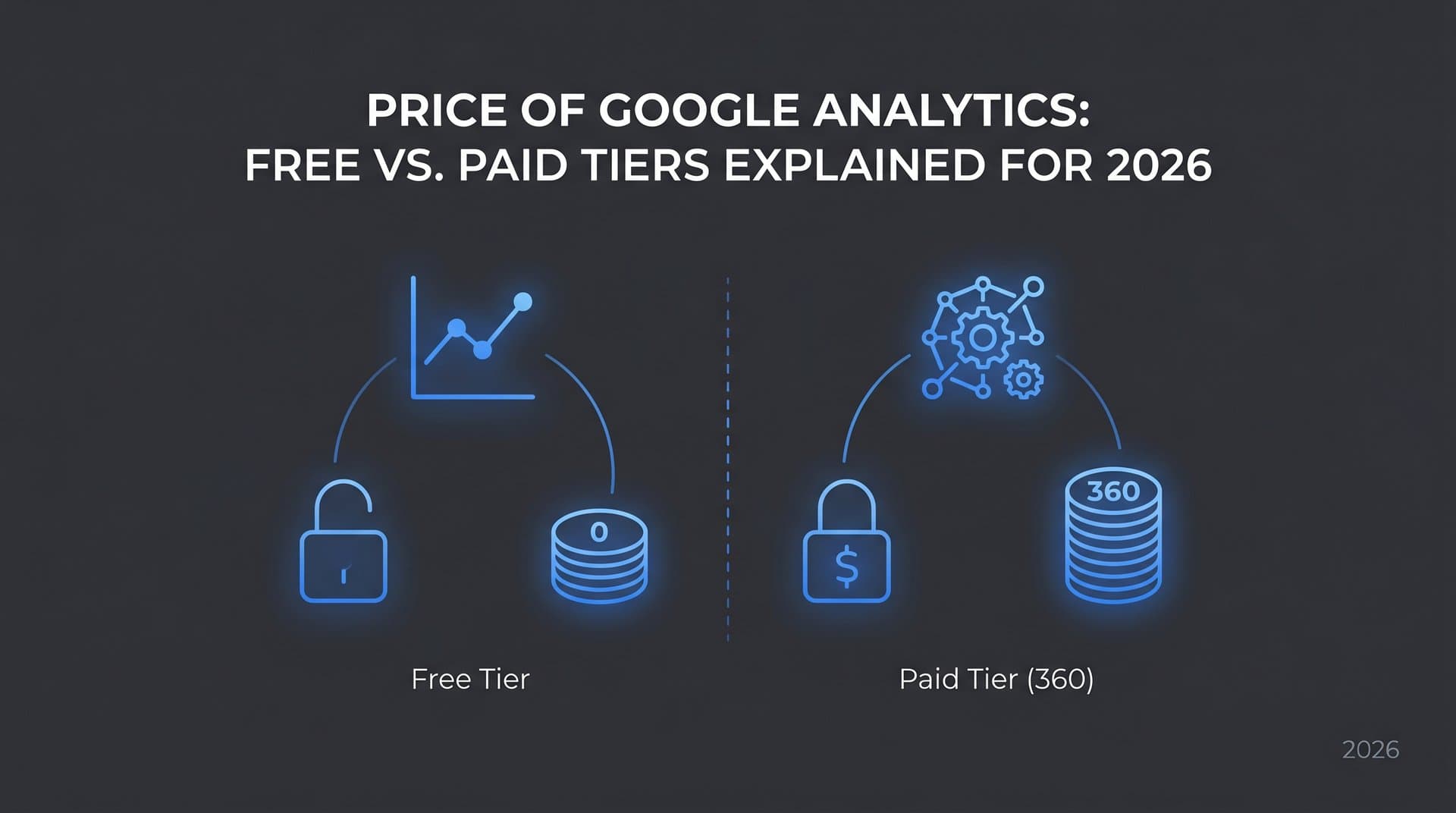
Here's the short version: Google Analytics 4 (GA4) is free for most businesses, and Google Analytics 360 is the enterprise-grade paid tier. But the real story is more nuanced. Between hidden implementation costs, data limitations, and an entirely new category of measurement that traditional analytics platforms don't address, "free" isn't always as simple as it sounds.
This guide breaks down the current Google Analytics pricing structure as it stands in 2025, what each tier actually includes, where the hidden costs hide, and how to decide whether you need to pay for anything at all. Whether you're measuring SEO performance, tracking organic traffic, or trying to understand how AI models are starting to influence brand discovery, getting your analytics investment right matters more than ever.
How Google Analytics Pricing Evolved After the 2023 Transition
The inflection point that most people are still processing happened on July 1, 2023: Google officially sunset Universal Analytics. Properties stopped processing new data, and every business still relying on UA was forced to migrate to GA4 or lose continuity in their analytics data. This wasn't just a product update. It was a fundamental rearchitecting of how Google Analytics works and, by extension, how it's priced.
Universal Analytics operated on a session-based data model. GA4 replaced that with an event-based model, which sounds like a technical distinction but has real implications for setup complexity, data interpretation, and what features fall inside or outside the free tier. In the old world, a lot of things happened automatically. In GA4's world, more configuration is required upfront.
The free tier in GA4 is genuinely capable. Google made some meaningful moves to expand what's available without cost, most notably opening up BigQuery export to free-tier users. Previously, BigQuery integration was a GA 360 exclusive, meaning only enterprise customers paying significant annual fees could pipe their raw analytics data into a data warehouse. That change alone shifted the value equation considerably for data-savvy teams.
On the enterprise side, Google Analytics 360 was also updated as part of the Google Marketing Platform's evolving structure. The pricing model shifted to be more explicitly tied to event volume and data processing scale, rather than a flat-rate subscription. If you're evaluating enterprise options, understanding how enterprise SEO software pricing compares across the market can help contextualize Google's positioning.
The 2023 transition also accelerated interest in analytics alternatives. Privacy regulations, including GDPR in Europe and a growing patchwork of state-level laws in the United States, made some organizations uncomfortable with Google's data handling practices. Others simply found GA4's new interface and data model too steep a learning curve. Both dynamics created space for privacy-focused competitors to gain traction, a trend that has continued into 2025.
Understanding this context matters because it explains why "Google Analytics pricing" remains such a searched topic. The product people thought they understood changed significantly, and many teams are still recalibrating.
What the Free GA4 Tier Actually Includes
For the majority of businesses, GA4's free tier is genuinely sufficient. That's not a hedge. It's an honest assessment of what Google ships at no cost, and the list is substantial.
At the core, free GA4 gives you event-based tracking across web and app properties, standard and custom conversion tracking, audience building for remarketing and segmentation, and exploration reports that allow for relatively sophisticated ad hoc analysis. The interface takes getting used to, but the underlying data capabilities are real.
Event-based tracking: GA4 automatically captures a set of standard events (page views, scrolls, outbound clicks, video engagement, file downloads) without any custom configuration. You can layer on custom events for more specific behaviors, though that typically requires some developer involvement or a well-configured Google Tag Manager setup.
Exploration reports: This is one of GA4's genuinely improved features over Universal Analytics. The Explorations section lets you build funnel analyses, path explorations, cohort analyses, and segment overlaps. These capabilities were previously locked behind GA 360 or required third-party tools. Free-tier users get access to them, with some caveats around data sampling at higher traffic volumes.
BigQuery export: As noted, this was a significant unlock. Free-tier users can export raw event-level data to BigQuery, enabling custom analyses, data blending, and integration with other data sources. There are daily export limits on the free tier, and BigQuery itself has storage and query costs, but the capability being available at all is a meaningful advantage.
Where the free tier shows its limits: data retention is capped at 14 months by default (you can adjust this, but the maximum for free users is 14 months). At high traffic volumes, reports can be based on sampled data rather than full datasets, which affects accuracy. Advanced attribution modeling, including data-driven attribution across longer conversion windows, has restrictions compared to the 360 tier.
For small-to-mid-sized businesses tracking organic traffic in Google Analytics, SEO performance, and conversion behavior, the free tier covers the essential measurement needs without requiring an upgrade. The honest question isn't whether GA4 free is "enough" in the abstract. It's whether it's enough for your specific traffic volume, data retention requirements, and analysis complexity.
Google Analytics 360: Enterprise Pricing and What You're Paying For
Google Analytics 360 exists for organizations where the free tier's constraints create real business problems, not just inconveniences. Understanding what you're actually buying helps clarify whether those constraints are ones you're actually hitting.
Based on publicly available Google Marketing Platform documentation, GA 360 pricing has historically started at approximately $50,000 per year, with costs scaling based on event volume and data processing requirements. Large enterprise deployments processing billions of events monthly can see costs significantly higher than the base rate. It's worth verifying current pricing directly with Google or a certified Marketing Platform partner, as pricing structures in this tier can be updated and are often negotiated rather than fixed.
Unsampled reports: This is often the primary driver for 360 upgrades among high-traffic sites. When your property processes enough data that GA4 free starts sampling reports, the accuracy of your analysis degrades. GA 360 guarantees unsampled data in reports, which matters significantly for conversion rate optimization, attribution analysis, and any decision that depends on precise traffic breakdowns.
Higher data limits: GA 360 raises the ceiling on event collection, custom dimensions, custom metrics, and audience definitions. For enterprise properties with complex tagging architectures and large product catalogs, these higher limits can be operationally necessary rather than just nice to have.
Advanced attribution modeling: GA 360 provides more sophisticated attribution options and longer lookback windows, which matters for businesses with longer sales cycles or complex multi-touch conversion paths. If your customers research for weeks before converting, attribution accuracy across that full journey requires the 360 tier.
SLA guarantees and dedicated support: Free GA4 comes with no service level agreement. If data collection has issues, you're waiting in the standard support queue. GA 360 includes uptime SLAs and access to dedicated support, which is a real consideration for organizations where analytics data feeds operational decisions in near real-time.
Deeper Google Marketing Platform integration: GA 360 integrates more tightly with Google's broader enterprise marketing stack, including Campaign Manager 360, Display and Video 360, and Search Ads 360. For large media buyers running significant paid campaigns across these platforms, the unified data view can justify the investment.
Who actually needs GA 360? Honestly, a narrower set of organizations than the sales pitch might suggest. High-traffic publishers, large e-commerce operations, and enterprise organizations with complex attribution needs and existing Google Marketing Platform investments are the natural fit. A thorough SEO software pricing comparison can help you evaluate whether that budget is better allocated elsewhere.
The Hidden Costs Most Teams Don't Budget For
The "free" in GA4 free tier is real, but it doesn't mean zero cost. Several categories of expense tend to catch teams off guard, particularly those migrating from Universal Analytics where many things worked automatically.
Implementation and configuration: GA4's event-based model requires deliberate setup. Migrating from Universal Analytics isn't a flip of a switch. Custom event mapping, conversion configuration, and Google Tag Manager setup often require developer time, and for complex sites with e-commerce tracking, multiple subdomains, or custom application behavior, that work can run into thousands of dollars in labor. Teams that assume GA4 "just works" out of the box often discover significant data gaps months later when they try to run analysis on improperly tracked events.
BigQuery costs: Free-tier BigQuery export is a powerful feature, but BigQuery itself isn't free. Storage costs are modest for most businesses, but query costs can add up quickly if your team runs large or frequent queries against raw event data. Teams that move to BigQuery for advanced analysis need to budget for this ongoing expense and implement query cost controls to avoid surprises.
Dashboard and visualization tools: GA4's built-in reporting covers a lot of ground, but many teams supplement it with Looker Studio (formerly Data Studio), which is free but requires setup time, or paid tools like Tableau or Power BI for more sophisticated visualization. Pairing GA4 with a dedicated SEO content platform with analytics can help bridge reporting gaps without building everything from scratch.
Training and upskilling: GA4's interface and data model are genuinely different from Universal Analytics. Teams that spent years developing intuition for UA reports often find GA4 disorienting. The learning curve is real, and depending on team size and analytics maturity, it may mean investing in training, hiring specialists with GA4 experience, or accepting a period of reduced analytical productivity during the transition.
These costs don't invalidate GA4 as a tool. They do mean that the total cost of ownership is higher than the zero-dollar price tag implies, and budgeting honestly for implementation and ongoing maintenance leads to better outcomes than discovering these costs reactively.
Alternatives Worth Considering in Your Analytics Stack
Google Analytics dominates web analytics, but it isn't the only option, and for some teams, it isn't the right primary tool. The alternatives fall into a few categories worth understanding.
Privacy-focused analytics platforms: Tools like Matomo, Plausible, and Fathom have gained significant traction, particularly among organizations operating in privacy-sensitive contexts or jurisdictions where GDPR compliance creates complexity with Google's data processing. Matomo offers a self-hosted version that's free at the software level (though server costs and maintenance apply) and a cloud-hosted paid tier. Plausible and Fathom are SaaS tools with straightforward monthly pricing, simpler interfaces, and a design philosophy that prioritizes cookieless tracking and data ownership. These tools sacrifice some analytical depth for simplicity and privacy compliance, which is the right trade for some teams.
SEO-specific measurement tools: GA4 tells you what happened on your site. It doesn't tell you why your rankings moved, which content is gaining or losing visibility in search results, or how your indexing health is affecting organic traffic. Dedicated SEO tools that check your position in Google search and track content performance complement GA4 by covering measurement territory that web analytics platforms aren't designed for. For teams where organic growth is the primary channel, this layer of the stack often delivers more actionable insight than incremental analytics sophistication.
AI visibility tracking: This is the emerging measurement category that no traditional analytics platform addresses. As AI-powered search tools like ChatGPT, Claude, and Perplexity increasingly influence how people discover brands and content, a meaningful portion of your audience's journey may be happening in places that GA4 simply cannot see. Understanding whether and how AI models reference your brand, which topics they associate you with, and how your content performs in AI-generated responses is a measurement gap that's growing in strategic importance. Exploring AI visibility tracking pricing can help you understand what it costs to close that gap. Traditional analytics tells you about traffic that arrived; AI visibility tracking tells you about influence that shaped the decision before the click.
The most effective analytics stacks for organic growth-focused teams in 2025 typically combine free GA4 for on-site behavior measurement with specialized tools that cover the measurement gaps GA4 doesn't address.
Building the Right Analytics Investment for Your Goals
The decision between free GA4, GA 360, and a broader tool stack isn't primarily a pricing question. It's a question of matching your measurement needs to the capabilities that actually serve them.
Start with a few honest questions about your situation. How much traffic does your property process? If you're not regularly hitting GA4 free tier sampling limits, the primary technical argument for GA 360 doesn't apply to you. What's your data retention requirement? If 14 months of historical data is sufficient for your analysis needs, the free tier covers you. Do you have a dedicated analytics engineering team that can work with BigQuery? If yes, the free tier's export capability may give you everything you need. If no, the raw data access advantage of 360 may be less relevant in practice.
For most growth-stage companies and mid-market businesses focused on organic traffic, the honest answer is that free GA4 plus a thoughtfully chosen set of complementary tools delivers better return on analytics investment than upgrading to GA 360. The $50,000+ annual cost of 360 can fund a significant amount of SEO tooling, content production, and emerging visibility measurement. Reviewing options for AI-powered SEO tools pricing shows how far that budget can stretch across modern optimization platforms.
The actionable path forward looks like this: audit your current analytics setup to identify actual measurement gaps rather than assumed ones. Check whether your GA4 implementation is capturing the events and conversions that matter. Assess whether you're measuring organic search performance at the keyword and content level, not just aggregate traffic. Tools that provide predictive content performance analytics can help you move from reactive reporting to proactive optimization. And critically, evaluate whether you have any visibility into how AI models are beginning to shape your brand's discoverability.
That last gap is growing faster than most analytics strategies have caught up with. Organic traffic increasingly starts with an AI-assisted query, not a traditional search. If your measurement stack doesn't include that layer, you're making growth decisions with incomplete information.
The Bottom Line on Google Analytics Pricing
Google Analytics pricing in 2025 is, for most businesses, straightforward: the free GA4 tier is genuinely capable, GA 360 is a real enterprise product for organizations with real enterprise-scale needs, and the hidden costs are in implementation and complementary tooling rather than the platform fee itself.
The bigger opportunity cost isn't the analytics subscription. It's measuring the wrong things or failing to measure emerging channels entirely. Organic traffic growth, content performance, and increasingly, how AI models represent your brand are the metrics that drive business outcomes. Traditional web analytics covers the first two imperfectly and the third not at all.
As AI search continues to reshape how people discover information and brands, the teams that build measurement into that channel early will have a compounding advantage over those who don't. Your analytics stack should reflect where your audience's attention actually is, not just where it was three years ago.
Start tracking your AI visibility today and see exactly where your brand appears across top AI platforms. Stop guessing how AI models like ChatGPT and Claude talk about your brand. Get visibility into every mention, uncover content opportunities, and automate your path to organic traffic growth across both traditional search and the AI-powered discovery channels that are reshaping the web.