Backlinks remain one of the most influential factors in how search engines evaluate your site's authority and trustworthiness. But before you can build a stronger link profile, you need to know what you're working with — and what your competitors have that you don't.
The good news: Google itself gives you several powerful, free methods to uncover backlink intelligence without immediately reaching for a paid tool. This guide walks you through a practical, sequential process for finding backlinks using Google Search, from using native search operators to cross-referencing Google Search Console data.
Whether you're a marketer auditing a new client's site, a founder trying to understand your competitive landscape, or an agency building a link-building strategy from scratch, these steps will give you a clear picture of your backlink ecosystem.
By the end, you'll know how to surface linking domains, identify competitor link sources, and prioritize outreach opportunities — all using methods available to you right now. Let's get into it.
Step 1: Set Up Google Search Console to Access Your Own Backlink Data
Before you start hunting for backlinks using Google Search, you need a baseline. Google Search Console (GSC) is the only first-party source that shows you Google's own perspective on who links to your site. Nothing else gives you that direct line of insight.
If you haven't verified your site in GSC yet, the process is straightforward. Google offers several verification methods: adding an HTML meta tag to your site's <head> section, uploading an HTML file to your root directory, adding a DNS TXT record through your domain registrar, or connecting via Google Analytics if that's already set up. Choose whichever method fits your technical access level.
Once verified, navigate to the Links report. You'll find it in the left sidebar. This section breaks down into three key views:
Top Linking Sites: The external domains sending the most links to your site. This is your core backlink roster.
Top Linked Pages: Which pages on your site attract the most inbound links. This reveals your strongest content assets.
Top Linking Text: The anchor text other sites use when linking to you. This tells you how the web perceives and categorizes your content.
Spend time in each view before exporting. Look for patterns: Are certain pages earning disproportionately more links? Are there anchor texts you didn't expect? These observations shape your outreach strategy later.
To export, click the Export button in the top right of each section. Download your Top Linking Sites data as a CSV. This becomes your baseline tracking file — save it with a date stamp so you can compare month over month.
Here's an important caveat that many guides skip: GSC shows a representative sample of the links Google has discovered, not a complete backlink index. Google has confirmed this limitation. Treat your GSC data as a strong starting signal, not an exhaustive audit. You may have links that don't appear here, and some that appear may carry minimal weight in practice.
Success indicator: You have a downloaded CSV with at minimum your top 50 linking domains and their anchor text distribution. If your site is newer and has fewer than 50 linking domains, export everything available and note the gap — that's your opportunity size.
Step 2: Use Google Search Operators to Discover Who Links to You
Google's search operators are underused by most marketers, but for backlink research they're genuinely powerful. Think of them as precision filters that let you ask Google very specific questions about who's referencing your brand and content.
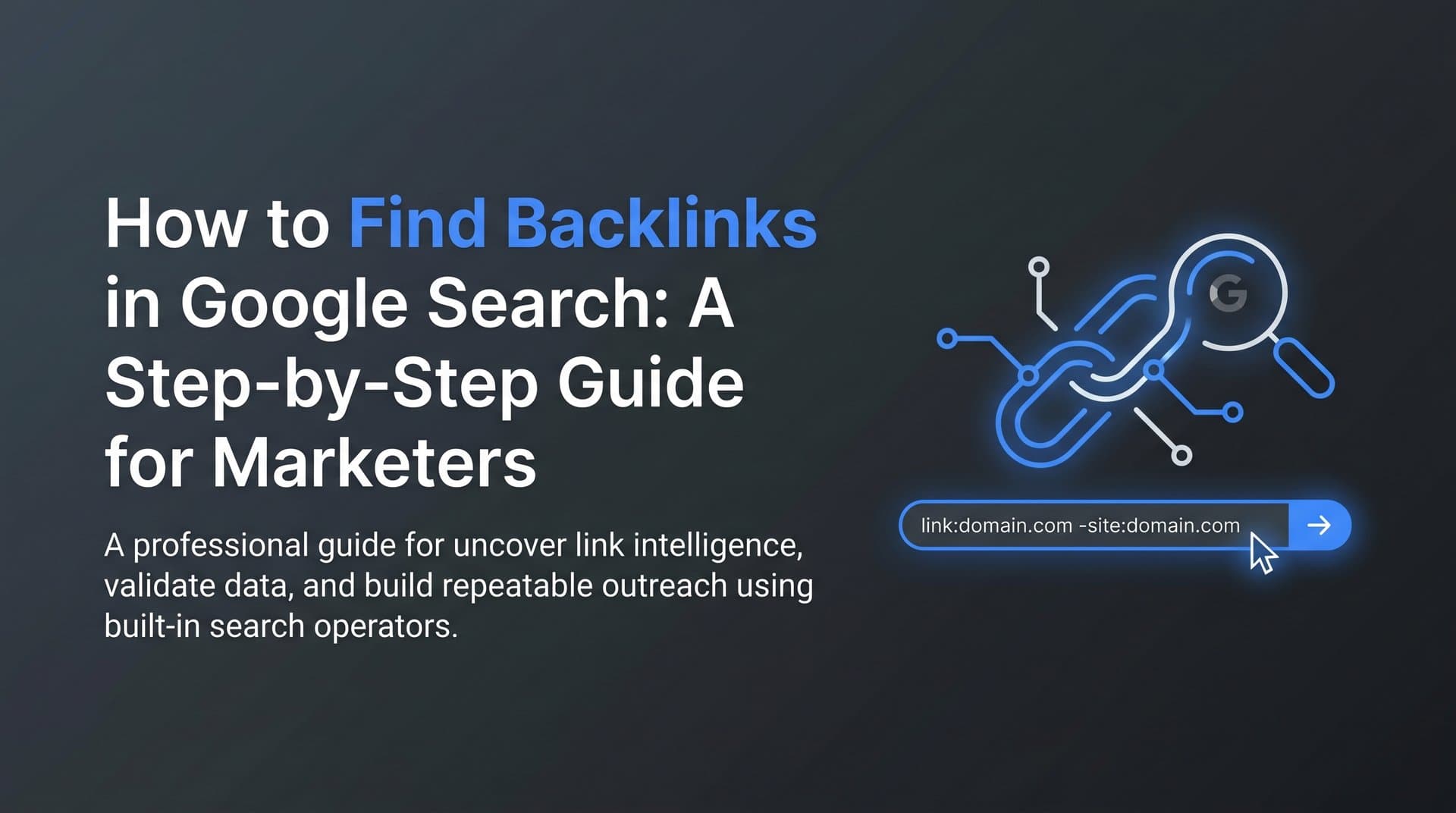
Let's start with the operator you've probably heard of: link:. Fair warning — Google officially deprecated this operator for broad public use. It returns limited, inconsistent results and shouldn't be your primary method. You might run it as a quick spot-check, but don't build your strategy around it.
Here are the operators that actually deliver reliable results:
"Your Brand Name" -site:yourdomain.com — This is your most valuable starting search. Wrapping your brand name in quotes finds exact-match mentions, and the -site: exclusion filters out your own pages. What remains are external pages referencing your brand. Some will link to you; many won't. The unlinked mentions are warm outreach opportunities where conversion is realistic because the author already knows your brand exists.
related:yourdomain.com — This surfaces sites Google considers topically similar to yours. These aren't necessarily linking to you yet, but they're natural link-building targets. They cover adjacent topics, serve similar audiences, and are already link-friendly in your space.
allinanchor:yourkeyword — This finds pages where your target keyword appears in the anchor text of inbound links. It reveals who is building link authority around your core terms, which is useful for competitive intelligence and identifying topically aligned publishers.
site:competitordomain.com — More on this in Step 3, but running this on your own domain helps you understand which of your pages Google has indexed and considers most significant, based on how they appear in results.
The real power comes from combining operators. A few combinations worth running immediately:
"Your Brand" -site:yourdomain.com inurl:blog — Finds blog posts specifically mentioning your brand, which tend to be editorial links rather than directory listings.
"Your Content Title" -site:yourdomain.com — If you have a specific article or resource that's been shared, this finds who's referencing it by name.
"Your Brand" -site:yourdomain.com site:.edu OR site:.org — Surfaces mentions on educational or nonprofit domains, which often carry strong topical authority.
Work through these searches systematically. For each result, open the page and check whether the mention includes an actual hyperlink. If it doesn't, that's an outreach candidate. If it does, verify the link is live and pointing to the right page.
Success indicator: A list of 10 to 20 external pages referencing your brand or content that you can verify and prioritize for outreach. Even five strong, unlinked mentions can translate into meaningful backlinks with the right approach.
Step 3: Reverse-Engineer Competitor Backlinks with Google Search
Your competitors have already done the hard work of earning links in your niche. Your job is to find out who's linking to them, then make a compelling case for why those same publishers should link to you.
Start by identifying two or three direct competitors. The easiest method: search your primary target keyword in Google and note which domains consistently appear in the top results. These are the sites earning link authority for your terms. Write them down.
Now run the same brand mention search you used for your own site, but for each competitor:
"CompetitorBrand" -site:competitordomain.com
This surfaces external pages that mention the competitor by name. Scroll through the results and look for patterns: Which types of sites are referencing them? Industry blogs? News outlets? Niche directories? Resource pages? Each category represents a different outreach angle.
Next, run site:competitordomain.com to understand their content structure. Pay attention to which pages appear prominently in Google's index. These are typically the pages earning the most external references. If a competitor's "ultimate guide to X" keeps surfacing, that's a content format worth noting — and a list of publishers who've cited it is waiting to be found.
To find those publishers, search the competitor's content title directly:
"Competitor Article Title"
This finds pages that have quoted, cited, or linked to that specific piece. These publishers are already link-friendly in your niche. They've demonstrated willingness to link out editorially, which makes them far warmer prospects than cold outreach to unknown domains.
As you work through this research, build a simple tracking spreadsheet with these columns:
Linking Domain | Competitor They Link To | Content Type | Contact Available
This structure lets you quickly see which domains link to multiple competitors — those are your highest-priority targets, because they've demonstrated a pattern of linking to sites in your space. A thorough SEO competitive research process makes this pattern recognition much faster and more systematic.
A common pitfall here: don't pursue every competitor link you find. A link from an irrelevant domain, a low-quality directory, or a site with no clear editorial standards won't move the needle. Filter for domains with topical alignment, active publishing, and clear editorial intent.
Success indicator: A prioritized list of 15 to 30 domains that link to competitors but not yet to you. This is your link gap — the opportunity set that separates your current profile from where you want to be.
Step 4: Find Resource Pages and Link Roundups in Your Niche
Resource pages are among the highest-converting link targets in any outreach campaign. Their entire purpose is to link out to useful content. When you get listed on a resource page, you're not convincing someone to add a link where there wasn't one before — you're simply making the case that your content belongs on a list that already exists.
Google makes these pages findable with a handful of reliable search strings. Try these with your primary keyword or topic area:
your keyword + "resources"
your keyword + "useful links"
your keyword + "recommended reading"
your keyword + inurl:links
your keyword + "weekly roundup"
your keyword + "best of"
Run each of these and scan the results. You're looking for pages whose primary function is curation — not blog posts that happen to mention a few tools, but dedicated pages built around linking to quality external content.
When you find a candidate, evaluate it against three questions. First, is the page actively maintained? Check the last updated date or look for recent additions. A resource page that hasn't been touched in years is unlikely to add new entries. Second, does it link to quality content? If the existing links are to low-quality or irrelevant pages, this isn't a domain you want a link from anyway. Third, is there a clear path to submission or contact? Look for a contact form, an editor's email, or a submission process. If there's no way to reach the site owner, move on.
For SaaS and marketing tools specifically, "best of" and "top tools" style pages are particularly common and high-value. Search strings like your category + "best tools 2026" or your category + "top software" surface these quickly. Understanding how keyword research works helps you generate the right topic variations to feed into these search strings.
One underused tactic: search your specific content piece title in quotes. If you've published a strong guide or resource, other roundup editors may be looking for exactly that type of content. Finding roundups that have included similar pieces tells you the editor values that content format — and yours may qualify for their next edition.
Document each find with the page URL, a note on how actively it's maintained, and any contact information you can locate for the editor or site owner.
Success indicator: Ten or more resource or roundup pages identified with a clear path to submission or outreach. Even a few high-quality placements from this category can meaningfully strengthen your link profile.
Step 5: Identify Broken Link Opportunities Through Google
Broken link building has one of the best effort-to-reward ratios in link acquisition. The logic is simple: you find pages that are linking to dead content, then offer your live, relevant content as a replacement. You're not asking for a favor — you're helping a webmaster fix a problem while solving your own.
The Google-native workflow starts with finding topically relevant pages in your niche. Search for content similar to what you've published: guides, resource lists, tutorials, or tools pages covering your core topics. Once you have a set of relevant pages open in your browser, use a link-checking browser extension to scan for 404 errors. Extensions designed for this purpose highlight broken links directly on the page, saving you from manually clicking every link.
There's also a more direct Google approach for surfacing broken content at scale. Try these search strings:
your topic + "page not found"
your topic + "404"
your topic + "this page no longer exists"
These queries surface pages that have broken resource sections or reference content that no longer exists. They're not always perfect, but they can surface opportunities you'd miss through manual browsing alone.
Once you identify a broken link target, your next step is understanding what the original content covered. This is where the Wayback Machine at web.archive.org becomes essential. Paste the broken URL into the Wayback Machine and browse cached versions of the original page. This tells you the topic, depth, and format of the content that used to live there — and lets you assess whether your existing content is a genuine replacement or just a loose match.
Be honest in this assessment. A strong broken link outreach pitch only works when your content is a direct, high-quality substitute for what was lost. If the match is weak, the webmaster will notice, and your outreach will fail.
When you reach out, frame the conversation around the webmaster's problem, not your link request. Let them know their page has a broken link, explain what the original content covered, and offer your piece as a replacement. That framing converts far better than a generic "I have content you might like" approach.
A common pitfall: only pursue broken links on pages that are themselves indexed and actively receiving traffic. A broken link on an abandoned or de-indexed page has no value to you. Verify each target page is indexed by running a quick site:targetdomain.com/specific-page check in Google before investing time in outreach. If you're unfamiliar with how this works, our guide on finding indexed pages in Google walks through the process in detail.
Success indicator: Five to ten verified broken link opportunities where your existing content is a direct, high-quality replacement for the dead resource.
Step 6: Validate and Prioritize Your Backlink Targets
By this point, you've built a raw list of potential link sources from multiple discovery methods. The next step isn't outreach — it's filtering. Not all link opportunities are equal, and sending the same generic pitch to every domain on your list is a reliable way to get ignored.
Start with a basic Google validation for each target domain. Run site:targetdomain.com to confirm the domain is indexed and actively publishing. A domain with hundreds of indexed pages is active; one with a handful of results or none at all may be abandoned or penalized. Either way, it's not worth your outreach effort.
Then search the domain's brand name directly to check its reputation. Does it appear in industry conversations? Do other credible sites reference it? A domain that nobody talks about is a weak link source regardless of how relevant its content seems.
Next, assess topical relevance. A link from a domain covering your exact topic area carries more weight than one from a tangentially related site. This isn't just about SEO mechanics — it's also about whether the audience of that linking site would genuinely care about your content. Relevance and audience alignment tend to go together.
Look at how the site links to others. Editorial links placed within the body of content are generally more valuable than sidebar links or footer links. Browse a few pages on the target domain to understand their linking behavior. Do they link out frequently within articles? Do those links appear contextual and intentional? That's a good sign. Sites that only link in sidebars or footers are lower-priority targets.
Organize your validated targets into tiers:
Tier 1: High topical relevance, actively publishing, links editorially within content, clear contact path. These get your most personalized, researched outreach.
Tier 2: Moderate relevance, active domain, links occasionally within content. Worth pursuing with a solid pitch, but lower investment than Tier 1.
Tier 3: Low topical relevance, uncertain activity level, or links primarily in navigation. Deprioritize unless you have a very specific angle.
Before finalizing your list, cross-reference against your GSC data from Step 1. If a domain already links to you, shift your outreach energy to new domains. Diversifying your linking domain profile is a recognized best practice — multiple links from the same domain have diminishing returns compared to links from fresh, relevant sources. Pairing this validation work with a broader effort to improve your search engine rankings ensures your link-building efforts translate into measurable visibility gains.
Success indicator: A tiered outreach list of 20 to 40 validated prospects, organized by priority and ready for personalized contact.
Putting It All Together: Your Backlink Discovery Checklist
You now have a complete, repeatable workflow for finding backlinks using Google Search without relying on paid tools. Here's the full sequence at a glance, designed to be bookmarked and reused:
Step 1: Export your Google Search Console Links report as a CSV. Note your top linking domains, top linked pages, and anchor text distribution.
Step 2: Run Google operator searches to find external brand mentions, topically similar sites, and anchor-text-rich pages in your niche.
Step 3: Identify two to three competitors, run brand mention searches for each, and build a spreadsheet of domains linking to them but not yet to you.
Step 4: Use targeted search strings to find resource pages and content roundups in your niche. Evaluate each for activity, quality, and contact accessibility.
Step 5: Find broken link opportunities through Google searches and browser-based link checkers. Verify replacements using the Wayback Machine.
Step 6: Validate and tier your full prospect list using site: searches, topical relevance checks, and linking behavior analysis.
Run this process quarterly. Competitor link profiles change, new resource pages emerge, and content that was live six months ago may now be broken. A quarterly cadence keeps your opportunity pipeline fresh.
It's also worth acknowledging the natural ceiling of Google-native methods. These techniques surface strong signals and actionable opportunities, but dedicated backlink analysis platforms can go deeper for scaled campaigns. If you're managing link building across multiple clients or targeting highly competitive niches, the Google-only approach is a strong foundation — not necessarily the complete toolkit.
There's one more dimension worth considering: AI search. Content that earns quality backlinks from authoritative, topically relevant sources is also more likely to be cited by AI models like ChatGPT, Claude, and Perplexity when they answer questions in your space. A strong link profile signals authority to both traditional search engines and the AI systems increasingly shaping how people discover information.
That means your backlink strategy and your AI visibility strategy are more connected than they might appear. As you build links, it's worth tracking how your brand and content are being referenced across AI platforms — not just in Google's index.
Start tracking your AI visibility today and see exactly where your brand appears across top AI platforms, so you can grow organic traffic through both traditional search and the AI-powered discovery channels that are reshaping how audiences find content.