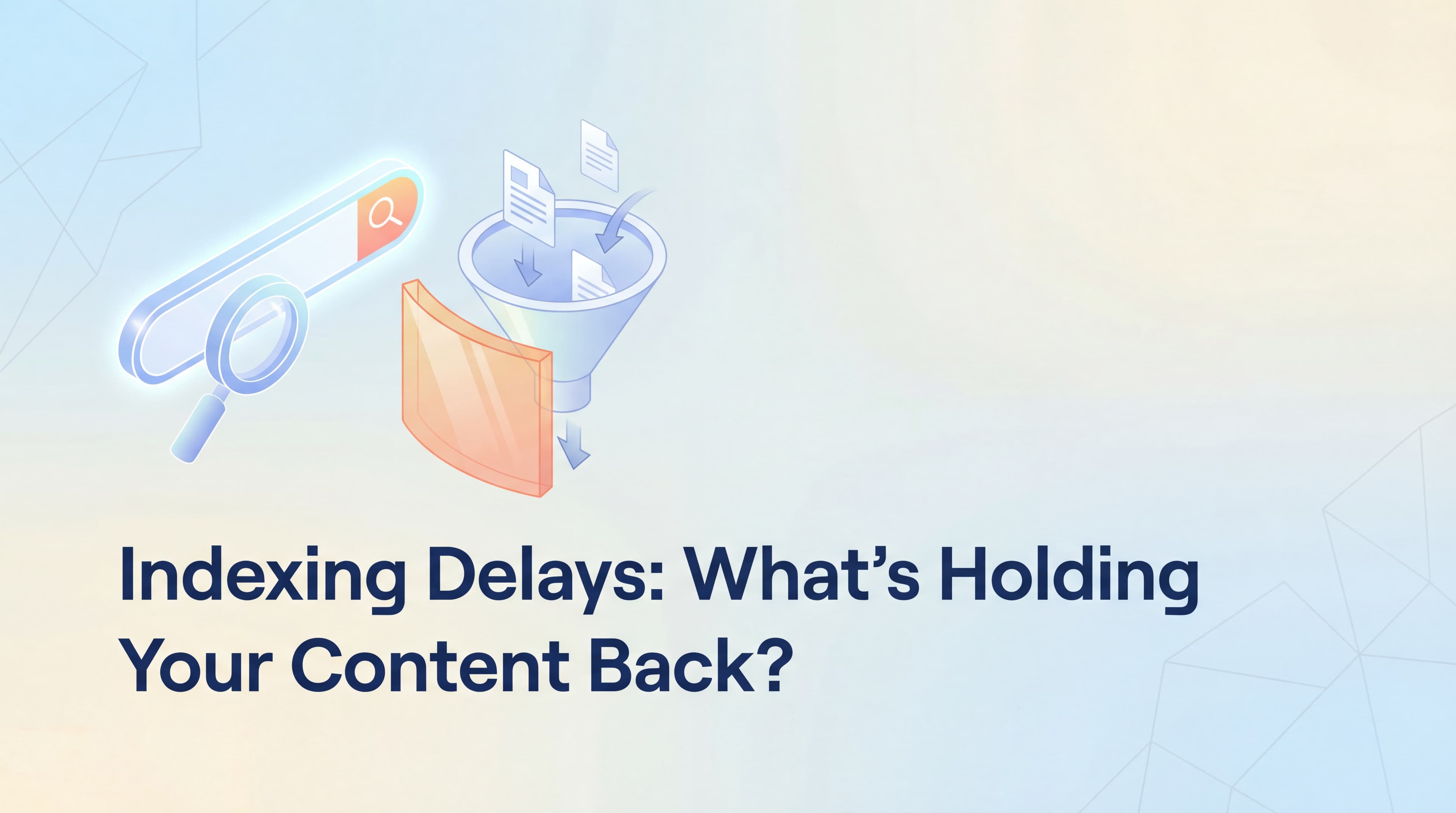
You hit publish on your latest blog post. The content is solid—well-researched, optimized for your target keywords, and genuinely useful. You check Google Search Console the next day. Nothing. A week later? Still invisible. Two weeks pass, and your carefully crafted content remains in digital purgatory while your competitors' pages—published days after yours—are already ranking and capturing traffic.
This isn't just frustrating. It's expensive.
Every day your content sits unindexed is a day of missed organic traffic, lost leads, and delayed ROI on your content investment. When you're racing to capture search visibility for trending topics or seasonal opportunities, slow indexing can mean the difference between being first to market and being irrelevant. Your content calendar becomes a liability instead of an asset, and the compounding benefits of early visibility—backlinks, social shares, brand authority—go to someone else.
The good news? Slow indexing is a solvable problem. It's not about waiting for Google to notice you. It's about understanding how search engines prioritize crawling, diagnosing your specific bottlenecks, and implementing proactive strategies that put your content in front of crawlers within hours instead of weeks. This guide will walk you through exactly why your pages are stuck in the queue and how to fix it systematically.
Understanding Google's Crawl Priority System
Google doesn't crawl the entire web every day. It can't. With billions of pages competing for attention, search engines allocate their crawling resources strategically—a concept called crawl budget. Think of it like a VIP list at a nightclub: established sites with strong authority and frequent updates get immediate access, while newer or less active sites wait in line.
Your crawl budget depends on several factors. Site authority plays a major role. If your domain has accumulated quality backlinks, consistent traffic, and a history of publishing valuable content, Google allocates more crawling resources to your site. Fresh sites or those with sparse link profiles receive far less attention. This creates a catch-22: you need visibility to build authority, but you need authority to get crawled quickly.
Freshness signals also influence crawl priority. Sites that publish new content regularly train Google's crawlers to check back more frequently. If you publish daily, crawlers learn to visit daily. If you publish monthly, they adjust their schedule accordingly. This is why consistent publishing schedules matter beyond just content volume—they establish expectations that influence how quickly new content gets discovered.
But even sites with decent authority can sabotage their crawl efficiency through technical barriers. Orphan pages—content that exists on your site but has no internal links pointing to it—might never get discovered naturally. Google's crawlers navigate your site by following links, so a page that's only accessible through direct URL entry is essentially invisible. Similarly, pages buried deep in your site architecture—four, five, or six clicks from your homepage—may wait weeks before a crawler reaches them.
Blocked resources create another layer of friction. If your robots.txt file accidentally blocks important CSS or JavaScript files, Google may struggle to render your pages properly. Pages that can't be rendered can't be fully understood, which often means they won't be indexed. The same applies to pages blocked by noindex meta tags or canonical tags pointing to other URLs—these are explicit instructions telling Google not to index the content.
Content quality signals round out Google's prioritization calculus. Pages with substantial unique content, clear value propositions, and strong engagement signals get crawled more aggressively than thin content or duplicate pages. If Google's algorithms detect that a page offers little new information compared to what's already indexed, it may deprioritize crawling similar pages from your site.
Identifying Your Specific Indexing Issues
Diagnosing why your pages aren't getting indexed starts with Google Search Console. This free tool provides direct visibility into how Google sees your site and where the bottlenecks exist. The URL Inspection tool should be your first stop. Paste any URL from your site, and you'll get a detailed report showing whether it's indexed, when it was last crawled, and any issues preventing indexing.
The Coverage report provides a broader view. It categorizes all pages Google has discovered on your site into four buckets: Indexed, Excluded, Error, and Valid with warnings. The Excluded category is where you'll find the most common indexing problems. Click into it, and you'll see specific status messages that reveal exactly why pages aren't making it into Google's index.
"Discovered - currently not indexed" is one of the most common and misunderstood statuses. It means Google found your URL—usually through your sitemap or by following links—but hasn't prioritized crawling it yet. This typically indicates low perceived value or insufficient crawl budget rather than a technical error. Pages with thin content, duplicate information, or weak internal linking often land in this category.
"Crawled - currently not indexed" is more concerning. Google's crawlers visited your page, analyzed it, and decided not to include it in search results. This usually signals quality issues: the content may be too similar to other indexed pages, lack substantial value, or trigger algorithmic filters for low-quality content. Review these pages critically—they may need significant content improvements or consolidation with similar pages. Understanding why content isn't indexed quickly can help you address these issues proactively.
Technical blocks are easier to spot but require immediate attention. Check your robots.txt file by visiting yoursite.com/robots.txt in a browser. Look for "Disallow" directives that might be blocking important sections of your site. A common mistake is accidentally blocking your entire site with "Disallow: /" or blocking JavaScript and CSS resources that Google needs to render your pages properly.
Meta tags deserve scrutiny too. View the source code of pages that aren't indexing and search for meta robots tags. If you see content="noindex" or content="nofollow", you've found your problem—these tags explicitly tell search engines not to index the page or follow its links. Similarly, check for canonical tags. If a page's canonical tag points to a different URL, Google will index the canonical version instead of the page you're checking.
For sites using JavaScript frameworks like React or Vue, rendering issues may be the culprit. Use Google Search Console's URL Inspection tool and compare the "Crawled page" view with how the page appears in a browser. If critical content is missing from the crawled version, Google's crawlers may not be waiting long enough for JavaScript to execute and render your content.
Leveraging IndexNow for Immediate Crawl Notifications
Traditional indexing relies on search engines discovering your content—either by crawling your sitemap periodically or following links from other pages. This is a pull model: you wait for search engines to come to you. IndexNow flips this dynamic entirely by implementing a push model where you proactively notify search engines the moment content is published or updated.
Here's how it works. When you publish or update a page, your site sends a simple HTTP request to an IndexNow endpoint with the URL of the changed content. Search engines that support IndexNow—currently Bing, Yandex, and several others—receive this notification instantly and can prioritize crawling that specific URL. Instead of waiting for the next scheduled crawl cycle, your content gets discovered within hours or even minutes.
The protocol is remarkably lightweight. You generate a unique API key, place it in a text file on your site's root directory, and configure your CMS or publishing workflow to send notifications. For WordPress sites, plugins like IndexNow Plugin or Rank Math SEO handle this automatically. Every time you publish or update content, the plugin sends the notification in the background without any manual intervention.
For custom sites or headless CMS platforms, implementation requires a bit more technical setup but follows a straightforward pattern. Generate your API key, create the verification file, and add a function to your publishing workflow that makes an HTTP POST request to the IndexNow endpoint with your URL and API key. Most modern CMS platforms support webhooks or post-publish actions where you can insert this logic. Explore various methods to index your website faster for additional implementation strategies.
The real-world impact is significant. Publishers using IndexNow report indexing times dropping from days to hours for new content. For time-sensitive content—breaking news, trending topics, seasonal campaigns—this speed advantage can mean the difference between capturing first-mover traffic and missing the window entirely. Even for evergreen content, faster indexing means earlier accumulation of backlinks, social signals, and ranking momentum.
One important note: while Google doesn't officially support IndexNow yet, they're monitoring the protocol's adoption and effectiveness. Focus your IndexNow implementation on the search engines that do support it, and continue using traditional methods like sitemap submission and internal linking for Google. As the protocol gains traction, Google may join the ecosystem, making your early implementation even more valuable.
Designing Internal Links That Accelerate Discovery
Internal linking isn't just about user navigation—it's the primary mechanism through which search engine crawlers discover and understand your content hierarchy. A strategic internal linking architecture can dramatically reduce the time between publishing and indexing by ensuring new content is immediately connected to pages that already receive regular crawl attention.
The hub-and-spoke model works exceptionally well for this purpose. Identify your highest-authority pages—typically your homepage, main category pages, and top-performing blog posts that have accumulated backlinks and traffic. These are your hubs. Every time you publish new content, create contextual links from relevant hub pages to the new piece. This immediately places your new content within a few clicks of your most-crawled pages, dramatically increasing the likelihood of quick discovery.
Contextual relevance matters more than link quantity. A single relevant link from a high-authority page on a related topic carries more crawl value than dozens of links from unrelated pages. When you publish a new guide about content marketing, link to it from your existing high-performing content marketing articles, not from every random blog post on your site. Search engines use these contextual signals to understand topical relationships and prioritize crawling related content clusters.
Automated internal linking workflows eliminate the manual burden of updating older content with links to new pieces. Some content management systems and SEO plugins can automatically suggest or insert internal links based on keyword matching and topical relevance. Tools like Link Whisper for WordPress or custom scripts for headless CMS platforms can scan new content, identify relevant existing pages, and create bidirectional links automatically. If you're troubleshooting website indexing that isn't working, poor internal linking is often the culprit.
Avoid common mistakes that undermine internal linking effectiveness. Overusing nofollow attributes on internal links tells search engines not to pass authority or follow those links for crawling purposes—reserve nofollow for genuinely untrusted content, not for managing PageRank flow within your own site. JavaScript-rendered links can also cause problems if search engines struggle to execute your JavaScript or if links are added after initial page load. Whenever possible, include critical internal links in your HTML source code rather than relying on client-side JavaScript to insert them.
Link isolation is another common issue. Pages that only link to each other in small clusters—without connections to your main site architecture—create crawl dead ends. Ensure every new piece of content has at least one strong link path back to your homepage or main category pages, and reciprocally link from those authoritative pages to your new content.
Creating Automated Indexing Workflows
Manual indexing processes don't scale. When you're publishing multiple pieces of content per week, remembering to update sitemaps, submit URLs to Search Console, and trigger IndexNow notifications becomes a bottleneck that slows down your entire content operation. Automation ensures every piece of content gets the same proactive indexing treatment without adding work to your team's plate.
Start with automated sitemap updates. Your XML sitemap should regenerate automatically every time you publish new content, with the new URL added and the lastmod timestamp updated. Most modern CMS platforms handle this natively—WordPress, for example, updates sitemaps automatically if you're using plugins like Yoast SEO or Rank Math. For custom sites, implement a build process or webhook that regenerates your sitemap file whenever content changes in your database.
Beyond generation, automate sitemap submission to search engines. Google Search Console and Bing Webmaster Tools both offer APIs that let you programmatically submit your sitemap URL whenever it updates. Configure your CMS to ping these endpoints after every sitemap regeneration. This ensures search engines know to check your sitemap for new URLs immediately rather than waiting for their next scheduled crawl. Learn more about how to get indexed by Google faster through proper sitemap management.
IndexNow integration becomes particularly powerful when automated. Instead of manually triggering notifications for each published page, configure your CMS to send IndexNow requests as part of your standard publishing workflow. For WordPress, plugins handle this automatically. For headless CMS platforms like Contentful, Sanity, or Strapi, set up webhooks that trigger IndexNow notifications whenever content is published or updated.
Monitoring and alerting systems catch failures before they impact traffic. Set up automated checks that verify critical pages remain indexed and alert you when indexing status changes unexpectedly. Google Search Console's API allows you to programmatically query indexing status for specific URLs. Build a simple script that checks your most important pages weekly and sends alerts if any drop out of the index or show coverage errors. You can also check if your website is indexed using various verification methods.
For teams managing multiple sites or clients, centralized indexing dashboards provide visibility across your entire portfolio. Tools like Screaming Frog, Sitebulb, or custom scripts can crawl multiple sites, check indexing status via Search Console APIs, and aggregate the data into a single reporting interface. This lets you spot patterns—like certain content types consistently indexing slowly—and address systemic issues rather than fighting fires one page at a time.
Your Indexing Acceleration Action Plan
Not all indexing improvements deliver equal impact. Prioritize actions based on their potential to reduce indexing time and the effort required to implement them. Start with high-impact, low-effort fixes that deliver immediate results, then work toward more complex optimizations.
Immediate Actions (This Week): Run a full audit in Google Search Console's Coverage report to identify pages stuck in "Discovered - currently not indexed" or "Crawled - currently not indexed" status. Review your robots.txt file for accidental blocks and check your most important pages for noindex tags or incorrect canonical configurations. Submit your sitemap to Google Search Console and Bing Webmaster Tools if you haven't already.
Quick Wins (This Month): Implement IndexNow on your site using a plugin or custom integration to start sending instant crawl notifications. Create strategic internal links from your highest-authority pages to recently published content that hasn't indexed yet. Set up automated sitemap generation and submission so future content gets discovered faster without manual intervention. Review our guide on faster website indexing solutions for additional tactics.
Ongoing Maintenance Habits: Review Search Console's Coverage report monthly to catch new indexing issues before they accumulate. Monitor indexing speed for new content—if pages consistently take longer than a week to index, investigate whether content quality, site architecture, or technical factors are creating bottlenecks. Maintain a consistent publishing schedule to train search engine crawlers to check your site more frequently.
When to Escalate: Some indexing problems require developer intervention. If you're seeing widespread rendering issues where crawlers can't access JavaScript-rendered content, work with your development team to implement server-side rendering or pre-rendering solutions. If your site has grown to thousands of pages and crawl budget has become a limiting factor, consider implementing faceted navigation controls, pagination optimization, or strategic use of noindex on low-value pages to focus crawl budget on your most important content.
Large-scale indexing failures—where hundreds of pages suddenly drop from the index—may indicate technical issues like server errors, site-wide canonical problems, or algorithmic penalties. These require immediate technical audits and potentially professional SEO consultation to diagnose and resolve.
Moving Forward with Faster Indexing
Slow indexing isn't a mystery you have to accept. It's a technical challenge with clear solutions rooted in understanding how search engines allocate crawling resources and implementing proactive strategies to prioritize your content. The combination of technical fixes—clean site architecture, proper internal linking, and removal of crawl barriers—with proactive submission strategies like IndexNow and automated sitemap updates creates a system where your content gets discovered in hours instead of weeks.
The compounding benefits of faster indexing extend far beyond just seeing your pages in search results sooner. Every day of earlier visibility means more time accumulating backlinks from other publishers, more social shares from readers discovering your content organically, and more opportunities to capture featured snippets and top rankings before competitors. For time-sensitive content, this speed advantage directly translates to traffic and revenue that would otherwise go to whoever publishes—and gets indexed—first.
Start by auditing your current indexing setup using the diagnostic steps outlined above. Identify your specific bottlenecks, prioritize the high-impact fixes, and implement automated workflows that ensure every future piece of content gets the same proactive indexing treatment. The initial setup requires focused effort, but once your automation is in place, faster indexing becomes a sustainable competitive advantage that compounds with every piece of content you publish.
But faster indexing is only part of the visibility equation. While you're optimizing how quickly search engines discover your content, a parallel shift is happening in how people find information—through AI models like ChatGPT, Claude, and Perplexity. These platforms are answering millions of queries daily, and the brands they mention are capturing attention and trust without traditional search rankings. Start tracking your AI visibility today and see exactly where your brand appears across top AI platforms, uncover content opportunities that get you mentioned more often, and automate the creation of SEO and GEO-optimized articles that help your brand dominate both traditional search and AI-powered discovery.