Optimizing your website for search engines doesn't have to drain your budget. A robust SEO strategy can be built on a foundation of powerful, free tools, but finding the right ones is often the biggest challenge. Many lists offer surface-level rundowns, leaving you to figure out which tool actually fits your workflow. This guide is different. We're cutting through the noise to deliver a comprehensive analysis of the best free SEO tools available today, designed for everyone from startup founders to seasoned agency professionals.
This resource moves beyond generic feature lists. For each tool, you will find a practical breakdown of its core strengths, honest limitations, and real-world use cases. We’ll show you not just what each platform does, but how to integrate it into your daily tasks for maximum impact. Expect to see specific examples of how to use Google Search Console for technical audits, leverage Ahrefs Webmaster Tools for backlink analysis, and employ Screaming Frog for site crawls. Each entry includes screenshots for clarity and direct links to get you started immediately.
As you explore the landscape of optimization, consider how AI-powered SEO tools like SurferSEO are transforming content strategy. While this list focuses on free options, understanding the entire ecosystem is key to staying competitive. Our goal is to equip you with the knowledge to build a complete, effective, and cost-efficient SEO toolkit. Let’s dive into the tools that will help you diagnose issues, uncover opportunities, and drive measurable growth.
1. Google Search Console
Google Search Console (GSC) is the non-negotiable starting point for any serious SEO strategy, making it an essential entry on our list of the best free SEO tools. It's Google's own platform, offering direct, unfiltered data on how the search engine sees and ranks your website. This isn’t a third-party tool estimating your performance; it's the canonical source for search diagnostics.
GSC provides an indispensable look into your site's health and visibility. You can see the exact search queries bringing users to your site, analyze click-through rates, and monitor your average ranking positions. This direct feedback loop is invaluable for refining content and targeting the right keywords.
Why It's a Top Pick: GSC is the only tool that gives you performance data and technical feedback directly from Google. It's the ground truth for understanding your site's relationship with the world's largest search engine.
Key Features and Use Cases
- Performance Reports: Track impressions, clicks, CTR, and average position for keywords and pages. Use this to find "striking distance" keywords on page two that a little optimization could push to page one.
- URL Inspection Tool: Submit new pages for indexing and diagnose technical issues for specific URLs. It’s a critical first step if a page isn't showing up in search results. For a deeper dive, you can learn more about getting your website indexed on Google.
- Sitemaps Submission: Directly tell Google about your site's structure and important pages to ensure more efficient and comprehensive crawling.
- Recommendations: A newer feature that proactively surfaces actionable tasks to improve your site's performance, helping you prioritize your SEO efforts.
| Feature | What It Is | Pro Tip |
|---|---|---|
| Direct Data | Performance metrics straight from Google Search. | Filter by "query" to find questions your audience is asking. |
| Indexing Status | Reports on crawl errors and mobile usability issues. | Regularly check the "Pages" report for indexing problems. |
| Cost | Completely free for unlimited verified sites. | Verify all versions of your site (http, https, www, non-www). |
| Limitations | Data is limited to the last 16 months. | Export your data quarterly to build a long-term historical record. |
Website: https://search.google.com/search-console
2. Bing Webmaster Tools
While Google dominates the search landscape, ignoring Bing means missing out on a significant audience, especially in certain demographics and on Microsoft devices. Bing Webmaster Tools is Microsoft's answer to Google Search Console, providing a robust suite of free SEO tools to monitor and improve your site’s visibility within the Bing ecosystem.
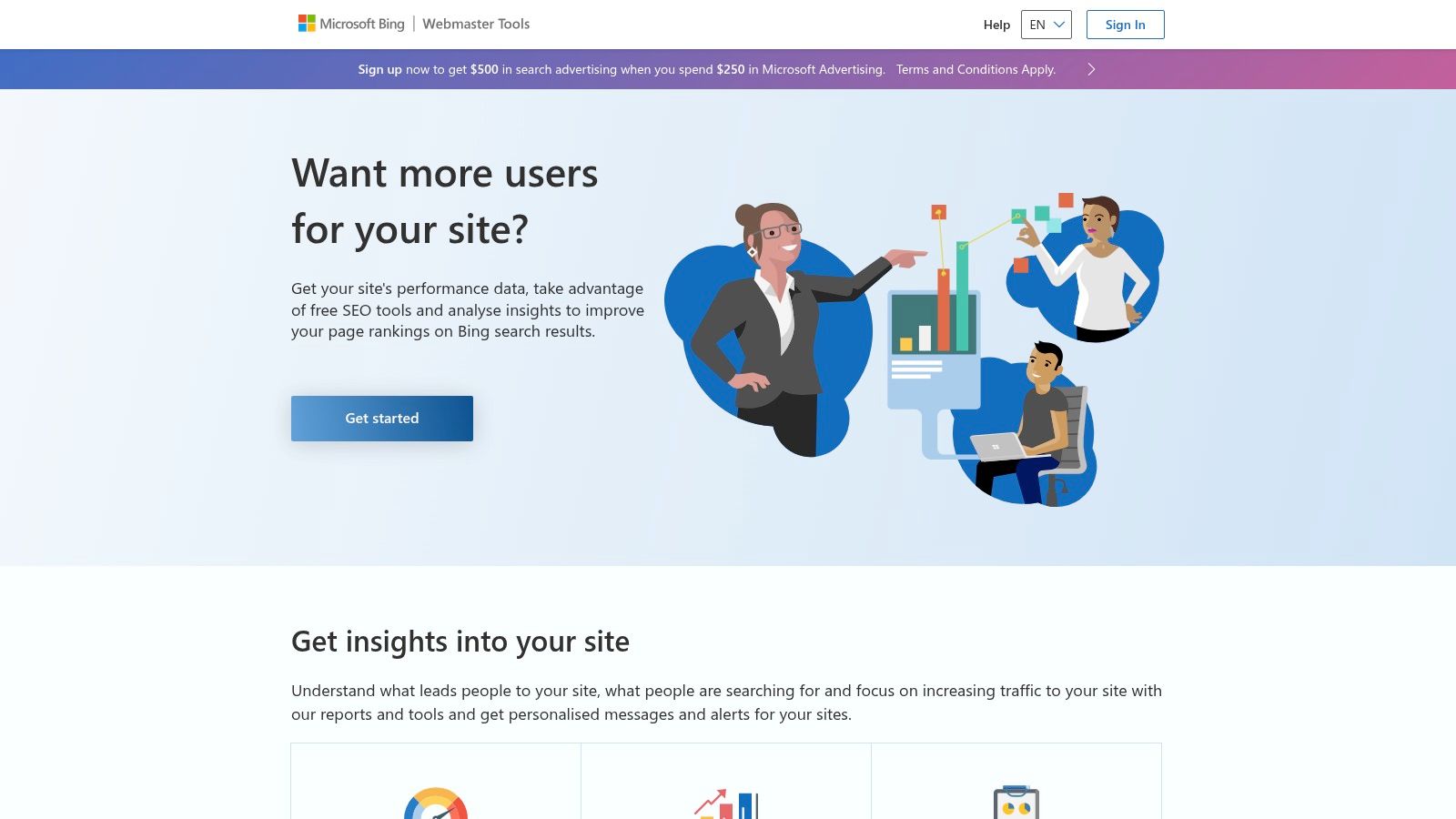
Often overlooked, this platform offers surprisingly powerful features, including comprehensive backlink data, a site audit tool, and keyword research capabilities. Its standout feature is IndexNow, an open protocol that instantly pings search engines when your content is updated, potentially speeding up indexing across Bing, Yandex, and others.
Why It's a Top Pick: Bing Webmaster Tools offers unique features like IndexNow and a very user-friendly setup (you can import directly from GSC). It's an essential, no-cost way to optimize for the second-largest search engine.
Key Features and Use Cases
- Performance & Backlinks Reports: Analyze your clicks, impressions, and keyword rankings on Bing. The backlinks tool is particularly useful, showing referring domains and anchor text, which can help inform your link-building strategy.
- IndexNow Integration: Submit URLs for instant crawling and indexing. This is a game-changer for time-sensitive content like news articles or event pages. You can discover more about submitting your site to Bing to leverage this technology.
- Site Scan Tool: An on-demand site crawler that checks for common technical SEO issues, helping you identify and fix problems without a paid subscription.
- Copilot Assistant: An integrated AI that helps you analyze your site's data and provides actionable recommendations, making complex SEO data more accessible.
| Feature | What It Is | Pro Tip |
|---|---|---|
| GSC Import | One-click verification and setup using GSC credentials. | Import your site from GSC to get set up and running in minutes. |
| IndexNow | A protocol for instant content indexing notification. | Use the API or a supporting plugin to automate submissions. |
| Cost | Completely free with no limits on sites or data. | Use it as a free secondary data source for backlink analysis. |
| Limitations | Smaller search market share compared to Google. | Focus on its unique data points, like backlinks and the Site Scan tool. |
Website: https://www.bing.com/webmasters
3. PageSpeed Insights
PageSpeed Insights (PSI) is another indispensable tool from Google, specifically designed to analyze and optimize your website's performance. As site speed and user experience are direct ranking factors, PSI has become a critical part of any technical SEO toolkit, making it one of the best free SEO tools available for performance-related diagnostics. It evaluates your site against Google's Core Web Vitals, providing both real-world user data and lab-based diagnostics.
This tool uniquely combines "Field Data" from actual Chrome users (the Chrome UX Report) with "Lab Data" from a simulated test (Lighthouse). This dual approach helps you understand both how your site performs for real users and how to diagnose specific performance bottlenecks under controlled conditions.

Why It's a Top Pick: PSI provides direct insight into Core Web Vitals, the user experience metrics Google uses for ranking. The actionable, prioritized recommendations it offers make it easy to identify and fix performance issues that impact both users and search engines.
Key Features and Use Cases
- Core Web Vitals Assessment: Instantly see if your page passes the LCP, INP, and CLS thresholds based on real-world user data. This is crucial for understanding how Google's algorithms perceive your page experience.
- Performance Diagnostics: The lab data section provides a detailed breakdown of performance metrics like First Contentful Paint and Speed Index, along with specific opportunities for improvement, such as "Eliminate render-blocking resources."
- Mobile and Desktop Reports: Easily toggle between mobile and desktop performance reports, which is essential given Google's mobile-first indexing approach.
- Actionable Recommendations: PSI doesn't just give you scores; it provides a prioritized list of suggestions with estimated time savings. This helps you focus your development resources on the highest-impact tasks. For more advanced strategies, explore our guide on best practices for SEO performance monitoring.
| Feature | What It Is | Pro Tip |
|---|---|---|
| Core Web Vitals | Direct measurement of user experience signals used for ranking. | Focus on passing the Field Data assessment, as this reflects real users. |
| Lab & Field Data | A combination of real-world and simulated performance metrics. | Use Lab Data to debug and test changes before they impact real users. |
| Cost | Completely free with no limits and no sign-in required. | Run tests on your key landing pages and competitor pages for comparison. |
| Limitations | New or low-traffic sites may not have enough Field Data. | In the absence of Field Data, rely on the Lab Data for optimization. |
Website: https://pagespeed.web.dev/
4. Google Keyword Planner
While built for advertisers, Google Keyword Planner is an indispensable resource for organic SEO, making it a powerful addition to any list of the best free SEO tools. It taps directly into Google's vast database, offering keyword suggestions and search volume estimates that come straight from the source. This makes it an authoritative starting point for content strategy and initial keyword discovery.
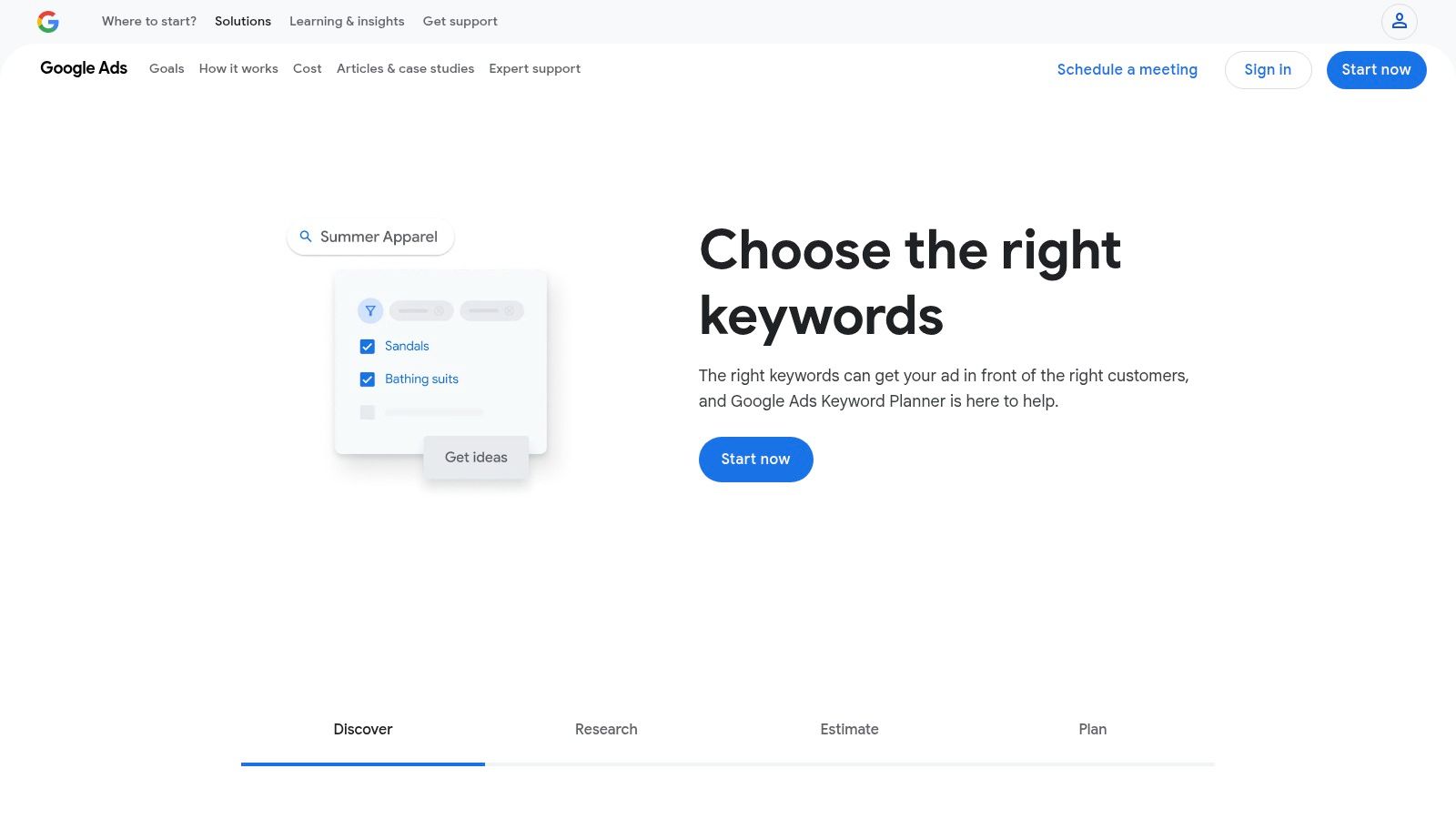
The tool allows you to find new keyword ideas based on seed terms, a competitor's URL, or a specific topic. You can then see historical metrics and forecasts, filtering by location or language to refine your strategy. While it won't replace a dedicated rank tracking tool, it provides the foundational data needed to build an effective content plan. To learn more about how this initial research fits into a broader strategy, you can find out how to effectively track your keyword rankings.
Why It's a Top Pick: Keyword Planner provides keyword volume and suggestion data directly from Google's advertising ecosystem, offering a reliable foundation for topic ideation and competitive analysis.
Key Features and Use Cases
- Discover New Keywords: Enter a seed keyword or URL to generate a list of related terms. This is perfect for brainstorming content clusters and identifying long-tail keyword opportunities.
- Volume Forecasts: Get search volume ranges and trend data for keywords. Use this to gauge topic popularity and prioritize content creation based on potential audience size.
- Location & Language Filtering: Refine keyword data for specific geographic markets or languages, which is essential for local SEO and international content strategies.
| Feature | What It Is | Pro Tip |
|---|---|---|
| Keyword Discovery | Suggests new keywords based on a seed term or URL. | Use the "Refine keywords" feature to filter by brand or non-brand terms. |
| Search Volume Data | Provides monthly search volume estimates from Google. | Volume is shown in ranges; pair with GSC data for more precise insights. |
| Cost | Completely free with a Google Ads account. | You don't need to run an active ad campaign to access the tool. |
| Limitations | UI is geared toward PPC; non-advertisers see volume ranges. | Create a simple ad campaign (you can pause it) to unlock more specific data. |
Website: https://ads.google.com/home/tools/keyword-planner/
5. Google Analytics 4 (GA4)
While Google Search Console tells you what happens before a user clicks, Google Analytics 4 (GA4) tells you everything that happens after. As Google's primary analytics platform, it's an indispensable tool for understanding user behavior and measuring the actual business impact of your organic search traffic, easily earning its spot among the best free SEO tools.
GA4 moves beyond the session-based model of its predecessor to an event-based system, giving you a much more granular view of how users interact with your content. You can track everything from page views and scroll depth to form submissions and video plays, allowing you to directly connect SEO performance with key business conversions. This makes it essential for proving the ROI of your SEO efforts.
Why It's a Top Pick: GA4 is the standard for web analytics, providing deep insights into audience behavior and conversion tracking. It answers the critical question: "What do visitors from organic search actually do on my site?"
Key Features and Use Cases
- Engagement and Conversion Tracking: Monitor how users from organic search engage with your site. Set up custom conversion events to see which keywords and pages are driving valuable actions like leads or sales.
- Traffic Acquisition Reports: Analyze which channels are driving traffic, with a specific focus on organic search. This helps you understand your audience and see how SEO contributes to your overall marketing mix. For a deeper understanding, you can learn more about the key website metrics to track.
- Search Console Integration: Connect GA4 with GSC to bring search query and performance data directly into your analytics reports. This creates a unified view, linking pre-click and post-click data for more powerful analysis.
| Feature | What It Is | Pro Tip |
|---|---|---|
| Event-Based Model | Tracks user interactions as individual events, not just | Create custom events for important user actions to measure engagement. |
| Audience Insights | Provides detailed demographic and technology data on users. | Build audience segments for organic visitors to analyze their behavior. |
| Cost | Completely free with generous data collection limits. | The free tier is more than sufficient for most small to medium businesses. |
| Limitations | Can have a steep learning curve compared to older versions. | Utilize the "Explorations" feature to build custom reports that are |
Website: https://analytics.google.com/
6. Ahrefs Webmaster Tools
Ahrefs Webmaster Tools (AWT) brings the power of a premium SEO suite to your own website, completely free of charge. By verifying ownership of your domain, you unlock a generous portion of Ahrefs' renowned Site Audit and Site Explorer tools, making it one of the most powerful free SEO tools available for site owners looking to perform an in-depth health check.
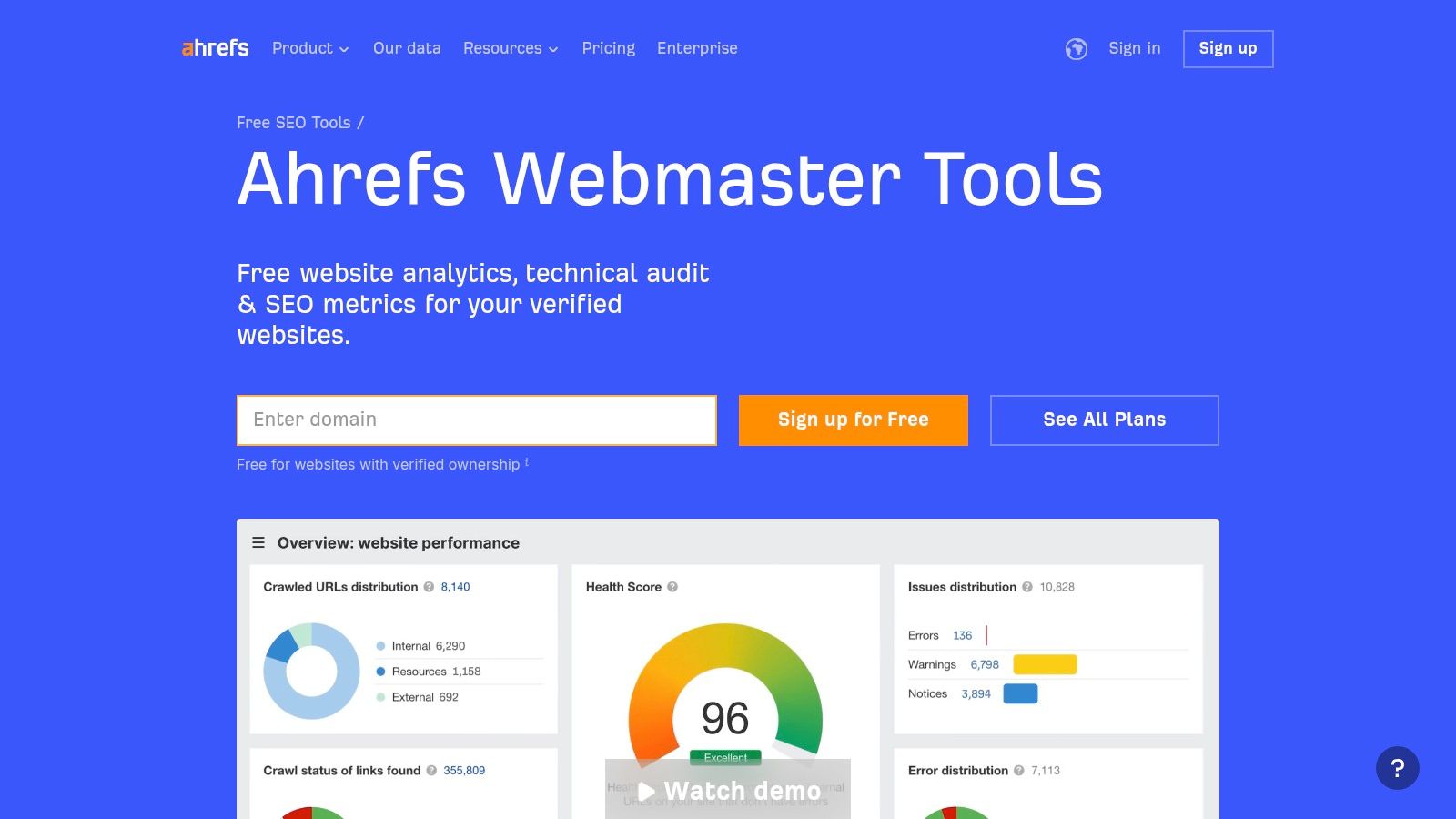
Unlike tools that only provide surface-level data, AWT runs a comprehensive technical audit based on over 170 pre-defined SEO issues. It crawls your site to uncover problems like broken links, slow pages, and meta tag errors, then provides clear, actionable advice on how to fix them. You also get a valuable glimpse into your keyword rankings and backlink profile.
Why It's a Top Pick: AWT provides access to enterprise-grade site auditing and backlink data for your own properties without a subscription. It's the best free way to diagnose deep technical issues and monitor your link profile using industry-leading data.
Key Features and Use Cases
- Site Audit: Run a comprehensive technical and on-page SEO audit. Use this to find and fix critical issues that could be holding your site back in search rankings, from broken redirects to missing H1 tags.
- Site Explorer: Get a snapshot of your website's backlink profile and the organic keywords it ranks for. This is crucial for understanding your SEO footprint and tracking the impact of your link-building and content efforts.
- Ahrefs Web Analytics: A new, privacy-focused analytics tool that offers a simple alternative to Google Analytics for tracking core traffic metrics on your verified domains.
| Feature | What It Is | Pro Tip |
|---|---|---|
| Technical Site Audit | A deep crawl of your site identifying 170+ potential SEO issues. | Schedule regular weekly or monthly crawls to catch new issues as they arise. |
| Backlink Data | A limited view of your site's referring domains and backlinks. | Monitor your new and lost backlinks to understand your link profile's health. |
| Cost | Completely free for unlimited verified websites. | Verify your site to unlock the full feature set; it’s a quick process. |
| Limitations | Data is only for your verified sites; no competitor research. | Use it alongside Google Search Console for a complete picture of site health. |
Website: https://ahrefs.com/webmaster-tools
7. Ahrefs Free SEO Tools & SEO Toolbar
While Ahrefs is famous for its premium, all-in-one SEO suite, its collection of free tools provides a powerful and accessible entry point into its high-quality data. These aren't just watered-down demos; they are genuinely useful, standalone utilities for daily SEO tasks, from keyword research to backlink analysis, making them one of the best free SEO toolkits available. The offering is complemented by the Ahrefs SEO Toolbar, which brings key metrics directly into your browser.
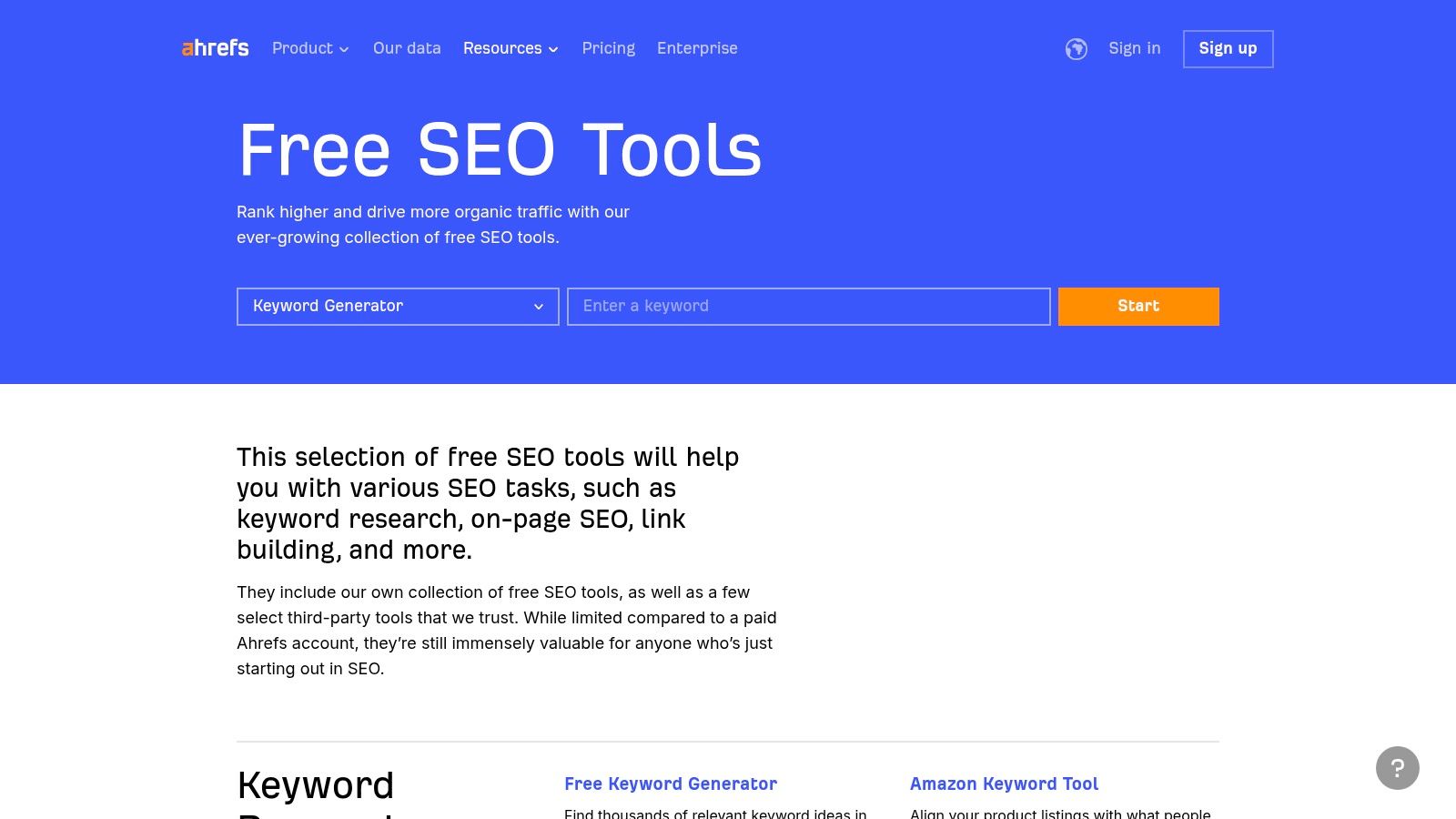
This suite is perfect for quick checks and initial research without committing to a paid plan. You can get instant keyword ideas, check a site's backlink profile, or analyze the SERPs for a specific query. The convenience of these lightweight tools, backed by Ahrefs' robust data index, is what sets them apart.
Why It's a Top Pick: Ahrefs provides access to its industry-leading data through a suite of genuinely useful free tools and a browser toolbar, offering a taste of premium power for quick, everyday SEO tasks.
Key Features and Use Cases
- Keyword Generator: Enter a seed keyword and get hundreds of ideas complete with search volume and keyword difficulty scores for the top 10 results. It’s ideal for brainstorming new content topics.
- Backlink & Authority Checker: Analyze the backlink profile and Domain Rating (DR) for any URL. Use this for a quick competitive analysis or to vet potential link-building opportunities.
- SEO Toolbar: A browser extension that provides an on-page SEO report, checks for broken links, and overlays Ahrefs metrics directly onto the SERPs as you browse.
- SERP Checker: See the top-ranking pages for any keyword in over 170 countries, along with critical SEO metrics like DR, referring domains, and traffic estimates for each result.
| Feature | What It Is | Pro Tip |
|---|---|---|
| Data Quality | Powered by Ahrefs' massive and trusted data index. | Use the Backlink Checker to quickly assess a competitor's top links. |
| Accessibility | Many tools are usable without creating an account. | Install the SEO Toolbar for instant on-page and SERP data while browsing. |
| Cost | Completely free for the tool library and toolbar. | A free Ahrefs Webmaster Tools account unlocks more data for your own sites. |
| Limitations | Data is sampled and limited compared to the full suite. | Use the free tools for initial research, then a premium tool for deep dives. |
Website: https://ahrefs.com/free-seo-tools
8. Semrush (free account and trials)
Semrush is a titan in the digital marketing world, known for its comprehensive, all-in-one SEO suite. While the full platform is a premium service, it secures a spot on our list of the best free SEO tools because its free account and generous trials offer a powerful taste of enterprise-level data. This allows users to conduct professional-grade competitor analysis, keyword research, and technical audits without an initial investment.
The free tier provides a daily allowance of requests for domain analytics, keyword research, and more, which is perfect for quick checks or a small site. More importantly, Semrush frequently offers 7-day trials for its various toolkits, giving you a temporary, all-access pass to see how its advanced features can transform your strategy. This trial-based approach makes it invaluable for periodic deep dives.
Why It's a Top Pick: Semrush provides a risk-free entry point to one of the most powerful SEO platforms on the market. Its free account is useful for daily snapshots, while the trials unlock an industry-leading toolset for intensive, short-term projects.
Key Features and Use Cases
- Domain and Keyword Overview: Get a high-level summary of any domain's organic traffic, top keywords, and backlink profile. Use this to quickly size up competitors or find keyword gaps.
- Limited Site Audit: The free account allows you to crawl up to 100 pages of your website to identify common technical SEO errors, such as broken links or missing meta descriptions.
- Toolkit Trials: Activate a 7-day trial for specific toolkits (SEO, Content, etc.) to gain temporary access to advanced features like the Keyword Magic Tool or Backlink Audit for a major project or quarterly planning session.
| Feature | What It Is | Pro Tip |
|---|---|---|
| All-in-One Suite | A collection of tools for SEO, SEM, content, and market research. | Use a trial to perform a comprehensive competitor backlink gap analysis. |
| Freemium Model | A permanently free account with daily usage limits and access to trials. | The free account is perfect for tracking your top 10 keywords with Position Tracking. |
| Cost | Free account with limits; paid plans unlock full platform access. | Stagger your trials for different toolkits to extend your free access to features. |
| Limitations | Tight daily limits on the free account; trials are time-sensitive. | Be strategic. Plan exactly what you need to accomplish before starting a trial. |
Website: https://www.semrush.com/
9. Moz Free SEO Tools & MozBar
Moz is a veteran in the SEO space, and its suite of free tools, particularly the MozBar browser extension, offers a convenient gateway into competitive analysis. While its premium Moz Pro suite is powerful, the free offerings provide significant value for quick, on-the-fly SEO assessments directly within your browser. This makes it one of the most accessible and best free SEO tools for daily use.
The primary draw is the MozBar, which overlays crucial metrics like Domain Authority (DA) and Page Authority (PA) onto search engine results pages (SERPs). This instant snapshot allows you to gauge the competitive landscape for a keyword without ever leaving Google, making it incredibly efficient for content strategists and link builders.
Why It's a Top Pick: MozBar provides industry-standard authority metrics (DA/PA) directly in the SERP, offering an unparalleled at-a-glance view of a keyword's competitive difficulty.
Key Features and Use Cases
- MozBar Extension: Get instant access to Page Authority, Domain Authority, and spam score for any site you visit or see in the SERPs. It’s perfect for quick vetting of potential link-building targets.
- Link Explorer: Use a limited number of free queries each month to analyze a domain's backlink profile, discover top-linked pages, and identify new link opportunities.
- Keyword Explorer: Get a handful of free monthly searches to generate keyword ideas, analyze SERP features, and view difficulty scores to inform your content strategy.
- Domain Analysis: Plug in any URL to get a high-level overview of its top keywords, ranking domains, and authority metrics, all within a generous free tier.
| Feature | What It Is | Pro Tip |
|---|---|---|
| SERP Overlay | DA/PA and link metrics displayed directly on Google search results. | Use the SERP overlay to quickly assess if a keyword is worth targeting. |
| Authority Metrics | Industry-recognized Domain Authority and Page Authority scores. | Focus on building links from sites with a high DA to boost your own. |
| Cost | Free for MozBar and a limited number of monthly tool queries. | Create a free Moz Community account to increase your monthly query limits. |
| Limitations | The free query limits are very restrictive (around 10 per month). | Use your monthly queries wisely on your most important target keywords. |
Website: https://moz.com/free-seo-tools
10. Screaming Frog SEO Spider
Screaming Frog SEO Spider is the industry-standard desktop software for performing in-depth technical SEO audits. As a website crawler, it meticulously scans your site to find common issues that can impact your search performance, making it an indispensable tool for any serious SEO professional. The free version provides a powerful entry point for diagnosing critical on-site problems.
While many tools are cloud-based, Screaming Frog runs locally on your computer, giving you complete control over the crawl process. It fetches key onsite data, allowing you to analyze everything from broken links and server errors to page titles and meta descriptions in bulk.
Why It's a Top Pick: For technical SEO, Screaming Frog offers unparalleled depth and data granularity. Its free tier is exceptionally generous, providing small and medium-sized businesses with the power of an enterprise-level crawler for sites up to 500 pages.
Key Features and Use Cases
- Technical Site Auditing: Quickly find and fix broken links (404s), identify improper redirect chains, and check for canonical tag issues.
- On-Page SEO Analysis: Analyze page titles, meta descriptions, and header tags across your entire site to find missing, duplicate, or non-optimal content.
- XML Sitemap Generation: Create a fully compliant XML sitemap for your website based on the URLs discovered during a crawl, which you can then submit to search engines.
- Duplicate Content Detection: Use the crawler to find pages with duplicate or thin content by analyzing page elements and content hashes.
| Feature | What It Is | Pro Tip |
|---|---|---|
| Website Crawler | A desktop program that spiders your website like a search engine. | Use the "exclude" feature to prevent the crawler from hitting certain sections. |
| Generous Free Tier | Crawl up to 500 URLs per website for free, with core features. | Perfect for auditing smaller websites or specific sections of larger ones. |
| Cost | Free for 500 URLs; a paid license removes limits and adds features. | The free version is powerful enough for many SMBs' ongoing needs. |
| Limitations | The 500 URL limit can be restrictive for larger e-commerce sites. | The paid license is required for integrations like Google Analytics. |
Website: https://www.screamingfrog.co.uk/seo-spider/
11. Ubersuggest by Neil Patel
Ubersuggest is a freemium SEO toolkit designed to be highly accessible for beginners, bloggers, and small business owners. Its main appeal lies in a user-friendly interface that simplifies core SEO tasks like keyword research and site analysis, making it one of the most approachable free SEO tools available.
The platform provides a solid entry point into keyword discovery, content ideas, and basic technical audits without the intimidating learning curve of more advanced suites. While the free version has significant daily limits, it offers enough functionality for quick research sessions or managing a single, small website. The accompanying Chrome extension is particularly useful for getting SERP data on the fly.
Why It's a Top Pick: Ubersuggest packages essential SEO features into an incredibly simple, low-friction experience. It’s perfect for those just starting who need actionable data without being overwhelmed by complexity or cost.
Key Features and Use Cases
- Keyword Research: Generate keyword ideas, view search volume, and analyze keyword difficulty scores. This is great for brainstorming initial content topics and finding low-competition phrases.
- Site Audit: Run a basic crawl of your site to identify common SEO errors like broken links, slow pages, or missing meta descriptions. The free version has a page cap.
- Chrome Extension: Get instant keyword volume, CPC data, and domain authority metrics directly within Google's search results pages, speeding up competitive analysis.
| Feature | What It Is | Pro Tip |
|---|---|---|
| User-Friendly UI | A simple, guided interface for SEO beginners. | Use the "Content Ideas" report to find proven article topics for a keyword. |
| All-in-One Freemium | Keyword research, site audit, and rank tracking in one tool. | Focus on one task per day to avoid hitting your free daily search limits. |
| Cost | Free with daily limits; paid plans unlock more data. | Use the extension for quick checks and the web app for deeper dives. |
| Limitations | Tight daily query limits and restricted access to features. | Combine its findings with Google Search Console data for a fuller picture. |
Website: https://neilpatel.com/ubersuggest/
12. Chrome Web Store – SEO Extensions Hub
The Chrome Web Store isn't a single tool but a vast marketplace that hosts some of the most powerful and convenient free SEO tools in the form of browser extensions. It acts as a central hub where you can build a personalized, on-demand SEO toolkit directly within your browser. This approach allows you to perform on-page analysis, check SERP data, and highlight links without ever leaving the page you're on.
From comprehensive toolbars like MozBar and SEOquake to specialized extensions for checking broken links or structured data, the Chrome Web Store provides an immediate and efficient way to augment your workflow. These extensions overlay critical SEO data directly onto search results and websites, making quick analysis incredibly fast and accessible.
Why It's a Top Pick: The Chrome Web Store empowers you to assemble a custom suite of free SEO tools that integrate seamlessly into your browsing experience, offering instant insights and dramatically improving workflow efficiency.
Key Features and Use Cases
- On-Demand Analysis: Install extensions like Ahrefs SEO Toolbar or MozBar to get instant on-page SEO metrics, domain authority, and link data for any page you visit.
- SERP Overlays: Many extensions add valuable data directly onto Google's search results pages, showing you metrics for each ranking URL without needing to click through.
- Specialized Functions: Find free, single-purpose extensions to check for broken links, analyze structured data, or quickly find nofollow links on a page.
- Personalized Toolkit: Mix and match various extensions to create a setup that perfectly fits your specific SEO tasks, from technical audits to competitor research.
| Feature | What It Is | Pro Tip |
|---|---|---|
| In-Browser Access | SEO data and tools are available directly in your Chrome browser. | Combine a general-purpose toolbar with 2-3 specialized extensions. |
| Vast Selection | A massive library of free and freemium SEO extensions. | Read recent reviews to check an extension's quality and update frequency. |
| Cost | Free to browse and install extensions; many offer freemium plans. | Many "free" extensions are gateways to paid tools, but their free versions are often powerful. |
| Limitations | Quality and data accuracy vary widely between different extensions. | Don't rely on a single extension's data; cross-reference with other tools. |
Website: https://chromewebstore.google.com/
Top 12 Free SEO Tools — Feature Comparison
| Tool | Core capabilities | Best for | Unique selling point | Ease of use | Price |
|---|---|---|---|---|---|
| Google Search Console | Performance reports, URL inspection, sitemaps, recommendations | Indexing diagnostics & search performance baseline | Direct canonical data from Google | Intermediate (learning curve) | Free |
| Bing Webmaster Tools | Search performance, backlinks, URL submission, IndexNow, Copilot | Bing/Edge visibility & faster discovery via IndexNow | IndexNow + Copilot insights for Microsoft ecosystem | Easy → Intermediate | Free |
| PageSpeed Insights | CrUX field data, Lighthouse lab metrics, Core Web Vitals guidance | Site performance & CWV optimization | Prioritized, Google-backed performance fixes | Easy | Free |
| Google Keyword Planner | Keyword discovery, volume forecasts, location/language filters | Seed keyword research and PPC-informed volume estimates | Google Ads data for volume forecasting | Intermediate (requires Ads account) | Free with Google Ads |
| Google Analytics 4 (GA4) | Event-based tracking, engagement, funnels, Search Console/BigQuery integrations | Measuring SEO impact, conversions & attribution | Deep analytics + native integrations | Advanced (steeper learning curve) | Free (limits apply) |
| Ahrefs Webmaster Tools | Site Audit (170+ checks), Site Explorer snapshots, backlink visibility for verified sites | Technical audits and backlink checks for owned domains | High-quality crawl/backlink insights for verified sites | Intermediate | Free for verified sites |
| Ahrefs Free SEO Tools & SEO Toolbar | Keyword generator, SERP checker, backlink checks, in-browser metrics (DR/UR) | Quick competitive signals while browsing | Instant in-browser SEO metrics via toolbar | Easy | Free |
| Semrush (free account & trials) | Keyword research, site audits, rank tracking, competitor overviews | Agencies and all-in-one SEO/SEM workflows | Broad toolkit + trial access to premium features | Intermediate → Advanced | Freemium; paid plans (trials available) |
| Moz Free SEO Tools & MozBar | Domain/Page Authority, link checks, MozBar SERP overlays | Fast SERP overlays and authority snapshots | MozBar browser overlays for quick competitive context | Easy | Free (limited) / Paid Pro |
| Screaming Frog SEO Spider | Desktop crawler, broken links, redirects, metadata, sitemap generation | Deep technical site crawling and audits | Industry-standard, fast desktop crawler | Intermediate (desktop app) | Free (≤500 URLs) / Paid license |
| Ubersuggest | Keyword ideas, difficulty, site audit, rank tracking, Chrome extension | Beginners and small websites | Simple, low-friction UI with ongoing free access | Easy | Freemium |
| Chrome Web Store – SEO Extensions Hub | One-click install/update for SEO extensions, access to many tools | Building a custom in-browser SEO toolkit | Centralized access to many free/freemium SEO extensions | Very easy | Free to browse; extension pricing varies |
Final Thoughts
Navigating the world of SEO doesn't have to come with a hefty price tag. As we've explored, the landscape of best free SEO tools is rich with powerful, versatile, and accessible solutions that can significantly impact your digital marketing efforts. From the foundational data provided by Google Search Console and GA4 to the in-depth crawling capabilities of Screaming Frog, there's a freemium or completely free tool to support nearly every aspect of a modern SEO strategy.
The key takeaway is that you can build a remarkably effective SEO workflow without spending a single dollar. You can diagnose technical issues, conduct comprehensive keyword research, analyze backlink profiles, and monitor performance using a strategic combination of the tools listed in this guide. The limitations of free plans often come down to scale, not capability, making them the perfect entry point for startups, small businesses, and solo marketers.
Building Your Free SEO Toolkit
The most effective approach isn't to pick just one tool, but to build a complementary "stack." Think of it as assembling a team of specialists. No single free tool does everything perfectly, but by combining their strengths, you can cover all your bases.
Here’s a practical starting point for different needs:
- For the Absolute Beginner: Start with the Google ecosystem. Google Search Console, Google Analytics 4, and PageSpeed Insights are non-negotiable. They provide the core data directly from the source, telling you how Google sees your site and how users interact with it.
- For the Content Strategist: Combine Google Keyword Planner for initial brainstorming with the free versions of Ahrefs or Semrush for competitive analysis. Use Ubersuggest to uncover long-tail keywords and content ideas that your competitors might be missing.
- For the Technical SEO Analyst: Screaming Frog SEO Spider (up to 500 URLs) is your go-to for on-site audits. Supplement it with Ahrefs Webmaster Tools for continuous site monitoring and Bing Webmaster Tools for another perspective on site health and indexing.
- For On-the-Go Analysis: Install the MozBar or Ahrefs SEO Toolbar. These browser extensions provide instant access to crucial page-level metrics, making competitor research and on-page analysis a seamless part of your daily workflow.
From Tools to Strategy: Your Actionable Next Steps
Having access to the best free SEO tools is only half the battle; implementation is what drives results. Don't fall into the trap of "analysis paralysis" by getting lost in the data. Instead, commit to a simple, repeatable process.
- Establish a Baseline: Before making any changes, use these tools to understand your current performance. How many keywords do you rank for? What's your current organic traffic? What are your most pressing technical issues?
- Prioritize One Area: Choose one key area to focus on first. If your site speed is poor, start with PageSpeed Insights. If your content isn't ranking, dive into keyword research. Trying to fix everything at once is a recipe for burnout.
- Execute and Measure: Implement your changes and use the same tools to track your progress over time. SEO is a long-term game, so look for trends over weeks and months, not days.
As you master these foundational tools, you may find your needs evolving. The SEO landscape continues to shift rapidly, with new technologies constantly emerging. As the SEO landscape continues to evolve rapidly, exploring cutting-edge solutions can further future-proof your strategy. For those looking to understand the next frontier, this guide to the 12 Best AI SEO Tools That Actually Drive Results (2025) offers a glimpse into how artificial intelligence is shaping the future of search optimization. Ultimately, the best tool is the one you use consistently to make informed, strategic decisions that drive sustainable growth for your website.
Are your new or updated pages taking too long to appear on Google? Even with the best free SEO tools, you can't rank if you're not indexed. IndexPilot automates the indexing process using the Google Indexing API, ensuring your content gets seen by search engines faster. Visit IndexPilot to start getting your pages indexed in hours, not weeks.