Publishing content at scale is only half the battle. For SEO agencies managing dozens of client websites simultaneously, the real operational challenge is ensuring that content gets discovered, crawled, and indexed before clients start asking why their traffic hasn't moved.
The gap between publishing and indexing can stretch from days to weeks on large sites. When you're managing 10, 50, or 100+ client domains at once, that delay compounds into a serious business problem: slower results, harder-to-prove ROI, and clients who question the value of the retainer they're paying.
Bulk content indexing — the practice of systematically getting large volumes of pages crawled and indexed efficiently — is one of the most operationally critical disciplines in agency SEO. Yet it's frequently treated as an afterthought, addressed only when a client notices their new content isn't ranking weeks after publication.
This guide covers eight proven strategies that SEO agencies can implement to accelerate and systematize bulk content indexing across their entire client portfolio. Whether you're onboarding a new e-commerce client with thousands of category pages or running a high-cadence content program for a SaaS brand, these approaches will help you move from reactive, ad hoc indexing to a proactive, scalable system.
1. Build a Crawl Budget Framework Before You Publish
The Challenge It Solves
Search engine crawlers don't have unlimited capacity. Google has publicly documented crawl budget as a real constraint, particularly for large sites. When a client's site is wasting crawl resources on low-value URLs — think faceted navigation parameters, thin duplicate pages, broken redirect chains — new content competes for crawler attention it may not win. The result is indexing delays that have nothing to do with content quality.
The Strategy Explained
Before any bulk content push, audit each client site for crawl waste. Common culprits include URL parameters generating duplicate pages, pagination sequences with thin content, redirect chains that burn crawl hops, and orphaned staging URLs still accessible to bots. Resolving these issues frees up crawler capacity so new content gets prioritized rather than queued behind low-value pages.
According to Google Search Central's documentation on crawl budget, sites with significant crawl waste tend to see slower indexing of new content. Cleaning up the crawl environment is foundational — every other indexing strategy works better on a clean site.
Implementation Steps
1. Run a crawl audit using your preferred crawler tool to identify all URL types being crawled, then segment by value: canonical pages, duplicates, redirects, and parameter variations.
2. Block low-value URL patterns via robots.txt disallow rules or noindex tags as appropriate, being careful to distinguish between URLs that should be blocked from crawling versus those that should be excluded from indexing.
3. Consolidate redirect chains to single hops wherever possible, and identify any orphaned or thin pages that should be removed or consolidated before the bulk content push begins.
Pro Tips
Crawl budget management is especially important for e-commerce clients with large product catalogs. Filter and sort parameter URLs from faceted navigation are typically the biggest crawl waste sources. Establish a crawl audit as a standard pre-launch checklist item for any client onboarding, not just when indexing problems appear.
2. Implement IndexNow for Instant Multi-Engine Notification
The Challenge It Solves
Traditional indexing workflows rely on search engines discovering new content through sitemap crawls or organic link discovery — both of which operate on the search engine's schedule, not yours. For agencies publishing content at volume, waiting for Googlebot to find pages through its regular crawl cycle creates unnecessary lag between publication and discovery.
The Strategy Explained
IndexNow is an open protocol co-developed by Microsoft (Bing) and adopted by other participating search engines. It allows any site to send a direct, URL-level notification to search engines the moment new content is published. Unlike sitemap pinging — which signals that a sitemap has changed — IndexNow sends the specific URL that was published, making it the most direct mechanism available for accelerating content discovery.
For agencies, the critical advantage is that IndexNow works at scale. A single API call can submit multiple URLs simultaneously, making it practical for bulk content deployments across client sites. Platforms like Sight AI integrate IndexNow submission directly into the content publishing workflow, eliminating the manual step entirely.
Implementation Steps
1. Generate an IndexNow API key for each client domain and host the key file at the required location on the domain (typically the root directory or as a meta tag).
2. Configure your CMS or publishing platform to trigger an IndexNow submission automatically whenever new content is published or updated — most modern CMS platforms support this via plugins or webhooks.
3. For agencies managing multiple client accounts, centralize IndexNow submissions through a single integration layer that handles key management and submission logging across all client domains from one interface.
Pro Tips
IndexNow currently covers Bing, Yandex, and other participating engines — not Google directly. However, the protocol's reach continues to expand, and the speed advantage for non-Google engines is real and measurable. For clients where Bing traffic matters (many B2B SaaS audiences skew toward Bing via Microsoft Edge), IndexNow delivers immediate, tangible value.
3. Architect and Automate Your XML Sitemap Infrastructure
The Challenge It Solves
Static sitemaps are a liability at scale. When an agency team manually updates and submits sitemaps across dozens of client accounts, the process is error-prone, inconsistently executed, and always lagging behind actual content publication. Outdated sitemaps signal to search engines that a site's content management is disorganized — and crawlers respond accordingly.
The Strategy Explained
Dynamic sitemap generation automatically updates the sitemap file whenever new content is published, ensuring the sitemap always reflects the current state of the site without any manual intervention. For large sites, Google's documentation recommends keeping individual sitemaps under 50,000 URLs and 50MB uncompressed, with sitemap index files used to organize multiple sitemaps for larger properties.
Segmenting sitemaps by content type — blog posts, product pages, category pages, landing pages — also gives search engines cleaner signals about content structure and makes it easier to diagnose indexing issues by category when they arise.
Implementation Steps
1. Implement dynamic sitemap generation at the CMS level, ensuring new URLs are added to the sitemap automatically at the moment of publication rather than through a scheduled batch process.
2. For large client sites, segment sitemaps by content type and create a sitemap index file that references each individual sitemap, keeping each file within Google's documented size limits.
3. Establish automated submission workflows to Google Search Console and Bing Webmaster Tools across all client accounts, using their respective APIs to submit updated sitemaps without requiring manual logins to each property.
Pro Tips
Sitemap submission and IndexNow work best as complementary mechanisms, not alternatives. Use IndexNow for real-time URL-level notification and maintain clean, up-to-date sitemaps as the authoritative record of your site's content inventory. Search engines use both signals, and having both in place creates redundancy that reduces indexing gaps.
4. Leverage the Google Indexing API for Priority Pages
The Challenge It Solves
Even with clean crawl budgets and updated sitemaps, high-priority pages sometimes take longer than acceptable to appear in Google's index. For time-sensitive content — product launches, campaign landing pages, news-adjacent articles — waiting for Googlebot's standard crawl cycle isn't viable when clients expect results quickly.
The Strategy Explained
Google's Indexing API allows sites to send direct crawl requests to Google for specific URLs. It's worth noting that Google's official documentation limits the API's intended use to pages with JobPosting or BroadcastEvent structured data. However, the API is widely used by SEO practitioners for other content types, and many report faster indexing as a result. Use it with that context in mind.
For agencies, the practical value is in building batched request workflows that can handle large volumes of URLs without manual intervention. Rather than submitting URLs one at a time through Google Search Console's URL Inspection tool, the API enables programmatic submission at scale.
Implementation Steps
1. Set up a Google Cloud project and enable the Indexing API, then create a service account with the appropriate permissions and add it as an owner in each client's Google Search Console property.
2. Build a batched submission script that accepts a list of URLs and sends them to the Indexing API in groups, respecting Google's documented rate limits to avoid throttling.
3. Prioritize API submission for your highest-value pages during bulk content pushes — new category pages, cornerstone content, campaign landing pages — rather than submitting every URL, which would quickly exhaust your daily quota.
Pro Tips
The Indexing API has daily quota limits per project. For agencies managing many clients, consider whether to use a shared project with careful quota management or separate projects per client. Document your quota allocation policy clearly so teams know which pages qualify for API submission versus standard sitemap-based discovery.
5. Strengthen Internal Linking at Scale to Guide Crawlers
The Challenge It Solves
A page that exists in a sitemap but has no internal links pointing to it is effectively invisible to Googlebot in practice. Sitemaps tell crawlers a URL exists; internal links tell crawlers that a URL matters. For bulk content programs where dozens of new pages are published simultaneously, ensuring each new page is connected to the site's existing link graph is critical for fast discovery.
The Strategy Explained
Googlebot primarily discovers new pages by following links — this is well-established in Google's documentation on how crawling works. When new content is published, internal links from high-authority hub pages signal to crawlers that the new URL is worth prioritizing. The stronger and more relevant the linking page, the faster the new page tends to get crawled.
For agencies running high-volume content programs, implementing systematic internal link injection at the point of publication — rather than retroactively — ensures new content enters the crawl queue quickly. This is especially impactful for SaaS clients building topic clusters, where hub pages can be updated to link to new cluster content automatically.
Implementation Steps
1. Identify the highest-authority hub pages on each client site (typically pillar content, category pages, or high-traffic blog posts) and map which content types should link from these hubs.
2. Build internal link injection into your content publishing workflow — when a new article is published in a topic cluster, the corresponding hub page is automatically updated to include a link to the new content.
3. For large e-commerce sites, configure category pages and navigation elements to automatically include new product or subcategory pages, ensuring new URLs are linked from pages that Googlebot crawls frequently.
Pro Tips
Contextual internal links within body content tend to carry more crawl signal than footer or sidebar links. When building your internal link injection process, prioritize in-content placements over navigation elements. Also audit for orphaned pages — URLs with no internal links at all — as part of your pre-publish technical checklist.
6. Standardize Technical Readiness Checks Before Every Bulk Push
The Challenge It Solves
A single misconfigured robots.txt rule can block an entire content category from being indexed. A blanket noindex tag left on a staging template can silently prevent hundreds of pages from appearing in search results. These errors are common, easy to make under the time pressure of large content deployments, and often go undetected until a client notices their content isn't ranking.
The Strategy Explained
Building a standardized pre-publish technical checklist that agency teams run before every large content deployment catches the errors that create indexing delays before they affect client results. The checklist should cover the most common technical blockers: noindex tags, robots.txt disallow rules, canonical misconfigurations, redirect errors, and orphaned page structures.
Standardization is the key word here. The checklist shouldn't live in someone's head or in a one-off document — it should be a formal part of the agency's content deployment process, versioned and consistently applied across all client accounts.
Implementation Steps
1. Build a technical pre-publish checklist covering: robots.txt review for any rules that would block new content paths, meta robots tag audit across new page templates, canonical tag verification to ensure new pages self-canonicalize correctly, redirect chain check for any URLs being updated or replaced, and orphan page identification for new content with no internal links.
2. Assign checklist completion as a required step in your content deployment workflow, with sign-off required before any bulk publish goes live — treat it the same way a development team treats a pre-deployment code review.
3. After each bulk publish, run a post-deployment crawl of the new URLs within 24 hours to verify that pages are accessible to crawlers and free of technical errors, catching any issues before they affect indexing timelines.
Pro Tips
Canonical misconfigurations are among the most frequently overlooked indexing blockers, particularly on e-commerce sites where product pages might canonicalize to category pages unintentionally. Make canonical tag verification a mandatory checklist item, not an optional one. A 10-minute review before publishing can save weeks of indexing delays after.
7. Create a Centralized Indexing Monitoring Dashboard for All Clients
The Challenge It Solves
Agencies managing multiple client accounts across separate Google Search Console properties have no native way to see indexing health across their entire portfolio at once. Problems — coverage errors, sudden drops in indexed page counts, crawl frequency anomalies — are typically discovered reactively, during monthly reporting, long after the issue began affecting results.
The Strategy Explained
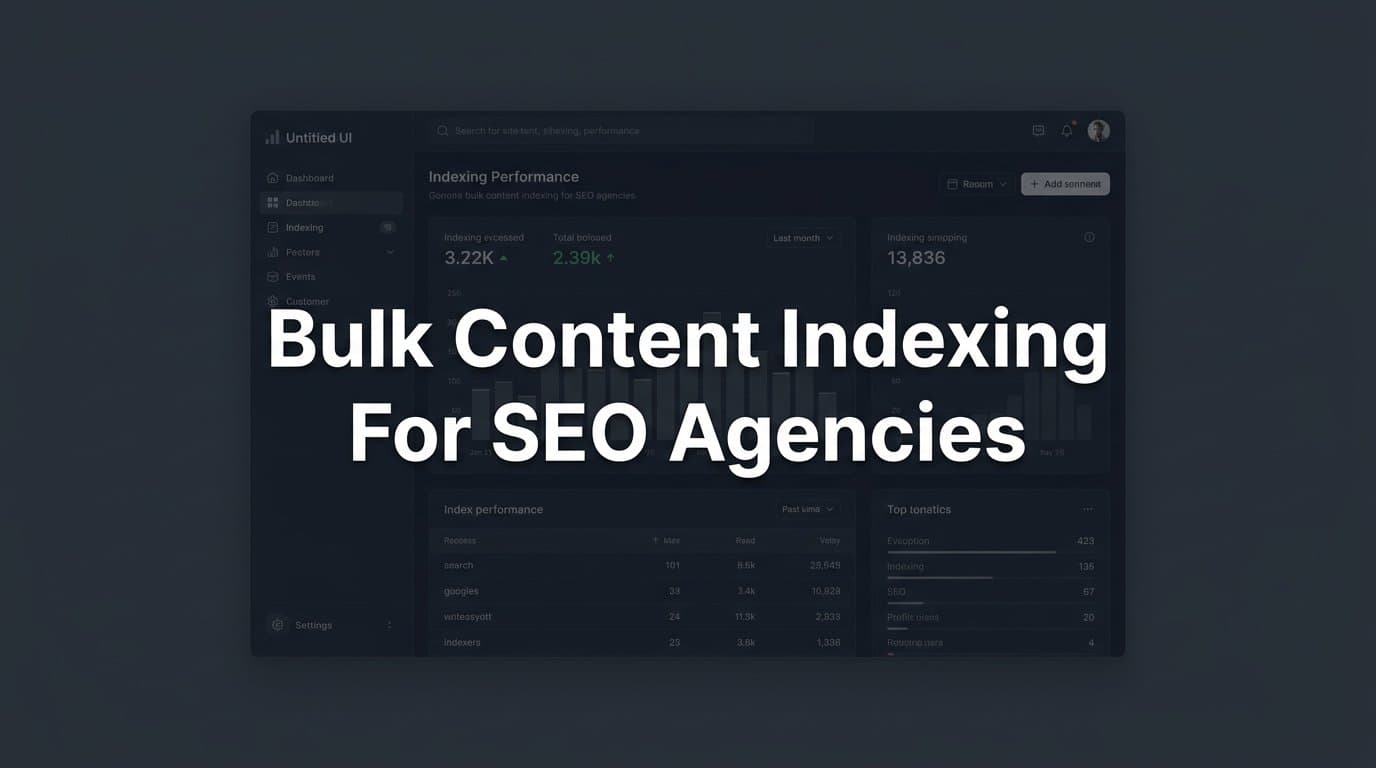
A centralized indexing monitoring dashboard aggregates indexing data across all client accounts into a single view, enabling proactive identification of indexing failures before they compound. Rather than logging into each GSC property individually, your team sees portfolio-wide indexing health in one place, with alerts when metrics deviate from baseline.
The dashboard should track indexed page counts over time (to catch sudden drops), coverage error rates by type, crawl frequency signals, and the ratio of submitted-to-indexed URLs for each client. This data turns indexing from a reactive concern into a proactive operational metric.
Implementation Steps
1. Connect all client Google Search Console properties to a centralized data layer using the GSC API, pulling indexed page counts, coverage errors, and crawl stats into a unified data store on a daily basis.
2. Build or configure a dashboard interface — whether in a BI tool, a spreadsheet with API connections, or a dedicated SEO platform — that displays each client's indexing metrics side by side with historical trend lines.
3. Set threshold-based alerts for key metrics: a drop in indexed pages beyond a defined percentage, a spike in coverage errors, or a significant decrease in crawl frequency — so your team is notified immediately rather than discovering issues during monthly reporting.
Pro Tips
Track the ratio of submitted URLs to indexed URLs as a leading indicator of indexing health. When a client's sitemap contains significantly more URLs than Google reports as indexed, it signals either a crawl budget problem, a technical blocker, or a content quality issue — all of which need investigation before the next bulk content push. This metric is more actionable than raw indexed page counts alone.
8. Integrate AI Content Generation with Automated Indexing Pipelines
The Challenge It Solves
AI content generation tools have dramatically accelerated publishing velocity for agencies. What once took days of writing, editing, and formatting can now be completed in hours. But that speed creates a new bottleneck: the publish-to-index pipeline. When content generation outpaces the manual steps required to get it discovered — sitemap updates, IndexNow submissions, internal link additions — the efficiency gains of AI content tools are partially lost to indexing lag.
The Strategy Explained
The solution is connecting AI content generation, CMS auto-publishing, and automated indexing submission into a single end-to-end workflow. When content is generated and published, the indexing pipeline triggers automatically: the sitemap updates, IndexNow submissions fire, and internal link injections are applied — all without manual intervention.
Sight AI's platform is built specifically for this workflow. Its AI Content Writer uses 13+ specialized agents to generate SEO and GEO-optimized articles, and the platform integrates directly with CMS auto-publishing and automated IndexNow submission. The result is a pipeline where content goes from generation to indexed in the shortest possible time, at scale across an entire client portfolio.
Implementation Steps
1. Map your current content workflow end to end, identifying every manual step between content generation and indexing submission — these are the friction points your automation needs to eliminate.
2. Configure your AI content generation tool to publish directly to your CMS via API, triggering the CMS's built-in publishing hooks that activate sitemap updates and IndexNow submissions automatically upon publication.
3. Build a post-publish verification step into the pipeline that logs each URL submitted, confirms IndexNow receipt, and flags any pages that fail to appear in your centralized indexing dashboard within a defined window — creating a feedback loop that catches automation failures before they accumulate.
Pro Tips
Autopilot content programs — where AI generates, publishes, and submits content with minimal human touchpoints — require robust quality gates earlier in the pipeline, not later. Build your content quality checks into the generation and approval stage so that what enters the automated publish-to-index pipeline is already ready for search engine scrutiny. Speed without quality creates indexing volume without ranking potential.
Your Implementation Roadmap
Bulk content indexing isn't a one-time setup. It's an ongoing operational discipline that separates high-performing SEO agencies from those constantly chasing delayed results. The eight strategies above work together as a layered system: crawl budget optimization creates the foundation, IndexNow and the Google Indexing API accelerate discovery, strong internal linking and technical hygiene ensure pages are indexable when crawlers arrive, and centralized monitoring gives you the visibility to catch problems before they compound across your portfolio.
For agencies scaling content production with AI tools, the final strategy is especially critical. The speed at which AI can generate optimized content now far outpaces manual indexing workflows. The publish-to-index pipeline must be automated end to end to realize the full value of AI-assisted content programs.
Start with the highest-leverage areas first. Audit your current crawl budget utilization and IndexNow coverage across your top five client accounts — these two areas typically deliver the fastest, most measurable improvements. Then build outward: implement the technical pre-publish checklist, establish your centralized monitoring dashboard, and progressively automate the indexing pipeline as your tooling matures.
The agencies that will win on organic search over the next few years aren't just the ones publishing the most content. They're the ones whose content gets discovered, indexed, and surfaced faster than their competitors' — consistently, across every client account they manage.
Sight AI's platform combines AI content generation, automatic IndexNow submission, and sitemap management in one workflow, purpose-built for agencies managing content at scale. Start tracking your AI visibility today and see exactly where your brand appears across top AI platforms — so every piece of content you publish works harder from the moment it goes live.