Manual content production is a bottleneck that most marketing teams eventually hit. You're juggling keyword research, drafting, editing, publishing, indexing, and performance tracking — often across multiple tools that don't talk to each other. The result is inconsistent output, missed opportunities, and a team spending more time on process than strategy.
An automated content workflow changes that equation. When properly configured, it connects every stage of content production: from identifying what to write about, to generating optimized drafts, to publishing and getting indexed, without requiring manual handoffs at each stage.
This guide walks you through exactly how to build that workflow, step by step. Whether you're a founder trying to scale organic traffic without a full content team, a marketer looking to increase publishing frequency, or an agency managing content for multiple clients, the same core framework applies.
By the end, you'll have a repeatable system that surfaces content opportunities, generates SEO and GEO-optimized articles, publishes them automatically, and tracks how your brand appears across both traditional search and AI platforms like ChatGPT, Claude, and Perplexity.
Each step is designed to be implemented sequentially. Later steps build on earlier ones, so work through them in order for the best results.
Step 1: Audit Your Current Content Process and Define Automation Goals
Before you automate anything, you need a clear picture of what you're actually automating. Most teams skip this step and end up building automation around broken processes, which just makes the broken process faster.
Start by mapping every manual step in your current content workflow. From topic ideation to final publishing, write down each task, who does it, how long it takes, and where handoffs happen. Pay particular attention to where things stall: the brief that sits in someone's inbox for three days, the article that's drafted but never scheduled, the content that publishes but never gets submitted to search engines.
Once you have the map, sort every task into one of three buckets:
Fully automatable: Formatting, scheduling, sitemap updates, indexing submissions, metadata generation. These require no human judgment and should be automated first.
Partially automatable: Research, first-draft generation, internal link suggestions, content briefs. AI can handle the heavy lifting here, but human review adds meaningful quality.
Human-required: Brand strategy decisions, final editorial review, relationship-driven content, anything requiring nuanced judgment about tone or positioning. Keep humans here.
Next, define specific, measurable goals for your automated workflow. Vague goals like "publish more content" won't help you evaluate whether the system is working. Instead, set targets like: publish four long-form articles per week, reduce time from brief to live article to under 48 hours, or cover 20 identified content gaps within the next quarter.
Also identify your tool stack gaps at this stage. Most teams discover they're missing automation at two specific layers: indexing (content publishes but never gets submitted to search engines promptly) and AI visibility tracking (no system for monitoring how the brand appears in AI responses). These gaps matter more than most teams realize, and you'll address both in later steps.
One common pitfall here: trying to automate everything simultaneously. Identify your single highest-friction bottleneck and start there. A workflow that eliminates one major manual step and runs reliably is more valuable than a complex system that breaks constantly.
Success indicator: You have a written workflow map with clear automation targets, tasks sorted into the three buckets above, and a prioritized list of gaps to fill. This document becomes the blueprint for every step that follows.
Step 2: Configure Your AI Content Intelligence Layer
Here's where most automated content workflows fall short. Teams invest heavily in generation tools, but they're generating content based on guesswork rather than data. The intelligence layer is what separates a content factory from a content strategy.
The core function of this layer is AI visibility tracking: monitoring how your brand, your competitors, and your target topics are referenced across AI platforms like ChatGPT, Claude, Perplexity, and Gemini. This data tells you not just what people are searching for, but what AI models are actually recommending when users ask relevant questions.
Start by defining the prompts and queries your target audience is likely to ask AI models. Think about the questions a potential customer would type into ChatGPT before making a purchase decision in your category. For a SaaS company, this might be "what's the best tool for tracking AI brand mentions?" or "how do I get my content cited by AI search engines?" These prompts become your tracking library.
Once you have your prompt library, you need a system that actively queries AI platforms with those prompts and records the results. Specifically, you're looking for three things: whether your brand appears in the response, what context it appears in (positive, neutral, or negative), and which competitors are being cited when you're not.
That last point is where content gap analysis becomes powerful. If a competitor is consistently being cited for a topic where you have no content, that's a high-priority gap. Not because of keyword volume, but because AI model behavior is telling you directly what content is needed to earn citations in that category.
Connect your AI visibility data to your content calendar so gap-filling becomes systematic rather than reactive. The gaps identified through prompt tracking should flow directly into your content queue, which you'll configure in Step 3.
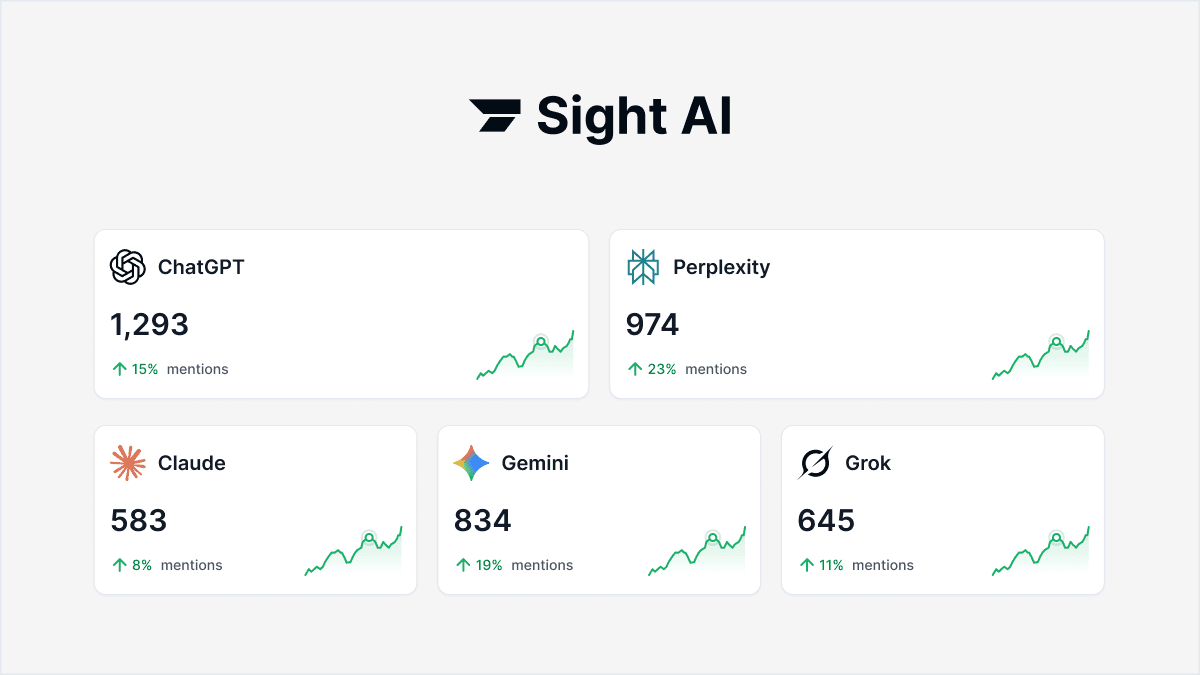
Sight AI's AI Visibility Score provides exactly this intelligence layer: prompt tracking and sentiment analysis across six or more AI platforms, giving you a live dashboard of where your brand appears, in what context, and which topics represent the highest-opportunity gaps.
A common pitfall at this stage is treating AI visibility tracking as a one-time audit. It's not. AI model behavior shifts as models update, new competitors publish content, and your own publishing activity changes the landscape. Set this up as an ongoing, always-on monitoring system, not a quarterly review.
Success indicator: You have a live dashboard showing your brand's AI mention frequency, sentiment across platforms, and a prioritized list of content opportunities based on real gaps in AI responses, not just keyword data.
Step 3: Build Your Content Generation Pipeline with Specialized Agents
With your intelligence layer in place, you now have a queue of high-priority content opportunities based on actual AI model behavior. The next step is building a generation pipeline that can turn those opportunities into publication-ready content efficiently and consistently.
The first decision is your AI content generation system. A single generic AI writer is not sufficient for a professional content operation. Different content formats require different structures: a step-by-step guide has a fundamentally different architecture than a listicle or a conceptual explainer. Look for a system that uses specialized agents for each content type rather than a one-size-fits-all model. This produces better output and requires less editorial cleanup.
Before generating your first piece, configure your pipeline with these parameters:
Brand voice guidelines: Define your tone, vocabulary preferences, phrases to avoid, and any style rules that distinguish your content. These should be encoded into your generation configuration, not applied manually during editing.
Target audience parameters: Specify the assumed knowledge level, industry context, and primary pain points of your reader. This shapes how the AI frames explanations and selects examples.
Internal linking rules: Define which existing content should be linked from new articles, and under what conditions. Automating internal linking at the generation stage saves significant editorial time and improves site structure.
GEO optimization requirements: This is where many pipelines fall short. GEO (Generative Engine Optimization) refers to structuring content so AI models are likely to cite it when answering user queries. GEO-optimized content features clear factual claims, direct answers to specific questions, structured formatting, and authoritative framing. This is distinct from traditional SEO, which focuses on ranking signals for search engine results pages. Your pipeline needs to address both simultaneously.
Next, configure your brief generation process. The content gaps identified in Step 2 should automatically populate as content briefs in your generation queue. A human shouldn't need to manually translate an AI visibility gap into a content brief — that translation should happen automatically, with the brief pre-populated with the target prompt, competing citations, and recommended structure.
Define your editorial review checkpoint clearly. Even in a highly automated workflow, a human should review content before it publishes, at least until you have high confidence in your pipeline's output quality. The review checkpoint is not about rewriting from scratch — it's about catching errors, verifying factual claims, and confirming that the piece meets your quality bar before it goes live.
Success indicator: Your pipeline can take a content gap identified in your AI visibility dashboard and produce a complete, formatted draft ready for editorial review within minutes, not hours.
Step 4: Automate Publishing and CMS Integration
An approved article that still requires manual copy-pasting, formatting, and scheduling is not an automated workflow. It's a partially automated workflow with a manual bottleneck at the end. Step 4 eliminates that bottleneck.
Connect your content generation pipeline directly to your CMS, whether you're running a headless CMS, WordPress, Webflow, or another platform. The integration should allow approved content to move to publish status without any manual transfer steps. The moment editorial approval is granted, the article should be queued for publishing according to your schedule.
Configure your auto-publishing rules carefully:
Scheduling: Set publishing times based on your audience's peak engagement windows and your desired publishing cadence. Don't publish everything at once — spread articles across your schedule to maintain consistent output signals for search engines.
Category and tag assignment: Define rules that automatically assign categories and tags based on content type and topic. This keeps your content library organized without manual tagging and ensures new content is discoverable through your site's navigation.
Metadata templates: Configure consistent meta title and description formats so every published article arrives with properly structured SEO metadata, without requiring a separate step.
Internal linking: If your generation pipeline configured internal linking in Step 3, verify that those links carry through to the published version correctly. Some CMS integrations strip or alter links during transfer.
One common pitfall: publishing automation that functions correctly on desktop but breaks on mobile, or that strips formatting during CMS transfer. Test your integration thoroughly with several articles before enabling full autopilot mode. Publish manually, verify the output across devices, and confirm that formatting, links, and metadata all arrive intact.
Success indicator: An approved article moves from draft to live on your site with zero manual steps beyond the editorial approval completed in Step 3.
Step 5: Activate Automated Indexing So Content Gets Discovered Fast
Publishing content is not the same as getting it indexed. This is one of the most commonly overlooked gaps in automated content workflows, and it has real consequences for both traditional SEO and AI visibility.
When you publish an article without notifying search engines, you're waiting for their crawlers to discover it on their own schedule. In competitive niches, that delay can mean competitors get indexed and cited first, even if you published earlier. For AI visibility specifically, the lag matters because AI models pull from indexed web content. Content that isn't indexed isn't available to be cited.
The solution is IndexNow, an open protocol supported by major search engines that allows your site to notify search engines immediately when content is published or updated. Instead of waiting for a crawler to find your new article, IndexNow sends a direct signal the moment it goes live. This can reduce the gap between publishing and discovery from days to hours.
Integrate IndexNow at the publishing layer of your workflow so the notification fires automatically with every publish event. This should require no manual action. The article publishes, IndexNow fires, and the search engine receives the signal within seconds.
Alongside IndexNow, configure automated sitemap updates. Your sitemap should always reflect your current content library without requiring manual regeneration. Every time a new article publishes, your sitemap should update automatically and the updated version should be accessible to search engines at your standard sitemap URL.
Set up indexing status monitoring as part of your workflow. Not every submitted URL gets indexed immediately, and some may be rejected for technical reasons. Configure alerts for content that fails to index so you can investigate and resubmit rather than discovering the problem weeks later during a performance review.
A common pitfall here is assuming that a high-quality article will eventually get found. In practice, indexing delays compound across a large content library. If you're publishing four articles per week and each takes two weeks to index, you're always operating with a significant portion of your content invisible to search engines and AI models alike.
Success indicator: New articles appear in search engine indexes within hours of publishing, and your sitemap updates automatically with each new piece of content, with no manual steps required.
Step 6: Close the Loop with Performance Tracking and Workflow Refinement
An automated content workflow that doesn't feed performance data back into the generation process is a one-way pipeline. It produces content, but it doesn't get smarter over time. Step 6 closes that loop and turns your workflow into a system that compounds in value with every article published.
Start by connecting your AI visibility tracking from Step 2 back to your published content performance. For each article, you want to know two things: is it generating organic traffic and rankings through traditional search, and is it generating citations when users ask AI models relevant questions? These are different signals and require different measurement approaches.
Track both dimensions in a unified view:
Traditional SEO metrics: Rankings, organic clicks, impressions, and click-through rates. These tell you how your content performs in search engine results pages.
AI visibility metrics: Mention frequency across AI platforms, sentiment of those mentions, and which specific prompts trigger citations of your content. These tell you how your content performs in AI-mediated discovery.
Set up automated reporting so your team receives regular performance summaries without manual data pulling. A weekly digest showing which articles are gaining traction, which prompts are generating brand citations, and which content gaps remain unfilled is significantly more useful than a monthly manual report that's already outdated by the time it's distributed.
Use this performance data to refine your generation parameters. If articles with a specific structure consistently generate AI citations, encode that structure as a default template in your pipeline. If certain topic angles drive more organic traffic than others, weight your content queue toward those angles. The feedback loop between performance data and generation configuration is what separates a static content factory from an adaptive content system.
One important maintenance task: review and update your prompt tracking library on a regular basis. AI model behavior evolves as models update and as the broader content landscape shifts. Prompts that generated citations six months ago may behave differently today. A quarterly review of your tracking library ensures your intelligence layer stays current.
A common pitfall is treating the workflow as set-and-forget after the initial configuration. The teams that get the most value from automated content workflows are the ones that treat performance data as an input, not just an output. Every performance review should generate at least one refinement to the generation pipeline or the content queue.
Success indicator: You can trace a direct line from a content gap identified in your AI visibility dashboard to a published article to its citation performance across AI platforms, and that data is actively shaping what your pipeline produces next.
Your Automated Workflow Checklist
Here's the complete six-step framework in a format you can use as a reference as you build:
1. Audit and map your current process. Identify every manual step, sort tasks into automatable and human-required buckets, and define specific publishing goals.
2. Configure your AI intelligence layer. Set up prompt tracking and AI visibility monitoring across platforms so your content strategy is driven by real AI model behavior, not guesswork.
3. Build your generation pipeline. Use specialized agents for different content formats, configure brand voice and GEO optimization parameters, and connect your content gap data to your brief generation process.
4. Automate publishing and CMS integration. Connect your pipeline to your CMS so approved content moves to live without manual transfer steps.
5. Activate automated indexing. Integrate IndexNow and configure automatic sitemap updates so every published article gets discovered as fast as possible.
6. Close the performance loop. Connect AI visibility data back to content performance, set up automated reporting, and use the data to continuously refine your pipeline.
If implementing all six steps simultaneously feels like too much, start with steps 1 through 3 and layer in 4 through 6 progressively. The intelligence and generation layers deliver value immediately, and the distribution and measurement layers amplify that value over time.
The workflow compounds as your content library grows. Each published article adds internal linking opportunities, increases your topical authority signals, and creates additional citation targets for AI models. The value of the system increases with every piece of content it produces.
The goal is not to remove humans from content marketing. It's to remove humans from the parts that don't require human judgment, so your team can focus on strategy, creative direction, and the decisions that actually require expertise.
Sight AI combines AI visibility tracking, GEO and SEO content generation, automated publishing, and IndexNow indexing in a single platform, designed specifically for this workflow. Stop guessing how AI models like ChatGPT and Claude talk about your brand. Start tracking your AI visibility today and see exactly where your brand appears across top AI platforms, which content gaps are costing you citations, and how to close them systematically.