SEO titles and descriptions are those little snippets of text you see in search results. They are your first—and best—chance to get someone to click your link instead of the one right above or below it. This has a direct impact on your traffic and how visible you are online.
Why SEO Titles and Descriptions Still Matter in a Modern SERP
With things like AI Overviews and zero-click searches popping up, it’s fair to ask if title tags and meta descriptions are losing their punch. The truth is, they’ve never been more important.
Think of them as your digital storefront on a very crowded street. A great window display gets people to walk in. A boring or messy one gets ignored.

A compelling title and description are often the only things separating you from a competitor. They are the main drivers of your organic Click-Through Rate (CTR), which search engines see as a major clue about your content's relevance and appeal.
The Direct Impact on Clicks and Traffic
Your title and description are your ad copy in the search results. They make a promise about what the searcher will find if they click. When you get this right—by matching your content to what the searcher actually wants—you're pre-qualifying your visitors.
This means the traffic you attract is genuinely interested in what you have to say, which leads to lower bounce rates and people sticking around longer. This isn't just theory, either. An optimized meta description can boost click-through rates by 43%.
That's a massive lift, especially when you consider that Google rewrites over 62% of them and the average CTR for a top-page result is 71%. Every little bit of optimization gives you a real competitive edge.
Your SEO title is your headline. Your meta description is your elevator pitch. Together, they form a powerful one-two punch to capture attention and earn the click before a user ever sees your website.
Shaping Brand Perception from the Start
Before anyone even lands on your website, they're already forming an opinion about your brand from that little search snippet. Does it look professional and helpful? Or is it just a jumbled mess of keywords?
That snippet is your first handshake. It’s a chance to show off your brand's voice and what makes you unique. A well-written title and description can build trust and credibility right from the SERP, making someone more likely to pick your result, even if you aren't in the #1 spot.
Title Tag vs Meta Description At a Glance
To really get this right, it helps to see the core differences side-by-side. While they work together, their jobs and technical rules are distinct.
| Attribute | Title Tag | Meta Description |
|---|---|---|
| Primary Role | Direct ranking factor; SERP headline | SERP "ad copy" to entice clicks |
| Ranking Factor | Yes, a strong signal | No, not a direct factor |
| Length Limit | ~60 characters / 600 pixels | ~160 characters / 960 pixels |
| Displayed Where | SERP, browser tab, social shares | Primarily in SERP snippets |
| Main Goal | Relevance, keywords, branding | Persuasion, value proposition, CTA |
This table is a great cheat sheet, but remember the bigger picture. These elements don't exist in a vacuum. To truly master them, you have to see how they fit into your overall SEO strategies. They're part of a bigger puzzle that includes:
- Keyword Research: Pinpointing the exact phrases your audience is using.
- On-Page Optimization: Making sure your landing page delivers on the snippet's promise.
- User Experience: Creating a smooth path from that first click all the way to conversion.
Ultimately, spending time on your SEO titles and descriptions is a high-leverage activity. It pays off by bringing in more relevant traffic, building a stronger brand impression, and boosting your overall search performance. They're still a fundamental piece of the organic growth puzzle.
Crafting SEO Title Tags That Earn the Click
Your SEO title tag is arguably the most powerful piece of on-page SEO real estate you can control. Think about it: it's your headline in the SERPs, your first impression, and the hook that convinces someone to click your result instead of the nine others staring back at them. Nailing a title tag that both Google and humans love is a bit of an art, but it's one you can definitely master.

We have to move beyond just counting characters. The real game is understanding what actually drives a click—this means getting familiar with pixel widths, how your title looks on a tiny mobile screen, and the psychology behind what makes a searcher choose you.
Lead With Your Primary Keyword
Placing your main keyword at the beginning of your title tag sends a massive relevance signal to search engines. It's a simple, high-impact move.
When people scan search results, they're looking for their search term. Seeing it right at the start of your title instantly confirms your page is what they're looking for. This one tweak can give your click-through rate a serious boost.
For instance, "SEO Titles and Descriptions | A Complete Guide" is way more effective than "A Complete Guide to Writing Great SEO Titles and Descriptions." The first one gets straight to the point; the second buries the lead.
Ditch Character Counts for Pixel Width
The old-school advice was to keep titles under 60 characters. Today, it’s all about pixel width. Google gives you about 600 pixels for a title on desktop before it gets cut off with an ellipsis (...). The catch? Different letters take up different amounts of space. A 'W' is a pixel hog, while an 'i' is skinny.
This is why a title like "Our Widest Widgets Win Worldwide" might get truncated, while "Our Tiniest Items Sell Instantly" fits perfectly, even if their character counts are similar. You absolutely need to use a SERP snippet preview tool to see what your title will actually look like.
Here's what the data says: titles between 40 and 60 characters tend to get the highest CTR. This is especially important since 92.3% of users are on mobile, where space is even tighter. In fact, Google is 57% more likely to rewrite titles that are too long and has been seen rewriting over 61% of all titles in some studies. Precision matters.
Use Modifiers to Grab Long-Tail Traffic
Not everyone searches in broad strokes. People often use modifiers to get more specific results, and including them in your title is a great way to attract highly qualified traffic.
Think about adding these powerful words:
- For Informational Content: "Guide," "Checklist," "Examples," "Tips," or the current year (like "2024") work wonders to set expectations.
- For Transactional Content: "Buy," "Deals," "Review," or "Sale" attract users who are ready to pull out their wallets.
- For Local SEO: Including your city, "near me," or "in [City Name]" helps you show up for local searches.
These small additions help you rank for more niche phrases and pre-qualify your audience before they even land on your page.
Add Numbers and Emotional Hooks
People are hardwired to notice numbers and lists. "7 Actionable Tips for SEO Titles" is just more compelling than "Tips for SEO Titles." Numbers promise a structured, easy-to-digest read.
Emotional hooks are just as powerful. Use words that trigger curiosity, urgency, or a clear benefit. Instead of a bland title, write something that speaks directly to a user's pain point or desired outcome. For a masterclass on this, check out our guide on how to write headlines that grab attention.
Let’s look at a few examples to see how this all comes together:
| Weak Title (Generic) | Strong Title (Optimized) | Why It Works |
|---|---|---|
| Project Management Software | Best Project Management Software for Teams (2024) | Uses a "best" modifier, specifies the audience ("teams"), and adds the current year for freshness. |
| How to Bake Bread | Fail-Proof Sourdough Bread Recipe for Beginners | Targets a specific keyword ("sourdough bread recipe"), appeals to an emotion ("fail-proof"), and identifies the audience ("beginners"). |
| Women's Running Shoes | Shop Women's Trail Running Shoes | Free Shipping | Targets a specific product category ("trail running shoes") and includes a compelling offer ("Free Shipping"). |
By thoughtfully combining keyword placement, pixel-perfect length, and a bit of psychology, you can turn your SEO titles from simple page labels into powerful click magnets.
Writing Meta Descriptions That Drive Action
If the SEO title tag is your article's headline, then the meta description is the ad copy right underneath it. This is your one shot on the search results page to sell the click. You need to convince a searcher that your page has the exact answer they're looking for.
While it's not a direct ranking factor, a killer description has a massive indirect impact on your SEO. A great one drives up your Click-Through Rate (CTR), and a high CTR tells Google that your page is a great match for the query.
A great description builds curiosity, sets the right expectations, and perfectly bridges the gap between a user's search query and the solution waiting for them on your page. It’s pure persuasion packed into a tiny space.
Distilling Value Into 160 Characters
The unofficial rule of thumb is to keep your meta descriptions under 160 characters. Just like with title tags, this is less about a rigid character count and more about pixel width—Google gives you about 960 pixels on desktop. Anything longer gets the dreaded "..." which looks sloppy and cuts your message short.
The real goal here is to be concise yet incredibly compelling. You have to communicate your page's unique value proposition in just a couple of seconds. What makes your content the best choice? Is it more comprehensive, easier to follow, or are you offering a unique deal? Answering that is the first step.
Your meta description needs to answer the user's unspoken question: "Why should I click this link out of all the others?" It should be active, benefit-driven, and clearly state what the user will gain by visiting your page.
Weaving in Keywords and a Call to Action
It's absolutely essential to work your target keyword into the description naturally. When a user's search term shows up in your meta description, Google bolds it. This makes your snippet visually pop off the page and instantly signals relevance to the searcher.
Just don't go overboard. Keyword stuffing is a huge turn-off. A description like "Best running shoes for men, cheap men's running shoes, buy men's running shoes now" looks spammy to both users and search engines. Instead, integrate the keyword into a natural, persuasive sentence.
Finally, the most powerful meta descriptions almost always end with a clear call-to-action (CTA). You're not just describing the page; you're telling the user exactly what to do next.
- For E-commerce: "Shop now and get free shipping."
- For Blog Posts: "Learn the 3 simple steps inside."
- For Service Pages: "Get a free quote today."
These simple phrases create a sense of direction and gently nudge the user toward the click.
Understanding Why Google Rewrites Your Descriptions
It’s one of the most frustrating things in SEO: you spend time crafting the perfect description, only to find Google has completely ignored it and written its own. Don't take it personally—studies show Google rewrites meta descriptions over 62% of the time.
So, why does this happen? Google's main job is to serve the most relevant result for a specific query. If your hand-crafted description doesn't perfectly match what someone just typed in, Google will often pull a more relevant snippet directly from your page's content.
While you can't stop this completely, you can definitely lower the odds of a rewrite.
- Ensure Strong Keyword Alignment: Make sure your description accurately reflects the primary keyword and the content of the page.
- Avoid Vague Language: Descriptions like "This page contains information about our products" are useless and will almost certainly be replaced.
- Keep It Unique: Never, ever use the same meta description across multiple pages. Each one must be tailored to its specific page.
For a deeper dive into this, our guide on how to write meta descriptions for SEO covers even more strategies for getting your snippets to stick.
Templates for Different Content Types
Coming up with the right words from a blank slate can be tough. To make it easier, here are a few practical, battle-tested templates you can adapt for different kinds of content.
Meta Description Templates for Different Content Types
| Content Type | Template Structure | Example |
|---|---|---|
| Blog Post | [Answer a Question/State a Benefit]. [Provide a CTA with a hint of what's inside]. Learn [Specific Takeaway]. | Struggling with SEO titles? This guide breaks down how to write compelling snippets that boost your CTR. Learn the secrets to earning every click. |
| Product Page | Discover the [Product Name]. [Highlight 1-2 key features/benefits]. [Include a CTA and a special offer]. | Discover the Sight AI Content Platform. Monitor brand mentions across AI models and generate SEO-optimized articles in minutes. Get started free today. |
| Category Page | Shop our curated collection of [Product Category]. Find [Specific Styles/Types] perfect for [Audience/Use Case]. Enjoy [Offer] on all orders. | Shop our collection of modern office chairs. Find ergonomic designs perfect for your home office or team workspace. Enjoy free shipping on all orders. |
By focusing on user intent, communicating clear value, and including a strong CTA, you can write meta descriptions that do more than just describe your page—they drive meaningful action and bring in highly qualified traffic.
Optimizing for AI Overviews and Rich Snippets
The search results page isn't what it used to be. The classic list of ten blue links is now just one piece of a much larger puzzle, a dynamic mosaic that includes Featured Snippets, 'People Also Ask' boxes, and the increasingly dominant AI Overviews. This isn't just a cosmetic change; it demands a whole new approach to writing SEO titles and descriptions.
The game has shifted. You're no longer just trying to win a click; you're trying to become a citable source for an AI model. Your title and meta description are critical signals to search engines, clues about your content's structure and focus. A clear, authoritative snippet can dramatically increase your odds of getting pulled into these valuable SERP features.
Thriving in an AI-Driven Search World
In this new AI-driven landscape, your metadata has to pull double duty. It still needs to convince a human to click, of course, but it also has to be perfectly clear and digestible for an AI. Think of your meta description as the abstract of your article—it should crisply summarize the core answer or value your page provides.
When an AI is piecing together an answer, it’s hunting for the most direct, trustworthy, and unambiguous information it can find. A well-optimized description that gets straight to the point makes your content a prime candidate for a citation right inside an AI Overview.
Just look at how a modern SERP is structured, with all its rich, interactive features.
As you can see, the traditional organic results are now in a street fight for user attention. To win here, your snippets have to be engineered to stand out in a much more crowded and complex environment.
The Impact of AI Overviews on Traffic
Let's be clear: the rise of AI-generated summaries is having a real, measurable impact on organic traffic. When Google decides to show an AI summary at the top of the page, the entire dynamic for clicks changes.
The data is pretty stark. When an AI summary appears, a mere 8% of users click on the traditional organic links below it. That’s a massive drop from the 15% click rate on pages where no AI summary is present. This means AI Overviews can vacuum up nearly half the potential traffic that would have otherwise gone to standard search results.
And since over 68% of the search terms that trigger these AI Overviews are for lower-volume keywords, this trend hits niche and specialized content particularly hard.
This shift means your optimization strategy has to evolve. The goal is no longer just to be a link below the AI, but to create content so clear and authoritative that it becomes the source for the AI. That's how you reclaim visibility in the age of AI search.
Practical Strategies for Rich Snippet Optimization
So, how do you increase your chances of being featured? You have to be tactical. It’s all about making your content the easiest and most logical choice for Google to highlight.
Here are a few strategies I've seen work time and again:
- Answer Questions Directly: Frame your meta description to immediately answer a common user question. If your article is about "how to change a tire," your description should start with a crisp summary of the key steps. No fluff.
- Hint at Structure: For list-based content, give a little preview in the description. Something like, "Discover the 7 best tools for SEO analysis. We review features, pricing, and the pros and cons for each..." is incredibly appealing for snippet generation.
- Use Structured Data: This isn't technically part of your title or description, but using Schema markup on your page for things like FAQs, How-Tos, or Reviews is a game-changer. It spoon-feeds search engines structured information that’s perfect for pulling into rich snippets.
- Focus on Factual Authority: Make sure your descriptions are factual and get straight to the point. Ditch the marketing jargon. AI models give preference to content that reads like a definitive source of information.
By applying these tactics, you can position your content to not just rank, but to be featured. If you want to dive deeper into this, our guide on how to find SERP features opportunity is a great next step. This strategic pivot is absolutely essential for growing your organic visibility today.
Tools And Workflows To Manage Snippets At Scale
Managing SEO titles and descriptions for a handful of pages? Simple enough. But what happens when your site balloons to hundreds or even thousands of URLs? That's when you need a real system to avoid utter chaos.
Without a solid workflow and the right tools, you're pretty much guaranteed to end up with missing, duplicate, or just plain bad snippets that tank your click-through rate. The goal here is to build an efficient machine for auditing, creating, and updating your metadata across the entire site.
This whole process is about more than just writing—it's a cycle. You have to create great content, make sure it's structured for search engines, and then build its authority.
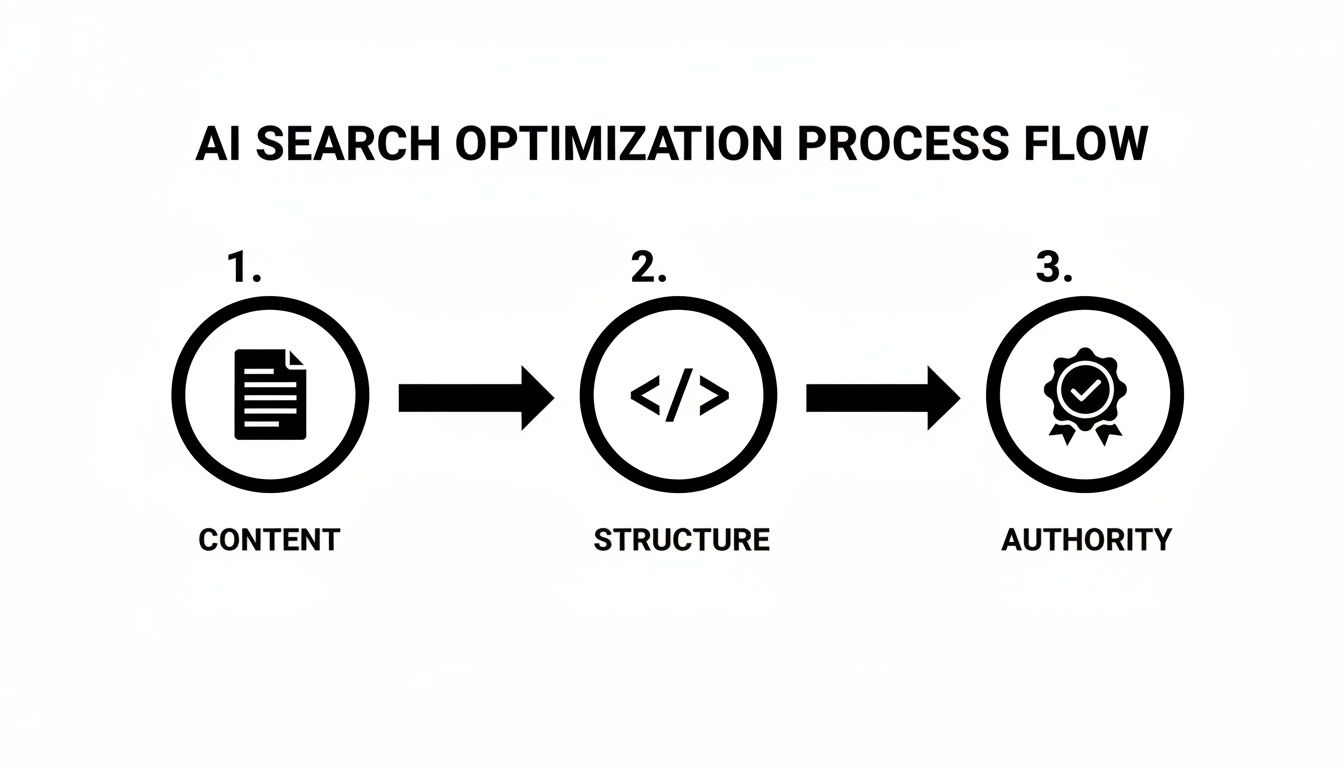
This visual really drives home how all the pieces—content, structure, and authority—have to work together. Getting your snippets in order is a core part of that structure.
Building Your Snippet Management Toolkit
You don't need a massive budget to get this done right. A smart toolkit combines free simulators for quick spot-checks with powerful crawlers for deep, site-wide audits.
- SERP Simulators: These are your best friend for pre-flight checks. Free tools from places like Moz or Mangools let you preview exactly how your titles and descriptions will appear in the search results. They're perfect for making sure you're within the pixel width limits and avoiding that dreaded "..." truncation.
- SEO Plugins (for WordPress): If your site runs on WordPress, plugins like Yoast SEO or Rank Math are absolutely non-negotiable. They add an intuitive interface to every single page, letting you write and preview your metadata with instant feedback on length and keyword usage.
- Site Crawlers: When you need the full picture, you bring in a crawler. Screaming Frog is the industry-standard desktop tool, while cloud-based options like Ahrefs' Site Audit or Semrush's Site Audit are incredibly powerful. These tools will crawl every corner of your site and spit out a list of every URL with a missing, duplicate, or otherwise problematic snippet.
This combination of tools lets you zoom in on individual pages while still maintaining a 30,000-foot view of your site's overall metadata health.
A Scalable Workflow For Large Websites
Okay, you've got your tools. Now you need a workflow. Trying to fix every snippet on a huge site at once is a surefire way to burn out. Instead, you need to get strategic and prioritize.
The first step is always to run a full crawl of your site with a tool like Screaming Frog. Export all that data, paying close attention to the title and meta description columns.
Next, it's time to filter and prioritize. Don't start with your least important pages. Zero in on the URLs that have high business value—your homepage, key service pages, and top-performing blog posts. From there, identify the most critical technical issues:
- Completely missing titles or descriptions.
- Duplicate titles or descriptions across multiple pages.
- Titles over 600 pixels or descriptions over 960 pixels that are getting cut off.
Finally, create and update in batches. Work through your prioritized list in manageable chunks. Write new, unique snippets for each URL, using a SERP simulator to double-check the length and appearance before you push it live.
For massive sites with tens of thousands of pages, writing a unique description for every single URL might be impractical. That's okay. Google even suggests prioritizing your homepage and most popular pages first. Get those right, then work your way down the list.
This systematic process turns an overwhelming mountain of a task into a series of small, achievable hills. If you're looking to speed up the initial writing phase, you might want to look into how to generate meta tags automatically. You can use a tool to create a first draft, which you can then refine manually for quality.
By combining the right tools with a structured workflow, you can take control of your SEO titles and descriptions, no matter how big your site gets.
How to Measure and Test Your Snippet Performance
Crafting brilliant SEO titles and descriptions is a fantastic start, but it's only half the job. If you’re not measuring what happens next, you’re flying blind. The real magic happens when you create a data-driven feedback loop, which is what separates good SEO from truly great SEO. This is how you systematically improve your organic traffic over time.
Your mission control for all of this is Google Search Console (GSC). It's a free, powerhouse tool that gives you a direct line of sight into how your site actually performs in Google's search results. It's packed with invaluable insights on clicks, impressions, click-through rate (CTR), and average position.
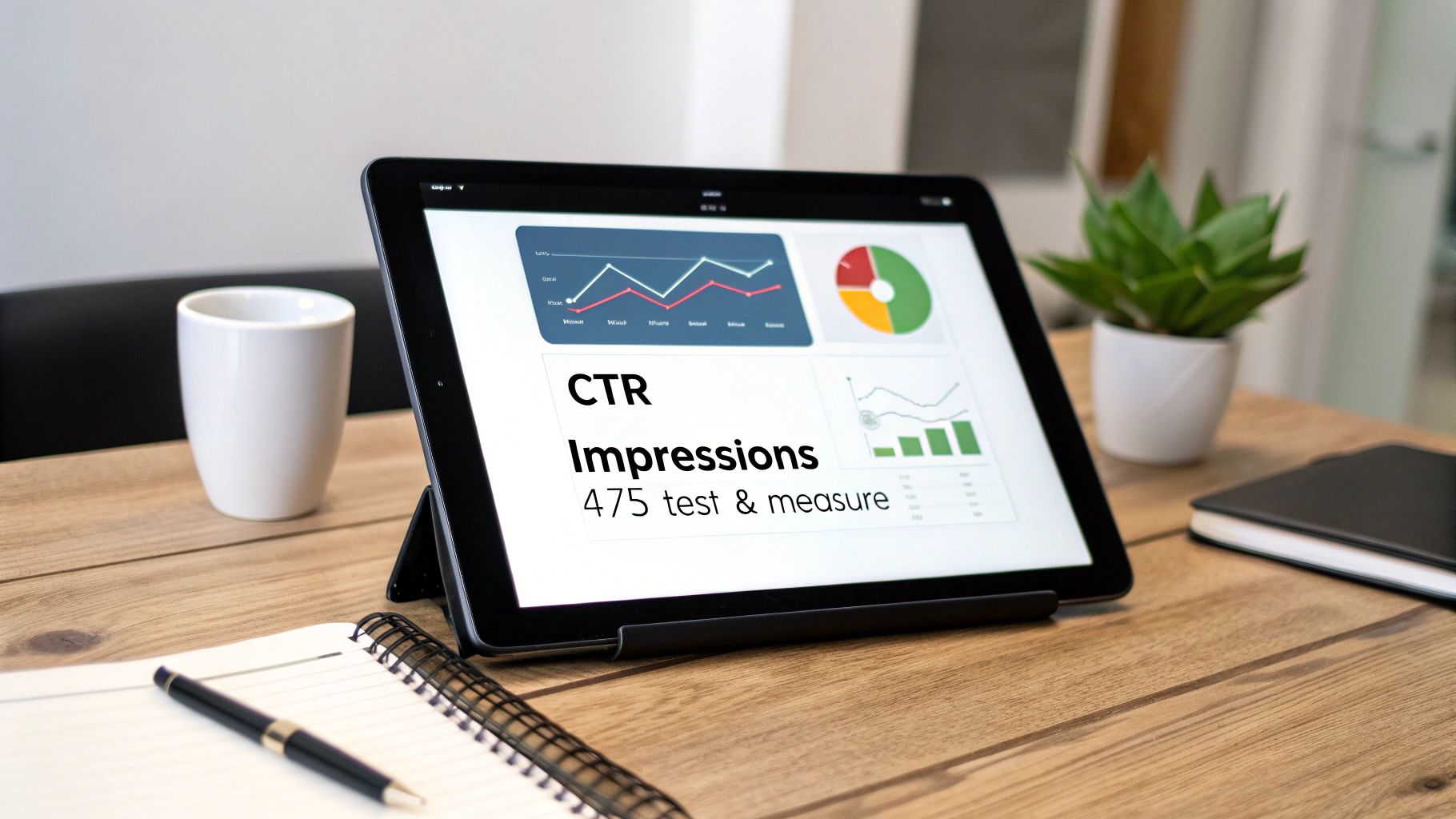
This is the data that turns your creative efforts into measurable wins. You can finally stop guessing and start making decisions that move the needle.
Pinpointing Your Quick Wins in GSC
First things first, let's find the low-hanging fruit. I’m talking about pages that already have high visibility in the search results but are getting a poor click-through rate. These are your biggest opportunities for a quick traffic boost.
Here’s my go-to process for digging them up:
- Jump into the Performance report in Google Search Console.
- Set the date range to the last 28 days to get a solid, recent baseline.
- Click over to the Pages tab to see performance broken down by URL.
- Sort the whole table by impressions, from highest to lowest.
- Now, scan down that list for pages with a ton of impressions but a disappointingly low CTR.
These pages are already getting in front of people; they’re just not compelling enough to earn the click. A simple tweak to a title or description here could funnel a significant amount of new traffic your way with very little effort.
Think about it this way: A page with 10,000 impressions and a 1% CTR gets 100 clicks. If you can rewrite the snippet to bump that CTR to just 3%, you've just tripled your traffic to 300 clicks—all without improving your ranking by a single position. That’s the power of snippet optimization.
Running Simple A/B Tests
Once you've zeroed in on a target page, it's time to test your changes scientifically. A/B testing your SEO titles and descriptions takes the guesswork out of the equation and tells you exactly what resonates with your audience.
The process is refreshingly straightforward:
- Establish a Baseline: Jot down the current impressions, clicks, and CTR for your target page over a set period, like the last 28 days.
- Create a Variation: Write a new title, a new description, or both. Try adding a number, a stronger call-to-action, or a more benefit-driven hook.
- Implement and Wait: Update the snippet on your site and let it run for the same amount of time as your baseline (another 28 days is perfect) to collect enough data for a fair comparison.
- Analyze the Results: Compare the CTR of the new version to the old one. Did it go up, down, or stay the same?
This iterative cycle is the core of continuous improvement. If you're looking for more advanced tracking methods, our guide on how to track SEO rankings offers a deeper look into monitoring performance over the long haul.
By consistently testing and refining, you'll start to develop a real gut feeling for what your audience responds to, turning a good snippet strategy into a truly great one.
Common Questions About Titles and Descriptions
Even after you’ve got the basics down, a few tricky questions always seem to pop up when you're in the trenches with SEO titles and meta descriptions. Let's tackle the most common ones I hear so you can get back to refining your strategy.
What Happens If I Leave My Meta Description Blank?
If you don’t write a meta description, you’re not breaking any rules. Google will simply pull a snippet from your page that it thinks best matches what the user searched for.
But here's the thing: leaving it blank is a huge missed opportunity. Think of your meta description as the ad copy for your search result. A well-crafted description, written by you, is almost always going to be more compelling and earn more clicks than whatever Google cobbles together on the fly.
Should I Put My Brand Name In The Title Tag?
In most cases, yes—it's a good move. Including your brand name, especially on your homepage or key service pages, helps build recognition right there in the search results.
Pro Tip: The best practice is to place your brand name at the very end of the title, usually after a pipe (|) or a dash (-). You want to lead with your most important keywords to grab the user's attention and signal relevance to search engines. For example: "A Complete Guide to SEO Titles & Descriptions | Your Brand".
Why Is Google Ignoring My Title and Writing Its Own?
This is probably one of the most frustrating things for SEOs, and it happens a lot. When Google thinks it can create a better, more relevant title for a specific search, it will. In fact, Google rewrites over 61% of titles.
So, how do you minimize the chances of a rewrite?
- Be Accurate: Make sure your title is a true and honest reflection of what's on the page.
- Be Specific: Vague or generic titles are prime candidates for a rewrite because they don't clearly match user intent.
- Watch Your Length: If your title is too long and gets cut off, Google often just rewrites it. Keep it within the ideal pixel width.
How Often Should I Update My SEO Titles and Descriptions?
You definitely don't need to be updating them constantly. The smart move is to focus your energy where it will have the biggest impact.
Dive into your Google Search Console data and look for pages with high impressions but a low Click-Through Rate (CTR). These are the pages that are showing up in search but aren't convincing people to click. A quick rewrite of the title or description here can often give you a nice, immediate boost in traffic.
Ready to turn AI visibility insights into measurable growth? Sight AI helps you monitor your brand across leading AI models, discover content gaps, and generate SEO-optimized articles effortlessly. Start your free trial at https://www.trysight.ai