Generating meta tags is all about creating those little HTML snippets that tell search engines and social media what your page is about. The big ones—the meta title and meta description—are your first handshake with a potential visitor in the search results. They have a huge impact on click-through rates and how people see your brand right from the get-go.
Why Meta Tags Still Matter in an AI-Powered World

It's a fair question: why bother with meta tags when search engines just rewrite them anyway? The truth is, their importance hasn't faded—it's just changed. Think of your meta tags less like a strict script for Google and more like the core data that guides its AI. They are the essential signals that help algorithms figure out context, user intent, and how relevant your content really is.
This isn't just a minor tweak in how things work. With AI driving search, metadata has become a cornerstone of modern SEO. Search engines now rewrite over 62% of meta descriptions, pulling together dynamic snippets they think will better match a user's query. This reality demands a much smarter, more strategic approach to optimization.
Your meta tags are the starting point for AI. A well-crafted tag gives search engines the context they need to generate a high-quality, relevant snippet, even if they don't use your exact words. It’s all about influencing the outcome, not dictating it.
The Evolving Role of Metadata
In this new landscape, your job is to feed the AI systems the best possible information. Well-structured meta tags still accomplish several things that are absolutely vital for both SEO and user experience.
- Influencing Click-Through Rates (CTR): Even when Google rewrites your description, your original title and description heavily inform its version. A good one increases the chance that the generated snippet actually reflects your page's core message and value.
- Enhancing Social Media Presence: Open Graph (OG) tags are a different story—they don't get rewritten. This gives you total control over how your content looks when it's shared on platforms like LinkedIn, Facebook, and X, which is huge for brand consistency and engagement.
- Providing Context to Search Crawlers: At the end of the day, search engine bots still lean on meta tags for a quick summary of a page's purpose. It helps them index your content correctly, and that’s a fundamental piece of technical SEO you just can't skip. For more on this, check out our guide on https://www.trysight.ai/blog/optimizing-content-for-ai-search.
To get a better sense of how all these pieces fit together for strong online visibility, it’s worth exploring some key SEO best practices for online stores. This new reality makes a scalable, intelligent way to generate meta tags more important than ever.
Building Your Scalable Meta Tag Framework
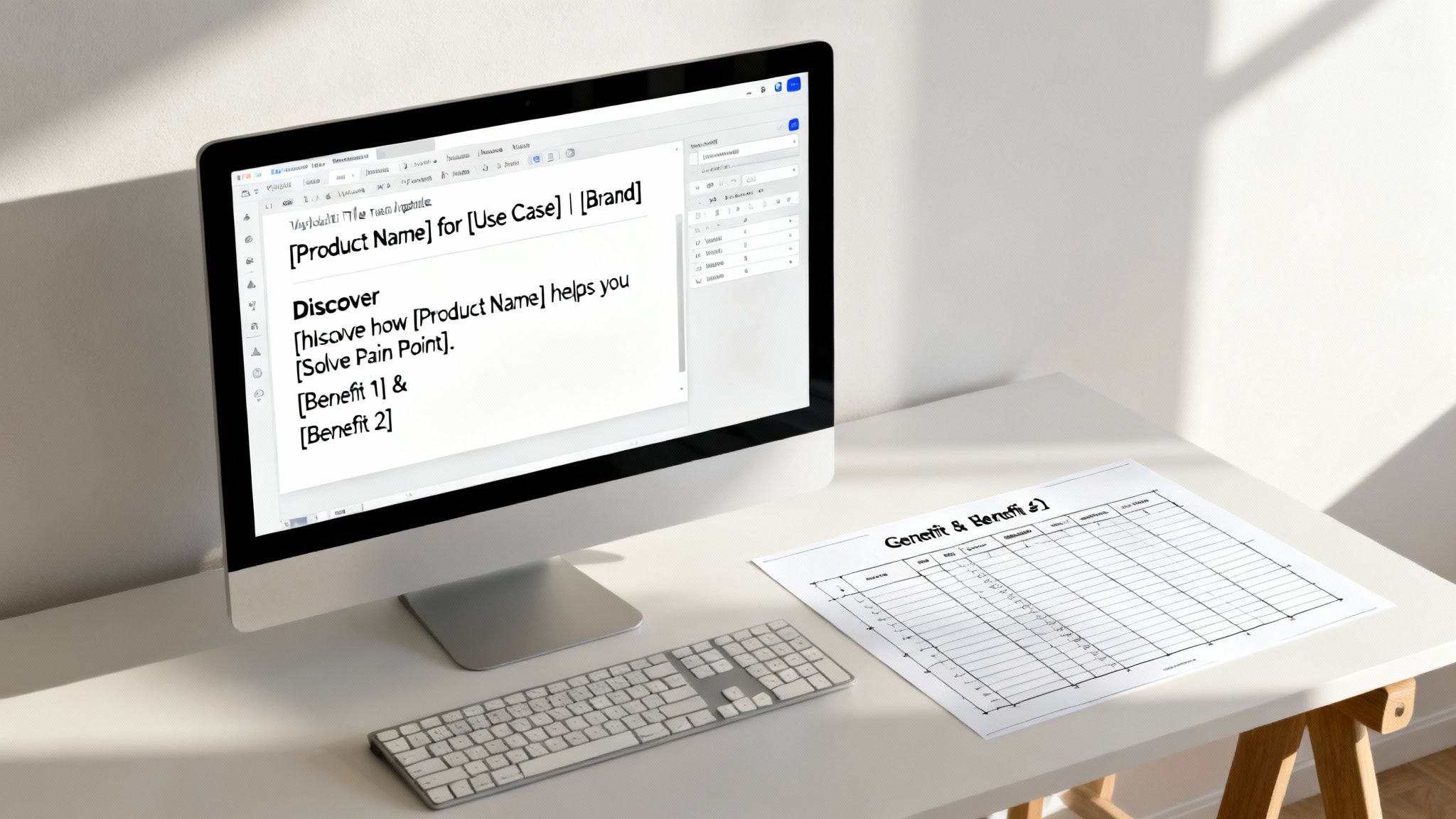
Before you can even think about automation, you need a solid blueprint. A scalable meta tag framework is your playbook—a set of repeatable formulas and rules that guarantee every single page, whether it's a blog post or a product listing, gets a consistent, high-quality tag. This system becomes your single source of truth, killing the guesswork and saving you countless hours down the line.
The whole point is to stop writing tags one by one and start thinking in systems. We're creating a logical structure that can be rolled out across thousands of URLs. This is absolutely fundamental when you need to generate meta tags for an entire site, ensuring your brand voice and SEO best practices are baked right into the process from the get-go.
Core Components Of A Meta Tag Formula
A powerful meta tag formula isn’t just about stuffing in keywords. It’s a delicate balance of user intent, branding, and pure clarity. For title tags, a tried-and-true structure blends the page's main topic with your brand identity. It just works.
- For Product Pages:
[Product Name] for [Use Case] | [Brand Name]- Example:
Quantum CRM for Small Business Sales | NovaTech
- Example:
- For Blog Posts:
[Primary Keyword]: How to [Achieve Outcome] | [Brand Name]- Example:
Content Workflow Automation: Streamline Your Process | Sight AI
- Example:
- For Service Pages:
[Service Name] in [Location/Industry] | [Brand Name]- Example:
Managed SEO Services for SaaS Companies | GrowthFoundry
- Example:
This templated approach creates a sense of predictability for both users scrolling the SERPs and the search engine crawlers trying to make sense of your site. It reinforces what your page is about at a quick glance.
Crafting Click-Worthy Description Formulas
Think of meta descriptions as your 155-character sales pitch in the search results. A good formula helps you hit all the key persuasive points, every single time, without that dreaded blank-slate feeling. The focus should always be on solving the user's problem and clearly stating the value they'll get by clicking through to your page.
A great description formula usually nails three things: a hook, a benefit, and a subtle call to action.
Pro Tip: I've found that starting descriptions with an action verb can make a huge difference. Words like "Discover," "Learn," "Find," or "Shop" immediately frame the page's purpose and encourage that click. It's a small change, but it can noticeably bump up your click-through rate.
Here's a practical formula you can steal and adapt:
- Formula:
Discover how [Product/Topic] helps you [Solve Pain Point]. Get [Benefit 1], [Benefit 2], and [Benefit 3]. Learn more now. - Example:
Discover how Quantum CRM helps you close deals faster. Get automated lead tracking, intuitive pipeline management, and detailed sales reports. Try it free today.
As you build out your framework, remember there's a real art to the language. To go deeper, digging into resources on crafting effective meta descriptions can give you some great insights into what really drives clicks. Integrating these formulas into your content plan is a crucial step in developing a full-scale SEO content workflow automation strategy.
This kind of structured approach doesn't just make it easier to generate meta tags; it ensures every tag is an optimized asset, working hard to bring qualified traffic to your site.
Win the Social Share with Open Graph Tags
Your content's journey doesn't end when you hit "publish." Every time someone shares your link on LinkedIn, Facebook, or X, you get another shot at a first impression. Open Graph (OG) and Twitter Card tags are how you take control of that moment.
Without them, you're leaving it all to chance. Social platforms will try to guess what your page is about, often pulling a random, poorly cropped image, a confusing snippet of text, or a chopped-off title. A potentially viral post instantly becomes an unprofessional, unclickable mess. When you generate meta tags specifically for social sharing, you dictate exactly how your content appears.
The Essentials of Social Meta Tags
The most critical OG tags you need to worry about are og:title, og:description, og:image, and og:url. These directly control the headline, summary text, and visual preview that shows up in a social feed. Think of them as the social media version of your SERP snippet, but with the massive advantage of a custom image.
Here’s a quick look at how these tags are structured in your page’s HTML.
This simple block of code tells platforms like Facebook exactly what title, description, and image to use, removing all the guesswork.
While your og:title can often be the same as your main SEO title, the og:description is a fantastic opportunity to switch things up. You can write more conversationally and directly than you might for a Google search result. If you're looking for ideas, our detailed guide on how to write meta descriptions for SEO has some great tips that are easily adapted for social copy.
A missing
og:imagetag is the fastest way to kill your content's shareability. A compelling visual is non-negotiable for stopping the scroll, and a well-chosen image can dramatically increase engagement and click-through rates.
Best Practices for Open Graph Images
Let's be honest—the image is arguably the most important piece of the puzzle. To make sure your visuals look sharp and professional everywhere, just follow these simple guidelines:
- Optimal Dimensions: The gold standard is 1200 x 630 pixels. This 1.91:1 aspect ratio plays nicely with most major social networks and helps you avoid any awkward, automatic cropping.
- File Size: Keep your image file size under 5MB. This ensures it loads quickly when the link preview is generated, so people aren't left staring at a blank box.
- Descriptive Content: Don't just slap a generic stock photo on it. Your image should be directly relevant to the content. Even better, include text overlays, like the blog post title, to grab immediate attention in a crowded feed.
By adding these specific social tags, you transform a plain old URL into a rich, engaging piece of media. It's a small step that's absolutely crucial for maximizing the reach and impact of every single share.
Choosing Your Meta Tag Automation Engine
Once you have a solid framework, it's time to bring it to life. Let's be honest: manually writing unique meta tags for hundreds, let alone thousands, of pages is a non-starter. This is where automation stops being a luxury and becomes your most valuable asset, turning a soul-crushing task into a scalable, systematic process.
The right automation engine really boils down to your tech stack and the sheer scale of your content operation.
Starting with Your CMS
For a lot of folks, the journey to generate meta tags at scale starts right inside their Content Management System (CMS). Platforms like WordPress have a massive ecosystem of SEO plugins that are incredibly powerful for this exact job.
Tools like Rank Math and Yoast SEO aren't just for basic on-page checklists; they have robust features for creating dynamic meta tag templates. You can use variables—think %%title%%, %%category%%, or custom fields—to automatically pull in data from the page itself. This is perfect for making sure every blog post or product page gets a unique, well-structured tag without you lifting a finger.
Scaling Up with Spreadsheets and Scripts
When you’re dealing with massive e-commerce catalogs or sprawling resource libraries, CMS plugins sometimes can't keep up. This is when you can roll up your sleeves and turn to more powerful solutions like spreadsheet formulas or simple scripts.
Imagine you have a CSV file with 10,000 products. With a simple formula in Google Sheets or Excel, you can stitch together product names, categories, and key features to instantly generate unique meta descriptions for every single row.
For example, a formula like
="Shop " & A2 & " for " & B2 & ". Get free shipping on all " & C2 & " products. | YourBrand"could instantly whip up thousands of optimized meta titles. It just pulls from the columns for product name (A2), use case (B2), and category (C2).
This method gives you a ton of control and is ideal for bulk updates before a big site import or migration.
The Rise of Integrated AI Platforms
The next step in this evolution is the fully integrated AI content platform. These systems go way beyond simple templating by embedding meta tag generation directly into the content creation workflow itself. Instead of writing the content and then trying to bolt on the tags, the platform handles it all in one go.
When you use a tool like Sight AI to generate an article, for instance, the necessary meta title, description, and Open Graph tags are created as part of the initial brief. They're ready to publish the moment the content is. This flow shows just how streamlined it can be, especially for social tags.
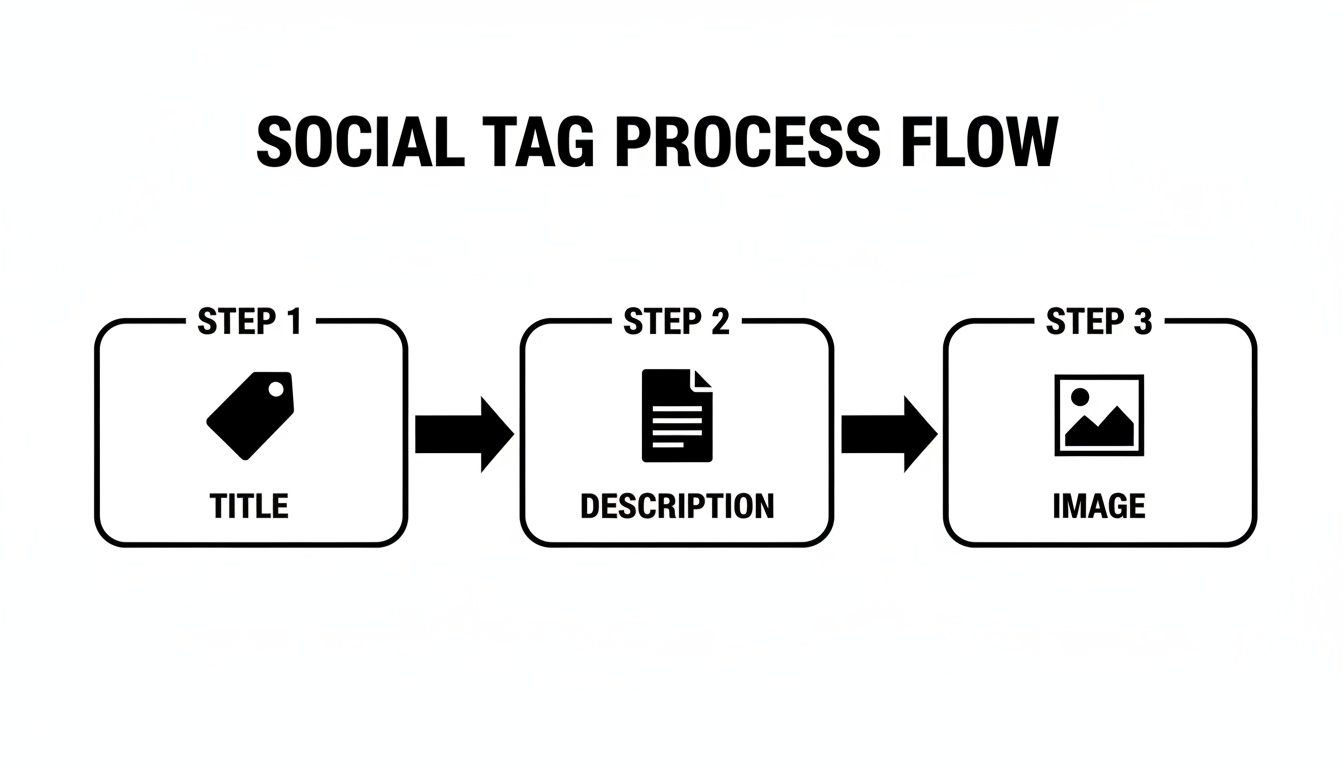
From the title and description right down to the share image, every element needed for social sharing is created in one seamless step.
This approach is particularly powerful because search engines are rewriting metadata more than ever. The fact that Google frequently overrides meta descriptions tells us it’s getting better at matching snippets to user intent—but that only works if your core content is rock-solid to begin with.
Platforms that can produce and publish content daily, complete with optimized tags and automatic indexing, provide the kind of infrastructure you need to build sustainable rankings in this environment. For a deeper look at what’s out there, check out our guide on the best SEO automation tools.
How to Audit and Refine Your Meta Tags
Creating your meta tags is really just the starting point. The real wins come from keeping a close eye on them and making smart adjustments over time. You have to think of it as a constant feedback loop: generate the tags, push them live, and then dive into the data to see what’s actually connecting with people and, of course, with search engines.
This isn't a "set it and forget it" task. It's an ongoing optimization process that keeps your content relevant as search trends and user expectations inevitably shift. The secret to long-term success is treating your metadata as a living, breathing part of your SEO strategy.
Use Google Search Console to Spot Opportunities
Your single best source of truth for SEO performance is Google Search Console (GSC). It’s absolutely packed with raw data that shows you exactly how your pages are performing out in the wild. You'll want to pay special attention to pages that are getting a ton of impressions but have a painfully low click-through rate (CTR).
A low CTR is almost always a massive red flag. It tells you that your meta title or description just isn't compelling enough to earn the click, even if you’re ranking high on the page.
When I see a page with over 10,000 impressions and a CTR below 1%, I know it’s a prime candidate for a meta tag refresh. It's often the lowest-hanging fruit for a quick traffic boost.
Here’s a simple way to hunt down these pages:
- Head over to the Performance report in GSC.
- Click on the Pages tab to see your top-performing URLs.
- From there, you can filter for queries related to your main keywords.
- Sort the list by Impressions (from high to low) and keep an eye out for any pages with a CTR that’s way below your site's average.
These are the URLs you should immediately add to your A/B testing list. Even tiny tweaks to a title tag—like adding a number, framing it as a question, or using a stronger adjective—can have a surprisingly big impact on your click-through rate. Just remember that indexing changes aren't always instant; you can learn more about the reasons why content takes long to index.
Test and Validate Your Social Tags
Just like you audit your SEO tags, you absolutely have to validate your social tags before hitting that share button. Nothing kills engagement faster than a broken or ugly preview on LinkedIn or Facebook.
Thankfully, every major platform gives you a free debugging tool for this exact purpose.
- Facebook Sharing Debugger: This shows you exactly how your URL will look when shared and is great for clearing out old, cached information.
- LinkedIn Post Inspector: Works just like the Facebook tool, making sure your
og:title,og:description, andog:imagetags are all pulling through correctly. - Twitter Card Validator: Lets you preview how your content will appear in an X feed, helping you fix any issues with your Twitter Card meta tags.
Running your URL through these tools should be a non-negotiable step in your pre-publication checklist. It takes less than a minute and guarantees your content looks professional and clickable every single time it gets shared. This simple audit prevents embarrassing formatting blunders and ensures all your hard work to generate meta tags for social media actually pays off.
Got Questions About Meta Tags? We’ve Got Answers.
Even with a solid game plan, a few tricky questions always pop up once you start generating meta tags at scale. Let's tackle some of the most common ones I hear from clients and in workshops.
Getting these details right can be the difference between blending in and standing out in the SERPs, so it's worth taking a moment to clear up any confusion.
How Long Should My Meta Titles and Descriptions Really Be?
Ah, the eternal question. While Google doesn't give us a hard-and-fast rule, years of testing and observation have given us some pretty reliable guidelines. Sticking to them is the best way to keep your carefully written copy from getting awkwardly chopped off in the search results.
- Meta Titles: The sweet spot is 50-60 characters. This is your best bet for getting the full title to show up on both desktop and mobile.
- Meta Descriptions: Aim for a neighborhood of 150-160 characters. This gives you enough runway to write something compelling without it getting truncated.
But here’s the thing: obsessing over the exact character count is missing the forest for the trees. The real goal is to be clear and persuasive. Google rewrites descriptions all the time, so your job is to give it a strong, keyword-rich summary that nails the page's value proposition. That way, even if the algorithm spins up its own version, it's working from a great foundation.
Think of your meta description as an ad for your page. The most important thing is to make a promise that the content delivers on and entice the user to click. Character counts are a guide, not a commandment.
Can I Just Use the Same Meta Description on Multiple Pages?
Let me be blunt: absolutely not. This is one of those old-school SEO mistakes that can really hold you back. Every single page on your website has a unique job to do, and its meta description needs to reflect that specific purpose.
When you use duplicate descriptions, you're sending a signal to search engines that your content might be low-quality or thin, which can definitely ding your rankings. It's also just a bad experience for users who can't tell your pages apart in the search results.
I get it, though. If you’re running a huge e-commerce site with thousands of products, writing unique descriptions manually is impossible. This is precisely where automation becomes your best friend. Use those dynamic frameworks and formulas we talked about earlier to generate unique descriptions from page-specific data like:
- Product name
- Category
- Brand
- Key features
This approach ensures every page gets a distinct, relevant snippet without you having to write them one by one.
What Happens If I Don't Bother with Open Graph Tags?
If you skip setting your Open Graph (OG) tags, you’re basically letting social media platforms like Facebook, LinkedIn, and X (formerly Twitter) guess what your page is about. They'll scrape the HTML and try to pull together a link preview on their own, but the results are often a hot mess.
You’ve probably seen it before: a random, pixelated image from the sidebar, a jumbled snippet of text from the footer, or a title that’s been cut in half. It looks unprofessional, it’s not compelling, and it’s a wasted opportunity for clicks and engagement.
By taking a few extra seconds to set specific og:title, og:description, and og:image tags, you take back control. You guarantee that every time your content is shared, it looks exactly how you want it to—reinforcing your brand and making your link infinitely more clickable.
Ready to turn AI visibility insights into measurable growth? With Sight AI, you can monitor your brand's presence across leading AI models, uncover high-value content gaps, and automatically generate SEO-optimized articles complete with all necessary meta tags. Discover how Sight AI can streamline your content workflow today.