Managing content at scale in 2026 means juggling AI-generated drafts, editorial calendars, multi-channel distribution, and SEO requirements — all at once. For marketers, founders, and agencies trying to grow organic traffic, manual publishing isn't just inefficient; it's a genuine growth bottleneck.
The right CMS publishing automation tool eliminates that bottleneck. But the category has expanded significantly. You'll find everything from WordPress scheduling plugins to headless CMS platforms with API-driven pipelines, to newer AI-native tools that handle content creation, publishing, and indexing in a single workflow. Choosing the wrong one means either outgrowing it quickly or paying for complexity you don't need.
This list was built around six criteria: automation depth, CMS compatibility, SEO and GEO optimization support, indexing speed, pricing flexibility, and ease of use for cross-functional teams. Whether you need a full content-to-publish pipeline or a focused scheduling layer for your existing CMS, there's a strong option here for you.
1. Sight AI
Best for: Teams that want AI content generation, CMS publishing, and instant indexing in one platform
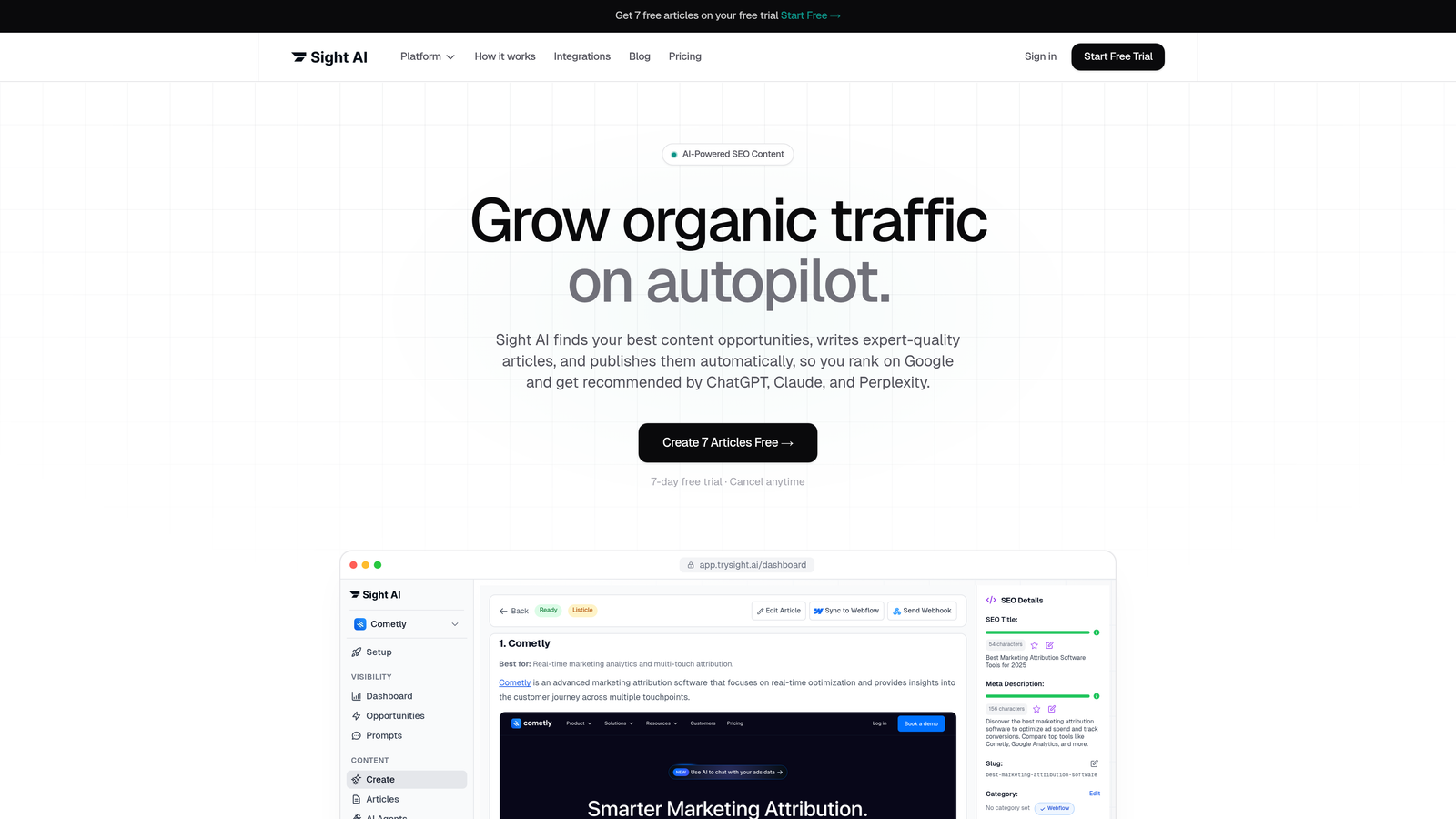
Sight AI is an all-in-one AI content platform that takes teams from content strategy to published, indexed pages without manual handoffs.
Where This Tool Shines
Most publishing automation tools solve one piece of the puzzle: either they schedule content or they generate it or they track indexing. Sight AI is built around the idea that all three should happen in the same pipeline. You get 13+ specialized AI writing agents that produce SEO and GEO-optimized content formats including listicles, guides, and explainers, and then that content flows directly to your connected CMS without a separate copy-paste step.
The IndexNow integration is a meaningful differentiator. Rather than waiting days for search engines to crawl newly published pages, Sight AI triggers instant indexing notifications and handles automated sitemap updates. For teams publishing at volume, that speed advantage compounds quickly. The platform also includes AI Visibility tracking, so you can monitor how your brand is being mentioned across ChatGPT, Claude, Perplexity, and other AI models alongside your publishing activity.
Key Features
13+ AI Writing Agents: Specialized agents for different content formats including listicles, how-to guides, and explainers, all optimized for both traditional SEO and generative engine visibility.
CMS Auto-Publishing: Direct publishing to connected websites eliminates the manual handoff between content creation and your CMS.
IndexNow Integration: Automated sitemap updates and IndexNow-powered instant indexing notifications push new content to search engines immediately after publishing.
AI Visibility Tracking: Monitor brand mentions across six or more AI platforms including ChatGPT, Claude, and Perplexity, with sentiment analysis and prompt tracking built in.
Autopilot Mode: Hands-off content production pipelines that handle generation, publishing, and indexing without requiring manual intervention at each step.
Best For
Marketers and agencies running high-volume content programs who want a single platform covering the full workflow from ideation to indexed page. Particularly strong for teams focused on AI search visibility alongside traditional SEO, and for founders who need content output without a large editorial team.
Pricing
Free tier available. Paid plans scale by content volume and features, making it accessible for solo operators and agency teams alike.
2. WordPress + WP Scheduled Posts Pro
Best for: WordPress-native teams needing editorial calendar management and reliable post scheduling
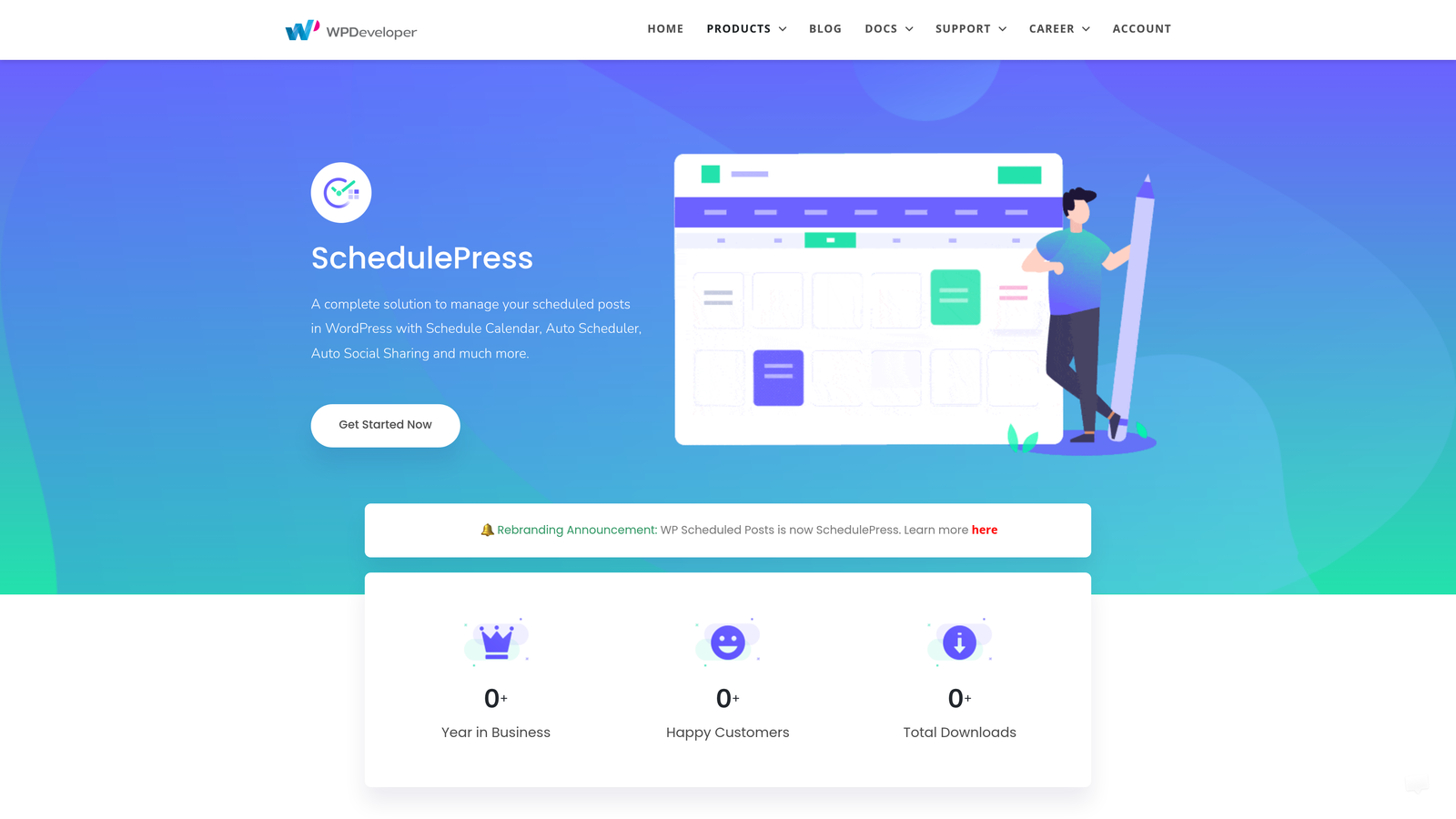
WP Scheduled Posts Pro is a WordPress plugin that adds a full editorial calendar, auto-scheduling logic, and missed schedule recovery to the world's most widely used CMS.
Where This Tool Shines
WordPress's native scheduling is functional but minimal. WP Scheduled Posts Pro layers on top of it with a drag-and-drop editorial calendar that gives editors a visual overview of what's queued, when it publishes, and who owns it. That alone removes a significant coordination overhead for multi-author teams.
The auto-scheduler feature is particularly useful for teams that produce content in batches. Rather than manually assigning publish times, it distributes posts across optimal slots based on rules you define. The missed schedule error recovery is a small but important feature — WordPress's built-in scheduler occasionally fails, and this plugin catches those errors automatically.
Key Features
Drag-and-Drop Editorial Calendar: Visual scheduling interface inside the WordPress dashboard for managing post queues across authors.
Auto-Scheduler: Automatically distributes queued posts across defined time slots without manual assignment.
Missed Schedule Recovery: Detects and corrects WordPress's occasional scheduling failures so posts publish as intended.
Multi-Author Role Management: Assign scheduling permissions by user role for teams with editors, contributors, and administrators.
Social Media Auto-Sharing: Triggers social posts at the moment of publish to connected social accounts.
Best For
Content teams already committed to WordPress who want better scheduling infrastructure without migrating platforms. Ideal for blogs, news sites, and marketing teams running editorial calendars with multiple contributors.
Pricing
Free version available with core features. Pro version starts at approximately $39 per year, making it one of the most cost-effective options on this list.
3. HubSpot Content Hub
Best for: Enterprise teams wanting CMS publishing tightly integrated with CRM data and marketing automation
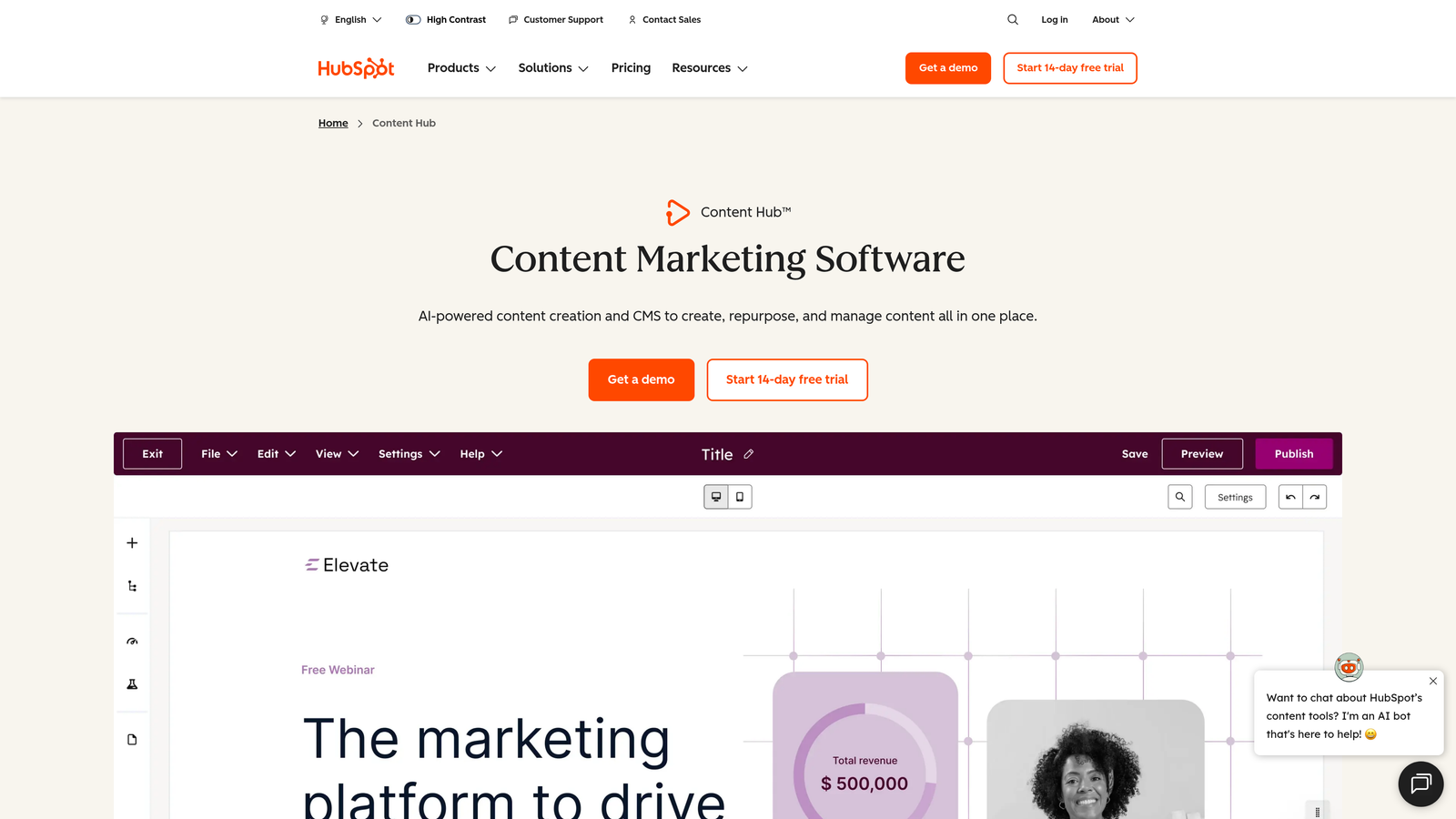
HubSpot Content Hub is an enterprise-grade content management platform built into HubSpot's broader CRM and marketing ecosystem.
Where This Tool Shines
HubSpot's publishing automation is strongest when you're already using HubSpot for CRM and email marketing. The smart content personalization feature lets you serve different page content to different audience segments based on CRM contact data — something no standalone CMS scheduling tool can replicate. That contextual publishing capability is genuinely powerful for demand generation teams.
The built-in SEO recommendations inside the content editor help writers optimize pages before they publish, reducing the back-and-forth between content and SEO teams. Multi-language content management is also well-implemented, which matters for global brands managing localized publishing schedules.
Key Features
Scheduled Blog and Page Publishing: Built-in scheduling for all content types with calendar views and approval flows.
Smart Content Personalization: Dynamically serves different content to visitors based on CRM lifecycle stage, list membership, or custom properties.
A/B Testing: Native split testing on pages, CTAs, and email content with statistical tracking.
Integrated SEO Recommendations: Real-time optimization suggestions inside the content editor, including topic cluster guidance.
Multi-Language Management: Manage and schedule localized content across multiple language variants from a single interface.
Best For
Mid-market to enterprise marketing teams already using HubSpot's CRM suite. The publishing automation value multiplies significantly when CRM data is driving personalization and segmentation decisions.
Pricing
Free CMS tools available in HubSpot's free tier. Content Hub Professional starts at $450 per month, positioning this firmly in the enterprise segment.
4. Contentful
Best for: Developer and content teams building omnichannel publishing pipelines across web, mobile, and emerging surfaces
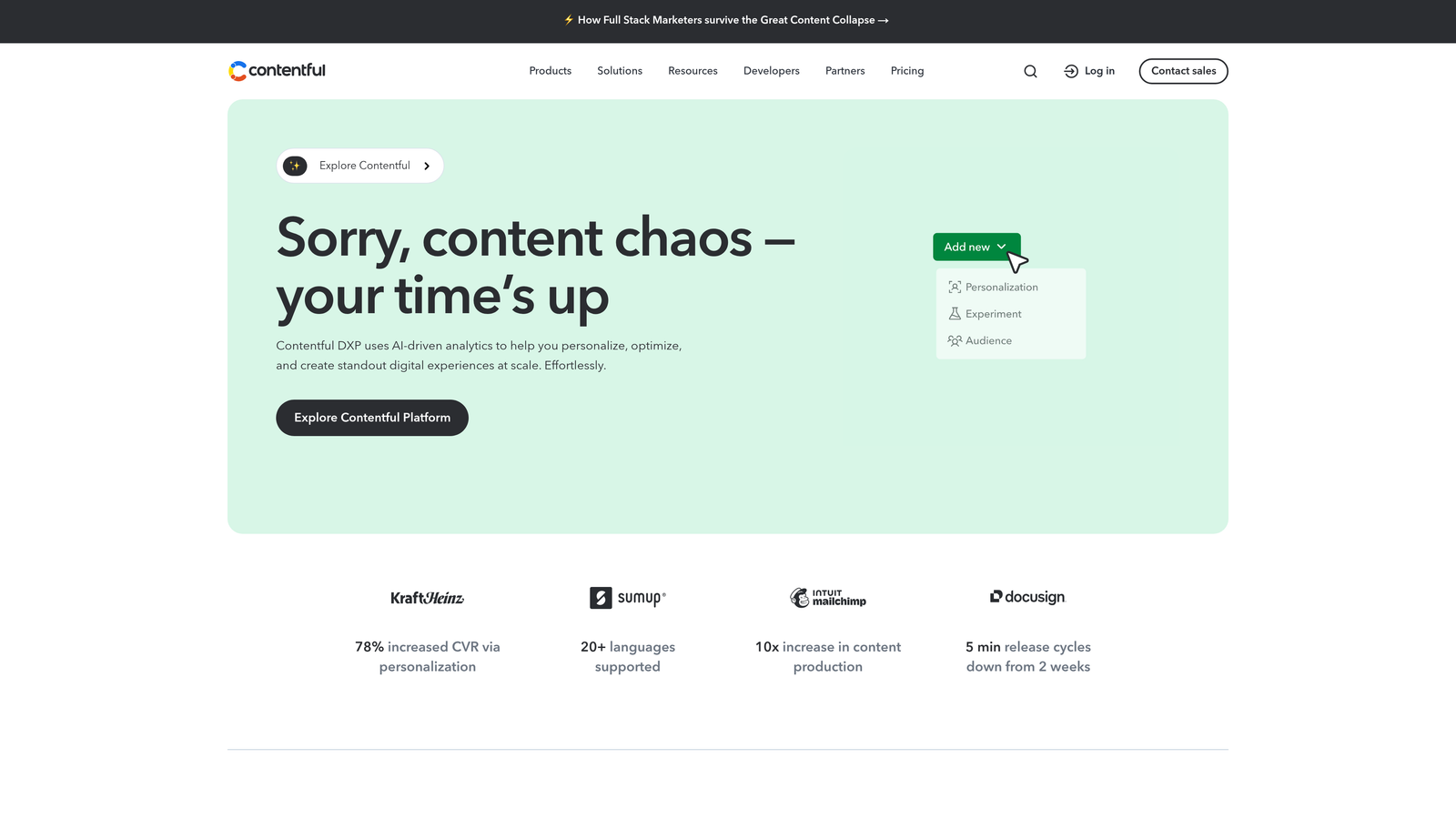
Contentful is a leading headless CMS with a composable content platform designed for API-driven delivery across any digital channel.
Where This Tool Shines
Contentful's strength is architectural flexibility. Content is stored as structured data and delivered via API to whatever front-end or channel needs it: a website, a mobile app, a digital display, or increasingly, AI surfaces that pull structured content. For teams publishing the same content across multiple channels simultaneously, this model eliminates the duplication problem that plagues traditional CMS platforms.
The scheduled publishing with content staging environments is well-implemented. Teams can build out a content release in a staging environment, preview it across multiple surfaces, and schedule a coordinated publish event. Webhook-based automation triggers make it straightforward to connect Contentful to CI/CD pipelines and deployment workflows.
Key Features
API-First Content Delivery: Structured content delivered via REST or GraphQL APIs to any channel or front-end framework.
Scheduled Publishing with Staging: Preview and schedule content releases across staging and production environments.
Webhook Automation: Trigger downstream build processes, notifications, or third-party workflows on content publish events.
Composable Content Modeling: Reusable content components and flexible field types for structured, scalable content architecture.
Integration Marketplace: Extensive library of pre-built integrations covering analytics, localization, personalization, and DAM tools.
Best For
Developer-led teams at mid-size to enterprise companies building multi-channel content infrastructure. Strong fit for organizations with technical resources who need content to flow to web, mobile, and API consumers simultaneously.
Pricing
Free community tier for small projects. Team plan starts at $300 per month. Enterprise pricing is custom and scales with usage and support requirements.
5. CoSchedule
Best for: Marketing teams that want a unified calendar connecting blog publishing, social media, and team task management
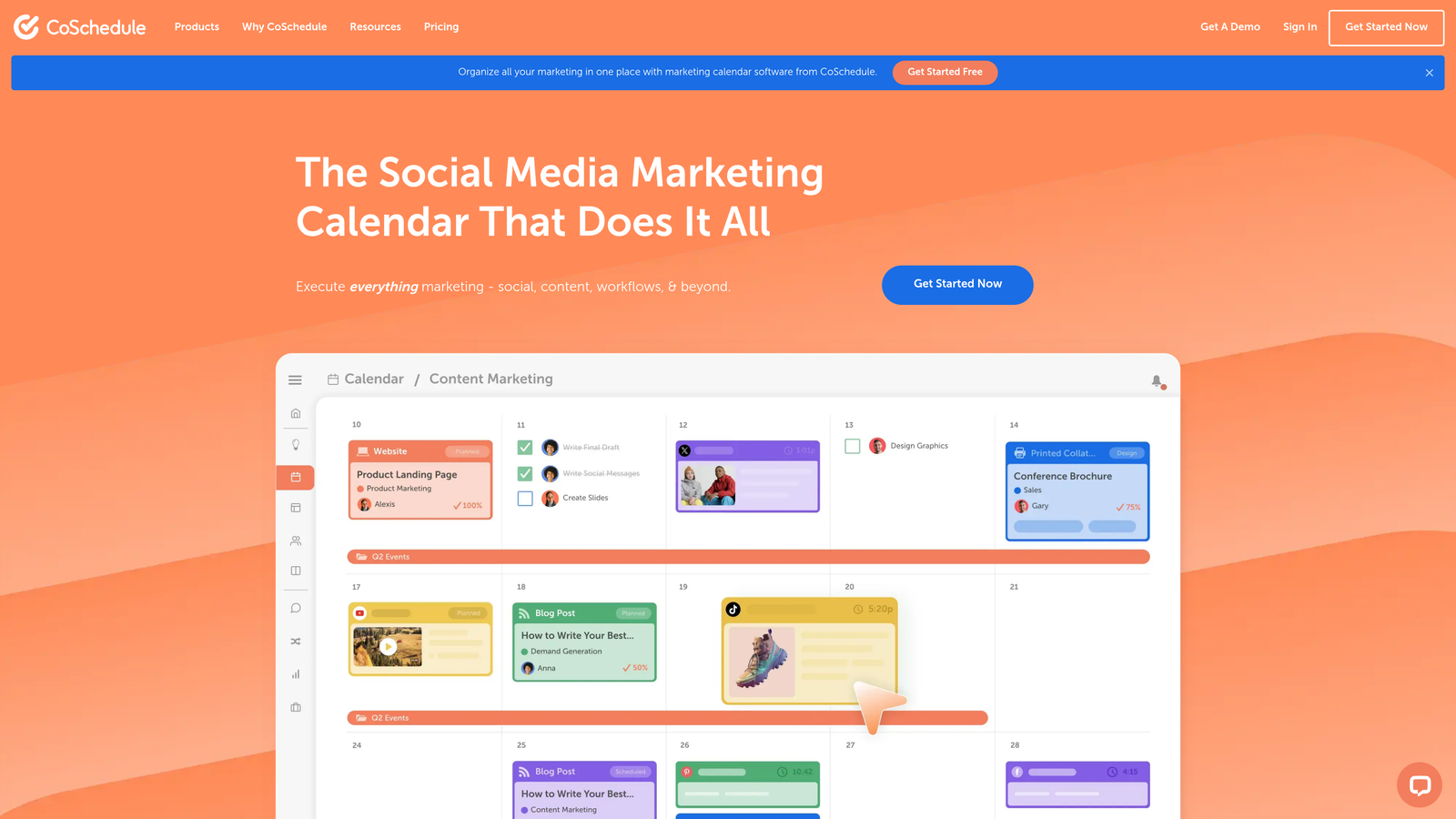
CoSchedule is a marketing calendar platform that brings blog publishing, social scheduling, and team workflows into one collaborative view.
Where This Tool Shines
CoSchedule's core value proposition is visibility. When your blog schedule, social promotion calendar, and team task assignments live in separate tools, coordination overhead grows quickly. CoSchedule collapses those into a single drag-and-drop calendar where a content manager can see everything that's happening across channels in one view.
The ReQueue feature stands out for evergreen content strategies. Rather than manually re-promoting high-performing posts, ReQueue intelligently fills empty social slots with your best content automatically. It's a small automation that saves meaningful time for teams with large content archives.
Key Features
Unified Marketing Calendar: Drag-and-drop calendar combining blog posts, social content, email campaigns, and team tasks in a single view.
WordPress Integration: Direct connection to WordPress for scheduling and publishing blog content without leaving CoSchedule.
Social Media Automation: Automatically triggers social promotion sequences tied to blog publish events.
ReQueue: Intelligently recycles evergreen social content to fill scheduling gaps without manual intervention.
Team Approval Workflows: Task assignments, checklists, and approval steps built into each content project.
Best For
Content marketing teams of five or more people who need coordination infrastructure across blog and social channels. Particularly well-suited for teams where a content manager is responsible for orchestrating multiple contributors and channels.
Pricing
Free calendar tier available. Marketing Calendar Pro starts at $29 per month per user. Agency and enterprise tiers available with additional features.
6. Sanity
Best for: Teams needing a fully customizable structured content platform with real-time collaboration and developer-friendly automation
Sanity is a customizable headless CMS built around structured content, real-time collaboration, and flexible publishing automation via webhooks and its GROQ query language.
Where This Tool Shines
Sanity gives development teams an unusually high degree of control over both the content model and the editing experience. The Sanity Studio is fully customizable, which means you can build content workflows that match exactly how your team thinks about content rather than adapting your process to a rigid CMS structure. Real-time collaborative editing with presence indicators makes it genuinely useful for distributed teams working on the same documents simultaneously.
GROQ, Sanity's query language, enables precise content retrieval that goes beyond what most CMS platforms offer. Combined with webhook-driven publishing automation, it gives developer teams the building blocks for sophisticated conditional publishing logic without heavy custom development.
Key Features
Real-Time Collaborative Editing: Multiple editors can work on the same document simultaneously with live presence indicators.
Customizable Content Schemas: Define your own content types, field structures, and validation rules to match any content model.
GROQ Query Language: Powerful, flexible query language for precise content retrieval and transformation.
Webhook-Driven Publishing: Trigger build processes, notifications, or third-party integrations on any content event.
Content Versioning: Full revision history and the ability to compare or restore previous content versions.
Best For
Developer-forward teams at startups and mid-size companies who want maximum flexibility in their content infrastructure. Strong fit for agencies building custom content solutions for clients with unique workflow requirements.
Pricing
Free tier available for small projects with generous API limits. Team plan starts at $15 per user per month, making it one of the more accessible headless CMS options at scale.
7. Webflow + Make
Best for: Agencies and design-forward teams wanting visual CMS control combined with no-code conditional publishing automation
Make (formerly Integromat) paired with Webflow's visual CMS creates a flexible no-code publishing automation stack with strong design control and conditional workflow logic.
Where This Tool Shines
Webflow gives designers and agencies a CMS with genuinely beautiful output and fine-grained visual control — something most headless CMS platforms sacrifice for technical flexibility. Make adds the automation layer on top: you can build multi-step scenarios that trigger Webflow CMS publishing based on custom conditions like approval status, content tags, scheduled dates, or data from external sources.
This combination is especially useful for agencies managing content for multiple clients. Make's visual scenario builder requires no coding, so non-developers can build and maintain publishing workflows. The breadth of Make's app integrations also means you can pull content from external sources, transform it, and push it to Webflow CMS collections automatically.
Key Features
Visual CMS in Webflow: Designer-friendly content management with full control over layout, styling, and content structure.
Conditional Publishing Scenarios: Make scenarios that trigger Webflow publishing based on custom logic including dates, tags, approval status, or external data.
Multi-Step Workflow Automation: Chain together content sourcing, transformation, and publishing steps across multiple apps without code.
No-Code Setup: Visual scenario builder in Make is accessible to non-technical team members.
Broad Integration Library: Hundreds of app connectors in Make for content sourcing, notifications, and distribution.
Best For
Design agencies and marketing teams already using Webflow who want to add automated publishing logic without hiring developers. Also well-suited for teams with complex multi-source content workflows that need conditional logic.
Pricing
Webflow CMS plan starts at $29 per month. Make's free tier covers basic scenarios; paid plans start at approximately $10.59 per month, scaling with operation volume.
8. Strapi
Best for: Developer teams wanting full control over content infrastructure with open-source flexibility and self-hosting options
Strapi is an open-source headless CMS that gives teams complete control over their content architecture, publishing workflows, and deployment automation.
Where This Tool Shines
Strapi's biggest advantage is ownership. With the self-hosted Community Edition, your content infrastructure runs on your own servers, under your own data governance policies, with no vendor lock-in. For companies with strict data residency requirements or teams that need to deeply customize the admin experience, that flexibility is genuinely valuable.
The webhook system makes it straightforward to connect Strapi to deployment pipelines. When content is published, Strapi can trigger a build process on Netlify, Vercel, or any CI/CD system, making it a natural fit for Jamstack architectures. Role-based access control for publishing workflows is well-developed, supporting complex editorial hierarchies.
Key Features
Open-Source Self-Hosting: Full control over your content infrastructure with no vendor dependency on the Community Edition.
Customizable Admin Panel: Extend and modify the admin interface and content types to match your specific workflow requirements.
Role-Based Access Control: Granular permissions for authors, editors, and administrators across publishing workflows.
Webhook Triggers: Automated deployment pipeline triggers on content publish events for Jamstack and CI/CD workflows.
REST and GraphQL APIs: Dual API support for flexible content delivery to any front-end or channel.
Best For
Engineering-led teams at companies with data sovereignty requirements or the need for deep customization. Also a strong choice for teams that want to avoid recurring SaaS fees by self-hosting on their own infrastructure.
Pricing
Community Edition is free and self-hosted with no usage limits. Strapi Cloud plans start at $29 per month for managed hosting with additional support tiers available.
9. ButterCMS
Best for: Development teams needing fast CMS integration with marketer-friendly editing and reliable scheduled publishing
ButterCMS is a lightweight API-first headless CMS built for quick integration into any tech stack, with a marketer-accessible editor and scheduled publishing included from the start.
Where This Tool Shines
ButterCMS occupies a useful middle ground: it's headless and API-driven enough for developers to integrate quickly into any framework, but the editing interface is simple enough that non-technical marketers can manage and schedule content without help from engineering. That balance reduces the dependency on developers for routine content updates, which is a common friction point in headless CMS setups.
The built-in blog engine with categories, tags, and SEO fields means you don't need to build content models from scratch for standard marketing use cases. Page types and components support structured landing page content, making it more versatile than a pure blog CMS.
Key Features
Simple API Integration: SDKs and documentation for rapid integration with any framework or programming language.
Scheduled Publishing and Staging: Schedule content to publish at specific times with a staging environment for previewing before going live.
WYSIWYG Editor: Accessible rich text editor that non-technical marketers can use without training.
Page Types and Components: Structured content models for marketing pages, landing pages, and reusable content blocks.
Built-In Blog Engine: Native blog functionality with categories, tags, author profiles, and SEO metadata fields pre-configured.
Best For
Small to mid-size development teams that need a CMS up and running quickly without extensive configuration. Ideal when marketers need to own day-to-day content management while developers maintain integration control.
Pricing
Free developer plan available for testing and small projects. Startup plan starts at $83 per month, with higher tiers for growing content volumes.
Which CMS Publishing Automation Tool Is Right for You?
The right choice depends heavily on where your biggest bottleneck actually lives. Is it content creation, scheduling coordination, multi-channel distribution, or indexing speed? Each tool on this list solves a different version of that problem.
Here's how to think about the decision by scenario:
For end-to-end content pipelines: Sight AI is the strongest option if you want AI content generation, CMS publishing, and IndexNow-powered instant indexing in a single workflow. It's built for teams that want to minimize manual handoffs between content creation and live, indexed pages.
For enterprise CRM-integrated publishing: HubSpot Content Hub is the clear choice when your publishing strategy is driven by CRM segmentation, lifecycle stage personalization, and integrated analytics across your marketing stack.
For headless omnichannel delivery: Contentful and Sanity are both strong here. Contentful suits larger teams with complex integration needs and bigger budgets. Sanity offers more customization flexibility at a lower price point, with a developer experience that many teams prefer.
For calendar-driven marketing teams: CoSchedule excels when coordination across blog and social channels is the primary challenge, especially for teams managing multiple contributors and approval workflows.
For WordPress-native workflows: WP Scheduled Posts Pro adds meaningful scheduling infrastructure to WordPress without requiring a platform change. It's the lowest-friction upgrade for established WordPress sites.
For self-hosted open-source control: Strapi is the right call for engineering teams with data governance requirements or the desire to own their content infrastructure completely.
One broader point worth making: in 2026, publishing automation isn't just about scheduling. The teams gaining ground in SEO and GEO insights are the ones ensuring content gets indexed fast and surfaces in AI-generated answers, not just traditional search results. That means indexing speed and AI visibility are now legitimate criteria when evaluating your publishing stack, not afterthoughts.
If you're still figuring out how AI models talk about your brand alongside your publishing strategy, start tracking your AI visibility today and see exactly where your brand appears across the top AI platforms. Understanding that picture will sharpen every content and publishing decision you make going forward.