
Before you even think about firing up a spreadsheet or diving into Google Analytics, the most crucial part of any content audit is asking one simple question: "Why are we doing this?"
Without a solid answer, you're just collecting data. You're not building a strategy. Answering that "why" is what turns a content audit from a chore into a powerful tool for growth.
Setting the Stage for a High-Impact Content Audit
Your goals need to be sharp, specific, and tied directly to what the business actually cares about. Are you hunting for more organic traffic? Trying to generate better leads? Or maybe just cleaning up a messy, outdated corner of your website? Each goal changes how you look at your content.
For example, a team obsessed with lead generation will zero in on conversion rates for their blog posts and landing pages. But a brand looking to get ahead of AI-driven search will be scrutinizing things like structured data, content clarity, and overall topic authority.
Define Your Audit's Scope and Focus
Once you know your "why," you have to define your "what." Trying to audit every single page on a massive website all at once is a surefire way to get overwhelmed and give up. It's a classic rookie mistake.
Instead, pick your battles. Start with a high-priority section and go deep.
Here are a few common starting points I've seen work well:
- The Blog: This is often the biggest bucket. The goal here is usually to assess performance, sniff out content gaps, and find low-hanging fruit for updates.
- Product or Service Pages: The focus shifts entirely to conversion rates, message clarity, and the overall user experience. Does this page sell?
- Resource Center: Time to evaluate the relevance of your guides, whitepapers, and case studies. Are they still useful, or are they collecting digital dust?
By narrowing your focus, you can do a much more thorough job. It also helps you build a repeatable process you can use on other parts of the site later on. And while your focus is squarely on content, it's always good to remember how this fits into broader SEO maintenance and audits.
I've seen it a hundred times: companies treat a content audit as a one-and-done project. The best-in-class organizations build it into their regular marketing rhythm. This keeps their content library a valuable asset instead of letting it turn into a digital junkyard.
Select Your Key Performance Indicators
With your goals set and your scope defined, the final piece of the puzzle is picking the right Key Performance Indicators (KPIs). These are the metrics you'll use to measure whether you're actually winning. Your KPIs have to tie directly back to the goals you set in the first place.
This little framework keeps everything grounded. You set your goals, define a manageable scope, then pick the metrics that matter.
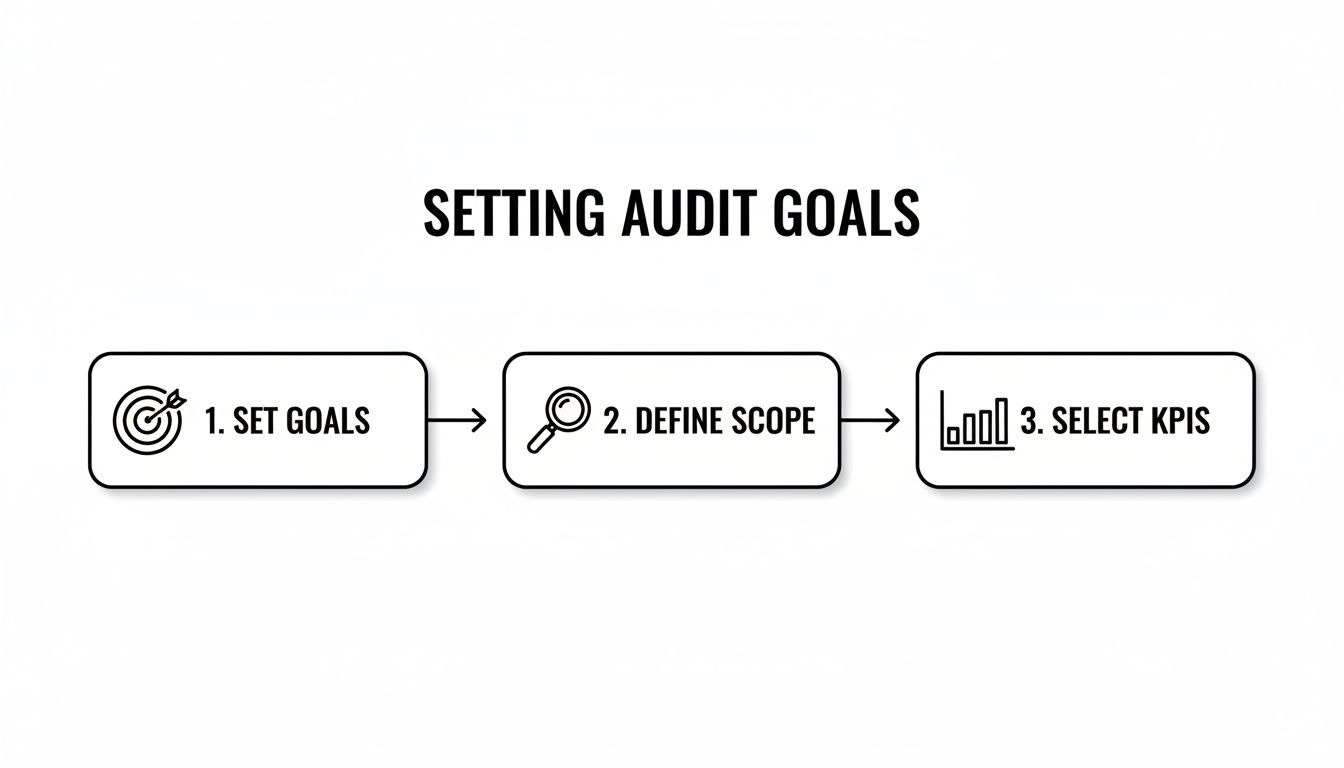
Following this simple flow ensures your content audit stays focused and delivers insights you can actually use.
This disciplined approach is precisely why content audits are now a non-negotiable part of digital strategy. In fact, 65% of top B2B marketers conduct them regularly to get better results. Most will do a full-blown audit once a year, with smaller, quarterly check-ins to stay competitive. This initial planning phase makes sure every hour you invest leads to a healthier, higher-performing website and a much clearer understanding of what content is in SEO.
2. Assembling Your Complete Content Inventory
With your objectives locked in, it’s time to roll up your sleeves and build the foundation for your analysis. Every successful content audit I've ever run has started with a single source of truth: a master inventory that catalogs every single piece of content you own.
This isn’t just some long list of URLs. Think of it as a dynamic database that’s about to show you exactly what’s working, what's falling flat, and where your biggest opportunities are hiding.
Your first move? Crawl your entire website to pull all the URLs together. Let’s be real—trying to do this by hand is a recipe for disaster and guarantees you’ll miss critical pages. You need a site crawler to do the heavy lifting for you.
Tools like Screaming Frog or the Site Audit feature in a platform like Semrush are perfect for this. They systematically go through your website just like Google would, pulling a ton of information for every single page they find. This initial crawl gives you the basic skeleton of your inventory.
If you want to go deeper on this specific step, our guide on how to find all the pages on a website is a fantastic resource.

Gathering Your Core Content Data
Once the crawl is done, export all that data into a spreadsheet. Google Sheets or Excel will work just fine. This raw data dump creates the first columns of your master inventory sheet. Right now, you're just focused on grabbing the fundamental on-page and technical details.
Your initial export should give you these key data points for every URL:
- URL: The unique web address for each page.
- Page Title: The H1 tag and the SEO title of the page.
- Meta Description: That short summary you see in search results.
- Word Count: A simple but surprisingly powerful metric for flagging thin content.
- Publication or Last Modified Date: Absolutely crucial for spotting outdated articles.
- Crawl Depth: How many clicks it takes to reach the page from the homepage.
- Status Code: This tells you if a page is live (200), redirected (301), or broken (404).
This basic inventory is a great start, but its real power comes alive when you start layering in performance data. A simple list of pages tells you what you have. Performance data tells you how it's actually doing.
Enriching Your Inventory with Performance Metrics
Now for the fun part. It's time to connect to your analytics platforms to pull in the metrics that show you real-world user engagement and search visibility. This is where you’ll integrate data from Google Analytics and Google Search Console. The goal is to match the data from these sources to the corresponding URLs in your master spreadsheet.
A content inventory without performance data is like a map without any landmarks. You can see the terrain, but you have no idea where people are actually going or which routes are the most popular. Integrating analytics turns your list of URLs into a strategic tool.
Here is a breakdown of the essential data you'll need to pull and why it's so important for your audit.
Essential Data Points for Your Content Inventory
This table outlines the critical data to collect for each URL during the inventory phase, combining technical, performance, and SEO metrics.
| Data Point | Source Tool | Purpose |
|---|---|---|
| Organic Sessions | Google Analytics | Measures how much traffic a page gets from search engines over a specific period (I recommend the last 12 months). |
| Bounce Rate | Google Analytics | Shows the percentage of visitors who leave after viewing only one page, often signaling engagement issues. |
| Conversions/Goal Completions | Google Analytics | Tracks how many users took a desired action (like a form fill or purchase) after visiting the page. |
| Total Clicks | Google Search Console | The number of times users actually clicked on your page from Google search results. |
| Total Impressions | Google Search Console | Reveals how many times your page was shown in Google search results, giving you a sense of its visibility. |
| Average Position | Google Search Console | The average ranking of your page in Google for all the queries it shows up for. |
| Backlinks | Ahrefs/Semrush | The total number of external links pointing to the page, which is a key signal of its authority. |
Once you’ve merged these datasets, you'll have a comprehensive, multi-faceted view of every single content asset on your site. This master inventory is the engine that will power your entire audit.
It gives you the ability to sort, filter, and analyze your content from every possible angle, making it incredibly easy to spot your high-performers, identify your weakest links, and make truly data-driven decisions on what to do next. You're now ready to move from data collection to real analysis.
Alright, you've got your master inventory spreadsheet built out. Now the real fun begins—this is where the detective work starts. You're basically sitting on a goldmine of data that holds all the clues you need to build a killer content strategy. The next move is to start slicing and dicing this information to find your winners.
I've seen it time and time again across dozens of audits. There's a clear pattern on most mature websites: a small sliver of your content does most of the heavy lifting. We're talking 10% to 20% of your pages pulling in a whopping 60% to 80% of all organic traffic. This is huge, especially when you consider that organic search is the lifeblood for most content-heavy brands, driving anywhere from 40% to 70% of all trackable website sessions. You can dive deeper into these kinds of website audit findings on wearetg.com.
Identifying Your Traffic Workhorses
First things first, you need to find the pages that consistently bring people to your site. These are your traffic workhorses, the absolute pillars of your organic presence.
Crack open that spreadsheet and sort the whole thing by organic sessions from the last 12 months, from highest to lowest. The URLs that bubble up to the top? Those are your MVPs. These are the articles and landing pages that Google loves and that your audience is actively searching for.
Take a good look at what these top pages have in common.
- Are they massive, in-depth guides or short, quick-answer blog posts?
- Do they go after high-volume, competitive keywords or super-niche, long-tail phrases?
- What's the format? Listicles? How-to guides? Detailed case studies?
When you understand the DNA of what's already working, you've got a repeatable formula you can use to create new content that hits the mark with both people and search engines.
Uncovering Your Conversion Champions
Getting traffic is great, but let's be real—conversions are what pay the bills. A page can attract thousands of visitors, but if none of them ever sign up, buy, or inquire, its business impact is pretty limited. This is where we shift from looking at sheer volume to tangible results.
Go back to your spreadsheet and this time, sort your inventory by conversions or goal completions. The pages that rise to the top now are your conversion champions. These are the assets that are actually turning your readers into leads and customers.
I often find that a site's top traffic-driving pages are not its top converting pages. This isn't necessarily a problem—different content serves different purposes. The key is to understand each page's job and optimize it for that specific role.
For example, a blog post on "what is a content audit" might rake in tons of traffic but very few direct sign-ups. Meanwhile, a "content audit template" page gets way less traffic but has a stellar conversion rate on a downloadable checklist. Both pages are valuable, just in completely different ways. Knowing this distinction is what separates a good content audit from a great one. Once you've identified these pages, a solid next step is to learn how to track SEO rankings to monitor the impact of your optimizations.
Flagging Underperformers and Decaying Content
Just as important as finding your winners is identifying the content that’s dragging you down. Think of this as cleaning house. It helps you refocus your time and money where it'll actually make a difference.
Create a few filters in your spreadsheet to quickly isolate pages with problematic signs:
- High Traffic, High Bounce Rate: These pages get people in the door but can't convince them to stay. The content might be stale, the user experience could be clunky, or it's just not matching what the searcher expected.
- Low Traffic, Low Impressions: These pages are practically invisible. They might be targeting keywords nobody is searching for, or they could be tangled up in technical SEO issues that prevent Google from even seeing them.
- Decaying Traffic: Set your date range to the last 12-18 months and look for a downward trend. Pages that used to be rockstars but are now in a steady decline are perfect candidates for a content refresh.
By segmenting your content into these performance tiers—high-performers, solid contributors, and underperformers—you're no longer staring at a chaotic list of URLs. You now have a clear, prioritized action plan. You know which pages to protect, which to improve, and which you might need to cut loose entirely.
Evaluating Content for Quality and AI Readiness
Traffic and conversions give you a great snapshot of what's happening, but they don’t tell you why. They don't tell you if your content is actually any good. To really get the full picture, you have to look past the numbers and start judging your content on its quality—both for the people reading it and for the AI systems that are increasingly shaping how we find information.
This is where you trade your data analyst hat for your editor's hat. It's less about spreadsheets and more about critically reading each page, putting yourself in the shoes of a user and a machine.

A Framework for Human-Centered Quality
Before any AI can make sense of your content, a real person has to find it useful. This part is non-negotiable. In fact, up to 88% of users are less likely to come back to a site after a bad experience.
A great way to ground your qualitative review is to stack your content up against established content marketing best practices. Ask yourself these questions for every piece you review:
- Is it accurate and fresh? If your post is still talking about "2020 trends," it's dead in the water. Outdated information kills trust instantly.
- Does it go deep enough? Does the content truly solve the user's problem, or is it just surface-level fluff? A shallow post will always lose to a comprehensive guide.
- Is it easy to read? Nobody wants a wall of text. Use short paragraphs, clear headings, bullet points, and bold text to make your content scannable.
- Does it match user intent? If someone searches for a "content audit template" and lands on a philosophical essay about the idea of an audit, they’re going to hit the back button.
Auditing for an AI-First World
These days, a content audit that ignores AI is an incomplete audit. We’re no longer just writing for people and traditional search crawlers. We have to prepare our content to be easily understood, broken down, and repurposed by AI systems for things like generative search answers.
This means we have to expand our checklist. It’s not just about classic SEO anymore; it's about making our content technically sound and machine-readable.
A well-structured article isn't just good for users—it's a detailed instruction manual for search engines and AI. Clear headings, lists, and structured data tell them exactly what the content is about and how its ideas relate to one another.
This shift is a core part of the new playbook for optimizing your content for AI search.
Key Elements for AI Readiness
As you’re going through your content, add these structural and technical checks to your list. These are the signals that help both crawlers and AI models interpret your pages correctly.
- Logical Heading Structure: Does the page follow a clean hierarchy? It should have one H1, with H2s for main sections and H3s for sub-points. A messy structure is like giving an AI a book with no chapter titles—it’s just confusing.
- Structured Data (Schema Markup): Are you using schema for things like FAQs, How-Tos, or Articles? This is like adding labels to your content that explicitly tell search engines what each part is, removing any guesswork.
- Clear and Concise Formatting: AI models love well-formatted content. Elements like lists, tables, and blockquotes aren't just for human eyeballs; they create structured data points that are easy for machines to pull from and understand.
An audit without an action plan is just a spreadsheet full of interesting data. It’s the next step—transforming that analysis into a concrete roadmap—that drives real results.
This is where you translate all those insights into a tangible project plan. The goal is to move from a massive list of URLs and metrics to a prioritized set of tasks designed to deliver measurable improvements in traffic, engagement, and conversions.
You can't fix everything at once, and frankly, you shouldn't try. The key is to focus your energy where it will have the biggest impact.
Categorizing Your Content for Action
To bring some order to the chaos, you need a simple framework. I’ve found a four-part system works exceptionally well for sorting every piece of content based on your audit findings.
For every URL in your inventory, you’ll assign it one of these four actions:
- Keep and Optimize: This is your high-performing content—your traffic workhorses and conversion champions. These pages are already doing well, so the goal here is to protect and enhance what’s already working.
- Update and Refresh: This bucket is for content that has high potential but is currently underperforming. Think of a page ranking on page two of Google, an article with decaying traffic, or a high-traffic page with a terrible bounce rate.
- Consolidate and Merge: You'll use this for pages suffering from keyword cannibalization or topic overlap. If you have three different blog posts all targeting "how to start a content audit," they are likely competing with each other and diluting your authority.
- Prune and Redirect: This action is for content that is low-quality, irrelevant, and provides zero value. These are the pages with no traffic, no backlinks, and no strategic purpose.
This simple categorization instantly turns your audit spreadsheet into an actionable to-do list. It makes it crystal clear what needs to happen with every single asset.
Prioritizing Tasks with an Impact Versus Effort Matrix
Now that every page has an action, how do you decide what to tackle first? A common mistake is to start with the easiest tasks, but that rarely delivers the best results. A much smarter approach is to weigh the potential impact of a task against the effort required to complete it.
This is often visualized using a simple four-quadrant grid, much like the Eisenhower Matrix used for productivity.
We can adapt this same logic for our content audit by focusing on impact and effort. Your first move should always be to identify the high-impact, low-effort tasks. These are your quick wins—the ones that build momentum and show the immediate value of your audit.
Quick Win Example: Refreshing a high-potential article that's already ranking on page two of Google often yields a faster and higher ROI than creating a brand-new piece of content from scratch. A few hours of work can push it to page one, potentially doubling its traffic.
Here’s how you can map your content actions to this framework:
- High-Impact, Low-Effort (Do First): These are the no-brainers. This often includes tasks like updating the on-page SEO of a "Keep" page, adding new examples to a decaying but high-potential "Update" article, or fixing a broken internal link on a key conversion page.
- High-Impact, High-Effort (Schedule for Later): These are your big, strategic projects. Think about completely rewriting a cornerstone guide, merging five separate blog posts into one ultimate resource, or producing a video to support a top-performing article.
- Low-Impact, Low-Effort (Do When You Have Time): This is the backlog. It might involve correcting typos on low-traffic pages, updating meta descriptions on articles with few impressions, or other minor housekeeping tasks.
- Low-Impact, High-Effort (Avoid): These are the time sinks you should generally ignore. A perfect example would be spending days rewriting a blog post that has never received more than ten visits.
By applying this prioritization framework, you ensure your team’s limited resources are spent on activities that will actually move the needle. You'll have a clear, logical sequence of tasks that balances quick wins with longer-term strategic projects.
As you work through these updates, you can also explore different content repurposing strategies to get even more mileage out of your best-performing assets.
Frequently Asked Questions About Content Audits
Even with a detailed playbook in hand, jumping into a full-scale content audit can feel like a massive undertaking. It's a big project, and it's smart to have all your questions answered before you commit serious time and resources.
Let's walk through some of the most common questions we hear from teams as they get ready to dive in.
How Often Should I Perform a Content Audit?
There's no single magic number here, but a great rule of thumb is to perform a comprehensive audit annually. Think of this as your content's yearly physical—a deep dive that gives you the full picture of its health and helps you align your strategy with the year's business goals.
But waiting a full year between check-ups can let small problems turn into big ones. That's why savvy teams also run smaller, more focused quarterly or biannual mini-audits. These are perfect for things like:
- Checking on a specific content category, like your blog or key product pages.
- Reviewing the performance of content published in the last six months.
- Catching and refreshing decaying content before it completely falls off a cliff.
This rhythm—one major annual review backed up by regular, smaller check-ins—is the key to keeping your content library from turning into an overgrown, unmanageable jungle.
What Are the Best Tools for a Content Audit?
You don't need a massive, expensive tech stack to pull this off, but a few tools are absolutely non-negotiable for an efficient audit. Honestly, trying to do this manually is a non-starter for any site with more than a few dozen pages.
Here’s a quick look at my go-to toolkit:
| Tool Category | Recommended Tools | Primary Use in an Audit |
|---|---|---|
| Site Crawlers | Screaming Frog, Semrush, Ahrefs | To export a complete list of all your URLs and grab on-page data like titles, word counts, and status codes. |
| Analytics Platforms | Google Analytics 4, Adobe Analytics | To pull performance data like organic traffic, conversions, and engagement metrics for each URL. |
| Search Performance | Google Search Console | For invaluable search data like clicks, impressions, average position, and the actual search queries each page ranks for. |
| Spreadsheet Software | Google Sheets, Microsoft Excel | This is where you'll build your master inventory, merge all your data, and actually do the analysis. |
This combination gives you everything you need to build that single source of truth and start making smart, data-backed decisions about your content.
How Do I Handle Auditing a Very Large Website?
Auditing a site with thousands—or even tens of thousands—of pages can feel incredibly overwhelming. The secret is to stop trying to boil the ocean. You have to break it down into manageable, strategic chunks.
The biggest mistake I see with large-scale audits is a lack of focus. Teams try to analyze everything at once, get paralyzed by the sheer volume of data, and the project stalls. A phased approach is the only way to succeed.
Start by scoping your audit based on priority. Don't just crawl the entire domain and hope for the best. Instead, focus your efforts section by section. You might kick things off by analyzing your top 1,000 pages by organic traffic, tackling the entire blog, or zoning in on a critical product section.
This approach lets you complete a full audit cycle—from inventory to action plan—on a smaller scale. You'll build momentum, prove the value of the process, and create a repeatable workflow you can then roll out to the next section of the site.
Can I Just Delete Underperforming Content?
It's a tempting thought, but you have to be extremely careful here. Just deleting a page can create broken links and a terrible user experience. Worse, you might be throwing away valuable link equity if that page has earned any backlinks over the years.
Before you even think about hitting delete, follow this much safer process:
- Check for Backlinks: Use a tool like Ahrefs to see if any other websites are linking to the page. If it has authoritative backlinks, you should almost always redirect it, not delete it.
- Analyze Internal Links: Figure out which other pages on your own site are pointing to the one you want to remove. These will all need to be updated.
- Implement a 301 Redirect: For any page you decide to prune, set up a permanent 301 redirect to the most relevant, similar page on your site. If a perfect match doesn't exist, redirecting it to its parent category page or even the homepage is a safe fallback.
This "prune and redirect" strategy is crucial. It ensures both users and search engines are sent to a live, relevant page, preserving link equity and preventing any negative SEO impact. Deletion should be your absolute last resort, reserved only for pages with zero traffic, no backlinks, and no strategic value whatsoever.
Ready to turn AI visibility insights into a powerful content strategy? Sight AI monitors how AI models see your brand and surfaces the exact content gaps you need to fill. Move from audit to action and start publishing high-ranking articles with our specialized AI agents. Discover how Sight AI can drive your organic growth.


