The best Google Docs alternative depends on why you are leaving: Microsoft 365 Word for the web is the closest replacement with the best DOCX fidelity, Zoho Writer is the strongest free cloud editor, and Notion or ClickUp Docs suit teams that want documents tied to wikis and tasks. For privacy or on-premise control, ONLYOFFICE Docs, CryptPad and LibreOffice let you keep data on your own infrastructure or machine.
Google Docs is still a solid default, but its limits show up quickly once teams need integrated project management, document automation, strict data residency, reliable offline work or print-accurate DOCX output. This guide breaks down 12 alternatives by strengths, ideal use case, pricing and limitations. For technical or developer-focused content, it is also worth exploring alternative documentation platforms. If your main issue is desktop word processing rather than cloud collaboration, see our separate roundup of the best Microsoft Word alternatives.
1. Microsoft 365 (Word for the web)
For teams deeply embedded in the Microsoft ecosystem or those requiring absolute fidelity with the DOCX format, Microsoft 365’s Word for the web is the most direct google doc alternative. It moves beyond basic text editing to offer a cloud-based experience that mirrors its powerful desktop counterpart, making it a staple for enterprise environments.
The platform excels at maintaining complex formatting, styles, and layouts when moving documents between online and offline versions. This is a critical advantage over other tools that can corrupt DOCX files. Its real-time coauthoring is fluid, and the integration with OneDrive, Teams, and Outlook creates a seamless workflow for sharing, communication, and file management.
Key Considerations
- Best For: Enterprise teams, businesses requiring high DOCX compatibility, and users already invested in the Microsoft software suite.
- Standout Feature: Its unparalleled DOCX file fidelity ensures that documents look identical online and on the desktop app, preventing formatting issues common with other cloud editors.
- Pricing: A free version with 5 GB of OneDrive storage is available. Paid plans start at $6.99/month for individuals (Microsoft 365 Personal) or $6.00/user/month for businesses (Microsoft 365 Business Basic), including 1 TB of storage and desktop app access.
- AI Integration: The new Copilot AI assistant is integrated across the suite, offering generative text capabilities similar to those found in an AI writer free tool, but its availability and usage limits depend on your specific subscription plan.
Pros:
- Best-in-class DOCX compatibility
- Deep integration with Teams, Outlook, and OneDrive
- Robust enterprise-grade security and admin controls
Cons:
- Subscription costs can be high for teams
- The web interface can feel slightly less nimble than Google Docs
Website: https://www.microsoft.com/microsoft-365
2. Zoho Writer
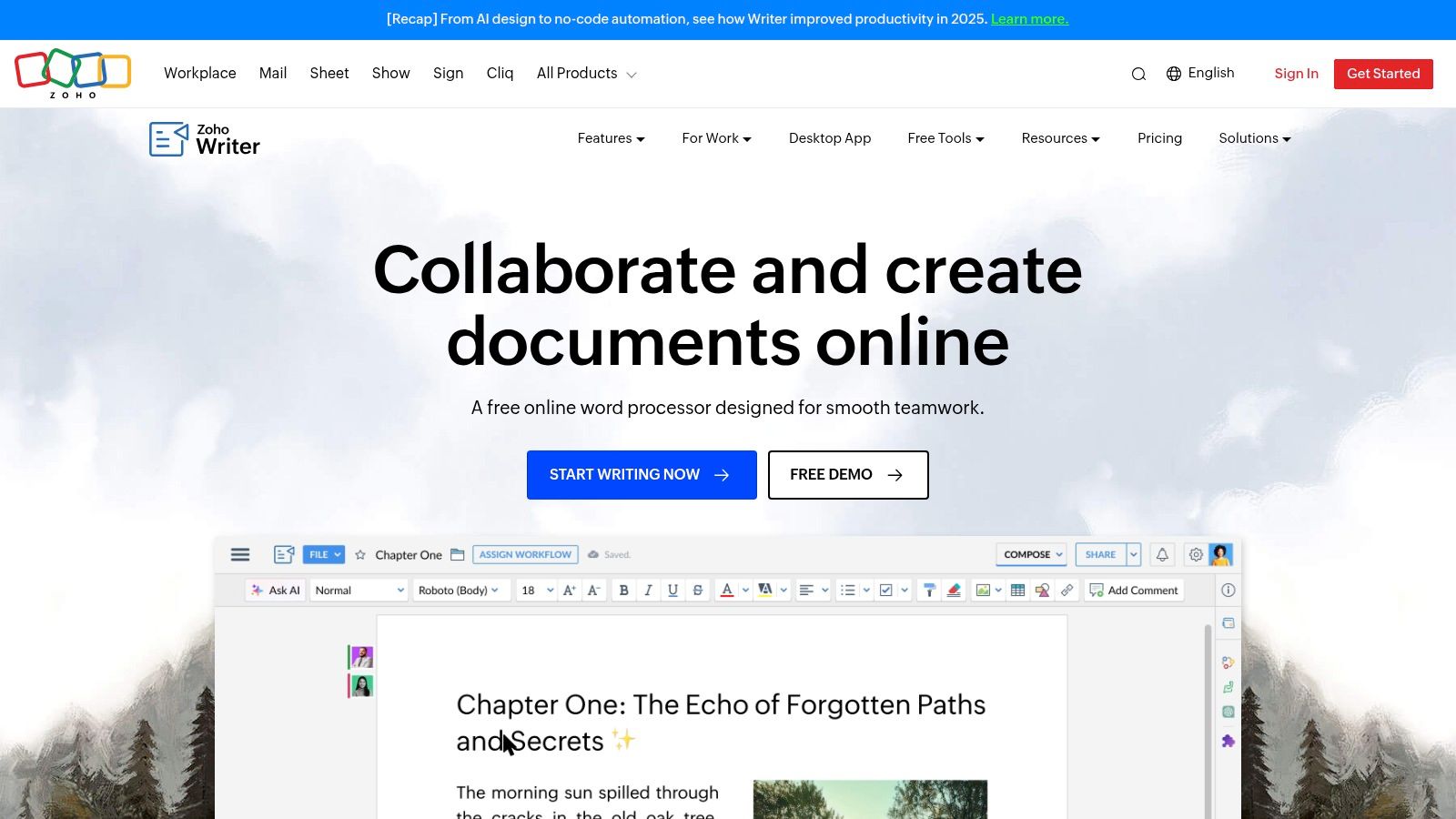
For those seeking a powerful yet free google doc alternative outside the major tech ecosystems, Zoho Writer presents a compelling option. It stands out with a clean, distraction-free interface and a strong focus on document automation and publishing workflows, making it ideal for content creators and businesses that need more than just a word processor.
Zoho Writer offers robust real-time collaboration tools, but its key differentiator is its deep integration with the wider Zoho suite and third-party apps. Users can create fillable documents, set up sign workflows with Zoho Sign, and even publish directly to WordPress, making it a versatile hub for creating and distributing content.
Key Considerations
- Best For: Individuals, content marketers, and small businesses looking for advanced document automation and publishing features without a subscription fee.
- Standout Feature: Its native document automation capabilities, including mail merge, fillable forms, and e-signature collection, which are often premium features in other platforms.
- Pricing: The full-featured word processor is completely free for both individual and organizational use. Paid options exist for advanced automation credits and expanded storage through Zoho WorkDrive.
- AI Integration: Zoho’s built-in AI assistant, Zia, provides grammar suggestions, readability analysis, and contextual assistance. This helps writers optimize content for AI search and improve overall clarity directly within the editor.
Pros:
- Generous free plan includes the full editor and collaboration tools
- Excellent integration with WordPress, Zoho CRM, and e-sign platforms
- Powerful document automation and publishing features built-in
Cons:
- The user interface may require a slight learning curve for those coming from Google Docs
- Advanced automation and API usage rely on a paid credit system
Website: https://www.zoho.com/writer
3. Notion
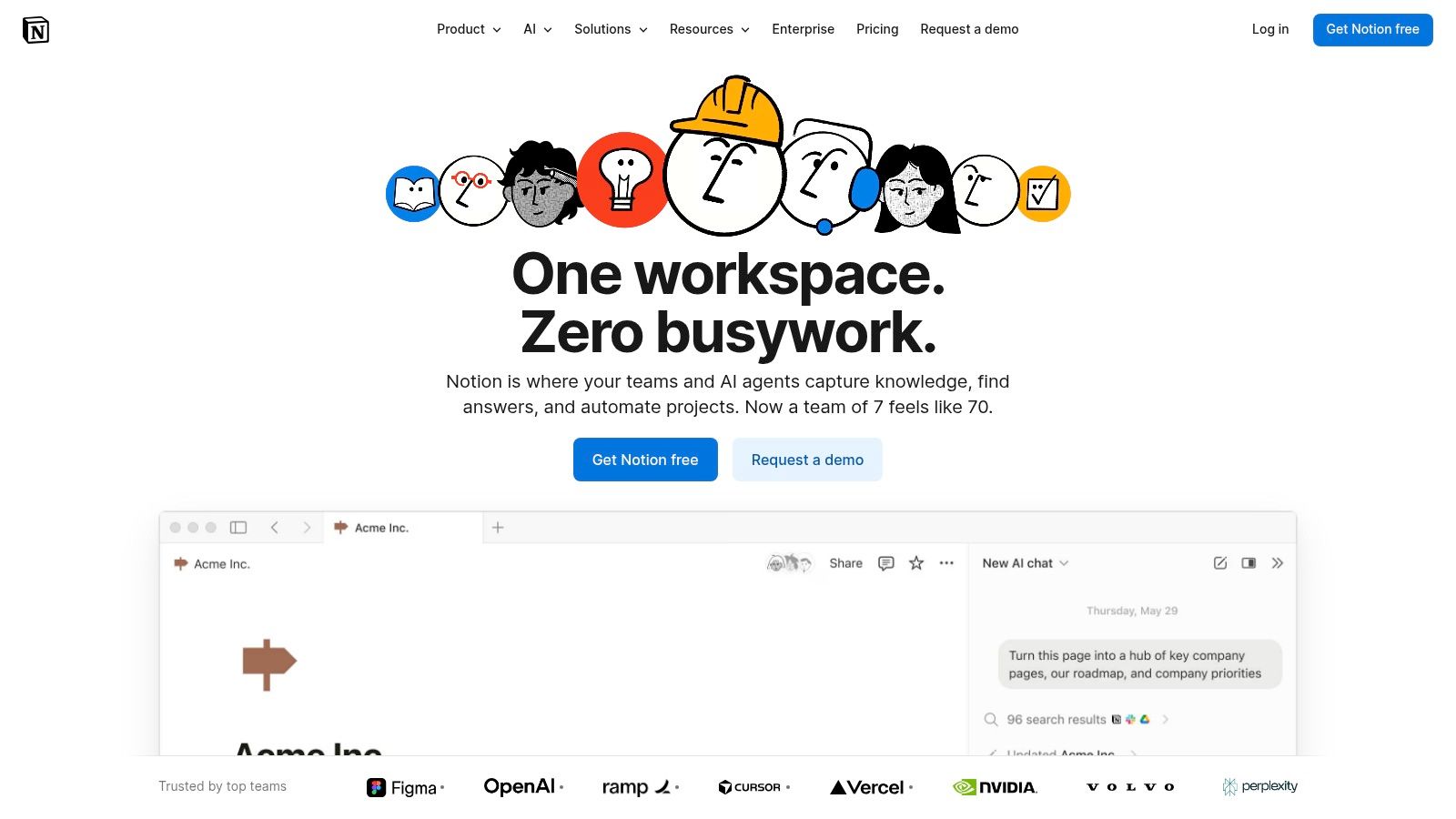
Notion redefines the document by blending it with databases, wikis, and project management tools, positioning itself as a powerful google doc alternative for teams that need more than just a word processor. It is an all-in-one workspace where simple pages can evolve into complex, interconnected knowledge bases, making it ideal for centralizing team documentation and workflows.
The platform’s strength lies in its modular block-based editor. Users can seamlessly mix text with tables, Kanban boards, calendars, and embeds, creating dynamic documents that serve multiple purposes. This flexibility makes it a favorite for marketing teams developing a comprehensive SEO content strategy, operations teams building internal wikis, and startups managing their entire company from a single hub.
Key Considerations
- Best For: Teams seeking a centralized knowledge base, startups managing multiple functions in one tool, and users who want to combine documents with structured data.
- Standout Feature: Its flexible block-based architecture allows you to create "living documents" that incorporate everything from simple text and checklists to complex databases and project boards.
- Pricing: A generous free plan is available for individuals. Paid plans start at $8/user/month (billed annually) for the Plus plan, which adds features like small group collaboration and version history.
- AI Integration: Notion AI is built directly into the workspace, offering to write, summarize, brainstorm, and edit content within any page, turning your documents into intelligent assistants.
Pros:
- Extremely flexible doc-to-wiki structure
- Combines writing with powerful databases and project management
- Good value for small teams (guests are free)
Cons:
- Print-perfect formatting and traditional document layout can be fiddly
- Offline support is limited compared to native apps
Website: https://www.notion.so
4. Coda
Coda redefines what a document can be, positioning itself as a powerful google doc alternative for teams that want to build interactive, app-like documents. Instead of a static page, a Coda doc is a flexible surface that can house text, powerful tables that act like databases, buttons, automations, and integrations with other tools.
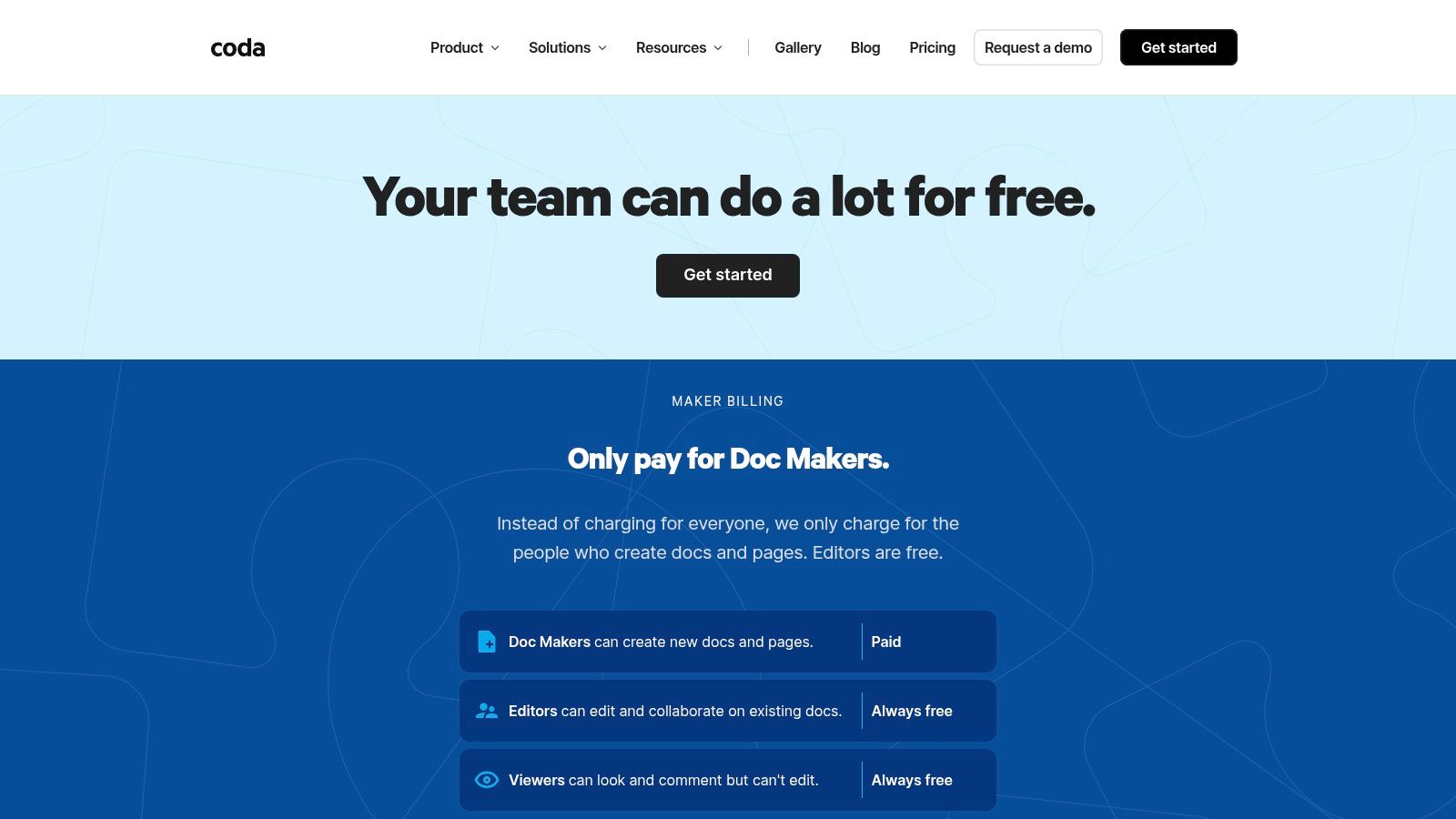
This "doc as an app" philosophy allows teams to consolidate workflows that might otherwise require multiple applications, such as project management, wikis, and team planners, into a single, collaborative space. Its unique billing model, which only charges for "Doc Makers," makes it highly scalable and cost-effective for large teams where most members only need to view or edit content.
Key Considerations
- Best For: Teams looking to build custom tools, internal wikis, or project management hubs without traditional software development.
- Standout Feature: Its innovative "Maker" pricing model, where you only pay for users who create and design docs. Editors and Viewers are always free, which can dramatically lower costs for larger teams compared to per-seat models.
- Pricing: A limited free plan is available. Paid plans start at $10/maker/month (billed annually) and include features like unlimited doc size and advanced automations.
- AI Integration: Coda AI is integrated directly into the platform for all paid Doc Makers, assisting with everything from generating tables and drafting text to summarizing content. This makes it a strong asset for teams focused on AI-enhanced content creation with AI workflows.
Pros:
- Cost-effective "Maker" billing model is ideal for large teams
- Turns documents into interactive, all-in-one applications
- Powerful integrations (Packs) connect with tools like Slack, Jira, and Gmail
Cons:
- There's a significant learning curve for mastering advanced tables and automations
- The platform can feel heavy and slow on older browsers due to its complexity
Website: https://coda.io/pricing
5. ClickUp Docs
For teams whose documentation is intrinsically tied to project execution, ClickUp Docs presents a compelling google doc alternative. Rather than existing in a separate silo, documents live directly within the ClickUp work management platform, connecting content creation with the tasks, goals, and sprints that drive progress. This integrated approach is ideal for content operations, engineering teams, and project managers who need context to flow seamlessly between planning and doing.
The platform's strength lies in its ability to link documents directly to specific tasks, embed them in dashboards, and manage them within project timelines. Real-time collaboration is standard, enhanced by features like comments that can be converted into actionable tasks. This turns static documentation into a dynamic part of the project lifecycle, ensuring content and execution stay perfectly aligned.
Key Considerations
- Best For: Project-based teams, content operations, and organizations already using or considering ClickUp for work management.
- Standout Feature: The deep, native integration between docs and tasks is unmatched. You can highlight text and instantly create a task, or link entire documents to project milestones, eliminating the gap between documentation and execution.
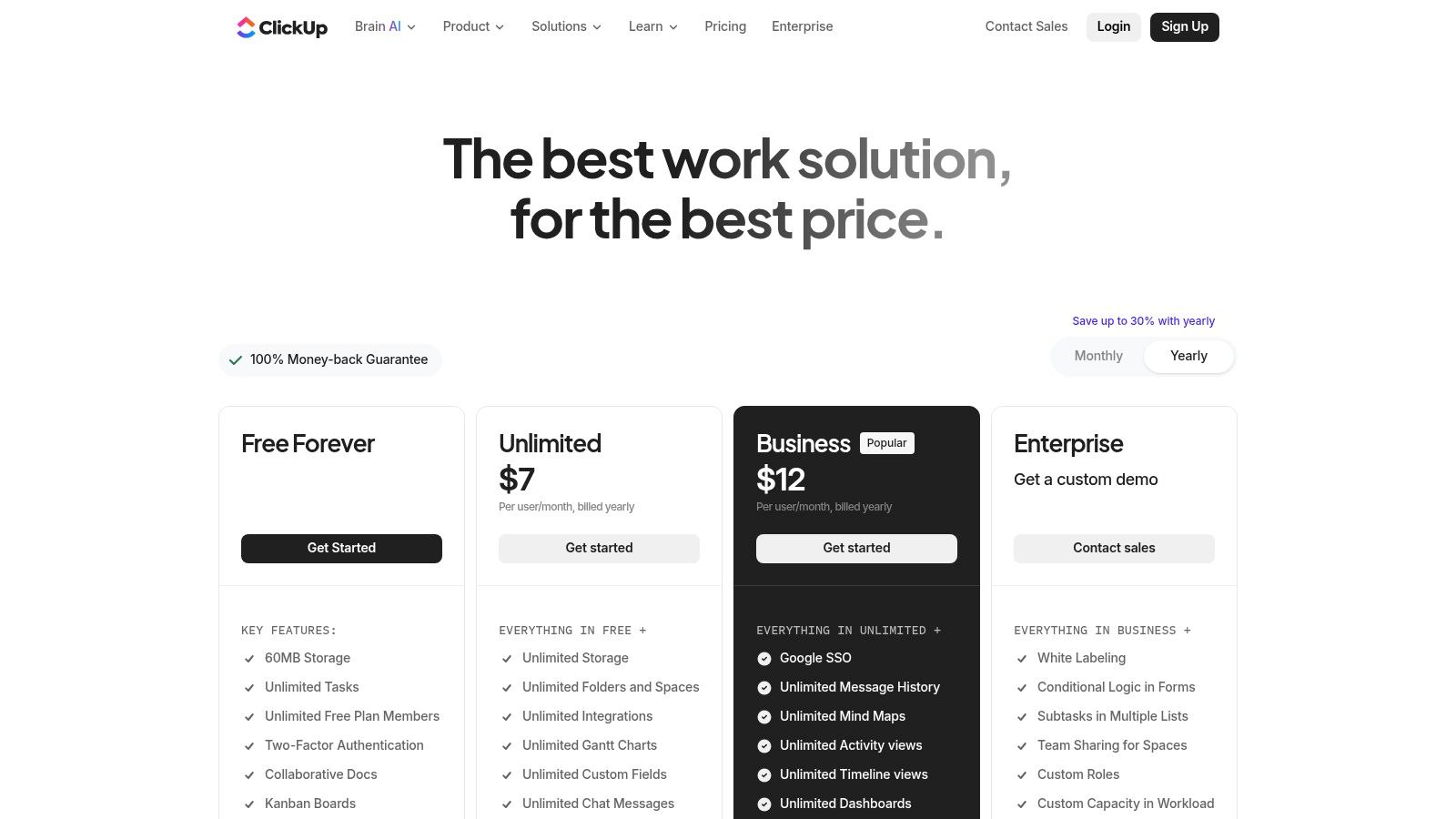
- Pricing: A free plan with limited Docs is available. Paid plans start at $7/user/month (billed annually) for the Unlimited plan, which unlocks more features. Higher tiers offer advanced capabilities.
- AI Integration: ClickUp AI is available as a paid add-on across all plans, providing assistance with writing, summarizing, and generating content. It functions similarly to a dedicated AI paragraph writer but is built directly into the workflow.
Pros:
- Excellent connection between documents and project tasks
- Part of a comprehensive project management ecosystem
- Highly customizable with views, statuses, and permissions
Cons:
- Can be overly complex for users who only need simple document editing
- The best features are locked behind higher-tier subscription plans
Website: https://clickup.com/pricing
6. Box Notes
For organizations that prioritize enterprise-grade security and already manage their files within the Box Content Cloud, Box Notes serves as a powerful and integrated google doc alternative. It is not a standalone word processor but a collaborative tool built directly into the Box ecosystem, designed for secure real-time note-taking, project planning, and meeting minutes.
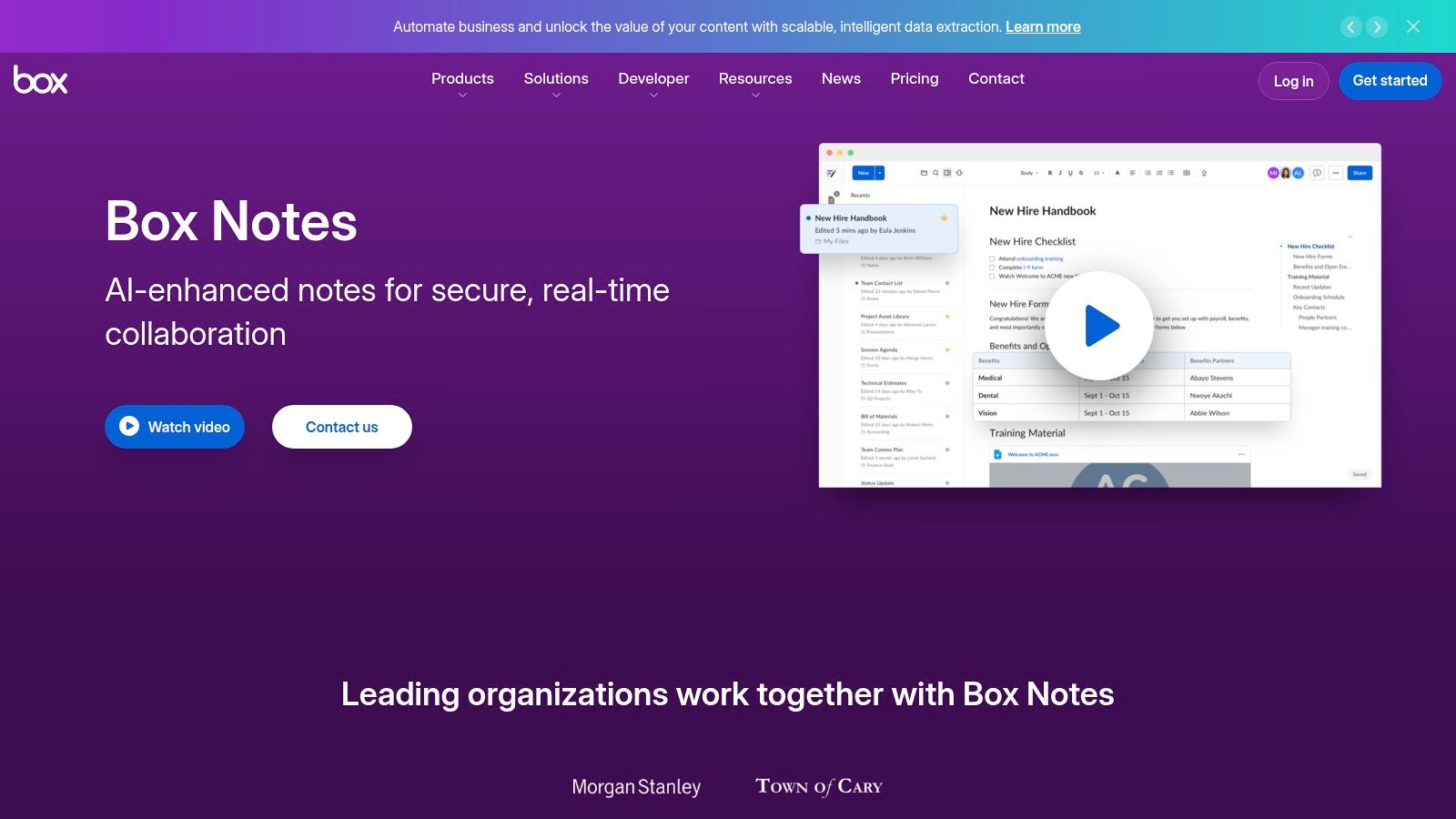
The platform's strength lies in its security framework. All notes inherit the same granular permissions, access controls, and compliance standards (like HIPAA and FedRAMP) as any other file stored in Box. Live co-editing is seamless for internal and external collaborators, and version history ensures changes are always tracked. This makes it ideal for sensitive projects where document control is paramount.
Key Considerations
- Best For: Teams already using Box for content management, highly regulated industries, and secure external collaboration.
- Standout Feature: Its native integration within the Box Content Cloud allows notes to live alongside other project files, benefiting from Box's advanced security, governance, and compliance features.
- Pricing: Included with all Box plans. A free individual plan offers 10 GB of storage. Paid business plans start at $15/user/month (Business), providing more advanced features and admin controls.
- AI Integration: Box AI is built into Notes, allowing users to summarize long documents, generate ideas, and draft content directly within the editor, streamlining content creation and analysis.
Pros:
- Exceptional security, governance, and compliance posture
- Centralized documentation within the Box file system
- Granular controls for secure external sharing and collaboration
Cons:
- Formatting and editing features are simpler than dedicated word processors
- The full experience and security benefits require a Box subscription
Website: https://www.box.com/notes
7. Apple Pages (iWork)
For teams and individuals fully integrated into the Apple ecosystem, Pages serves as a beautifully designed and highly capable google doc alternative. It excels where aesthetics and media integration are paramount, allowing users to create visually stunning documents, from simple reports to interactive digital books, with an intuitive, user-friendly interface.
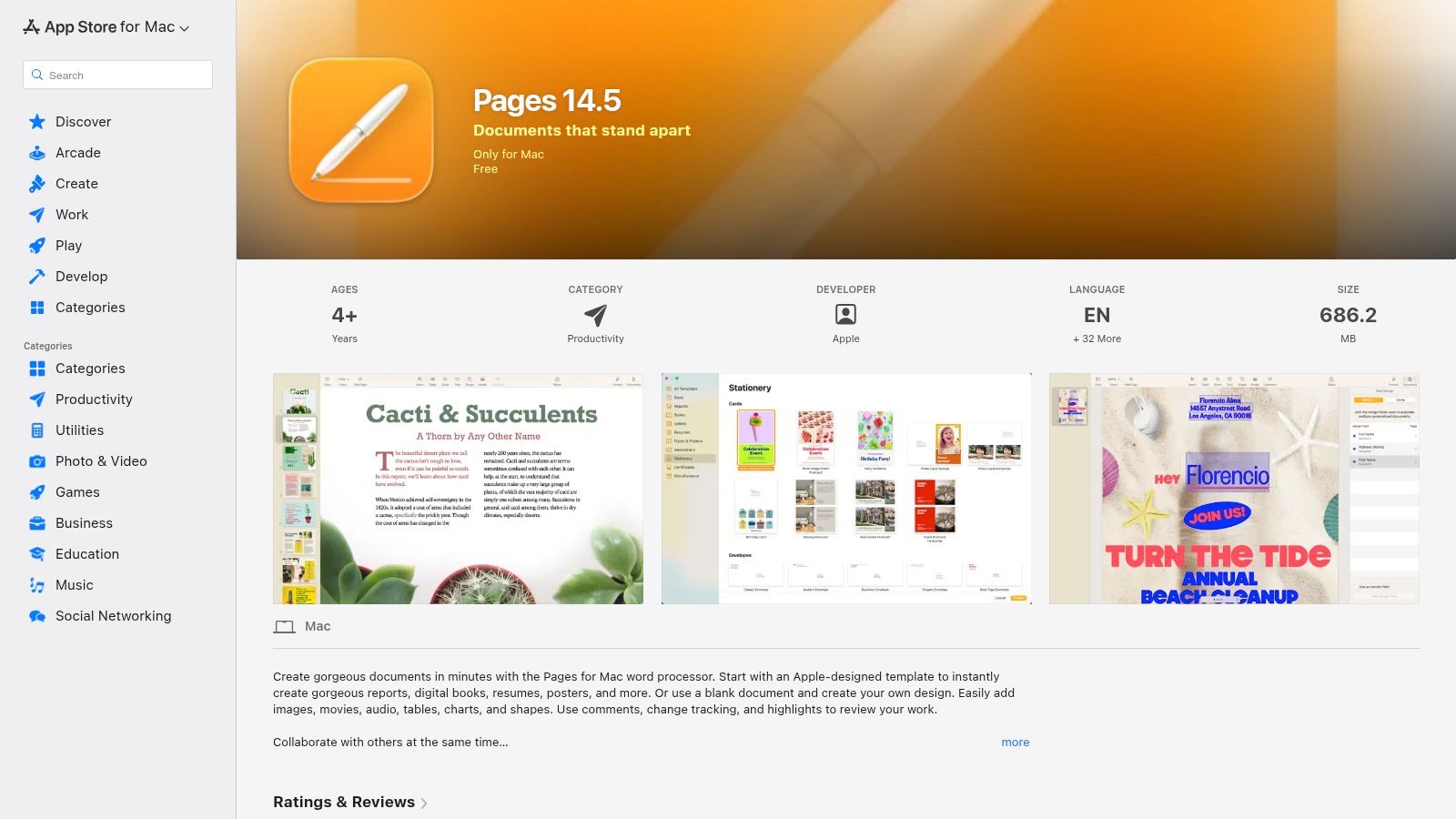
The platform offers seamless, real-time collaboration via iCloud, enabling users on Mac, iPad, iPhone, or even a PC through iCloud.com to work together. While its primary strength is its native performance and deep integration with Apple hardware and software, its web accessibility ensures cross-platform teams are not left out. It’s a powerful choice for creative projects where document design is as important as the content itself.
Key Considerations
- Best For: Apple-centric teams, educators, and creators who prioritize document design, media-rich content, and EPUB exporting.
- Standout Feature: Its collection of high-quality, designer-made templates and powerful layout tools make it exceptionally easy to produce professional-grade, visually appealing documents without needing separate design software.
- Pricing: Completely free for all users with an Apple ID. Documents are stored in iCloud, which includes 5 GB of free storage, with paid upgrades available.
- AI Integration: While Pages doesn't have a dedicated generative AI writing assistant, it benefits from native macOS/iOS features like dictation, predictive text, and proofreading tools that enhance the writing process.
Pros:
- Entirely free on all Apple devices and via iCloud.com
- Superior tools for creating design-forward, media-rich documents
- Seamless real-time collaboration across the Apple ecosystem
Cons:
- The best user experience is limited to Apple hardware
- Importing and exporting DOCX files can sometimes result in formatting inconsistencies
Website: https://www.apple.com/pages/
8. WPS Office (Writer)
For users seeking a highly familiar, Microsoft Office-like experience without the subscription cost, WPS Office's Writer component is an excellent google doc alternative. It presents a cost-effective, all-in-one office suite that excels at providing a robust feature set across nearly every platform, including Windows, macOS, Linux, Android, and iOS. This makes it a versatile choice for individuals and teams who work on diverse devices.
WPS Writer is particularly strong in its handling of DOCX files, offering high compatibility that minimizes formatting errors when sharing with Microsoft Word users. Its interface is clean and intuitive, closely mirroring traditional desktop word processors, which can reduce the learning curve for new users. The inclusion of integrated PDF editing tools and a vast library of free templates adds significant value, especially for students and small businesses on a budget.
Key Considerations
- Best For: Students, freelancers, and small businesses looking for a low-cost, cross-platform office suite with strong DOCX compatibility.
- Standout Feature: Its extensive library of high-quality, free templates for resumes, reports, and letters gives users a professional head start on document creation.
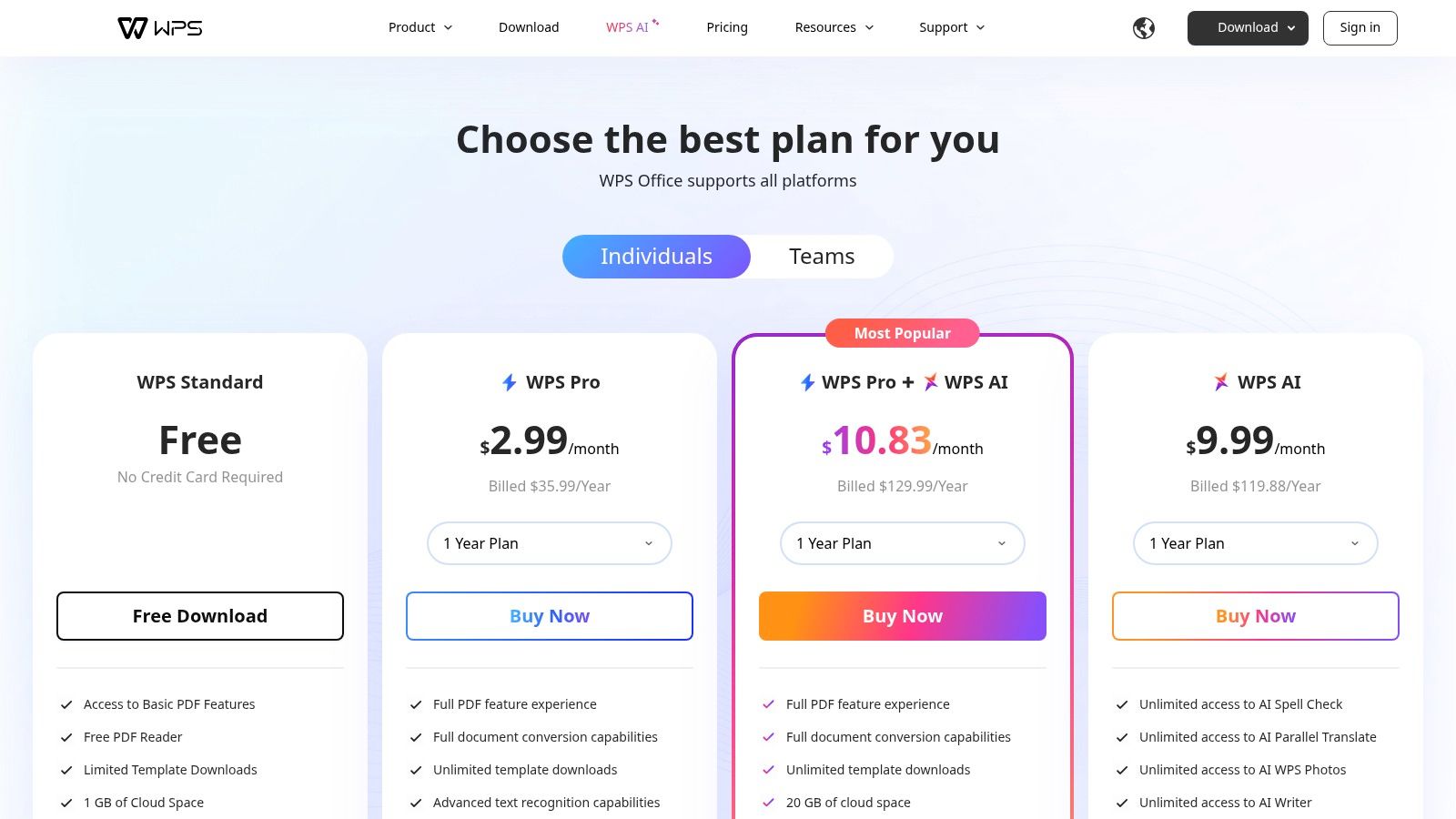
- Pricing: A feature-rich free version is available with ads. WPS Pro plans start at $29.99/year, removing ads, adding more cloud storage, and unlocking advanced features like PDF editing.
- AI Integration: An optional WPS AI assistant is available in paid plans, offering content generation, summarization, and rewriting capabilities to streamline the writing process.
Pros:
- Affordable pricing with a very capable free tier
- Excellent cross-platform support (Windows, macOS, Linux, mobile)
- Familiar interface that mimics traditional desktop office suites
Cons:
- The free version contains ads
- Cloud storage quotas and advanced features are limited in the free plan
Website: https://www.wps.com/pricing
9. LibreOffice (Writer)
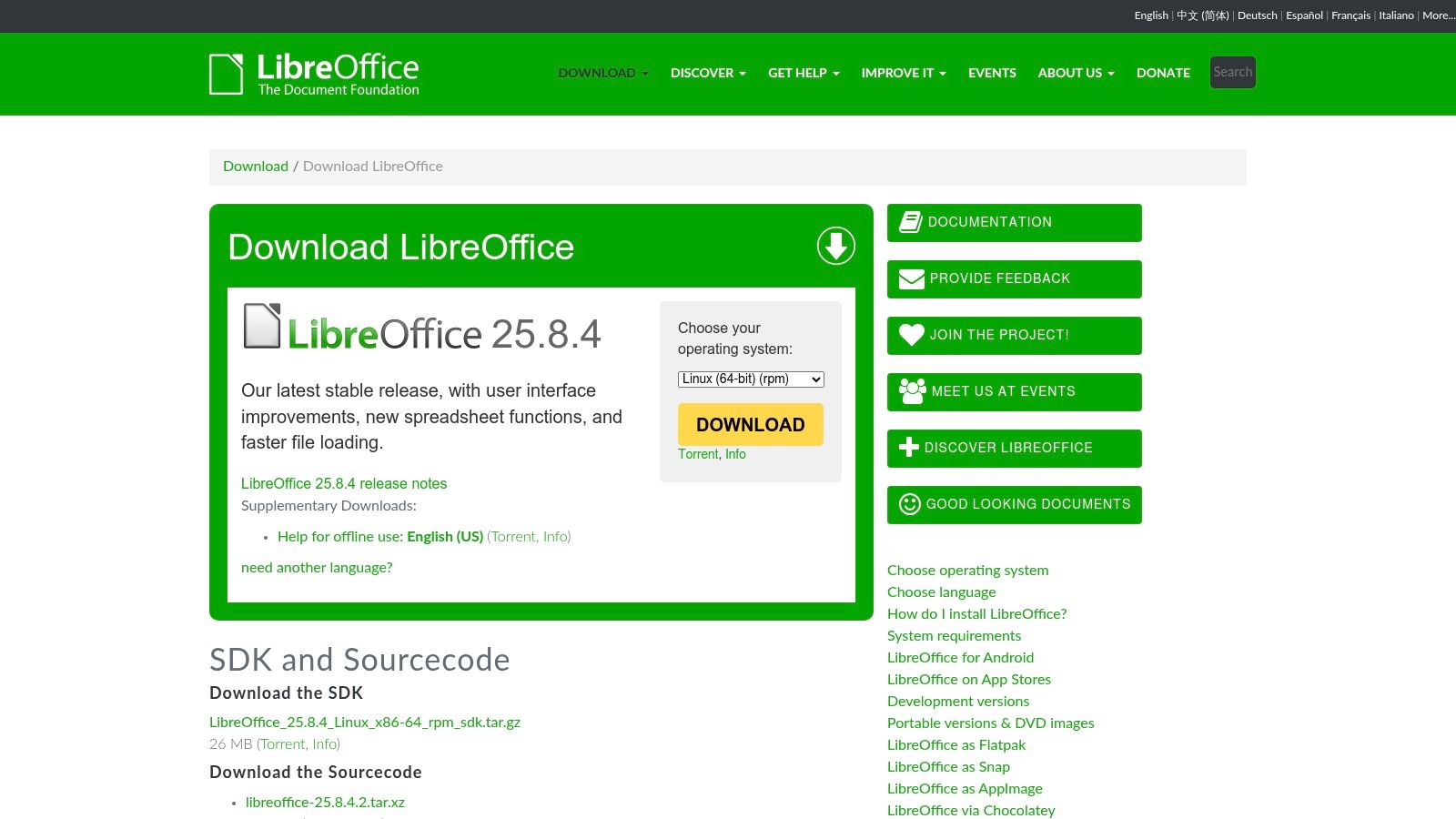
For individuals and organizations prioritizing privacy, cost-effectiveness, and offline access, LibreOffice Writer is a powerful, open-source google doc alternative. As a traditional desktop suite, it offers a robust, feature-rich word processing experience that operates entirely on your local machine, eliminating reliance on cloud servers and internet connectivity.
LibreOffice excels at handling long, complex documents like theses, books, or technical manuals, thanks to its extensive tools for styles, indexing, and document structuring. While it lacks native real-time coauthoring, its superior offline capabilities and commitment to open standards (like the OpenDocument Format - ODT) make it an excellent choice for users who want full control over their documents without recurring subscription fees.
Key Considerations
- Best For: Academics, writers, privacy-conscious users, and anyone needing a powerful offline word processor without a subscription.
- Standout Feature: Its comprehensive suite of tools for managing long-form documents, including a robust Navigator for jumping between sections, master documents for combining multiple files, and extensive styling options.
- Pricing: Completely free. LibreOffice is open-source software maintained by The Document Foundation and is available at no cost for both personal and commercial use.
- AI Integration: There are no built-in AI features. However, users can install third-party extensions that may offer some AI-powered text generation or grammar checking capabilities.
Pros:
- Entirely free and open-source with no hidden costs
- Powerful features for long, structured documents
- Works fully offline, ensuring data privacy and local control
Cons:
- Lacks native real-time collaboration features
- Collaboration requires manual file sharing or third-party cloud sync services
- The user interface may feel dated compared to modern cloud-based editors
Website: https://www.libreoffice.org/download
10. ONLYOFFICE Docs
For organizations that prioritize data control and infrastructure flexibility, ONLYOFFICE Docs emerges as a powerful google doc alternative. It is an open-source office suite that can be deployed on your own servers or used in the cloud, offering a robust solution for businesses wanting to avoid public cloud services while maintaining high compatibility with Microsoft Office formats.
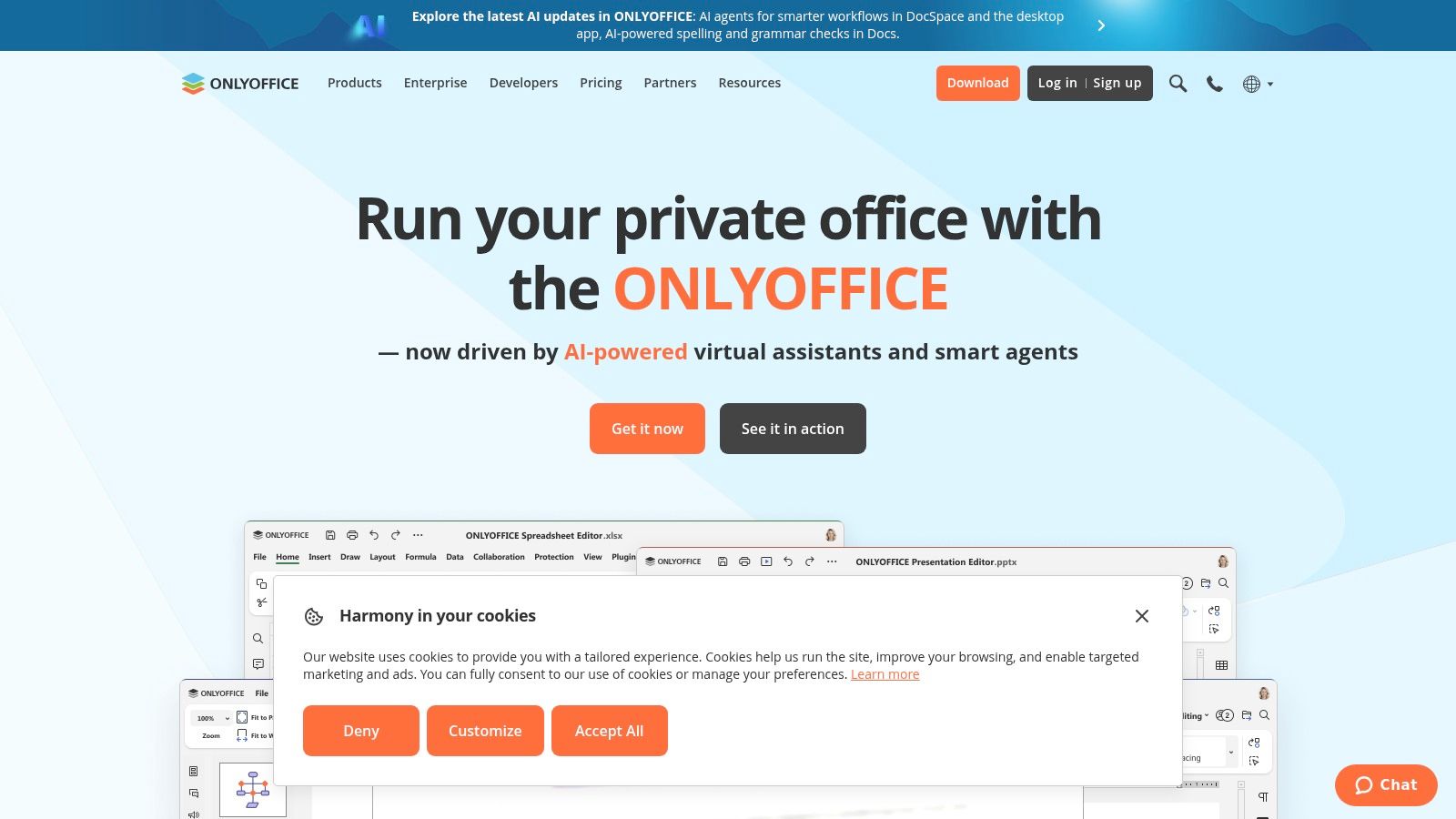
The platform is renowned for its excellent DOCX, XLSX, and PPTX file fidelity, ensuring seamless collaboration on documents created in Microsoft Office. Its real-time co-editing features, including two distinct modes (Fast and Strict) and change tracking, provide a familiar and efficient collaborative environment. Furthermore, its ability to integrate with various platforms like Nextcloud, ownCloud, and SharePoint makes it a versatile hub for document management.
Key Considerations
- Best For: Businesses requiring on-premises or private cloud deployment, organizations with strict data sovereignty policies, and teams needing strong Microsoft Office compatibility.
- Standout Feature: Its deployment flexibility is unparalleled. The ability to self-host the entire office suite gives organizations complete control over their documents and data security, a critical feature not offered by most cloud-native competitors.
- Pricing: A free Community Edition is available for small teams (up to 20 users). Business plans for on-premises deployment have various pricing tiers based on connections and support levels. A cloud version is also available, starting from free plans.
- AI Integration: ONLYOFFICE integrates with third-party AI services like ChatGPT and Zoom AI to offer features such as text generation, summarizing, word analysis, and translation directly within the editor interface.
Pros:
- Excellent deployment flexibility (on-premises or cloud)
- High fidelity with DOCX and other Microsoft Office formats
- Integrates with numerous popular file-sharing platforms
Cons:
- Self-hosting requires significant technical expertise and admin setup
- The licensing and pricing structure for enterprise can be complex
Website: https://www.onlyoffice.com
11. Slite
Slite positions itself not just as a document editor but as a smart knowledge base, making it a powerful google doc alternative for teams focused on internal documentation and asynchronous collaboration. It merges collaborative docs with a structured wiki, designed to create a single source of truth that is organized, searchable, and always up-to-date.
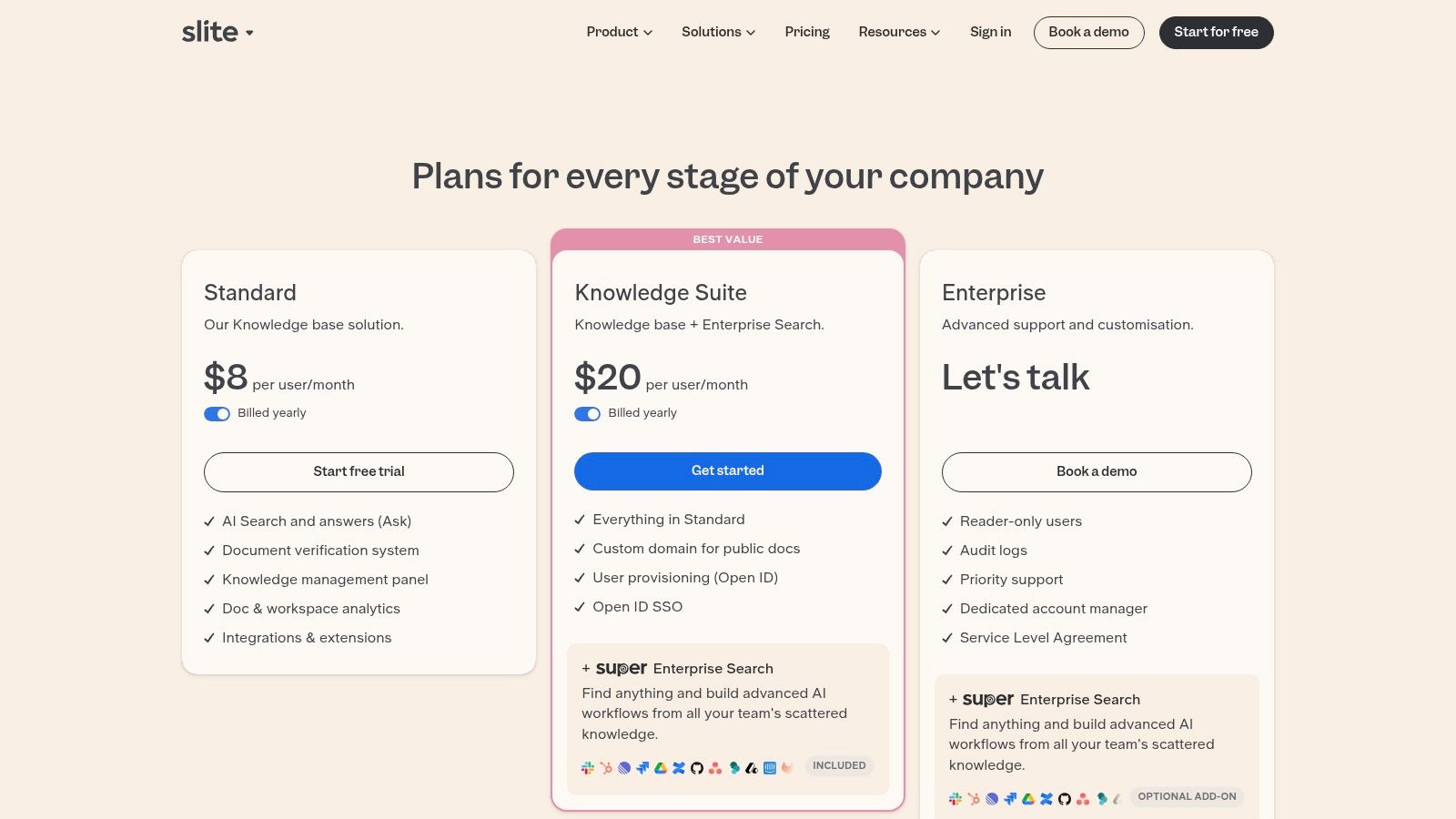
The platform is purpose-built for creating team handbooks, meeting notes, and project plans that don't get lost in folders. Its clean, minimalist editor allows for focus, while features like verification workflows ensure that information remains accurate and relevant over time. Slite is ideal for teams trying to escape the chaos of scattered documents in shared drives.
Key Considerations
- Best For: Teams building a central knowledge base, companies focused on asynchronous communication, and anyone needing to organize internal documentation effectively.
- Standout Feature: The "Ask" feature, an AI-powered search that provides instant answers by drawing from your entire knowledge base, turning static documents into an interactive team brain.
- Pricing: A free plan is available for up to 50 docs. Paid plans start at $8/user/month (Standard) for unlimited docs and features, with a premium plan at $12.50/user/month adding advanced features like analytics and SSO.
- AI Integration: The core AI feature is "Ask," which synthesizes information from across all team documents to answer user queries directly, reducing the time spent searching for information.
Pros:
- Purpose-built for organized team knowledge management
- Clear verification and document lifecycle tools
- Powerful AI search turns documents into a Q&A engine
Cons:
- More geared toward knowledge bases than complex page layout or design
- Free plan is limited by the number of documents, not just features
Website: https://slite.com/pricing
12. CryptPad
For organizations and individuals where data privacy is non-negotiable, CryptPad emerges as a powerful open-source google doc alternative. It is built on a "zero-knowledge" principle, meaning all content is end-to-end encrypted in the browser before it ever reaches the server. This ensures that not even the platform administrators can access your data, offering a level of security that mainstream suites cannot match.
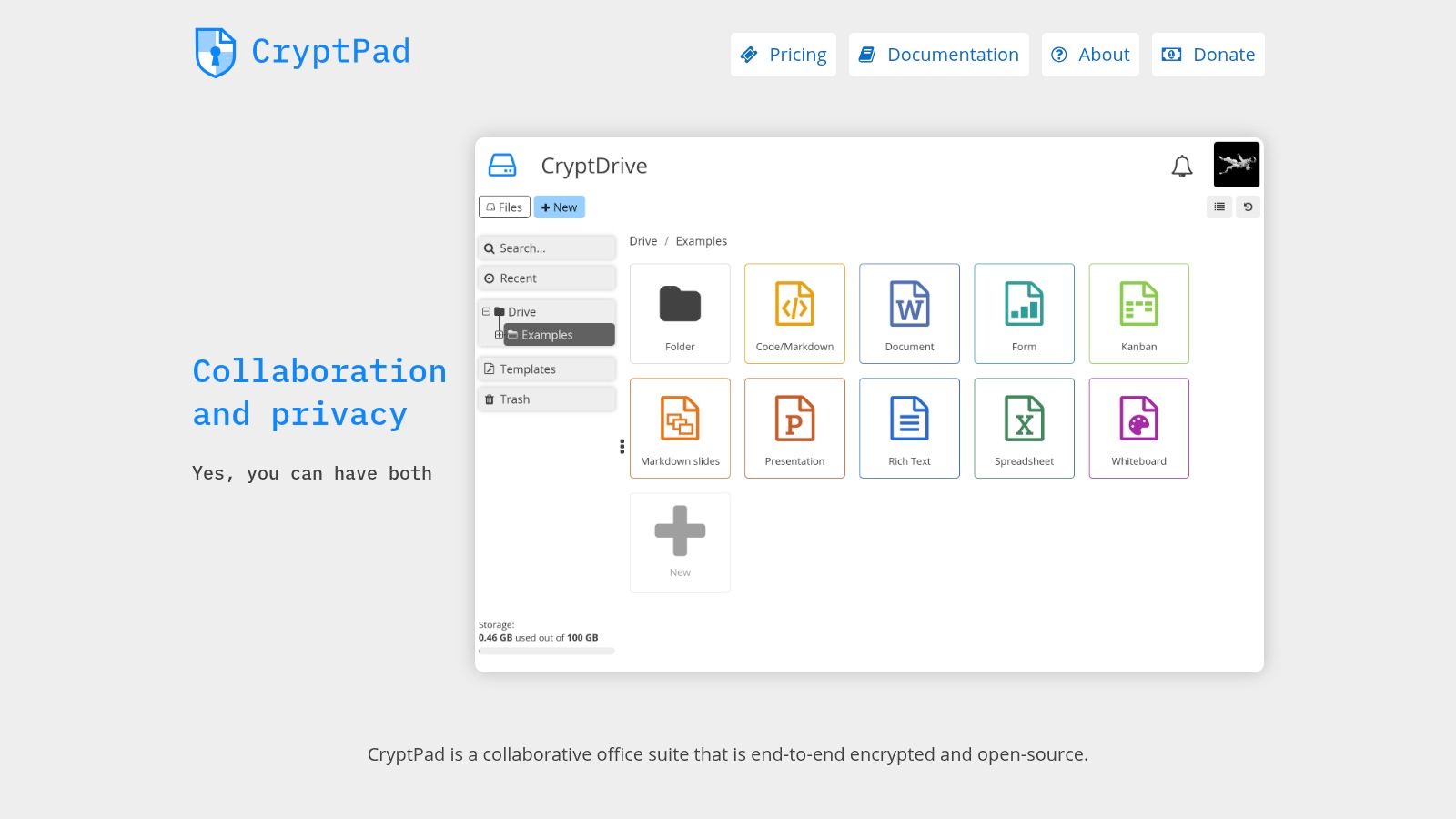
The platform includes a full suite of collaborative tools, including rich text documents, spreadsheets, presentations, forms, and kanban boards. Its real-time collaboration is effective, allowing users to work together securely without creating accounts. The flexibility to use the public instance for free, subscribe to a managed plan, or self-host the entire platform provides unmatched control over data sovereignty and infrastructure.
Key Considerations
- Best For: Journalists, activists, legal teams, and any organization handling sensitive information that requires verifiable end-to-end encryption.
- Standout Feature: Its zero-knowledge architecture provides true end-to-end encryption for all documents and collaborative sessions, guaranteeing user privacy and data security.
- Pricing: A free plan is available on the public instance with 1 GB of storage. Paid plans on cryptpad.fr start at €5/month for individuals with 5 GB of storage. Self-hosting is also a free software option.
- AI Integration: CryptPad currently does not offer native AI integrations, prioritizing its core mission of privacy and security over integrating with third-party AI services.
Pros:
- Best-in-class security with end-to-end encryption
- Open-source and self-hostable for ultimate data control
- Includes a diverse suite of collaborative tools beyond documents
Cons:
- The user interface is more functional than polished
- Advanced document features are less comprehensive than Google's or Microsoft's
Website: https://cryptpad.org
Top 12 Google Docs Alternatives Comparison
| Tool | Core features | AI & Automation | Target audience | Unique selling points / Price & deployment |
|---|---|---|---|---|
| Microsoft 365 (Word for the web) | Real-time coauthoring, DOCX fidelity, OneDrive, offline apps | Copilot features (plan-dependent) | Enterprises, teams needing Office parity | Best DOCX fidelity, enterprise controls, SSO — subscription (consumer & business) |
| Zoho Writer | Real-time collaboration, broad import/export, forms, e-sign | Zia assistant; automation credits for advanced flows | Individuals and SMBs tied to Zoho/CRM | Full editor free, strong integrations (CRM, WordPress) — freemium, paid credits |
| Notion | Flexible pages/blocks, databases, templates, analytics | Notion AI for writing & summaries (add-on) | Teams needing wiki, docs, and lightweight workflows | Extremely flexible doc-to-wiki structure; good guest access — freemium |
| Coda | Doc-as-app (tables, automations, Packs), permissions | Coda AI for makers | "Doc Makers" and teams building interactive docs/tools | Maker billing model, powerful automations & integrations — web app, tiered plans |
| ClickUp Docs | Collaborative docs tightly linked to tasks, embeds, versioning | AI writing assistant on selected plans/add-on | Content ops and project teams aligning docs with execution | Strong docs↔tasks linkage, PM features, 24/7 support — plan-based pricing |
| Box Notes | Live co-editing, templates, version history, granular sharing | Box AI for drafting & summarizing | Enterprises needing compliance and secure external collaboration | Enterprise-grade security & controls; part of Box — requires Box plan |
| Apple Pages (iWork) | Media-rich docs, high-quality templates, EPUB export, iCloud sync | Limited native AI | Apple-centric teams and designers | Free on Apple devices, design-forward output — free via Apple/iCloud |
| WPS Office (Writer) | Cross-platform DOCX editor, PDF tools, cloud space, templates | Optional WPS AI | Budget-conscious small businesses, students | Low cost, broad platform coverage — freemium/Pro subscriptions |
| LibreOffice (Writer) | Full offline word processor, strong ODT support, long-form tools | No native AI; offline-focused | Users wanting no subscription and local control | Free, open-source, powerful for structured long documents — desktop download |
| ONLYOFFICE Docs | Real-time coediting, strong DOCX fidelity, connectors | Third-party AI plugins (e.g., ChatGPT) | Organizations needing on-prem or private cloud editors | Cloud or self-host options, enterprise deployment flexibility — licensed tiers |
| Slite | Collaborative knowledge base, verification workflows, templates | AI search / Ask & analytics | Teams building living handbooks and wikis | Purpose-built verification & doc lifecycle tooling — SaaS, freemium |
| CryptPad | End-to-end encrypted real-time docs, version history, kanban | No centralized AI (privacy-first) | Privacy-focused teams and self-hosters | Zero-knowledge encryption, open source, flexible hosting (public/paid/self-host) |
Making the Right Choice for Your Team
The journey to find the perfect Google Doc alternative isn't about finding a one-to-one replacement; it's about identifying a platform that aligns with your team's unique workflow, priorities, and long-term goals. We've explored a diverse landscape of tools, from direct competitors like Microsoft 365 to innovative knowledge bases like Notion and Coda, and secure, open-source options like CryptPad.
The core takeaway is that the "best" tool is entirely contextual. A decision that empowers one team could easily hinder another. Moving beyond Google Docs is a strategic choice that can unlock new levels of productivity, enhance security, or centralize fragmented workflows, but only if the chosen solution directly addresses a specific need.
Synthesizing Your Options: A Final Checklist
Before you commit, re-evaluate your primary requirements. This final consideration phase is crucial for a successful transition and long-term adoption. Ask your team these critical questions:
- What is our primary pain point with Google Docs? Is it the lack of project management integration, concerns over data privacy, or the need for more dynamic, database-like documents? Your main frustration is the best guide to the right solution.
- How important is offline access? If your team frequently works on the go or in areas with unreliable internet, desktop-first applications like LibreOffice or WPS Office become significantly more valuable than their cloud-native counterparts.
- What is our "collaboration style"? Do you need real-time, simultaneous co-editing above all else? Or is your process more asynchronous, favoring comments, tasks, and version control? Tools like Slite are built for the latter, while Zoho Writer excels at the former.
- What is the technical skill level of our team? Platforms like Coda and Notion offer immense power but come with a steeper learning curve. Conversely, tools like Box Notes or Zoho Writer provide a more intuitive, familiar experience that requires minimal onboarding.
From Document Creation to Content Strategy
Ultimately, the document editor you choose is a foundational piece of your broader content and project ecosystem. For marketing and content teams, the document is just the beginning. The real challenge lies in creating content that performs, fills strategic gaps, and drives business results.
While a powerful Google Doc alternative like ClickUp Docs can help you manage the process of content creation, it doesn't help you decide what to create. Consider the entire content lifecycle: identifying high-opportunity keywords, analyzing competitor weaknesses, drafting, and on-page optimization. If your editor is mainly a drafting surface for SEO content, pair it with one of the dedicated AI content optimization tools so every document is briefed and optimized before it is published.
Frequently asked questions
What is the best free alternative to Google Docs?
For a free cloud editor with real-time collaboration, Zoho Writer is the strongest option because its full editor, mail merge and fillable forms cost nothing. If you prefer offline desktop software, LibreOffice Writer is fully free and open source. Apple Pages is free for anyone with an Apple ID, and CryptPad offers a free encrypted tier with 1 GB of storage.
What is the closest Google Docs replacement for DOCX files?
Microsoft 365 Word for the web is the closest replacement when you exchange .docx files, since it is built on the native Word format and preserves styles, tracked changes and layouts. ONLYOFFICE Docs and WPS Writer are the next best choices for DOCX fidelity, with ONLYOFFICE adding self-hosting. Notion, Coda and Slite are not designed for print-accurate Word documents.
Is there an on-premise or self-hosted alternative to Google Docs?
Yes. ONLYOFFICE Docs can be deployed on your own servers, with a free Community Edition for up to 20 users, and integrates with Nextcloud, ownCloud and SharePoint. CryptPad is also self-hostable and adds end-to-end encryption. LibreOffice runs entirely on local machines. All three keep documents off Google infrastructure, which helps with data residency requirements.
How does Google Docs compare to ClickUp Docs?
Google Docs is the better pure editor: faster, simpler and free with a Google account. ClickUp Docs wins when documents need to drive work, because you can turn highlighted text or comments into tasks and link docs to sprints and milestones. See the ClickUp section above for pricing and limitations.
What is Google's equivalent to SharePoint?
Google's closest equivalent to SharePoint is the combination of Google Drive shared drives and Google Sites inside Google Workspace, used for file storage, permissions and intranet pages. It is lighter on document-management workflows and governance than SharePoint. Teams needing SharePoint-style control without Microsoft often pair a document store with ONLYOFFICE Docs or use Box.
Ready to move beyond just writing and start creating content that ranks? While a great editor is essential, a data-driven strategy is what truly drives growth. Sight AI analyzes the entire competitive landscape to show you exactly what content to create next, generating SEO-optimized articles that fill critical gaps in your strategy. See how our AI-powered content engine can transform your workflow at Sight AI.