
Creating a workflow isn't just about ticking boxes on a to-do list. It's about building a repeatable, predictable system for how work gets done. Think of it as the blueprint for achieving a specific business goal, one that eliminates guesswork and empowers your team to deliver consistent, high-quality results, and do it faster.
Why Your Current "Process" Is Quietly Killing Your Content ROI
Let's be real for a second. That chaotic mix of Slack DMs, endless email threads, and a messy shared drive isn't a "process." It's a liability. So many teams operate in this state of controlled chaos that it starts to feel normal, but it's quietly draining your resources. You only notice the damage when you're staring at missed deadlines, inconsistent quality, and a team that's completely burned out.
The real cost isn't always obvious. It's hidden in the endless revision cycles that chew up hours your strategists could be using for, well, strategy. It's in the crucial steps, like a final SEO check, that get skipped when everyone's rushing to hit "publish." This isn't just an inconvenience; it's a direct shot to your bottom line.
The Hidden Costs of Inefficiency
When you don't have a structured workflow, you're not just wasting time—you're leaking money. The true cost of a disorganized "process" shows up in a few painful ways:
- Wasted Creative Energy: Your team ends up spending more time figuring out how to do their work than actually doing it. This administrative quicksand smothers creativity and leads to bland, uninspired content.
- Inconsistent Output: With no standard checklist, quality becomes a coin toss. One article might be perfectly optimized and brilliant, while the next misses half the key elements. The result? Unpredictable performance.
- A Hit to Team Morale: The constant confusion and last-minute fire drills create a deeply stressful environment. High turnover and disengagement are often just symptoms of a broken process, not a lack of talent.
The point of a workflow isn't to add red tape. It’s to build a flexible framework that removes friction, frees up creativity, and finally turns your content operation from a cost center into a strategic growth engine.
Shifting to a Strategic Framework
Thinking about workflow creation as a strategic project is the key. It's the engine that connects your team's day-to-day tasks directly to the business goals you're trying to hit. A well-oiled system immediately boosts content velocity, letting you publish more high-quality work without piling on the pressure.
This efficiency dividend has a direct impact on your results. It becomes far easier to see what’s working, what isn't, and adjust your strategy accordingly. If you want to connect these dots more clearly, check out our guide on measuring content marketing ROI.
This shift couldn't be more critical right now. Consider this: the Generative AI in Content Creation Market is expected to explode from USD 11.6 billion in 2023 to a massive USD 175.3 billion by 2033. This growth is all about efficiency. Marketers using AI are already completing 12.2% more tasks at rates that are 25.1% faster.
A solid workflow is the non-negotiable foundation you need to properly integrate these powerful new tools and actually cash in on the benefits. Without one, you're just adding more chaos to the mix.
Mapping Your Content Journey From Idea to Publication
Before you can fix a broken process, you have to see it clearly. I've seen so many teams fail when creating a workflow because they try to build some theoretical "perfect" system instead of just mapping out what’s actually happening on the ground. This exercise is all about deconstructing your entire content lifecycle to create a transparent, brutally honest blueprint.
The goal isn't to add more red tape. It’s to find the hidden friction—the vague handoffs, the skipped steps, the "I thought you were doing that" moments—that quietly sabotage your best efforts. By laying it all out, you turn an invisible, often frustrating, process into a tangible map you can actually navigate and improve.
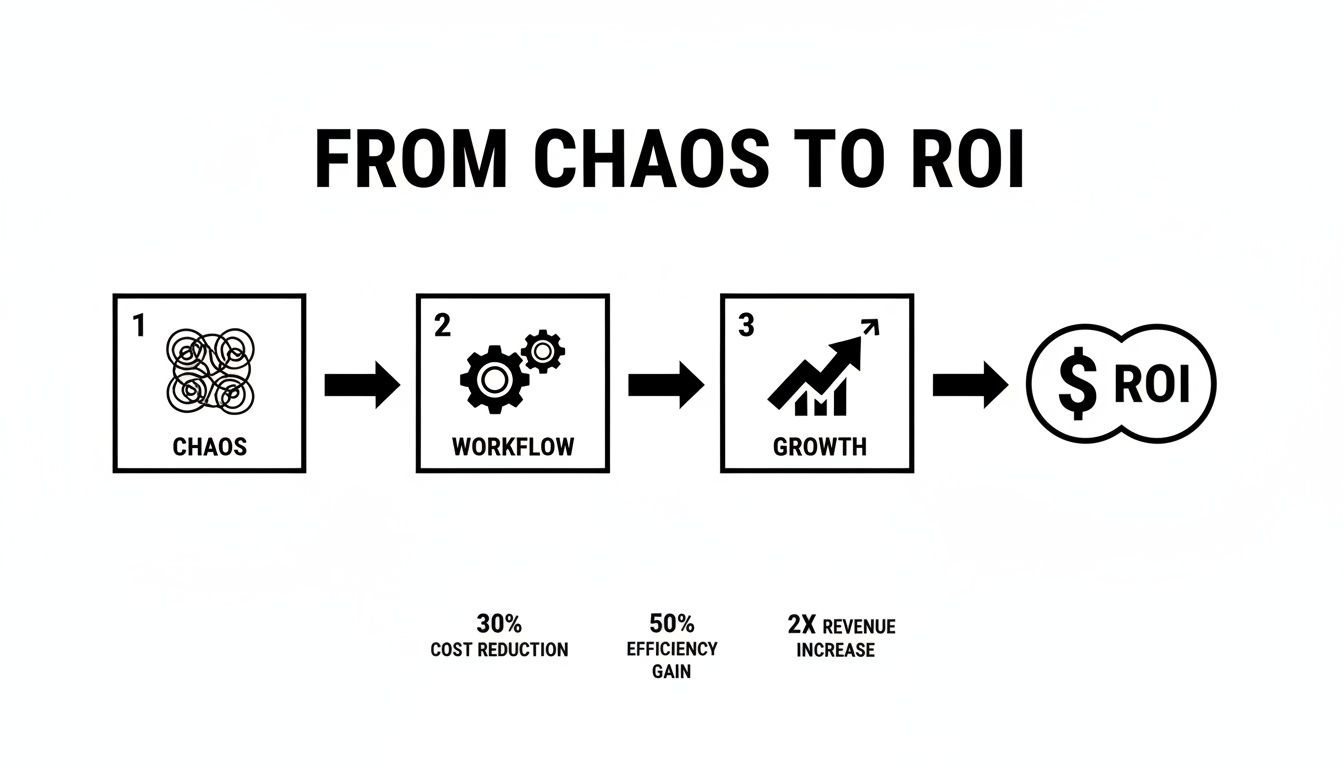
This really gets to the heart of it: a structured workflow is the bridge between disorganized effort and real, measurable business results.
Deconstructing Your Current Process
Okay, let's get practical. Grab a whiteboard (physical or digital) and trace the real path a single piece of content takes in your organization, from the first spark of an idea all the way to publication day. Don't gloss over the messy parts.
Your map needs to capture every single touchpoint. Think through stages like:
- Topic Ideation: Where do ideas really come from? A formal brainstorm, a tool like Sight AI surfacing content gaps, or a random Slack message from the CEO?
- Keyword Research & Briefing: Who actually finds the target keywords? Who defines the article's scope, angle, and core talking points? Is it one person or a team effort?
- Outlining & Drafting: This covers the whole journey from a bare-bones outline to a complete first draft.
- Review Cycles: This is often where things go sideways. Map out every single review loop: editorial, SEO, the subject matter expert (SME), and that final stakeholder who swoops in at the last minute.
- Design & Production: When are visuals created and added? How does the draft actually get formatted and loaded into the CMS?
- Publication & Promotion: What are the final steps for scheduling, hitting "publish," and getting the word out?
Defining Ownership and Handoffs
A map is pretty useless if no one knows who’s driving. Ambiguity is the absolute enemy of an efficient workflow. When people aren't sure who owns a task, it either gets dropped or endlessly debated in meetings. The fix is to assign crystal-clear ownership to every stage you just mapped out.
A simplified version of the RACI model works wonders here. For each step, figure out who is:
- Responsible: The person doing the work (e.g., the writer drafting the article).
- Accountable: The person who owns the outcome and has the final say (e.g., the Head of Content).
- Consulted: The experts who provide input but don't do the work (e.g., a product manager for a technical piece).
- Informed: People who need to be kept in the loop but aren't directly involved (e.g., the social media manager).
By clearly defining these roles, you completely eliminate those "I thought you were handling that" moments that derail entire projects. Everyone knows their part and who to go to for decisions.
Equally critical are the handoff criteria. What does "done" actually look like for each stage?
For a writer, "done" might mean the draft has passed a plagiarism check, hits the word count, and incorporates all key points from the brief. For an editor, it means the piece is grammatically perfect and nails the brand voice.
Defining these exit criteria prevents half-finished work from being passed down the line, which is a massive source of painful revision cycles and delays. This is where a well-structured brief becomes the foundation of your entire operation, a concept we dig into when talking about how to create a content calendar that actually works.
Core Content Workflow Stages and Roles
Here’s a quick look at how you can break down the major stages of content production, assign clear ownership, and define the key objective for each phase. This clarity is what separates chaotic teams from high-performing content engines.
| Stage | Primary Owner (Role) | Key Objective | Example Tools |
|---|---|---|---|
| Strategy & Ideation | Content Strategist | Identify topics aligned with business goals and audience needs. | Sight AI, Ahrefs, SEMrush |
| Briefing & Outlining | SEO Manager/Editor | Create a detailed, actionable brief with SEO targets. | Google Docs, Notion, ClickUp |
| Drafting | Content Writer | Produce a high-quality first draft based on the brief. | Google Docs, Jasper, Copy.ai |
| Editing & Review | Content Editor | Refine for clarity, voice, grammar, and accuracy. | Grammarly, Hemingway App |
| Design & Formatting | Designer/Content Ops | Add visuals and format the post in the CMS. | Figma, Canva, WordPress |
| Final Approval | Head of Content | Give the final green light for publication. | Asana, Trello |
| Publication & Promo | Marketing Manager | Publish the content and execute the distribution plan. | Buffer, Hootsuite, Mailchimp |
By structuring your process with this level of detail, you create a system that's not only efficient but also scalable.
Imagine this: an idea is born in Sight AI, a brief is created, and a task automatically appears in Asana for the writer. Once they mark it complete, it instantly moves to the editor’s queue. That kind of seamless flow is only possible once you've mapped the journey and assigned clear ownership, turning a frantic scramble into a predictable, powerful content machine.
Using Automation to Eliminate Manual Drudgery
A documented workflow is a solid foundation, but an automated one is a genuine force multiplier. This is where we shift from careful planning to decisive action, taking aim at the repetitive, low-impact tasks that quietly drain your team's energy and focus. The real magic isn't just knowing the steps in your workflow; it's making those steps happen on their own.
Let's be clear: automation isn't about replacing talented people. It's about freeing them from the administrative quicksand of status updates, manual handoffs, and tedious box-ticking. This gives them back their cognitive bandwidth for the high-level strategy and creative problem-solving that actually moves the needle.
Identifying Prime Automation Opportunities
First things first, you need to find the friction points in your newly mapped workflow. Where do tasks stall out? What manual actions get repeated every single day or week? These are your low-hanging fruit for automation.
Start with simple, trigger-based actions. For instance, when a writer moves a task card from "Drafting" to "Ready for Edit" in a tool like Asana or Trello, a simple automation can fire off instantly to:
- Reassign the task to the designated editor.
- Update the deadline for the editing stage.
- Post a notification in a specific Slack channel.
That single automation just eliminated three manual steps and ensured the task didn't fall through the cracks. It’s a small change, sure, but those saved minutes add up to hours across a team. If you want to get into the nuts and bolts, it's worth exploring what workflow automation entails to see how it can boost business efficiency.
Leveraging AI for Content Production
Beyond basic project management triggers, AI-powered tools bring a completely different level of efficiency to the table. Just think about the heavy lifting involved in the early stages of content creation. An AI platform like Sight AI can take a single target keyword and generate a comprehensive, research-backed outline in minutes—a task that might take a human strategist hours to complete.
This is a perfect example of automation augmenting human talent, not replacing it. The strategist is now free from the grind of manual SERP analysis and competitor research. Instead, they can step in to refine the AI-generated outline, inject unique brand insights, and focus on the overarching narrative.
The diagram below shows how a modern content workflow weaves in these intelligent automation points, creating a seamless path from idea to publication.

This visual makes it clear how technology can connect distinct stages, cutting down on manual handoffs and speeding up the entire process.
Other high-impact automation points in the content lifecycle include:
- Automated Image Creation: Using AI tools to generate blog banners or social media graphics based on an article's title and keywords.
- Scheduled Social Promotions: Setting up posts to publish automatically across different platforms the moment an article goes live.
- Instant Indexing Submissions: Configuring your system to automatically submit new URLs to Google and Bing, speeding up discovery.
The Measurable Impact of an Automated Workflow
This isn't just about making life easier for your team; the impact on performance is direct and measurable. Globally, 55.05% of marketers already praise AI's ability to help them scale content across channels without killing their speed.
The performance data backs this up. A full 68% of companies report ROI growth from their content marketing since adopting AI, with 65% seeing better SEO outcomes. This automation and scaling power is especially obvious in the US market, which is projected to grow from USD 229.3 million in 2025 to a staggering USD 741.1 million by 2033.
By automating the drudgery, you create a system that is not only more efficient but also more resilient and scalable. Your team can produce more, with less stress, and focus their energy on creating content that truly connects with your audience.
Putting these systems into practice is a core theme in our guide on how to automate content marketing, which gets into specific tools and strategies. The end goal is to build a content engine that runs smoothly in the background, consistently producing high-quality work and letting your team operate at their strategic best. Creating a workflow that embraces automation is how you move from just managing tasks to truly driving growth.
How to Actually Measure Your Workflow's Success
Creating a workflow feels great, but if you can't prove it's actually working, it's just a set of well-organized suggestions. That old saying, "If you can't measure it, you can't improve it," is the absolute truth here. It’s time to ditch the vanity metrics and zero in on the specific Key Performance Indicators (KPIs) that connect your new process to real business value.
This isn't about tracking every single click or keystroke. It’s about being selective and focusing on data that tells a clear story about efficiency and impact. To truly understand if your content workflow is hitting the mark, you need to get serious about measurement—a concept that’s just as critical when learning how to effectively measure public relations impact.
We can split these critical metrics into two distinct but equally important buckets: those that measure the health of your process and those that measure the performance of what you produce.
Distinguishing Process From Performance KPIs
It’s crucial to get your head around the difference between process and performance metrics. Process KPIs tell you how efficiently your content engine is running. Performance KPIs tell you if the content that engine produces is actually doing its job.
Think of it like building a race car. Your process KPIs are all about how fast the pit crew changes the tires and how reliably the engine runs. Your performance KPIs are about whether the car is actually winning races. You need both.
A fast process that produces content no one reads is a failure. So is incredible content that takes six months to see the light of day.
To really see how these two types of metrics work together, let's break them down. One set focuses on the "how" (the workflow itself), while the other focuses on the "what" (the results).
Process vs. Performance KPIs for Content Workflows
A comparative look at the metrics used to measure the efficiency of your workflow versus the business impact of the content it produces.
| Metric Category | Example KPI | What It Measures | Why It Matters |
|---|---|---|---|
| Process KPIs | Content Velocity | The time from an approved idea to final publication. | Measures overall operational speed and pinpoints bottlenecks. |
| Performance KPIs | Leads Generated | The number of new leads attributed to a specific piece of content. | Directly links your content efforts to tangible business growth. |
| Process KPIs | Revision Cycles | The average number of edits a piece goes through before approval. | Highlights clarity issues in briefs or skill gaps in the team. |
| Performance KPIs | Organic Traffic | Month-over-month growth in non-paid traffic to new content. | Shows if your content is effectively capturing search engine visibility. |
Getting a complete picture requires tracking both. They feed into each other, creating a loop of continuous improvement that proves the value of your entire content operation.
Key Process Metrics to Track
Process KPIs are your internal health check. They help you spot bottlenecks and inefficiencies before they derail your entire operation. They might not be glamorous, but they're the foundation of a scalable content system.
Keep an eye on these essentials:
- Content Velocity: How many days, on average, does it take for an article to move from an "approved idea" to "published"? A steadily decreasing number here is a clear sign your workflow is getting leaner and meaner.
- Revision Cycles: Count the average number of times a draft gets sent back for edits. If this number is high, it’s a red flag that your creative briefs are fuzzy or your guidelines aren't clear enough.
- On-Time Delivery Rate: What percentage of your content hits its original deadline? This simple metric is a powerful indicator of your workflow's predictability and reliability.
A healthy workflow isn't just about speed; it's about predictability. When your on-time delivery rate is consistently high, your team can trust the system. That trust reduces stress and makes planning easier for the entire marketing department.
Tying Your Workflow to Performance Metrics

Ultimately, you built this workflow to drive business results. Performance KPIs are how you connect your day-to-day operations to the numbers your leadership team actually cares about. This is how you justify your budget and prove your impact.
Start with these performance-driven indicators:
- Organic Traffic Growth: Measure the month-over-month increase in organic traffic to the new content produced through your workflow. This is a direct measure of your SEO effectiveness.
- Leads Generated Per Article: Use attribution tracking to see how many new leads each piece of content generates within its first 90 days.
- Keyword Ranking Improvement: For each new article, monitor the SERP position for its primary target keyword. Seeing consistent top-10 rankings is a strong signal of both content quality and workflow effectiveness.
These metrics go far beyond simple page views. For a deeper dive, you can explore other key website metrics to track that give you a more complete picture of your content's success.
By pairing process data with performance data, you create a powerful feedback loop. It's what allows for continuous improvement and demonstrates undeniable value.
Of course. Here is the rewritten section, crafted to sound completely human-written and natural, following the provided style guide and examples.
Common Workflow Pitfalls and How to Sidestep Them
Designing a workflow on a whiteboard is the easy part. It’s clean, logical, and makes perfect sense. The real challenge hits when that beautifully drawn process meets the chaotic reality of day-to-day work.
Over the years, I've seen countless well-intentioned workflows collapse under their own weight. It’s rarely because the idea was wrong, but almost always because of a few common, avoidable mistakes. Creating a solid workflow isn't just a technical exercise; it's a human one. If you ignore the people who have to live with it, you end up with a process that looks great on paper but creates more friction than it solves.
Think of this as your guide to sidestepping the landmines I’ve already stepped on. Let’s build a system that’s both efficient and resilient.
Pitfall 1 The Over-Engineered Masterpiece
This is the most common trap, hands down. Enthusiasm is high, and the team tries to build a workflow that accounts for every possible edge case and exception. What you get is a rigid, 27-step monster with so many approval gates and notifications that nobody wants to touch it. It quickly becomes a bureaucratic nightmare that slows everything down.
The problem here is trying to achieve perfection on day one. A workflow should be a living system, not a stone tablet. Instead of aiming for a flawless, all-encompassing process, start with a "minimum viable workflow."
Focus only on the absolute critical path. What are the non-negotiable steps to get a piece of content from an idea to published?
- Bare-bones Brief: What's the topic and target keyword?
- Single Draft: Who is writing it?
- One Review: Who gives the final sign-off?
- Simple Publish: Who puts it on the site?
That’s it. Start there. Once your team gets comfortable with that simple rhythm, you can begin to add layers. Maybe you’ll add a dedicated SEO review stage or a more detailed design step later on. This iterative approach allows the workflow to grow organically based on real needs, not theoretical ones.
Pitfall 2 Ignoring Team Buy-In
Few things will kill a new process faster than imposing it from the top down. When your team feels like a new workflow is something being done to them, they will naturally resist. You’ll see them find workarounds, stick to old habits, or just quietly resent the new "rules" you've put in place.
Getting buy-in isn't about salesmanship; it's about co-authorship. Your team members are the ones on the ground, and they know where the real friction points are. Involving them isn't just a nice gesture—it's a strategic necessity to make sure the thing actually gets adopted.
Host a kickoff workshop where the only goal is to map out the current, messy reality. Ask questions like:
- What’s the single most frustrating part of our current process?
- Where do tasks get stuck most often?
- If you could wave a magic wand and fix one thing, what would it be?
When people feel heard and see their own suggestions baked into the final design, they develop a sense of ownership. They become champions for the new process because it's their process.
The goal is to make the team feel like they designed the solution themselves. A workflow they help build is one they will actively use and defend.
Pitfall 3 The Wrong Tool for the Job
In the quest for efficiency, it's so easy to get seduced by shiny new software. I’ve watched teams adopt a powerful project management tool or a complex automation platform, assuming the tool itself will magically solve their process problems. More often than not, a tool that’s a poor fit for the team's actual needs just adds another layer of complexity.
I've seen teams try to force a simple content calendar into a tool designed for complex software development, complete with sprints and story points. It was a disaster. The tool should fit the workflow, not the other way around.
Before you invest in any new software, run a simple pilot test with a small group. Use a free trial to see how it feels in a real-world scenario. Does it reduce clicks or add them? Is the interface intuitive, or does it require a lengthy training manual?
The best tools are the ones that fade into the background. They should facilitate the work without becoming the work itself. Remember, a simple, shared spreadsheet that everyone actually uses is infinitely more valuable than a sophisticated platform that gathers digital dust. You’re building a workflow to simplify things, and your toolset should reflect that mission.
Frequently Asked Questions About Creating a Workflow
Even with a solid plan, creating a workflow for the first time brings up a ton of practical questions. It’s one thing to map out a process on a whiteboard; it's a whole other challenge to make it stick with your team in the real world.
This section dives into the most common hurdles people face. I'll give you clear, straightforward answers to help you move from planning to a successful rollout without getting tripped up by the small stuff.
How Often Should We Review Our Content Workflow?
Your content workflow should be a living, breathing thing, not a dusty document you create once and forget about. If you treat it as a "set it and forget it" project, you’ll find it becomes irrelevant almost overnight.
A great rhythm to get into is a minor review quarterly and a major overhaul annually.
- Quarterly Check-ins: These are perfect for spotting small bottlenecks before they become big problems. Is one particular stage always causing delays? Are the handoffs between the writer and editor a bit clunky? These quick reviews let you make small tweaks before minor friction grinds everything to a halt.
- Annual Overhauls: This is your chance to zoom out and look at the big picture. Has your team grown? Have your business goals changed? Did you bring on a major new tool, like an AI content platform? This is the time to ask if the whole process still aligns with your core strategy.
The key is to stay flexible. If a part of the workflow is obviously broken or just frustrating your team, don't wait for a formal review. Empower your people to flag issues as they happen and fix them on the spot.
What Is the Best Way to Get Team Buy-In?
The absolute fastest way to kill a new workflow is to build it in a vacuum and then force it on your team. Real buy-in never comes from a top-down mandate; it comes from collaboration. When your team members feel like they helped build the solution, they'll become its biggest advocates.
Get them involved from day one. Kick things off with a meeting that explains the "why"—the real problems you're trying to solve, like hitting deadlines more consistently or cutting down on the burnout from endless revision cycles.
Then, actually workshop the process together. Ask your writers, editors, designers, and SEO specialists where they feel the most pain in the current system. Their boots-on-the-ground perspective is gold. Once you launch, make sure to celebrate early wins publicly. It reinforces the positive changes and shows everyone the new system is actually working.
Which Tools Are Essential for a Modern Workflow?
While the exact software stack will change based on your team's size and needs, any modern content workflow is built around a few core functions. The goal isn’t to have the most tools, but the right tools that play nicely together.
A solid setup usually includes these four pieces:
- A Project Management Tool: This is your command center, your single source of truth. Platforms like Asana, Trello, or Monday.com are non-negotiable for tracking tasks, deadlines, and who owns what from start to finish.
- A Content Creation and Optimization Hub: This is where the magic happens. Tools like Sight AI or SurferSEO are critical for research, AI-assisted drafting, and on-page optimization. They do the heavy lifting in the early stages of creation. We've got some great guidance on this in our blog post outline template.
- A Communication Platform: Real-time collaboration lives here. Slack or Microsoft Teams keeps the conversation moving and prevents important updates from getting buried in an email inbox.
- A Digital Asset Management (DAM) System: For any team producing content at scale, having one central place to store, organize, and find images, brand assets, and videos is a must.
The most important thing is how well these tools connect. A smooth flow of information from one stage to the next is what eliminates manual data entry and all that context-switching that kills your team's focus.
Ready to build a workflow that not only streamlines your process but also drives measurable growth? Sight AI provides the insights and automation to turn your content strategy into a powerful, efficient engine. See how our platform can help you identify content gaps, produce high-quality articles with AI, and get discovered. Start your journey with Sight AI today.