Every marketer and founder has felt it: the gap between having a content strategy and actually executing it. You know which keywords to target. You have a content calendar. You understand the opportunity. But somewhere between "we should publish three articles this week" and three published, indexed, optimized articles, the plan falls apart.
The culprit is almost always the same thing: a manual workflow held together by coordination, context-switching, and hope. Keyword research happens in one tool, briefing in another, drafting gets handed off to a writer, editing goes back and forth over email, SEO optimization is a separate checklist, publishing requires CMS access, and indexing? That just happens whenever Google gets around to it. Each handoff introduces delay. Each delay compounds.
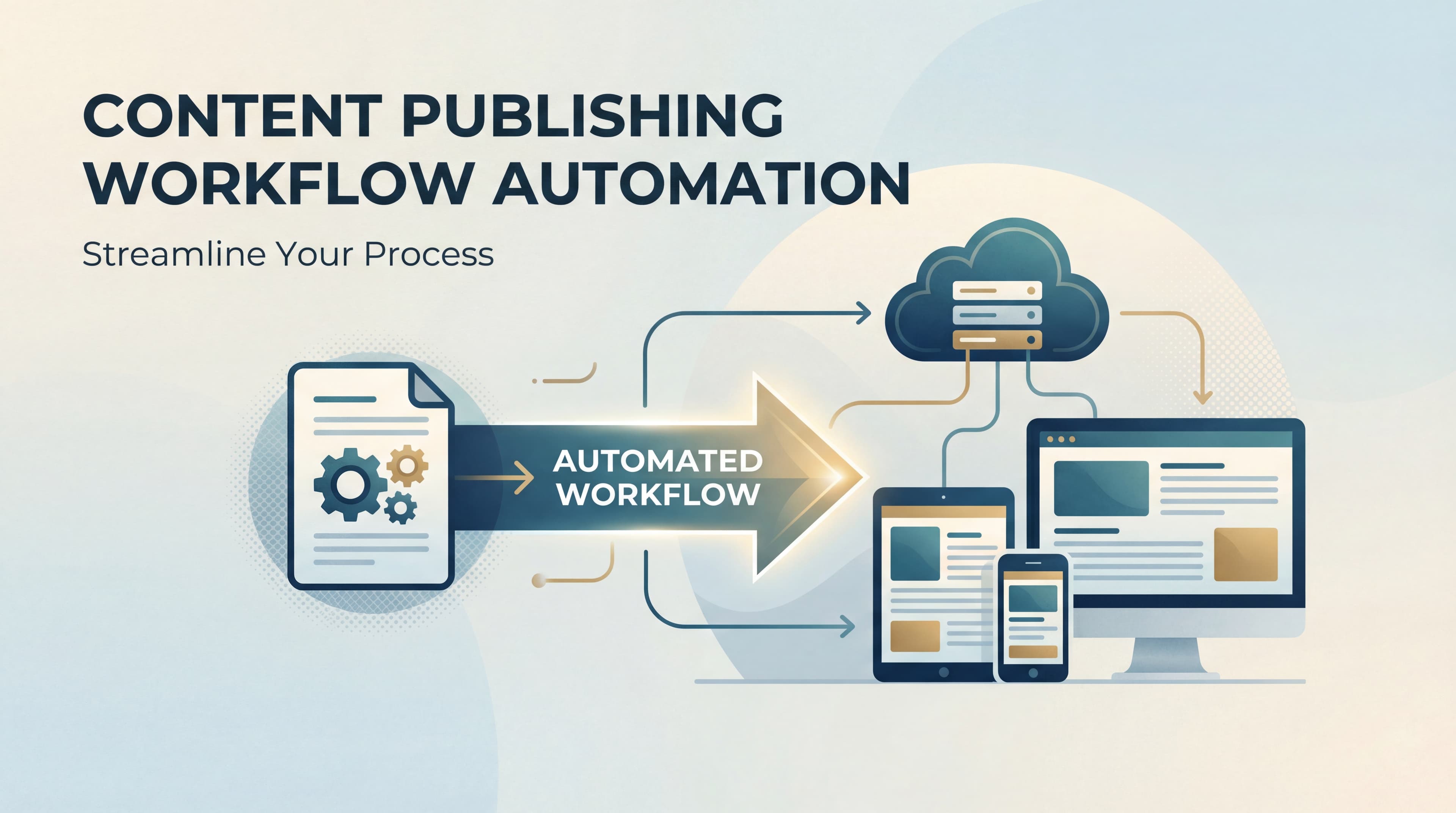
Content creation workflow automation is the practice of connecting these stages into a technology-driven pipeline where work flows forward automatically, bottlenecks are eliminated, and your team spends time on judgment calls rather than logistics. It does not mean removing humans from the process. It means removing the friction that slows humans down and prevents your content operation from scaling beyond what a small team can manually manage.
This article breaks down exactly what content creation workflow automation looks like in practice: which stages benefit most from automation, how to build a stack that takes a keyword from discovery to a published and indexed page, and how to optimize that output for both traditional search and the AI models increasingly shaping how people discover content.
Why Manual Content Pipelines Break at Scale
Picture a typical content workflow at a growing company. It starts with someone pulling keyword data, usually from a handful of tools that do not talk to each other. That data gets interpreted, prioritized, and eventually turned into a content brief, often days after the initial research. The brief goes to a writer who may be juggling three other assignments. The draft comes back, enters an editing queue, gets revised, then lands in an SEO review where someone manually checks headings, keyword density, and internal links. Finally, it goes to whoever manages the CMS, gets published, and then waits for search engines to discover it on their own crawl schedule.
That seven-stage process is not inherently broken. It produces good content. The problem is that it is entirely linear, and linearity does not scale. Each stage must complete before the next can begin. Each handoff requires a human to pick up the baton, understand the context, and move it forward. When content volume targets increase from two articles per month to two per week, the same pipeline that felt manageable suddenly becomes a bottleneck factory. Teams dealing with manual content creation that is too slow recognize this pattern immediately.
The compounding costs are real. An inconsistent publishing cadence signals to search engines that your site is not actively maintained, which can affect crawl frequency. Missed keyword windows mean competitors capture search demand while your brief is still sitting in a queue. And team burnout follows naturally when writers, editors, and SEO specialists are all context-switching constantly to keep up with volume demands that the workflow was never designed to handle.
The contrast with an automated approach is significant. In an automated pipeline, stages do not wait politely for each other. Topic discovery can run continuously in the background. Brief generation can trigger automatically once a keyword cluster meets a priority threshold. AI drafting can begin the moment a brief is finalized. SEO checks can run in parallel with editorial review rather than after it. And publishing can trigger indexing notifications instantly, without anyone remembering to submit a URL.
This parallel, trigger-based architecture is what separates content teams that publish consistently at scale from those that are perpetually catching up. The goal is not speed for its own sake. It is removing the coordination overhead that prevents your strategy from becoming output.
The Core Stages You Can (and Should) Automate
Not every stage of content creation benefits equally from automation, and treating them all the same is one of the most common mistakes teams make when building their first automated workflow. The key is understanding which stages are pure logistics and which require genuine human judgment.
Topic Discovery and Keyword Clustering: This is one of the highest-leverage areas for automation. Tools can continuously monitor search trends, competitor content gaps, and semantic keyword clusters, surfacing opportunities based on criteria you define. Rather than a weekly manual audit, your pipeline can maintain a live queue of validated content opportunities ranked by priority.
Content Brief Generation: Once a keyword or topic cluster is approved, brief generation can happen automatically. AI tools can pull together search intent analysis, competitor outlines, suggested headings, internal linking opportunities, and format recommendations without a strategist spending two hours on each brief. This is a strong candidate for human-in-the-loop oversight, where a strategist reviews and approves the brief rather than writing it from scratch. Building a solid content creation workflow starts with getting this stage right.
AI-Assisted Drafting with Specialized Agents: This is where automation layers become particularly important. Different content formats require different approaches. A listicle follows a different structure than an explainer, which differs from a how-to guide. Specialized AI agents built for each format can handle drafting with format-specific templates and SEO guidelines built in, eliminating the context-switching burden on human writers. Rather than one writer jumping between formats, purpose-built agents handle each type while writers focus on review and refinement.
On-Page SEO and Internal Linking: Heading structure, meta descriptions, keyword placement, and internal link suggestions are all automatable with current tools. Internal linking automation in particular is a growing practice where tools identify contextually relevant existing content and suggest or insert links during the creation process, improving site architecture without manual effort.
Publishing and Indexing: This is the clearest case for full automation. Once content passes editorial review, publishing to your CMS and triggering indexing notifications should require zero human involvement. This is logistics, not judgment, and it is exactly the kind of task that automation was built for.
The concept of automation layers is useful here. Think of a spectrum from full automation to human-in-the-loop to human-led. Sitemap submissions and indexing pings sit at the full automation end. Editorial review and brand voice checks sit at the human-led end. Brief generation and SEO optimization sit in the middle, where automation does the heavy lifting and a human validates before moving forward. Mapping your workflow stages to this spectrum helps you automate intelligently rather than over-automating in ways that introduce quality risks.
Building Your Automation Stack: From Brief to Published Page
Knowing which stages to automate is one thing. Assembling the actual tools and connections that make it work is another. A practical content automation stack has three layers, and they need to connect cleanly for the pipeline to function without constant manual intervention.
The first layer is content intelligence: the tools that surface opportunities and feed your pipeline. These are keyword research platforms, competitor analysis tools, and AI-driven topic discovery systems that identify what your audience is searching for and where your content has gaps. This layer should be continuously running, not something you check monthly. The output is a prioritized queue of content opportunities that the next layer can act on.
The second layer is AI writing and optimization. This is where drafts are generated, structured for their target format, and optimized for on-page SEO before human review. The quality of this layer depends heavily on the specificity of your AI agents. Generic AI writing tools produce generic drafts. Purpose-built agents trained on format-specific templates, brand voice guidelines, and SEO best practices produce drafts that require meaningful refinement rather than complete rewrites. Exploring dedicated SEO content writing automation solutions can dramatically improve output quality at this stage.
The third layer is publishing and indexing automation. Once content clears editorial review, it should move to your CMS and go live without manual steps. But publishing is only half of this layer. The other half is ensuring search engines know the content exists immediately.
This is where IndexNow becomes a critical component of any modern content automation stack. IndexNow is a protocol supported by major search engines that allows websites to instantly notify search engines when new or updated content is published. Instead of waiting for passive crawling, which can take days or weeks for newer or lower-authority sites, IndexNow pings search engines the moment content goes live. Combined with automated sitemap updates, this closes the loop between production and discoverability. Understanding content indexing automation strategies is essential for maximizing this layer.
The integration question is worth addressing directly. Many teams build their automation stack by stitching together five or six point solutions: one tool for keyword research, another for AI drafting, another for SEO optimization, another for CMS publishing, and another for indexing. Each integration point is a potential failure point. Data does not always transfer cleanly between tools. Workflows break when one tool updates its API. And the coordination overhead of managing multiple platforms often recreates the same bottlenecks you were trying to eliminate.
A unified platform that handles content generation, optimization, and indexing in one place reduces this friction substantially. The workflow becomes a single system rather than a series of connections between systems, and when something needs adjustment, you are changing one thing rather than updating multiple integrations.
Optimizing Automated Content for AI Search and Traditional SEO
Here is where content creation workflow automation gets more complex, and more interesting. For most of the past decade, optimizing content meant optimizing for search engine rankings. You targeted keywords, earned backlinks, improved page speed, and tracked positions in Google. That framework still matters. But a parallel challenge has emerged that your automated workflow needs to address from the start.
AI models, including ChatGPT, Claude, and Perplexity, are now a primary discovery channel for many audiences. When someone asks an AI assistant for a recommendation, a comparison, or an explanation, the AI draws from its training data and retrieval systems to formulate a response. If your brand or content is not part of what those models reference, you are invisible to a growing segment of your potential audience, regardless of your traditional search rankings.
This is the discipline of GEO, or Generative Engine Optimization. GEO differs from traditional SEO in important ways. Search engines rank pages based on signals like backlinks, authority, and keyword relevance. AI models pull from content that is authoritative, well-structured, entity-rich, and comprehensively covers a topic. They favor content that clearly defines concepts, uses precise language, and provides the kind of structured information that can be cleanly extracted and cited.
For your automated workflow, this means the content briefs and AI agents you use must be configured to produce content that meets both standards simultaneously. Practically, this looks like including clear definitions of key terms, using structured headings that signal topic hierarchy, covering related entities and concepts thoroughly, and avoiding the thin or repetitive content that traditional SEO gaming sometimes produced. Teams focused on AI content creation for organic traffic are already building these dual-optimization principles into their pipelines.
The good news is that well-structured, authoritative content tends to perform well in both traditional search and AI retrieval. The optimization goals are more aligned than they might initially appear. The difference is that GEO requires you to be intentional about it from the brief stage rather than treating it as an afterthought.
This is where AI visibility tracking fits into the automated workflow as a feedback loop. Monitoring which of your published content gets cited by AI models, which prompts trigger those mentions, and what sentiment those mentions carry gives you data that traditional SEO analytics cannot provide. If certain content types or topics are consistently referenced by AI models while others are ignored, that signal should flow back into your content brief templates and keyword targeting rules. Your automation system becomes smarter over time because it is learning from both traditional performance data and AI visibility data simultaneously.
Measuring What Matters: KPIs for Automated Workflows
Automation creates a risk that is easy to overlook: producing content efficiently is not the same as producing content that performs. A well-built automated workflow can generate and publish articles at high velocity while those articles sit unread, unranked, and uncited. The metrics you track need to capture both the health of the pipeline and the performance of its output.
Time-to-Publish: How long does it take from keyword approval to a live, indexed page? This is your baseline efficiency metric. If automation is working, this number should decrease as your system matures. If it stays flat or increases, something in the pipeline is creating a new bottleneck.
Content Velocity: How many articles are you publishing per week? Velocity matters because search engines respond to consistent, sustained publishing. But velocity without quality is counterproductive, which is why this metric needs to be read alongside performance data. Teams exploring SEO content creation at scale quickly learn that velocity metrics only matter when paired with quality signals.
Indexing Speed: How quickly after publishing does new content appear in search engine indexes? With IndexNow and automated sitemap updates, this should be measurably faster than passive crawling. If indexing is slow, it points to a gap in your publishing automation layer. Investing in the right content indexing automation tools can close this gap significantly.
Organic Traffic Growth Rate: Are the articles your automated workflow produces actually driving traffic? This is the output metric that validates whether your content intelligence layer is surfacing real opportunities and whether your AI drafting layer is producing content that earns rankings.
AI Visibility Score: How frequently is your brand and content referenced by AI models? This emerging metric captures the GEO dimension of your content performance and should be tracked alongside traditional organic metrics.
The feedback loop is the most important structural element of measurement. Performance data should not just sit in a dashboard. It should actively inform your automation rules. Content that performs well should generate signals that update your keyword targeting, content structure templates, and publishing cadence. Content that underperforms should trigger a review of whether the brief, the format, or the topic selection needs adjustment. An automated workflow that does not learn from its own performance data is just a faster way to produce the same results.
A Phased Roadmap for Rolling Out Content Automation
The teams that struggle most with content creation workflow automation are usually the ones that try to automate everything at once. A phased approach reduces risk, builds team confidence, and lets you validate each layer before adding complexity.
Phase 1: Automate Indexing and Sitemap Management. Start here because it is the lowest risk and the highest immediate impact. Connecting your CMS to IndexNow and automating sitemap updates ensures that everything you already publish gets discovered faster. This phase requires no changes to your writing or editorial process and delivers immediate value.
Phase 2: Add AI-Assisted Drafting with Editorial Oversight. Once your publishing infrastructure is automated, introduce AI drafting for specific content types. Start with the format that is most templatable for your team, whether that is listicles, explainers, or how-to guides. Keep editorial review as a mandatory gate. The goal in this phase is to reduce the time writers spend on first drafts, not to eliminate writers from the process. Reviewing the landscape of AI content automation tools can help you select the right drafting solution for this phase.
Phase 3: Full Pipeline Automation with Performance-Based Iteration. Once phases one and two are stable, connect your content intelligence layer to your drafting and publishing layers so the pipeline runs with minimal manual triggering. Introduce autopilot content creation software for your highest-volume, most templatable content types, and build in the performance feedback loops that let the system improve its own targeting and structure over time.
Common pitfalls to avoid across all phases: over-automating without quality gates, which produces volume without value; ignoring AI visibility alongside traditional rankings, which leaves a growing discovery channel unmeasured; and failing to update automation rules as search algorithms and AI model behaviors evolve. Automation is not a set-and-forget system. It requires periodic recalibration to stay aligned with how search and AI discovery actually work.
The forward-looking reality is that content creation workflow automation is rapidly moving from competitive advantage to competitive necessity. As AI search reshapes how audiences discover content, the teams that have built scalable, dual-optimized content pipelines will have a structural advantage that is difficult to close through manual effort alone.
The Bottom Line
Content creation workflow automation is not about replacing the humans who make your content worth reading. It is about removing the manual friction, the coordination overhead, the missed handoffs, and the logistical delays that prevent your team from executing at the pace that modern search demands.
The teams winning at organic growth right now are not necessarily the ones with the most talented writers or the largest content budgets. They are the ones that have built systems. Systems that surface opportunities continuously, generate quality drafts efficiently, optimize for both traditional rankings and AI citation, publish and index without delay, and learn from performance data to improve over time.
Building that system requires intentionality about which stages to automate, which tools to connect, and how to measure what actually matters. It also requires thinking about both traditional SEO and AI visibility from the start, because content discovery is no longer a single-channel problem.
If you are ready to stop guessing how AI models like ChatGPT and Claude talk about your brand and start building a content pipeline that works across both traditional search and AI discovery, the next step is getting visibility into where you stand today. Start tracking your AI visibility today and see exactly where your brand appears across top AI platforms, which content is getting cited, and where your biggest opportunities for automated, optimized content actually are.