
A pillar page is the cornerstone of a modern content strategy, a comprehensive, central hub that covers a broad topic in incredible depth. Think of it as the ultimate guide on a single subject, like “Content Marketing,” that serves as an anchor for more specific, related articles. This structure is a powerful signal to search engines that you're an authority on the topic, which can seriously boost your SEO performance.
The Foundation of Your Content Strategy
Imagine your website's content library. A pillar page is like the definitive textbook for an entire subject—say, 'Gardening 101'. It gives visitors a complete, high-level overview, making sure they can find everything they need about that topic right in one place.
This central guide then has doorways—internal links—that lead readers to smaller, more specialized books in your library. These are your cluster content articles, diving deep into niche subjects like 'Choosing the Right Soil' or 'Pruning Roses'.

This interconnected system is what we call a topic cluster, and it does a lot more than just keep your content organized. It sends a massive signal to search engines. By linking all related articles back to that central pillar, you’re not just creating content; you’re demonstrating deep expertise and topical authority. This helps your website rank for both the big, competitive keywords and the more specific long-tail searches.
A well-executed pillar page transforms your blog from a random collection of posts into a structured, authoritative resource that both users and search algorithms love.
Key Characteristics of a Pillar Page
To really get what a pillar page is, you have to look at what makes it tick. Unlike a standard blog post that zooms in on one narrow idea, a pillar page is intentionally broad, extensive, and built to be a resource.
Here’s what truly sets it apart:
- Comprehensive Coverage: It covers all the major aspects of a core topic, essentially acting as a "101 guide" for anyone interested in the subject.
- Strategic Internal Linking: It’s a two-way street. The pillar page links out to dozens of in-depth cluster articles, and just as importantly, all those articles link back to it.
- Focus on a Broad Keyword: It’s built to target a high-volume, general search term, like "digital marketing," that has lots of related subtopics.
- Designed for User Experience: These pages are long, so they’re built for easy navigation. You'll almost always find a table of contents, plenty of visuals, and scannable sections to make the information digestible.
Pillar Page vs Standard Blog Post
To put it all in perspective, here’s a quick breakdown of how a pillar page stacks up against your typical blog post.
| Attribute | Pillar Page | Regular Blog Post |
|---|---|---|
| Scope | Broad and comprehensive, covering an entire topic. | Narrow and specific, focusing on a single subtopic. |
| Length | Very long, often 3,000-10,000+ words. | Shorter, typically 800-2,000 words. |
| Keyword Target | Targets a high-volume, broad "head" term. | Targets a lower-volume, specific "long-tail" keyword. |
| Internal Linking | Links out to numerous related cluster articles. | Links to a few related posts and back to the pillar page. |
| Purpose | To establish topical authority and serve as a central hub. | To provide a detailed answer to a specific question. |
| Structure | Often includes a table of contents for navigation. | A simple, linear structure is usually enough. |
While both are essential, they play very different roles in a winning content strategy.
Building a strong pillar page is a foundational piece of a modern approach to content marketing. It's how you move beyond just writing articles and start building a reputation as the go-to source of information in your industry.
Why Pillar Pages Are Critical for Modern SEO

Pillar pages aren't just another content format—they represent a completely different way of thinking about SEO. It’s a strategic shift that directly answers how search engines have evolved. Gone are the days of just matching keywords; today, algorithms want to understand user intent and the full context of a topic.
When you create a massive, well-organized resource, you’re sending a powerful signal to Google that your website is an authority. This structure is what helps you rank for the big, competitive head terms and all the specific long-tail keywords that branch off from them.
Instead of publishing a bunch of disconnected articles and hoping some of them stick, you’re building an organized library of knowledge. This is a core part of a practical content strategy for web because it creates a structure that search engines can easily crawl, understand, and ultimately, reward.
From Content Hubs to AI Overviews
The idea of a central content hub isn't brand new, but the modern pillar page really started gaining steam around 2017. A typical pillar page today is a beast, often running between 2,000 to 5,000 words. It acts as the anchor for a topic, linking out to somewhere between 8-15 more detailed "cluster" pages.
With the explosion of AI-driven search, the value of this model has shot through the roof. Pillar pages are now absolutely essential for any brand that wants to be cited by tools like ChatGPT or featured in Google's AI Overviews.
This is a critical point. AI tools don’t just skim for keywords; they actively hunt for the most structured, authoritative, and complete information they can find to answer someone’s complex question. A well-built pillar page is the perfect source for exactly that.
A pillar page acts as a structured brain for a topic on your website. AI and search engines can easily tap into this 'brain' to find reliable, organized answers, boosting your visibility as a trusted source.
The Benefits of Demonstrating Topical Authority
At the end of the day, establishing topical authority is the name of the game in modern SEO. Pillar pages are simply the most effective way to build it. When you methodically cover a subject and all its related subtopics, you stop just creating content and start building a real reputation.
This strategic approach brings several huge advantages to your SEO efforts:
- Improved Rankings Across the Board: When you strengthen the central pillar, you create a rising tide that lifts the search performance of all the connected cluster pages.
- Increased Organic Traffic: Covering a topic in-depth naturally casts a wider net, attracting a huge range of search queries. This is a foundational reason for how blogging can grow organic traffic.
- Higher User Engagement: A truly comprehensive resource gives visitors a reason to stick around, explore, and learn. This keeps them on your site longer, which reduces bounce rates and signals high-quality content to search engines.
- Natural Backlink Acquisition: Authoritative, in-depth guides are exactly what other websites want to link to. Over time, these become go-to resources that naturally attract valuable backlinks, building your domain authority without you having to ask.
Anatomy of a High-Performing Pillar Page
A truly effective pillar page is much more than just a long article; it’s a carefully engineered resource built for both curious readers and search engine crawlers. To build one that actually performs, you need to assemble several key components into a cohesive, user-friendly experience.
Think of it like building a house. Every element has a specific function, and they all have to work together to create a strong, stable structure that people want to spend time in.
It all kicks off with a keyword-focused title and a compelling introduction. Your title (the H1 tag) needs to clearly state the broad topic while weaving in your main keyword. The intro then has to hook the reader, confirm they’re in the right place, and give them a quick preview of what they're about to learn.
Creating a User-Friendly Structure
Let's be honest, long-form content can feel like a mountain to climb. A high-performing pillar page flattens that mountain with a logical and easy-to-navigate structure. This is where good formatting becomes your secret weapon.
The single most important element for usability is a clickable table of contents. Placing this right at the top allows users to instantly jump to the sections they care about most, which dramatically improves their experience and keeps them on your page longer.
Next, you need to organize the content with a clear visual hierarchy using subheadings.
- H2 Subheadings: Use these to break the pillar page into major, distinct chapters. Each H2 should tackle a key component of the overall topic.
- H3 Subheadings: These are for breaking down your H2 sections into more specific, bite-sized points. They make the content much easier to scan and digest.
This hierarchy creates a natural flow that guides readers through the topic, from the big picture down to the nitty-gritty details. Nailing these headings requires sharp writing, which is a cornerstone of great SEO copywriting best practices.
Enhancing Readability and Engagement
Beyond the headings, the body content itself has to be inviting. A giant wall of text is the fastest way to send a visitor packing. Instead, a successful pillar page uses a variety of formatting tricks to keep people engaged and make complex information easy to absorb.
A well-structured pillar page doesn't just present information; it makes that information accessible. The goal is to transform a massive resource into a surprisingly easy and enjoyable read.
Visuals are a must. Things like images, infographics, and videos are perfect for breaking up text and illustrating complex ideas. Similarly, using bullet points and numbered lists helps organize information into scannable chunks that highlight the key takeaways.
Finally, a pillar page needs to guide visitors toward your goals. Strategically placing calls-to-action (CTAs) throughout the content is crucial. Whether you want them to download a related ebook, subscribe to a newsletter, or get in touch with sales, these CTAs ensure your pillar page not only educates your audience but also directly contributes to your business, turning an informational asset into a real conversion tool.
How to Build Your First Pillar Page Step by Step
Alright, so you get the what behind a pillar page. But going from theory to actually building one can feel like a pretty big jump. Don't worry. When you break it down, the process is much more manageable than it seems.
Let's walk through the framework, taking you from that initial "what should I write about?" moment all the way to the critical final step of linking your content cluster together. It all starts with one foundational decision.
Step 1: Choose Your Core Topic and Keywords
This is where it all begins. Your core topic isn't just something you know a lot about; it needs to be a broad subject that sits at the intersection of your business expertise and a major pain point for your audience. Think big, but keep it relevant.
A great pillar topic is broad enough to be the parent of at least 8-15 more specific "cluster" articles, but not so massive that you can't possibly cover it well. "Content Marketing"? Perfect pillar material. "Marketing"? Way too broad.
Once you’ve landed on a topic, it’s time to hunt for keywords. Your pillar page will target a broad, high-volume keyword, while the cluster content goes after more specific, long-tail keywords.
- Pillar Keyword: Aim for a 2-4 word phrase with serious search volume. Think "social media marketing."
- Cluster Keywords: These are the longer, more specific questions people ask. For example, "social media content calendar template" or "how to run Instagram ads."
This keyword strategy ensures your pillar page casts a wide net, while your cluster articles capture users with very specific needs.
Step 2: Outline Your Pillar and Cluster Content
Before you write a single sentence, you need a map. That means outlining your entire topic cluster, starting with the pillar page itself. Think of the pillar outline as the table of contents for the entire subject.
Here's the magic: each major section of your pillar page outline can—and often should—become its own dedicated cluster article.
For example, if your pillar is "The Ultimate Guide to Email Marketing," your H2 sections might be:
- Building Your Email List
- Choosing an Email Service Provider
- Writing Compelling Subject Lines
- Measuring Email Campaign Success
On the pillar page, you'll provide a solid summary for each of these points. Then, you'll link out from each section to a deep-dive cluster post on that specific subtopic. This structure guarantees you cover the topic from every angle and makes the interlinking process a breeze later on.
Step 3: Write and Design Your Content
With a solid blueprint in hand, it's time to start writing. The copy on your pillar page needs to be authoritative and comprehensive, but also incredibly easy to scan. No one wants to read a wall of text.
Use short paragraphs, bullet points, and plenty of visuals to break things up. And remember, the content has to be genuinely valuable. This is the cornerstone of any effective guide on how to write a blog post for SEO.
This simple diagram shows the essential anatomy of a pillar page and how the different elements work together to guide the user.
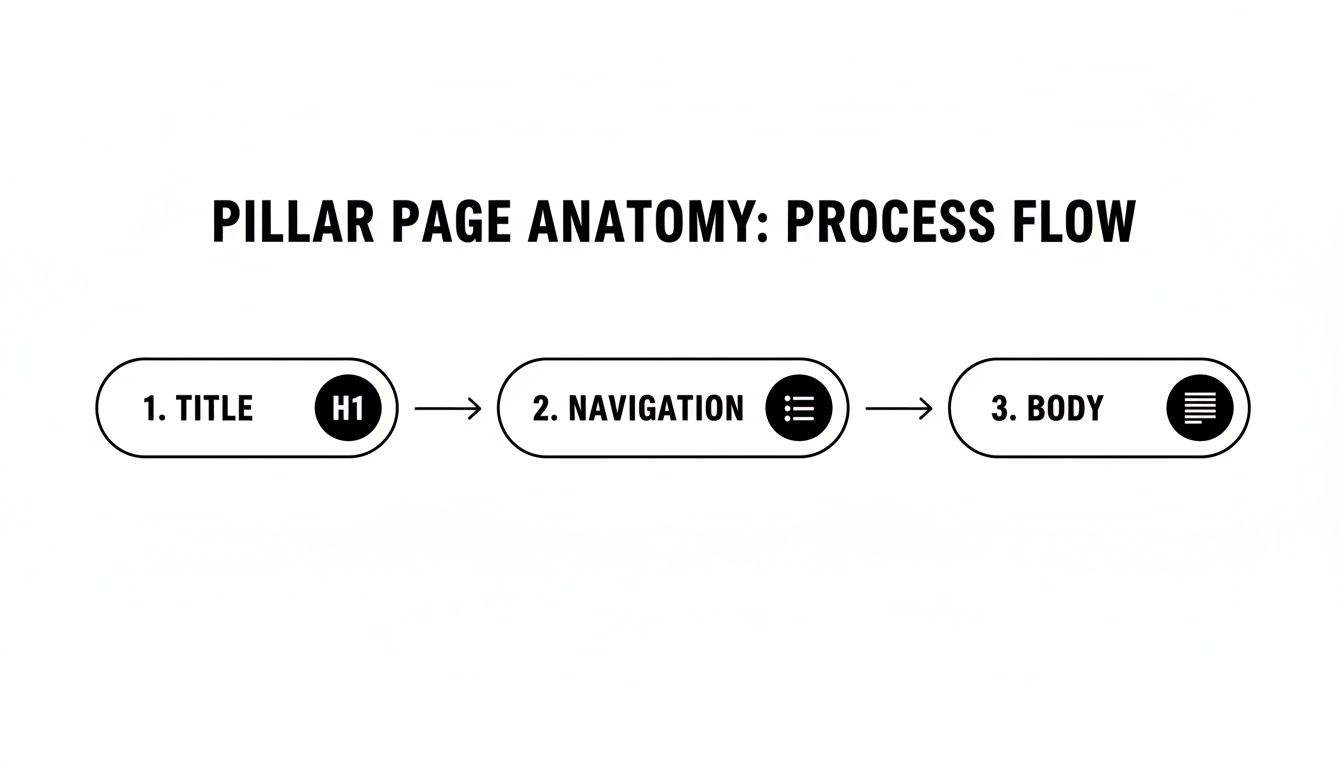
As you can see, a great user experience is baked into the structure from the very top, starting with a clear title and simple navigation.
Step 4: Implement Strategic Internal Linking
This is the final, crucial step that turns a bunch of separate articles into a powerful, cohesive topic cluster. The linking structure is non-negotiable and has a very specific pattern you must follow.
- The pillar page must link out to every single cluster page associated with it.
- Every cluster page must link back to the main pillar page.
This creates a closed loop of internal links, funneling SEO authority from all the specific articles back to your central hub. It’s this tight, reciprocal linking that screams to search engines, "Hey, we're the experts on this topic!" and solidifies your site as a go-to resource.
So, you've poured a ton of effort into creating a monster of a pillar page. It's comprehensive, it's linked up, and it looks great. But... is it actually doing anything? How do you prove this whole effort was worth it? Measuring its success is about way more than just glancing at page views. You need to look at how it's lifting your entire content ecosystem.
The single most important metric isn't found on the pillar page itself. It's the organic traffic growth across your entire topic cluster. A successful pillar acts like a rising tide, lifting all the connected cluster pages with it. When you see a steady climb in traffic to those supporting articles, that's your proof that the strategy is working and you're building real topical authority.
Key Metrics to Monitor
To get the full story, you need to blend performance metrics with engagement metrics. Together, they paint a picture of how both search engines and actual humans are reacting to your content hub.
Start by keeping a close eye on these KPIs:
- Keyword Rankings: Don't just track the main keyword for your pillar page. You need to monitor the whole constellation of long-tail keywords your cluster content is targeting. Jump into a tool like Google Search Console and see if you’re starting to pop for dozens of related searches.
- User Engagement: Look at metrics like time on page and scroll depth. Are people actually reading this thing? High engagement tells search engines that your content is genuinely valuable and comprehensive, which is exactly the kind of signal you want to send.
- Backlink Acquisition: Truly great pillar pages are link magnets. They naturally attract backlinks from other websites because they're such a definitive resource. Keep an eye on new referring domains pointing to your pillar; it's one of the strongest indicators of its authority.
A successful pillar page doesn't just rank for one term; it becomes a linkable asset that elevates your site's authority, pulling up rankings for an entire network of related content.
Demonstrating ROI with Data
Beyond traffic and rankings, the ultimate measure of success is how your pillar page contributes to real business goals. This is where you let the data do the talking to show a clear return on investment.
One of the most powerful benefits is the massive traffic lift. Companies that nail this strategy have seen up to 15% quarterly organic traffic growth, blowing past sites that just publish one-off, siloed blog posts. That surge happens because the 8-15 cluster pages supporting each pillar create incredible depth, signaling to search engines that you're an authority on the topic.
This is more critical than ever, as pillar pages with direct, comprehensive answers are now being featured in AI responses from tools like ChatGPT and Gemini, driving high-value citation traffic. You can dig into more insights on pillar page design and its impact at siteimprove.com.
Common Pillar Page Mistakes to Avoid
Creating a successful pillar page strategy is a game of precision. Even a small misstep can completely derail your hard work. One of the most common traps is picking a topic that's either way too broad, like "Marketing," or painfully narrow, like "Instagram Story Stickers." You have to find that perfect middle ground that gives you enough room to create substantial content without losing focus.
Another critical failure point is forgetting about the cluster content. A pillar page is only as strong as the supporting articles it’s connected to. If you don't build out a solid base of in-depth cluster posts, your pillar page just doesn't have the authority or structural backbone to signal true expertise to search engines. This leads right into the next big mistake: weak internal linking.
Neglecting Links and User Experience
The internal linking structure is the very glue holding your topic cluster together. Forgetting to link from the pillar to every cluster page—and from every cluster page back to the pillar—makes the whole strategy fall apart. To get this right, it helps to understand how many internal links is too many so you don't accidentally get flagged for over-optimization.
Creating a pillar page without a clear, reciprocal linking strategy is like building a library with no doors between the main hall and the book rooms—the connection is lost.
Finally, a terrible user experience will sink even the most brilliant content. Walls of text, a lack of visuals, and no clear calls-to-action will have users bouncing in seconds. It's also vital to keep your content fresh. A pillar page is a living, breathing hub, not a static blog post you publish and forget. The most successful pillars are typically updated every 3-6 months to keep them relevant and authoritative, which is a major difference from standard blog content. As noted by Midland Marketing, these dynamic hubs are key to skyrocketing SEO rankings in 2025.
Pillar Page FAQs: Your Questions, Answered
Alright, let's wrap things up by tackling some of the most common questions that pop up when teams first start digging into pillar pages. These are the nitty-gritty details that can make all the difference.
How Many Cluster Pages Do I Need for One Pillar Page?
There's no single magic number, but a solid sweet spot to aim for is somewhere between 8 and 20 cluster pages. The real goal is to thoroughly cover all the essential subtopics related to your main pillar theme.
If you have fewer than eight, you might not be sending a strong enough signal to search engines that you're a true authority on the subject. On the flip side, trying to wrangle more than 20 can get messy fast. It’s often smarter to start with a focused, high-quality set and build from there.
Can I Turn an Old Blog Post Into a Pillar Page?
Absolutely! In fact, this is one of the smartest and most efficient ways to get started. If you already have a comprehensive, high-performing blog post on a broad topic, you have the perfect foundation to build upon.
The process involves auditing that existing content to see what you've already covered and, more importantly, to spot any informational gaps. From there, you'll create new cluster content to fill those holes and then add the crucial internal links to stitch everything together into a cohesive topic cluster.
Repurposing a strong existing asset saves a ton of time and lets you capitalize on the authority that the original post has already earned. You're basically turning a successful article into a strategic SEO powerhouse.
What Is the Difference Between a Pillar Page and a Landing Page?
The core difference really comes down to their purpose and intent. A pillar page is all about education and establishing topical authority for the long haul. It's designed to cover a subject broadly to attract and rank for organic search queries over time.
A landing page, on the other hand, is a specialist. It’s built for a specific marketing campaign with a single, immediate conversion goal in mind. Think of it as a focused sales pitch—it’s usually much shorter and is laser-focused on persuading a visitor to take one specific action, like downloading an ebook or signing up for a webinar.
Ready to turn AI visibility into measurable growth? Sight AI is the all-in-one platform that monitors your brand's presence across AI models and helps you create expert-level content that ranks. See how leading SEO and content teams are building authority and driving traffic with Sight AI at https://www.trysight.ai.


