
Creating solid workflows really boils down to a few key moves: mapping out your current process, pinpointing where things get stuck, giving everyone clear roles, and using automation to kill off the tedious manual steps. This is how you turn chaotic, last-minute scrambles into a predictable system that delivers quality work, every single time.
Why Your Current Process Is Quietly Costing You
Before you can build something better, you have to be brutally honest about what’s broken right now. Too many content and SEO teams are just winging it, and the cost of that disorganization goes way beyond a messy Trello board. These hidden inefficiencies create real, tangible problems that quietly sabotage your goals and burn out your best people.
Does any of this sound painfully familiar?
- Missed Deadlines: The designer gets a "brief" just hours before a campaign is supposed to launch, forcing them to rush out subpar work. It happens all the time when handoffs are a mess.
- Inconsistent Quality: On-page SEO becomes a total lottery. One article might be perfectly optimized, but the next one misses half the critical elements and its rankings tank.
- Constant Rework: The classic scenario: an SEO specialist spots a fatal flaw in an article after it’s already been published. This triggers a frustrating, time-sucking revision cycle that could have been avoided entirely.
The True Cost of Inefficiency
This isn't just about being neat and tidy; it’s a strategic problem. The constant fire drills and rework are a massive drain on your resources and team morale.
When your team has to guess what's next or chase people down for missing info, they stop doing high-value creative and strategic work. Instead, they’re stuck in a loop of low-value administrative chaos. That friction is a direct path to burnout and weak results.
The bottom line is that unstructured processes create unpredictable outcomes. You can't scale quality or forecast results when every project follows a different, undocumented path. A structured workflow is the most direct way to solve this.
This isn't just a hunch—it's a global trend. The workflow automation market was valued at a whopping USD 19.76 billion in 2023 and is expected to jump to USD 45.49 billion by 2032. That growth tells you one thing: businesses are winning by systemizing how they work. In fact, 31% of organizations have already automated at least one function, proving that efficiency is a major competitive advantage. You can check out more stats about the workflow automation market to see the full picture.
From Chore to Strategic Advantage
Too many people see building a workflow as a bureaucratic chore. That’s a huge mistake. Think of it as the foundational system that lets your team do their best work.
It provides the clarity and support they need to raise the bar on content quality, boost morale, and deliver the predictable SEO results your business is counting on. Digging into the future of automated content management shows just how powerful these systems are becoming. A well-designed workflow isn't about control; it's about creating freedom from chaos.
Mapping Your Process From Ideation to Impact
Before you can dream up a better workflow, you have to get brutally honest about the one you have right now. This isn't a theoretical exercise for a boardroom whiteboard; it's about digging into how work actually gets done, warts and all. You can't fix a problem you can't see.
Think of this mapping phase as your "before" photo. The goal is simple: create a visual of every single step, every handoff, and every decision point, from the spark of an idea to the final performance report. Without this clear picture, any attempt to build a new process is just a shot in the dark.
Start by Talking to Your Team
The most important truths won't come from a manager's high-level view. They’ll come from the people in the trenches every day—your writers, editors, SEO specialists, and designers. Their daily grind is packed with undocumented workarounds, hidden bottlenecks, and brilliant little shortcuts that no formal process chart ever captures.
Set aside some time for quick, informal chats with each person involved in getting content out the door. Your job here is to be a journalist, not an auditor.
Ask open-ended questions that get them talking:
- "Walk me through what happens the second you get a new content assignment."
- "What's the one part of your day that makes you want to pull your hair out?"
- "Where do you usually get stuck waiting for someone or something?"
- "If you had a magic wand, what's one step you'd get rid of entirely?"
These conversations will uncover the unofficial process—the real one. You might find out that your writers are wasting hours trying to find topics because the keyword research is totally disconnected from the briefing stage. For a more structured way to tackle that specific problem, our guide on where to find blog content ideas shows how a system can make a huge difference.
When you focus on your team's real-world experience, you stop documenting a process and start diagnosing a system. The map you create becomes a tool for empathy and a blueprint for real change.
And make no mistake, an unmapped, chaotic workflow doesn't just slow things down. It kicks off a domino effect that hits the entire business.
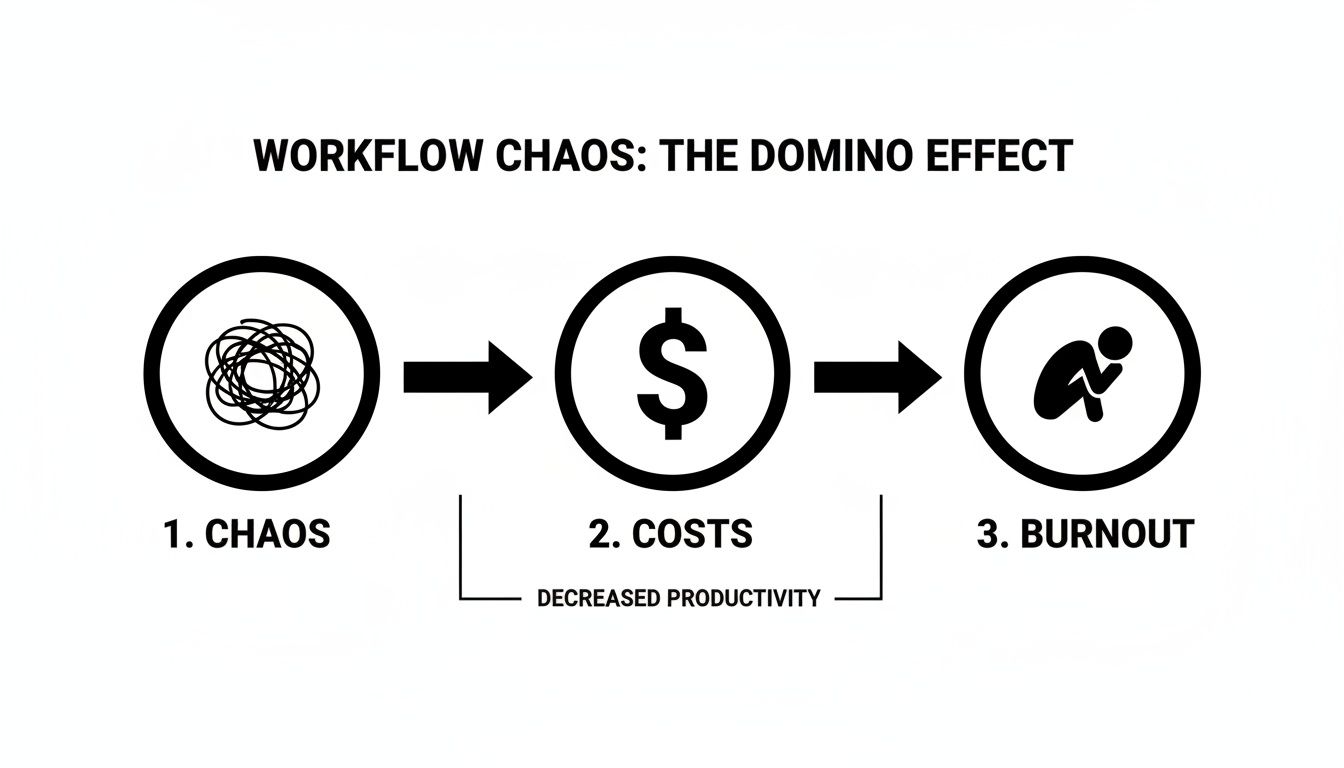
This simple flow shows how tiny inefficiencies snowball, compounding into serious strategic problems like rising costs and team burnout.
Visualize Everything to Expose Friction
Once you've gathered all those on-the-ground insights, it’s time to make the invisible visible. Fire up a simple tool like Miro or Lucidchart and start building a flowchart of your current state of affairs. Don't stress about making it pretty; just get everything out of your head and onto the canvas.
Map out each step as a box and connect them with arrows showing the direction of work. For a content team, it might start to look something like this:
- Idea Generation: Where do topics actually come from?
- Keyword Research: Who does it? When?
- Content Briefing: What information really goes into the brief?
- Writing: Who gets the draft assigned?
- Editing & SEO Review: What are the actual quality checks?
- Design & Formatting: How are visuals created and added?
- Publishing: Who is the person hitting the "publish" button?
- Performance Tracking: How do we know if it worked?
When you lay it all out, the friction points practically jump off the screen. You'll see arrows doubling back on themselves, showing endless revision cycles. You might spot a massive, disconnected gap between keyword research and the content brief, which explains why writers are constantly guessing at what to optimize for.
This visual map is your evidence. It’s the undeniable proof of where your process is breaking down, and it gives you a crystal-clear target for building something that actually works.
Designing a Workflow That Actually Gets Used
Once you've mapped out your current process, the real work begins. It's time to stop diagnosing problems and start designing solutions. This isn't just about documenting steps; it's about building a smarter system—one that’s built around clear goals, not chaotic habits. The objective is to create a workflow that actively prevents common failures and empowers your team to do their best work.
A truly effective workflow is all about intentionality. Instead of letting tasks drift from one person to the next, you need to establish concrete guardrails and checkpoints. This ensures quality is baked into the process from the start, not just a hopeful outcome at the end. It means defining what "good" looks like before anyone even starts working.

Define Objectives and Guardrails
First things first, set specific, measurable goals for your new workflow. Vague aspirations like "be more efficient" are completely useless here. Instead, get laser-focused on the friction points you uncovered during your initial mapping.
Your goals should be tangible, like:
- Reduce content revision rounds by 50% within the next quarter.
- Ensure 100% of articles pass a technical SEO checklist before publishing.
- Cut the average time from brief to publication from 15 days to 10 days.
Next, it's time to build your "guardrails"—these are the non-negotiable rules and quality standards of your process. For example, a killer guardrail could be: "No draft is written until the content brief is fully approved by both the content lead and SEO specialist." This single rule can save writers countless hours by preventing them from working on a topic that’s poorly researched or misaligned with SEO strategy.
A great workflow doesn't just tell people what to do; it makes it impossible to do the wrong thing. By building in these checks and balances, you transform quality from a hopeful outcome into a systematic guarantee.
These guardrails become the backbone of your entire operation, guiding decisions and ensuring consistency without the need for constant micromanagement. To get ahead of common issues like missed deadlines and burnout, it helps to adopt structured approaches to creative workflow management, which provide solid frameworks for keeping both quality and team sanity intact.
Clarify Roles with a RACI Chart
Ambiguity is the absolute enemy of an effective workflow. When people aren't sure who owns what, tasks inevitably get dropped and accountability vanishes. The simplest and most effective way to kill that confusion is with a RACI chart, a simple matrix that assigns clear roles for every task in your workflow.
RACI is an acronym for:
- Responsible: The person who actually does the work.
- Accountable: The one person who owns the work and has the final say. There should only ever be one "A" per task.
- Consulted: Subject matter experts you need to get input from.
- Informed: People who just need to be kept in the loop but aren't directly involved.
Mapping these roles for your entire content process clarifies handoffs and decision-making almost instantly. A writer suddenly knows exactly who to ping for keyword questions (Consulted) and who gives the final approval on the draft (Accountable). This simple chart eliminates so much back-and-forth and speeds up the whole system. As workflows get more complex, it's even more important to get this right, which is why figuring out how to integrate AI in your SEO workflow can help automate some of these handoffs.
Standardize Inputs with Smart Templates
One of the most powerful levers you can pull is standardizing the inputs for each stage of your workflow. Inconsistent or incomplete information is the number one cause of rework and delays. By creating solid templates, you ensure everyone has exactly what they need to succeed from the very beginning.
The content brief is the perfect example. A weak brief is a recipe for a terrible first draft. A strong, standardized brief, on the other hand, is a blueprint for success.
To give you a better idea, here's a look at some of the essential templates that can form the foundation of a high-performing content and SEO workflow.
Essential Workflow Template Comparison
This table breaks down the core templates you'll need, what they're for, and what absolutely must be included in them.
| Template Type | Primary Goal | Must-Have Components |
|---|---|---|
| Content Brief | To provide the writer with a clear, comprehensive plan for an article. | Primary & secondary keywords, target audience persona, competitor analysis, key talking points, internal link suggestions. |
| SEO Checklist | To ensure every piece of content meets technical and on-page optimization standards before publishing. | Title tag & meta description review, image alt text, schema markup check, URL slug structure. |
| Performance Report | To measure the impact of content and inform future strategy. | Clicks, impressions, average position (from GSC), conversions or leads generated, backlink acquisition. |
By making a detailed content brief template mandatory—one that requires competitor analysis and keywords before a single word is written—you eliminate costly revisions later. It forces strategic thinking upfront, turning writing from a guessing game into the methodical execution of a solid plan. This is how you create workflows that don't just sit in a folder but actively drive better results.
Choosing the Right Tools to Power Your Process
A brilliant workflow is just a diagram on a whiteboard until you plug in the right technology. The right tools are what turn that process map into a living, breathing system that actually saves time and pushes your output to the next level.
This isn't about collecting a bunch of shiny new software subscriptions. It's about hand-picking a cohesive toolkit that genuinely eliminates manual work, not just adds another login for everyone to remember.

Think of your tech stack like this puzzle—four core functions that need to connect seamlessly to create the full picture.
The Four Pillars of a Workflow Tech Stack
Instead of getting overwhelmed by the sea of software options out there, I find it helps to group tools by the job they do. Most high-performing content and SEO teams I've worked with build their stack around these four key pillars.
Project Management Hub: This is your command center. It's the single source of truth for every task, deadline, and status update. Tools like Asana, ClickUp, or Trello are great examples. The main goal here is total visibility—anyone on the team should be able to glance at the board and know exactly where a piece of content is at any given moment.
Collaboration & Documentation Space: This is where the messy, creative work actually happens and where all your knowledge gets stored. Think Notion or Google Workspace. This becomes the central library for everything from content briefs and SOPs to the final drafts themselves.
SEO & Content Intelligence Platform: This is your data engine. You need a tool like Semrush or Ahrefs to feed your workflow the critical insights for keyword research, competitor analysis, and performance tracking. When this data is baked right into your process, every decision is backed by solid evidence.
Automation & Integration Glue: Here's the magic that ties it all together. Tools like Zapier or Make are the "plumbing" that allows all your other software to talk to each other. They automate the handoffs you mapped out earlier so no one has to think about them.
The most powerful tech stack isn't the one with the most features; it's the one with the tightest integrations. When your tools work together automatically, you eliminate the friction that slows your team down.
Making the Right Choice for Your Team
Let's be real: the "best" tool is always the one your team will actually use. Before you get locked into a long-term subscription, run your options through this simple decision framework.
- Scale and Complexity: Are you a small crew of three or a sprawling department of thirty? A simple Kanban board might be perfect for a small team. A larger organization, on the other hand, will probably need the robust reporting and task dependency features of a more advanced project management system.
- Budget: Don't just look at the sticker price per month. Factor in the total cost of ownership, which includes the time and resources needed to get everyone trained up. Always, always start with a free trial to make sure a tool delivers real value before you invest.
- Integration Capability: This one is non-negotiable. Before you pull the trigger on any tool, confirm that it can connect seamlessly with the other pillars of your stack. Check for native integrations first, but also make sure it plays nice with an automation platform like Zapier.
Putting Automation into Practice
This is where you truly start to see how to create workflows that practically run themselves. The real power is unlocked when you connect your tools to handle the tedious, manual steps that no one wants to do.
Let's walk through a common scenario. Say you want to automatically trigger a technical SEO review the moment a writer finishes their draft.
The Trigger: A writer drags a Google Doc into a shared folder named "Final Draft for SEO Review."
The Action: A Zapier automation instantly creates a new task in Asana. It automatically assigns the task to your SEO specialist, sets a 24-hour due date, and pastes the link to the Google Doc directly into the task description.
That single, simple automation just eliminated a handful of manual steps. The writer doesn't have to ping anyone on Slack, and the SEO specialist doesn't have to waste time hunting down the right document link. It's a small change, but it saves time and removes any chance of that handoff getting dropped.
The workflow automation market is exploding for a reason—it's projected to hit USD 23.77 billion in 2025, with 80% of organizations accelerating their adoption since the pandemic. We're seeing companies achieve 30% cost savings just by starting small, piloting a few key automations, and scaling what works. You can dig into more of the data on the growth of the workflow automation market if you're curious.
The rise of AI has added an even more powerful layer to this. For a deeper look, check out our breakdown of the best content AI tools that can further automate and enhance your team's creative output. By carefully selecting technology that removes the manual grind, you free up your team to focus on the high-impact, strategic work that actually moves the needle.
Launching and Refining Your New Workflow
Building a workflow on paper is one thing. Bringing it to life with your team? That’s where the real work begins.
A successful launch isn't a single, dramatic event. It's the start of an ongoing conversation—a process of gradual adoption and continuous improvement. Resist the urge to do a company-wide "big bang" launch. I've seen that approach create more confusion and resistance than it's worth.
Instead, go with a phased rollout. This strategy minimizes disruption and lets you gather crucial feedback from a smaller, more controlled group before going all-in.
Start Small with a Pilot Program
Your best bet is to launch a pilot program with a single, contained project. If you're a content team, this could mean applying the new workflow to just one blog category or a specific content series for the first month.
This approach turns the launch into a low-stakes experiment. The pilot team becomes your test group, helping you spot unforeseen friction points and confusing steps before you roll the process out to everyone.
Treating your workflow launch as a pilot program frames it as a collaborative experiment, not a rigid top-down mandate. It invites feedback and makes your team partners in the process, which is essential for long-term adoption.
This initial feedback loop is invaluable. You might discover a template is missing a critical field, or that the handoff between a writer and an SEO specialist isn't as smooth as you designed it to be. Fixing these issues on a small scale is far easier than trying to course-correct with the entire team.
Focus on Practical Training and Documentation
Once you’ve ironed out the kinks with your pilot group, it's time to prepare for a broader rollout. Effective training and solid documentation are what make a new workflow stick. Just please, avoid creating a dense, 50-page manual that no one will ever read.
Your documentation should be simple, scannable, and right where your team needs it. Think less like a formal rulebook and more like a helpful quick-start guide.
- Use Visuals: A simple flowchart often explains a process better than paragraphs of text ever could.
- Create Checklists: Break down complex stages into simple, actionable checklists right inside your project management tool.
- Record Loom Videos: A quick five-minute screen recording walking through a process is often more useful than pages of written instructions.
When you hold training sessions, focus less on the "what" and more on the "why." Connect the new workflow directly to the pain points your team mentioned during the mapping phase. Show them exactly how it gets rid of tedious tasks and helps them produce better work with less frustration.
Treat Your Workflow as a Living System
The biggest mistake I see teams make is treating a new workflow as a finished product. The moment it's launched, it starts to age. Your team will grow, goals will shift, and new tools will pop up.
A workflow isn't meant to be set in stone; it's a living system that has to evolve.
To keep it relevant and effective, set up a regular review cadence. A quarterly check-in is a great place to start. This is your dedicated time to step back and honestly analyze what’s working and what isn’t.
During these reviews, you need to look at both the data and the human side of things.
- Analyze Key Performance Indicators (KPIs): Dig into the metrics you defined back at the start. Has content velocity increased? Are revision rounds decreasing? Are you seeing fewer errors on published articles? A solid grasp of how to measure SEO success will help you connect your workflow's efficiency to tangible results.
- Gather Team Feedback: Create an open forum for honest input. Ask your team what’s still causing friction. What steps feel redundant? What could be better? An anonymous survey can be a great way to get candid insights you might not hear otherwise.
Continuous oversight is what turns a good workflow into a great one. For more ideas on this, you can explore resources on general workflow management strategies to keep your processes sharp. By combining hard data with real-world feedback, you can make smart, iterative improvements that ensure your workflow continues to support your team and drive results long after its initial launch.
Your Workflow Questions, Answered
Even with the slickest design, rolling out a new workflow is where the rubber meets the road. This is when the real, human questions pop up. Getting out ahead of these common hurdles is the secret to making sure your new process actually sticks around.
Let's dive into the tricky questions that inevitably come up when you start building new workflows for your content and SEO teams.
What's the Biggest Mistake Teams Make When Building Workflows?
The single most common trap? Designing the entire workflow in a vacuum.
It’s what happens when a manager maps out a process based on how work should happen in a perfect world, without ever talking to the people who are actually in the trenches doing that work every single day.
This top-down approach is almost guaranteed to fail. It completely misses the messy realities, the clever workarounds people have already invented, and all the hidden friction points your team deals with. You end up with an impractical system that feels totally disconnected from reality, and it gets ignored almost immediately.
The only way to build a workflow that sticks is through co-creation. Get everyone involved from the very beginning—your writers, your SEOs, everyone. Their on-the-ground insights are the most valuable resource you have for designing a process that works in practice, not just on paper.
How Do You Get Your Team to Actually Follow the New Process?
Adoption comes down to one simple idea: make the new way the easiest way. If your official process is more work than their old habits, people will always drift back to what they know.
First things first, you have to sell the "why." You need to clearly show how this new workflow gets rid of their most annoying tasks, removes frustrating bottlenecks, and ultimately helps them create higher-quality work they can be truly proud of.
From there, it's all about making it easy:
- Create genuinely helpful training materials. Nobody wants to read a 50-page manual. Think short, punchy videos and simple checklists that are easy to find when they need them.
- Automate every single handoff you can. The more you automate, the less manual work is involved. This makes the official path the path of least resistance.
- Lead by example. When managers and team leads consistently use and advocate for the new workflow, it doesn't take long for it to become the undisputed standard for the rest of the team.
How Often Should We Review and Update Our Workflows?
A great workflow is a living document, not something carved in stone. Your business, your team, and your goals are constantly changing, and your processes have to keep up.
As a rule of thumb, aim for a formal review at least once a quarter. This is your dedicated time to look at the data—things like content velocity, revision cycles, and time-to-publish—to see what's really working and what isn't.
But don't wait for a quarterly meeting. You want to build a culture where anyone can suggest an improvement at any time. Some of your best ideas will come from the people using the system day in and day out.
Beyond your regular check-ins, a few key events should trigger an immediate review:
- Hiring for a new role that touches the content process.
- Bringing on a major new tool or piece of software.
- A big pivot in your overall content or SEO strategy.
The best systems are the ones that are built to change.
My Team Is Resistant to Change. How Do I Get Buy-In?
Resistance to a new workflow almost never comes from a place of just being stubborn. It usually comes from a fear of losing autonomy, being micromanaged, or getting buried in more tedious admin work.
You have to tackle this fear head-on by framing the workflow as a tool for empowerment, not control. Position it as the system that will eliminate the boring, repetitive tasks so they can spend more time on the creative, strategic, and high-impact work they were hired to do in the first place.
Start small by finding one or two "workflow champions" on your team—the people who are naturally organized and seem excited about the change. Involve them early and let them help influence their peers.
Showcasing early wins is also a game-changer. When the rest of the team sees hard data showing the new system is making life easier and their work more effective, that resistance will start to melt away.
Ready to stop managing chaos and start building a predictable content engine? IndexPilot uses trainable AI Agents to automate your entire SEO content workflow, from keyword strategy and writing to optimization and publishing. Turn your SEO strategy into compounding organic traffic today.