To really nail your meta tags, you need a compelling title tag (stay under 60 characters) and a snappy meta description (aim for under 160 characters). Both should feature your target keyword and, most importantly, give people a reason to click.
Think of these little HTML elements as your page's preview in the search results. They have a direct impact on your click-through rate (CTR) and how relevant users think your page is.
Why Meta Tags Still Matter for SEO and Clicks
Let's be real: meta tags aren't the magic ranking bullet they were in the early 2000s. Things have changed. Today, their job is to be your first impression on the search results page—a vital tool for grabbing a user's attention and convincing them to click your link over someone else's.
This shift happened because search engines got a whole lot smarter. Back in the '90s, the meta keywords tag was everything. But in 2009, Google officially announced it was no longer a ranking factor, and that changed the game. Now, the entire focus is on the user. A sharp, well-written title and description can be the one thing that separates you from your competitors.
From Ranking Factor to User Magnet
Picture your meta tags as a digital billboard on the search engine highway. While they won't directly speed up your car (your ranking), they’re what makes drivers (users) want to pull over and check you out. Even Google's own documentation stresses how much good titles and snippets help users figure out if a page is relevant to them.

The big takeaway is that search engines want to serve up content that matches a user's intent. Your meta tags are your very first chance to prove you've got the answer they're looking for. To really get why this is so important, it helps to understand the bigger picture of search engine optimization. If you need a solid foundation, this complete guide to SEO is a great place to start.
Your meta description is your sales pitch. It's the copy that convinces a searcher that your page is worth their time over the nine other organic results.
Connecting with User Intent
Modern SEO isn't about trying to trick an algorithm; it's about deeply understanding what your audience actually needs. This is where concepts like semantic search enter the picture, as search engines now analyze the meaning behind a query, not just the keywords.
Your meta tags have to align perfectly with that user intent. To dive deeper into this, check out our detailed article on https://www.trysight.ai/blog/what-is-semantic-seo. A killer title and description combo signals to both people and search engines that your content is the right fit, which ultimately drives more of the right kind of traffic to your site.
Crafting Titles and Descriptions People Want to Click
Think of your title tag and meta description as your page's digital storefront window on Google. You have a split second to convince someone scrolling through a sea of results that your link is the one worth clicking. It’s not about just jamming keywords in there; it’s about making a connection with what that person is looking for and promising them a real answer.
The first rule of thumb is to work within the space you're given. Aim to keep your title tag under 60 characters and your meta description below 160 characters. Go over, and you risk getting cut off with an ugly "..." right when you're trying to make your point. This isn't just a cosmetic issue. Simple tweaks can make a massive difference—in fact, A/B testing meta descriptions has been shown to boost click-through rates by up to 30%. According to research from Nightwatch.io, Google is also 57% more likely to rewrite titles that are too long, taking control completely out of your hands.

Writing Magnetic Title Tags
Your title is the headliner. It’s the biggest, boldest part of your search snippet, so it has to pull its weight. A truly effective title tag nails three things: it includes the primary keyword, it communicates a clear benefit, and it piques just enough curiosity to earn the click.
Let’s see it in action for a service page.
- Before: "Marketing Services for Small Business"
- After: "Growth Marketing That Drives Real ROI for Your Business"
See the difference? The "After" version is so much stronger. It’s not just a generic label; it promises a specific, desirable outcome—"Real ROI"—that speaks directly to what a business owner actually cares about.
Composing Persuasive Meta Descriptions
If the title is the headline, the meta description is the compelling sub-header that seals the deal. This is your mini sales pitch. Use an active voice, tell people what you want them to do, and make sure it perfectly reflects what they'll find on the page. Bait-and-switch descriptions are a surefire way to get a high bounce rate, which can signal to Google that your page isn't a good result.
Here's an example for a product page:
- Before: "This product is made from high-quality materials. It comes in various colors and sizes. Our product helps you organize your desk."
- After: "Tired of a cluttered desk? Our modular organizer adapts to your space. Get organized in minutes and find what you need, instantly. Shop now for a tidier workspace."
The second version works because it leads with a pain point ("cluttered desk"), introduces the solution with a key benefit ("adapts to your space"), and finishes with a clear call-to-action ("Shop now").
To help you keep these best practices straight, here's a quick checklist you can reference anytime you're writing new meta tags.
Meta Tag Component Checklist
| Element | Title Tag Best Practice | Meta Description Best Practice |
|---|---|---|
| Length | Under 60 characters | Under 160 characters |
| Keyword | Include the primary keyword | Include the primary keyword naturally |
| Benefit | Communicate a clear value or outcome | Expand on the value from the title |
| Voice | Engaging and direct | Active voice, conversational |
| Uniqueness | Unique for every page on your site | Unique for every page on your site |
| Call-to-Action | Implied (e.g., "Learn How," "Guide") | Explicit (e.g., "Shop now," "Learn more") |
Getting this right is one of the most fundamental skills for SEO success. For an even more in-depth look, check out our guide on how to write meta descriptions for SEO. Every word counts, and paying attention to these small details is often what separates the pages that get all the clicks from the ones that don't.
Using AI to Generate Meta Tag Content at Scale
Let's be real: manually writing unique, compelling meta tags for every single page on your site is a great idea in theory. But when you’re dealing with a site with hundreds of products or a blog with a massive archive, it’s just not feasible.
This is where AI becomes your secret weapon. It can transform one of the most tedious SEO chores into a smart, strategic process. AI tools are surprisingly good at grasping the context of a page and spinning up creative copy based on your specific needs, helping you create meta tags that are unique, on-brand, and optimized for search. This is a game-changer for large e-commerce stores, publishers, or any business juggling a high volume of pages.
Crafting the Perfect AI Prompt
The quality of your AI-generated meta tags hinges entirely on the quality of your prompts. A lazy, generic request will get you lazy, generic results. You have to give the AI clear, specific instructions to guide it toward the output you actually want.
A solid prompt needs to include:
- The Content: Don't just give it a headline. Provide the full text of the article or at least a detailed summary of the page's content.
- The Target Keyword: Be explicit about the primary keyword you're trying to rank for.
- The Goal: Tell the AI what you want the meta tags to do. Is it to "drive clicks," "answer a question," or "highlight a key benefit"?
- The Constraints: Specify the hard limits—under 60 characters for titles and under 160 for descriptions.
- The Tone: Define your brand's voice. Are you "professional and authoritative" or "witty and informal"?
Here’s a practical prompt template you can steal and adapt:
Act as an expert SEO copywriter. Based on the following article text, generate a meta title and meta description. The primary keyword is "[Your Keyword]". The title must be under 60 characters and the description under 160 characters. Write in a [Your Brand Tone] tone and include a call-to-action in the description.
Article Text: [Paste your full article text here]
This structured approach gives the AI everything it needs to create a meta tag that works for both search engines and the humans clicking on your links.
Integrating AI with Your CMS
The real magic happens when you bring these AI workflows directly into your Content Management System (CMS). You're starting to see this more and more, with modern platforms and SEO plugins building AI features right in.
For example, if you're on WordPress and use a plugin like Yoast SEO or Rank Math, you'll often find AI-powered suggestions right there in the post editor. No more copying and pasting between different tools. Similarly, platforms like Webflow and Framer are rolling out integrations that let you generate meta tags on the fly.
This screenshot shows just how deeply AI is being woven into modern SEO workflows. These aren't just simple text generators anymore; they're becoming full-blown content strategy platforms. By analyzing competitor data and user intent, they can help you generate meta tag variations that are much more likely to perform well right out of the gate.
For anyone managing content at a massive scale, these integrations are a lifesaver. And if you want to take it even further, you can explore programmatic SEO for content generation at scale. This technique uses data and templates to automatically create hundreds or even thousands of pages, with AI handling the unique copy for each meta tag.
Ultimately, using AI for meta tags isn't about replacing the human touch; it's about amplifying it. It allows you to maintain high standards of quality and consistency across your entire website—a task that would be next to impossible to do manually. To see more of how this works in practice, check out our guide on using AI content for SEO to drive real growth.
How to Properly Implement and Check Your Meta Tags
Crafting a brilliant meta tag is only half the battle. If you don't implement it correctly, it's completely invisible to search engines and social media platforms. Getting the technical side right is just as crucial as the copywriting itself, so let's walk through your go-to technical checklist to make sure all your hard work pays off.
Fortunately, you don't need to be a developer to get this done. Most modern Content Management Systems (CMS) make this incredibly straightforward, with user-friendly fields built right into the editor.
This visual shows the simple journey from creating your content to getting it live in your CMS, highlighting how AI can step in to generate solid suggestions that you can then tweak and implement.
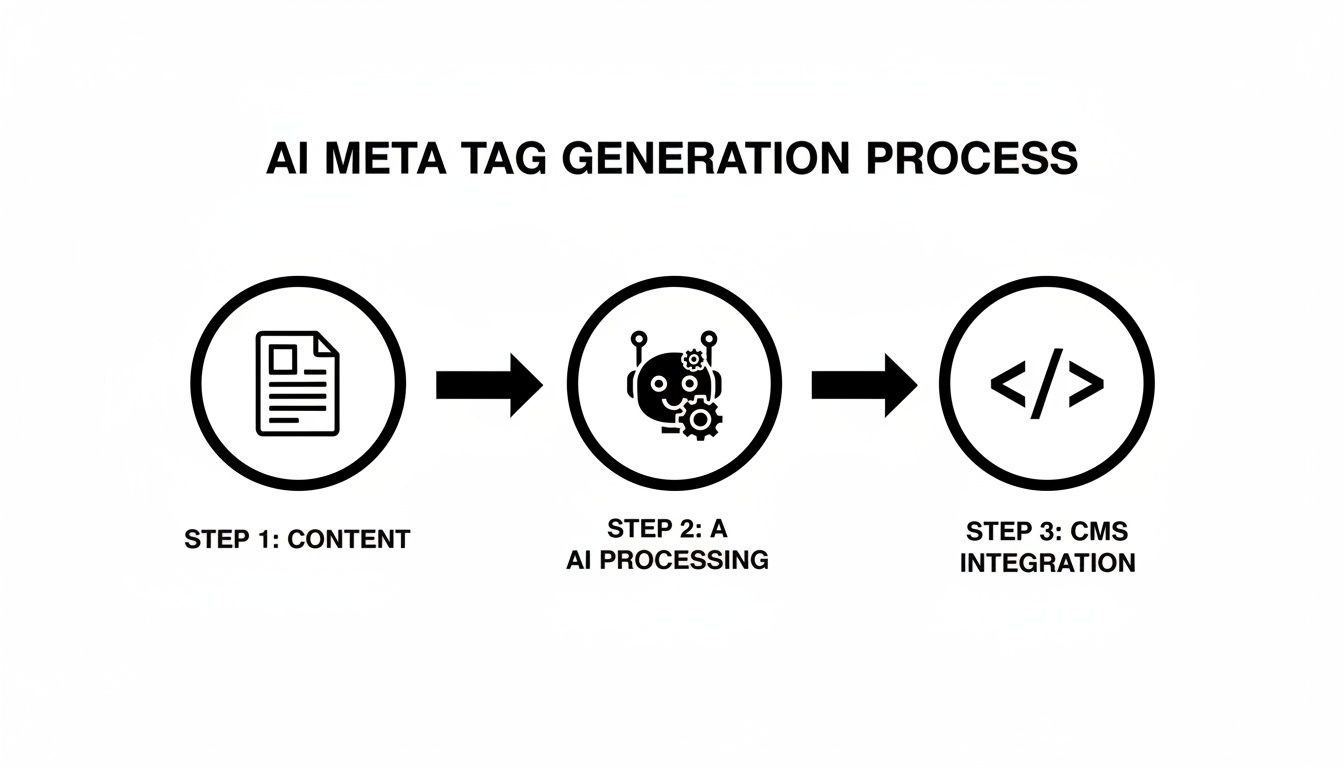
The key takeaway here is that implementation is that final, critical step where your perfectly optimized copy meets the technical requirements of your website.
Where to Add Your Meta Tags
For most marketers and content creators, you won't be digging around in raw HTML. Your CMS handles adding the code to the <head> section of your page for you. All you have to do is find the right input fields.
Here’s where you'll typically find them:
- WordPress: If you’re using an SEO plugin like Yoast SEO or Rank Math, look for a dedicated box right below your main content editor. You'll see fields for "SEO Title" and "Meta Description."
- Shopify: Inside your product or page editor, find the "Search engine listing" section. Click "Edit" and you can customize the "Page title" and "Description."
- Webflow: Open the "Pages" panel, click the settings gear icon for the page you're working on, and you'll find "Title Tag" and "Meta description" fields under SEO Settings.
These tools are incredibly helpful because they often give you real-time feedback, like character or pixel counts, as you type. For a deeper dive into getting the length just right, check out our guide on optimal SEO title length.
Verifying Your Implementation
Once you hit publish, don't just walk away and assume it's working. A quick check can save you a ton of SEO headaches later. You need to confirm that Google and other search engines can actually see and understand your new tags.
The most reliable way to check your work is to use a tool that shows you exactly how Google sees your page. This step removes all the guesswork and confirms your tags are correctly formatted and accessible.
A fantastic free tool for this is Google's own Rich Results Test. Just pop in your page's URL, and the tool will show you how Google renders the page. From there, you can inspect the rendered HTML to find your new title and description tags and make sure they're present.
Getting Your Changes Indexed Faster
The final piece of the puzzle is letting Google know you've updated something. While Google’s crawlers will eventually find your changes, you can give them a nudge to speed things up. The best way to do this is by manually submitting the URL through Google Search Console.
Head over to the "URL Inspection" tool, paste in your updated page URL, and click "Request Indexing." This simple action prompts Google to put your page in a priority queue for recrawling, helping your new, optimized meta tags show up in search results much faster.
Tracking Your Meta Tag Performance and Optimizing CTR
So you've created and rolled out your new meta tags. Great start, but the job's not done. How do you actually know if your efforts are paying off? The answer is in the data.
Once your meta tag updates are live, tracking their real-world impact is the only way to know you’re moving the needle. This isn't about guesswork; it's about making data-driven decisions that consistently improve your click-through rate (CTR).
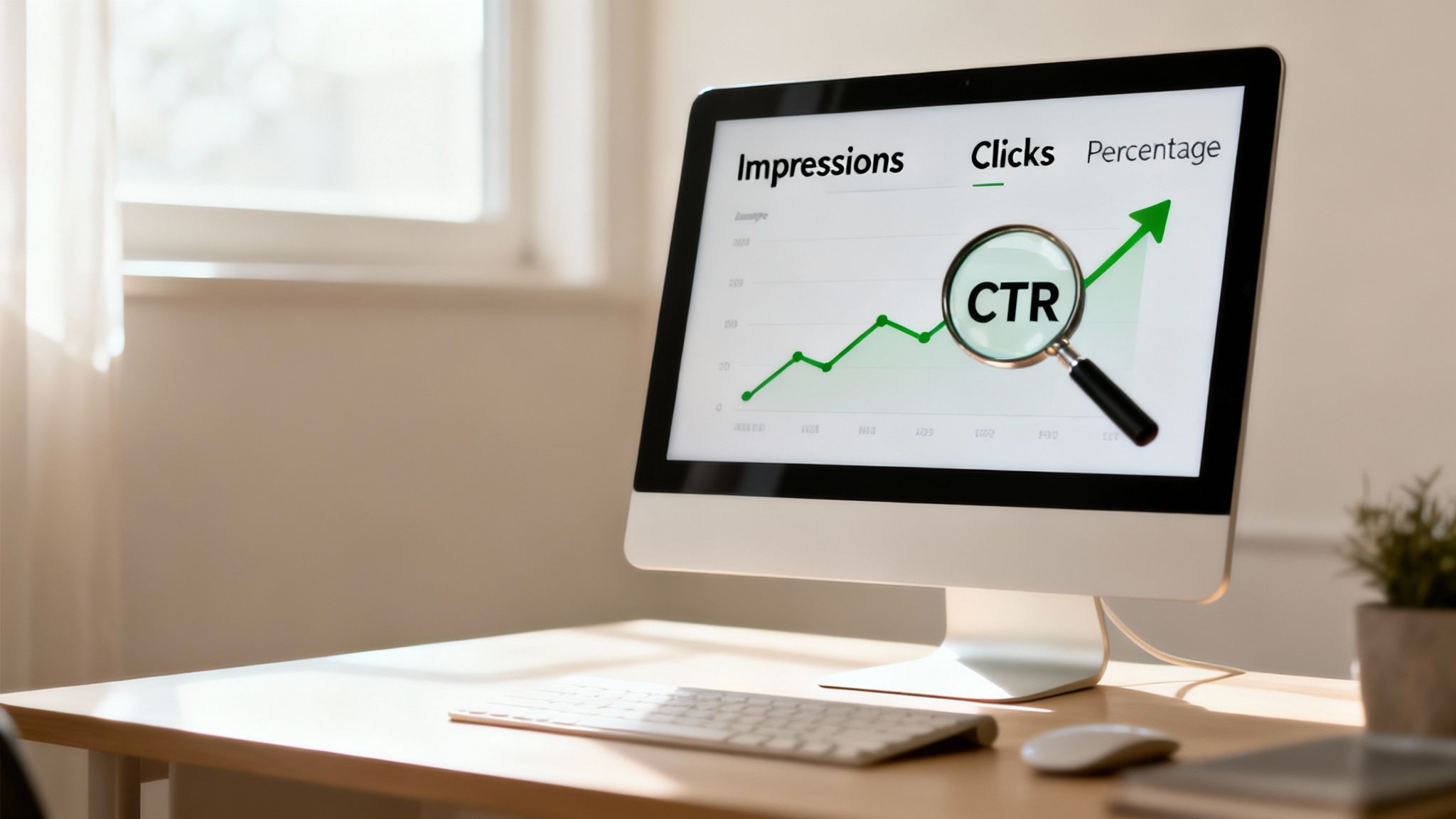
Your go-to tool for this is Google Search Console (GSC). It's a free platform from Google that gives you a direct look at how your pages perform in search results. GSC is where you’ll measure key metrics like impressions, clicks, and CTR, giving you the feedback loop you need to keep refining your strategy.
Analyzing Your Data in Google Search Console
To get started, head over to the "Performance" report in GSC. This is where the magic happens. Your first move is to isolate the specific page you updated. Just click "+ New" next to the date filter, choose "Page," and drop in the URL of the page you changed.
With your page isolated, you can now set up a date comparison to measure performance before and after your update.
- Click the Date filter at the top of the report.
- Select the Compare tab.
- Set your first date range to a period before you published the new meta tags (the last 28 days is a good default).
- Set the second date range to the period after the update (e.g., the 28 days since).
- Hit Apply.
This will give you a clean, side-by-side comparison of your page’s clicks, impressions, average CTR, and average position for both periods. It's the clearest way to see if your changes had a positive, negative, or neutral impact.
Interpreting the Results to Guide Your Next Steps
Now you have the data, but what does it all mean? A classic scenario is seeing tons of impressions but a depressingly low CTR. This is a huge red flag that your meta description isn't compelling enough. Your page is getting in front of people, but your "sales pitch" in the search results is falling flat.
A low CTR despite high impressions is a direct signal to rewrite your meta description. Focus on highlighting a stronger benefit, addressing a user pain point more directly, or adding a clearer call-to-action.
The impact of a well-written meta tag can be massive. In one documented case, a strategic rewrite of meta tags led to a 62% improvement in CTR (jumping from 2.1% to 3.4%). Even with a slight dip in impressions, total clicks shot up by 54%. You can check out more of these SEO statistics on aioseo.com. This is proof positive that good copy directly influences user behavior.
This cycle of testing, measuring, and refining is the core of effective SEO. It’s not just about rankings; it’s about winning the click. Understanding how to monitor these small changes is just as important as knowing what is rank tracking in the bigger picture. By continuously optimizing your meta tags based on performance data, you turn a one-time task into a powerful, ongoing growth strategy.
Still Have Questions About Meta Tags?
Even with the best tools, you're bound to run into a few head-scratchers when generating meta tags. Let's tackle some of the most common questions I hear, so you can get back to what matters: ranking.
One of the biggest frustrations is when you write the perfect meta description, only to see Google rewrite it. Why does this happen? It's usually because Google thinks its version is a better fit for a specific, niche search. It's not a penalty, but it is a hint that your description might be a little too broad for some of those long-tail queries.
And what about the meta keywords tag? Here’s a quick and easy answer: you can safely ignore it. Seriously. Major search engines like Google haven't used it for ranking since 2009, so pouring any time into it is a complete waste of effort.
What Is the Difference Between a Title Tag and an H1 Tag
This is a big one, and the distinction is crucial for getting your on-page SEO right.
Your title tag is what shows up in the browser tab and, more importantly, on the search engine results page (SERP). The H1 tag, on the other hand, is the main headline a visitor sees on the actual page. They often say similar things, but they serve two very different functions.
Think of it like this:
- Title Tag: This is your ad on the SERP. Its one job is to get someone to click.
- H1 Tag: This is the welcome sign. It confirms for the visitor that they’ve landed in the right place.
The SERPs are a battlefield. Organic results snatch up about 94% of all clicks, and since 75% of people never even look past the first page, your appearance there is everything. You can dig into more data like this by checking out these SEO statistics from AIOSEO.
The most important takeaway is that your title tag is for search engines and users before they click, while your H1 tag is for users after they click. Both are critical for a good user experience.
Finally, I'm often asked if every single page really needs a unique meta description. The answer is an emphatic yes. Duplicate descriptions can muddy the waters for search engines and create a confusing experience for users. My advice? Prioritize your most important pages first—like your homepage, service pages, and top blog posts—then work your way down. Uniqueness is non-negotiable for signaling relevance.
Ready to turn these insights into action? Sight AI helps you discover content gaps your competitors rank for and uses powerful AI agents to produce SEO-optimized articles at scale, complete with perfect meta tags. Stop guessing and start ranking. Get discovered at https://www.trysight.ai.