A content calendar is much more than just a schedule. It’s the strategic document that brings order to the chaos of content marketing, turning scattered ideas into a predictable workflow that actually drives results.
Your Blueprint for a High-Impact Content Calendar

Let's get practical and build a content calendar that works as a genuine growth engine for your business. We're moving past just filling cells in a spreadsheet. This is about creating a strategic blueprint that transforms random acts of content into a predictable, high-performing system where every single article, video, or post has a clear purpose.
Everything starts with your business objectives. What are you actually trying to achieve? Are you aiming to generate more leads, boost organic traffic, or improve customer retention? Your goals will be the North Star for every piece of content you create.
Structuring Your Calendar for Success
A truly effective calendar is built on a solid foundation, and that means mapping your content directly to the customer journey. Think about the stages: awareness, consideration, and decision.
For example, a top-of-funnel blog post might tackle a broad industry question to attract new visitors. A bottom-of-funnel case study, on the other hand, is laser-focused on converting qualified leads into customers. This alignment is crucial for meeting your audience exactly where they are with the right information.
The next layer of this blueprint is organizing everything around pillars and topic clusters. A content pillar is a massive, comprehensive piece of content—like an ultimate guide—on a broad topic. From there, you create topic clusters, which are smaller, related articles that all link back to that main pillar.
This model is a game-changer for a few key reasons:
- Builds Topical Authority: It clearly signals to search engines that you're an expert on a subject, which is fantastic for your rankings.
- Improves User Experience: It makes it incredibly easy for readers to find related information, keeping them engaged and on your site longer.
- Streamlines Ideation: Brainstorming becomes much simpler when you're focused on fleshing out your core themes.
A great content calendar isn't a rigid set of rules; it's a flexible framework. It should guide your strategy while leaving room to adapt to new trends, seize timely opportunities, and incorporate performance data.
The Essential Components to Include
No matter what tool you end up using, every effective content calendar needs to track a few non-negotiable details. These elements provide at-a-glance clarity for the entire team, preventing bottlenecks and keeping everyone perfectly aligned.
Here’s a quick rundown of the must-have components for your calendar.
| Component | Purpose | Example |
|---|---|---|
| Topic/Title | Clearly identifies the content piece. | "Q3 2024 Guide to B2B SaaS Marketing" |
| Content Type | Specifies the format (e.g., blog, video, webinar). | Blog Post |
| Target Keyword | The primary SEO keyword the content targets. | "b2b saas marketing strategies" |
| Author/Owner | Assigns responsibility for creation. | Jane Doe |
| Due Date | The deadline for the final draft. | 2024-09-15 |
| Publish Date | The date the content goes live. | 2024-09-22 |
| Status | Tracks progress (e.g., Idea, In Progress, Published). | In Progress |
| Target Audience | Defines who the content is for. | VPs of Marketing at Mid-Market SaaS |
| CTA | The call-to-action to include in the content. | Download our Marketing Template |
Having these fields locked down ensures everyone knows what's happening, who's responsible, and when it's due.
For a deeper dive, there are some great tips on how to create a content calendar that drives results and align it with core business goals.
By the end of this guide, you’ll have a clear framework where every piece of content ties back to a specific, measurable goal. If you're ready to dig deeper into this foundational stage, our complete guide on powerful https://www.trysight.ai/blog/content-planning-strategies is the perfect next step. Getting this initial blueprint right is the most critical part of building a system that delivers consistent value.
Aligning Content with Audience and Business Goals
A content calendar full of random topics is a lot like a ship without a rudder. It’s moving, sure, but it has no idea where it's going. For your calendar to become a real growth engine, every single piece of content must serve two masters: your audience’s needs and your business’s objectives.
This is the strategic thread that separates content that just exists from content that actually performs.
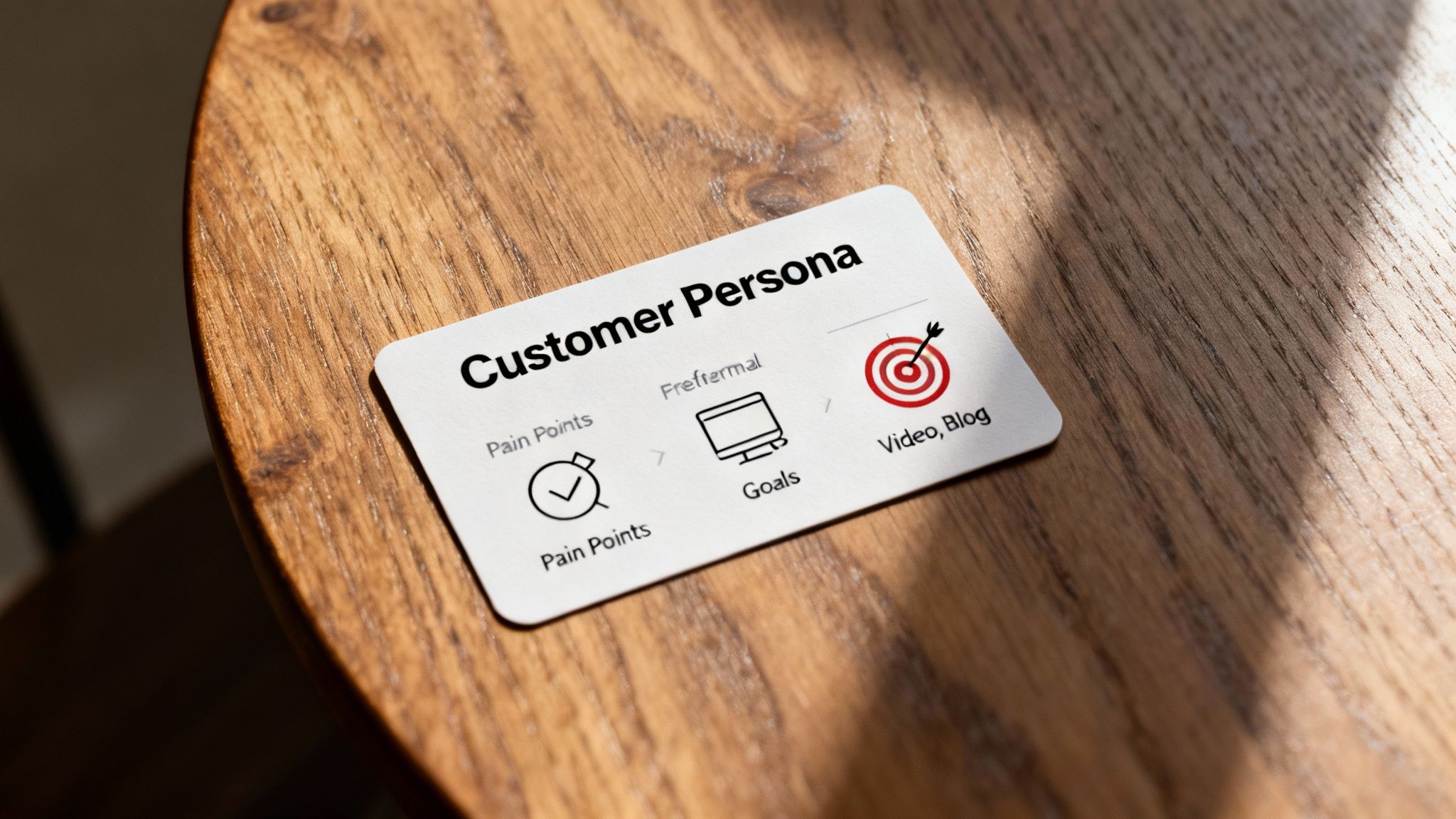
It all starts with getting to know your audience on a deeper level by creating detailed customer personas. These aren't just imaginary friends; they're research-backed profiles of your ideal customer. You need to know everything from their job title and industry to their biggest frustrations and the questions they're frantically typing into Google at 2 AM.
Knowing these details is how you create content that clicks. A busy startup founder? They’ll probably appreciate scannable blog posts, quick videos, and podcasts they can listen to on the move. An enterprise-level IT director, on the other hand, will likely want in-depth whitepapers and detailed case studies before they give you the time of day.
Connecting Personas to Pain Points
Once you have a crystal-clear picture of who you're talking to, the next step is to map their pain points directly to your content ideas. This simple exercise ensures you’re providing genuine solutions, not just adding to the noise.
Let’s say a SaaS company is targeting project managers. They do their homework and find that a major pain point is inefficient team communication. Their content calendar shouldn't just list generic topics; it should be packed with actionable solutions:
- Blog Post: "5 Communication Bottlenecks Killing Your Project's Timeline"
- Video Tutorial: "How to Set Up a Communication Hub in Under 10 Minutes"
- Downloadable Checklist: "The Ultimate Pre-Project Communication Checklist for Remote Teams"
Each piece hits a known frustration head-on. This builds trust and positions the brand as a helpful expert long before a sales pitch is ever made. You're not selling; you're solving.
Mapping Content to Business Objectives
With a solid grasp of your audience, you can then tie every content idea back to a tangible business goal. What do you want someone to do after reading, watching, or listening? The answer will shape the content's angle, format, and call-to-action (CTA).
A company’s goals will drastically change the kind of content it prioritizes.
Key Takeaway: Your content calendar's job is to turn business goals into a structured publishing plan. If a topic doesn't support a specific, measurable objective, it’s just noise.
Let’s walk through a couple of real-world scenarios.
SaaS Company Goal: Increase free trial sign-ups.
- Content Focus: The calendar will be heavy on middle-of-funnel (MOFU) and bottom-of-funnel (BOFU) content. Think product feature comparisons, case studies showing clear ROI, and "how-to" guides that solve a specific problem using the software.
- Primary CTA: "Start Your Free Trial"
E-commerce Brand Goal: Drive traffic to a new product category.
- Content Focus: Here, the plan will lean toward top-of-funnel (TOFU) awareness content. This could mean style guides, "best of" lists, and influencer collaborations that subtly feature products from the new collection.
- Primary CTA: "Shop the New Collection"
This strategic connection is absolutely vital. To get even more granular, you can explore nuanced approaches like an Amazon personalization content strategy to really maximize your impact. This is also where knowing why a user is searching becomes critical. Our guide on what is search intent in SEO breaks down how to match your content to a user's needs at every stage of their journey.
Recent data shows just how urgent this is. In a shifting market, a staggering 77% of brands have had to overhaul their strategies, many of them leaning on content to build loyalty. Without the consistency a calendar provides, an estimated 20% of direct outreach to younger audiences goes unanswered, often due to a simple lack of follow-through.
By meticulously linking every piece of content to a persona and a goal, you transform your calendar from a simple schedule into a predictable, powerful driver of growth.
Choosing the Right Tools for Your Team
The fanciest content calendar on the market is totally useless if your team won’t touch it. It's easy to get mesmerized by endless feature lists, but the real key is picking a platform that fits your team’s size, budget, and—most importantly—your existing workflow. The best tool isn't the one with the most bells and whistles; it's the one that removes friction, not adds more of it.
The market for these tools has absolutely exploded for a reason. In fact, the content calendar software market hit a $2 billion valuation in 2025 and is projected to soar past $6 billion by 2033. This massive growth is a clear signal that structured planning is no longer a "nice-to-have" but a core part of any winning digital strategy. You can dig deeper into the trends driving this market growth on marketreportanalytics.com.
This intense demand has led to a wide spectrum of options, each built for different kinds of teams.
From Simple Spreadsheets to Project Managers
For solo creators or tiny teams just finding their footing, a simple spreadsheet is often the perfect starting point. Tools like Google Sheets or Excel are free, everyone knows how to use them, and they’re endlessly customizable. You can knock out a basic calendar in minutes to track deadlines, owners, and statuses.
But as your team and content volume grow, spreadsheets can quickly become a bottleneck. Version control turns into a nightmare, collaboration feels clunky, and you get zero built-in notifications to keep projects chugging along. This is the exact moment when project management tools like Trello, Airtable, or Asana become a game-changer.
These platforms are a major upgrade, offering features like:
- Kanban Boards: Finally, you can visualize your entire workflow from "Idea" to "Published" with simple drag-and-drop cards.
- Task Dependencies: Make sure crucial steps happen in order—for instance, "Editing" can't start until "Drafting" is complete.
- Automated Notifications: No more manual nagging. The tool can automatically ping team members when a task is assigned or a deadline is looming.
- File Attachments: All your drafts, images, and briefs can live in one central, easy-to-find spot.
Here’s a great example of how a team might use Asana to get a bird's-eye view of their content pipeline, with clear stages for every part of the process.
This visual approach gives you an instant snapshot of where every single piece of content stands, helping you spot and fix bottlenecks before they derail your schedule.
Dedicated Content Marketing Platforms
For larger teams or agencies juggling complex strategies, dedicated content marketing platforms are the top tier. Solutions like CoSchedule, DivvyHQ, or Welcome (formerly NewsCred) are purpose-built for the content creation lifecycle, from start to finish.
These platforms bring everything under one roof. You get advanced features like customizable approval workflows, so a blog post can automatically move from the writer, to the editor, and then to the legal team before it's scheduled. They also bake in robust analytics, content repositories, and even budget tracking.
The real value of a dedicated platform is its ability to create a single source of truth for your entire content operation, from high-level strategic planning down to the individual tasks for each piece.
The trade-off, of course, is cost and complexity. These tools come with a significant price tag and a steeper learning curve, making them overkill for smaller operations. For those weighing their options, our guide on the best content scheduling tools provides a detailed comparison to help you make the right choice.
Considering AI in Your Content Workflow
The new wave of AI tools is also changing how we approach content calendars. While they aren't a direct replacement for strategic planning tools, they can be incredibly powerful assistants. AI can help you brainstorm entire topic clusters, spin up dozens of headline variations, and even suggest the best times to publish based on your past performance.
Think of AI as a creative partner that can fill your idea backlog faster than you ever could alone. You can feed it a single pillar topic, and it can generate a whole web of related sub-topics in seconds, saving you hours of tedious research. This frees up your team to focus less on the grunt work of ideation and more on what they do best: crafting high-quality, original content. The key is to weave these capabilities into your existing workflow, using AI to supplement human strategy, not replace it.
6. Build a Sustainable Editorial Workflow
A content calendar full of brilliant ideas is only half the battle. Without a clear process for bringing those ideas to life, it’s just a pretty spreadsheet. The real magic happens when you build a sustainable editorial workflow—the operational engine that powers your entire content creation machine from start to finish.
Think of this workflow as the bridge between a topic on your calendar and a published piece driving results. It maps out every single stage of the content lifecycle, from initial keyword research and outlining all the way through drafting, editing, design, final approvals, and promotion. Thinking through each step now prevents the dreaded "who's doing what?" confusion later.
Defining these stages is the first step toward building a system that actually runs on its own. For most teams, the content production process follows a pretty predictable sequence.
This diagram shows a typical flow for deciding on the right tools to manage this process, scaling from simple to more complex solutions as your team grows.
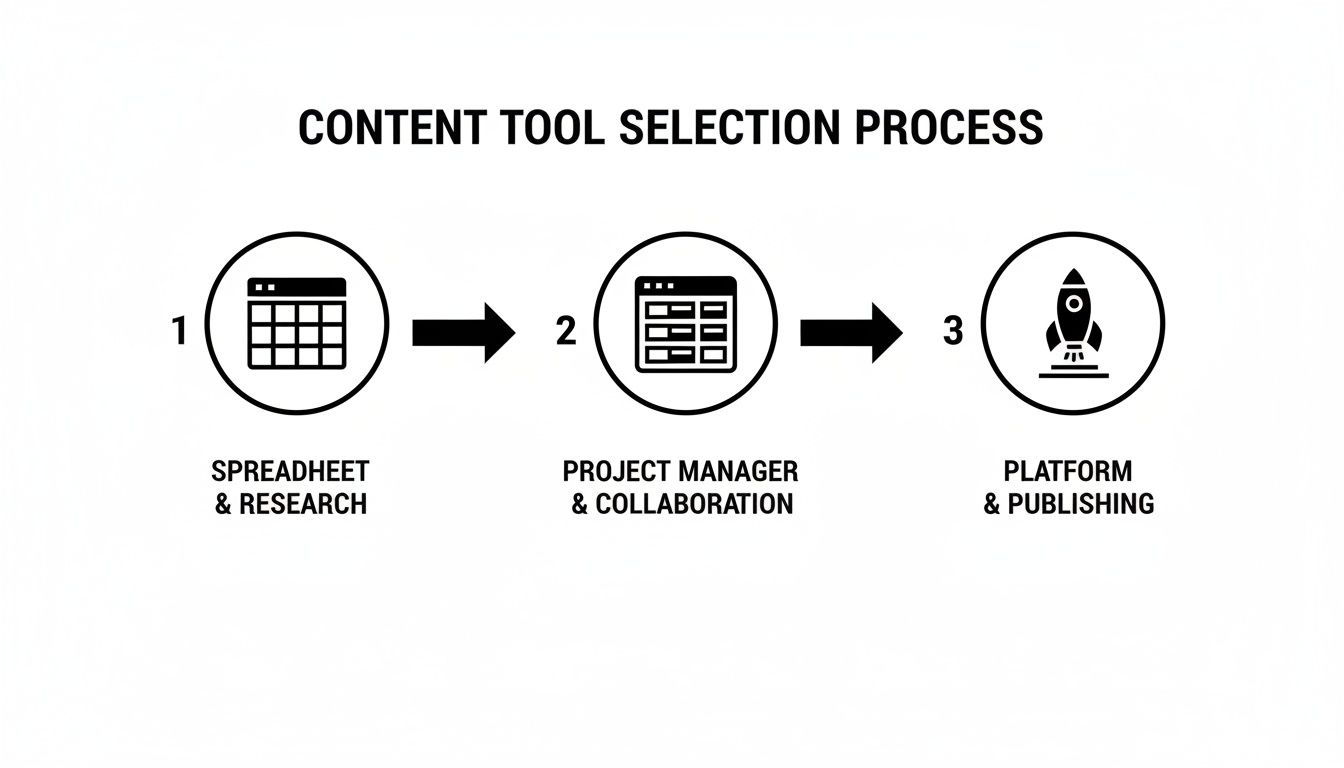
As your content operation matures, your tooling and workflow will naturally evolve. You'll move from basic spreadsheets to more integrated platforms that can handle complex approvals and scheduling without breaking a sweat.
Defining Roles and Responsibilities
One of the biggest hurdles in content production is ambiguity. When team members aren't sure who owns a specific task, deadlines slip and quality suffers. Assigning clear roles is non-negotiable for eliminating these bottlenecks.
Your workflow should explicitly state who is responsible for each stage:
- Strategist: Handles keyword research, topic ideation, and calendar planning.
- Writer: Creates the initial draft based on the provided brief and keywords.
- Editor: Reviews the draft for clarity, grammar, tone, and SEO alignment.
- Designer: Creates any necessary visuals, like custom graphics or infographics.
- Approver: Gives the final sign-off before the content is scheduled to go live.
In smaller teams, one person might wear multiple hats, and that's perfectly fine. The key is that the responsibility for each step is documented and understood by everyone involved. You can find more practical advice on this in our guide on how to create workflows that keep your team aligned.
Establishing a Realistic Publishing Cadence
Here’s a hard truth: consistency is more important than frequency. It’s tempting to aim for publishing three blog posts a week, but if that leads to team burnout and subpar content, it’s a losing strategy. A sustainable workflow is built on a realistic publishing cadence that your team can maintain without constantly scrambling.
Your ideal cadence is the one you can consistently hit while maintaining high-quality standards. For some, that’s one in-depth guide per month. For others, it might be two shorter blog posts per week. Start conservatively and scale up.
The data strongly supports this structured approach. The scheduling app market penetration more than doubled from 26.37% in 2021 to over 51.68% by 2023—a clear sign that businesses are leaning hard on calendar-driven workflows for efficiency. This trend is a major driver behind the calendar app market's projected jump to $16.37 billion by 2030, as cloud platforms make team coordination so much easier.
For marketers, this translates into direct productivity gains across campaign management and content scheduling.
By integrating this entire process directly into your content calendar—assigning owners, setting deadlines for each stage, and tracking status—you transform it from a static document into a dynamic project management tool. This streamlined approach dramatically reduces your time-to-publication and ensures every piece of content meets your standards before it ever reaches your audience.
Measuring Performance and Iterating Your Plan
A content calendar full of published posts is a great feeling, but it’s not the finish line. A truly effective calendar is a living document, one that breathes and adapts based on what’s happening in the real world. If you set your plan in stone and never look back, you’re missing the single most valuable part of the entire process—learning what actually works.
This is where you close the loop, turning performance metrics into tangible insights that fuel your next content cycle. This data-driven approach is what transforms your calendar from a simple scheduling tool into a strategic asset that gets smarter and more effective over time.
Identifying Metrics That Truly Matter
It’s incredibly easy to get distracted by vanity metrics like social media likes or page views. While they might provide a nice ego boost, they rarely tell you if your content is actually contributing to business growth. You have to focus on the key performance indicators (KPIs) that tie directly back to the goals you set in the very beginning.
Your energy should be spent tracking the signals of genuine engagement and business impact.
- Organic Traffic Growth: Is your content successfully pulling in new visitors from search engines? Look at month-over-month and year-over-year trends for specific articles.
- Keyword Rankings: Are your target keywords climbing the SERPs? A steady increase in rankings for strategic terms is a powerful sign that your SEO efforts are paying off.
- Conversion Rates: Are readers taking the action you want them to? This could be anything from signing up for a newsletter to downloading an ebook or starting a free trial.
- Time on Page & Bounce Rate: Are people actually reading what you wrote? High time on page and a low bounce rate suggest your content is valuable and hitting the mark.
Tracking these KPIs helps you understand the direct bottom-line impact of your work. For a much deeper dive, you should explore how to start measuring content marketing ROI to connect your calendar directly to revenue.
Conducting Regular Content Audits
A periodic content audit is your secret weapon for calendar optimization. This isn't about judging past work; it's a strategic review to find hidden opportunities just waiting to be uncovered. Once a quarter, set aside some real time to analyze your content's performance and categorize each piece.
The whole point is to identify your heavy hitters, your underachievers, and everything in between. Use a simple framework to guide your audit.
A content audit isn't about finding failures. It's about discovering patterns. Once you know what resonates with your audience, you can double down on what works and systematically improve what doesn't.
Based on what you find, you can make informed, strategic decisions right inside your content calendar.
- Update and Relaunch: Pinpoint the posts that are performing okay but have the potential to be great. Refresh them with new data, updated visuals, and better on-page SEO, then relaunch them as if they're brand new.
- Repurpose Winners: Take your top-performing blog posts and give them new life. That comprehensive guide could become a webinar, a slick infographic, a series of social media posts, or even a short video.
- Consolidate or Prune: Find those low-traffic, low-engagement posts that might be targeting similar keywords. You can either combine them into a single, more authoritative piece or prune them entirely if they offer no real strategic value and are just cluttering up your site.
This iterative process ensures your content calendar doesn’t just get filled—it gets refined. With each cycle, you'll be armed with more data and clearer insights, allowing you to plan with greater confidence and precision. You’ll spend far less time guessing what your audience wants and more time creating content you know will deliver a real, sustainable return.
Got Content Calendar Questions? We've Got Answers.
Even with the slickest tools and a perfect workflow, reality hits once you start filling in those calendar slots. Building a great content calendar is part science, part art, and knowing how to handle the inevitable curveballs is what separates a plan that actually works from one that just gathers digital dust.
Let's dive into some of the questions that always seem to pop up.
How Far in Advance Should I Plan Content?
This is a classic balancing act. Plan too far out, and you're stuck in a rigid schedule, unable to jump on a trending topic. Don't plan far enough, and you're in a constant state of panic, scrambling for last-minute ideas.
The sweet spot for most teams is a tiered approach.
Think about your high-level themes and major content pillars quarterly. This gives you a strategic roadmap for the next three months. It gets everyone on the same page about the big picture without getting lost in the weeds of individual blog post titles.
For the specific pieces—the blog posts, videos, and social campaigns—aim to have them fully fleshed out and assigned four to six weeks ahead of time. This is the perfect window to allow for proper research, creation, and all the back-and-forth of edits and approvals without creating a massive bottleneck.
What Are the Most Important Fields in a Calendar?
You could add a hundred different columns to your calendar, but more isn't always better. An overloaded calendar is a nightmare to use. Start with the absolute must-haves and only add more if you find you truly need them.
At a bare minimum, every single content entry needs these fields:
- Publish Date: The day it all goes live. Simple.
- Title or Topic: A clear working title so everyone knows what the piece is about.
- Content Owner: The single person ultimately responsible for getting it over the finish line.
- Status: A simple tag or dropdown showing where it is in the process (e.g., Ideation, Drafting, In Review, Scheduled).
- Target Keyword: The main SEO keyword you're aiming to rank for.
- Content Format: Is it a Blog Post, Video, Infographic, or Case Study?
Want to level up? Add fields for your target persona, the marketing campaign it supports, and the customer journey stage (TOFU, MOFU, BOFU). This transforms your calendar from a simple schedule into a powerful strategic command center.
How Do I Keep My Calendar Flexible?
A content calendar should be a guide, not a straitjacket. The marketing world moves at lightning speed, and you absolutely need the ability to pivot to cover breaking industry news or a topic that's suddenly blowing up on social media.
The key is to build flexibility right into your plan.
First off, stop trying to schedule something for every single day. Leave one or two "flex slots" open each week. These are your wild cards. Use them for reactive content, a last-minute idea from the sales team, or a timely post that taps into a current conversation.
Next, create an "Idea Backlog". This can be a separate tab in your spreadsheet or a dedicated column in your project management tool. When a great idea pops up but doesn't fit the current schedule, drop it here instead of derailing your whole plan. Your team can then pull from this goldmine whenever a slot opens up or you need fresh inspiration. No brilliant idea ever gets lost.
What Is the Difference Between a Content and an Editorial Calendar?
People use these terms interchangeably all the time, but they really represent two different altitudes of planning. Nailing the distinction will make your entire strategy much cleaner.
An editorial calendar is your high-level, strategic view. It maps out the big picture: broad monthly themes, major product launches, key campaigns, and seasonal tentpoles for the next quarter or even the whole year. It answers the "what" and the "why."
A content calendar, on the other hand, is the granular, boots-on-the-ground operational plan. It details the day-to-day execution. Who's writing that blog post? When is the first draft due? What's the exact publish date? It answers the "who," "how," and "when."
Think of it like this: your editorial calendar is the map showing your destination, and the content calendar is the turn-by-turn GPS navigation that gets you there.
Ready to turn AI insights into a high-performing content calendar? Sight AI helps you discover the exact topics and questions your audience is asking AI models like ChatGPT and Gemini. Use these insights to build a data-driven content plan and let our AI agents generate optimized articles to fill your calendar, driving sustainable organic growth. Learn more and get started with Sight AI today.