You hit publish on what might be your best piece of content yet. The research was solid, the writing crisp, the value undeniable. Then comes the waiting game. Hours turn into days. You check Google Search Console. Nothing. You manually search for your article. Still nothing. Meanwhile, your competitors' mediocre posts from yesterday are already ranking on page two.
Here's the uncomfortable truth: publishing content doesn't guarantee search engines will find it, let alone index it quickly. Between the moment you click "publish" and when your content actually becomes discoverable in search results lies a mysterious gap that most marketers can't see into.
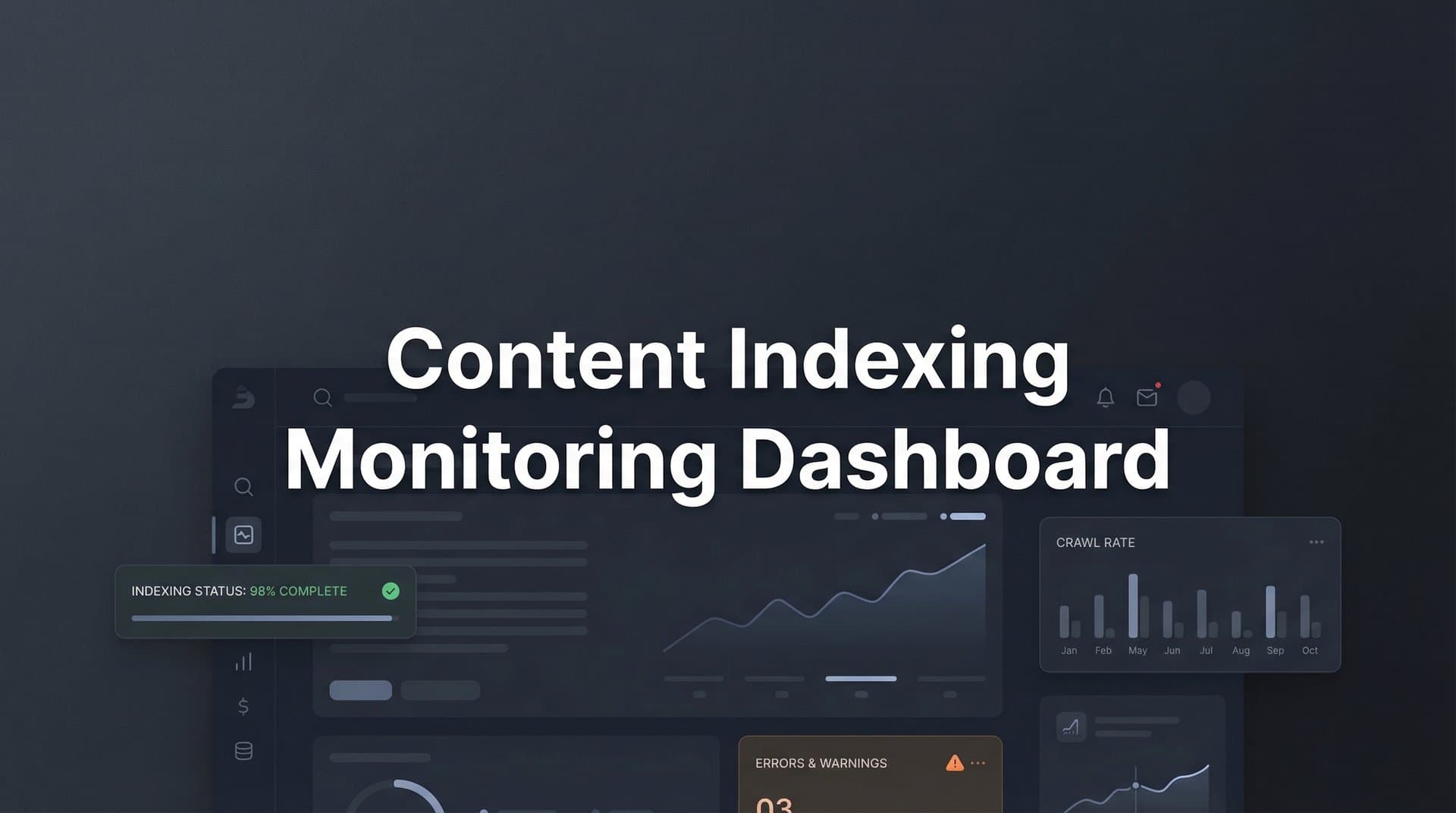
This is where a content indexing monitoring dashboard changes everything. Instead of crossing your fingers and hoping Google's crawlers eventually stumble upon your latest article, you get real-time visibility into exactly what's happening with every URL you publish. Think of it as mission control for your content's journey from your CMS to search engine results pages.
The Hidden Journey From Publish Button to Search Results
Most marketers think of SEO as a two-step process: create great content, then optimize it to rank. But there's a critical middle phase that often gets overlooked—the indexing process itself.
When you publish a new article, search engines must complete three distinct phases before anyone can find it through organic search. First comes crawling, where search engine bots discover and visit your URL. Then indexing, where they analyze your content and add it to their massive database. Finally, ranking, where algorithms determine where your page should appear for relevant queries. Understanding the content indexing vs crawling differences is essential for diagnosing where problems occur.
The problem? Each phase can fail independently, and most content teams have no visibility into where things break down.
Picture this common scenario: Your site publishes ten new articles on Monday. By Friday, only three appear in Google's index. What happened to the other seven? Were they crawled but deemed low-quality? Did crawlers never find them? Are they stuck in a processing queue? Without monitoring tools, you're flying blind.
Indexing delays stem from surprisingly diverse causes. Sites with thousands of pages often hit crawl budget limitations, where search engines allocate only a certain number of daily crawl requests. Your brilliant new article might be waiting in line behind hundreds of other URLs.
Site architecture plays a massive role too. Content buried five clicks deep from your homepage, or orphaned pages with no internal links pointing to them, can take weeks to get discovered. Technical issues like server errors during crawl attempts or accidentally applied noindex directives can block indexing entirely.
This is where content indexing monitoring dashboards become indispensable. They bridge the information gap between your content operations and search engine behavior, transforming invisible processes into trackable, actionable data.
What Makes a Monitoring Dashboard Actually Useful
Not all indexing dashboards are created equal. The difference between a basic tool and one that genuinely improves your content operations comes down to three core capabilities.
Real-Time Status Tracking: The foundation of any effective dashboard is continuous monitoring of indexing status across every URL you publish. This means automatically checking whether each piece of content has been crawled, indexed, and is currently appearing in search results. The best content indexing tools update this information multiple times daily, giving you an accurate picture of your content's current state rather than outdated snapshots.
Think about the operational difference this creates. Instead of manually checking Search Console for each new article, you open a single interface that shows your entire content library color-coded by status: indexed and live, pending crawl, crawled but not indexed, or blocked from indexing.
Historical Data and Trend Visualization: Knowing your current indexing status matters, but understanding patterns over time reveals far more strategic insights. Quality dashboards track crawl frequency metrics, showing how often search engines visit different sections of your site.
You might discover that your blog posts get crawled within hours while product pages take days. Or that crawl frequency dropped significantly after a recent site migration. These patterns help you identify systemic issues before they significantly impact your organic traffic.
Visual representations of indexing velocity—how quickly new content moves from publication to indexed status—become particularly valuable for content teams publishing at scale. When you publish fifty articles monthly, spotting the three that failed to index becomes nearly impossible without clear visualization.
Intelligent Alert Systems: The most critical dashboard feature might be the one that interrupts you. Automated alerts for indexing failures, deindexing events, and crawl anomalies transform passive monitoring into active problem-solving.
Imagine publishing a cornerstone guide that took weeks to create, only to have it accidentally deindexed three days later due to a plugin conflict. Without alerts, you might not notice for weeks. With proper monitoring, you get notified within hours and can fix the issue before it impacts your traffic.
Alert thresholds should be customizable. Critical pages like your homepage or top-converting landing pages warrant immediate notifications if they drop from the index. Less critical blog posts might only trigger alerts after remaining unindexed for 48 hours.
The IndexNow Advantage for Proactive Monitoring
Traditional indexing monitoring is inherently reactive. You publish content, then wait to see if search engines discover it. But there's a fundamentally different approach that's reshaping how modern content operations work.
The IndexNow protocol represents a shift from passive waiting to active notification. Instead of hoping search engine crawlers eventually find your new content, IndexNow lets your website instantly notify participating search engines the moment you publish or update a URL. This approach enables instant indexing for new content rather than waiting days or weeks.
Here's how it works in practice: When you publish a new article, your site sends a simple API request to IndexNow endpoints. Microsoft Bing, Yandex, and other participating search engines receive immediate notification that new content exists at a specific URL. They can then prioritize crawling that page rather than waiting for their next scheduled crawl of your site.
The difference in feedback loops is dramatic. Traditional monitoring tells you "your content still hasn't been indexed after three days." IndexNow-integrated monitoring tells you "notification sent successfully at 2:47 PM, crawl detected at 3:12 PM, indexed at 4:05 PM."
For dashboards specifically, IndexNow integration provides three major advantages. First, you get confirmation that search engines have been notified, eliminating one major variable in the indexing equation. If content remains unindexed despite successful notification, you know the issue lies elsewhere—content quality, technical problems, or algorithmic filtering.
Second, the protocol creates measurable performance benchmarks. You can track average time from IndexNow notification to crawl, and from crawl to indexing. These metrics help you identify when indexing speed degrades, potentially indicating technical issues or search engine policy changes.
Third, IndexNow integration enables truly automated workflows. Your dashboard can automatically submit new URLs via IndexNow the moment they're published, then track the entire indexing journey without any manual intervention. For agencies managing dozens of client sites, exploring content indexing API integration becomes transformative.
It's worth noting that while Google doesn't currently participate in IndexNow, they've expressed interest in similar instant notification mechanisms. Even without Google support, the protocol accelerates indexing on Bing and other platforms, which increasingly matters for AI visibility as these search engines power various AI answer engines.
Turning Dashboard Data Into Strategic Decisions
Raw metrics mean nothing without interpretation. The real value of indexing monitoring comes from translating dashboard data into content strategy improvements and technical optimizations.
Reading Indexing Velocity Trends: When you track how quickly content moves from publication to indexed status over time, patterns emerge that reveal site health issues. If your average indexing time suddenly increases from 8 hours to 3 days, something changed—and probably not for the better.
Common culprits include recent site updates that inadvertently created crawl barriers, increased server response times slowing down crawlers, or changes to your internal linking structure that made new content harder to discover. Catching these velocity slowdowns early, before they significantly impact your organic traffic, gives you a crucial competitive advantage. If you're experiencing these issues, understanding slow content indexing problems can help you diagnose the root cause.
You can also segment indexing velocity by content type. Maybe your how-to guides get indexed quickly while your product comparison pages lag behind. This insight might reveal that comparison pages lack sufficient internal links, or that their template includes technical elements that slow crawl processing.
Leveraging Coverage Reports for Technical Prioritization: Most dashboards provide coverage reports showing which URLs are indexed versus excluded from search results, along with reasons for exclusion. This data becomes your technical SEO roadmap.
When you see fifty pages excluded due to "crawled but not indexed," you've identified a quality or relevance issue. These pages were discovered and analyzed but deemed not valuable enough to include in search results. That's a content quality signal worth investigating. For a deeper dive into this issue, explore why your content is not indexing.
Pages excluded due to "server error" or "redirect error" represent technical problems you can fix immediately. Prioritize these technical fixes based on the strategic value of the affected pages. A server error blocking your highest-converting landing page deserves immediate attention; the same error on an outdated blog post from 2019 can wait.
Connecting Indexing Data to Content Performance: The most sophisticated use of dashboard data connects indexing metrics to business outcomes. Track not just whether content gets indexed, but how indexing speed correlates with early traffic performance.
You might discover that articles indexed within 6 hours generate 40% more traffic in their first week compared to articles that take 3 days to index. This finding would justify investing in faster indexing mechanisms like IndexNow or more aggressive internal linking for new content.
Similarly, analyzing which content types index fastest helps you understand what search engines prioritize on your site. If search engines consistently crawl and index your data-driven articles within hours while opinion pieces take days, you've learned something valuable about how algorithms perceive your site's authority in different content categories.
Building a Sustainable Monitoring Workflow
Tools only create value when they're integrated into consistent workflows. Here's how to build indexing monitoring into your content operations without creating additional busywork.
Automated Monitoring Schedules: Set up your dashboard to check indexing status on a schedule that matches your publishing cadence. If you publish daily, hourly checks make sense. Weekly publishers might only need twice-daily monitoring.
The key is balancing thoroughness with practicality. Checking every URL every hour creates comprehensive data but might exceed API limits or generate noise. Most teams find that checking high-priority URLs (homepage, key landing pages, recent content) every few hours, while monitoring the rest of the site once or twice daily, strikes the right balance. Implementing content indexing automation helps maintain this consistency without manual effort.
Configure notification thresholds based on content priority and age. New articles might trigger alerts if not indexed within 24 hours. Older content might only alert if it becomes deindexed after previously appearing in results.
Creating Escalation Processes: Not all indexing issues deserve the same urgency. Build a clear escalation framework so your team knows how to respond to different alert types.
Critical alerts—like your homepage dropping from the index or widespread crawl errors—should notify your technical lead immediately via Slack, email, or SMS. Medium-priority issues, like individual blog posts remaining unindexed after 48 hours, might generate daily digest emails for your content team to review. Low-priority notifications could compile into weekly reports.
Document standard troubleshooting steps for common issues. When someone gets an alert about crawl errors, they should know to check server logs, verify the URL is accessible, and confirm no accidental noindex tags were added. This documentation prevents every alert from requiring deep technical investigation. For comprehensive troubleshooting guidance, review content indexing problems solutions.
Integration with Content Planning: The most mature content operations integrate indexing data directly into their planning and publishing workflows. Before creating new content, check your dashboard to see if similar existing content is indexed and performing well.
After publishing, add indexing status checks to your content launch checklist. Within 24 hours of publication, verify that new content has been crawled and indexed. If not, investigate immediately rather than waiting weeks to discover the problem.
Use historical indexing data to inform your content calendar. If you know certain content types consistently take longer to index, publish them earlier in your campaign timeline to ensure they're discoverable when you need them.
Your Content Deserves Better Than Hope-Based SEO
The difference between content that drives organic growth and content that disappears into the void often comes down to visibility—not just in search results, but into the indexing process itself.
Content indexing monitoring dashboards transform reactive SEO into proactive content operations. Instead of publishing and hoping, you publish and know. You see exactly when search engines discover your content, track how quickly it moves through the indexing pipeline, and get alerted the moment something goes wrong.
This visibility becomes even more critical as AI-powered search and answer engines reshape how people discover information. Content that indexes faster has more opportunities to be incorporated into AI training data and retrieval systems, directly affecting how your brand appears in AI-generated responses.
Understanding your content's indexing status isn't just about traditional SEO anymore. It's foundational to modern AI visibility strategies and sustainable organic growth. The question isn't whether you need indexing monitoring—it's whether you can afford to keep operating without it.
Stop guessing how AI models like ChatGPT and Claude talk about your brand—get visibility into every mention, track content opportunities, and automate your path to organic traffic growth. Start tracking your AI visibility today and see exactly where your brand appears across top AI platforms.