Every blog post you publish represents an opportunity to attract organic traffic, but most content never reaches its full potential. The difference between a post that languishes on page three and one that consistently drives visitors comes down to systematic optimization.
Think of your blog as a library where some books sit untouched while others get checked out constantly. The content quality might be similar, but the discoverable ones have better titles, clearer organization, and they're positioned exactly where readers are looking.
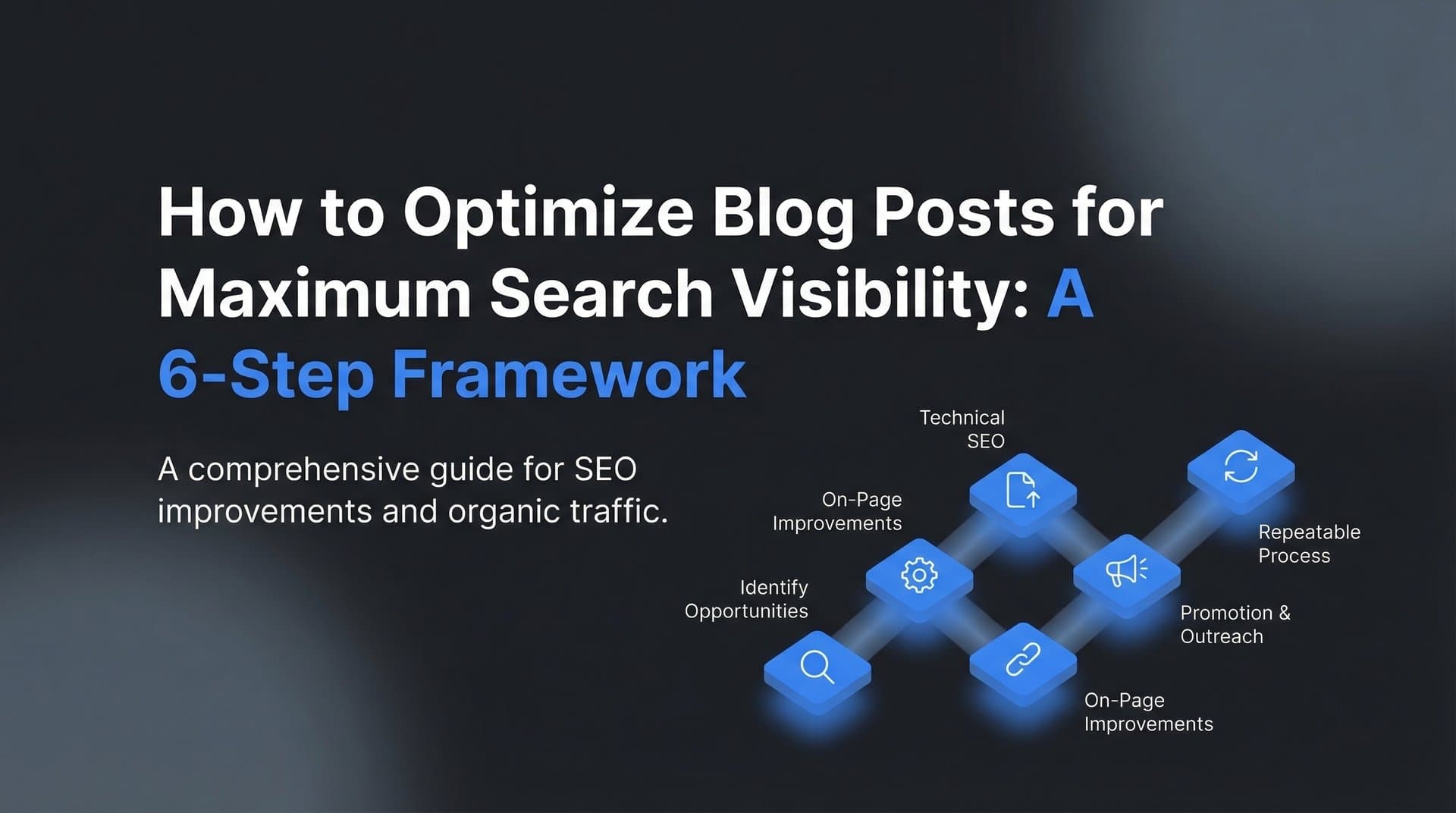
This guide walks you through a proven framework for optimizing blog posts—whether you're refreshing existing content or preparing new articles for publication. You'll learn how to identify optimization opportunities, implement technical and on-page improvements, and measure results so you can replicate success across your entire content library.
By the end, you'll have a repeatable process that transforms underperforming posts into traffic-generating assets. Let's get started.
Step 1: Audit Your Current Post Performance
You can't improve what you don't measure. Before touching a single word of content, you need baseline data that tells you exactly where each post stands.
Start by opening Google Search Console and navigating to the Performance report. Filter by specific pages and pull data for the last three months. You're looking for three critical metrics: impressions (how often your post appears in search results), clicks (how many people actually visit), and average position (where you typically rank).
Here's where it gets interesting: posts with high impressions but low click-through rates are your optimization goldmines. These pages are already showing up in search results—people just aren't compelled to click. A post with 5,000 monthly impressions and a 2% CTR could potentially double its traffic with better titles and meta descriptions alone.
Document your current keyword rankings. Which search terms actually bring traffic to each post? Often, you'll discover that posts rank for queries you never intended to target. This gap between your target keywords and actual rankings reveals optimization opportunities.
Check technical performance metrics. Run your posts through Google's PageSpeed Insights tool to capture Core Web Vitals scores. Pay attention to Largest Contentful Paint (how quickly main content loads), Interaction to Next Paint (responsiveness), and Cumulative Layout Shift (visual stability). These metrics directly impact both user experience and search rankings.
Test mobile usability. More than half of web traffic comes from mobile devices, so check how your posts render on smaller screens. Look for text that's too small, clickable elements too close together, or content wider than the screen.
Create a simple spreadsheet to track this data. Include columns for URL, current impressions, current clicks, CTR, average position, target keyword, current ranking, and page speed score. This becomes your optimization roadmap.
Success indicator: You have a prioritized list of posts ranked by potential impact. Focus first on content with high impressions but low CTR, followed by posts ranking positions 11-20 for valuable keywords (they're close to page one but not quite there).
Step 2: Research and Refine Your Target Keywords
Many posts underperform because they're optimized for keywords that don't align with what people actually search for. This step fixes that disconnect.
Return to Google Search Console and examine the Queries report for your target post. Sort by impressions to see which search terms already bring visibility. You'll often find surprising patterns; maybe you optimized for "content marketing tips" but actually rank for "how to create content calendar." This data reveals two critical insights: what's already working (double down on these terms) and what's missing (opportunities to capture related searches). Identify semantic variations and related terms. Modern search algorithms understand topic relationships, not just exact keyword matches. If your primary keyword is "email marketing," related terms might include "newsletter strategy," "email campaigns," "subscriber engagement," and "email automation." Weaving these variations naturally throughout your content signals comprehensive topic coverage to both traditional search engines and AI systems. For a deeper look at creating content that performs across multiple discovery channels, explore our guide on AI content strategy. Analyze competitor content ranking for your target terms. Search for your primary keyword and examine the top five results carefully. What topics do they cover that you don't? How long is their content? What's their heading structure? You're not copying; you're identifying the baseline expectations search engines have established for this query. Understanding why competitors are ranking helps you spot gaps in your own approach. Look for patterns in what ranks. If all top results include sections on specific subtopics, your post probably needs those sections too. If they're all comprehensive guides over 2,000 words, a 500-word post won't compete. Map your keyword strategy with precision. Choose one primary keyword (the main term you want to rank for), two to three secondary keywords (closely related variations), and five to seven supporting phrases (longer-tail terms that address specific aspects of your topic). Your primary keyword should appear in your title, first paragraph, at least one H2 heading, and naturally throughout the content. Secondary keywords work well in H2 and H3 headings. Supporting phrases can be woven into body paragraphs where they fit organically. The operative word here is "naturally." Keyword stuffing hurts more than it helps. If you're forcing terms into sentences or repeating phrases awkwardly, you've gone too far. Read your content aloud; if it sounds robotic or repetitive, scale back. Success indicator: You have a clear keyword map that demonstrates search intent alignment. You understand not just what terms to target, but why people search for them and what answers they expect to find.
Step 3: Restructure Content for Readability and Search Intent
Even well-researched content fails if readers can't quickly determine whether it answers their question. Search intent alignment starts with your introduction and flows through your entire structure.
Rewrite your introduction to address search intent within the first 100 words. If someone searches "how to optimize blog posts," they want actionable steps, not a lengthy explanation of why optimization matters. Hook them immediately by acknowledging their problem and previewing your solution.
Compare these two approaches. Weak: "Search engine optimization has evolved significantly over the past decade, with numerous algorithm updates changing best practices..." Strong: "Your blog posts aren't ranking because they're missing systematic optimization. This guide shows you exactly how to fix that with six concrete steps."
The second version immediately confirms you're in the right place and sets clear expectations.
Improve your heading hierarchy. Every H2 should represent a major section that could stand alone as a valuable piece of information. H3 headings break down subsections within those major topics. This structure helps both readers and search engines understand your content organization.
Make headings descriptive and keyword-rich without being awkward. Instead of "Step One," use "Audit Your Current Post Performance." Instead of "Next Steps," use "How to Monitor Results After Optimization."
Break up text walls. Paragraphs longer than four sentences become visually overwhelming. When you notice yourself writing a lengthy paragraph, ask: "Could this be two separate ideas?" If yes, split it.
Use formatting to create visual breathing room. Bold key phrases that contain important takeaways. This helps scanners quickly extract value even if they don't read every word.
Add a table of contents for posts over 1,500 words. This serves two purposes: it helps readers jump to sections they care about most, and it can generate sitelinks in search results, making your listing more prominent and clickable.
Tables of contents work best when they use jump links (clicking a section scrolls to that heading). This improves user experience and increases time on page—both positive signals for search engines.
Success indicator: Your content structure matches or exceeds top-ranking competitors. A reader should be able to scan your headings and understand your complete argument without reading body paragraphs.
Step 4: Optimize On-Page Elements and Metadata
Your title tag and meta description are your search result listing—the first impression that determines whether someone clicks through to your content. These elements deserve careful attention.
Craft title tags under 60 characters with your primary keyword. Search engines truncate longer titles, potentially cutting off important information. Your title should communicate clear value while incorporating your target term naturally.
Effective title formulas include numbers ("7 Ways to..."), clear outcomes ("How to Optimize Blog Posts for Maximum Visibility"), and specificity ("A 6-Step Framework for..." rather than "A Guide to..."). The specificity builds credibility and sets accurate expectations.
Write meta descriptions that include a clear value proposition. You have roughly 155 characters to convince someone your content answers their question better than the nine other results on the page. Focus on the specific benefit they'll gain by clicking.
Include a subtle call to action when appropriate: "Learn the exact framework," "Discover how to," or "Get the step-by-step process." These action phrases increase click-through rates by making the value concrete.
Add descriptive alt text to all images. Alt text serves accessibility (screen readers for visually impaired users) and SEO (search engines can't "see" images without text descriptions). Describe what the image shows and include relevant keywords when natural.
Instead of "screenshot-1.png," use "Google Search Console performance report showing impressions and clicks data." Instead of "chart," use "line graph comparing organic traffic before and after blog post optimization."
Implement schema markup appropriate to your content type. Schema is structured data that helps search engines understand your content format. Article schema includes properties for headline, author, publish date, and featured image. How-to schema can generate rich results showing your steps directly in search.
While schema doesn't directly impact rankings, it can significantly improve your visibility in search results through enhanced listings, which leads to higher click-through rates. Understanding how to write SEO friendly blog posts includes mastering these technical elements.
Success indicator: All metadata fields are complete, optimized, and accurately represent your content. Your search listing should be more compelling than competing results for your target keywords.
Step 5: Strengthen Internal and External Link Architecture
Links are the connective tissue of the web. They distribute authority, establish topical relationships, and guide both users and search engines through your content ecosystem.
Add three to five internal links to relevant content using descriptive anchor text. Internal linking serves multiple purposes: it keeps readers engaged with related content, it distributes page authority throughout your site, and it helps search engines understand your site structure and topical relationships.
Choose link targets strategically. If you're writing about blog optimization, link to related posts about keyword research, content creation, or SEO fundamentals. The links should provide genuine value—additional resources that deepen understanding or address related questions.
Anchor text matters more than many marketers realize. Instead of "click here" or "this post," use descriptive phrases that include relevant keywords: "our guide to keyword research" or "strategies for improving page speed." This tells search engines what the linked page is about.
Link out to authoritative external sources that support your claims. Some writers avoid external links, fearing they'll send traffic away. This is shortsighted. Linking to reputable sources that support your arguments builds credibility and demonstrates thoroughness.
When you reference a concept, study, or best practice, link to the source. This allows readers to verify your claims and explore topics in greater depth. Search engines view this as a quality signal—you're providing comprehensive resources, not just making unsupported assertions.
Update older posts to link back to your optimized content. This is often overlooked but highly effective. When you publish or update a post, search your site for older content on related topics and add links to your new resource. This creates a web of topical authority and gives your updated content an immediate boost.
Remove or replace broken links. Dead links frustrate users and signal neglect to search engines. Use a tool to scan your content for broken links, then either update them to working URLs or remove them entirely if no suitable replacement exists.
Success indicator: Each post connects meaningfully to your broader content ecosystem. A reader could navigate from one post to several related resources without returning to your homepage or using search.
Step 6: Submit for Indexing and Monitor Results
You've done the optimization work—now you need to ensure search engines discover your changes quickly and track whether your improvements are working.
Request indexing through Google Search Console immediately after updates. Navigate to the URL Inspection tool, enter your updated post's URL, and click "Request Indexing." This notifies Google that your content has changed and should be recrawled.
Without this step, it could take days or weeks for Google to naturally discover your updates. Learning to speed up Google indexing for blog posts accelerates the process, sometimes getting your changes reflected within hours.
Use IndexNow protocol for faster discovery across multiple search engines. IndexNow is a protocol that allows you to instantly notify participating search engines (including Bing and Yandex) when you publish or update content. Instead of waiting for crawlers to discover changes, you push notifications directly.
Implementation varies by platform, but many content management systems offer IndexNow plugins or integrations. Once configured, every publish or update automatically notifies search engines, ensuring maximum visibility speed. This is the fastest way to index new blog posts across multiple platforms.
Set calendar reminders to check performance at two-week and 30-day marks. Optimization results don't appear overnight. Search engines need time to recrawl, reindex, and reassess your content. Rankings can fluctuate during this period as algorithms process your changes.
At the two-week mark, check whether your updated content has been indexed and if you're seeing any early movement in rankings or traffic. At 30 days, you should have enough data to evaluate the impact of your optimization work.
Document changes made and results achieved. Create a simple log that tracks what you optimized, when you made the changes, and what happened to traffic and rankings. This documentation serves two purposes: it helps you identify which optimization tactics work best for your content, and it provides case studies for future optimization projects.
Record specific details: "Updated title tag from [old] to [new], added 500 words on [subtopic], improved page speed from 3.2s to 1.8s." Then note results: "Impressions increased 45%, CTR improved from 2.1% to 3.8%, moved from position 12 to position 6 for primary keyword."
Over time, this data reveals patterns. You might discover that adding comprehensive sections on specific subtopics consistently improves rankings, or that certain title tag formulas generate higher click-through rates.
Success indicator: Your updated content is indexed across major search engines, and you have a tracking system in place to measure ongoing performance. You can clearly articulate what changed and what results followed.
Your Optimization Framework for Long-Term Success
Optimizing blog posts isn't a one-time task—it's an ongoing process that compounds over time. Each improvement builds on the last, creating a content library that consistently attracts organic traffic.
Use this checklist for every optimization project:
Baseline metrics documented
Keywords researched and mapped
Content restructured for intent
Metadata fully optimized
Internal links added
Indexing requested
Print it out, save it as a template, or build it directly into your content creation workflow. Having this checklist visible during every optimization session ensures nothing falls through the cracks.
Start with your highest-potential posts: those showing high impressions but low click-through rates. These represent your quickest wins, where small improvements to titles and meta descriptions can generate immediate traffic gains. A compelling headline rewrite or more enticing description often makes the difference between a scroll-past and a click.
From there, systematically work through your content library by prioritizing posts that rank on page two for valuable keywords (positions 11-20). These pages are tantalizingly close to page one visibility, and focused optimization can push them over the threshold where most clicks happen.
The real power of this framework lies in its repeatability. Once you've optimized a handful of posts using this process, you'll develop intuition for spotting opportunities faster. You'll recognize weak titles at a glance, identify thin sections that need expansion, and implement improvements with increasing efficiency. Consider using a content management platform to track your optimization progress and maintain consistency across your entire library.
Many marketers find that systematic optimization of existing content often yields faster results than publishing new posts. Established URLs already have some authority and indexing history—you're building on a foundation rather than starting from scratch.
Tools like Sight AI can accelerate this process by automating content generation with built-in SEO optimization and instant indexing through IndexNow integration. Exploring SEO optimized AI content generation means you can generate content that's already structured for search visibility and automatically submitted for indexing across multiple search engines.
But here's the thing: optimization extends beyond traditional search engines. As AI models like ChatGPT, Claude, and Perplexity increasingly influence how people discover information, understanding how these platforms reference your brand becomes critical. Start tracking your AI visibility today and see exactly where your brand appears across top AI platforms, uncover new content opportunities, and ensure your optimization work reaches audiences wherever they search.
The posts you optimize this month will continue driving traffic for years. That's the compounding power of systematic content improvement—and it starts with implementing this framework on your next blog post.