Understanding customer emotion is no longer a guessing game. It's a critical data point that drives product development, marketing strategy, and customer service improvements. Sentiment analysis tools automate this process, sifting through vast amounts of text data from social media, reviews, and support tickets to reveal how people truly feel about your brand, products, or services. But with a market full of powerful options, from raw APIs to comprehensive listening platforms, choosing the right solution can be a significant challenge.
This guide is designed to cut through the noise and provide a clear, in-depth comparison of the best sentiment analysis tools available today. We move beyond generic feature lists to give you a practical, hands-on look at what each platform truly offers. You'll find a detailed analysis of 12 top-tier solutions, including powerhouse APIs like Google Cloud Natural Language and comprehensive platforms such as Brandwatch and Sprout Social.
For each tool, we provide a structured breakdown to help you make an informed decision:
- Key Features & Accuracy: What can it do and how well does it do it?
- Best-Fit Use Cases: Who is this tool built for?
- Pros & Cons: An honest assessment of strengths and limitations.
- Pricing & Implementation: What will it cost and how hard is it to get started?
Our goal is to help you quickly identify the best sentiment analysis tool for your specific business needs, budget, and technical capabilities. We include screenshots for a visual reference and direct links to get you started faster. Let’s dive in and find the right tool to unlock the valuable insights hidden within your unstructured text data.
1. Google Cloud Natural Language API
Google Cloud Natural Language API is an excellent starting point for developers and businesses looking for a powerful, scalable, and highly accessible sentiment analysis tool. Integrated directly into the Google Cloud Platform (GCP), it provides robust pretrained models that can determine sentiment at both the document and sentence level. This makes it one of the best sentiment analysis tools for getting started without a deep machine learning background.
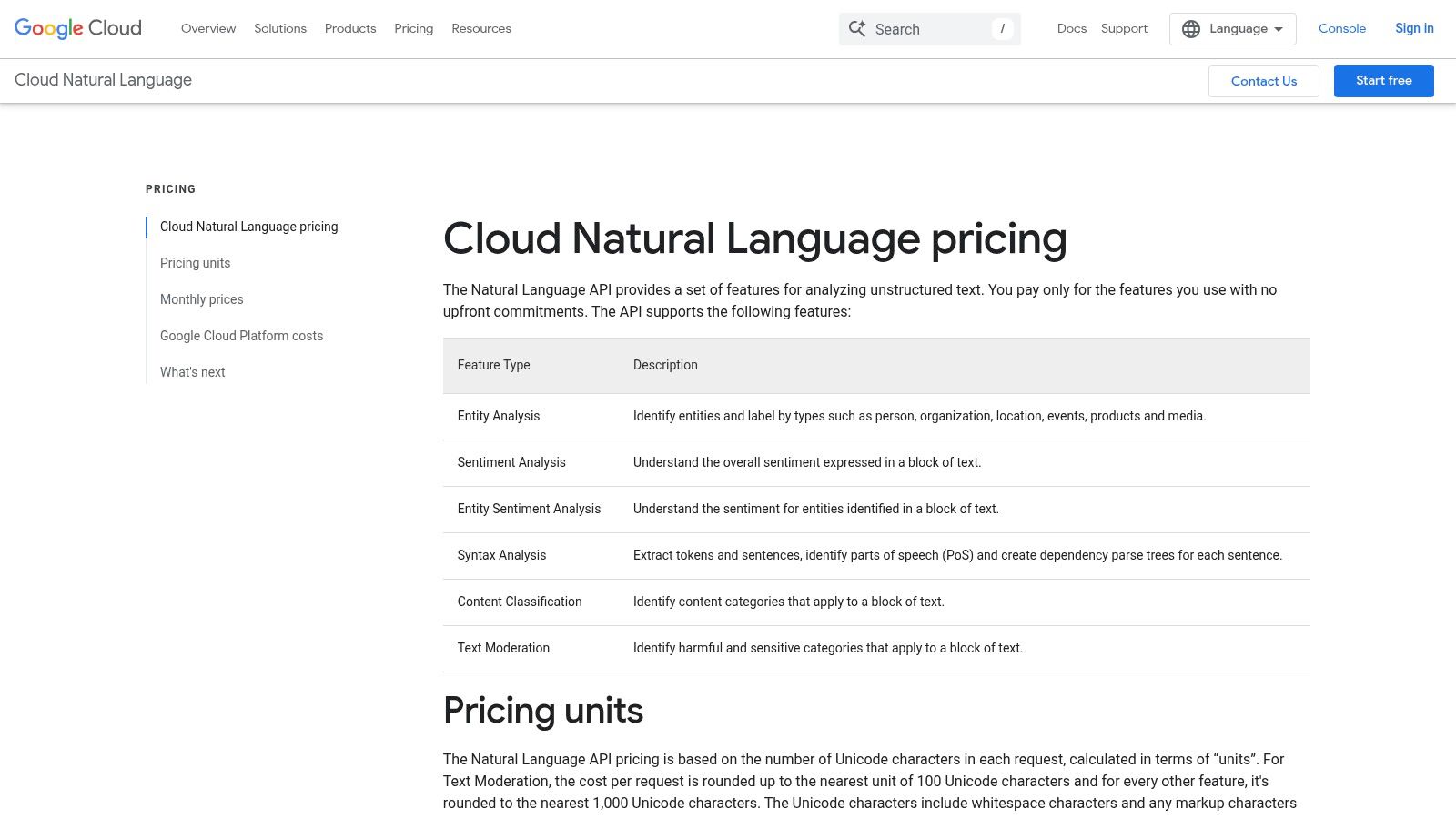
The API’s strength lies in its simplicity and detailed analysis, which goes beyond a simple positive/negative score. It offers entity-level sentiment, allowing you to understand feelings associated with specific people, products, or organizations within a text. For teams already invested in the GCP ecosystem, implementation is seamless.
Key Features & Considerations
- Pricing Model: Pay-as-you-go based on "text record" units of 1,000 characters. The first 5,000 units for sentiment analysis are free each month, making it cost-effective for prototyping and low-volume applications.
- Granularity: Provides a sentiment score (from -1.0 to 1.0) and a magnitude score, which indicates the overall emotional strength of the text, regardless of polarity.
- Multi-Feature API: A single API call (
annotateText) can perform sentiment analysis, entity extraction, and syntax analysis simultaneously, simplifying development. - Use Cases: Ideal for analyzing product reviews, social media mentions, and customer support tickets at scale. This data can directly inform product improvements and marketing strategies; you can explore more about using sentiment analysis for AI recommendations and its impact.
Pros:
- Generous free tier for low-volume testing
- Easy integration within the Google Cloud ecosystem
- Strong multi-language support
Cons:
- Limited customization options for industry-specific jargon
- Character-based pricing can be tricky to forecast for high-volume, unpredictable workloads
2. Amazon Comprehend
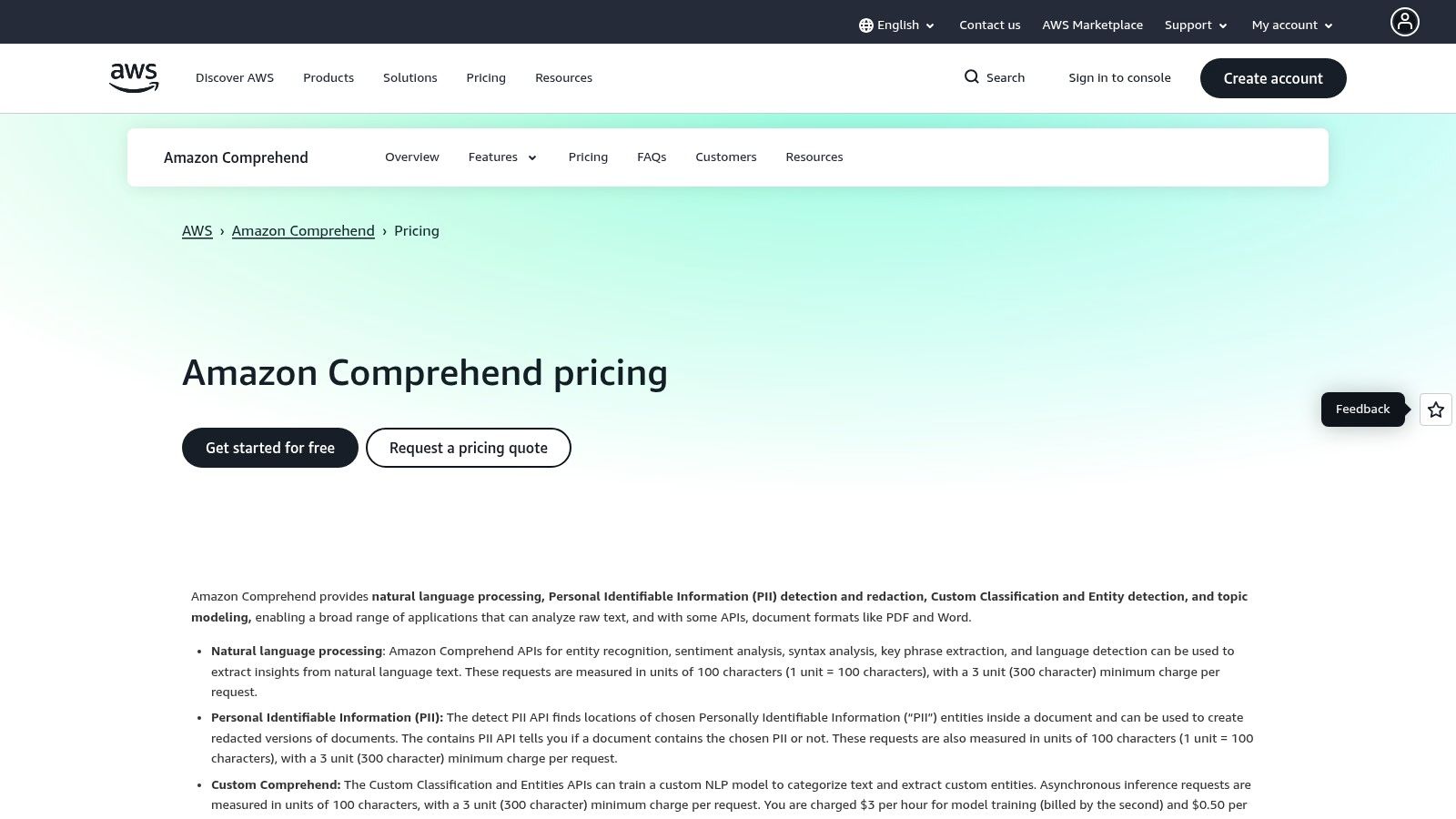
Amazon Comprehend is AWS's fully managed natural language processing (NLP) service, making it a powerful contender for businesses already embedded in the Amazon Web Services ecosystem. It offers a comprehensive suite of features, including document-level, sentence-level, and targeted sentiment analysis. This makes it one of the best sentiment analysis tools for organizations that require enterprise-grade security and seamless integration with other AWS services like S3 and Textract.
The service stands out with its targeted sentiment feature, which allows you to identify the sentiment associated with specific entities or aspects within a text. For instance, you can determine if a review is positive about a product's "battery life" but negative about its "screen." This granular insight is invaluable for detailed product feedback and brand reputation management.
Key Features & Considerations
- Pricing Model: A pay-as-you-go model based on units of 100 characters, with a minimum charge of 300 characters per request. A generous free tier is available for the first 12 months, including 50,000 units of text per month for sentiment analysis.
- Granularity: Provides Positive, Negative, Neutral, and Mixed sentiment classifications. Its targeted sentiment feature provides aspect-specific analysis that many competitors lack.
- Integration & Scalability: Natively integrates with AWS services for processing large datasets, including asynchronous jobs for large documents stored in Amazon S3. Custom models can be deployed on provisioned endpoints for low-latency performance.
- Use Cases: Perfect for analyzing customer feedback from multiple sources like support emails, reviews, and social media. The ability to build custom classifiers and entity recognizers makes it highly adaptable to specific industry vocabularies.
Pros:
- Deep integration with the AWS ecosystem and robust security
- Targeted sentiment provides highly specific and actionable insights
- Generous 12-month free tier for new AWS customers
Cons:
- The 300-character minimum charge can make processing very short texts less cost-effective
- Provisioned endpoints for custom models incur ongoing hourly costs, even when idle
3. Microsoft Azure AI Language (Text Analytics)
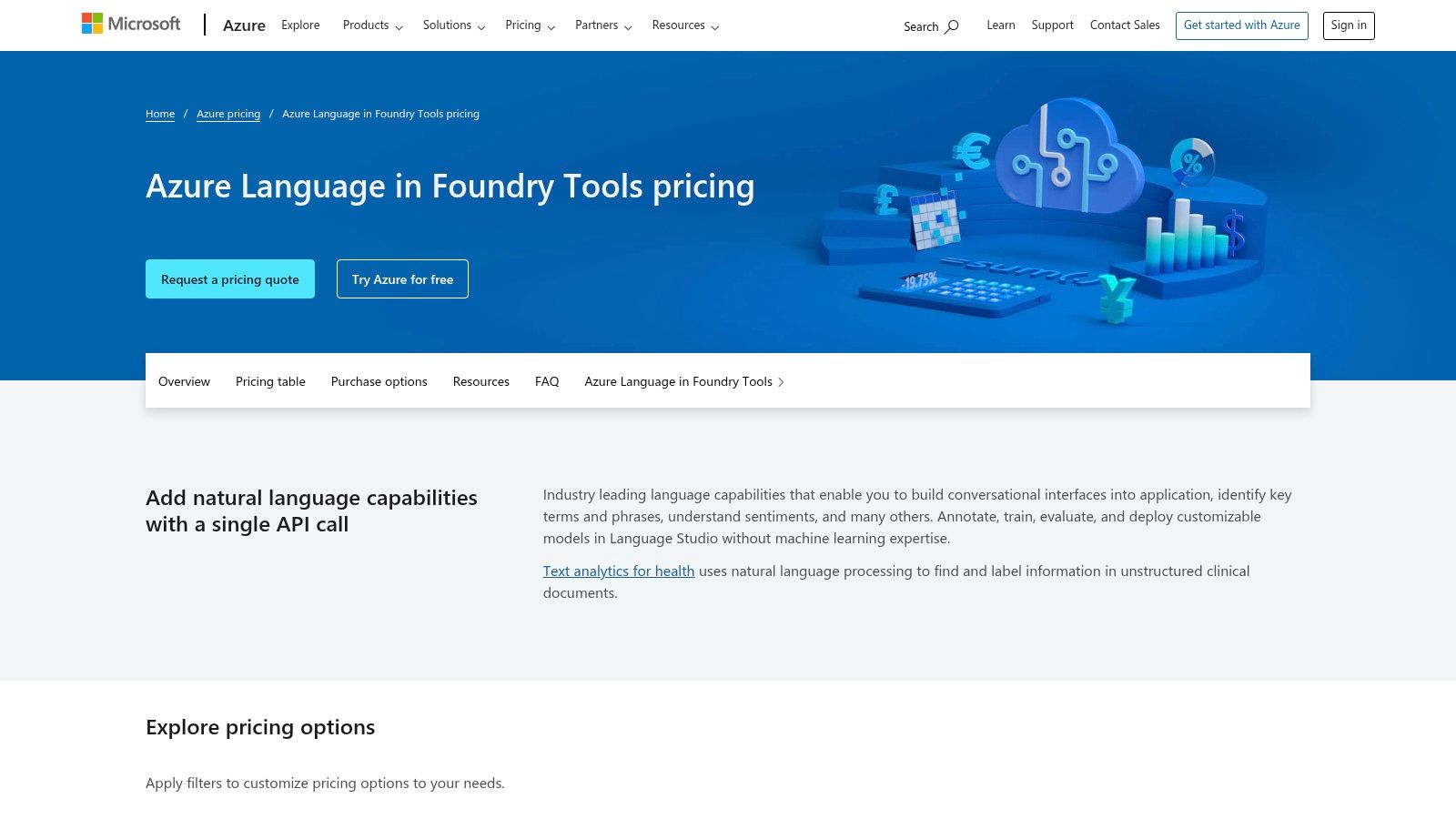
Microsoft's Azure AI Language service, formerly known as Text Analytics, is a direct competitor to Google's offering and a cornerstone of the Azure ecosystem. It delivers a comprehensive suite of NLP capabilities, including powerful sentiment analysis suitable for enterprise-scale applications. Its standout feature is opinion mining, which drills down into sentence-level sentiment to identify opinions related to specific aspects or features, making it one of the best sentiment analysis tools for detailed product feedback analysis.
This granularity allows businesses to pinpoint exactly what customers like or dislike about a product or service. Another major differentiator is its flexible deployment model. Beyond a standard web service API, Azure AI Language can be deployed in containers, enabling on-premise or edge computing scenarios where data privacy or connectivity is a concern.
Key Features & Considerations
- Pricing Model: A pay-as-you-go model based on "text records" of 1,000 characters. A free tier includes 5,000 text records per month, but pricing can be complex as it varies by feature, region, and workload type.
- Granularity: Provides document-level sentiment (positive, negative, neutral) and sentence-level scores. Opinion mining elevates this by identifying specific attributes and the sentiment attached to them (e.g., "The battery life is amazing, but the screen is too dim").
- Deployment Flexibility: Can be run as a cloud-based web service or deployed via Docker containers for offline, on-premise, or private cloud environments.
- Use Cases: Excellent for analyzing customer reviews, survey responses, and call center transcripts where understanding sentiment toward specific features is critical. The container option suits regulated industries like healthcare and finance.
Pros:
- Flexible deployment options, including containers for on-premise use
- Opinion mining provides highly granular, aspect-based sentiment
- Strong integration with other Microsoft Azure services
Cons:
- Tiered pricing per 1,000 records can be opaque and varies by region
- Can be more complex to set up for users outside the Azure ecosystem
4. IBM Watson Natural Language Understanding
IBM Watson Natural Language Understanding is a powerful, enterprise-grade solution designed for businesses that need deep textual analysis and robust security. Part of the broader IBM Watson AI portfolio, this tool excels at extracting nuanced insights, including sentiment, emotion, entities, and categories. It's one of the best sentiment analysis tools for organizations that prioritize data governance and require integration with existing enterprise systems.
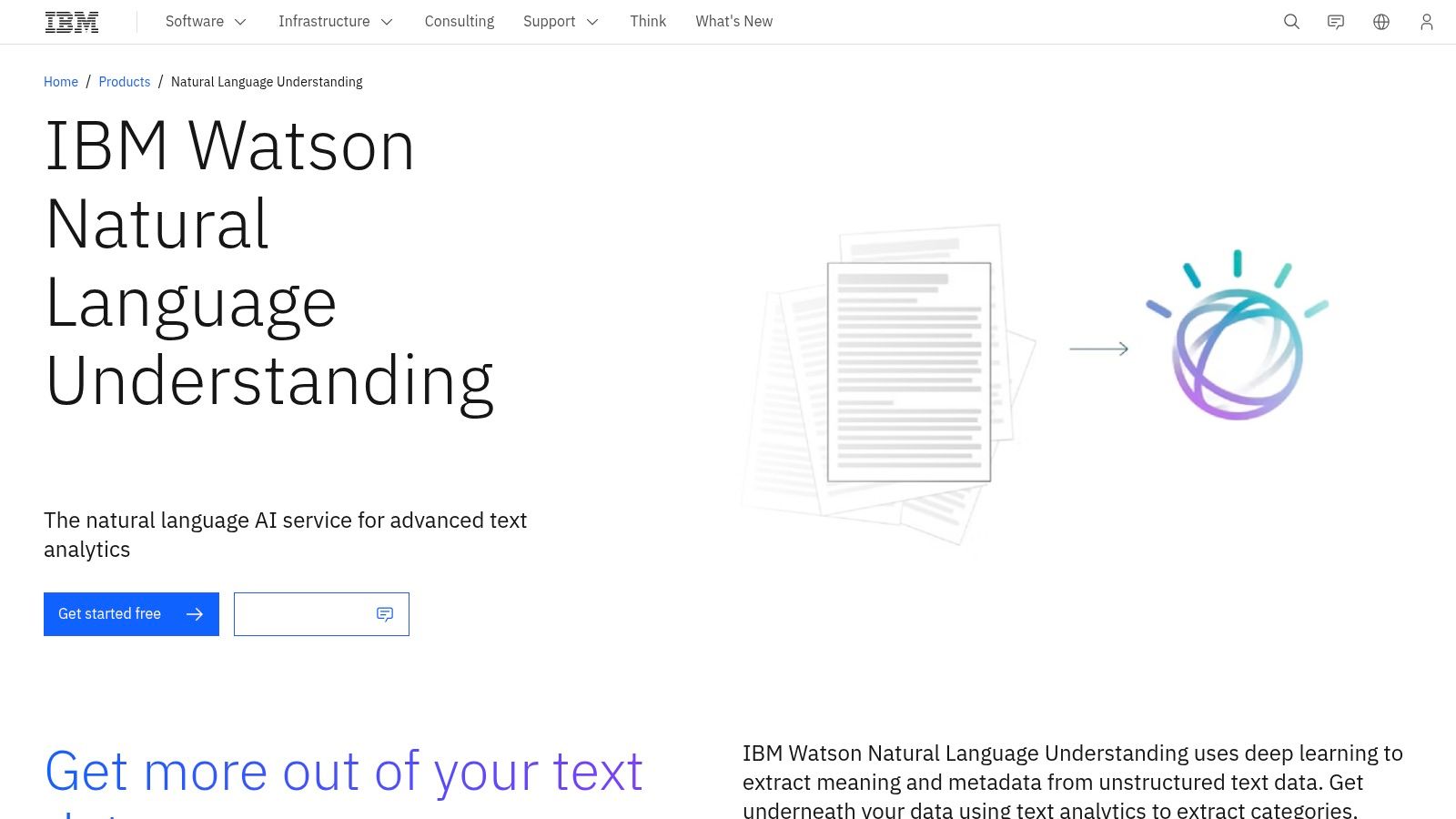
Its key differentiator is its focus on enterprise readiness, offering detailed SDKs and comprehensive documentation for developers. The API can perform target-level sentiment analysis, identifying feelings toward specific keywords or phrases within a document, which is invaluable for brand monitoring and competitive analysis. For companies using other IBM services, its integration with Watson Discovery allows for creating sophisticated data enrichment and search applications.
Key Features & Considerations
- Pricing Model: A Lite plan is available for free evaluation, allowing up to 30,000 NLU items per month. Paid plans are usage-based with transparent pricing and volume discounts, catering to scalable enterprise needs.
- Granularity: Provides both document-level sentiment and targeted sentiment. It also analyzes five distinct emotions (joy, fear, sadness, anger, disgust), offering a more colorful picture of user feedback than a simple positive/negative score.
- Enterprise Integration: Offers SDKs for popular languages like Python, Java, and Node.js. Seamlessly connects with Watson Discovery to enhance internal search and data analysis capabilities.
- Use Cases: Ideal for large-scale voice-of-the-customer analysis, compliance monitoring, and market intelligence where data security and detailed, multi-faceted text analysis are critical.
Pros:
- Robust governance and enterprise security features
- Transparent usage-based pricing with a free Lite plan for testing
- Analyzes both sentiment and specific emotions
Cons:
- The user interface is more developer-focused and can feel less intuitive for non-technical users
- Building advanced custom models may require engaging additional IBM services at a higher cost
5. Lexalytics (Semantria / Salience)
Lexalytics, an InMoment company, provides enterprise-grade text analytics solutions designed for complex, domain-specific requirements. It offers two primary deployment models: Semantria for its cloud API and Salience for on-premises installation. This flexibility makes it one of the best sentiment analysis tools for organizations in regulated industries like finance or healthcare, where data privacy and control are paramount.
The platform’s core strength is its high degree of tunability and customization. Unlike more generalized APIs, Lexalytics allows users to build custom domain taxonomies, implement specific rules, and fine-tune sentiment models to recognize industry-specific jargon and nuances. This granular control ensures higher accuracy for specialized use cases where generic models often fall short.
Key Features & Considerations
- Pricing Model: Enterprise-focused with custom pricing by quote. This model is less transparent than pay-as-you-go alternatives and is better suited for businesses with defined, high-volume needs rather than small-scale projects.
- Deployment Flexibility: Offers on-premises, private cloud, and public cloud (API) options, catering to diverse security and infrastructure requirements.
- Deep Customization: Users can configure industry-specific sentiment scoring, create custom entities, and build complex query rules to extract precise insights. It also supports over 20 languages.
- Use Cases: Ideal for deep customer feedback analysis, voice of the employee (VoE) programs, and compliance monitoring in highly regulated fields. Its legacy Excel plug-in also supports workflows for non-developer business analysts.
Pros:
- Excellent for complex, on-premise deployments requiring data control
- Strong multi-language support and deep model customization
- Flexible deployment options (cloud, on-prem, hybrid)
Cons:
- Pricing is not publicly available and is geared toward enterprise contracts
- Requires significant domain expertise and effort to set up and tune effectively
6. MonkeyLearn
MonkeyLearn is a standout no-code/low-code platform that makes text analytics accessible to business users, not just data scientists. It provides a suite of pre-built and custom models, allowing teams to quickly build workflows for analyzing customer feedback. Its user-friendly interface is designed to turn raw text from surveys, reviews, and support tickets into actionable insights with minimal technical overhead, making it one of the best sentiment analysis tools for CX teams.
The platform’s strength is its end-to-end workflow automation. You can connect data sources like Google Sheets or Zendesk, run text through a sentiment analysis pipeline, and instantly visualize the results in a dashboard. This approach democratizes data analysis, enabling marketing and support teams to build and manage their own models for tasks like ticket routing and trend spotting.
Key Features & Considerations
- Pricing Model: Tiered pricing based on queries per month, starting with a free plan for low-volume testing. Paid plans are designed for teams and scale with usage, though they are geared more toward mid-market needs than entry-level budgets.
- Granularity: Offers standard positive, negative, and neutral classifications. The real power comes from combining sentiment with other classifiers, like topic or intent detection, to understand why a customer feels a certain way.
- No-Code Interface: Features a drag-and-drop interface for building custom classifiers and workflows, allowing users to train models on their own industry-specific data without writing any code.
- Use Cases: Excellent for automating support ticket triage, analyzing Net Promoter Score (NPS) survey responses, and monitoring brand mentions across multiple channels. The built-in dashboards make it easy to report findings to stakeholders.
Pros:
- Extremely user-friendly for non-technical teams
- Fast to implement with integrations like Zapier and Google Sheets
- Combines sentiment, topic, and keyword analysis in one platform
Cons:
- Pricing can be high for startups or very small businesses
- Pre-built models may require customization for niche industries
7. Brandwatch Consumer Research
Brandwatch Consumer Research is a premier consumer intelligence platform designed for enterprise-level social listening and market analysis. It excels at tracking sentiment across a vast digital landscape, including social media, news sites, blogs, and forums. For marketing and PR teams, it stands out as one of the best sentiment analysis tools for understanding brand perception and competitive positioning in real time.
The platform’s power lies in its comprehensive data access and sophisticated query capabilities. Users can leverage advanced Boolean logic to pinpoint specific conversations and analyze historical data archives to identify long-term trends. This makes it an invaluable resource for deep research and strategic planning, allowing teams to move beyond simple monitoring to genuine consumer intelligence.
Key Features & Considerations
- Pricing Model: Pricing is available by quote only and is geared toward enterprise clients. It is considered a premium investment compared to pay-as-you-go API solutions.
- Granularity: Offers detailed sentiment analysis (positive, negative, neutral) and can also identify specific emotions within text. Customizable dashboards provide at-a-glance competitive benchmarking.
- Advanced Queries: Its robust Boolean search functionality allows for highly specific and complex queries, ensuring analysts can filter out noise and focus on the most relevant conversations.
- Use Cases: Perfect for brand health tracking, competitive analysis, campaign monitoring, and crisis management. Insights from the platform are critical for teams looking to master AI brand monitoring and protect their reputation.
Pros:
- Extensive dataset coverage with reliable social media connectors
- Powerful dashboards for visualization and reporting
- Widely adopted by enterprise marketing and communications teams
Cons:
- Premium pricing model makes it less accessible for smaller businesses
- Steep learning curve to master the advanced query builder effectively
8. Talkwalker Consumer Intelligence
Talkwalker Consumer Intelligence is an enterprise-grade social listening and analytics platform where AI-powered sentiment analysis is a core component. It excels at monitoring conversations across a vast digital landscape, making it one of the best sentiment analysis tools for large-scale brand management and market research. The platform leverages its Blue Silk AI to provide nuanced sentiment insights from over 150 million sources.
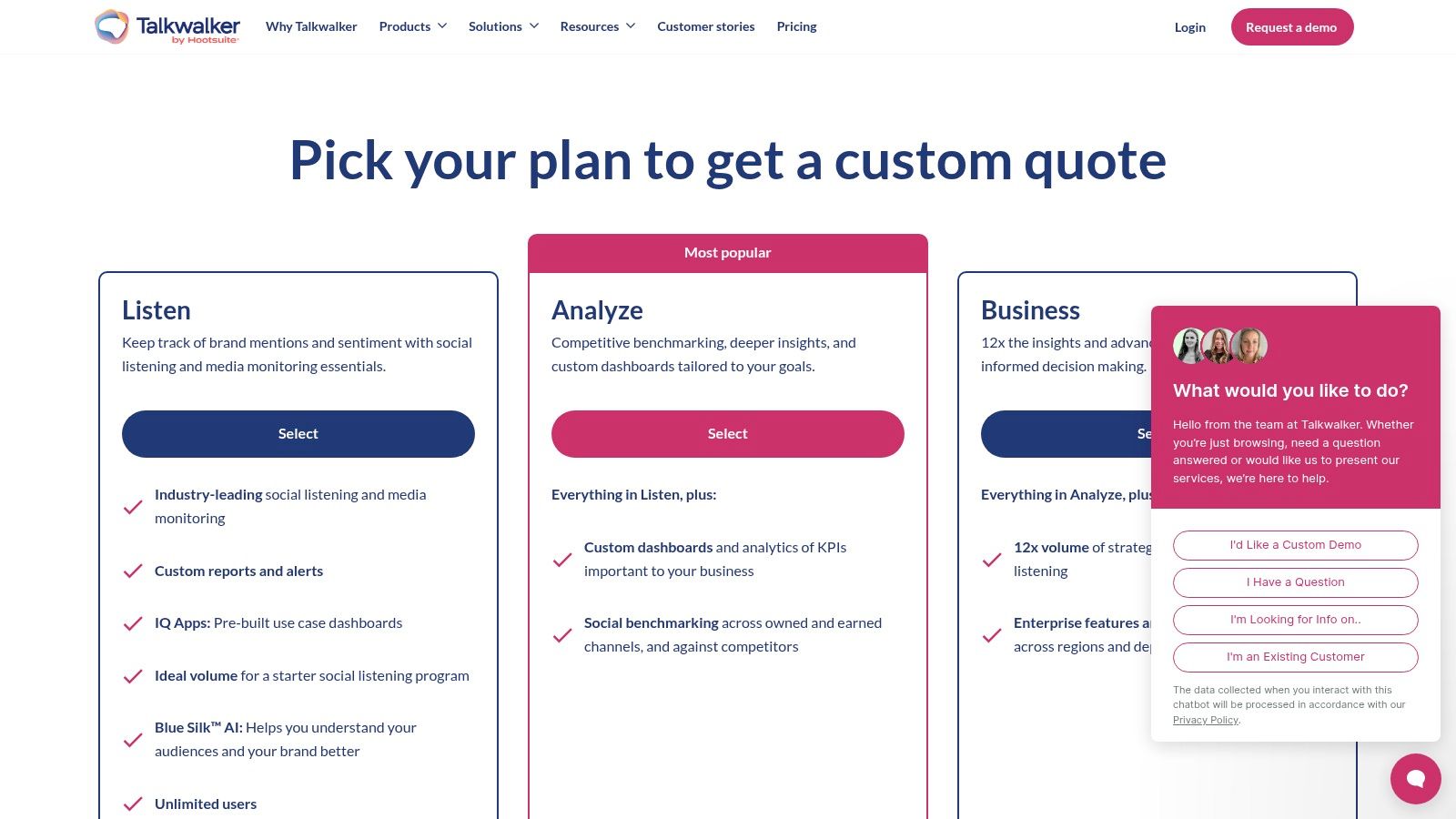
What sets Talkwalker apart is its comprehensive scope and focus on actionable intelligence through AI-driven dashboards and "IQ Apps." It moves beyond simple positive or negative scores to help users understand the context and drivers behind consumer feelings. This is crucial for brands that need to track real-time brand perception in AI responses and public opinion shifts.
Key Features & Considerations
- Pricing Model: Enterprise-focused with tiered packages (Listen, Analyze, Business). Pricing is not publicly available and requires contacting the sales team for a custom quote.
- Data Coverage: Monitors an extensive range of sources including social media, blogs, forums, news sites, and review platforms in 187 languages, offering a global perspective.
- AI-Powered Dashboards: Features like Blue Silk AI and IQ Apps provide advanced analytical capabilities, including visual analytics and trend spotting, to simplify complex data sets.
- Use Cases: Perfect for competitive intelligence, campaign monitoring, brand health tracking, and crisis management for large organizations that require a holistic view of market conversations.
Pros:
- Exceptional data coverage and multi-language support
- Strong onboarding and dedicated customer success for enterprise clients
- Unlimited user seats available on many plans, promoting team-wide collaboration
Cons:
- Pricing is not transparent and geared towards larger budgets
- Initial setup for complex queries and dashboards can be time-consuming
9. Sprout Social (with Listening/Sentiment)
Sprout Social is a comprehensive social media management platform designed for businesses that want an all-in-one solution for publishing, engagement, and analytics. While not a standalone sentiment analysis tool, its advanced Listening add-on transforms it into a powerful platform for monitoring brand health and customer conversations directly where they happen. This integrated approach makes it one of the best sentiment analysis tools for marketing teams who need context alongside their data.
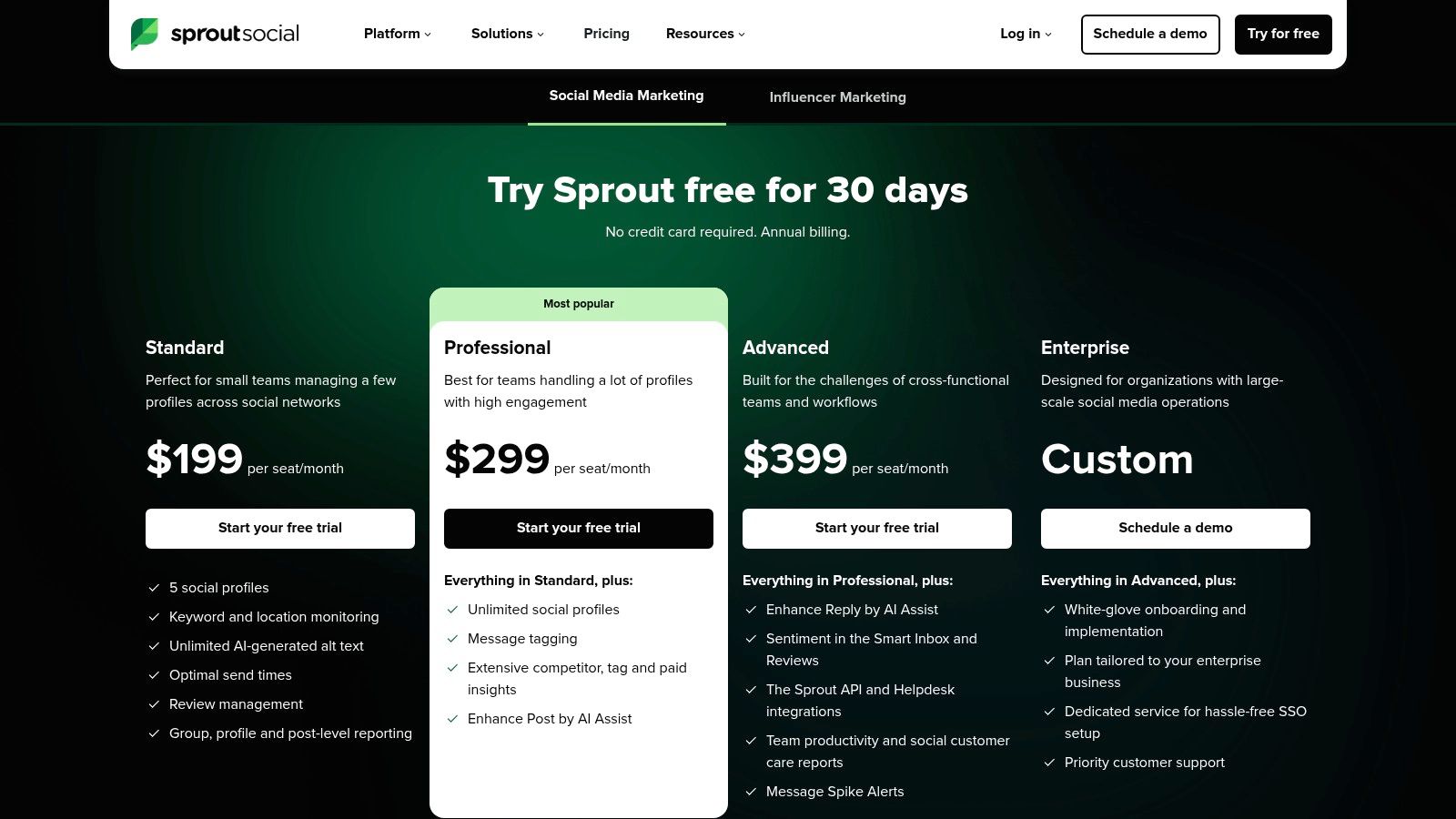
The platform excels by connecting sentiment directly to social media performance metrics, allowing users to see how positive or negative conversations impact engagement and reach. Its strength is providing a holistic view of your social presence, from scheduling posts to analyzing the emotional tone of audience feedback, all within a single, user-friendly interface.
Key Features & Considerations
- Pricing Model: Core plans are priced per user, per month, starting at $249 for the Standard plan. Advanced listening and sentiment analysis features are available as add-ons or within higher-tier custom plans, making it a premium investment.
- Integrated Workflow: Combines social media publishing and engagement with sentiment analysis, so teams can immediately act on insights without switching tools.
- Granularity: Sentiment is categorized as positive, neutral, or negative, providing a clear overview of brand perception trends over time and across different social channels.
- Use Cases: Perfect for marketing teams managing multiple social accounts who need to track campaign reception, identify brand advocates or detractors, and monitor competitive buzz. It's a key part of an effective strategy for brand mention monitoring across LLMs and social platforms.
Pros:
- All-in-one social media management with integrated listening
- Excellent reporting and analytics for marketing campaigns
- Intuitive interface simplifies complex data
Cons:
- Sentiment analysis is a premium add-on, not included in base plans
- Per-seat pricing can become expensive for larger teams
10. Meltwater (Consumer Intelligence and Social Listening)
Meltwater positions itself as an enterprise-grade media intelligence and social listening platform where sentiment analysis is a core component of a much broader toolkit. It excels at aggregating vast amounts of data from global news sources, social media, forums, and even broadcast media. This makes it one of the best sentiment analysis tools for PR, communications, and marketing teams who need to understand brand perception across all channels, not just a single source.
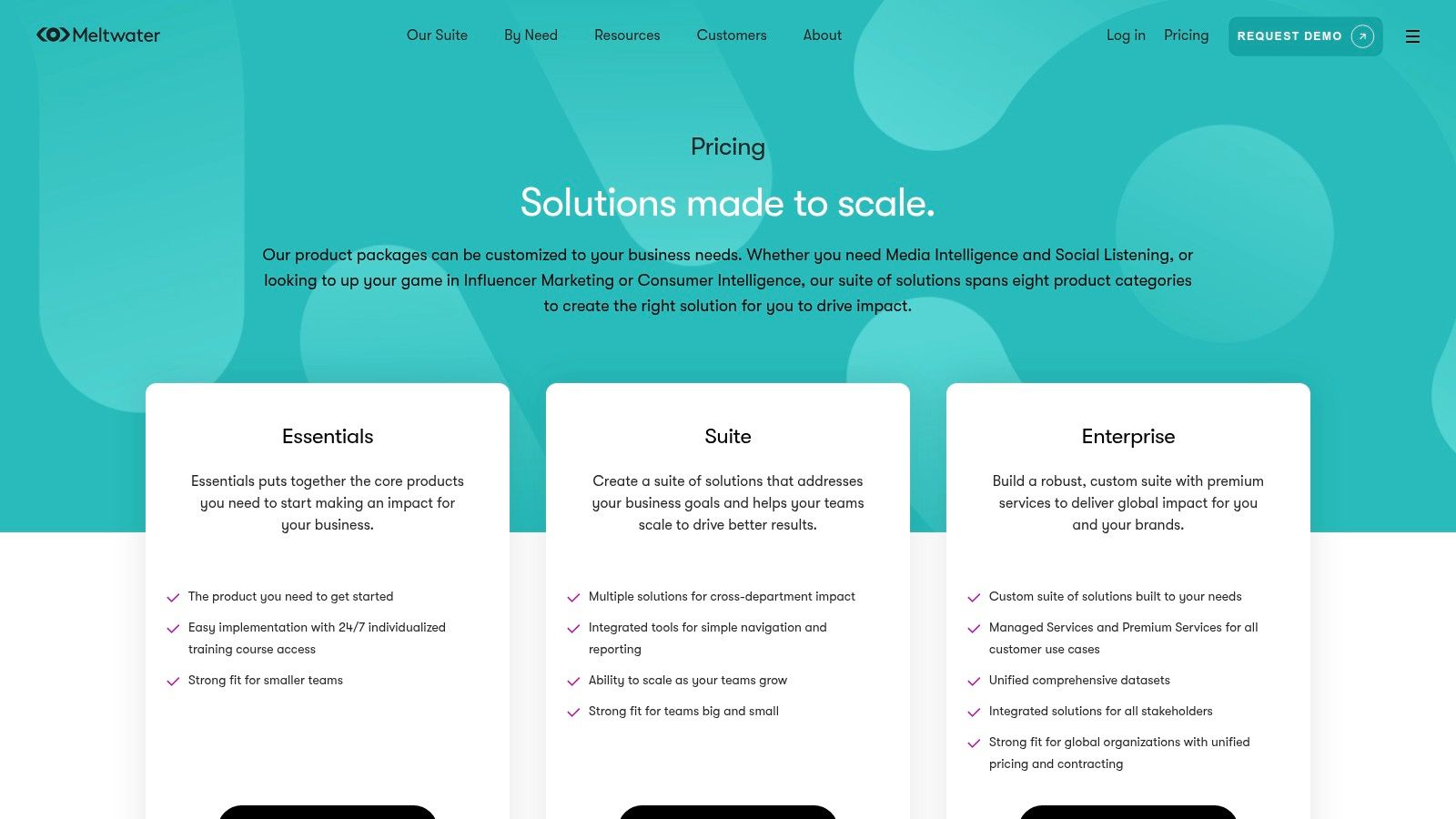
The platform’s strength is its scale and the ability to customize dashboards for specific needs, such as competitive intelligence or crisis management. Rather than offering a simple API, Meltwater provides a full suite of services that contextualize sentiment data with influencer discovery, audience segmentation, and detailed reporting, helping teams connect sentiment trends to tangible business outcomes.
Key Features & Considerations
- Pricing Model: Enterprise-focused and quote-based. Pricing depends heavily on the specific modules, data sources, and level of managed service required. This is a premium solution, not a pay-as-you-go tool.
- Granularity: Sentiment is typically categorized as positive, negative, or neutral and is applied to mentions across news, social media, and more. The value comes from tracking sentiment volume and trends over time.
- Multi-Feature API: While not primarily an API product for developers, it offers integrations and data exports to connect its insights with other business intelligence tools like Tableau.
- Use Cases: Perfect for corporate communications teams monitoring brand health, PR agencies tracking campaign impact, and marketing departments performing competitor analysis on a global scale.
Pros:
- Comprehensive, cross-channel media monitoring (social, news, broadcast)
- Strong enterprise support, including managed services and analyst reports
- Highly configurable dashboards for specific business needs
Cons:
- Pricing is not transparent and can be a significant investment
- The sentiment analysis model is less customizable than dedicated developer APIs
- Can be overly complex for small businesses or teams with simple monitoring needs
11. Brand24
Brand24 is a comprehensive social listening platform designed for businesses that need immediate, actionable insights from online conversations. Its strength lies in its user-friendly interface and AI-driven sentiment analysis, which automatically categorizes mentions as positive, negative, or neutral. This makes it one of the best sentiment analysis tools for marketing teams and SMBs who need to track brand health without a steep learning curve.
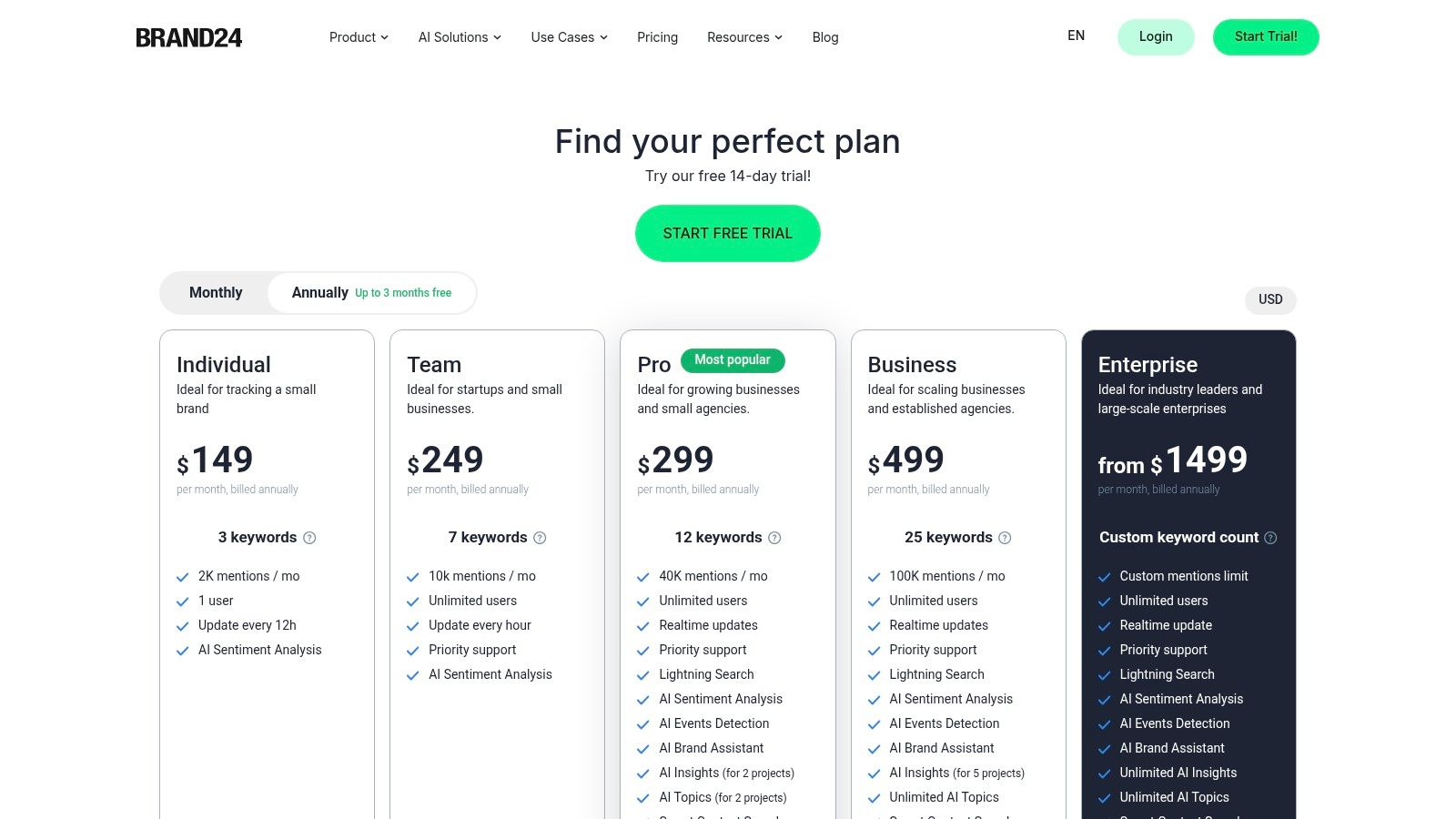
The platform provides real-time monitoring across social media, news sites, blogs, and forums, ensuring you never miss a critical conversation. Its dashboards offer a clear, at-a-glance view of sentiment trends, mention volume, and social media reach, allowing teams to quickly identify and respond to changes in public perception.
Key Features & Considerations
- Pricing Model: Offers several transparent, tiered plans based on the number of keywords tracked and mentions collected per month. A 14-day free trial is available, and most plans include unlimited users, which is a significant advantage for growing teams.
- AI-Powered Insights: Beyond sentiment, the tool provides automated reports on discussion volume and can detect sudden changes in conversation frequency, helping you spot emerging trends or PR crises.
- Ease of Use: Setup is fast and intuitive. The dashboards are designed for business users, not just data analysts, making it easy to extract and share valuable insights across an organization.
- Use Cases: Excellent for brand reputation management, campaign monitoring, and competitor analysis. The sentiment data helps teams understand customer satisfaction and measure the impact of marketing efforts. For a deeper dive, you can learn about the role of sentiment analysis in modern AI brand visibility tools and their strategic applications.
Pros:
- Fast setup and an exceptionally business-friendly interface
- Transparent public pricing with a free trial available
- Unlimited user access on most plans
Cons:
- Historical data access and certain data sources are limited on lower-tier plans
- High-volume enterprise needs might exceed the limits of the top-tier plan
12. Twinword Sentiment Analysis API
Twinword offers a highly accessible and developer-focused solution with its Sentiment Analysis API. Designed for straightforward integration, it provides a simple JSON endpoint that returns sentiment type (positive, negative, neutral), a corresponding score, and a ratio. This focused approach makes it one of the best sentiment analysis tools for developers needing to quickly embed sentiment functionality into an application without the complexity of a full-scale natural language processing suite.
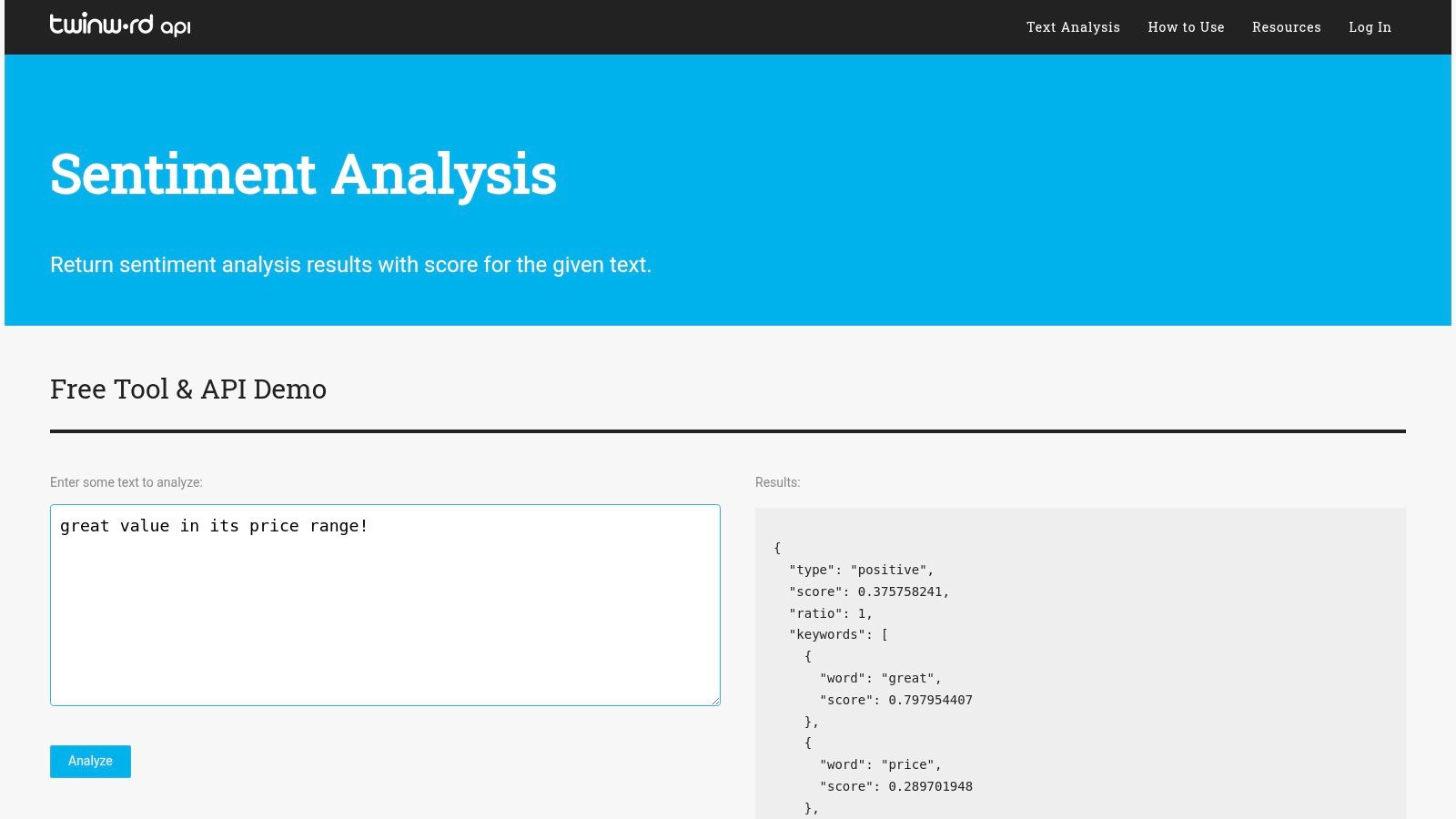
The API’s primary advantage is its low barrier to entry and clear, predictable pricing. Distributed across multiple platforms like RapidAPI and AWS Marketplace, it allows teams to get started with a minimal budget. Its simplicity is ideal for targeted use cases where a direct sentiment score is all that's required.
Key Features & Considerations
- Pricing Model: Offers multiple self-serve pricing tiers with transparent quotas, starting with a free plan for basic testing. Paid plans are based on monthly call limits, making costs easy to predict.
- Output Simplicity: The JSON API returns a clean, easy-to-parse output containing the sentiment type, score, and ratio, which simplifies development and reduces integration time.
- Accessibility: Available directly from Twinword, as well as popular API marketplaces like RapidAPI and AWS Marketplace, offering flexibility in how developers subscribe and manage their API keys.
- Use Cases: Perfect for adding sentiment indicators to user-generated content feeds, monitoring brand mentions in forums, or building simple feedback analysis features into custom applications.
Pros:
- Very low entry price and transparent, predictable quotas
- Easy to embed in web and mobile apps for targeted tasks
- Simple, developer-friendly JSON output
Cons:
- Narrower scope compared to comprehensive NLP platforms
- Model customization for specific industries is limited
Top 12 Sentiment Analysis Tools — Feature Comparison
| Product | Core features | Deployment & integrations | Target audience / UX | Unique selling point | Pricing / entry |
|---|---|---|---|---|---|
| Google Cloud Natural Language API | Sentiment (doc/sentence/entity), entity extraction, syntax, classification | Google Cloud, batch & streaming, unified annotateText | Developers & teams prototyping to scale | Easy GCP scaling + combined calls | Pay-as-you-go; per-character units; free tier (first 5K sentiment units) |
| Amazon Comprehend | Document/sentence/targeted sentiment, key phrases, PII masking, custom models | Deep AWS integration, Textract for large files, provisioned endpoints | Enterprises on AWS needing scale & security | Targeted sentiment + AWS ecosystem | Free tier 12 months (50K units/mo); min 300-char charge; custom endpoints cost per-sec |
| Microsoft Azure AI Language (Text Analytics) | Sentiment & opinion mining, NER, key phrases, summarization | Web service + containerized/offline deployment; Azure ecosystem | Azure customers and on‑prem/regulated deployments | Containerized/offline option; granular opinion mining | Free tier 5,000 records/mo; tiered per-1,000-record pricing (region-dependent) |
| IBM Watson Natural Language Understanding | Sentiment & emotion, entity/category extraction, SDKs, governance | SDKs, integrates with Watson Discovery, enterprise tooling | Enterprises needing governance, compliance, and support | Strong governance, enterprise security & volume discounts | Lite plan for testing; transparent usage pricing with discounts |
| Lexalytics (Semantria / Salience) | Tunable sentiment, domain taxonomies, rules, multi-language | On-prem, private cloud, hybrid, Excel plugins | Regulated/industry-specific deployments | Deep customization for domain vocabularies & on‑prem needs | Quote-based pricing (enterprise-focused) |
| MonkeyLearn | Prebuilt/custom sentiment, drag-and-drop model training, dashboards | No-code UI, integrations (Sheets, Zapier, API) | Business users, CX teams wanting fast results | No-code/low-code model building and visual pipelines | Self-serve plans (mid-market skew); tier limits on throughput/seats |
| Brandwatch Consumer Research | Social listening, Boolean queries, historical archives, dashboards | Wide social/news/forum connectors, CRM integrations | Enterprise marketing & PR teams | Research-grade data coverage and competitive benchmarking | Quote-based (premium) |
| Talkwalker Consumer Intelligence | Real-time monitoring, AI dashboards, extensive source/language coverage | Enterprise onboarding, IQ Apps, global connectors | Large enterprises needing broad coverage | Very broad data set (150M+ sources) and enterprise success support | Contact sales (not self-serve) |
| Sprout Social (with Listening) | Publishing, engagement, reporting + optional listening/sentiment | All-in-one SMM platform, integrations, per-seat plans | Social teams wanting combined publishing + listening | Integrated social management with reporting | Per-seat pricing; listening often requires higher tiers/add-ons |
| Meltwater | Cross-channel monitoring, sentiment analytics, influencer discovery | Configurable dashboards, managed services, global coverage | PR/communications and marketing teams | Managed services + extensive global media coverage | Quote-based, modular pricing |
| Brand24 | Real-time monitoring, AI sentiment, event detection, influencer indicators | Fast setup, user-friendly dashboards, plan tiers by keywords | SMBs, agencies, teams needing quick insights | Transparent public pricing and quick time-to-value | Public pricing with free trial; plan limits by keywords/mentions |
| Twinword Sentiment Analysis API | JSON API returning sentiment type, score, ratio | Self-serve tiers; available on RapidAPI & AWS Marketplace | Developers embedding sentiment in apps | Very low entry price and clear quotas | Multiple self-serve pricing tiers; low-cost entry |
Final Thoughts
Navigating the landscape of the best sentiment analysis tools can feel like deciphering a complex new language. As we've explored, the market is rich with options, from powerful, developer-focused APIs like Google Cloud Natural Language and Amazon Comprehend to comprehensive, business-centric platforms like Brandwatch and Talkwalker. Your journey to finding the perfect solution doesn't end with reading a list; it begins with a clear understanding of your unique objectives.
The core takeaway from our deep dive is this: there is no single "best" tool for everyone. The ideal choice is fundamentally tied to your specific context, technical resources, and business goals. A startup founder may find immense value in the accessible, no-code interface of MonkeyLearn for quick product feedback analysis, while a large enterprise will likely gravitate towards the scalable, customizable power of Microsoft Azure AI Language or IBM Watson to integrate sentiment data across multiple departments.
Key Takeaways for Choosing Your Tool
To distill our findings, let's recap the critical decision points that should guide your selection process. Before you commit to a platform or API, carefully evaluate your needs against these core factors:
- Primary Use Case: Are you focused on social media monitoring, customer support ticket routing, product review analysis, or market research? Tools like Sprout Social and Brand24 excel at social listening, whereas APIs offer the flexibility for custom applications.
- Technical Expertise: Do you have a development team ready to integrate an API, or do you need a plug-and-play SaaS solution with a user-friendly dashboard? This is often the most significant fork in the road, separating tools like the major cloud provider APIs from platforms like Meltwater.
- Data Sources: Where does your text data live? Whether it's Twitter feeds, Zendesk tickets, survey responses, or internal documents, ensure your chosen tool has the necessary integrations or data processing capabilities.
- Scalability and Budget: Your data volume will directly impact cost. Pay-as-you-go API models are cost-effective for smaller projects but can become expensive at scale. Conversely, platform subscriptions offer predictable pricing but often require a more substantial upfront investment.
- Customization vs. Simplicity: Do you need to train custom models on your industry-specific jargon and nuance, or will a pre-trained, general-purpose model suffice? The ability to create custom classifiers, as offered by MonkeyLearn and the major cloud APIs, is a powerful feature for businesses seeking higher accuracy in specialized domains.
Your Actionable Next Steps
Armed with this knowledge, your path forward should be strategic and methodical. Don't rush into a long-term contract. Instead, identify two or three top contenders from our list that align with your requirements and take advantage of their free trials or freemium tiers.
Create a small-scale pilot project. Feed each tool a representative sample of your own data, whether it's 100 customer reviews, a week's worth of social media mentions, or a batch of support emails. This hands-on testing is invaluable. It allows you to directly compare accuracy, assess the user interface, and get a real-world feel for how each solution handles the specific slang, sarcasm, and context unique to your audience. This practical test run will reveal nuances and limitations that marketing materials simply cannot, ensuring the tool you ultimately select is not just one of the best sentiment analysis tools on the market, but the best one for your business.
Feeling overwhelmed by text-based data? While the tools above master sentiment in text, modern customer feedback is increasingly visual. To understand the sentiment and context within your user-generated images and videos, check out Sight AI for a powerful visual intelligence solution that complements your text analysis strategy.