
An internal link audit is simply a full review of how pages on your website link to each other. It’s how you find and fix issues like broken links, orphan pages, and messy authority distribution that can quietly sabotage your SEO performance.
Why Your Internal Links Are Holding Your SEO Back
Ever publish a fantastic piece of content only to watch it stall out on page three of the search results? The silent culprit is often a neglected internal linking structure. We get so focused on chasing external backlinks that we completely overlook one of the most powerful SEO levers we actually control.
This is an incredibly common blind spot. A 2022 study from InLinks found that the vast majority of internal linking opportunities—an estimated 90%—are just flat-out missed. This oversight leads directly to subpar site performance and a ton of lost organic traffic potential, as you can see from the full internal link audit findings from InLinks.
Unlocking Your Site's Hidden Potential
An internal link audit isn't just about spotting errors; it's about seeing how a disorganized link structure actively holds your site back. Without a clear strategy, you’re essentially handing both users and search engine crawlers a confusing, tangled map.
This creates some serious problems:
- Diluted Page Authority: When links are scattered without purpose, you fail to channel "link equity" to your most important pages. Their ability to rank suffers as a result.
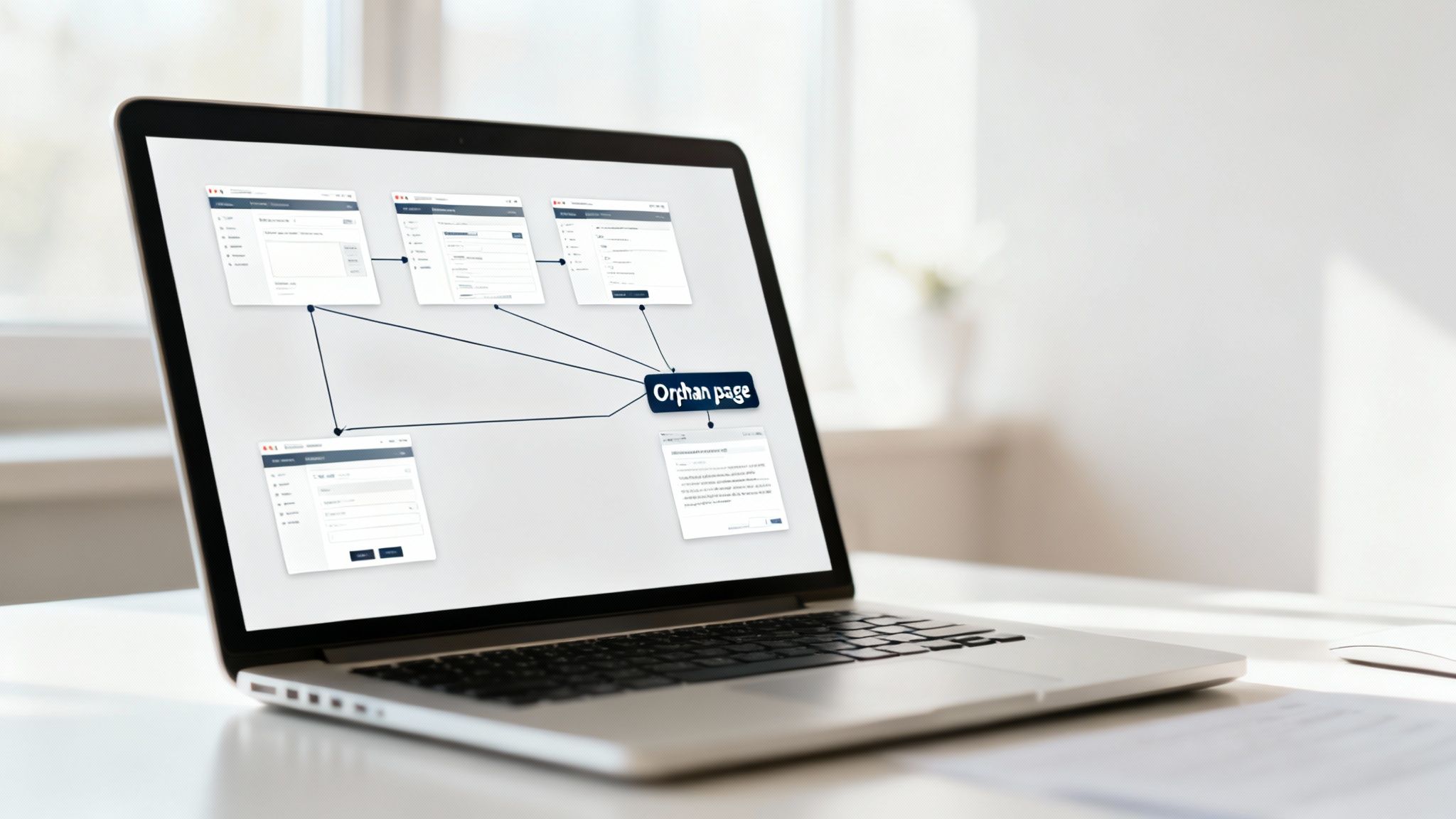
- Stranded Content: High-quality articles and landing pages can become "orphan pages." With no internal links pointing to them, they're practically invisible to search engines.
- Poor User Experience: A chaotic linking structure is frustrating. It stops visitors from discovering other valuable content on your site, which often sends bounce rates climbing.
An internal link audit isn't just a technical chore; it's one of the highest-impact strategies for unlocking your site's true potential. It's about taking control of your site’s architecture to guide authority and users exactly where they need to go.
From Reactive Fixes to Proactive Growth
By conducting a structured audit, you can surface those hidden opportunities and build a much more resilient SEO foundation. It helps you pinpoint high-authority pages you can use to give newer content a boost.
You can also find pages with far too many outgoing links that might be leaking valuable equity. If you want to dive deeper on that, our guide on how many internal links are too many will help you find the right balance.
Ultimately, a thorough audit transforms your internal linking from a random act into a deliberate strategy. It ensures every link has a purpose, driving sustainable growth and helping your best content finally get the visibility it deserves.
Assembling Your Internal Link Audit Toolkit

Before you can fix any linking problems, you need the right instruments. Kicking off an internal link audit without gathering the right data first is like trying to perform surgery in the dark. You can make some guesses, but you won't have the clear picture needed to make strategic, impactful decisions.
Your first move is always a full website crawl. This is non-negotiable. It's the X-ray of your website, mapping out every single URL and how it connects to everything else. Without this foundational data, the rest of your audit is just guesswork.
Running a Comprehensive Site Crawl
To get a complete view of your site's architecture, you’ll need a reliable crawler. Think of this as sending a small army of bots to follow every link on your domain, creating a detailed blueprint of how your pages are interconnected. This process uncovers your internal links, but also crucial details like response codes, redirect chains, and crawl depth.
There are a few go-to tools for this job:
- Screaming Frog SEO Spider: The industry-standard desktop app for deep, customizable crawls. It's perfect for pulling raw data on broken links, analyzing anchor text, and getting a visual feel for your site architecture.
- Ahrefs Site Audit: A cloud-based tool that’s fantastic for ongoing crawls and historical data. It makes it easy to track changes over time and see your link data alongside other key SEO metrics.
- Semrush Site Audit: Another powerful cloud option that’s great at flagging common issues like orphan pages, deep-crawled pages, and broken links within the context of a broader technical SEO health check.
The main goal here is to export a complete list of all your URLs along with their "inlink" and "outlink" data. This file will become the backbone of your master audit spreadsheet.
Tapping into Google Search Console
A crawler shows you what your site looks like from the inside, but Google Search Console (GSC) tells you what Google thinks of your site. This data is pure gold because it’s a direct look at how Googlebot sees your link structure and which pages it deems important.
You’ll want to head straight to the “Links” report in GSC. Two sections are critical here:
- Top linked pages (Internal links): This shows which of your pages get the most internal link love. It’s a quick gut-check to see if your important "money pages" are receiving the authority they deserve, or if random, unimportant pages are hoarding all the link equity.
- Top linked pages (External links): This report lists the pages with the most backlinks from other websites—these are your authority hubs. Pinpointing them is absolutely key to strategically passing their power to other important pages on your site.
Export both of these reports. This data will help you prioritize which pages you should be linking from (your high-authority pages) and which you should be linking to (your under-linked, high-potential pages).
Your GSC "Links" report is a direct line to understanding how Google perceives your site's authority flow. Pages with high external links are your power players; use them to boost the visibility of other content.
Using Analytics to Find Hidden Gems
Finally, don't forget your website analytics platform, like Google Analytics. Traffic data can uncover high-performing pages that are currently being ignored by your internal linking strategy. A page getting a ton of organic traffic despite having very few internal links is a massive opportunity just waiting to be seized.
Look for pages with high traffic but a low number of internal links pointing to them. By building more links to these "hidden gems," you can amplify the success they're already having. It's about leveraging the momentum you've already built.
And if you're looking to scale this process, learning about automated internal links can give you a framework for building a more sustainable system that doesn't rely on constant manual effort.
By combining your crawl data, GSC reports, and analytics insights, you'll create a master spreadsheet. This document is your single source of truth, giving you a complete, multi-faceted view of your internal linking landscape. Now, you’re ready for the diagnostic phase.
Diagnosing Critical Flaws in Your Site Architecture
Alright, you've gathered all the data—crawl exports, Google Search Console files, and analytics reports. Now, the real detective work begins. This is where we shift from simply collecting information to actively diagnosing the architectural problems that are holding your SEO back.
Think of your website like a city. Pages are the buildings, and internal links are the roads connecting them. If those roads are broken, lead to dead ends, or just don't connect to the most important landmarks, the city stops functioning properly. Our job is to find and map out every single one of these broken roads.
Hunting for Invisible Content and Orphan Pages
The most glaring issue you can uncover is an orphan page. This is a page with zero incoming internal links. Search engine crawlers find new pages by following links from pages they already know. If a page has no links pointing to it, it’s practically invisible to them and has almost no chance of ever getting indexed, let alone ranking for anything.
To find these, you'll want to compare your sitemap URL list against your crawl data. Any URL that shows up in your sitemap but has no "inlinks" in the crawl report is an orphan. These are often old blog posts, forgotten landing pages, or product pages for a discontinued line that were never properly handled.
Fixing these is always a high priority. Find a relevant, authoritative page on your site and add a contextual link to the stranded page. Better yet, make it a habit: for every new piece of content you publish, add at least two or three internal links to it from existing, related articles. This simple workflow prevents new orphan pages from ever being created in the first place.
Assessing the Problem of High Click Depth
Not all pages carry the same weight, and your most important content should be easy for both users and search engines to find. Click depth is the metric that tells you how many clicks it takes to get from the homepage to a specific page. A high click depth (say, more than three clicks) sends a signal to search engines that the page is less important.
This is a classic problem for large e-commerce sites or blogs that have been around for years. A key service page or a high-converting article can easily get buried under layers of categories and subcategories. For instance, a critical "Compare Models" page might be five clicks deep: Homepage > Products > Laptops > Business Series > Compare Models. That's way too far.
Deeply buried pages don't just suffer from a perception of low importance; they also get crawled less often. If Googlebot has to work too hard to find a page, it might not allocate enough what is crawl budget to visit it regularly, which torpedoes its ability to rank.
The solution is to build a more direct path. Add a link to that deep page from a higher-level page, like the main navigation, a relevant pillar page, or even the footer if it’s a site-wide priority.
Analyzing Your Anchor Text Distribution
Anchor text—the clickable text in a link—is a huge signal. It provides crucial context to both users and search engines about what the destination page is about. One of the most common mistakes is using generic, useless phrases like "click here" or "read more." This is a massive missed opportunity.
As part of your audit, pull a list of all your internal links and their anchor text. You're on the lookout for two main issues:
- Generic Anchors: Flag every instance of non-descriptive text. Go back and replace them with keyword-rich, descriptive phrases. Instead of "learn more," use something like "learn more about our content audit services."
- Anchor Text Diversity: Make sure you aren't using the exact same anchor text for every single link pointing to a page. Varying it with related keywords and natural phrases looks more organic and helps that page rank for a wider range of terms.
Identifying Pages That Bleed Authority
It’s just as important to look at where links are going to as it is to see where they're coming from. Some pages, like old blog posts, privacy policies, or author bios, can accumulate way too many outgoing internal links over time.
While there's no direct "penalty" for this, each link on a page passes only a fraction of that page's authority. A page with 150 outgoing links passes far less value with each link than a page with just 15. Go through your crawl data and scrutinize pages with an unusually high number of outlinks. Trim any that aren't absolutely essential for user navigation or providing context.
To truly get to the bottom of these kinds of issues, you may want to master a comprehensive technical SEO audit. After all, a solid internal linking structure is a cornerstone of good technical health, and this broader view helps ensure every part of your site is working together.
Key Metrics For Your Internal Link Audit
To keep things organized, here's a breakdown of the key metrics to focus on during your diagnosis. This table will help you understand what each metric signifies and what a "good" state looks like.
| Metric | What It Tells You | Tools To Use | What To Look For |
|---|---|---|---|
| Orphan Pages | Pages invisible to crawlers and users because they have no incoming links. | Screaming Frog, Sitebulb, Semrush | Any URL with 0 inlinks. Compare your sitemap against the crawl data. |
| Click Depth | How many clicks it takes to reach a page from the homepage. | Screaming Frog, Ahrefs Site Audit | High-priority pages with a click depth greater than 3. |
| Internal Link Distribution | Which pages receive the most internal links and which are underserved. | Gephi, Sitebulb, Custom Scripts | Key pages with few inlinks; unimportant pages with too many. |
| Anchor Text | The contextual relevance of your links. | Screaming Frog, Ahrefs Site Audit | Overuse of generic anchors ("click here") and lack of keyword diversity. |
| Broken Internal Links | Links pointing to pages that return a 404 error, wasting link equity. | Screaming Frog, Semrush, Google Search Console | Any internal link with a 404 status code. |
| Redirected Internal Links | Links pointing to URLs that redirect (301/302), adding an unnecessary step. | Screaming Frog, Ahrefs Site Audit | Links in redirect chains; update these to point to the final destination URL. |
Tracking these metrics will give you a clear, actionable roadmap for your remediation efforts. Once you've identified the problems, the next step is to prioritize and start fixing them.
Creating Your Action Plan for High-Impact Fixes
Finding flaws in your internal linking is just the first step. The real value comes from turning those diagnostic findings into a prioritized action plan. An effective plan keeps you from getting bogged down in minor tweaks and instead focuses your energy on changes that actually move the needle.
You need to sort your tasks by impact and effort. Some fixes are quick wins that immediately improve site health, while others are strategic, long-term plays that build authority over time. It’s all about balancing the two to create constant forward momentum.
Prioritizing Your Fixes with an Impact vs. Effort Matrix
A simple way to organize your action plan is to categorize each task into one of four quadrants. I use this mental model all the time to decide what to tackle first, what to schedule for later, and what might not be worth the effort at all.
Think about it this way:
- Quick Wins (High Impact, Low Effort): These are your top priorities. Fixing broken internal links is a perfect example. Each broken link is a dead-end for users and a leak for link equity, and correcting them is usually a fast process with an immediate positive effect.
- Major Projects (High Impact, High Effort): These are strategic initiatives. For example, building out a topic cluster by adding dozens of new internal links from a pillar page to its supporting content requires significant planning, but it can dramatically boost your topical authority.
- Fill-In Tasks (Low Impact, Low Effort): These are tasks you can handle when you have spare time. Updating a few instances of generic anchor text like "read more" to something more descriptive falls into this category. It's good practice, but a handful of these won't drastically change your rankings overnight.
- Reconsider (Low Impact, High Effort): These are tasks to question. For instance, spending days restructuring an entire subfolder of old, low-traffic blog posts might not provide a return on your time investment. It's often better to focus that energy elsewhere.
This simple diagnostic process can help visualize where to start. The following flowchart breaks down the core areas to investigate during your audit.

This flow highlights the essential first steps in any remediation plan: finding what's lost (orphans), measuring what's buried (depth), and clarifying what's being said (anchors).
Actionable Strategies for Common Issues
Once your priorities are straight, you need specific tactics for each problem. Let's move from the "what" to the "how" for the most common issues you've likely uncovered.
Rescuing Orphan Pages
Orphan pages are SEO dead weight. To bring them back into the fold, you need to build bridges from relevant, established content. I like to use a "site:" search operator in Google (e.g., site:yourdomain.com "related keyword") to quickly find pages on my own site that discuss similar topics.
From there, it's just a matter of editing those pages to add a natural, contextual link to your orphan page. The goal is to make the link genuinely useful for the reader, not just to check a box.
Fixing Broken and Redirected Links
Broken links (404s) are critical to fix. They completely halt the flow of authority and create a frustrating user experience. Our guide on how to fix broken links provides a detailed, step-by-step process for finding and repairing them efficiently.
Redirected internal links (301s or 302s) are less severe but still create unnecessary work for crawlers. The best practice is to update the link directly at its source, pointing it to the final destination URL and removing the redirect hop entirely.
Don't just fix broken links—use them as an opportunity. If the broken page was linked from a high-authority source, consider creating a new, relevant piece of content at that URL or redirecting it to the next most relevant page to reclaim that valuable link equity.
Elevating Deeply Buried Content
Content with a high click depth is perceived as less important by search engines. To fix this, identify your most authoritative pages using your crawl tool or GSC's "Top linked pages" report. These are your power hubs.
Add links from these authority hubs to your deeply buried—but still valuable—pages. This not only makes them more discoverable but also passes significant link equity, giving them a much-needed SEO boost.
Creating a Checklist for Execution
Turning your audit into action requires organization. A simple checklist or spreadsheet can keep you on track. Here's a sample structure you can adapt for your own project management tool.
| Task | Priority | Page to Edit | New Link Destination | Anchor Text Idea | Status |
|---|---|---|---|---|---|
| Fix broken link | High | /blog/old-post | /blog/new-post | "our updated 2024 guide" | Done |
| Add link to orphan | High | /services/main-page | /services/niche-service | "specialized niche services" | In Progress |
| Reduce click depth | Medium | /homepage | /blog/deep-post | "explore our case study" | To Do |
| Update anchor text | Low | /about-us | /contact | "get in touch with our team" | To Do |
This structured approach transforms a messy list of problems into a clear, manageable project. And the data reflects this shift in focus. Recent link-building surveys show that 42% of SEO specialists now give equal weight to internal and external links. They recognize that a solid internal link audit is key to passing 32.3% more link equity to top pages, with regular audits correlating to a 25% organic traffic uplift in just six months.
Building a Sustainable Internal Linking System

Finishing an internal link audit gives you a fantastic short-term win. But the real, lasting momentum comes when you stop thinking of it as a one-time project and start building a continuous, sustainable system. Let’s be honest—without a long-term strategy, your site will inevitably slide back into chaos as you publish new content and update old pages.
The goal is to shift internal linking from a reactive cleanup chore into a proactive part of your growth engine. This means putting processes in place and using smart architectural concepts that build a powerful, organized link structure by default. That way, every new piece of content you publish automatically makes your entire site stronger.
Establish Ongoing Monitoring
You can't let all your hard work go to waste. A truly sustainable system depends on consistent monitoring to catch problems before they snowball. Instead of waiting a year for the next massive audit, you can set up a much lighter, more frequent check-in process.
This doesn't have to be some huge, time-consuming task. Just setting up a monthly or quarterly crawl with a tool like Semrush or Ahrefs can automatically flag new issues as they pop up.
- Broken Link Alerts: Set up your tool to shoot you an email alert anytime a new 404 error is found stemming from an internal link.
- Orphan Page Checks: Periodically run a quick comparison of your sitemap URLs against your crawl data. This will instantly show you any new pages that were published without getting any internal links.
This kind of routine maintenance keeps your site healthy and prevents the same old problems from creeping back in. It’s the difference between a quick tune-up and a complete engine rebuild.
Adopt a Topic Cluster Model
One of the most powerful ways to build a sustainable internal linking system is to design your content around topic clusters. This strategy moves you away from a random collection of blog posts and toward a much more organized hub-and-spoke structure.
Here’s the breakdown of how it works:
- Pillar Page: Think of this as your flagship piece of content. It's a broad, comprehensive guide covering a core topic in-depth and targeting a high-volume, competitive keyword.
- Cluster Content: These are more specific, detailed articles that dive into subtopics related to your pillar. Each cluster article targets a more niche, long-tail keyword.
- The Linking Structure: This is where the magic happens. Every cluster article links up to the main pillar page, and the pillar page links out to all its supporting cluster articles.
This creates a self-contained, highly relevant network of pages that screams expertise to search engines. It signals that you're a true topical authority. For users, it provides a clear, logical journey, guiding them from a general overview to the nitty-gritty details. If you're new to the concept, we have a guide that explains in detail what is a pillar page and how to execute it effectively.
By organizing your content into topic clusters, you're not just adding links; you're building a semantic map of your expertise. This makes your internal linking strategy intentional and scalable by default.
Automate for Scale and Consistency
As your site grows, trying to manually manage every single internal link becomes a losing battle. This is where automation tools become your best friend, ensuring your linking strategy can keep up with your content production. Platforms like IndexPilot can analyze your content and automatically suggest or even insert relevant internal links while you write.
These tools use AI to understand the context of your new article and pinpoint existing pages on your site that are a perfect match for a link. It's a massive time-saver, but more importantly, it enforces consistency and makes sure no new article ever gets left behind as an orphan page.
Remember, a sustainable system isn't just about SEO. A well-structured site guides users to the information they need, which is a huge factor in improving your website's conversion rate. By turning your audit findings into a forward-looking system, you build a foundation that serves both search engines and users, driving continuous growth for the long haul.
Frequently Asked Questions About Internal Link Audits
Once you wrap up a big audit, it’s totally normal for a few questions to still be floating around. Getting into the nitty-gritty of execution and long-term upkeep is where the real work begins. This last section is all about tackling the most common questions we hear, giving you straight answers so you can move forward with your internal linking strategy feeling confident.
Think of this as your go-to guide for those little details that can make or break your audit’s success. We’ll cover everything from how often you should do this to the age-old "how many links is too many?" debate.
How Often Should I Perform An Internal Link Audit?
For most websites, a deep-dive internal link audit once a year is a great starting point. It's the perfect chance to take a step back and make sure your site structure still aligns with your current business goals. But honestly, the right frequency comes down to how much your site changes.
If you're running a massive e-commerce store or a news site pumping out dozens of articles a day, you’ll want to bump that up to a quarterly schedule. The more content you create, the faster tiny issues can snowball into big problems.
On top of that, it's always a good idea to run a mini-audit after any major site change, like:
- A full website migration
- A big content overhaul or restructuring project
- Changing up your primary URL structure
And for day-to-day stuff? Checking for broken internal links should be a non-negotiable part of your monthly SEO routine.
What Is The Ideal Number Of Internal Links Per Page?
There's no magic number here. Anyone who tells you there is one is selling you a fantasy. The real focus should always be on user value and relevance—not hitting some arbitrary count. A short, 500-word blog post might only need two or three perfectly placed links to be incredibly effective.
On the flip side, a massive, 5,000-word pillar page could easily have over 50 helpful links pointing to its supporting cluster content without feeling forced at all. The only question you should ask is: Does this link genuinely help the reader? Never, ever force links just to hit a quota. It tanks the user experience and just looks spammy to search engines.
Can I Have Too Many Internal Links On A Page?
You absolutely can. While Google won't slap you with a direct penalty for having "too many" links, going overboard creates two major headaches. First, it dilutes the authority—or "link equity"—that the page can pass on. Think about it: a page with 150 links passes a tiny fraction of its power with each one compared to a page with just 15.
Second, and maybe more importantly, it just looks bad. A wall of blue, clickable text is overwhelming for a real person trying to read your content. It makes it impossible to know what’s actually important.
As a rule of thumb, try to keep the total number of links on any single page—that includes your navigation, footer, and body content—under 150. It’s not a hard-and-fast rule from Google, but it’s a great guideline that forces you to be thoughtful and link only to what truly matters.
Should I Ever Use Nofollow On Internal Links?
The short answer is: almost never. By default, every single one of your internal links should be "dofollow." That’s how you pass authority and show search engines how your site is structured.
Sticking a "nofollow" tag on an internal link is basically telling Google, "Hey, check out this page on my own site, but I don’t really stand behind it." It stops the flow of link equity dead in its tracks and can even keep that destination page from getting indexed or ranking properly.
If you have pages you don't want Google to focus on (like login pages or internal search results), you're much better off using your robots.txt file or a noindex meta tag. Using "nofollow" on internal links is almost always working against your own SEO goals.
Ready to turn these audit insights into action without the manual grind? Sight AI uses AI to surface content gaps, track your brand's visibility, and generate thousands of words of high-quality, SEO-optimized content. Publish consistently and watch your rankings grow by visiting https://www.trysight.ai.