Manual content publishing is killing your team's productivity. Between formatting posts, scheduling across platforms, updating your CMS, and ensuring proper indexing, the average content team spends hours on repetitive tasks that add zero creative value. You're probably spending more time uploading and formatting content than actually creating it.
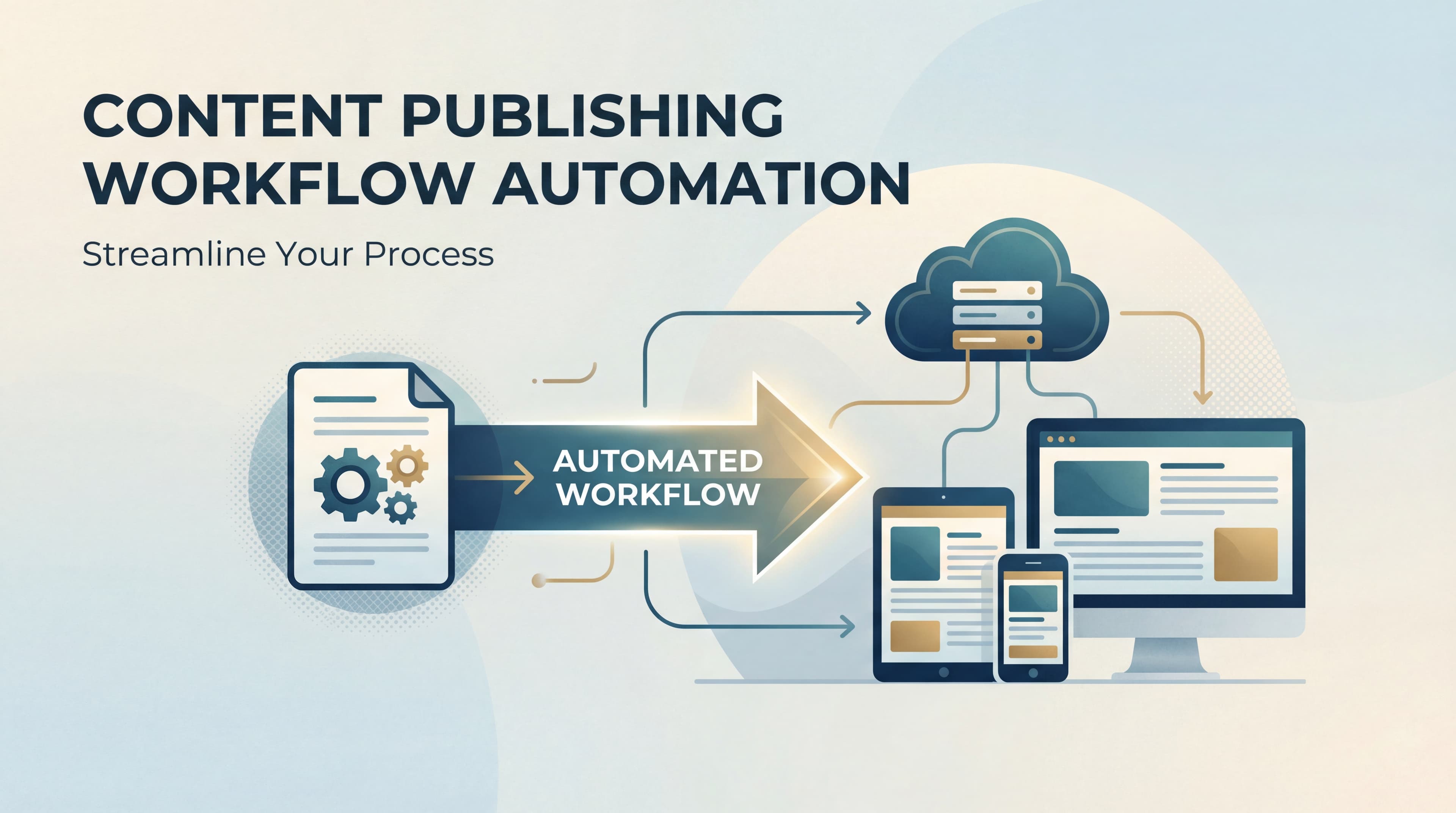
Content publishing workflow automation changes this equation entirely—transforming a fragmented, error-prone process into a streamlined system that publishes, distributes, and indexes content while you focus on strategy. Instead of manually copying text into your CMS, resizing images, writing meta descriptions, and remembering to submit URLs to search engines, automation handles it all with consistent precision.
This guide walks you through building an automated publishing workflow from the ground up. You'll learn how to audit your current process, select the right automation tools, configure your CMS integrations, set up quality gates, and monitor performance—all with practical steps you can implement this week.
Whether you're a solo marketer drowning in publishing tasks or an agency managing multiple client blogs, these steps will help you reclaim hours of productive time while actually improving content consistency. Let's transform your publishing process from a manual bottleneck into an automated advantage.
Step 1: Audit Your Current Publishing Process and Identify Automation Opportunities
Before you automate anything, you need to understand exactly where your time goes. Most content teams operate on muscle memory, repeating the same publishing steps without questioning whether they could be eliminated or automated.
Start by mapping every single step from draft completion to live publication. Write it all down: writing completion, editorial review, formatting in Google Docs, copying to CMS, uploading images, resizing those images, writing meta titles, writing meta descriptions, adding internal links, scheduling publication, creating social posts, submitting to search engines, updating your sitemap, sending to your email list. The list is longer than you think.
Now time each task. Use a stopwatch for a week and track how long each publishing step actually takes. Most teams discover that 60% or more of their publishing time is spent on non-creative work—tasks that require zero strategic thinking or creative input. One marketing team I know found they spent 45 minutes per article just on formatting and uploading, before even touching distribution.
Next, flag every repetitive task that follows consistent rules. These are your prime automation candidates. Image resizing always follows the same dimensions. Meta tag formatting always follows the same character limits. Internal linking follows predictable patterns based on topic clusters. Social scheduling follows your content calendar template. These rule-based tasks are automation gold.
Document your current error rate and bottlenecks. How often do posts go live with formatting issues? How many times do you miss scheduled publish dates because someone forgot to click "publish"? How long does it take for new content to appear in search results? These pain points become your automation priorities.
Create a prioritized list of automation candidates based on two factors: time savings potential and error reduction impact. A task that takes 20 minutes per post and happens daily is a higher priority than a task that takes 5 minutes and happens weekly. Similarly, a task with a 30% error rate (like forgetting to submit URLs for indexing) is more critical than one you rarely mess up.
Your audit should reveal the truth: you're probably spending 3-5 hours per week on tasks that could be automated in minutes. That's your baseline for measuring ROI as you build your automation system.
Step 2: Select Your Automation Stack and Integration Architecture
Choosing your automation tools determines everything that follows. The right stack eliminates manual work without creating new complexity. The wrong stack creates a fragile house of cards that breaks every time a tool updates its API.
Start by evaluating your CMS capabilities. WordPress offers extensive plugin ecosystems for automation. Webflow provides powerful API access for headless workflows. Headless CMS platforms like Contentful or Sanity are built for API-first automation from the ground up. Your CMS choice shapes your entire automation architecture, so understand its strengths and limitations before building on top of it.
Now decide between all-in-one platforms versus building a custom stack. All-in-one solutions like Sight AI combine content creation, optimization, and auto-publishing in a single platform—reducing integration complexity and potential failure points. Custom stacks using Zapier, Make, or n8n give you more flexibility but require more maintenance and technical knowledge. For most teams, starting with tools that have native integrations beats building complex middleware.
Prioritize tools with native CMS integrations. A tool that connects directly to your CMS through official APIs is infinitely more reliable than one that requires Zapier to bridge the gap. Native integrations handle authentication better, update automatically when APIs change, and typically offer more robust error handling. Every additional integration point is a potential failure point.
Consider AI content tools that include auto-publishing features built in. If your content creation automation platform can generate optimized articles and publish them directly to your CMS, you've eliminated the entire manual upload step. This is particularly powerful for teams publishing high volumes of content—the difference between managing 10 uploads per week and zero uploads per week compounds quickly.
Plan your integration architecture before you start connecting tools. Map out which tool triggers which action, and how data flows between systems. Does content creation trigger auto-publishing? Does publishing trigger indexing? Does indexing trigger social distribution? Understanding these dependencies prevents you from building circular logic or missing critical steps.
Think through your data flow: content lives in Tool A, gets formatted by Tool B, publishes through Tool C, and gets tracked in Tool D. Each handoff is an opportunity for data loss or transformation errors. The simpler your architecture, the more reliable your automation.
Step 3: Configure Your CMS Auto-Publishing Pipeline
This is where automation becomes real. Your CMS auto-publishing pipeline transforms approved content into live posts without human intervention—the core of content publishing workflow automation.
Start by setting up API connections between your content creation tools and CMS. Most modern CMS platforms provide API keys or OAuth authentication for external tools. Generate these credentials, store them securely, and test the connection with a simple API call before building complex workflows. A failed authentication at this stage breaks everything downstream.
Configure automatic formatting rules that apply consistently to every piece of content. Set your heading hierarchy standards (H2 for main sections, H3 for subsections), image optimization parameters (compression level, max dimensions, format conversion), and internal link insertion patterns (linking to related content based on topic tags or categories). These rules ensure every published post matches your style guide without manual formatting.
Build templates that auto-populate meta titles, descriptions, and schema markup based on content type. A blog post template might pull the first 155 characters for the meta description and add article schema. A product page template might use different schema and meta patterns. Templates eliminate the tedious work of writing meta tags while ensuring SEO best practices are followed consistently.
Create staging workflows that move content through your review process automatically. When a writer marks content as "ready for review," it should automatically notify your editor. When the editor approves it, it should automatically move to "scheduled" status and publish at the designated time. No manual status updates, no forgotten posts sitting in draft limbo.
Test your pipeline thoroughly with sample content before going live with real posts. Publish a test article and verify that formatting transfers correctly, images appear properly sized, internal links work, metadata populates as expected, and the post appears at the scheduled time. Check the published HTML to ensure your automation didn't introduce unexpected code or formatting artifacts.
Pay special attention to edge cases: What happens when an image is too large? What if a meta description exceeds character limits? What if the scheduled publish time is in the past? Your automation should handle these scenarios gracefully, either by applying fallback rules or triggering alerts for manual review.
Once your pipeline works reliably for one content type, expand it to others. Each content type might need slightly different formatting rules or metadata patterns, but the core pipeline structure remains the same.
Step 4: Implement Automated Quality Gates and Review Triggers
Automation without quality control is just faster mistakes. Quality gates ensure your automated publishing maintains standards while still eliminating manual work.
Set up automated checks for SEO requirements that run before content reaches the publish stage. Check for target keyword presence in titles and headings, verify meta descriptions fall within optimal character ranges, confirm every image has alt text, and ensure internal links meet your minimum threshold. Content that fails these checks gets flagged for revision rather than published with gaps.
Configure grammar and readability scoring that evaluates content against your standards. Tools like Hemingway or built-in readability checkers can automatically score content complexity. Set thresholds appropriate for your audience—perhaps nothing publishes with a reading level above grade 10, or passive voice above 15%. Content below these standards triggers a review request rather than auto-publishing.
Build conditional logic that routes content to human review only when specific criteria aren't met. This is the efficiency breakthrough: most content that meets your standards publishes automatically, while only problematic content requires manual attention. Instead of reviewing every piece, your team focuses only on content that needs improvement.
Create approval workflows that notify the right team members based on content type, priority, or author experience. New writers might need editor approval for every post, while senior writers auto-publish unless quality gates flag issues. High-priority content might require stakeholder sign-off, while routine posts flow straight through. Your workflow should match your team's trust and risk levels.
Establish override protocols for urgent publishing that bypass standard review queues. Sometimes you need to publish breaking news or time-sensitive content immediately. Build an "express lane" that lets authorized users push content live while still maintaining basic quality checks. Document when this override is appropriate so it doesn't become the default path.
The goal is intelligent automation: rigorous quality standards enforced consistently, with human judgment applied only where it adds value.
Step 5: Automate Post-Publish Distribution and Indexing
Publishing content is only half the battle. Getting it discovered by search engines and distributed to your audience completes the workflow—and both can be fully automated.
Configure IndexNow or Google Search Console API submissions to trigger immediately upon publication. IndexNow protocol notifies search engines the moment new content goes live, dramatically reducing the time between publishing and indexing. Instead of waiting days or weeks for search engines to crawl your site naturally, your content appears in search results within hours. Platforms like Sight AI include instant IndexNow submissions as part of their publishing automation, eliminating this step entirely.
Set up automatic sitemap updates so search engines discover new content through multiple channels. Your sitemap should regenerate and resubmit automatically whenever content publishes. This redundancy ensures search engines find your content even if direct submission fails. Always-updated sitemaps are particularly important for high-frequency publishers who can't manually update XML files multiple times per day.
Build social media scheduling rules that pull from published content and post on optimal schedules. When a blog post publishes, automatically generate social posts with the title, excerpt, and link. Schedule these posts based on your audience's peak engagement times rather than publishing them all immediately. Stagger social distribution across platforms—LinkedIn at 9 AM, Twitter at 2 PM, Facebook at 7 PM—to maximize reach without overwhelming your automation system.
Create email newsletter automation that compiles recent posts into digest format. Set a weekly or monthly trigger that pulls all published content from that period, formats it into your newsletter template, and either sends automatically or queues for final review. This transforms newsletter creation from a manual compilation task into a review-and-send workflow.
Implement cross-platform content syndication automation for content that should appear on multiple channels. If you publish on your blog but also syndicate to Medium, LinkedIn Articles, or industry platforms, automate that distribution. Use canonical tags to preserve SEO value while expanding your reach. Each syndication platform becomes another automated touchpoint rather than another manual task.
The compound effect of distribution automation is massive: one piece of content published once triggers indexing, social posts across multiple platforms, newsletter inclusion, and syndication—all without lifting a finger after clicking "publish."
Step 6: Build Your Monitoring Dashboard and Optimization Loop
Automation you don't monitor is automation that quietly breaks. Your monitoring dashboard transforms your publishing workflow from a "set and forget" system into a continuously improving engine.
Track key automation metrics that reveal both efficiency gains and potential issues. Measure time saved per post by comparing your pre-automation baseline to current publishing time. Monitor error rates—how often does automation fail or produce incorrect output? Track indexing speed from publication to search engine discovery. Measure publish consistency—are you hitting your content calendar targets more reliably? These metrics justify your automation investment and highlight areas for improvement.
Set up alerts for automation failures before they become publishing disasters. Configure notifications for failed API calls, formatting errors that bypass quality gates, missed scheduled publications, and indexing submission failures. Immediate alerts let you fix problems before they compound. A failed IndexNow submission caught within an hour is a minor issue; discovered a week later, it's lost traffic.
Create a weekly review cadence to identify workflow improvements and bottleneck shifts. Automation doesn't eliminate the need for process improvement—it changes what you optimize. Review your metrics weekly: Where are errors clustering? Which content types have the highest failure rates? Are certain automation steps taking longer than expected? These patterns reveal optimization opportunities.
Monitor content performance correlation with publishing timing and distribution channels. Does content published at specific times perform better? Do certain social platforms drive more traffic? Does faster indexing correlate with better rankings? Your automation system generates data that informs content strategy—use it. The publishing workflow becomes a source of competitive intelligence.
Document your automation wins to justify continued investment and identify expansion opportunities. Track cumulative time savings, error reduction percentages, and productivity improvements. When you can demonstrate that automation saved 200 hours last quarter, getting budget for additional tools becomes easy. Documentation also helps you identify which automation investments delivered the best ROI, guiding future expansion.
Your monitoring dashboard should answer three questions at a glance: Is my automation working? Where is it failing? How much value is it creating? Everything else is noise.
Putting It All Together
You now have a complete blueprint for automating your content publishing workflow. The transformation from manual publishing to automated efficiency doesn't happen overnight, but it doesn't require months of development either. Start with the audit—understanding where your time actually goes is the foundation for meaningful automation.
Then build incrementally. Get your CMS pipeline working before adding quality gates. Nail distribution before optimizing monitoring. Each layer adds value independently, so you see benefits at every stage rather than waiting for a complete system.
Here's your quick-start checklist: Map your current process (2 hours), select your core content automation tools (1 day), configure basic CMS auto-publishing (1-2 days), add quality gates (1 day), automate indexing and distribution (1 day), build your monitoring dashboard (half day). Most teams see immediate time savings of 3-5 hours per week on publishing tasks alone.
The real win comes as you scale. Automated workflows handle 10 posts as easily as one, letting you increase output without increasing headcount. That's the multiplier effect that transforms content marketing from a resource-constrained function into a growth engine.
Content publishing workflow automation isn't just about saving time—it's about redirecting your team's energy from repetitive execution to strategic thinking. Every hour you reclaim from formatting and uploading is an hour you can spend on content strategy, audience research, or creative development.
Start your audit today and reclaim your team's creative capacity. The manual publishing grind isn't a badge of honor—it's a solvable problem. Stop guessing how AI models like ChatGPT and Claude talk about your brand—get visibility into every mention, track content opportunities, and automate your path to organic traffic growth. Start tracking your AI visibility today and see exactly where your brand appears across top AI platforms.