Content teams are drowning in manual tasks. Between writing, editing, optimizing, scheduling, and distributing content across multiple channels, marketers spend more time on repetitive processes than strategic thinking. What if you could automate 80% of your content publishing workflow while maintaining quality and brand consistency?
Content publishing automation has evolved from simple scheduling tools to sophisticated platforms that handle everything from content creation to performance tracking. Modern businesses are discovering that the right automation stack can transform a team of five into the productivity equivalent of fifteen, while actually improving content quality through consistent optimization and data-driven insights.
The challenge isn't finding automation tools—it's choosing the right combination that works seamlessly together. Some platforms excel at content creation but fall short on distribution. Others master social scheduling but lack SEO optimization features. The most successful content teams build integrated workflows that connect multiple specialized tools rather than relying on a single "do-everything" platform.
Whether you're a solo entrepreneur publishing across three channels or an enterprise team managing dozens of content streams, the tools in this guide represent the current leaders in content publishing automation. Each offers unique strengths that can eliminate specific bottlenecks in your workflow. Here are eight tools that can automate your content publishing workflow and free your team to focus on strategy, creativity, and growth.
1. Sight AI
Best for: Enterprise-level social media management and team collaboration
Sight AI provides comprehensive social media automation with advanced features for large teams and complex workflows.
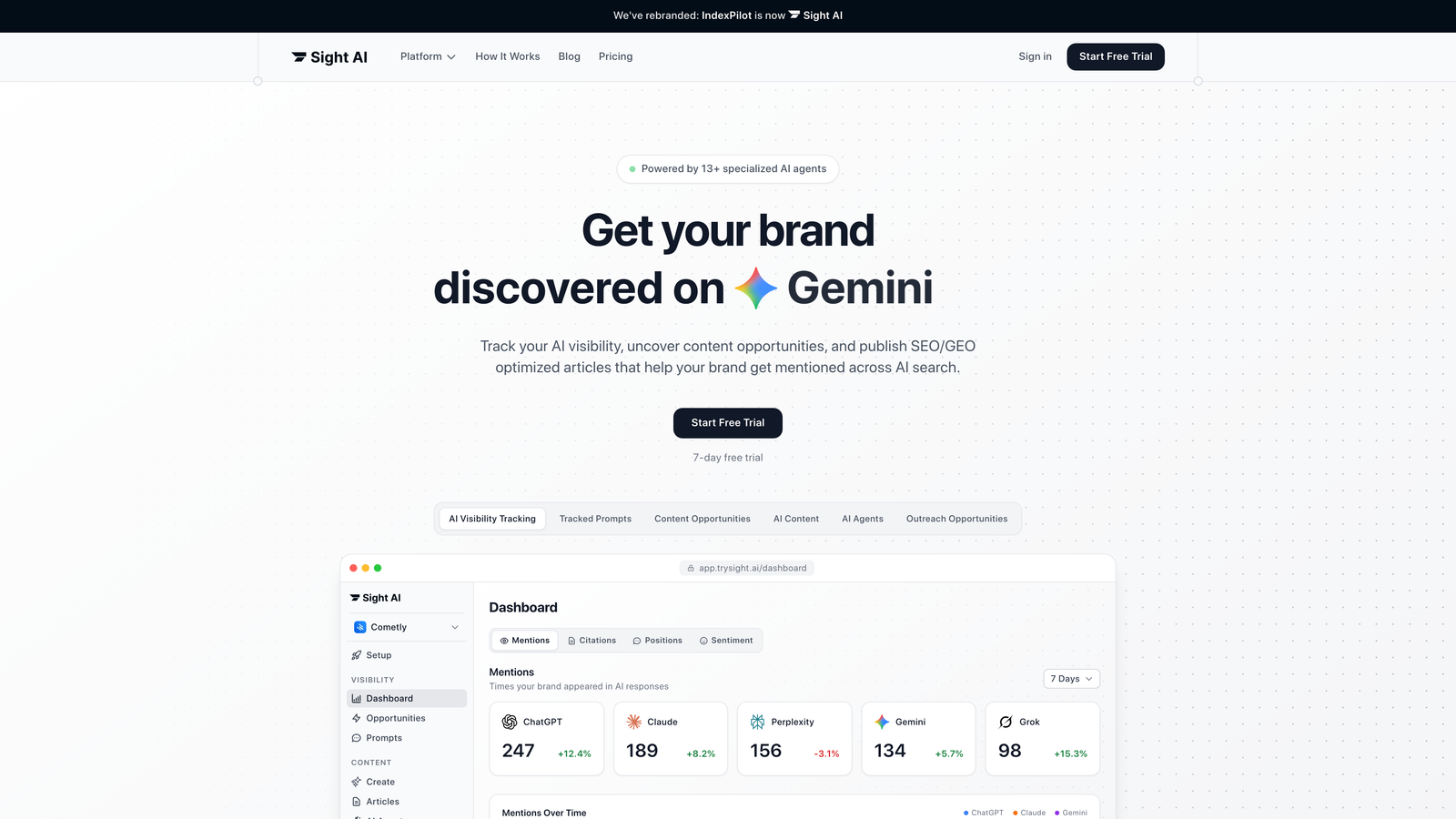
Where This Tool Shines
Hootsuite's power becomes apparent in complex organizational environments where multiple team members manage numerous social accounts. The platform's strength lies in its robust permission system, allowing managers to control who can post to which accounts while maintaining brand consistency.
Hootsuite's social listening capabilities monitor brand mentions across the web, enabling proactive engagement and reputation management. Their content library system ensures brand assets are easily accessible to all team members, while approval workflows prevent unauthorized posts from going live. This level of control makes Hootsuite invaluable for organizations where brand reputation and compliance matter significantly.
Key Features & Capabilities
Advanced Team Collaboration: Role-based permissions let you define exactly who can draft, approve, or publish content across different accounts and platforms.
Social Listening & Monitoring: Track brand mentions, competitor activity, and industry conversations across social platforms and the broader web.
Bulk Scheduling: Upload and schedule hundreds of posts at once through CSV import, perfect for large-scale campaigns.
Custom Analytics Dashboards: Build white-label reports that showcase the metrics that matter to your stakeholders and clients.
Crisis Management Tools: Real-time alerts and rapid response capabilities help teams address potential issues before they escalate.
Best For / Ideal Users
Hootsuite is best suited for large organizations, agencies, and enterprises that need sophisticated team management features and comprehensive social media oversight. It's particularly valuable for brands with complex approval processes and multiple stakeholders.
The platform excels in environments where compliance, brand consistency, and detailed reporting matter more than simplicity. Financial services firms, healthcare organizations, and large B2B companies often choose Hootsuite for its enterprise-grade security and control features.
Pricing
Hootsuite's plans start around $99/month for professional features, with enterprise pricing available for larger organizations requiring advanced security and compliance features.
2. Buffer
Best for: Social media scheduling and cross-platform content distribution
Buffer has established itself as a reliable solution for automating social media publishing across multiple platforms.

Where This Tool Shines
Buffer excels at simplifying social media management through intelligent scheduling and content optimization. The platform's strength lies in its queue-based system that automatically fills predetermined time slots with your content, eliminating the need to manually schedule each post to specific times.
The visual content calendar provides a clear overview of your entire social strategy across all connected platforms. Buffer's analytics help you understand which content performs best on each network, enabling data-driven decisions about future posts. The platform's browser extension and mobile apps make it easy to curate and schedule content from anywhere, turning content discovery into immediate scheduling opportunities.
Key Features & Capabilities
Multi-Platform Scheduling: Connect and manage all major social networks from a single dashboard, including LinkedIn, Twitter, Facebook, Instagram, and Pinterest.
Optimal Timing Suggestions: Buffer analyzes your audience engagement patterns to recommend the best times to post on each platform.
Visual Content Calendar: Drag-and-drop scheduling interface lets you see your entire content strategy at a glance and easily adjust posting schedules.
Team Collaboration Tools: Multiple team members can contribute content with approval workflows ensuring brand consistency before posts go live.
Performance Analytics: Track engagement metrics across all platforms to identify which content types and posting times drive the best results.
Best For / Ideal Users
Buffer is ideal for small to medium businesses, social media managers, and content creators who need reliable cross-platform posting without overwhelming complexity. It's particularly valuable for teams that prioritize ease of use and visual planning over advanced enterprise features.
The platform works well for organizations managing 3-10 social accounts where consistent brand presence matters more than sophisticated social listening capabilities. Marketing teams with limited social media expertise find Buffer's straightforward approach easier to implement and maintain than enterprise alternatives.
Pricing
Buffer offers a free plan for basic scheduling needs with limited social accounts and scheduled posts. Paid plans start around $6 per month per social channel, with team collaboration features available at higher tiers for organizations requiring approval workflows and advanced analytics.
3. Hootsuite
Best for: Enterprise-level social media management and team collaboration
Hootsuite is a comprehensive social media management platform that brings scheduling, content creation, analytics, and social listening together in one user-friendly dashboard.
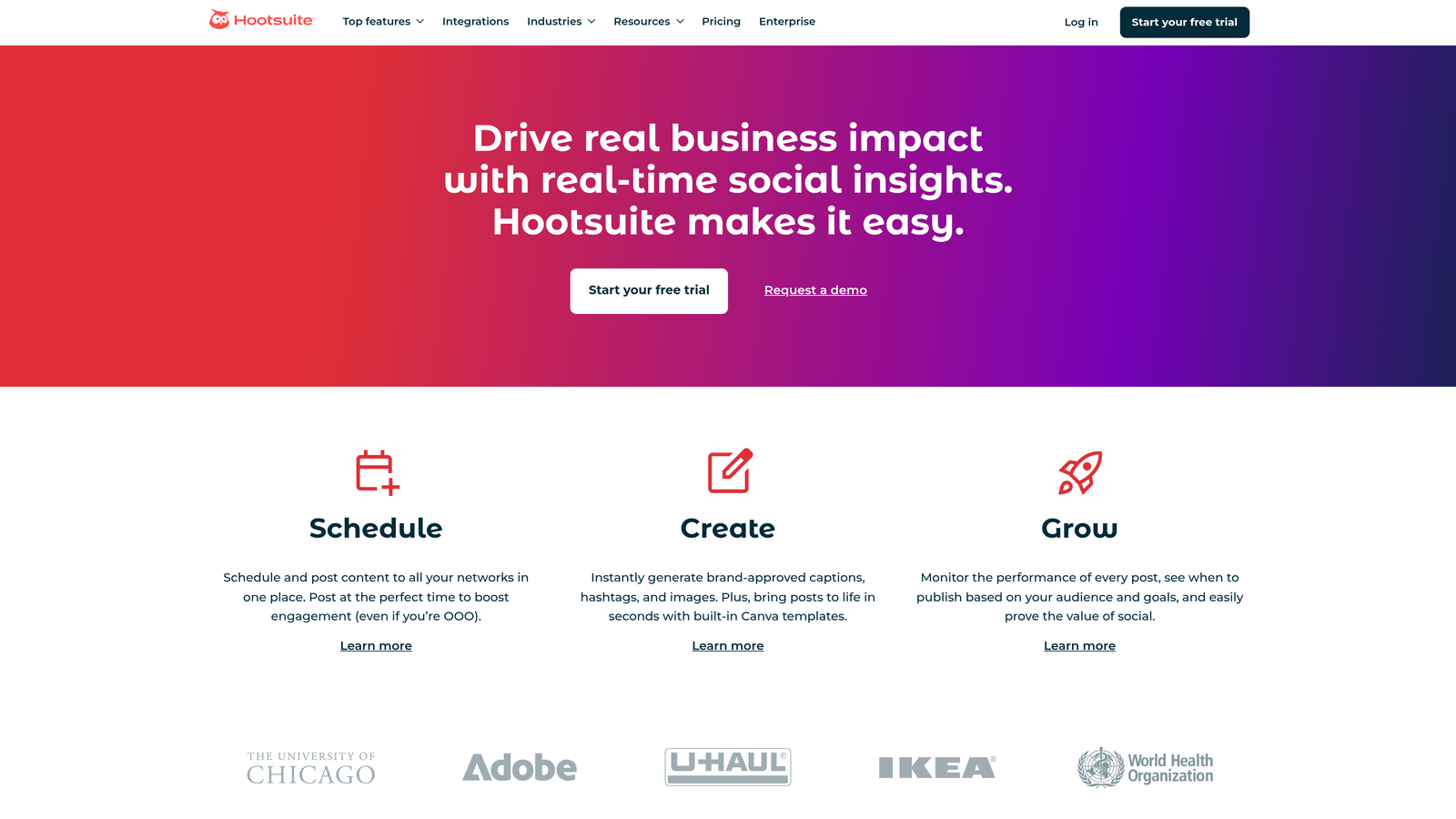
Where This Tool Shines
Hootsuite's power becomes apparent when multiple team members manage numerous social accounts across different departments or brands. The platform excels at maintaining brand consistency while giving teams the flexibility they need to respond quickly to their audiences.
The real differentiator is Hootsuite's robust permission system. Marketing managers can control exactly who posts to which accounts, set up multi-level approval workflows, and ensure brand guidelines are followed across every touchpoint. This level of control prevents the chaos that often emerges in large organizations where dozens of people need social media access but not everyone should have publishing rights.
Key Features & Capabilities
Advanced Team Collaboration: Role-based permissions let you define who can draft, approve, and publish content across different accounts and teams.
Social Listening and Monitoring: Track brand mentions, competitor activity, and industry conversations across platforms to stay ahead of trends and manage reputation proactively.
Bulk Scheduling: Import hundreds of posts at once via CSV, saving hours of manual scheduling work during campaign launches.
Custom Analytics Dashboards: Build white-label reports that showcase the metrics your stakeholders actually care about, from engagement rates to conversion tracking.
Content Library Management: Store brand assets, approved messaging, and visual templates in a centralized library accessible to all team members.
Best For / Ideal Users
Hootsuite is built for large organizations, agencies, and enterprises that need sophisticated team management features and comprehensive social media oversight. It's particularly valuable for brands with complex approval processes, multiple stakeholders, and strict compliance requirements.
Financial services firms, healthcare organizations, and global brands with regional teams benefit most from Hootsuite's enterprise-grade security and control features. If your social media operation involves more than five team members or requires legal/compliance review before publishing, Hootsuite's workflow capabilities become essential.
Pricing
Hootsuite's plans start around $99/month for professional features, with enterprise pricing available for larger organizations requiring advanced security, compliance features, and dedicated support.
4. CoSchedule
Best for: Marketing calendar management and cross-channel campaign coordination
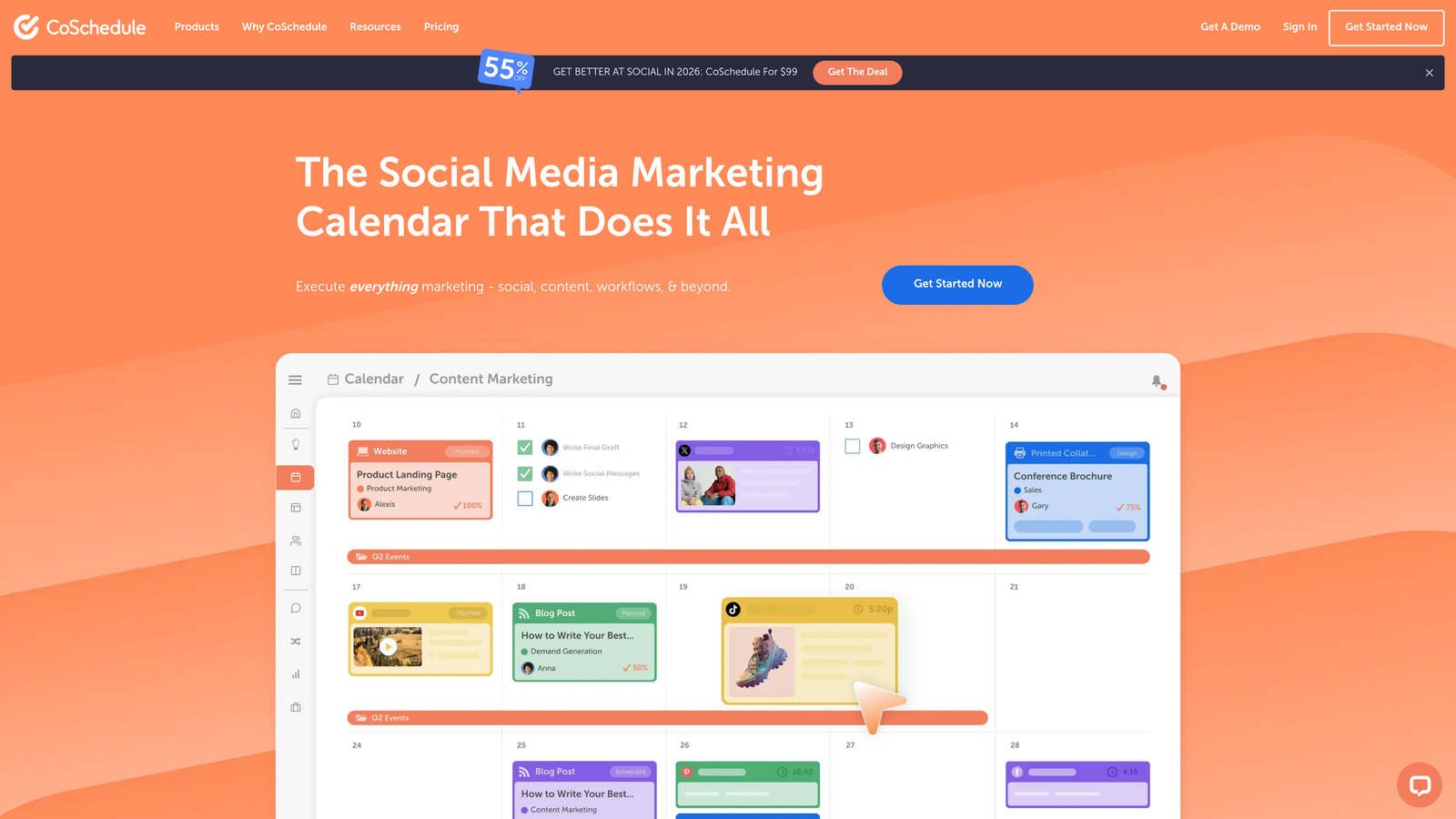
CoSchedule transforms content publishing by providing a centralized marketing calendar that coordinates all content activities across channels.
Where This Tool Shines
CoSchedule's unique value lies in treating content as part of larger marketing initiatives rather than isolated posts. The platform visualizes entire campaigns from a single calendar view, showing how blog posts, social media, email campaigns, and other marketing activities align to support business objectives.
If your bottleneck is producing blog content at scale, dedicated automated blog posting software can handle writing, optimization, and scheduling in a single workflow.
The ReQueue feature sets CoSchedule apart from basic scheduling tools. It automatically fills gaps in your social media schedule with your best-performing content, maintaining consistent engagement without manual intervention. This intelligent recycling ensures your audience continues seeing valuable content even during content creation dry spells.
Key Features & Capabilities
Unified Marketing Calendar: Drag-and-drop interface showing all marketing activities across channels in one view.
Project Templates: Pre-built workflows for common campaign types that streamline execution and ensure consistency.
ReQueue Automation: Automatically schedules top-performing social content to fill scheduling gaps.
Team Task Management: Assign responsibilities, set deadlines, and track progress within the calendar interface.
WordPress Integration: Direct publishing to WordPress with social promotion automatically scheduled.
Social Inbox: Respond to DMs, comments, and replies across platforms from one location.
Hire Mia AI Editor: Collaborative AI-powered editor that multiplies marketing output while maintaining brand voice.
Best For / Ideal Users
CoSchedule excels for marketing teams managing complex, multi-channel campaigns where coordination matters as much as execution. Content marketers who need to align blog publishing with social promotion, email campaigns, and other marketing activities find particular value in the unified calendar approach.
Marketing agencies managing multiple client calendars benefit from CoSchedule's ability to maintain separate workspaces while providing consolidated views. The platform's project templates help agencies standardize processes across clients while customizing execution details.
Teams transitioning from spreadsheet-based planning to dedicated marketing software appreciate CoSchedule's intuitive interface that doesn't require extensive training.
Pricing
CoSchedule offers a free calendar tool with basic features for small teams getting started. The Marketing Suite starts around $29 per month for small teams, with enterprise options providing advanced features, additional users, and dedicated support for larger organizations.
5. Zapier
Best for: Connecting disparate tools and creating custom automation workflows
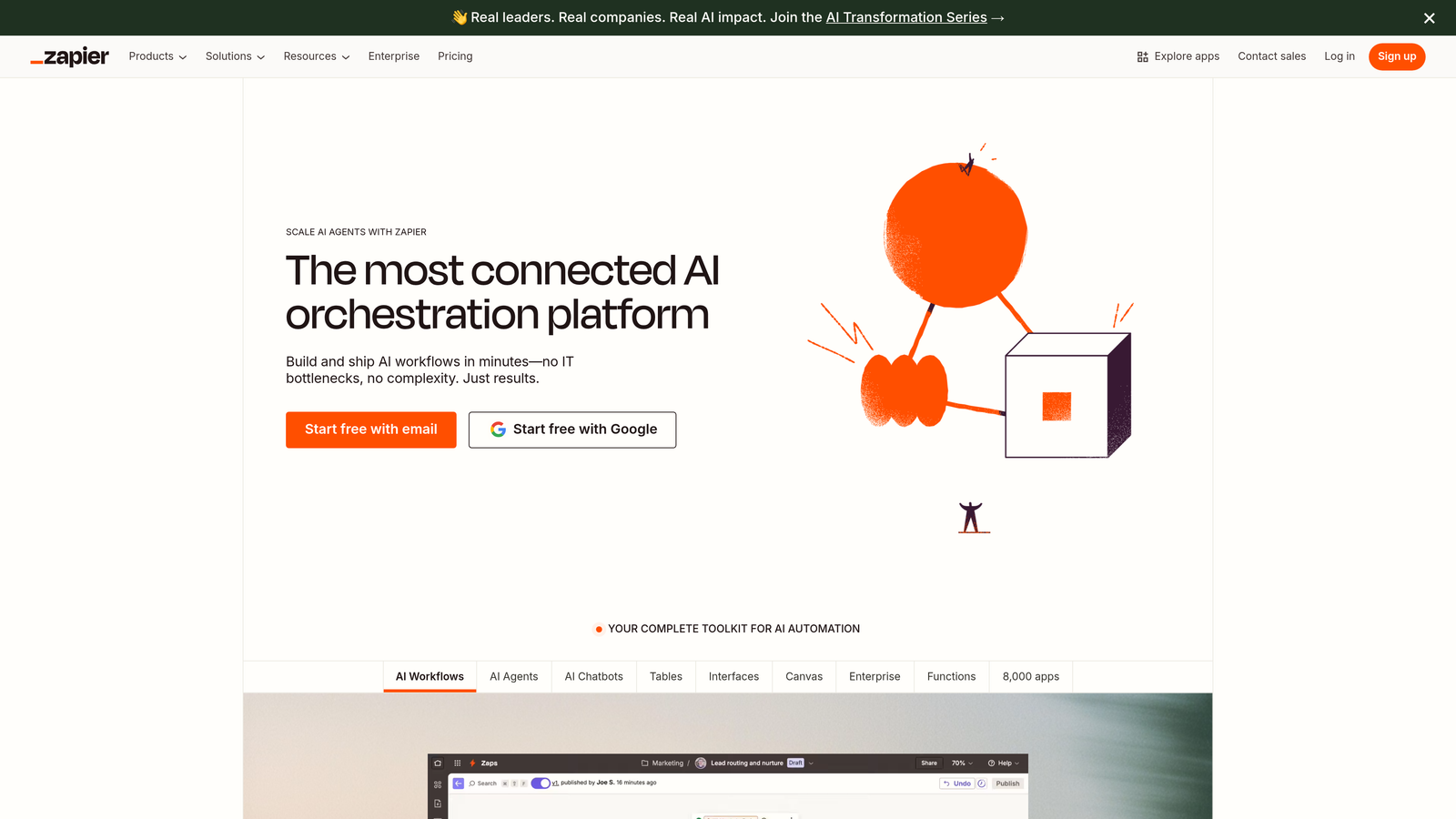
Zapier serves as the automation backbone that connects your content tools, creating seamless workflows between platforms that don't naturally integrate.
Where This Tool Shines
Zapier's power lies in its ability to bridge the gap between specialized tools that excel at individual tasks but don't communicate with each other. While platforms like Buffer handle social scheduling and Sight AI manages content creation, Zapier creates the connective tissue that makes them work as a unified system. The platform's 8,000+ app integrations mean you can automate virtually any content workflow without writing code.
What sets Zapier apart is its conditional logic and multi-step automation capabilities. You're not limited to simple "when this happens, do that" workflows. Instead, you can build sophisticated decision trees that route content based on specific criteria, transform data between platforms, and trigger complex sequences across multiple tools simultaneously.
Key Features & Capabilities
8,000+ App Integrations: Connect content management systems, social platforms, email tools, analytics software, and project management apps in any combination.
Multi-Step Workflows: Create automation sequences with multiple actions, conditional branching, and data transformation between steps.
AI Agents and Chatbots: Build custom AI assistants that handle content-related tasks like answering questions, routing requests, or generating summaries.
Tables Database: Store and manage content data within Zapier, creating a central repository that multiple workflows can access and update.
Error Handling and Monitoring: Receive alerts when automations fail and access detailed logs to troubleshoot issues quickly.
Real-World Content Automation Examples
Content teams use Zapier to eliminate repetitive cross-platform tasks. When you publish a new blog post in WordPress, Zapier can automatically share it across social platforms with platform-specific formatting, add the URL to your content tracking spreadsheet, notify your team in Slack, and trigger email sequences to relevant subscriber segments.
For content distribution, Zapier excels at intelligent routing. You can create workflows that analyze new content by topic or keyword, then automatically distribute it to appropriate channels. A technical article might go to LinkedIn and Twitter, while a visual piece gets prioritized for Instagram and Pinterest.
Lead generation workflows become seamless with Zapier. When someone downloads a content asset, Zapier can add them to your CRM, tag them based on the content type, enroll them in nurture sequences, and notify the relevant sales team member—all without manual data entry.
Best For / Ideal Users
Zapier is essential for content teams using multiple specialized tools that need to work together seamlessly. It's particularly valuable for organizations with unique workflows that don't fit standard platform templates, or businesses that have invested in best-of-breed tools for different functions and need them to communicate.
Marketing operations teams and content managers who spend significant time moving data between systems will find Zapier eliminates most manual transfer work. It's also ideal for growing teams that need automation to scale without proportionally increasing headcount.
Pricing
Zapier offers a free tier supporting basic automations with limited monthly tasks. Paid plans start around $20/month for more complex workflows and higher task volumes, with professional and team plans providing advanced features like premium app integrations and priority support.
6. ContentKing
Best for: Real-time SEO monitoring and content optimization automation
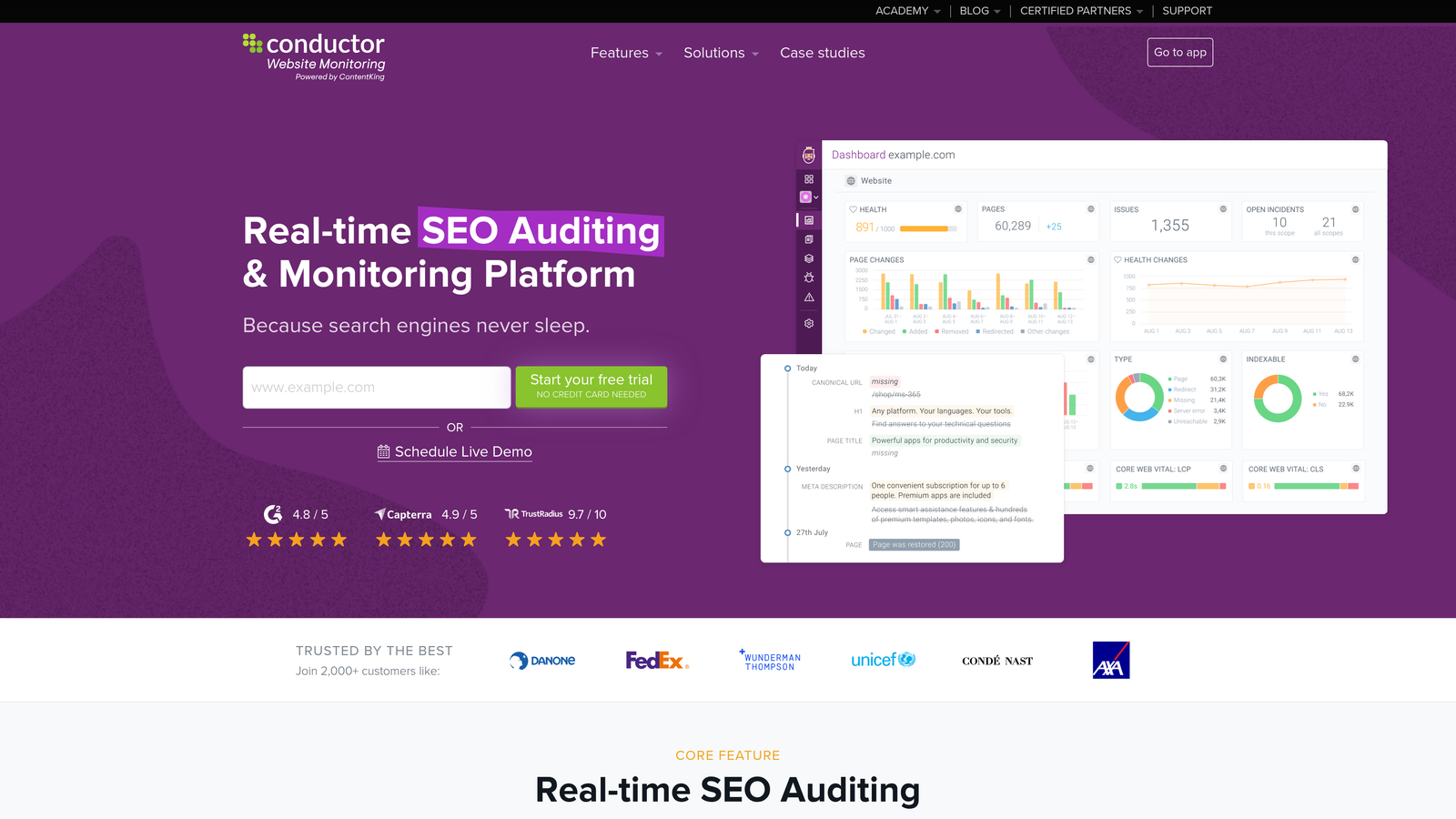
ContentKing provides continuous SEO monitoring and automated alerts for content performance, ensuring your published content maintains optimal search visibility over time.
Where This Tool Shines
ContentKing excels at post-publication content optimization by continuously monitoring your website for SEO issues and content performance changes. Unlike traditional SEO tools that require manual checks, ContentKing provides real-time alerts when content rankings drop, technical issues arise, or optimization opportunities emerge.
The platform's strength lies in its ability to track the SEO health of your entire content library, identifying which pieces need updates or optimization. This proactive approach ensures your content investment continues delivering results long after publication, catching problems before they significantly impact traffic.
Key Features & Capabilities
Real-time SEO monitoring: Tracks every change on your website instantly, alerting you to issues as they occur rather than during weekly audits.
Automated ranking alerts: Notifies your team when content positions change significantly, enabling quick response to ranking drops.
Content performance tracking: Monitors the SEO health of your entire site, identifying which pieces need optimization or updates.
Technical SEO auditing: Continuously scans for broken links, missing meta descriptions, duplicate content, and other technical issues that impact rankings.
Competitive analysis: Tracks competitor content changes and identifies content gap opportunities in your niche.
Best For / Ideal Users
ContentKing is ideal for SEO-focused content teams, agencies, and businesses with large content libraries that need ongoing optimization. It's particularly valuable for companies where content is a primary traffic driver and maintaining rankings is critical to business success.
The platform works best for organizations that publish regularly and need to ensure their existing content maintains its search visibility as algorithms evolve and competitors publish new material.
Pricing
ContentKing offers plans starting around $39/month for small sites, with enterprise pricing for larger websites and agencies requiring advanced features and higher page limits.
7. Airtable
Best for: Content planning, workflow management, and editorial calendar organization
Airtable transforms content operations by combining spreadsheet simplicity with database power, creating flexible systems that adapt to any publishing workflow.
Where This Tool Shines
Airtable's flexibility makes it invaluable for content teams that need custom workflow management beyond what traditional tools offer. The platform excels at creating editorial calendars that track content from ideation through publication, with custom fields for SEO data, performance metrics, and team assignments.
What sets Airtable apart is its ability to become whatever your team needs. Create databases that track content status, link related pieces together, attach files and research, and trigger automated actions when content moves through your workflow. The platform's collaborative features ensure everyone stays aligned on content priorities and deadlines without endless status meetings.
Key Features & Capabilities
Customizable Databases: Build content management systems with flexible field types including text, attachments, checkboxes, dates, and linked records.
Automated Workflows: Trigger actions based on data changes—send notifications when content enters review, update status fields automatically, or create tasks for team members.
Multiple Views: Switch between grid, calendar, kanban, and gallery views to visualize content in ways that match different team roles and planning needs.
Integration Capabilities: Connect with content creation tools, publishing platforms, and communication apps through native integrations or Zapier.
Collaborative Editing: Multiple team members can work simultaneously with real-time updates, comments, and @mentions for seamless coordination.
Best For / Ideal Users
Airtable is perfect for content teams that need flexible project management and custom workflow tracking. It's particularly valuable for organizations with unique content processes that don't fit standard tool templates.
Marketing teams managing complex editorial calendars with multiple content types, approval stages, and distribution channels find Airtable's customization invaluable. Agencies coordinating content across multiple clients benefit from creating separate bases with consistent structures.
Pricing
Airtable offers a free plan for basic use with limited records and features. Paid plans start around $20/month per user for advanced features, increased automation, and higher record limits, with enterprise options for larger organizations.
8. Mailchimp
Best for: Email marketing automation and newsletter publishing workflows
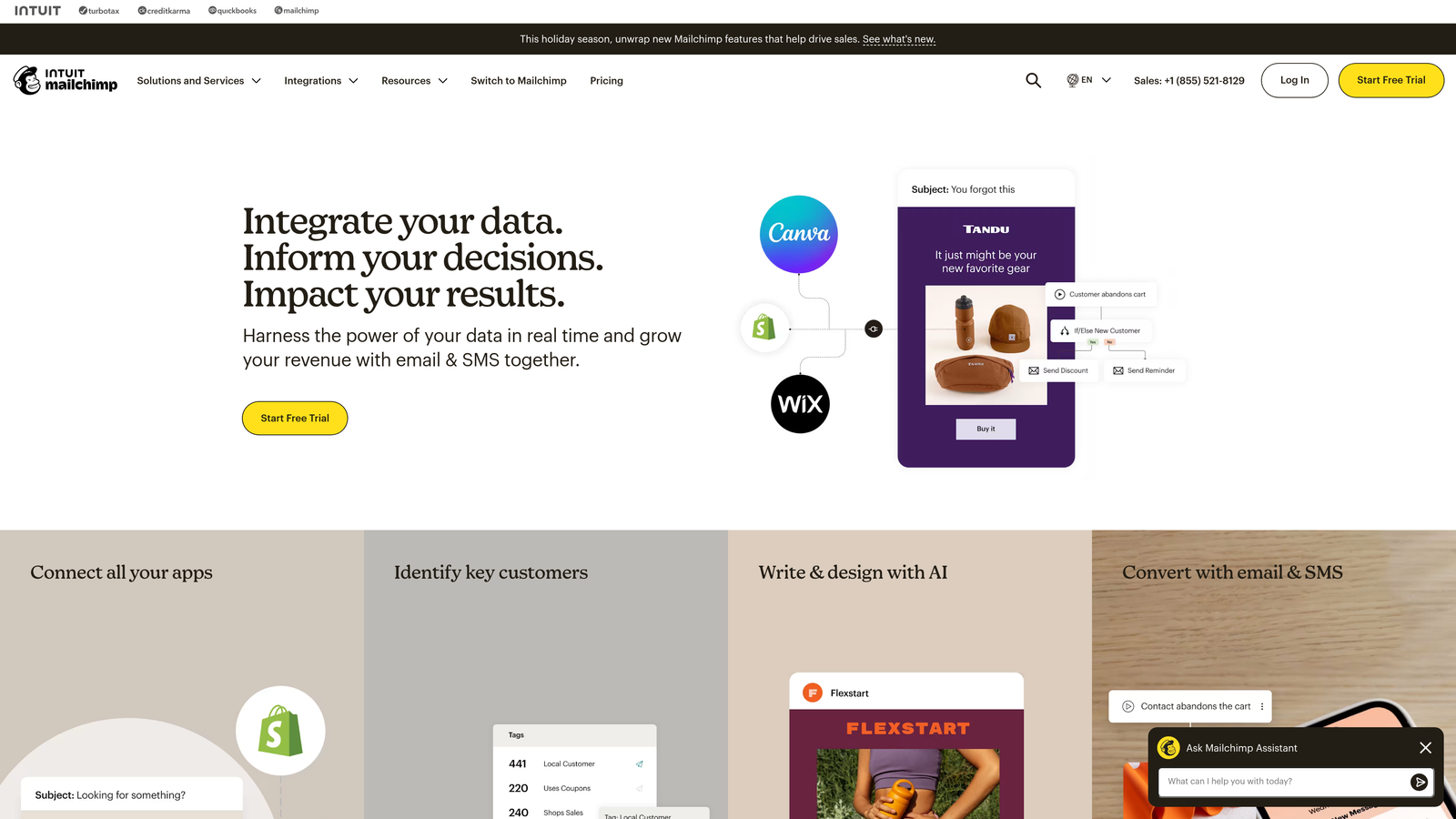
Mailchimp transforms published content into ongoing engagement opportunities through sophisticated email automation and behavior-triggered nurture sequences.
Where This Tool Shines
Mailchimp excels at extending the lifespan of your content beyond initial publication. While most tools focus on getting content published, Mailchimp ensures that content continues working for you through automated email sequences that nurture leads based on their interactions. The platform's real strength lies in its behavioral triggers—when someone downloads a resource, clicks a specific link, or visits certain pages, Mailchimp automatically sends relevant follow-up content that moves them through your funnel.
The platform's content studio simplifies repurposing blog posts into email-friendly formats, automatically pulling in images, formatting text for optimal readability, and suggesting subject lines. Mailchimp's segmentation capabilities ensure your content reaches the right audience segments, preventing the common mistake of sending generic newsletters to your entire list. This targeted approach significantly improves engagement rates and conversion potential.
Key Features & Capabilities
Behavioral Email Automation: Trigger sequences based on content interactions, site visits, and engagement patterns.
Content Repurposing Tools: Transform blog posts into newsletter formats with automatic formatting and image optimization.
Advanced Segmentation: Target specific audience groups based on interests, behavior, and engagement history.
A/B Testing: Test subject lines, send times, and content variations to optimize performance.
CMS Integration: Connect with WordPress and other content platforms for seamless content distribution.
Predictive Analytics: AI-powered insights identify which subscribers are most likely to engage or convert.
Landing Page Builder: Create content-focused landing pages with lead capture forms integrated into your email workflows.
Best For / Ideal Users
Mailchimp is ideal for content marketers who view email as a critical distribution channel and want to maximize the ROI of their published content. It's particularly valuable for businesses with established content libraries that need systematic ways to resurface and redistribute older pieces to new subscribers.
The platform works exceptionally well for companies focused on lead nurturing, where content serves as the primary tool for moving prospects through the buyer's journey. E-commerce businesses benefit from Mailchimp's product recommendation features that turn content engagement into purchase opportunities.
Pricing
Mailchimp offers a free plan supporting up to 500 contacts and 1,000 monthly email sends. Paid plans start at $13/month for the Essentials plan, with Standard ($20/month) and Premium ($350/month) tiers adding advanced automation, multivariate testing, and predictive analytics.
Putting It All Together
The right content publishing automation stack transforms how your team operates. Sight AI stands out for teams prioritizing SEO-driven content creation with comprehensive automation from research to publication. Buffer and Hootsuite excel at social distribution—Buffer for simplicity, Hootsuite for enterprise complexity. Zapier becomes essential when you need custom workflows connecting multiple platforms.
Your selection depends on three factors: workflow complexity, team size, and technical comfort. Solo creators and small teams benefit from straightforward tools like Buffer and CoSchedule. Larger organizations with complex approval processes need Hootsuite's robust permissions and Airtable's flexible project management. Technical teams can leverage Zapier's unlimited customization, while those preferring simplicity should start with platforms offering pre-built automation.
Start with your biggest bottleneck. If content creation slows you down, begin with Sight AI's automated writing and optimization. If distribution consumes too much time, implement Buffer or Hootsuite first. Add tools gradually as you master each workflow stage—automation works best when implemented systematically rather than all at once.
Remember that automation amplifies your strategy. The best tools can't fix unclear objectives or poor content planning. Define your content goals, map your ideal workflow, then choose tools that eliminate friction at each stage. When done correctly, automation becomes invisible—content flows from ideation to publication without manual intervention, freeing your team for strategic thinking and creative work. Start tracking your AI visibility today and discover how the right automation transforms your content operations.