Managing a growing blog feels simple until it isn't. What starts as one writer publishing weekly posts quickly becomes a coordination nightmare—missed deadlines, conflicting edits, lost drafts, and no clear view of what's actually getting published when. As content teams scale and publishing frequency increases, the spreadsheets and email threads that once worked become bottlenecks that slow everything down.
The right blog management software transforms this chaos into a streamlined system where everyone knows their role, deadlines are visible, and content moves smoothly from idea to publication. Modern tools go far beyond basic publishing platforms, offering editorial calendars, collaboration features, SEO optimization, and performance tracking all in one place.
But here's the challenge: the market is crowded with options ranging from simple kanban boards to enterprise-level platforms with hundreds of features. Some excel at visual workflow management, others at SEO monitoring or team collaboration. Choosing the wrong tool means either paying for complexity you don't need or outgrowing a simple solution within months.
This guide examines eight leading blog management software solutions, each with distinct strengths for different team sizes and workflows. Whether you're a solo blogger, a growing marketing team, or an enterprise managing multiple properties, you'll find the platform that matches your specific needs and budget.
1. Sight AI
Best for: Content teams that need AI-powered visibility tracking and blog performance optimization across traditional and AI search platforms
Sight AI represents a fundamentally new approach to blog management by focusing on how your content performs in the emerging landscape of AI-powered search and language models.

Where This Tool Shines
While traditional blog management software focuses on publishing workflows and team coordination, Sight AI addresses a critical blind spot: understanding how your blog content appears in AI-generated responses from ChatGPT, Claude, Perplexity, and other language models that are rapidly changing how people find information.
The platform continuously monitors how AI systems cite, reference, and present your blog content when users ask questions related to your topics. This visibility becomes crucial as search behavior evolves—many users now start with AI assistants rather than traditional search engines, meaning your blog's success depends on AI discoverability in addition to SEO rankings.
Sight AI excels at revealing patterns in how AI models interpret and present your content. You can identify which blog posts consistently appear in AI responses, understand the contexts where your content gets cited, and discover topic gaps where competitors are being referenced instead of you. This intelligence allows content teams to optimize their blog strategy for both traditional search and the growing AI-powered discovery channels.
Key Features & Capabilities
AI Visibility Tracking: Monitor how frequently your blog content appears in responses from major AI platforms including ChatGPT, Claude, Perplexity, and Gemini.
Citation Analysis: Track when and how AI models reference your blog posts, including the specific contexts and queries that trigger citations.
Competitive Intelligence: Compare your blog's AI visibility against competitors to identify content gaps and opportunities in AI-powered search.
Content Performance Metrics: Measure which blog topics and formats perform best in AI responses, helping prioritize future content creation.
Trend Identification: Discover emerging topics where AI models frequently provide answers but lack quality sources, revealing content opportunities.
Multi-Platform Dashboard: Unified view of your blog's performance across traditional search engines and AI platforms in one interface.
Best For / Ideal Users
Sight AI delivers exceptional value for content marketing teams at B2B SaaS companies, digital agencies, and enterprise organizations where blog content drives lead generation and thought leadership. The platform is particularly valuable for teams that have invested heavily in content creation and need to understand how that investment performs in the evolving search landscape.
SEO specialists and content strategists will find the AI visibility metrics essential for adapting their blog strategies to changing user behavior. Marketing directors managing content budgets benefit from understanding which blog topics generate visibility across both traditional and AI-powered channels, allowing more informed resource allocation.
The platform works best for organizations producing regular blog content on technical or specialized topics where AI assistants are increasingly becoming the first point of research for potential customers. Teams that struggle to measure the full impact of their blog efforts will appreciate the visibility into this emerging channel.
Pricing
Sight AI offers flexible pricing based on the number of tracked queries and domains. Contact their team for specific pricing tailored to your blog's scale and monitoring needs.
2. ContentKing
Best for: SEO-focused teams that need real-time content optimization and technical monitoring
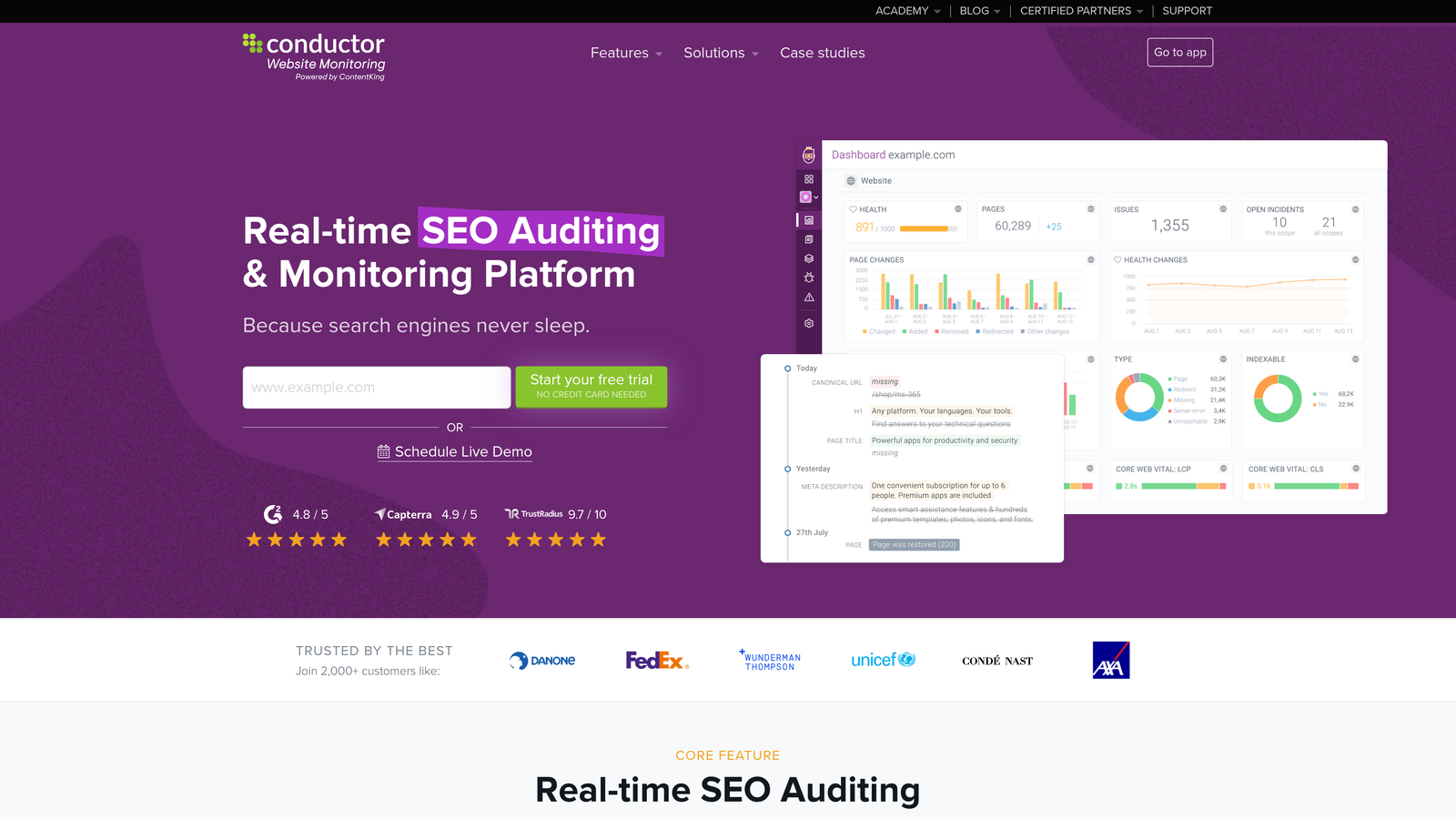
ContentKing takes a fundamentally different approach to blog management by putting SEO health at the center of everything.
Where This Tool Shines
ContentKing operates as your blog's constant guardian, continuously crawling your content to catch technical issues the moment they appear. While most teams discover broken links or missing metadata weeks after publication, ContentKing alerts you immediately when something breaks.
The platform excels at preventing the slow accumulation of technical debt that gradually erodes search rankings. When a developer accidentally blocks pages from indexing or a plugin update breaks structured data, you'll know within minutes rather than discovering the problem after traffic has already declined.
Key Features & Capabilities
Real-Time SEO Monitoring: Continuous site crawling detects technical issues, broken links, and indexation problems instantly.
Change Tracking: Automatically logs every content modification and analyzes potential SEO impact.
Competitive Intelligence: Monitors competitor blog strategies to identify content gaps and opportunities.
Technical Auditing: Evaluates page speed, mobile usability, and structured data implementation.
Search Console Integration: Combines crawl data with actual search performance metrics for comprehensive insights.
Best For / Ideal Users
ContentKing delivers maximum value for SEO specialists and content teams managing high-traffic blogs where organic visibility directly impacts business results. E-commerce sites with extensive blog content benefit particularly from the technical monitoring capabilities.
Publishers managing hundreds of articles appreciate the automated issue detection that would be impossible to maintain manually. The platform works best for teams with technical SEO knowledge who can act quickly on recommendations.
Pricing
Plans start at $49/month for smaller sites monitoring up to 500 pages, with enterprise pricing scaling based on site size and advanced feature requirements.
3. Notion
Best for: Teams seeking flexible, customizable blog management with powerful database capabilities
Notion transforms blog management into a fully customizable workspace where teams can build exactly the system they need using interconnected databases, collaborative documents, and flexible templates.

Where This Tool Shines
Notion's radical flexibility makes it uniquely powerful for teams that want complete control over their blog management workflow. Unlike rigid platforms that force you into predetermined structures, Notion provides building blocks—databases, pages, templates, and relations—that teams can arrange however they need.
The platform excels at creating interconnected content systems. You can build a content ideas database that links to research notes, which connects to draft documents, which ties to an editorial calendar, all while maintaining relationships with author profiles, keyword tracking, and performance metrics. This interconnected approach means information flows naturally between planning, creation, and analysis phases.
Key Features & Capabilities
Relational Databases: Create custom databases for blog posts, content ideas, writer assignments, and keyword tracking with relationships between them.
Real-Time Collaboration: Multiple team members can edit documents simultaneously with inline comments, mentions, and threaded discussions.
Template System: Build reusable templates for blog post briefs, editorial calendars, and content approval workflows to maintain consistency.
Multiple Views: Switch between table, calendar, kanban, and gallery views of the same content database to match different workflow needs.
AI-Powered Features: Notion's AI agents can help with content ideation, summarization, and workflow automation across your workspace.
Best For / Ideal Users
Notion works exceptionally well for startups, creative agencies, and remote teams that value customization over pre-built features. It's perfect for teams comfortable with technology who want to design their own workflows rather than adapt to someone else's vision.
The platform particularly suits teams managing blog content alongside other knowledge work—product documentation, meeting notes, project planning—since everything lives in one interconnected workspace. Teams that enjoy tinkering and optimizing their systems will appreciate Notion's endless customization possibilities.
Pricing
Notion offers a generous free plan for individuals and small teams with unlimited pages and blocks. Paid plans start at $8 per user per month for additional features like unlimited file uploads, advanced permissions, and version history.
4. Airtable
Best for: Data-driven content teams that need powerful organization and automation capabilities
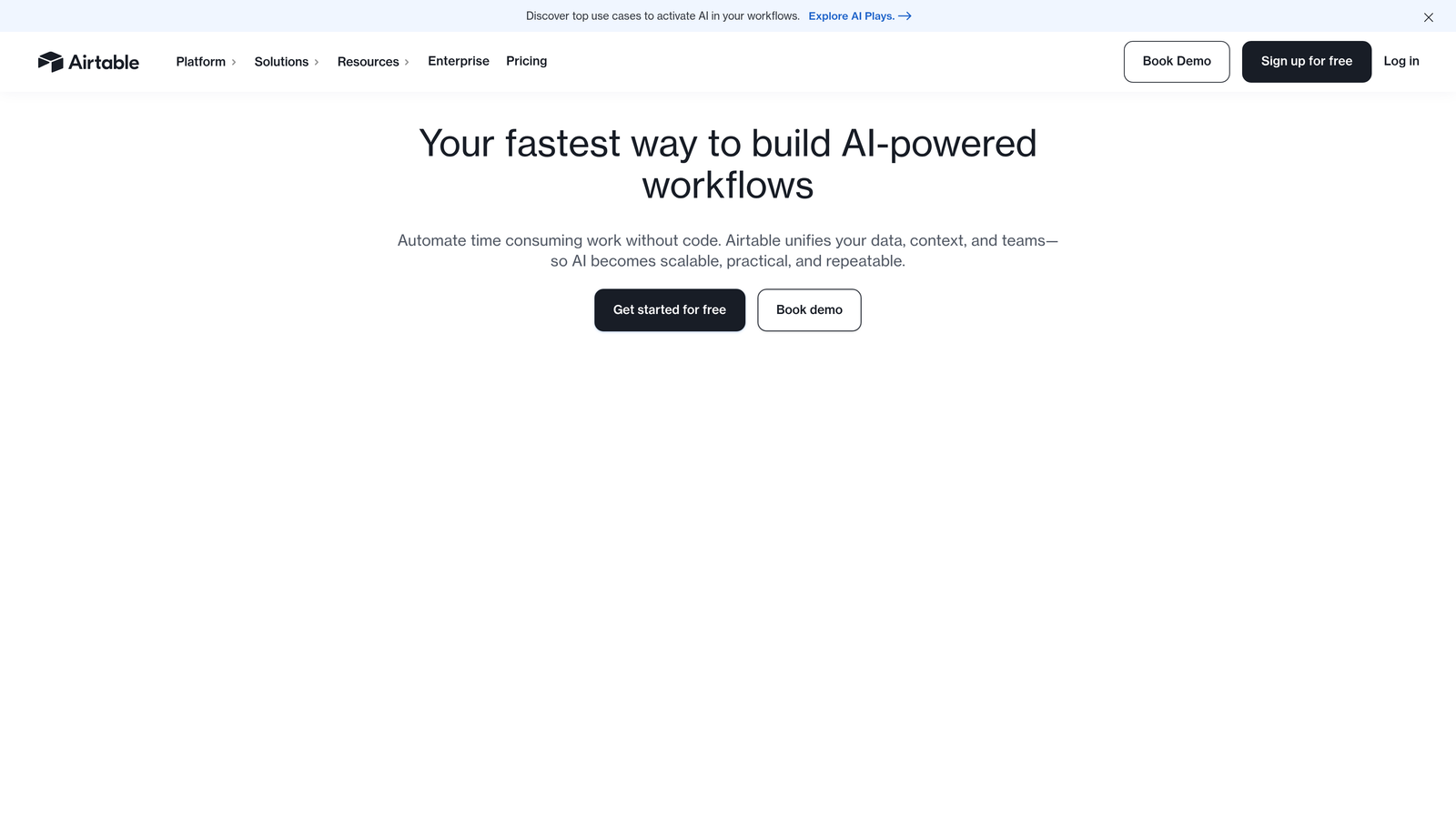
Airtable combines the simplicity of spreadsheets with the power of databases, creating a unique solution for blog management that excels at organizing complex content operations.
Where This Tool Shines
Airtable's strength lies in its ability to handle complex content relationships and automate repetitive tasks. Teams can create interconnected tables that link blog posts to authors, topics, keywords, and performance metrics, then view this data through multiple lenses—calendar view for scheduling, kanban boards for workflow management, or gallery view for visual content planning.
The platform's automation features can trigger actions like assigning editors when drafts are submitted or sending reminders for upcoming deadlines. What makes Airtable particularly powerful is how it scales with your needs—start with a simple content calendar, then gradually add custom fields for SEO tracking, writer performance metrics, or content ROI calculations as your operations mature.
Key Features & Capabilities
Multiple View Options: Switch between calendar, kanban, gallery, and grid layouts to visualize content in the way that makes most sense for each task.
Automation Workflows: Build custom automations that trigger when content moves through stages, automatically assigning team members or sending notifications.
Custom Fields: Track everything from SEO keywords and target word counts to performance metrics and content lifecycle stages with flexible field types.
Collaboration Features: Real-time updates, comments, mentions, and activity tracking keep distributed teams coordinated without endless email threads.
Integration Ecosystem: Connect with WordPress, Zapier, and hundreds of other tools to create seamless workflows between content creation and publishing.
Form Functionality: Create intake forms for content ideas, feedback collection, or writer submissions that automatically populate your content database.
Best For / Ideal Users
Airtable excels for content teams managing large volumes of blog posts, multiple writers, or complex editorial processes. It's particularly valuable for media companies tracking hundreds of articles monthly, large marketing teams coordinating content across multiple brands, and agencies managing content calendars for numerous clients simultaneously.
The platform works best for teams comfortable with database concepts and willing to invest time in initial setup. Organizations that need to track detailed metrics beyond basic publishing schedules—like content performance by topic, writer productivity, or keyword coverage—will find Airtable's data-centric approach invaluable.
Pricing
Airtable offers a free tier with basic features suitable for small teams testing the platform. Paid plans range from $10-$20 per user per month depending on automation capabilities, attachment storage, and collaboration needs.
5. Monday.com
Best for: Project-focused teams that need visual workflow management and deadline tracking
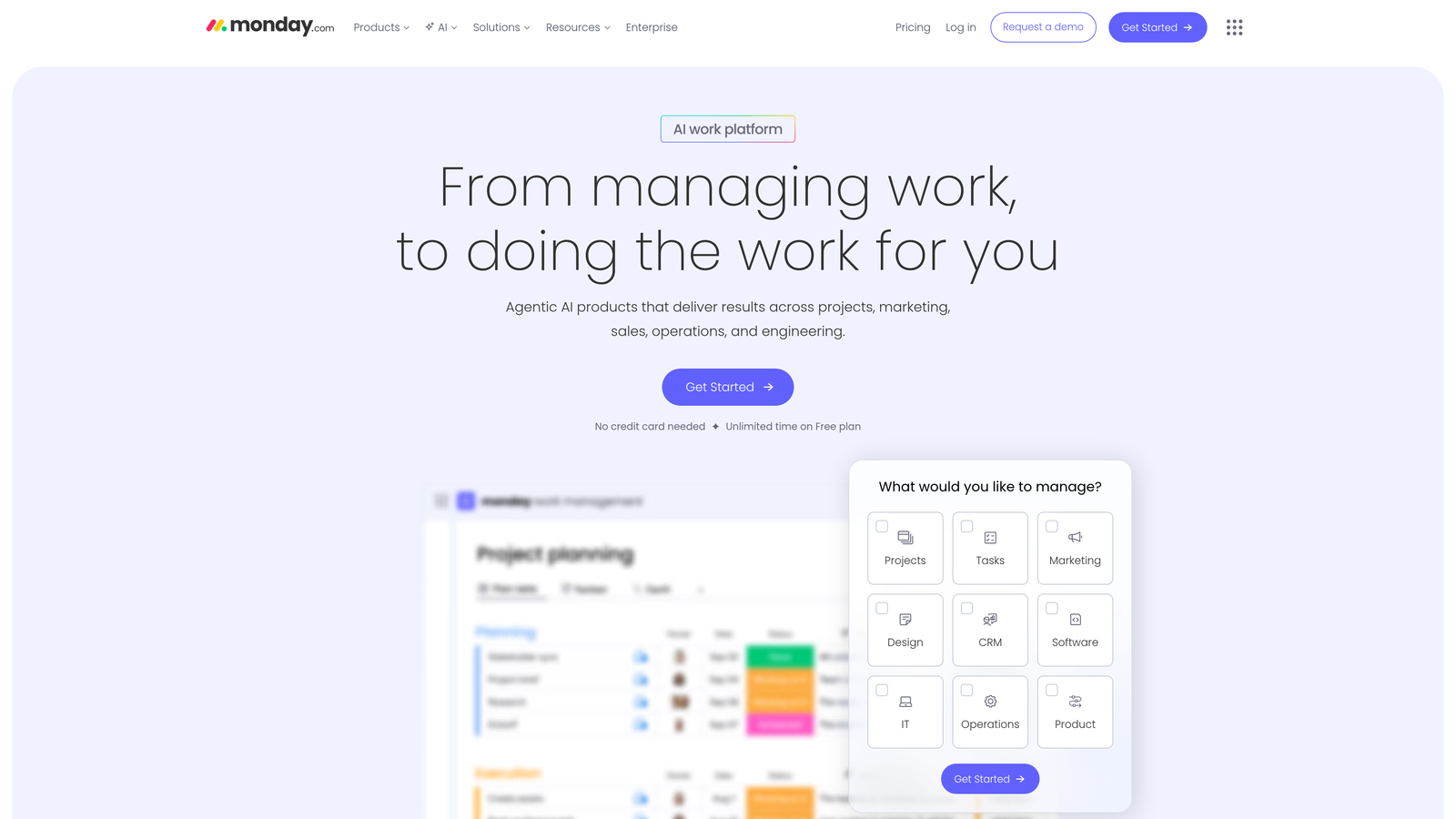
Monday.com brings project management principles to blog content creation, offering visual boards and automation that keep editorial teams organized and on schedule.
Where This Tool Shines
Monday.com excels at visualizing the entire blog content lifecycle from initial idea to published post. The platform's colorful, intuitive interface makes it easy to see which posts are in research, writing, editing, or approval stages at a glance. Teams appreciate the timeline views that show how blog content fits into broader marketing campaigns and the automation features that move posts through workflow stages automatically.
The platform's strength lies in keeping everyone accountable with clear deadlines and progress tracking. Unlike traditional project management tools adapted for content, Monday.com's AI-powered work platform approach means teams can create custom workflows that match their exact editorial process while maintaining visibility across all content initiatives.
Key Features & Capabilities
Visual Project Boards: Customizable workflow stages with drag-and-drop functionality for moving content through your editorial process.
Timeline and Gantt Views: See how blog content aligns with marketing campaigns and product launches in calendar and timeline formats.
Workflow Automation: Set rules that automatically move content through approval processes, assign tasks, and send notifications when deadlines approach.
Team Workload Management: Balance writing assignments across team members and identify capacity constraints before they become bottlenecks.
Time Tracking: Measure how long each content stage takes to identify efficiency improvements and better estimate future projects.
Integration Ecosystem: Connect with WordPress, Google Drive, Slack, and other tools your content team already uses daily.
Best For / Ideal Users
Monday.com works best for marketing teams and agencies that treat blog content as projects requiring clear timelines and deliverables. The platform excels when multiple stakeholders need visibility into content progress—writers, editors, SEO specialists, and marketing managers can all track their responsibilities in one place.
Content operations managing 15+ posts monthly will find the most value, as the visual organization and automation features significantly reduce coordination overhead. Teams that struggle with missed deadlines or unclear content status benefit immediately from Monday.com's transparency.
Pricing
Plans start at $8 per user per month for basic features, with advanced automation and integration features available in higher tiers up to $16 per user per month based on team size and workflow complexity.
6. Trello
Best for: Small teams and solo bloggers who need simple, visual content organization
Trello offers a straightforward kanban-based approach to blog management that's perfect for teams who want simplicity without sacrificing organization.
Where This Tool Shines
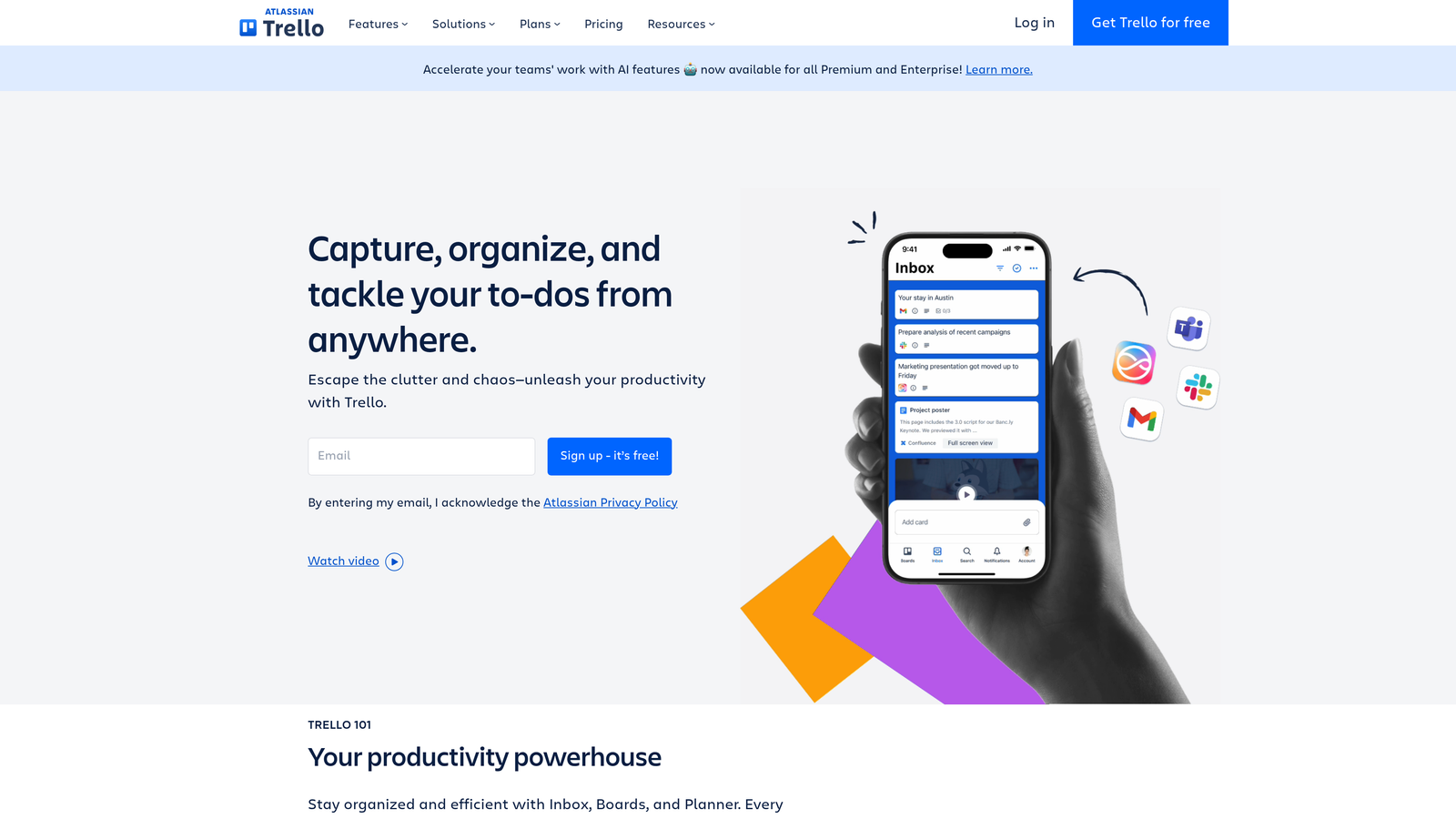
Trello's simplicity is its greatest strength, making blog management accessible to teams that find other platforms overwhelming. The kanban board approach naturally fits the content creation process—ideas move to writing, then editing, then publishing. Teams can easily see bottlenecks in their workflow and adjust accordingly.
The card-based system works particularly well for visual thinkers and teams that prefer drag-and-drop organization over complex databases. Each blog post becomes a card that moves through your workflow stages, with checklists, due dates, and file attachments keeping everything organized in one place.
Key Features & Capabilities
Inbox, Boards, and Planner: Organize your blog content across multiple views, from quick capture in Inbox to structured planning in Boards and timeline visualization in Planner.
Flexible Organization System: Mirror to-dos across multiple boards, ensuring important blog posts appear in relevant team spaces without duplication.
Mobile and Desktop Access: Manage your blog content from anywhere, with full functionality across devices for teams working remotely or on-the-go.
Easy Integrations and Automation: Connect with your publishing platform and automate repetitive tasks without technical expertise.
AI-Powered Features: Premium and Enterprise plans include AI capabilities to help streamline content planning and organization.
Best For / Ideal Users
Trello excels for small content teams, solo bloggers, and startups that need basic organization without complexity. It works well for teams just starting with structured blog management or those who prefer visual simplicity over feature-heavy platforms.
The platform scales effectively from individual bloggers to teams of 2,000 members, with pre-built playbooks designed for various team sizes and content workflows.
Pricing
Trello offers a robust free plan for small teams, with flexible pricing where you only pay for what you need. Premium and Enterprise tiers provide additional features like AI capabilities and advanced automation, making it accessible for teams at any budget level.
7. Asana
Best for: Content teams that need robust task management with detailed project tracking
Asana combines powerful project management capabilities with user-friendly interfaces, making it excellent for managing complex blog content operations.
Where This Tool Shines
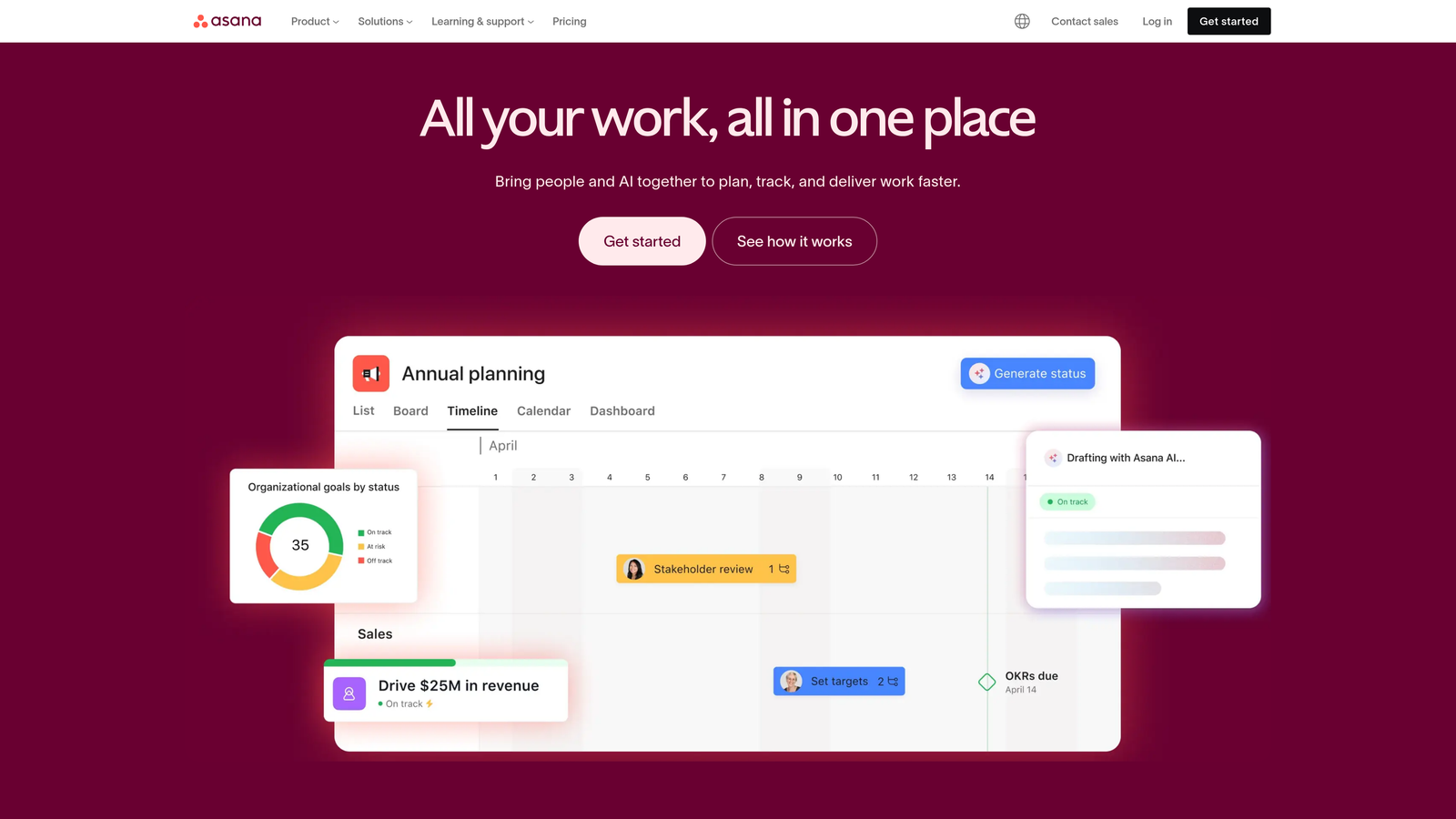
Asana strikes an excellent balance between functionality and usability, offering multiple ways to view and manage blog content without overwhelming users. Teams can switch between list views for detailed task management, board views for workflow visualization, and timeline views for deadline planning.
The platform's strength lies in its ability to break down blog posts into specific tasks—research, writing, editing, SEO optimization—and track progress on each component while maintaining visibility into the overall content pipeline. This granular approach helps teams identify bottlenecks before they become problems and ensures nothing falls through the cracks during the content creation process.
Key Features & Capabilities
Multiple Project Views: Switch between lists, boards, timeline, and calendar views to match your team's preferred working style and planning needs.
Task Dependencies: Set up sequential workflows where editing can't start until writing is complete, ensuring proper content workflow sequencing.
Custom Fields: Track blog-specific metrics like word count, target keywords, content pillar, and publication status directly within tasks.
Proofing and Approvals: Built-in review features allow stakeholders to provide feedback and approve content without leaving the platform.
Goal Tracking: Connect individual blog posts to broader content marketing objectives and measure progress toward quarterly or annual targets.
Integration Ecosystem: Connects with WordPress, Google Drive, Slack, and major marketing tools to centralize content operations.
Best For / Ideal Users
Asana works exceptionally well for growing content teams that need more structure than simple tools provide but aren't ready for enterprise-level complexity. Marketing departments typically find the sweet spot between ease of use and powerful features.
Content agencies managing multiple client blogs benefit from Asana's project organization capabilities, while in-house teams appreciate how it coordinates blog content with broader marketing campaigns. The platform scales effectively from 5 to 50+ team members without requiring a complete workflow overhaul.
Pricing
Asana offers a free tier for teams up to 15 members with basic features. Paid plans start at $10.99 per user per month, unlocking advanced features like timeline views, custom fields, and workflow automation that content teams typically need for professional blog management.
8. ClickUp
Best for: Teams wanting an all-in-one solution that combines blog management with broader business operations
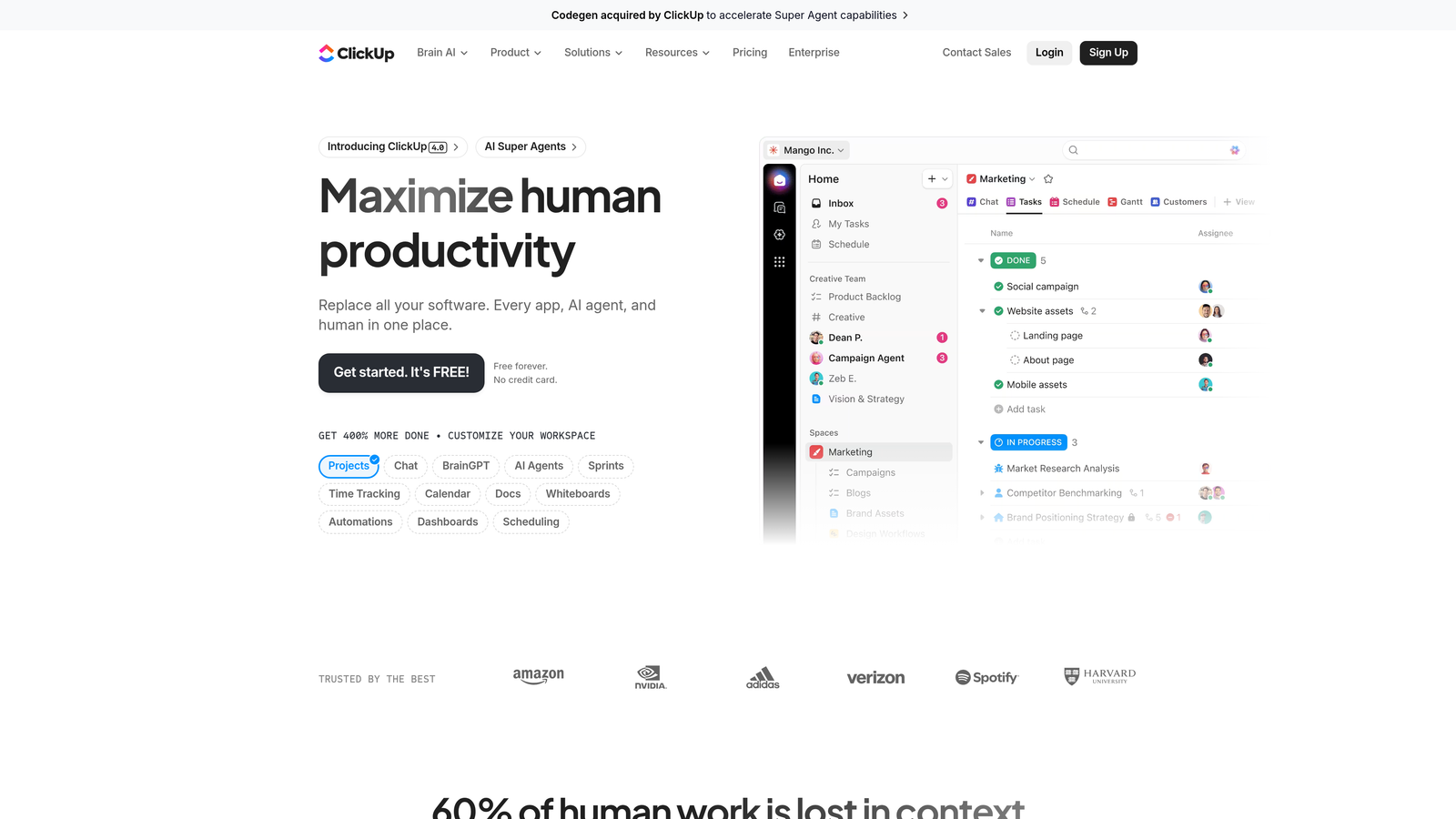
ClickUp is a converged AI platform that replaces multiple software tools by bringing every app, AI agent, and human into one place to maximize productivity.
Where This Tool Shines
ClickUp's comprehensive workspace approach makes it powerful for teams that want to manage blog content within their broader business operations. The platform handles everything from initial content brainstorming in docs to detailed task management and performance tracking, all within a single interface.
Teams appreciate the ability to create custom workflows that match their exact processes. The platform's hierarchy system allows for sophisticated organization of content across multiple blogs, campaigns, and team members. ClickUp's Brain AI feature provides intelligent assistance across the entire platform, helping teams work faster without switching between tools.
Key Features & Capabilities
Comprehensive Workspace: Combines docs, tasks, goals, and time tracking in one platform, eliminating the need for multiple subscriptions.
AI-Powered Agents: Includes specialized agents like Content Agent for writing assistance and PM Agent for project coordination.
Multiple View Options: Switch between Gantt charts, calendars, kanban boards, and list views to visualize content pipelines your way.
Built-in Documentation: Create and collaborate on blog drafts directly within the platform using the Docs feature with real-time editing.
Advanced Automation: Build custom workflows for content approval processes, assignment routing, and deadline reminders without coding.
Extensive Integrations: Connects with WordPress, Google Drive, Slack, and hundreds of other tools through native integrations and Zapier.
Best For / Ideal Users
ClickUp excels for larger content teams and organizations that want to consolidate multiple tools into one platform. It's particularly valuable for companies managing content alongside other business operations like product development, customer success, or sales enablement.
The platform works well for teams that need extensive customization options and don't mind investing time in setup. Organizations managing multiple blog properties or coordinating content with complex approval workflows will find the hierarchy and automation features especially useful.
Teams with technical comfort will appreciate the depth of features, while the AI agents help less technical users work more efficiently. The platform scales effectively from small teams to enterprise organizations.
Pricing
ClickUp offers a generous free plan with core features including unlimited tasks, collaborative docs, and basic views. Paid plans range from $7 per user per month for the Unlimited plan to $12 per user per month for Business, with Enterprise pricing available for larger organizations requiring advanced security and support.
Putting It All Together
Selecting the right blog management software depends heavily on your team's size, technical comfort level, and specific workflow needs. Small teams and solo bloggers often thrive with visual, straightforward tools like Trello or the free tiers of Notion and Asana. These platforms provide essential organization without overwhelming users with features they don't need.
Growing content teams typically benefit from more structured approaches offered by CoSchedule, Asana, or Monday.com. These platforms excel at coordinating multiple team members, managing deadlines, and integrating blog content with broader marketing activities. The key is finding the right balance between functionality and ease of use as your team scales.
For larger organizations or those with complex SEO requirements, comprehensive solutions like ClickUp or specialized tools like ContentKing become valuable investments. These platforms can handle sophisticated workflows, detailed analytics, and integration with enterprise marketing stacks.
Consider starting with a simpler solution and evolving your toolstack as your needs grow. Many successful content teams begin with basic tools like Trello or Notion's free tier, then migrate to more powerful platforms as their operations become more sophisticated. This approach allows you to understand your actual workflow needs before investing in complex software.
The most important factor is team adoption—the best blog management software is the one your team will actually use consistently. Focus on platforms that match your team's working style and technical comfort level, then layer on additional features as your content operations mature. Whether you choose a simple kanban board or a comprehensive automation platform, consistent use of any organized system will dramatically improve your content team's efficiency and output quality.
As you optimize your blog management workflow, consider how your content performs across AI search platforms and language models. Start tracking your AI visibility today to ensure your blog content reaches audiences through both traditional search and emerging AI channels.