Your content team just missed another deadline. The blog post sat in "draft" for three weeks while writers waited for feedback, editors couldn't find the latest version, and the marketing manager had no idea which pieces were actually ready to publish.
This chaos isn't unique—it's the reality for most marketing teams still coordinating content through email threads and scattered spreadsheets. When every piece requires manual handoffs between strategists, writers, editors, and publishers, bottlenecks multiply. The result? Slower production, inconsistent quality, and teams spending more time managing workflows than creating content.
Content workflow platforms solve this by creating structured pipelines that guide content from concept to publication. The best solutions combine project management with content-specific features like editorial calendars, approval automation, and multi-channel distribution. They transform reactive scrambling into proactive execution.
Here are the leading content workflow platforms that eliminate coordination chaos and accelerate your content production in 2026.
1. Sight AI
Best for: AI-powered content creation with integrated SEO optimization and workflow automation
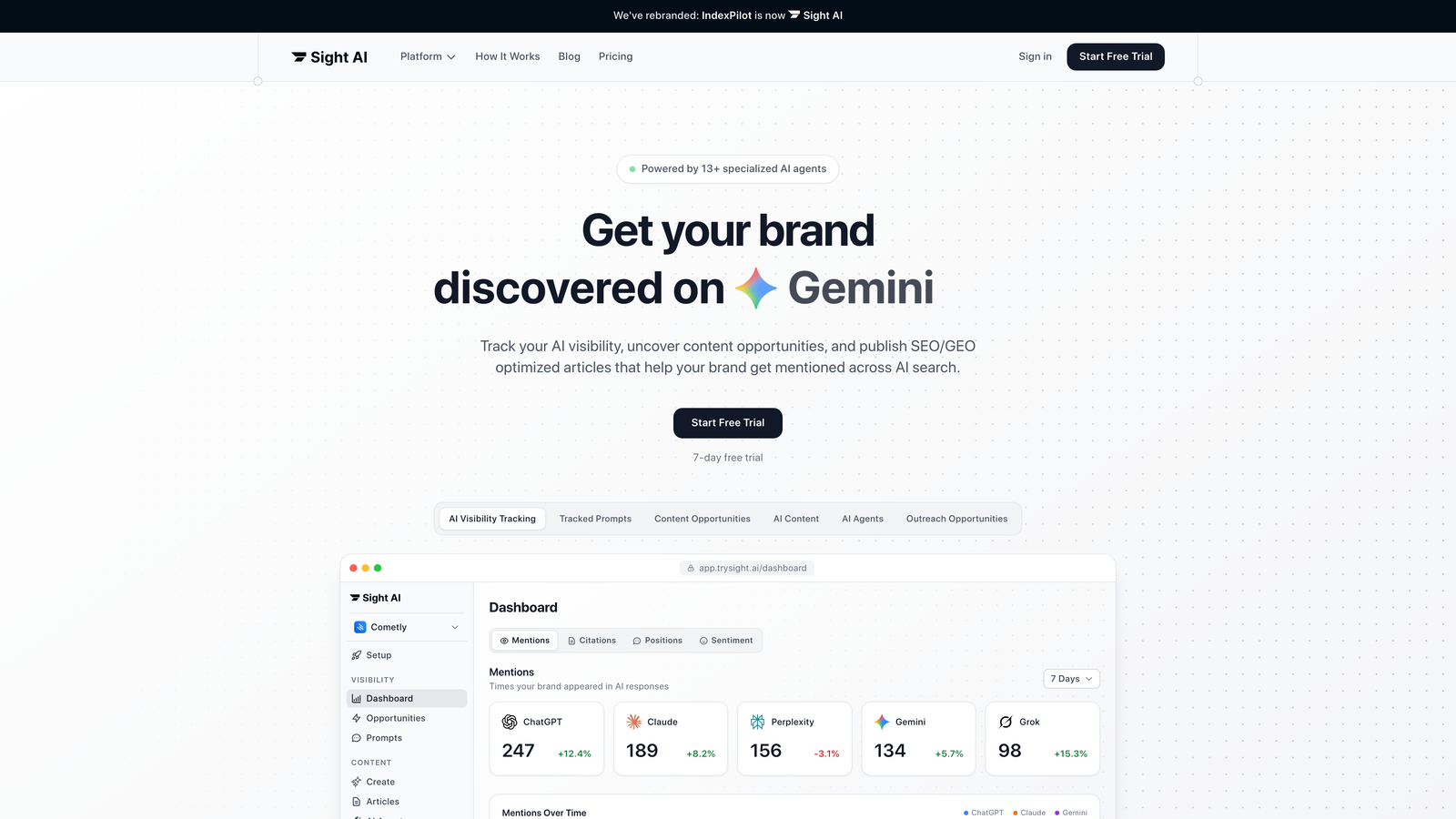
Sight AI revolutionizes content workflows by combining artificial intelligence with comprehensive project management, enabling teams to create, optimize, and publish content with unprecedented efficiency.
Where This Tool Shines
Sight AI eliminates traditional content bottlenecks through intelligent automation that goes beyond simple task management. The platform's 13+ specialized AI agents work together to handle research, outline generation, and first-draft creation while maintaining your brand's unique voice across every piece.
What sets Sight AI apart is its dual focus on AI visibility tracking and content generation. The platform monitors how AI models like ChatGPT, Claude, and Perplexity mention your brand, providing insights that directly inform your content strategy. This creates a feedback loop where you understand AI perception and generate content optimized for both traditional SEO and GEO (Generative Engine Optimization).
Key Features & Capabilities
AI Visibility Tracking: Monitor brand mentions across major AI models with sentiment analysis and prompt tracking to understand how AI talks about your company.
13+ AI Agent System: Specialized agents handle research, outline creation, writing, editing, and optimization with autopilot mode for hands-off content production.
SEO/GEO Optimization: Content generation specifically designed to rank in traditional search and get recommended by AI models.
Automated Publishing: Direct integration with major CMS platforms enables one-click publishing from creation to live content.
IndexNow Integration: Instant content indexing through IndexNow submissions and always-updated sitemaps for faster organic traffic growth.
Best For / Ideal Users
Marketing teams and agencies focused on organic traffic growth who need to scale content production while maintaining quality. Perfect for brands wanting to track and improve their AI visibility alongside traditional SEO performance.
Particularly valuable for organizations publishing 10+ articles monthly who want to automate research and first-draft creation while keeping human oversight for brand voice and strategic direction.
Pricing
Plans start at $99/month for small teams, with enterprise options available for larger organizations requiring advanced customization, dedicated support, and higher content volume capabilities.
2. CoSchedule
Best for: Marketing teams needing comprehensive campaign management with content workflow integration
CoSchedule combines content workflow management with broader marketing campaign orchestration, making it ideal for teams managing multiple content types across various channels.
Where This Tool Shines
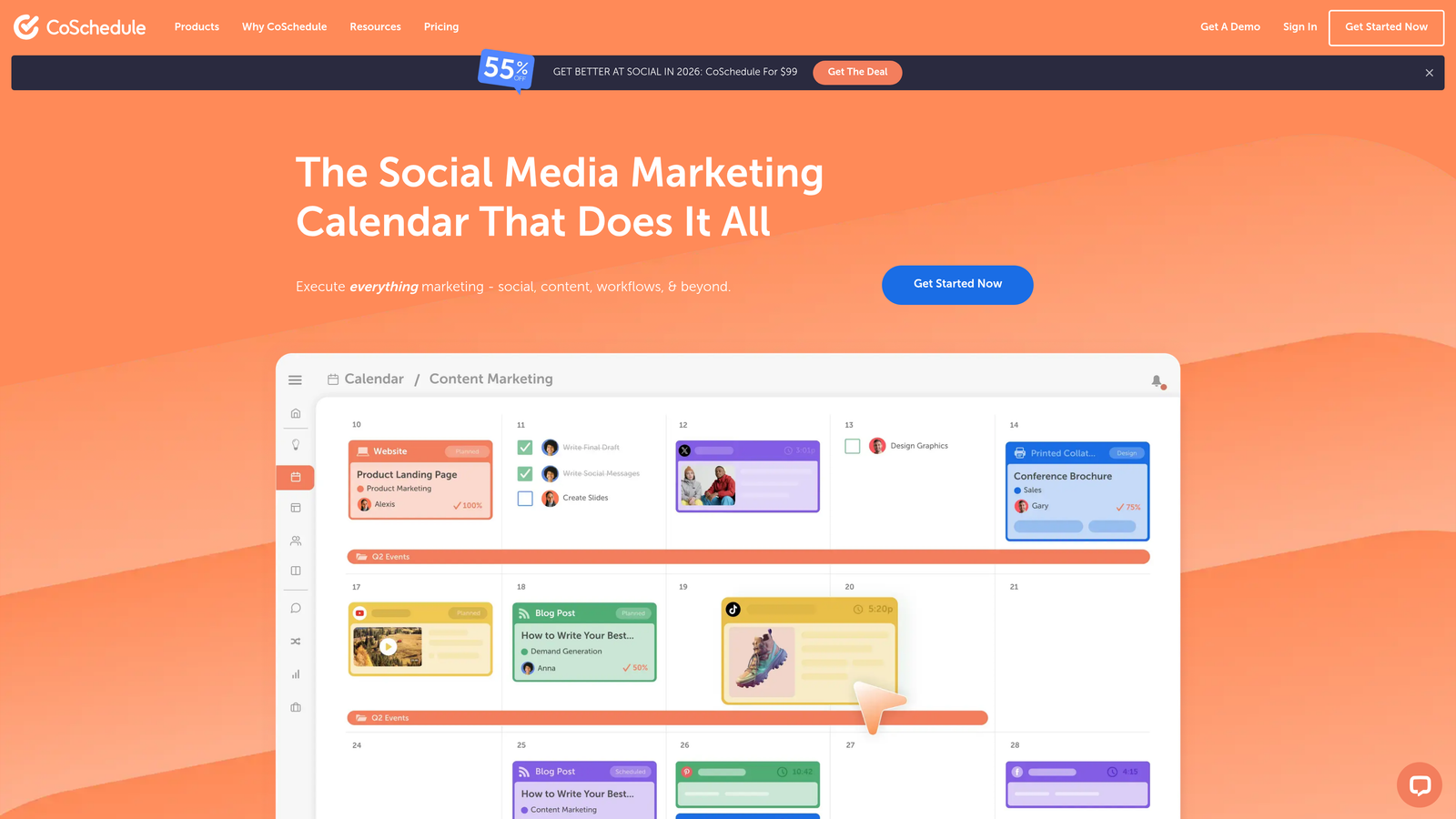
CoSchedule excels at connecting individual content pieces to larger marketing initiatives. The platform's visual marketing calendar provides immediate visibility into how blog posts, social media content, and campaigns align across time. Teams can drag and drop content to adjust schedules, instantly seeing how changes impact overall marketing cadence.
The Social Calendar feature streamlines multi-platform publishing with AI-powered tools that help create, schedule, and measure social media performance. The Social Inbox consolidates DMs, comments, and replies from multiple platforms into one interface, eliminating the need to jump between different social media accounts. This unified approach saves teams considerable time while ensuring no engagement opportunities slip through the cracks.
Key Features & Capabilities
Content Calendar: Provides total visibility of all tasks, projects, and campaigns in a single marketing calendar.
Social Calendar: Create, schedule, publish, and measure social media with AI-powered tools across multiple platforms.
Social Inbox: Respond to direct messages, comments, and replies from all social platforms in one centralized location.
Hire Mia: Collaborative AI-Editor that helps multiply marketing output through intelligent content assistance.
Agency Calendar: Specialized calendar software for agencies managing multiple client accounts and campaigns simultaneously.
Best For / Ideal Users
Marketing teams managing integrated campaigns across multiple channels benefit most from CoSchedule's unified approach. The platform suits organizations with 10-100 team members who need to coordinate content with broader marketing activities.
Agencies managing multiple client calendars find particular value in the Agency Calendar feature, which provides separate workspaces while maintaining centralized oversight. Content marketers and social media managers appreciate the consolidated workflow that eliminates constant platform switching.
Pricing
CoSchedule offers tiered pricing to match different team needs. The platform provides ROI reports showing potential savings by consolidating multiple tools into their unified system.
3. Contentful
Best for: Enterprise teams requiring headless CMS capabilities with sophisticated content workflow management
Contentful provides enterprise-grade content infrastructure with powerful workflow capabilities, enabling large organizations to manage complex content operations across multiple digital properties.
Where This Tool Shines
Contentful excels in environments where content needs to flow seamlessly across websites, mobile apps, digital displays, and IoT devices while maintaining consistency. Its headless architecture separates content management from presentation layers, allowing teams to create once and distribute everywhere without rebuilding for each platform.
The platform's agentic analytics built directly into workflows provide real-time insights into content performance as teams work. This eliminates the traditional gap between content creation and performance analysis, enabling marketers to optimize experiences based on actual data rather than assumptions.
Key Features & Capabilities
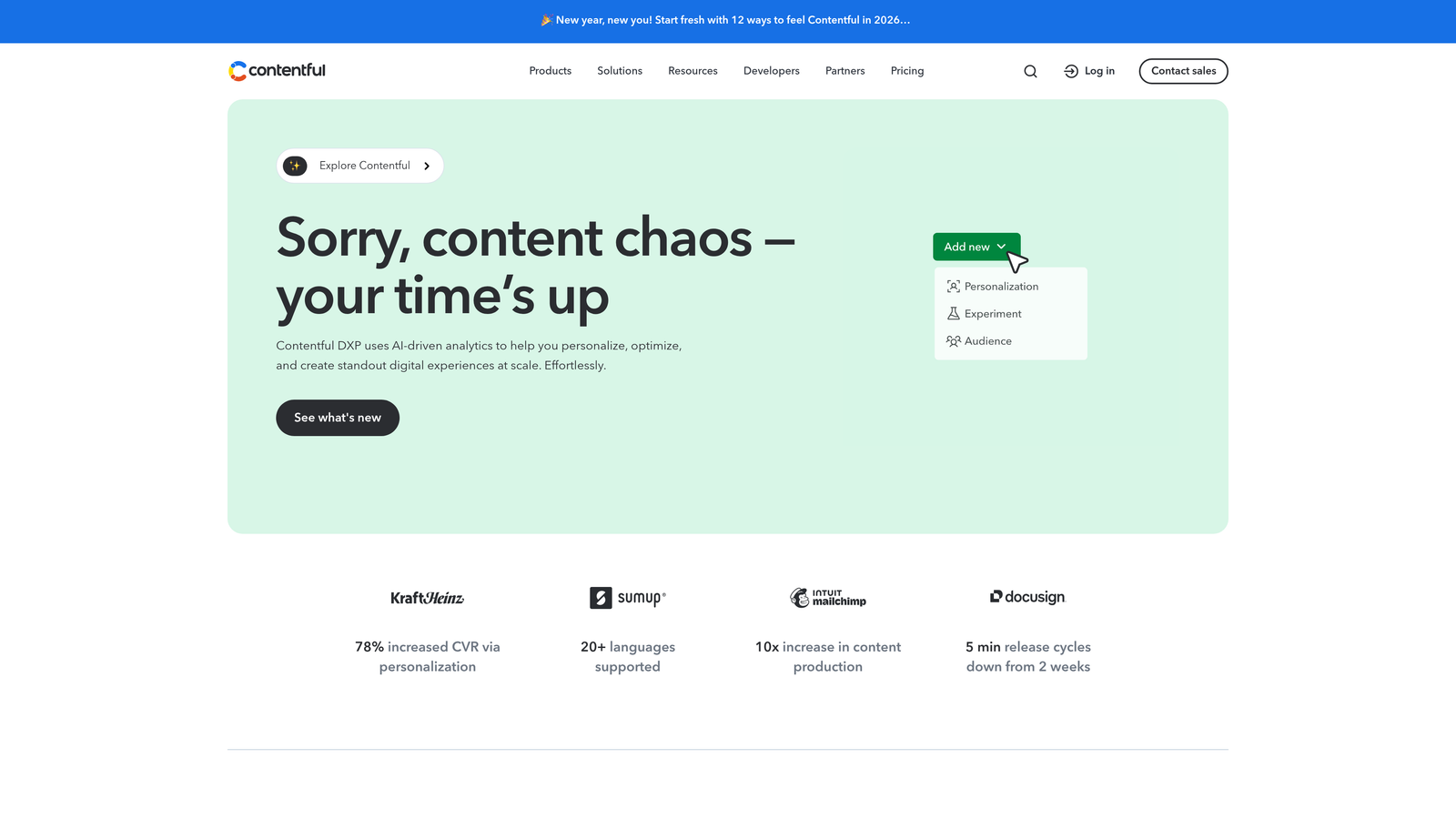
AI-Powered Personalization: Contentful uses AI-driven analytics to help marketers personalize digital experiences at scale, automatically suggesting content variations based on audience behavior and performance patterns.
Visual Studio for Experience Assembly: Teams can assemble and preview digital experiences without developer involvement, dramatically reducing time from concept to launch while maintaining brand consistency.
Automation and AI-Driven Workflows: The platform eliminates busywork through intelligent automation that routes content through appropriate approval chains and handles routine workflow tasks automatically.
Multi-Environment Content Management: Separate development, staging, and production environments enable safe testing and refinement before content goes live across all channels.
Rich API Ecosystem: Developer-friendly APIs enable custom integrations with existing enterprise systems, marketing tools, and specialized platforms unique to your organization.
Best For / Ideal Users
Large enterprises and development teams building complex digital experiences across multiple platforms. Particularly valuable for organizations with technical resources who need flexible content distribution while maintaining centralized control and brand consistency.
Marketing teams at global companies requiring localization support and sophisticated personalization capabilities will find Contentful's enterprise features justify the investment through improved efficiency and content performance.
Pricing
Free tier available for small projects and evaluation. Paid plans start at $300/month for teams, with enterprise pricing customized based on specific requirements, content volume, and usage patterns.
4. Notion
Best for: Teams wanting flexible, customizable content workflows within an all-in-one workspace
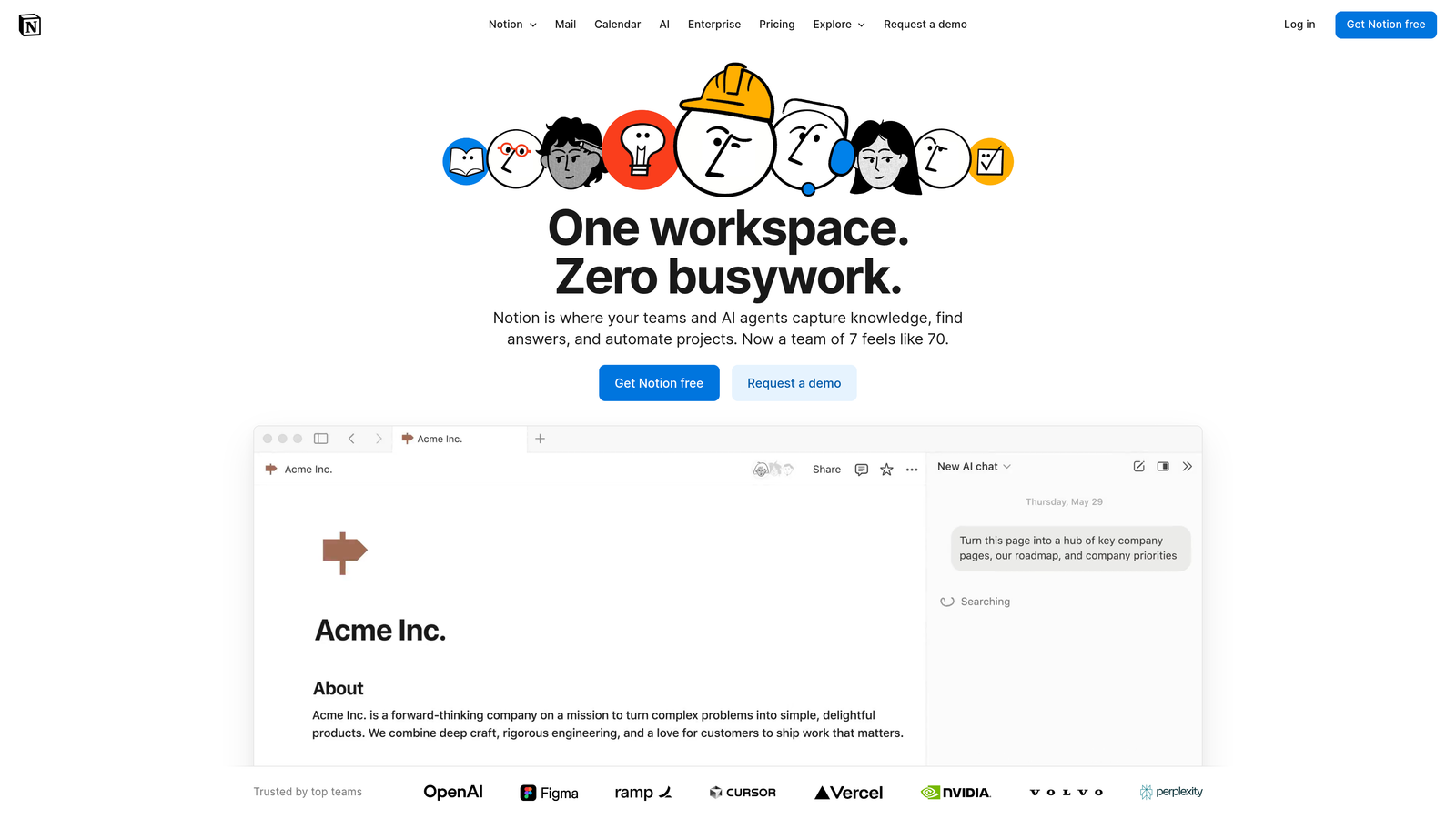
Notion transforms content workflow management through its AI-powered workspace that combines database functionality with collaborative editing, enabling teams to build custom workflows that evolve with their processes.
Where This Tool Shines
Notion's database-driven architecture enables teams to create content tracking systems that match their exact needs rather than forcing adaptation to rigid software structures. The platform's custom AI agents can automate repetitive workflow tasks, from generating content briefs to organizing research materials, making a small team feel significantly more productive.
The Enterprise Search feature becomes particularly valuable for content teams, allowing searches across all connected apps from a single interface. When writers need to reference previous articles, locate brand guidelines, or find campaign assets, they can search once instead of jumping between multiple tools. This unified search capability significantly reduces the time spent hunting for information during content creation.
Key Features & Capabilities
Custom AI Agents: Build specialized AI assistants that handle specific workflow tasks like content brief generation or research compilation.
Flexible Database Views: Switch between calendar, kanban, table, and gallery views to visualize content pipelines from different perspectives.
Collaborative Editing: Real-time editing with comments and suggestions enables seamless collaboration without version control chaos.
Template System: Create standardized workflows for different content types that teams can replicate and customize as needed.
Connected Workspace: Manage content workflows alongside documentation, project management, and knowledge bases in one unified platform.
Best For / Ideal Users
Small to medium content teams (5-30 members) who value customization over out-of-the-box solutions. Particularly effective for creative agencies managing multiple client workflows, startups building their first structured content processes, and remote teams needing centralized collaboration without tool sprawl.
Teams comfortable with some initial setup time to design workflows will find Notion's flexibility pays dividends as processes mature and evolve. The platform suits organizations wanting to consolidate multiple tools into a single workspace rather than managing separate systems for content planning, collaboration, and documentation.
Pricing
Free plan available for personal use with unlimited pages and blocks. Team plans start at $8 per month per user, providing collaborative workspace features, unlimited file uploads, and version history. Enterprise plans offer advanced security, dedicated support, and custom AI agent capabilities for larger organizations.
5. Asana
Best for: Project-focused teams needing robust task management integrated with content workflow tracking
Asana transforms content production into structured projects with clear task ownership, dependencies, and timeline visibility that prevents bottlenecks before they impact delivery.
Where This Tool Shines
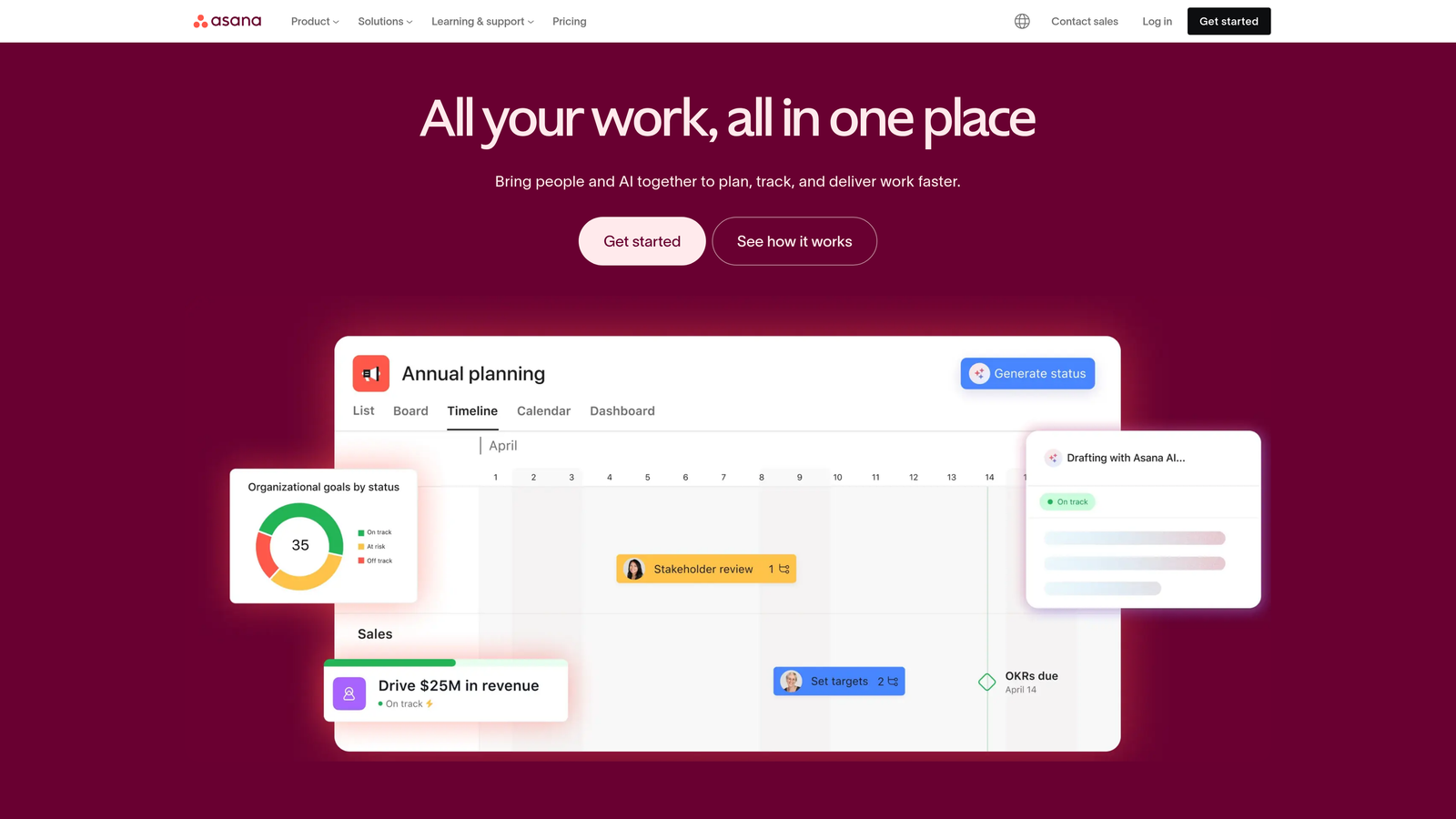
Asana excels at breaking complex content projects into manageable tasks with transparent ownership and deadlines. When you're juggling multiple content pieces across different stages—research, writing, editing, design, approval—Asana's project structure keeps everything organized without overwhelming your team.
The platform's timeline view provides instant visibility into your content production schedule. You can spot potential bottlenecks weeks in advance—like when three major pieces hit the editing stage simultaneously—and adjust resources accordingly. This proactive approach prevents the last-minute scrambles that plague many content teams.
Key Features & Capabilities
Project Templates: Create standardized workflows for blog posts, whitepapers, or video content that your team can replicate instantly.
Timeline and Gantt Charts: Visualize your entire content calendar with dependencies showing how delays in one piece impact others.
Task Dependencies: Link tasks so editing can't start until writing completes, ensuring proper workflow sequencing.
Automated Rules: Set up automation that moves tasks through stages when marked complete or assigns review tasks to editors automatically.
Custom Fields: Track content-specific attributes like target keywords, word count, or content type alongside standard project data.
Proofing and Approvals: Built-in review features let stakeholders provide feedback directly on tasks without email chains.
Advanced Reporting: Generate reports showing team productivity, project completion rates, and workflow bottlenecks.
Integration Ecosystem: Connect with creative tools like Adobe Creative Cloud, publishing platforms like WordPress, and communication tools like Slack.
Best For / Ideal Users
Marketing departments managing multiple concurrent content projects with interdependent tasks and firm deadlines. The platform particularly suits teams of 10-50 members who need coordination without complexity.
Content agencies juggling client projects benefit from Asana's ability to separate workstreams while maintaining visibility across all accounts. The timeline view helps account managers communicate realistic delivery dates based on actual team capacity.
Growing content teams transitioning from informal processes to structured workflows find Asana's learning curve manageable while providing room to scale as operations mature.
Pricing
Free tier supports basic workflows for small teams up to 15 members. Premium plans start at $10.99/month per user with timeline views and advanced features. Business tier at $24.99/month adds advanced reporting and automation.
6. Monday.com
Best for: Visual workflow management with customizable content production pipelines
Monday.com transforms content workflow management into an intuitive visual experience that makes project status instantly clear to every team member.
Where This Tool Shines
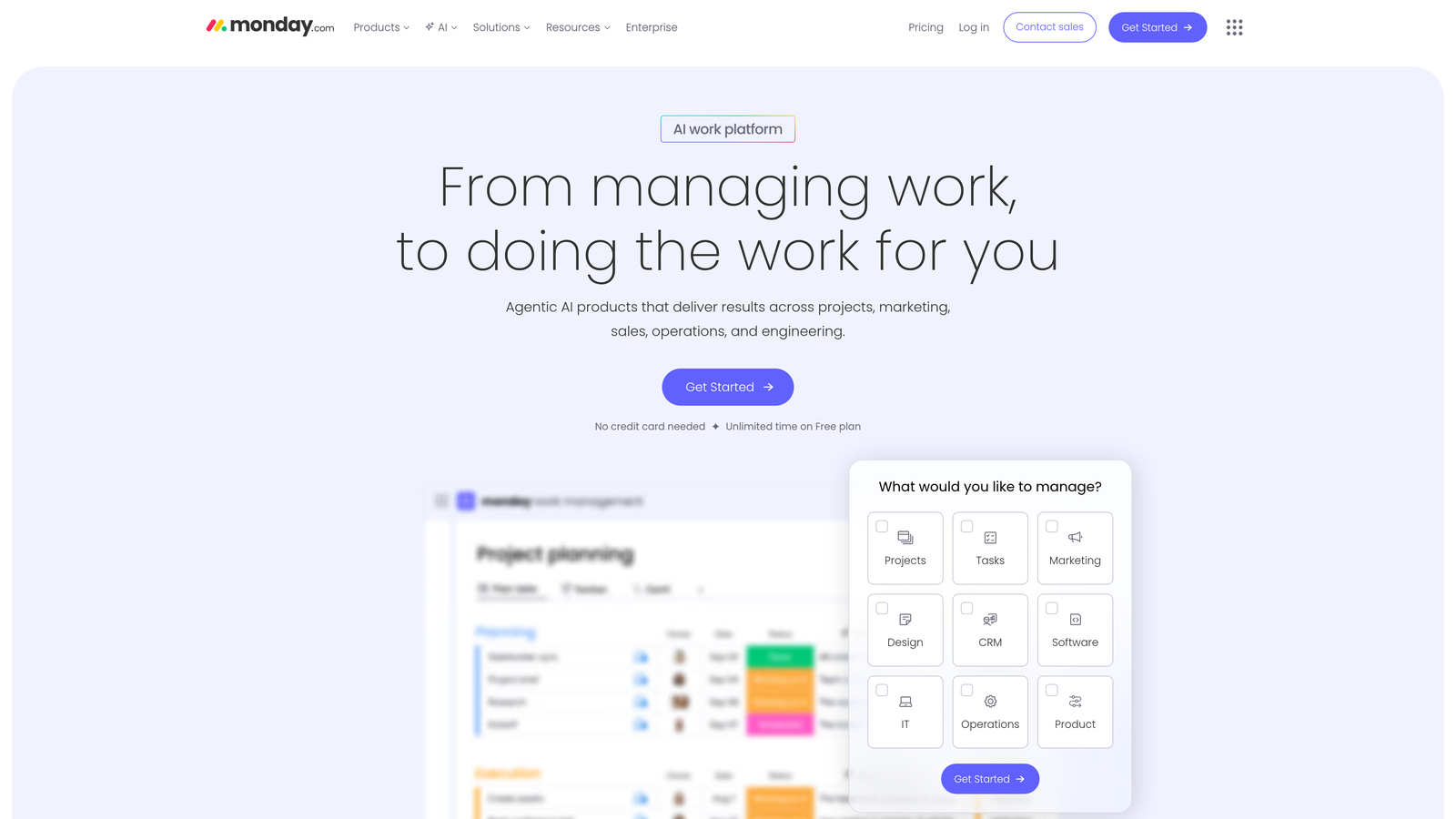
Monday.com excels at making complex content workflows accessible through its color-coded board system. The platform's visual approach eliminates confusion about project status—team members can glance at a board and immediately understand what's in progress, what's blocked, and what's ready for publication.
The platform's strength lies in its balance between simplicity and power. Non-technical team members can navigate boards intuitively, while automation capabilities handle routine workflow tasks like status updates and deadline notifications. This combination makes Monday.com particularly effective for teams transitioning from chaotic email-based workflows to structured content operations.
Key Features & Capabilities
Customizable Workflow Boards: Create columns for any workflow stage with color-coded statuses that provide instant visual feedback on content progress.
Automation Recipes: Set up rules that automatically move content through workflow stages, send notifications, and update team members without manual intervention.
Time Tracking Integration: Monitor how long content pieces spend in each workflow stage to identify bottlenecks and optimize production efficiency.
Collaborative Review Processes: Share files directly within boards and gather feedback without switching between multiple tools or email threads.
Workload Management Views: Visualize team capacity and content assignments to prevent overload and ensure balanced distribution of work.
Best For / Ideal Users
Marketing departments and creative agencies prioritizing visual clarity and ease of adoption. The platform suits teams of 5-50 members who want powerful workflow capabilities without requiring technical expertise or extensive training.
Organizations transitioning from informal processes to structured workflows benefit from Monday.com's intuitive interface that reduces change management friction. Teams managing multiple content types—blogs, social media, video, email—can create separate boards while maintaining visibility across all content production.
Pricing
Free plan available for up to 2 users. Paid plans start at $8/month per user with the Basic tier, while Standard ($10/user/month) and Pro ($16/user/month) tiers unlock advanced automation, time tracking, and integration features that content teams typically require.
7. Trello
Best for: Simple, kanban-style content workflow management for small teams and straightforward processes
Trello transforms content workflow management into an intuitive visual experience through its card-based kanban system, making it accessible for teams who want structure without complexity.
Where This Tool Shines
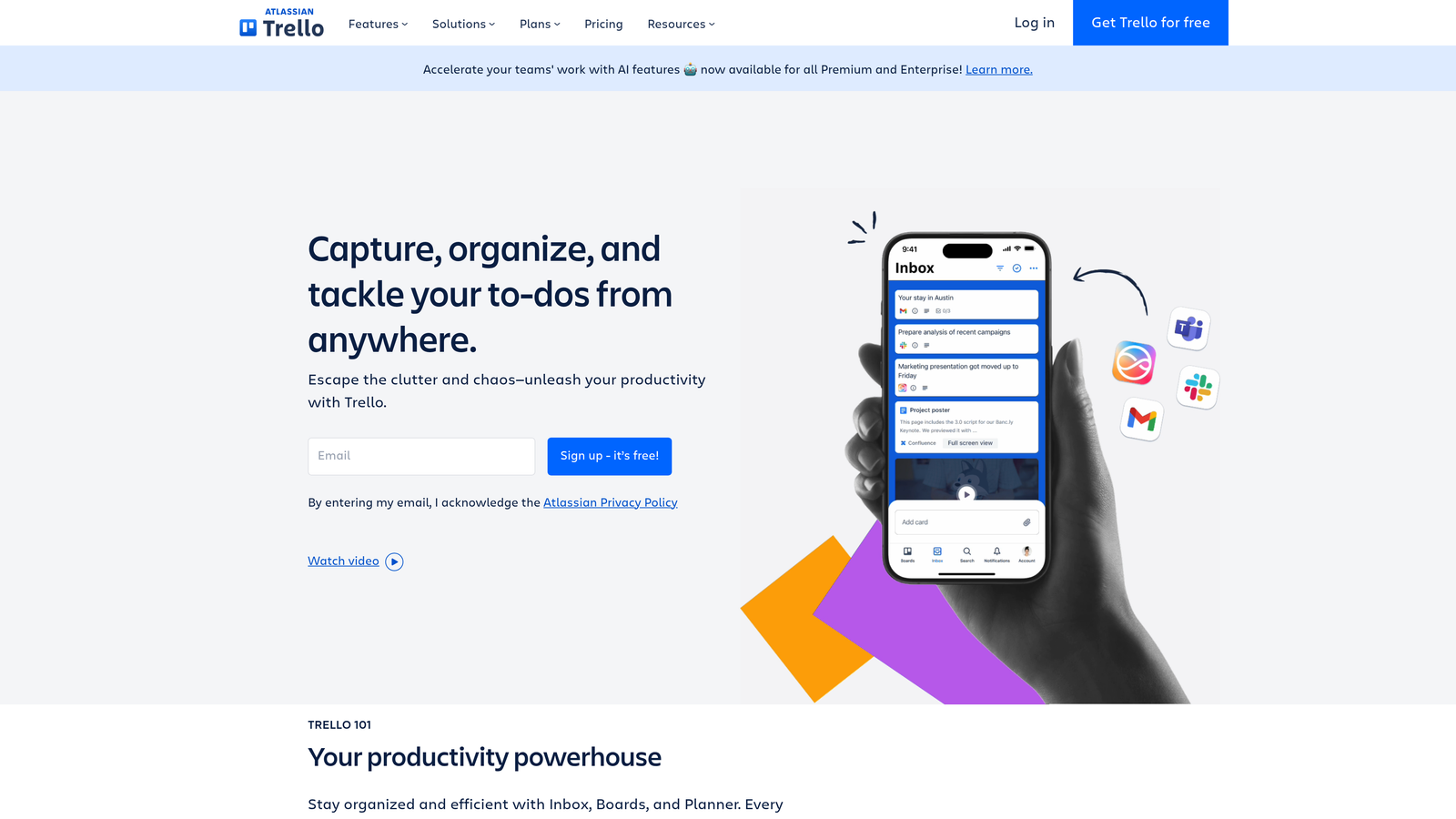
Trello's power lies in its simplicity. The platform's board-and-card metaphor mirrors how teams naturally think about content progression—ideas move from conception through drafting, editing, and publication as cards flow across customizable lists. This visual approach makes workflow status instantly clear to everyone.
The platform excels at onboarding speed. New team members grasp Trello's mechanics within minutes, eliminating the training overhead that plagues more complex systems. Teams can launch their first content workflow board in under an hour, creating lists for each production stage and populating cards with initial content ideas.
Key Features & Capabilities
Kanban Boards: Customizable lists represent workflow stages, with cards moving between them as content progresses through production.
Butler Automation: No-code automation handles repetitive tasks like moving cards, assigning members, and setting due dates based on triggers you define.
Power-Ups: Extend functionality with integrations for calendar views, custom fields, time tracking, and connections to tools like Google Drive and Slack.
Collaborative Features: Team members comment on cards, attach files, create checklists, and mention colleagues to keep conversations contextual.
Mobile Access: Full-featured mobile apps enable workflow management from anywhere, perfect for teams working across locations or time zones.
Best For / Ideal Users
Small content teams and startups needing to implement structured workflows without overwhelming complexity. Trello works particularly well for organizations with 2-15 team members who produce blog posts, social media content, or email campaigns on regular schedules.
The platform suits teams new to formal content workflow management, providing a gentle introduction to structured processes. Creative agencies managing multiple client projects benefit from Trello's board-per-client organization, while marketing departments appreciate the visual clarity for stakeholder updates.
Pricing
Free plan supports unlimited cards and boards for small teams. Standard plan at $5 per user monthly adds unlimited Power-Ups and advanced checklists. Premium ($10/user/month) includes calendar view, custom fields, and advanced automation.
8. Airtable
Best for: Database-driven content management with powerful workflow automation and custom field tracking
Airtable transforms content workflow management by combining spreadsheet simplicity with database sophistication, enabling teams to build custom content operations systems that scale from basic editorial calendars to enterprise-level content orchestration.
Where This Tool Shines
Airtable's database foundation enables content tracking complexity that simple task managers cannot match. Teams can create relational structures linking content pieces to campaigns, contributors, performance metrics, and distribution channels within a single unified system.
The platform's multiple view options—grid, kanban, calendar, gallery, and timeline—provide different perspectives on identical data. Writers might prefer kanban views showing content progression through workflow stages, while editors use calendar views to visualize publication schedules and identify gaps. This flexibility means one database serves multiple team needs without data duplication.
Airtable's automation capabilities handle workflow progression automatically. When content moves to "Ready for Review," the system can notify editors, set due dates, and update related campaign trackers. These automations eliminate manual coordination overhead that typically consumes hours weekly in content operations.
Key Features & Capabilities
Flexible Database Structure: Create custom fields for any content attribute—target keywords, word count, content stage, SEO score, or performance metrics—with relationships connecting content to campaigns, contributors, and distribution channels.
Multiple View Types: Switch between grid spreadsheets, kanban boards, calendars, galleries, and timelines to visualize content workflows from different perspectives without changing underlying data.
Workflow Automation: Build automation rules that progress content through stages, send notifications, update related records, and trigger actions in connected tools based on field changes or time triggers.
Collaboration Features: Real-time editing, comment threads on specific records, @mentions for team communication, and attachment storage keep all content-related discussions and files centralized.
Integration Ecosystem: Connect with content management systems, marketing automation platforms, social media schedulers, and analytics tools through native integrations or API access.
Best For / Ideal Users
Content operations teams managing complex workflows with multiple content types, contributors, and distribution channels. The platform excels for agencies coordinating client content across different brands and requirements.
Organizations requiring detailed content analytics and reporting benefit from Airtable's ability to track custom metrics and generate visual dashboards. Teams wanting to consolidate content planning, production tracking, and performance analysis into unified systems find particular value.
The platform suits teams with 5-50 members who need more sophistication than simple task managers provide but want to avoid enterprise CMS complexity and cost.
Pricing
Free plan supports basic content workflows for small teams with limited records and automation. Paid plans start at $10/month per user, with Pro tier ($20/user/month) adding advanced automation, extended record history, and priority support. Enterprise plans provide enhanced security, admin controls, and dedicated support for larger organizations.
Making the Right Choice
Selecting the ideal content workflow platform depends on your team's size, technical requirements, and content complexity. For teams prioritizing AI-powered efficiency and SEO optimization, Sight AI offers the most comprehensive solution with intelligent automation that scales content production while maintaining quality and tracking AI visibility across major models.
Consider your primary workflow challenges when evaluating options. Teams needing simple task management and visual boards should explore Trello or Monday.com for immediate value with minimal setup. Organizations requiring sophisticated content modeling and multi-channel distribution benefit from Contentful's enterprise capabilities, while those wanting maximum flexibility can build custom workflows in Notion or Airtable.
Budget and technical resources also influence platform selection. Simpler tools like Trello provide quick wins for small teams, while AI-powered platforms like Sight AI deliver long-term efficiency gains through automation. Enterprise solutions require technical implementation but offer greater scalability for complex operations.
The most successful content teams choose platforms that grow with their needs rather than forcing immediate compromises. Start with core workflow requirements, evaluate integration needs with existing tools, and prioritize platforms offering trial periods to test real-world fit before committing.
Ready to transform your content workflow with AI-powered automation? Start tracking your AI visibility today and discover how intelligent content systems can streamline your entire production process while optimizing for both traditional search and AI recommendations.