Your marketing team published three blog posts last month. Your competitors? They published thirty. The content gap isn't just widening—it's becoming a chasm that threatens your organic visibility and audience engagement.
The brutal reality of modern content marketing is that consistency wins. But scaling content production without sacrificing quality or burning out your team requires more than just hiring more writers. You need intelligent systems that streamline workflows, eliminate bottlenecks, and amplify your team's creative output.
The right content production tools transform how marketing teams operate. They automate repetitive tasks, facilitate seamless collaboration, and provide the structure needed to maintain quality at scale. Whether you're managing editorial calendars, coordinating design assets, or optimizing published content for search performance, specialized tools have emerged to address every stage of the content lifecycle.
This guide examines the leading content production tools helping marketing teams scale their efforts in 2026. From AI-powered creation platforms to comprehensive project management systems, these solutions represent the best options for teams serious about increasing output without compromising quality. Here are the top tools that are reshaping how successful brands create and distribute content.
1. Sight AI
Best for: Brands tracking AI visibility and generating SEO/GEO optimized content at scale
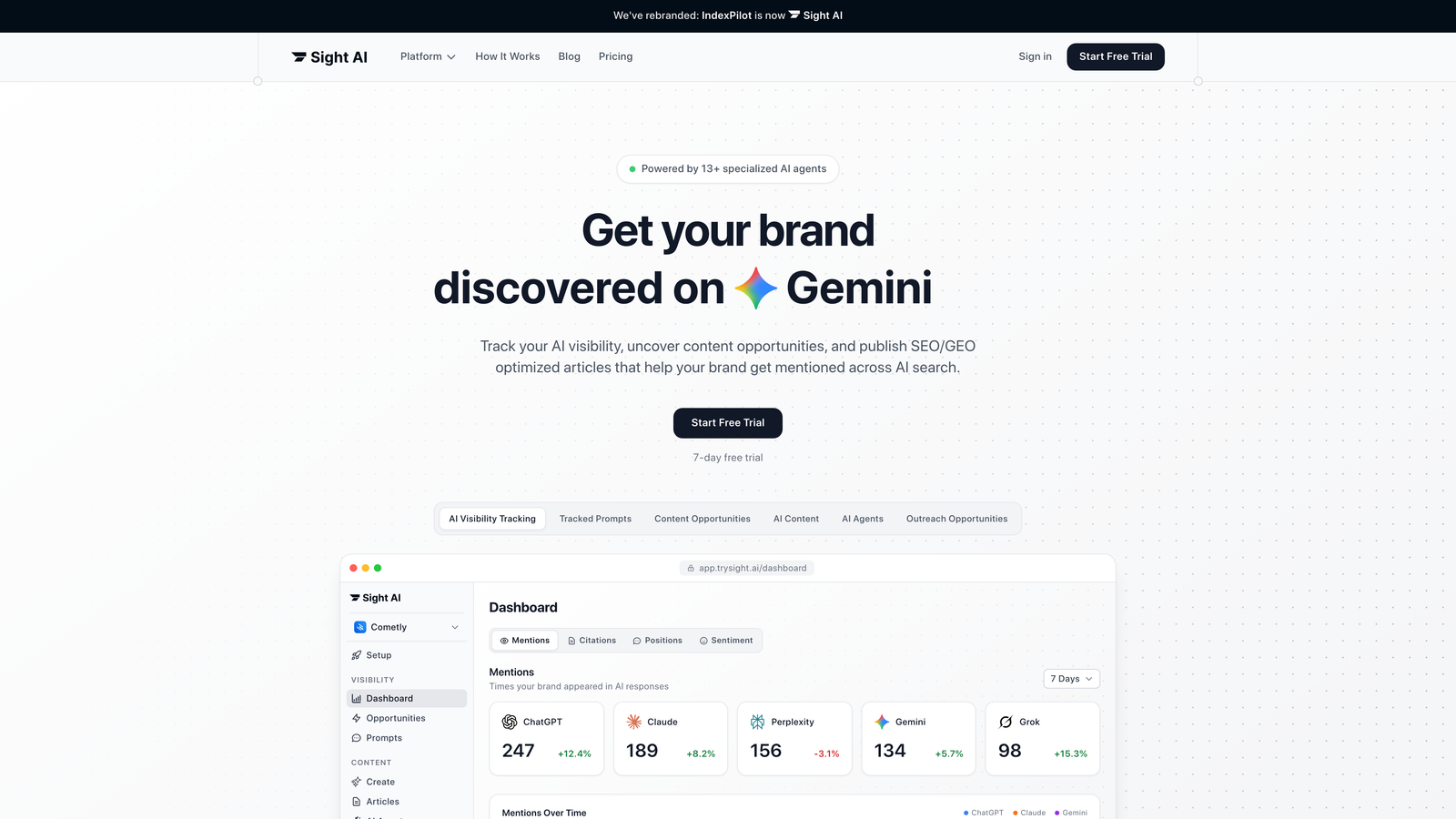
Sight AI stands apart as the only platform that combines AI visibility tracking with intelligent content generation, helping brands understand how AI models talk about them while creating content that gets recommended across ChatGPT, Claude, and Perplexity.
Where This Tool Shines
Sight AI tackles a problem most content production tools ignore: getting your brand mentioned in AI search results. While traditional tools focus solely on Google SEO, Sight AI optimizes for both search engines and AI models through its GEO (Generative Engine Optimization) approach.
The platform uses 13+ specialized AI agents working together to research, write, and optimize long-form articles that perform across traditional search and AI recommendations. This multi-agent system handles everything from keyword research to content structuring, ensuring every piece aligns with both SEO best practices and AI model preferences.
Key Features & Capabilities
AI Visibility Tracking: Monitor how ChatGPT, Claude, and Perplexity mention your brand with daily tracking and sentiment analysis.
13+ AI Agent Content System: Specialized agents handle research, writing, optimization, and fact-checking for comprehensive content creation.
Autopilot Mode: Set your content strategy and let the system generate, optimize, and publish articles automatically.
Instant Indexing: IndexNow integration and always-updated sitemaps ensure content gets discovered faster by search engines.
Auto-Publishing to CMS: Direct integration with your content management system eliminates manual upload steps.
Prompt Tracking: See which user prompts trigger mentions of your brand across AI models to understand visibility patterns.
Best For / Ideal Users
Sight AI is perfect for marketing teams and agencies focused on organic growth who want to dominate both traditional search and AI recommendations. It's particularly valuable for brands that need to scale content production while maintaining quality and tracking their presence across AI platforms.
The platform works especially well for SaaS companies, digital agencies, and content-driven businesses that understand AI search is the future and want to establish visibility now.
Pricing
Sight AI offers flexible plans designed for growing teams, with pricing that scales based on content volume and AI visibility tracking needs across multiple brands.
2. Jasper
Best for: AI writing assistance and content creation across multiple formats
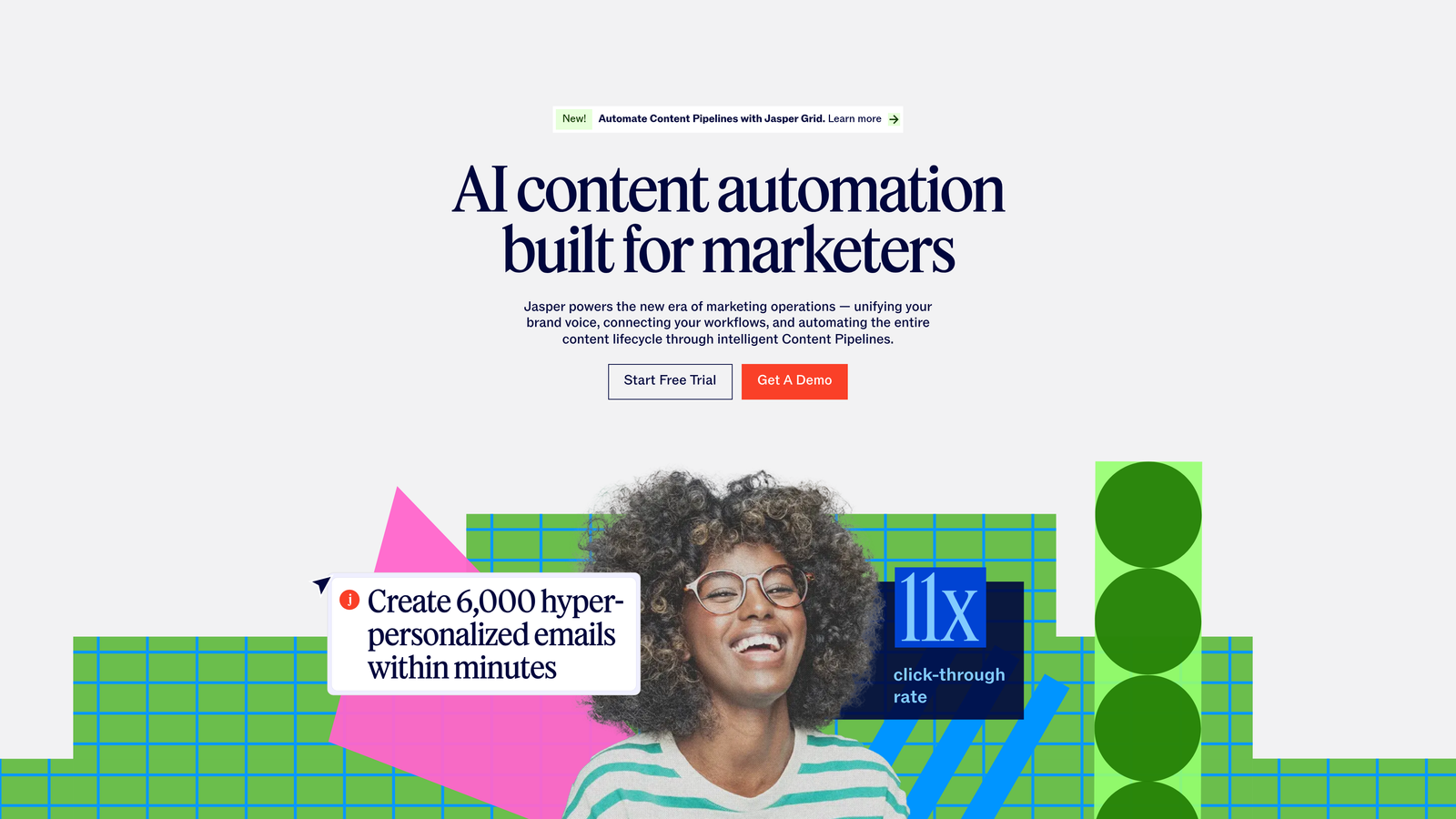
Jasper has established itself as a leading AI writing platform that helps content creators produce high-quality copy quickly and efficiently across blogs, ads, emails, and social media.
Where This Tool Shines
Jasper excels at generating diverse content types while maintaining your brand's unique voice. The platform's Brand IQ feature learns your specific tone, style, and messaging guidelines, then applies them consistently across every piece of content your team creates.
What sets Jasper apart is its Canvas editor, which combines AI assistance with traditional writing tools in a seamless interface. You can generate entire sections, refine specific paragraphs, or simply use AI to overcome writer's block—all within the same workspace. The platform adapts to your workflow rather than forcing you into rigid templates.
Key Features & Capabilities
Marketing AI Editor (Canvas): Intuitive workspace that blends AI generation with manual editing for complete creative control.
Brand IQ: Trains on your brand voice and visual guidelines to ensure every piece of content aligns with your established identity.
Marketing IQ: Automates repetitive content tasks while maintaining strategic alignment with your marketing objectives.
Jasper Chat: Conversational AI interface for brainstorming ideas, refining copy, and getting instant feedback on your content.
AI Image Suite: Generates custom images to complement your written content without requiring separate design tools.
Best For / Ideal Users
Jasper works best for modern marketing teams and enterprise marketers who need to produce large volumes of content while maintaining strict brand consistency. The platform particularly shines for teams that value creative flexibility—you're not locked into rigid templates but can guide the AI toward your specific vision.
Content marketers managing multiple campaigns simultaneously will appreciate how Jasper accelerates first-draft creation, freeing up time for strategic thinking and refinement. Agencies handling multiple client brands benefit from the ability to switch between different brand voices seamlessly.
Pricing
Jasper offers subscription plans designed to scale with your content production needs, from individual creators to enterprise teams requiring advanced features and higher usage limits.
3. ContentKing
Best for: Visual content creation and design for non-designers
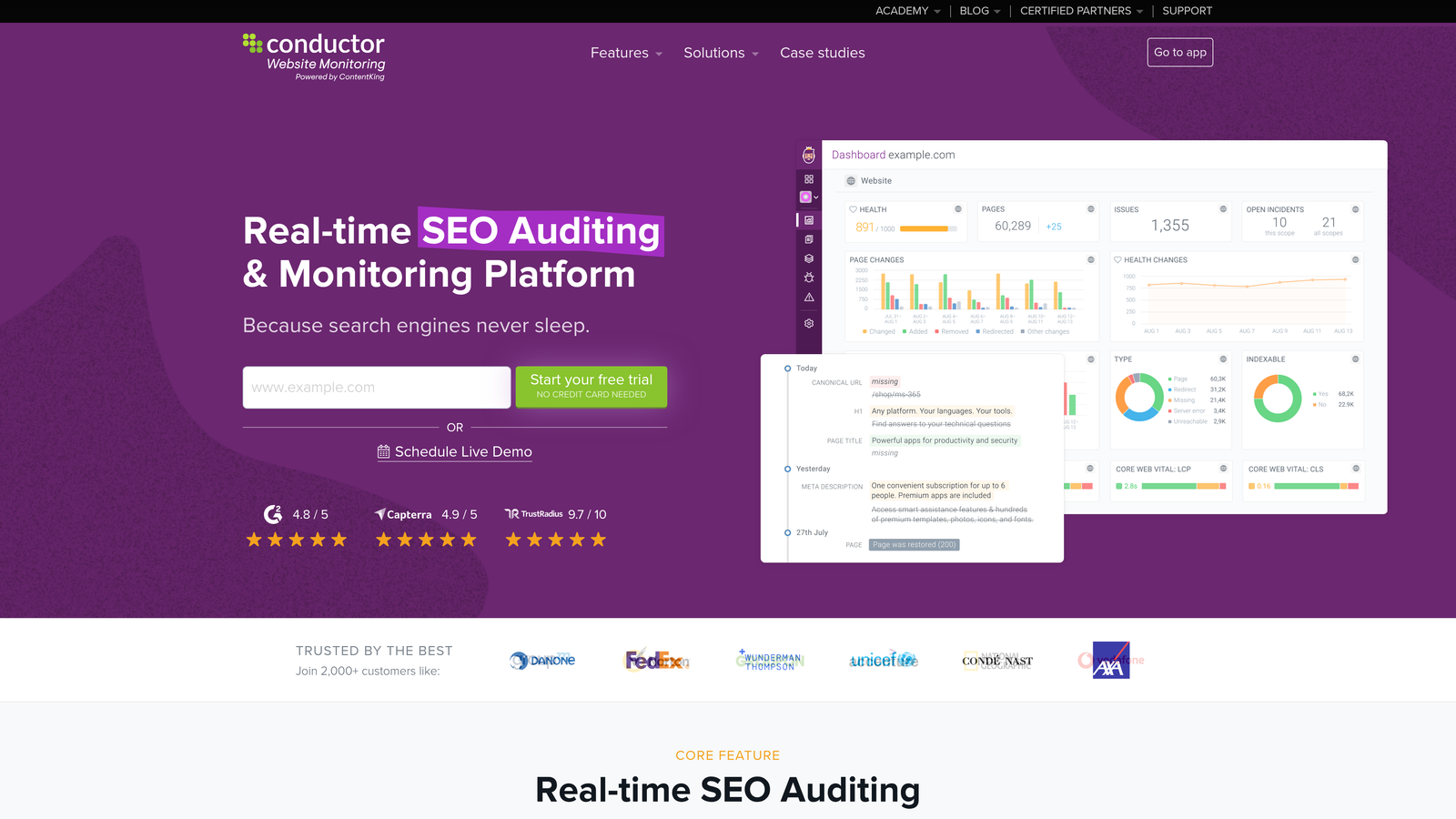
ContentKing provides real-time SEO auditing and monitoring to help content teams maintain technical optimization across their entire website.
Where This Tool Shines
Canva's greatest strength is making professional design accessible to everyone through its intuitive drag-and-drop interface and extensive template library. The platform excels at enabling non-designers to create visually appealing content quickly and consistently.
Canva's collaborative features make it easy for teams to maintain brand consistency while allowing multiple team members to contribute to visual content creation. The tool particularly shines for social media content, presentations, and marketing materials that need to look professional without requiring design expertise.
Key Features & Capabilities
Extensive Template Library: Access thousands of professionally designed templates for every content type imaginable, from social media posts to presentations and marketing materials.
Drag-and-Drop Interface: Intuitive design tools that make creating visual content as simple as moving elements around your canvas.
Brand Kit Management: Centralized storage for brand colors, fonts, and logos ensures consistency across all visual content.
Team Collaboration: Share designs, provide feedback, and work together in real-time with team members.
Stock Library Access: Millions of stock photos, graphics, and illustrations available directly within the platform.
Best For / Ideal Users
Canva is ideal for small businesses, marketing teams without dedicated designers, and content creators who need to produce visual content quickly and affordably while maintaining professional quality. It's particularly valuable for social media managers who need to create consistent, on-brand graphics daily.
Pricing
Canva offers a free tier with basic features, plus paid plans that include additional templates, brand management tools, and team collaboration features.
4. CoSchedule
Best for: Marketing teams coordinating content campaigns across multiple channels with complex workflows
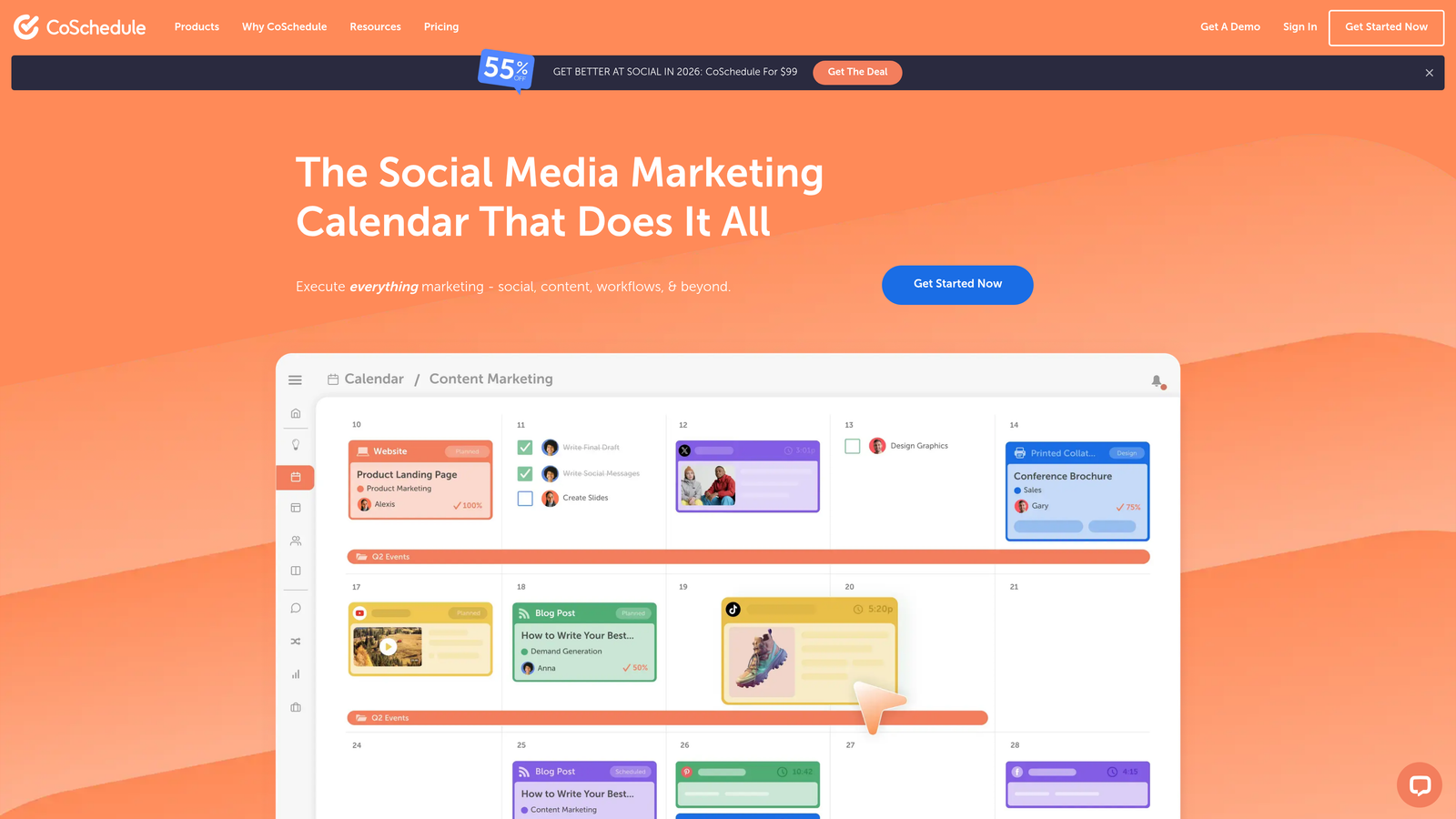
CoSchedule transforms chaotic content operations into organized, efficient workflows through its comprehensive marketing calendar and project management platform.
Where This Tool Shines
CoSchedule excels at bringing visibility and structure to complex content operations that involve multiple team members, channels, and stakeholders. The platform's calendar-first approach makes it immediately clear what content is publishing when, who's responsible for each piece, and where potential conflicts or gaps exist in your schedule.
The tool particularly shines when managing campaigns that span multiple channels—blog posts, social media, email, and paid promotion—all coordinated from a single view. Teams can see how individual content pieces fit into broader campaign strategies, making it easier to maintain consistent messaging and timing across all touchpoints.
Key Features & Capabilities
Marketing Calendar: Drag-and-drop interface for scheduling content across all channels with color-coding and filtering options.
Social Media Scheduling: Create, schedule, and publish social content directly from the calendar with built-in best time recommendations.
Project Templates: Standardize workflows for recurring content types with automated task creation and assignment.
Approval Workflows: Route content through customizable review processes with clear status tracking and notification systems.
Team Task Management: Assign responsibilities, set deadlines, and track progress on individual content pieces and campaign components.
Analytics Dashboard: Monitor content performance across channels to inform future planning decisions.
Best For / Ideal Users
CoSchedule works best for marketing teams of 5+ people who manage content across multiple channels and need to coordinate between writers, designers, social media managers, and approval stakeholders. The platform is particularly valuable for organizations with established content operations that need better visibility and coordination rather than basic scheduling capabilities.
Content marketing agencies managing multiple client accounts benefit from CoSchedule's ability to separate and organize different brands within a single platform. The tool also suits marketing departments in larger organizations where content approval involves multiple layers of review.
Pricing
CoSchedule offers tiered pricing starting with their Free Calendar for individual marketers, scaling up through Pro plans for small teams, and custom Enterprise solutions for larger organizations with advanced workflow and integration requirements.
5. Canva
Best for: Visual content creation and design for non-designers
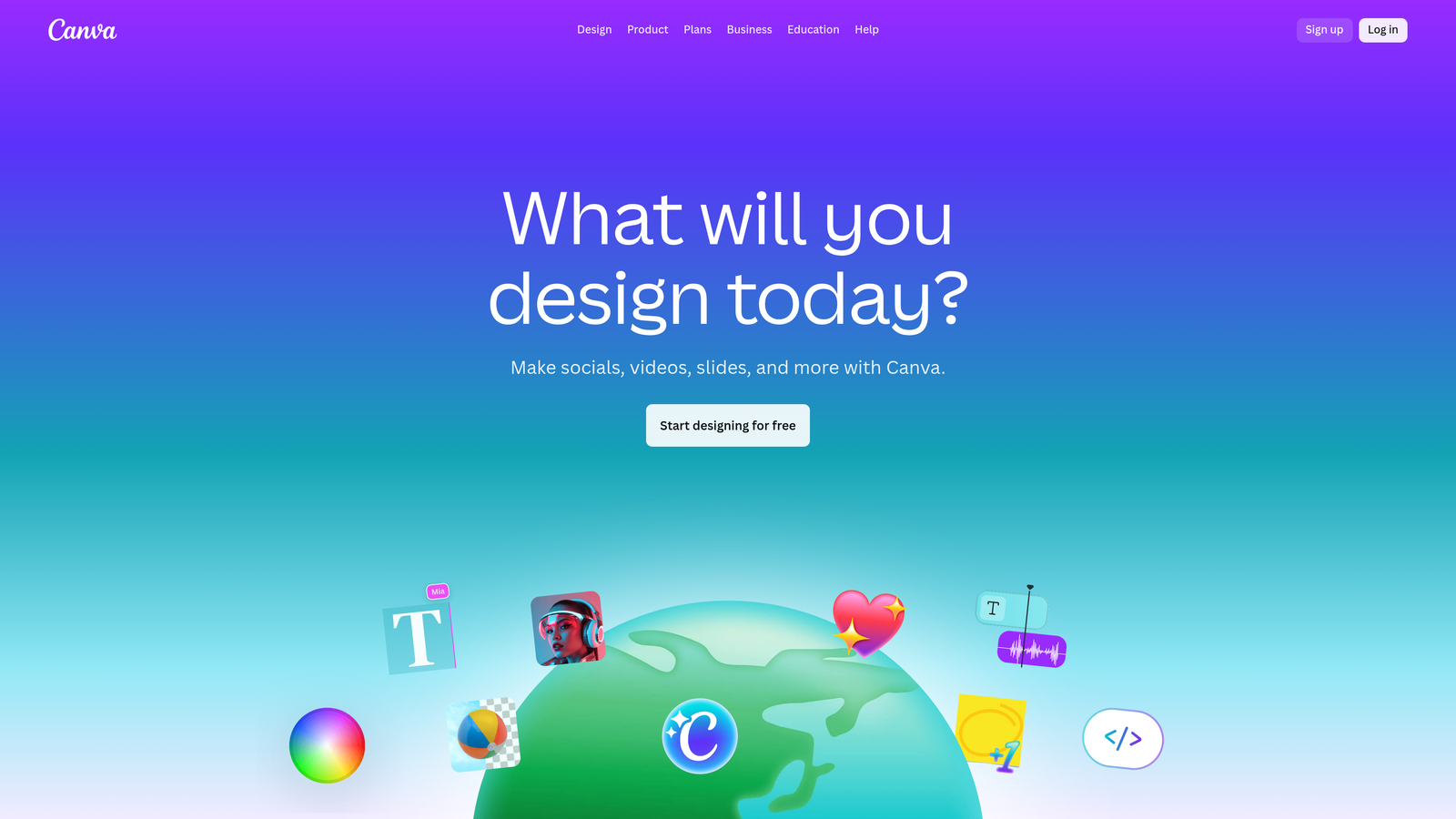
Canva democratizes design by providing an intuitive platform where anyone can create professional-quality visual content without formal design training or expensive software.
Where This Tool Shines
Canva's greatest strength lies in making professional design accessible through its drag-and-drop interface and massive template library. The platform removes the intimidation factor from visual content creation, allowing marketing teams to produce everything from social media graphics to presentations without waiting on designers.
The tool particularly excels at maintaining brand consistency across teams. With Brand Kit features, companies can store logos, color palettes, and fonts in one place, ensuring every team member creates on-brand content regardless of their design experience. This combination of accessibility and control makes Canva invaluable for distributed teams producing high volumes of visual content.
Key Features & Capabilities
Template Library: Access thousands of professionally designed templates for every content type, from Instagram posts to business presentations.
Drag-and-Drop Editor: Intuitive interface allows anyone to customize designs by simply dragging elements into place.
Brand Kit Management: Centralize brand colors, fonts, and logos for consistent visual identity across all content.
Team Collaboration: Multiple team members can work on designs simultaneously with real-time updates and commenting.
Stock Library: Built-in access to millions of photos, graphics, and illustrations eliminates need for separate stock photo subscriptions.
Animation Tools: Add motion to static designs for more engaging social media content without video editing expertise.
Direct Publishing: Schedule and publish social media content directly from Canva to major platforms.
Best For / Ideal Users
Canva works best for small businesses and marketing teams without dedicated design resources who need to produce professional visual content quickly. It's particularly valuable for social media managers, content marketers, and entrepreneurs who wear multiple hats and need design capabilities without the learning curve of professional design software.
The platform also serves larger organizations well when they need to empower non-design team members to create approved content independently while maintaining brand standards.
Pricing
Canva offers a robust free tier with basic templates and features. Paid plans unlock additional templates, Brand Kit functionality, team collaboration features, and premium stock content, with pricing scaled for individuals through enterprise teams.
6. Notion
Best for: All-in-one workspace for content planning, documentation, and team collaboration
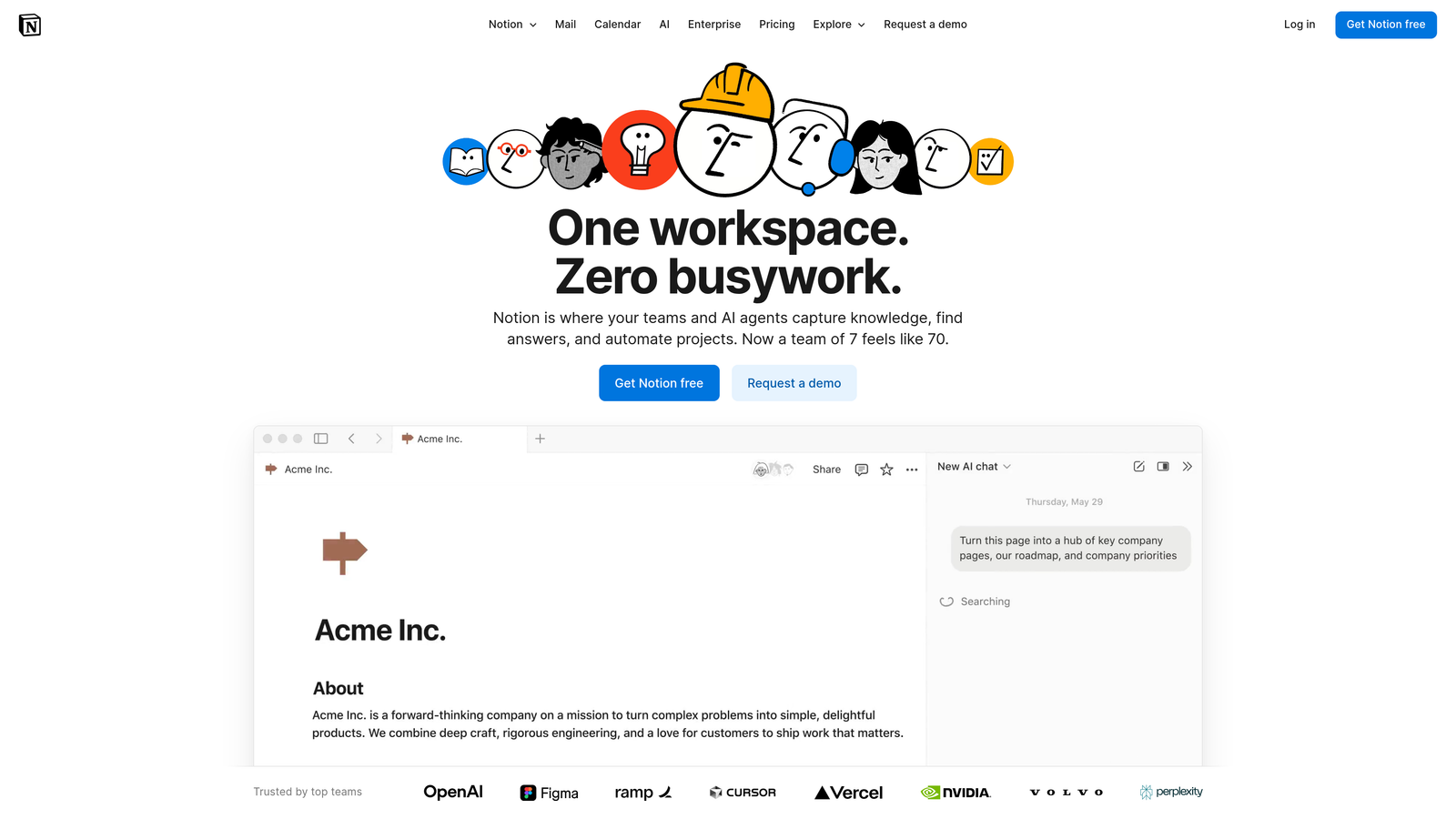
Notion transforms how teams organize and execute content production by combining flexible databases, collaborative documents, and project management into a single unified workspace.
Where This Tool Shines
Notion excels at serving as the central nervous system for content operations. The platform's real strength lies in its adaptability—teams can build custom content calendars, maintain comprehensive brand guidelines, organize research materials, and collaborate on drafts all within one workspace. Unlike rigid project management tools, Notion molds itself to your existing workflow rather than forcing you into predetermined structures.
What makes Notion particularly valuable for content production is its ability to connect different aspects of your workflow. You can link content briefs to their corresponding calendar entries, attach research notes to specific articles, and maintain a searchable knowledge base of past content performance—all interconnected through Notion's relational database capabilities.
Key Features & Capabilities
Flexible Content Databases: Create custom databases for content calendars, editorial pipelines, and asset libraries with views that suit different team roles.
AI-Powered Workspace: Custom AI agents help automate routine tasks, generate content outlines, and search across all connected apps from one place.
Real-Time Collaboration: Multiple team members can edit documents simultaneously with inline comments and @mentions for seamless feedback.
Template System: Build reusable templates for content briefs, meeting notes, and project structures to standardize workflows.
Knowledge Management: Maintain comprehensive wikis for brand guidelines, style guides, and process documentation that stay accessible to the entire team.
Best For / Ideal Users
Notion works exceptionally well for content teams that value organization and customization. It's ideal for teams managing complex editorial calendars with multiple content types, agencies coordinating client projects, and marketing departments that need centralized documentation alongside project management.
The platform particularly benefits teams transitioning from scattered tools and spreadsheets who want everything in one place. If your team spends time searching for information across multiple platforms or struggles with maintaining updated documentation, Notion provides the structure to solve these challenges.
Pricing
Notion offers a free plan for individuals with unlimited pages and blocks. Team plans start at affordable monthly rates per user, with enterprise options including advanced security, dedicated support, and administrative controls.
7. Loom
Best for: Video content creation and screen recording for marketing teams without video production expertise
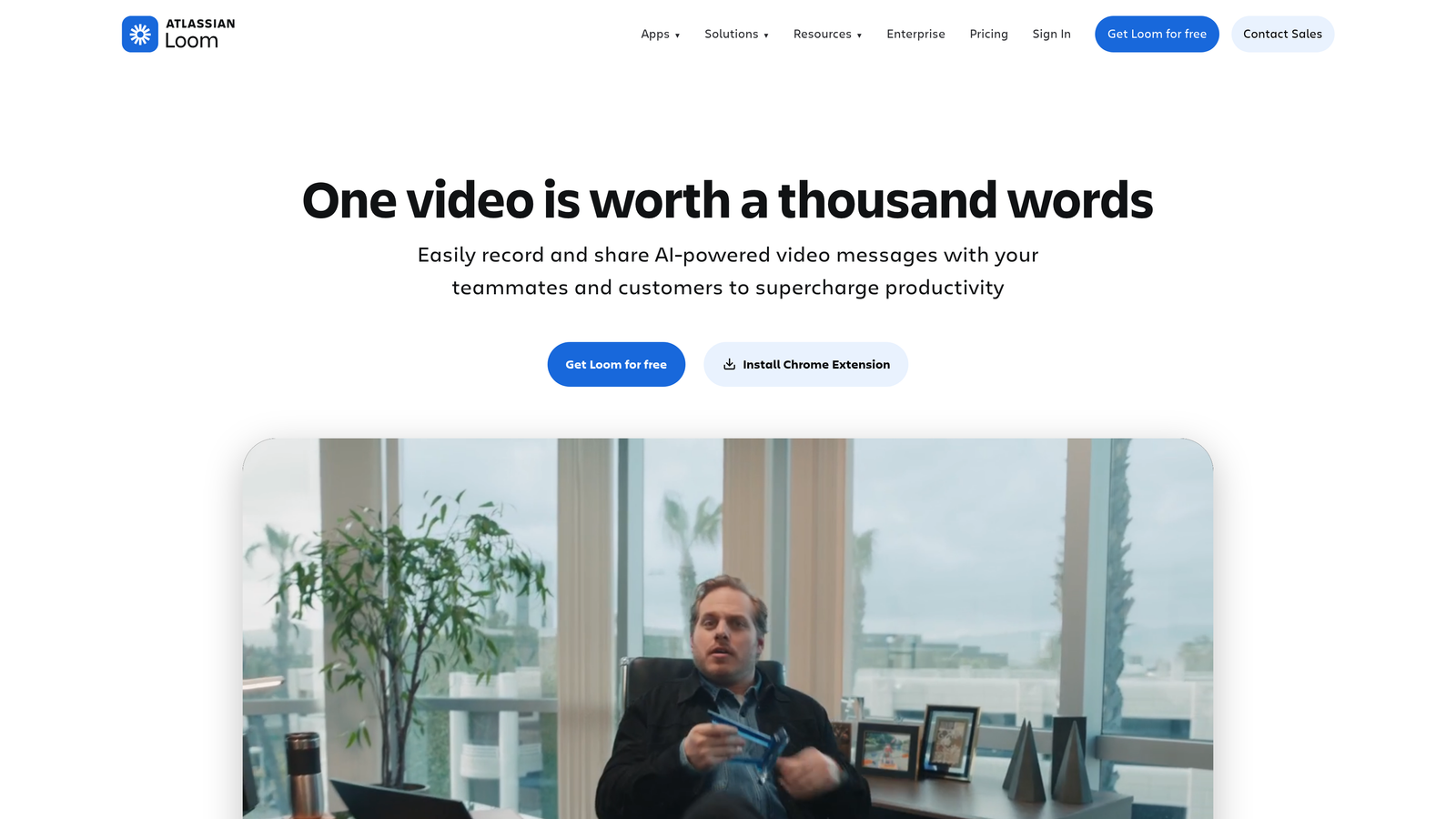
Loom transforms video content creation by making it as simple as clicking a button—no cameras, studios, or editing skills required.
Where This Tool Shines
Loom excels at removing the traditional barriers to video content creation. The platform's one-click recording capability means you can capture your screen, camera, or both simultaneously without any technical setup. This simplicity makes video accessible for teams that previously avoided it due to complexity or resource constraints.
The tool particularly shines for creating authentic, personal content that builds stronger connections with audiences. Product demos, tutorial videos, and customer onboarding content become effortless when you can simply record your screen while explaining concepts naturally. The automatic transcription feature transforms every video into searchable, accessible content that serves multiple purposes across your marketing channels.
Key Features & Capabilities
Lightning-Fast Screen Recording: Start recording instantly without complex software setup or configuration.
Automatic Transcription and Captions: Every video includes searchable text and accessibility features without manual work.
Instant Sharing and Embedding: Share videos via link or embed directly into websites, emails, and knowledge bases.
Built-in Video Editing: Trim unnecessary sections and polish your content without learning complex editing software.
Viewer Analytics: Track who watches your videos and how they engage with your content.
Team Libraries: Organize and share video content across your organization for consistent messaging.
Best For / Ideal Users
Loom works exceptionally well for marketing teams creating educational content, product demonstrations, and customer communications. It's ideal for customer success teams building video knowledge bases, sales teams personalizing outreach, and content marketers adding video to their content mix without production overhead.
The platform particularly benefits remote and distributed teams that need to communicate complex ideas asynchronously. If your team has been hesitant to create video content due to perceived complexity or resource requirements, Loom removes those obstacles entirely.
Pricing
Loom offers a free tier that includes basic recording features, making it easy to test the platform. Paid plans provide additional storage, advanced features, and team management capabilities that scale with your video content needs.
8. Airtable
Best for: Content database management and workflow automation for complex editorial operations
Airtable transforms content production management by combining spreadsheet simplicity with database power, enabling teams to build custom workflows that adapt to their unique processes.
Where This Tool Shines
Airtable excels at organizing the messy reality of content production—tracking ideas from conception through publication while maintaining visibility across every stage. The platform's flexible structure means you can design exactly the workflow your team needs rather than forcing your process into someone else's template.
What makes Airtable particularly powerful is its ability to connect related information across different views. Your content calendar, writer assignments, SEO keyword tracking, and performance metrics can all live in one interconnected system. When you update a piece's status, everyone sees it instantly. When you need to find all content related to a specific campaign or topic, you can filter and sort in seconds.
Key Features & Capabilities
Flexible Database Structure: Create custom fields for any data point your team tracks—from target keywords and word counts to content stage and assigned writers.
Multiple View Options: Switch between calendar view for scheduling, kanban boards for workflow management, gallery view for visual content, and grid view for detailed data.
Automation Rules: Set up triggers that automatically move content through stages, send notifications, or update fields based on specific conditions.
Custom Forms: Create intake forms for content requests that automatically populate your database with properly structured information.
Rich Integrations: Connect with hundreds of tools including Slack for notifications, Google Drive for asset storage, and publishing platforms for distribution.
Best For / Ideal Users
Airtable works best for content teams managing complex editorial operations with multiple content types, contributors, and approval stages. It's particularly valuable when you need detailed tracking beyond simple task management—like monitoring content performance metrics, managing freelancer assignments, or coordinating multi-channel campaigns.
The platform shines for teams that have outgrown basic spreadsheets but don't need enterprise-level content management systems. If your team frequently says "we need a better way to track this," Airtable probably has a solution.
Pricing
Airtable offers a free tier suitable for small teams testing the platform, with paid plans adding automation, advanced features, and increased storage capacity for growing content operations.
Making the Right Choice
The best content production tool isn't the one with the most features—it's the one that solves your specific bottleneck. If AI visibility matters to your brand strategy, Sight AI delivers the unique combination of tracking and optimization you won't find elsewhere. For teams drowning in design requests without dedicated designers, Canva transforms visual content creation from a bottleneck into a strength.
Start by identifying your biggest constraint. Teams struggling with written content volume benefit most from AI writing platforms like Jasper or Sight AI. Those managing complex workflows across multiple stakeholders need the coordination capabilities of CoSchedule or Airtable. If your existing content library isn't performing, ContentKing's optimization focus delivers immediate value.
The smartest approach involves building your stack incrementally. Choose one core tool that addresses your primary pain point, master it completely, then add complementary solutions as your needs evolve. This prevents the overwhelm that comes from adopting too many platforms simultaneously while ensuring each tool delivers measurable value.
Remember that tools amplify strategy—they don't replace it. The most sophisticated content production platform won't compensate for unclear messaging or misaligned audience targeting. Define your content goals, understand your audience deeply, then select tools that accelerate execution of your strategy.
Start tracking your AI visibility today and discover how your brand appears across ChatGPT, Claude, and Perplexity while generating content that performs across both traditional search and AI recommendations.